

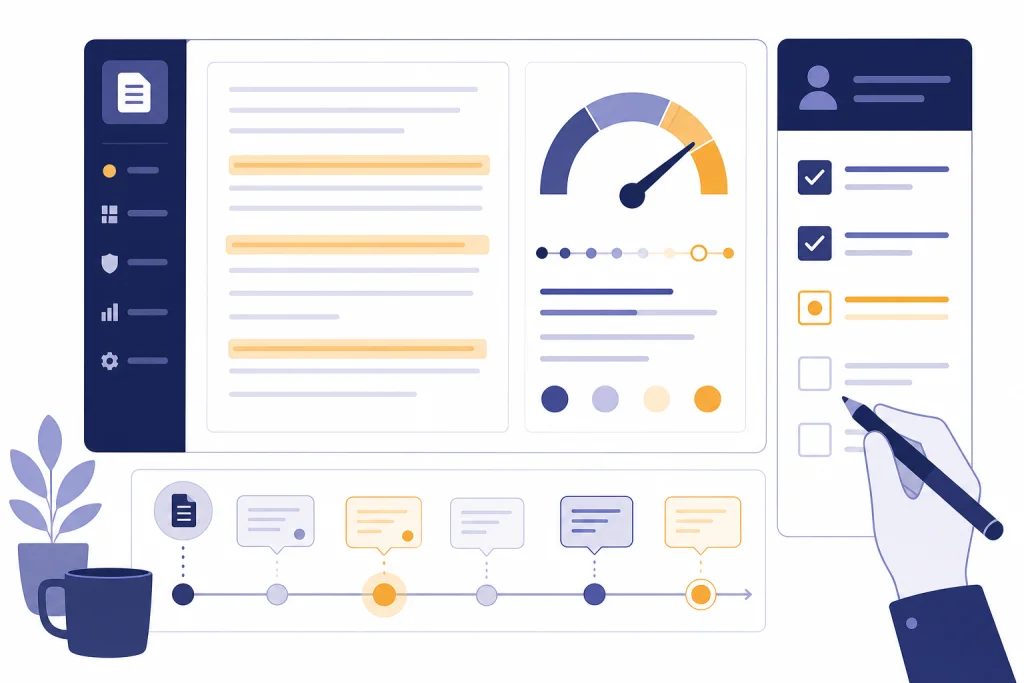
GPTZero is still one of the strongest AI detectors for teachers, editors, and organizations that need a clear, easy-to-read scan of possible AI-written prose. It is not a courtroom-grade proof engine. The best reason to use GPTZero is its full workflow: document-level scoring, sentence highlights, Chrome and Google Docs tools, Canvas support, plagiarism checks, writing reports, and API access.[2][3][4] The main reason to be careful is accuracy. GPTZero itself says no AI detector is perfect and that results should not be used as a final verdict.[2] This GPTZero review treats it as a screening tool, not a source of punishment.
Verdict: GPTZero is strong, but not definitive
GPTZero earns a positive review because it does more than return a scary percentage. It gives document, sentence, and word-level signals, plus writing-history tools that can make a conversation more grounded.[12] That matters in schools, hiring, publishing, and compliance workflows where a reviewer needs context, not only a binary label.
The answer to “is it still the best AI detector?” depends on what you mean by best. For education workflows, GPTZero remains one of the most practical choices because it supports classroom use, Canvas, Google Docs, Chrome, plagiarism checking, and writing reports.[2][3] For strict low-false-positive detection, the September 2025 NBER working paper found Pangram was the only tested tool to satisfy a strict false-positive policy cap without sacrificing accuracy.[7] That finding prevents a simple “GPTZero is best” answer.
Our bottom line: use GPTZero when you need a readable first-pass detector with strong education features. Do not use it as the only evidence for discipline, rejection, firing, or accusation. If your main use case is academic integrity, compare it with the broader options in Best AI Detectors for Teachers and Schools.
| Review area | GPTZero result | What it means |
|---|---|---|
| Best fit | Teachers, editors, institutions, recruiters, and teams | Strongest when a human reviewer examines the result |
| Core strength | Readable AI scan plus writing-process context | Better than a bare percentage |
| Main risk | False positives and weak signals on short or heavily edited text | Do not treat the score as proof |
| Best alternative type | Detector benchmarked for very low false positives | Useful when accusations carry serious consequences |
How GPTZero works
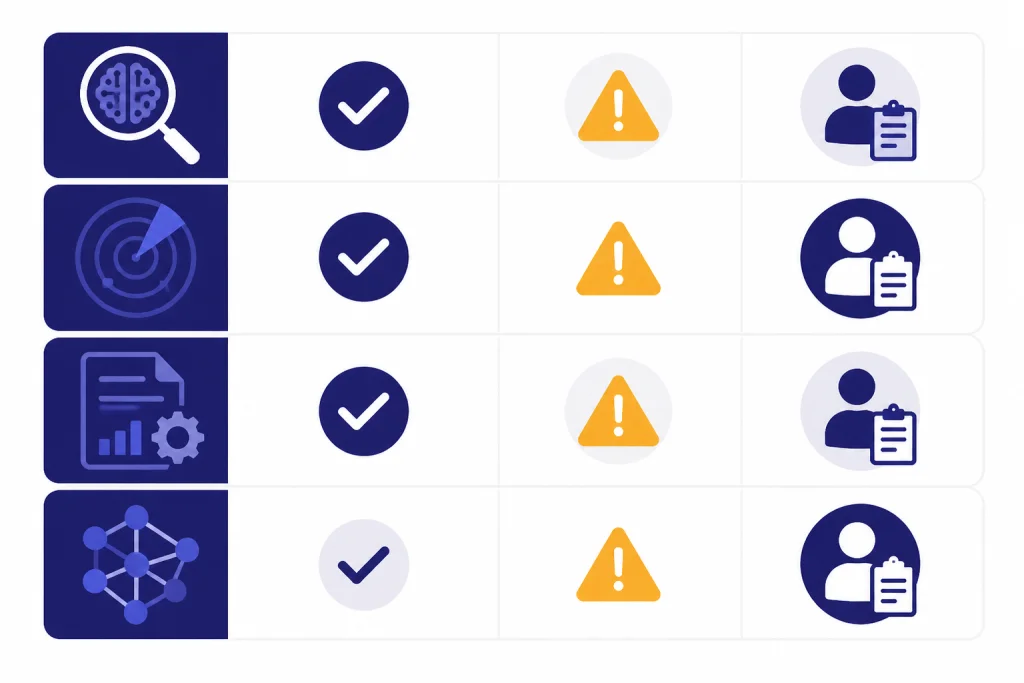
GPTZero analyzes writing patterns that are more likely to appear in machine-written text than human-written text. Its public explanation names common detector signals such as perplexity, burstiness, and style, then says GPTZero uses a proprietary model with hundreds of factors.[2] In plain English, the tool looks for text that is too predictable, too even, too generic, or too similar to known AI output patterns.
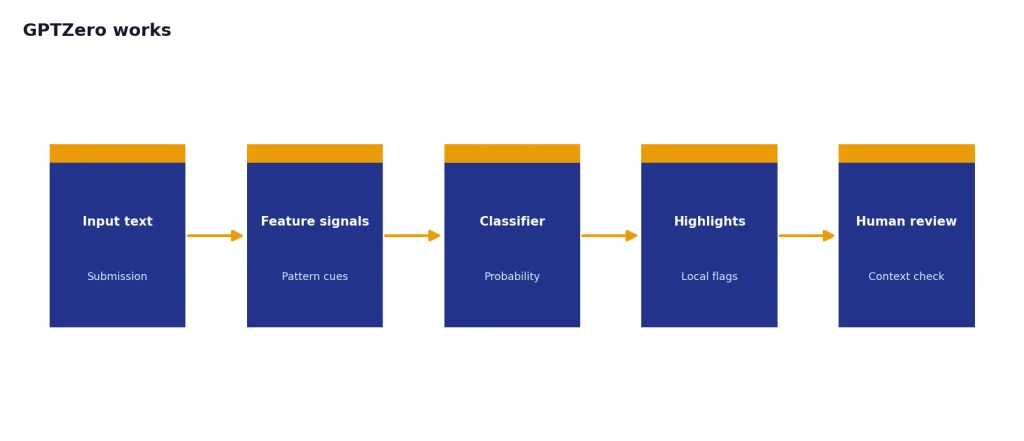
The product is built for prose. GPTZero’s FAQ says the classifier is intended to flag possible AI use so a conversation can start, especially in education and other writing-heavy settings.[12] That framing is important. An AI detector estimates probability. It does not know who wrote a sentence.
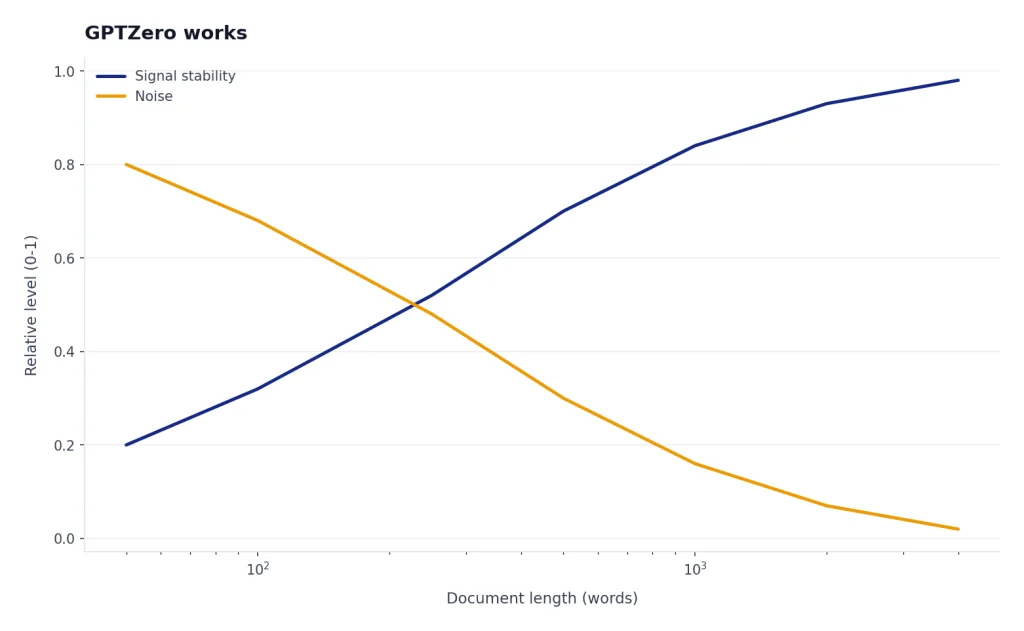
GPTZero also tries to separate levels of confidence. It can show document-level results and sentence-by-sentence highlights, which helps reviewers see whether a whole submission looks machine-written or whether only a passage is suspicious.[12] This is more useful than a one-line verdict, but sentence-level AI detection is usually less stable than document-level detection. GPTZero says accuracy improves with longer inputs and is strongest on English prose.[2]
The practical takeaway is simple. A longer essay, article, cover letter, or report gives the detector more signal. A short paragraph, polished summary, template-heavy resume, or edited AI draft gives it less signal. If your workflow involves resumes, use a detector cautiously and pair it with domain-specific review, such as the tools covered in AI Resume Builder Tools Compared.
What GPTZero includes
GPTZero’s biggest advantage is the surrounding product, not only the detector. The current product navigation lists an AI Detector, Advanced AI Scan, AI Vocabulary, Hallucination Detector, Plagiarism Checker, Grammar Checker, Authorship Verification, AI Reviewer, Expert Feedback, and AI Vision.[1] That is a broad originality and writing-review stack.
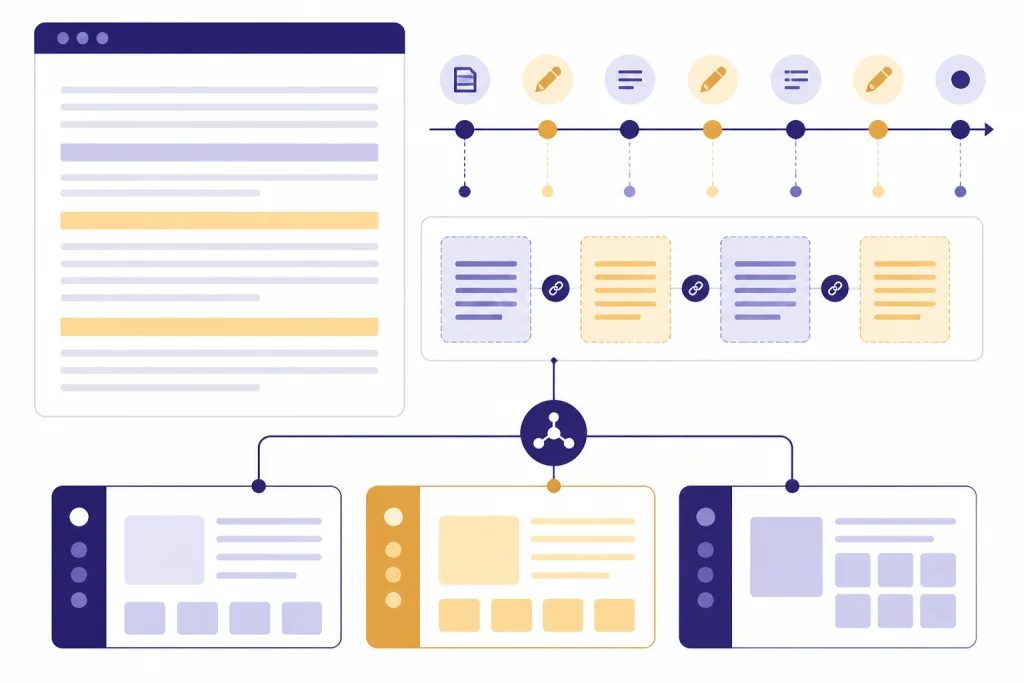
The Chrome page adds the most useful workflow details. GPTZero for Chrome can generate writing feedback in Google Docs comments, scan webpages, replay a document’s writing process, and show typing-pattern analysis as a document develops.[2] GPTZero says its Google Docs Writing Report includes a writing activity timeline, large copy-paste events, average revision duration, and multi-editor context.[2] Those features help reviewers ask better questions than “Why is the AI score high?”
For schools, GPTZero’s Canvas page says results can appear inside Canvas alongside submissions in SpeedGrader or assignment views, with document-level scores, sentence-level highlights, and confidence ratings.[3] It also says the dashboard includes plagiarism detection, so instructors can view AI signals and copied-source signals together.[3] If plagiarism is the main concern, compare this workflow with Best Plagiarism Checkers, because plagiarism detection and AI detection solve different problems.
For teams and developers, GPTZero lists LMS integrations, Google Classroom, Canvas, API integrations, and Zapier workflows.[4] Its support article says the API docs include request samples in more than 17 languages, including Node.JS, Python, C#, Java, and PHP.[6] That makes GPTZero easier to embed into internal review systems than a detector that only works through a web form.
| Feature | What it does | Who benefits most |
|---|---|---|
| AI scan | Flags likely AI-written passages | Teachers, editors, reviewers |
| Sentence highlights | Shows suspicious sections inside a document | Anyone reviewing a long submission |
| Writing report | Shows drafting and editing activity | Schools and writers defending authorship |
| Plagiarism checker | Checks copied or closely matched source material | Educators and publishers |
| Canvas and Google Docs tools | Adds review inside existing writing and grading workflows | Classrooms and institutions |
| API | Embeds detection into custom software | Platforms and internal tools |
GPTZero accuracy and false positives
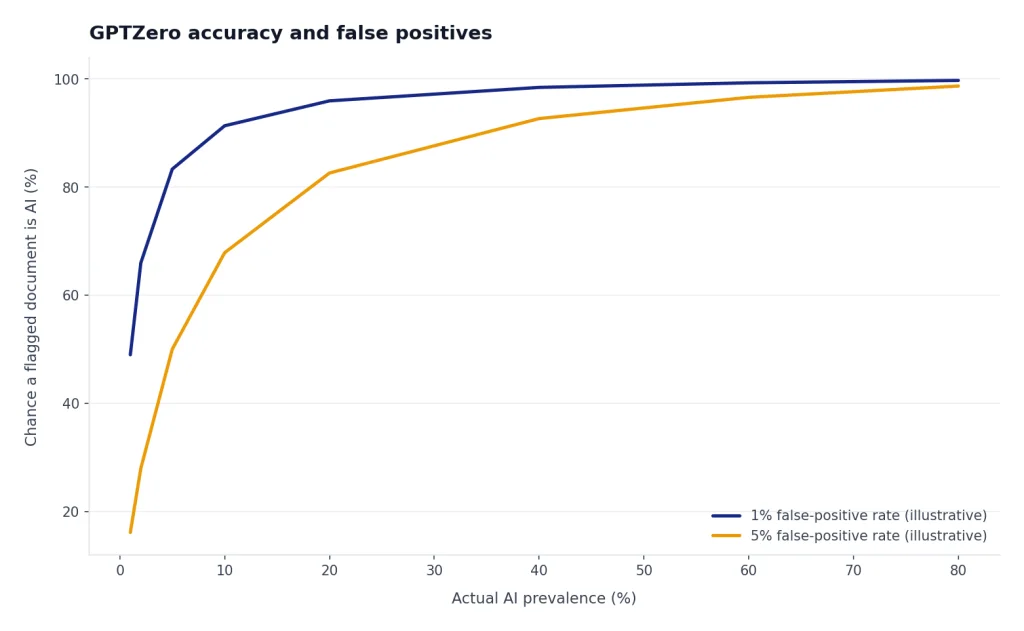
GPTZero publishes strong accuracy claims. Its Chrome page says independent benchmarks and its own testing show a 99% accuracy rate for spotting AI-generated text versus human writing, a false negative rate under 2%, and a false positive rate under 1%.[2] The same page says mixed documents can be detected with a 96.5% accuracy rate.[2] These are the vendor’s claims, so they should be weighed against independent work.
Independent research is more cautious. A June 2025 arXiv study tested 28 AI-generated papers and 50 human-written papers, and found that most AI-generated papers were detected accurately, while human-written essays fluctuated and produced a handful of false positives.[8] The authors concluded that GPTZero can detect purely AI-generated content, but educators should be cautious when relying only on AI detectors.[8]
The September 2025 NBER working paper compared Pangram, OriginalityAI, GPTZero, and RoBERTa across a large corpus of genres, lengths, and models.[7] It found commercial detectors outperformed the open-source model, but also found Pangram was the only tool that satisfied a strict false-positive cap of FPR ≤ 0.005 without sacrificing accuracy.[7] That does not make GPTZero weak. It means GPTZero is not the clear winner for every high-stakes setting.
Tech & Learning’s November 2025 summary of that research reported a similar pattern: GPTZero had a lower false-positive rate than OriginalityAI, but OriginalityAI was better at distinguishing AI from human text, while Pangram performed best overall in the study.[9] The same summary warned educators not to rely on detector output alone for grades or discipline.[9]
This is the core accuracy lesson. GPTZero is useful when it flags a pattern worth reviewing. It is dangerous when a reviewer treats that flag as proof. The risk rises with short submissions, highly edited documents, formulaic writing, non-native English patterns, and assignments that reward generic structure. If you use AI tools to draft or revise, read Best AI Writing Tools Compared in 2026 with the same caution: assistance can improve writing, but it can also complicate authorship review.

GPTZero pricing and plans
GPTZero’s retrieved official pricing page confirms annual billing with “Save 45%,” team plans, shared team credits, unified billing, and API access for developers, but the static page we retrieved did not expose every individual plan price card.[1] TrustRadius lists a free version and three paid GPTZero plans: Essential at $15 per month for 150,000 words per month, Premium at $24 per month for 300,000 words per month, and Professional at $35 per month for 500,000 words per month.[10] Because pricing pages change often, verify the live checkout before buying.
GPTZero’s own support page says the main difference between free and paid plans is the number of characters in a single request and the number of documents in a batch upload.[5] The same support page says paid plans for educators use education-specific data and thresholds that better match teacher expectations.[5] That makes the paid tier less about a different product category and more about volume, workflow, and education tuning.
GPTZero’s FAQ says users can sign up for a free account to scan texts up to 150,000 characters or batch up to 250 files.[12] That is a meaningful limit for teachers reviewing multiple essays or editors checking long drafts. For developers, GPTZero’s support page says API users create an account, subscribe to an API plan, get an API key, and use API docs with samples in more than 17 languages.[6]
| Plan or route | Reported cost | Reported capacity | Best fit |
|---|---|---|---|
| Free | $0 | Free account limits vary by workflow | Occasional checks and evaluation |
| Essential | $15/month | 150,000 words/month | Individual regular use |
| Premium | $24/month | 300,000 words/month | Heavier reviewers and small teams |
| Professional | $35/month | 500,000 words/month | High-volume professional review |
| Team, enterprise, API | Contact sales or API subscription | Custom or integration-based | Institutions and software platforms |
If your organization is comparing AI tooling budgets, detector pricing is only one line item. API-heavy teams should also track model and token costs with OpenAI Token Counter Tools and Best OpenAI API Cost Calculator Tools.

Who should use GPTZero
Teachers are the clearest audience. GPTZero’s product is built around education, and its Canvas page frames the tool as a way to assess student work inside the grading workflow, not as a standalone accusation system.[3] The best teacher workflow is to scan, inspect highlighted passages, compare with the student’s drafting process, and talk with the student before making any decision.
Editors and publishers can also benefit. GPTZero helps identify suspiciously generic sections, possible AI-heavy submissions, and areas that need human review. It should sit beside plagiarism detection, fact checking, editorial standards, and source review. For long-form research workflows, pair it with the tools in Best AI Research Tools for Academics rather than treating detection as the whole review process.
Recruiters and hiring teams should be more careful. A polished cover letter or resume can look formulaic even when a human wrote it. GPTZero may still help screen mass-generated application materials, but it should not decide whether a candidate advances. Recruiters should look for consistency across the resume, portfolio, work sample, and interview.
Students and writers can use GPTZero defensively. The writing report and authorship verification features are more useful than repeatedly editing a sentence until a detector score drops. A writer who has drafts, version history, notes, citations, and a clear revision trail is in a better position than a writer who only has a low AI score.
GPTZero alternatives
GPTZero is not the only serious AI detector. The NBER paper compared it with Pangram, OriginalityAI, and RoBERTa.[7] Pangram stands out in that study for strict false-positive control, while OriginalityAI is often used by publishers and SEO teams, and RoBERTa represents the weaker open-source baseline in that comparison.[7]
Turnitin also matters in schools, but it is usually purchased at the institution level. Copyleaks is another common option for organizations that want AI detection plus plagiarism-style workflows. The right choice depends less on brand name and more on the penalty attached to a wrong result. If a false positive could harm a student or employee, pick the workflow with the strongest review process, not only the highest advertised accuracy.
Writers who want better drafts should not confuse AI detectors with writing assistants. A detector can flag a pattern. It cannot teach structure, argument, voice, or sourcing by itself. For drafting and rewriting, compare GPTZero with separate writing and summarization categories such as Best AI Summarizer Tools for Long Documents and Best ChatGPT Prompt Generator Tools.
| Tool type | Best use | Watch out for |
|---|---|---|
| GPTZero | Education-centered AI detection with writing reports | Not definitive proof |
| Pangram | Strict false-positive-sensitive detection workflows | May not match GPTZero’s education workflow breadth |
| OriginalityAI | Publisher and content-team review | Can be strict depending on use case |
| Copyleaks | AI and plagiarism review for teams | Needs policy and human review |
| Turnitin | Institutional academic integrity systems | Often unavailable to individuals |
How to use GPTZero responsibly
The safest GPTZero workflow has four steps. First, scan the full document, not a tiny excerpt. Second, inspect the highlighted passages and the document-level confidence. Third, compare the result with drafts, notes, sources, version history, and the writer’s prior work. Fourth, ask the writer to explain their process before you make a decision.
GPTZero’s own language supports this approach. It says no AI detector is 100% accurate, results should not be used to punish or as the final verdict, and document-level results are stronger than paragraph or sentence-level results.[2] Its Canvas page also recommends using GPTZero as a conversation starter rather than a final verdict.[3]
Schools should write a policy before using any detector. The policy should explain permitted AI assistance, prohibited AI substitution, evidence standards, appeal rights, and how teachers handle false positives. Without that policy, a detector can damage trust even when it catches real misuse.
Our recommended standard is simple: GPTZero can justify further review. It should not justify punishment by itself. That standard protects institutions and writers at the same time.
Frequently asked questions
Is GPTZero still the best AI detector?
GPTZero is still one of the best AI detectors for education and general writing review. It has strong workflow features, including sentence highlights, writing reports, Chrome, Google Docs, Canvas, and API access.[2][3][6] It is not the clear best for every benchmark or every high-stakes use case.
Can GPTZero prove that someone used ChatGPT?
No. GPTZero can flag text that looks likely to be AI-generated, but it cannot prove who wrote it or what tool they used. GPTZero says results should not be used as a final verdict.[2] Use it with drafts, version history, citations, and a conversation with the writer.
Does GPTZero detect models besides ChatGPT?
GPTZero says it works across major AI language models, including ChatGPT, GPT-5, GPT-4, GPT-3, Gemini, Claude, Llama, Deepseek, and AI services based on those models.[2] Treat that as coverage, not certainty. New models and edited outputs can still reduce detector reliability.
How much does GPTZero cost?
GPTZero’s official pricing page confirms annual billing with a 45% savings message, team plans, and API access, but the static retrieved page did not expose every individual plan price card.[1] TrustRadius lists Essential at $15 per month, Premium at $24 per month, and Professional at $35 per month.[10] Check GPTZero’s live checkout before subscribing.
Is GPTZero safe for teachers to use?
Yes, if teachers use it as a screening and discussion tool. It is risky if teachers use a score as the only evidence of misconduct. The safest process combines detector output with drafts, student explanation, assignment design, and a written AI policy.
What is GPTZero best at?
GPTZero is best at reviewing longer prose and showing reviewers where AI-like patterns appear. Its education workflow is stronger than many simple web detectors because it includes writing reports, Google Docs tools, Canvas support, and document-level context.[2][3] It is weaker as a standalone proof tool.