

The best ChatGPT teacher prompts give the model the same context you would give a strong instructional coach: grade level, standard, learning target, student needs, time available, materials, assessment plan, and limits. This guide gives you copy-paste prompts for lesson planning, differentiation, rubrics, formative checks, feedback, substitute plans, and family communication. Use them as starting points, not finished curriculum. ChatGPT can draft useful options quickly, but teachers still need to verify facts, align outputs to school policy, adapt for students, and protect student privacy. The goal is better planning with less blank-page time, not outsourcing professional judgment.
How to use these prompts
Use these ChatGPT teacher prompts as editable templates. Replace the bracketed fields with your grade, course, unit, standard, time limit, materials, and student profile. If you do not have a formal standard handy, paste the learning objective and ask ChatGPT to keep the lesson aligned to that objective only.
A strong teaching prompt has four parts: role, context, task, and output format. The role tells ChatGPT what kind of support you want. The context gives the classroom details. The task explains the instructional product you need. The output format tells it whether to return a table, checklist, script, rubric, station plan, or lesson sequence. OpenAI’s own prompting guidance emphasizes clear, specific instructions, enough context, and iterative refinement rather than expecting the first answer to be final.[4]
For a broader prompt-building workflow, pair this article with our chatgpt prompt generator. If you want student-facing study templates rather than teacher planning templates, use ChatGPT Student Prompts for Better Grades instead.
Core lesson planning prompt
Start here when you need a complete lesson draft. This prompt is intentionally structured. It asks ChatGPT to plan, explain its choices, and leave space for teacher review.
You are an experienced instructional coach helping me plan a lesson.

Context:
- Grade or course: [grade/course]
- Topic: [topic]
- Learning objective: [objective]
- Standard or curriculum requirement: [standard, if available]
- Class length: [time]
- Student context: [reading levels, language needs, prior knowledge, accommodations, interests]
- Available materials: [materials, devices, texts, manipulatives]
- Constraints: [no homework, no devices, small groups, lab safety limits, etc.]

Task:
Create a teacher-ready lesson plan that includes:
- A short rationale for the lesson sequence
- A warm-up
- Direct instruction or modeling
- Guided practice
- Independent or collaborative practice
- Differentiation options
- Checks for understanding
- A closing task or exit ticket
- Materials list
- Possible misconceptions and how to address them

Output format:
Use a clear table. Keep teacher actions and student actions separate. Make the plan realistic for the time available. Do not invent required standards. If anything is missing, ask me for it before finalizing.
After ChatGPT answers, do not copy the plan straight into your planner. Ask a follow-up: “Review this lesson for pacing, cognitive demand, and alignment to the objective. Flag anything that feels too easy, too rushed, or unsupported.” That second pass often improves the draft more than a longer first prompt.
Lesson planning prompt library
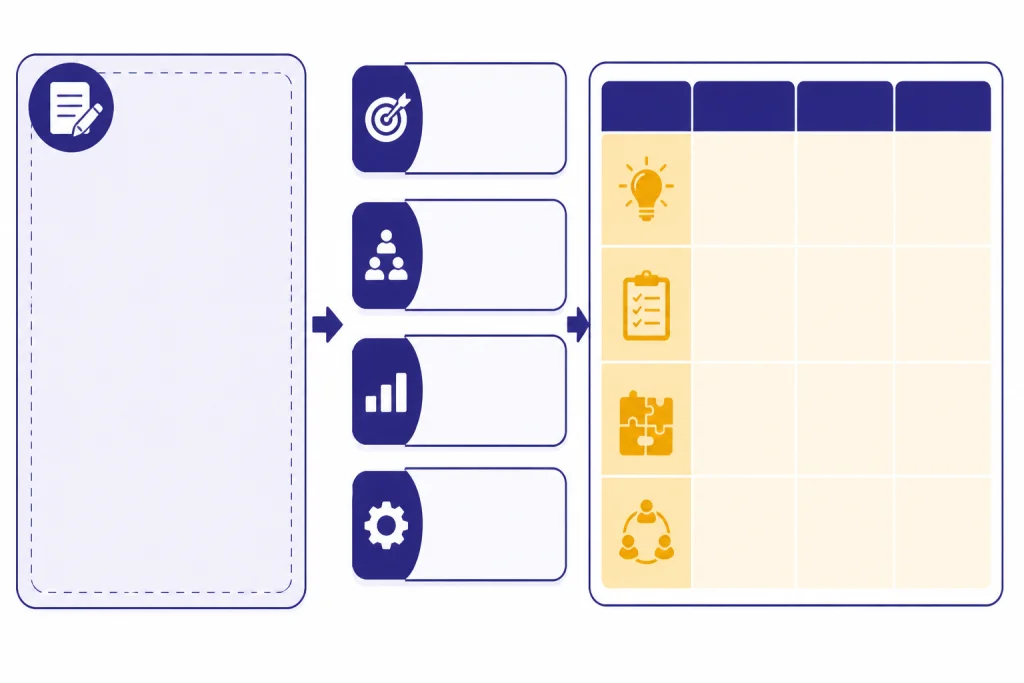
The fastest way to use ChatGPT for lesson planning is to keep a small library of reusable prompts. Save the templates you use often. Then paste in the new topic, standard, text, or unit details.
| Planning need | Copy-paste prompt | Best output |
|---|---|---|
| Unit launch | Act as an instructional designer. Build a unit launch for [topic] that activates prior knowledge, surfaces misconceptions, introduces essential vocabulary, and creates a reason for students to care. Use [grade/course] level language. | Opening sequence |
| Daily lesson | Create a lesson plan for [objective]. Include teacher moves, student tasks, checks for understanding, and a closure activity. Keep the plan practical for [time] and [materials]. | Lesson table |
| Discussion lesson | Design a discussion-based lesson around [text/problem/topic]. Include pre-discussion preparation, norms, question stems, participation supports, and a post-discussion reflection. | Discussion protocol |
| Project plan | Turn [unit topic] into a classroom project. Include a driving question, milestones, teacher checkpoints, student deliverables, collaboration roles, and a simple assessment plan. | Project outline |
| Review day | Plan an engaging review lesson for [assessment or unit]. Include retrieval practice, common error review, student choice, and a low-prep teacher setup. | Review stations |
| Substitute plan | Create a substitute-friendly plan for [class/topic]. Assume the substitute is not a subject expert. Include simple instructions, timing, student expectations, and an extension task. | Sub packet |
These are deliberately plain. You can make them more powerful by attaching a rubric, pasting a passage, adding a pacing guide, or naming a common misconception. For creative writing lessons, adapt ideas from ChatGPT Creative Prompts for Storytellers. For translation supports and multilingual family messages, see chatgpt translation prompts for quality output.
If you use ChatGPT for Teachers, OpenAI describes it as a teacher workspace for verified U.S. K–12 educators, with education-grade protections and admin controls; OpenAI says it is free through June 2027 for eligible verified U.S. K–12 educators.[2] OpenAI’s launch post also lists tools such as unlimited messages with GPT-5.1 Auto, search, file uploads, connectors, and image generation in that teacher workspace.[1] TechRadar independently reported the same free-through-June-2027 availability for verified U.S. K–12 educators.[8]
Differentiation and accessibility prompts
Differentiation prompts work best when you name the barrier. Do not only ask for “differentiation.” Tell ChatGPT whether students need vocabulary support, reading access, language scaffolds, enrichment, executive function support, sensory considerations, or alternate ways to show understanding.
Revise this lesson for differentiated access.

Lesson: [paste lesson]
Student needs: [describe needs without using identifiable student information]
Keep the same learning objective.

Return:
- Supports for students who need more structure
- Supports for multilingual learners
- Supports for students who finish quickly
- Options for students who need a lower reading load
- A way for every student to show the same core understanding
- Notes on what not to simplify because it is central to the objective
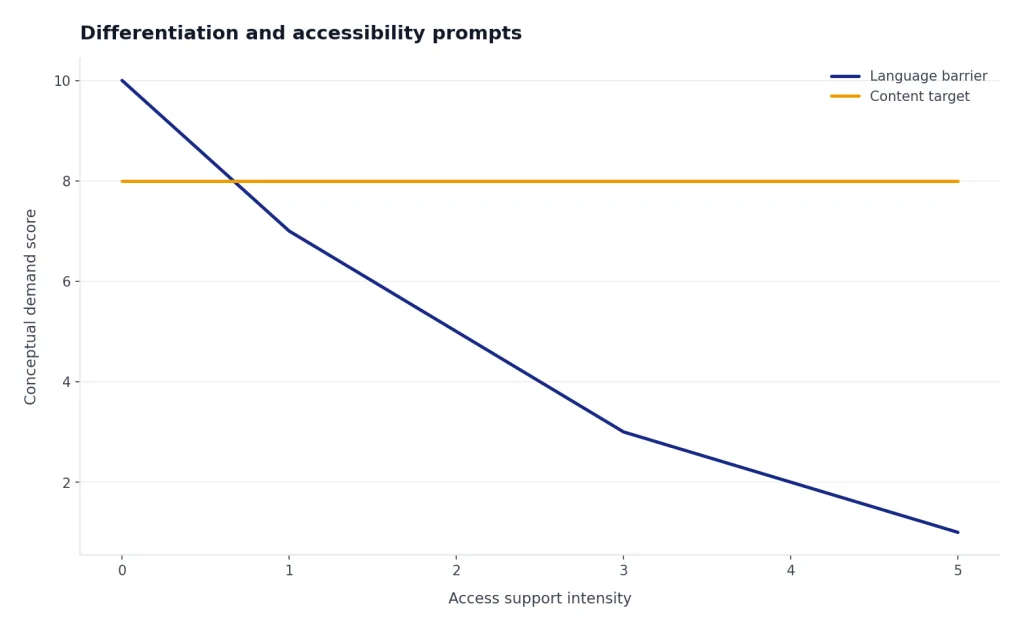
For multilingual learners, ask ChatGPT to separate language demand from content demand. For example: “Identify which parts of this lesson are hard because of the math and which parts are hard because of the language.” That helps you preserve rigor while changing access.
Analyze this task for language load.

Task: [paste task]
Student profile: [general language profile]

Create:
- Key vocabulary with student-friendly explanations
- Sentence frames for discussion
- A model response at the target level
- A simplified directions version that does not reduce the academic goal
- A quick oral rehearsal activity before writing
You can also ask for enrichment that does not become extra busywork. Try: “Create an extension that deepens the same objective instead of moving to the next unit.” This matters because fast finishers should get more thinking, not more worksheets.
Assessment, rubrics, and feedback prompts
ChatGPT is useful for drafting formative checks, exit tickets, rubrics, and feedback stems. It should not replace your grading judgment. The strongest workflow is to ask for a draft, revise it against your standard, and test whether a student could understand what success looks like.
Create formative assessment options for this lesson.

Objective: [objective]
Lesson activity: [activity]
What students must be able to do: [success criteria]

Return:
- Quick checks during instruction
- An exit ticket
- A misconception-based question
- A student self-assessment prompt
- A teacher note explaining what each response would reveal
For rubrics, give ChatGPT the assignment and the exact success criteria. Ask it to use observable evidence, not vague traits. Then remove any criterion that rewards polish over learning unless polish is part of the objective.
Draft a rubric for this assignment.

Assignment: [paste assignment]
Learning objective: [objective]
Success criteria: [criteria]
Grade/course: [grade/course]

Use performance levels named Beginning, Developing, Proficient, and Advanced.
For each level, describe observable student evidence.
Avoid vague phrases such as good, strong, weak, or clear unless you define them.
Add a short student-friendly version below the teacher rubric.
For feedback, use ChatGPT to create comment banks, not final comments about individual students. You can paste anonymized patterns from student work, such as “many students explained the answer but did not cite evidence,” and ask for targeted reteaching language. If you want more learning-focused prompts beyond the classroom planning side, read ChatGPT Learning Prompts for Self-Study.
Classroom communication prompts
Teachers write many small communications every week. ChatGPT can help draft parent updates, assignment directions, classroom newsletters, absence follow-ups, and student-facing instructions. The key is tone control. Tell it to be specific, calm, concise, and nonjudgmental.
Draft a family update about [topic or class event].

Audience: families of [grade/course]
Tone: warm, professional, concise
Include:
- What students are learning
- Why it matters
- What families may notice at home
- How families can support without doing the work for the student
- A clear next step or date if needed
Avoid jargon. Do not include private student information.
For student directions, ask ChatGPT to make the task unambiguous. A good prompt is: “Rewrite these directions so students know what to do first, what to produce, how long to spend, what resources to use, and what to do if they finish.” This is especially helpful for stations, labs, workshops, and independent practice.
For school operations, you may also find useful patterns in ChatGPT HR prompts for hiring and onboarding and chatgpt productivity prompts for daily workflow. Those articles are not education-specific, but many templates adapt well to meeting notes, recurring communications, and task planning.
Safety, privacy, and review checklist
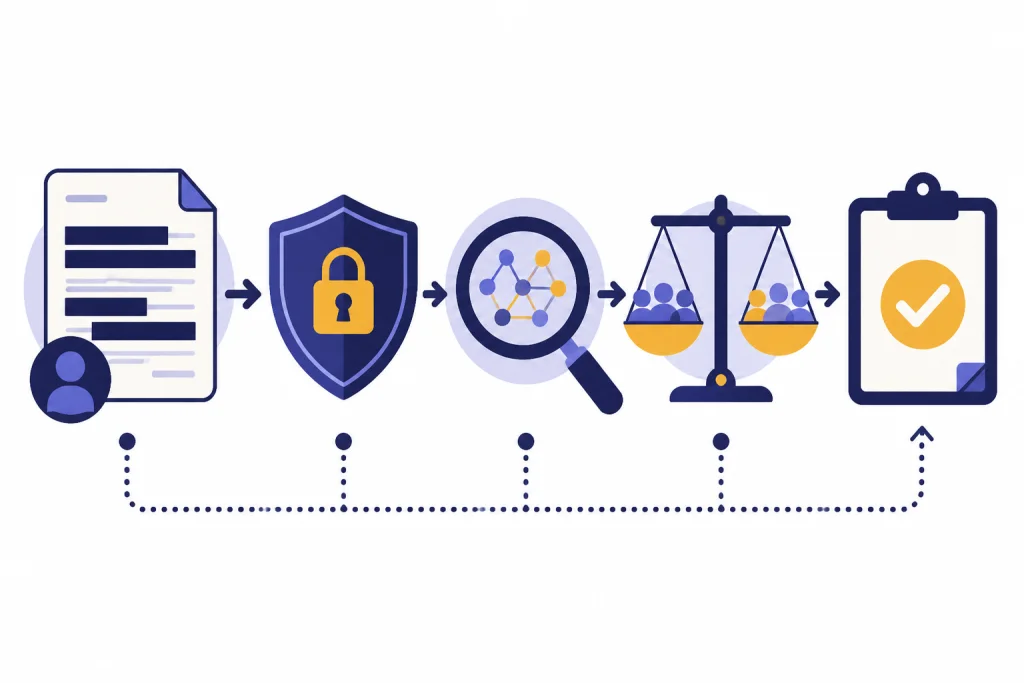
Before using any AI-generated classroom material, review it like you would review an unfamiliar worksheet from the internet. Check accuracy, bias, reading level, standards alignment, accessibility, and fit for your students. UNESCO’s generative AI guidance calls for a human-centered approach, data privacy protection, age-appropriate use, and pedagogical validation for education settings.[7]
Do not paste identifiable student information into a general chat unless your school or district has approved the tool and the data use. OpenAI’s Teacher Access Terms say ChatGPT for Teachers is for education-only use, that a school may take control of a teacher account, and that OpenAI will not use teacher account content to develop or improve the services.[3] The same terms also warn that AI output may not accurately reflect real people, places, or facts.[3]
| Review point | Teacher question | Action if the answer is no |
|---|---|---|
| Accuracy | Can I verify the facts, examples, calculations, and citations? | Replace with trusted curriculum sources. |
| Alignment | Does the activity measure the stated objective? | Revise the task or objective before teaching. |
| Privacy | Did I avoid names, IDs, health details, discipline records, and other identifiable data? | Remove or generalize the information. |
| Equity | Could any example stereotype students, families, cultures, or communities? | Rewrite examples with more neutral context. |
| Accessibility | Can students with different reading, language, and processing needs access the task? | Add scaffolds without lowering the objective. |
| Policy | Does this use match school and district rules? | Ask an administrator or use a non-AI workflow. |
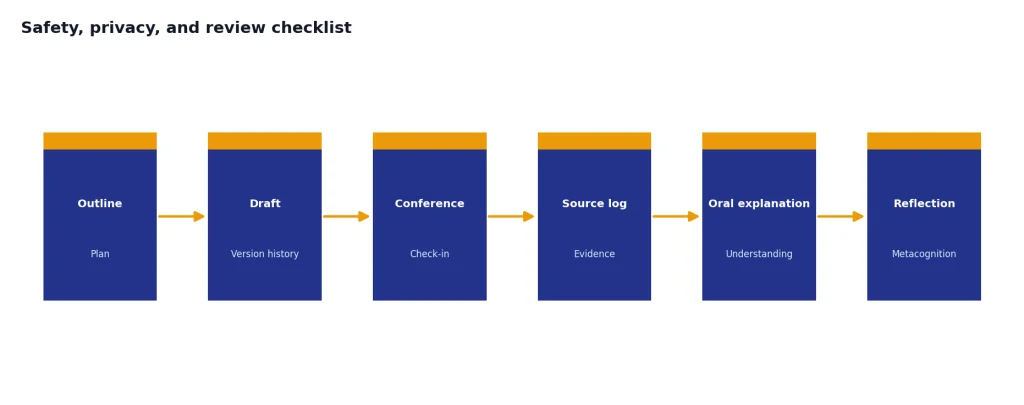
Be careful with AI detection. OpenAI tells educators that ChatGPT cannot reliably know whether it wrote a passage and that AI detectors can label human-written work as AI-generated.[5] A better approach is process evidence: outlines, drafts, conferences, source logs, oral explanations, and student reflection. For a dedicated tool comparison, see Best AI Detectors for Teachers and Schools.
How to customize and improve prompts
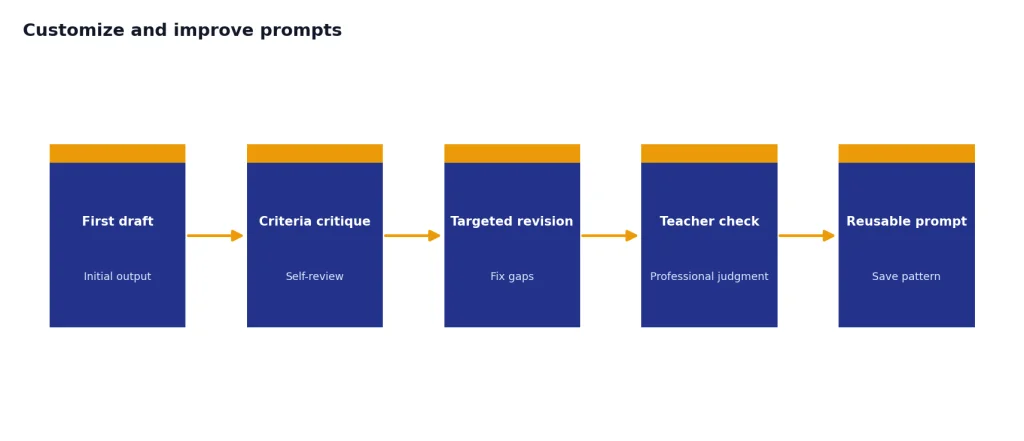
The best ChatGPT teacher prompts improve through revision. After the first answer, ask ChatGPT to critique its own plan against your criteria. Then ask for a revised version. This keeps you in control and makes the model respond to your instructional standards.
- Add curriculum context. Paste the objective, text excerpt, lab goal, or rubric.
- Name the student action. Ask what students will say, write, build, solve, sort, explain, debate, or revise.
- Set constraints. Include time, materials, grouping, homework limits, device access, and school policy.
- Request alternatives. Ask for a low-prep version, a discussion version, or a no-device version.
- Ask for likely mistakes. Misconception prompts often produce better teaching moves than activity prompts alone.
- Require a review step. Ask ChatGPT to flag assumptions, missing information, and weak alignment.
If ChatGPT gives generic output, your prompt probably lacks classroom texture. Add examples of what students already know, what they usually confuse, and what the final performance should look like. If the output is too long, ask for a one-page teacher version and a separate student-facing version.
Teachers who build a reusable system may want to keep prompts in a spreadsheet or document with columns for subject, use case, prompt, and revision notes. If you organize planning in spreadsheets, ChatGPT Excel Prompts for Power Users can help you structure trackers and planning logs. If you want a dedicated tool rather than a manual library, compare options in Best ChatGPT Prompt Generator Tools.
Training can help, too. Common Sense Media and OpenAI launched “ChatGPT Foundations for K-12 Educators” on November 20, 2024; Common Sense describes it as a free, one-hour, eight-lesson course covering AI basics, student safety, privacy, and classroom use.[6] OpenAI Academy also describes its teacher course as focused on lesson planning, communication, rubric creation, student support, prompt refinement, output review, and adaptation to teacher context.[9]
Frequently asked questions
Can ChatGPT write a full lesson plan for me?
Yes, ChatGPT can draft a full lesson plan if you provide the objective, grade level, topic, time limit, materials, and student context. Treat the answer as a draft. You still need to check accuracy, pacing, accessibility, and alignment to your curriculum.
What should I include in ChatGPT teacher prompts?
Include the grade or course, learning objective, standard if available, topic, class length, student needs, materials, and desired output format. Add constraints such as no devices, small groups, or no homework. The more concrete the context, the less generic the answer will be.
Is it safe to paste student work into ChatGPT?
Only paste student work if your school or district policy allows it and the tool is approved for that data use. Remove names and other identifying details whenever possible. When in doubt, describe the pattern in the work instead of pasting the work itself.
Can ChatGPT make rubrics?
ChatGPT can draft rubrics, student-friendly success criteria, and feedback stems. Give it the assignment and the learning objective. Then revise the rubric so each level describes observable evidence rather than vague quality labels.
Should teachers use AI detectors?
AI detectors should not be the only evidence for an academic integrity decision. OpenAI warns that ChatGPT cannot reliably identify whether text was AI-generated and that detector-style tools can produce false accusations.[5] Use process evidence, student conferences, drafts, citations, and local policy instead.
What is the best prompt for differentiated lesson planning?
The best prompt names the exact access need. Instead of asking for “differentiation,” ask for vocabulary support, reading scaffolds, multilingual learner supports, enrichment, executive function supports, or alternate ways to show understanding. Keep the same learning objective unless you intentionally need a modified objective.