

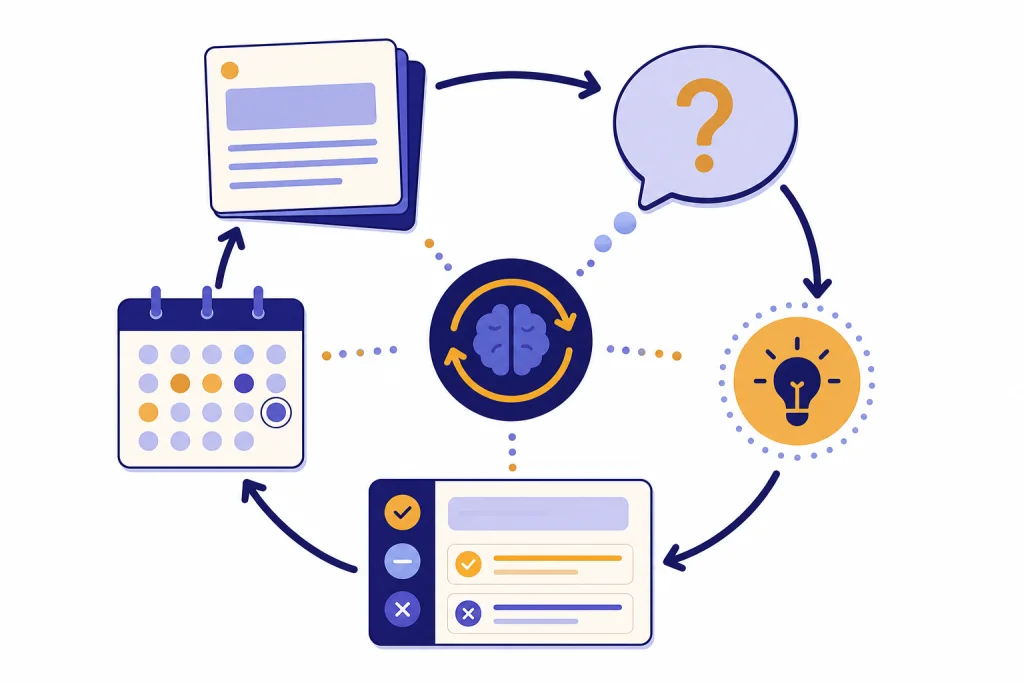
ChatGPT learning prompts work best when they turn the chat into an active study session, not a shortcut machine. The strongest prompts ask ChatGPT to diagnose your level, explain ideas in small steps, quiz you without revealing answers too soon, correct your reasoning, and help you plan spaced review. Use the templates below for self-study, exam prep, reading, flashcards, language practice, and project-based learning. Each prompt is written so you can copy it, replace the bracketed fields, and continue the same conversation as your understanding improves. The goal is simple: make ChatGPT act less like an answer key and more like a patient tutor, practice partner, and study planner.
How to use ChatGPT as a self-study partner
The best ChatGPT learning prompts force you to think before ChatGPT explains. OpenAI describes Study Mode as a ChatGPT learning experience that helps users work through problems step by step, using questions, hints, and self-reflection rather than only giving direct answers.[1] You can copy that pattern in any normal chat by asking for diagnosis, guided questions, practice, feedback, and a review plan.
A strong study prompt includes your goal, your current level, your source material, the kind of help you want, and the boundaries you need. OpenAI’s own prompt guidance emphasizes clear, specific instructions, enough context, and iterative refinement.[2] If your first answer is too broad, do not start over. Tell ChatGPT what missed the mark and ask for a narrower version.
Use these prompts in one continuing thread for each course or topic. That keeps the context together. If you are building a larger reusable library, pair this article with our chatgpt prompt generator so you can turn the templates into your own repeatable study system.
| Study goal | Best prompt style | What to ask ChatGPT to avoid |
|---|---|---|
| Learn a new concept | Socratic tutor with short explanations | Long lectures before checking your understanding |
| Remember facts | Active recall quiz and spaced review plan | Re-reading summaries as the main activity |
| Prepare for an exam | Practice test, rubric, and error log | Only predicting exact exam questions |
| Improve writing or reasoning | Feedback coach that marks weak claims | Rewriting the full answer for you |
| Build a practical skill | Project coach with checkpoints | Skipping practice and only explaining theory |
Start with the self-study setup prompt
Begin with a setup prompt before asking for explanations. This gives ChatGPT a role, a target, and a way to adapt. It also reduces the chance that you get a generic answer that feels polished but does not match your course, textbook, or exam.
Act as my self-study tutor for [subject]. My current level is [beginner/intermediate/advanced]. I need to learn [topic] by [date or deadline]. My goal is [exam, project, job skill, curiosity, certification]. Start by asking me what I already know. Then build a study path with short lessons, practice questions, feedback, and review checkpoints. Do not give final answers too quickly. Push me to explain my reasoning first.After ChatGPT replies, answer its diagnostic questions honestly. If you know nothing, say that. If you have class notes, paste a small section and ask ChatGPT to align the plan with those notes. If you are a student using ChatGPT for coursework, also read our ChatGPT Student Prompts for Better Grades because it covers assignments, studying, and class workflow from a student perspective.
You can make the setup prompt stricter when you need deeper learning:
Use this tutoring rule for the rest of the chat: before explaining any answer, ask me one question that checks my current understanding. If I answer incorrectly, give me a hint instead of the solution. If I answer correctly, ask me to apply the idea to a new example.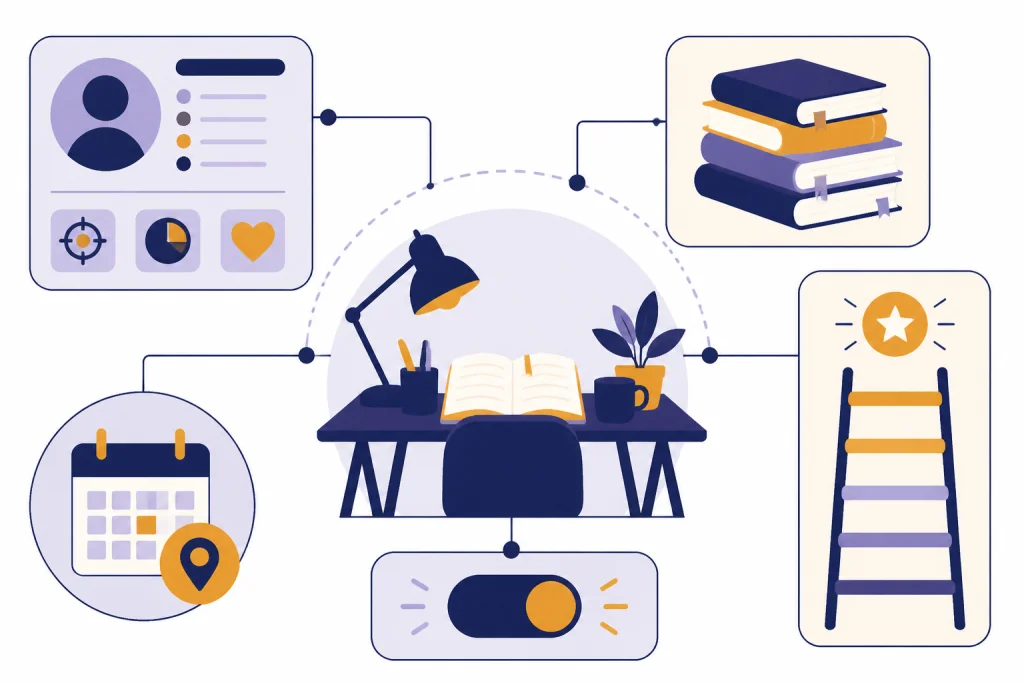
Prompts for understanding a new topic
Understanding prompts should do more than simplify. They should expose structure. Ask ChatGPT to separate definitions, causes, examples, exceptions, and common mistakes. This helps you see the shape of a topic before you memorize details.
Explain from first principles
Teach me [topic] from first principles. Start with the smallest building blocks I need. After each section, ask me a quick question before moving on. Use plain language, then add the technical terms after I understand the idea.Build a concept map
Create a concept map for [topic]. Put the central idea first, then list the major subtopics, how they connect, and what I should learn before and after each one. End with three questions that test whether I understand the relationships.Use analogies carefully
Explain [topic] with one analogy. Then explain where the analogy breaks down. After that, give the precise version I should remember for class or work.That last sentence matters. Analogies can help you start, but they can also hide important differences. Always ask where the comparison fails. For creative practice, you can adapt methods from ChatGPT Creative Prompts for Storytellers, but keep learning prompts tied to accuracy and correction.
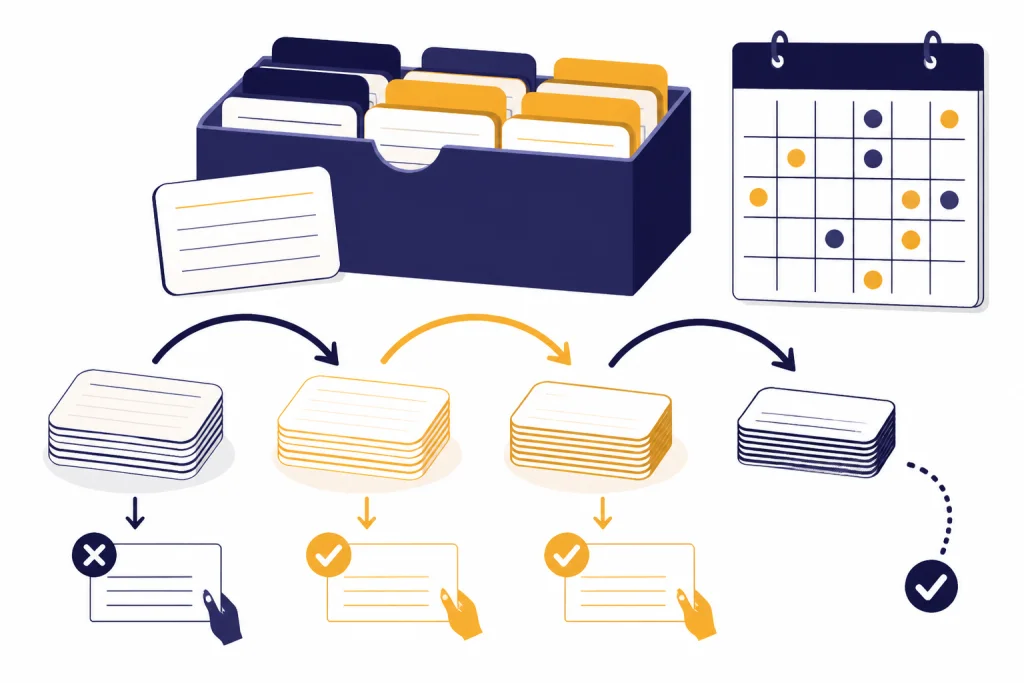
Prompts for active recall and spaced review
Do not only ask ChatGPT to summarize. Ask it to test you. Retrieval practice has strong support in applied classroom research, and a systematic review found consistent benefits for student learning across school and classroom settings.[4] Spacing matters too. Learning science reviews describe spacing and retrieval as effective tools for durable learning when used thoughtfully.[5]
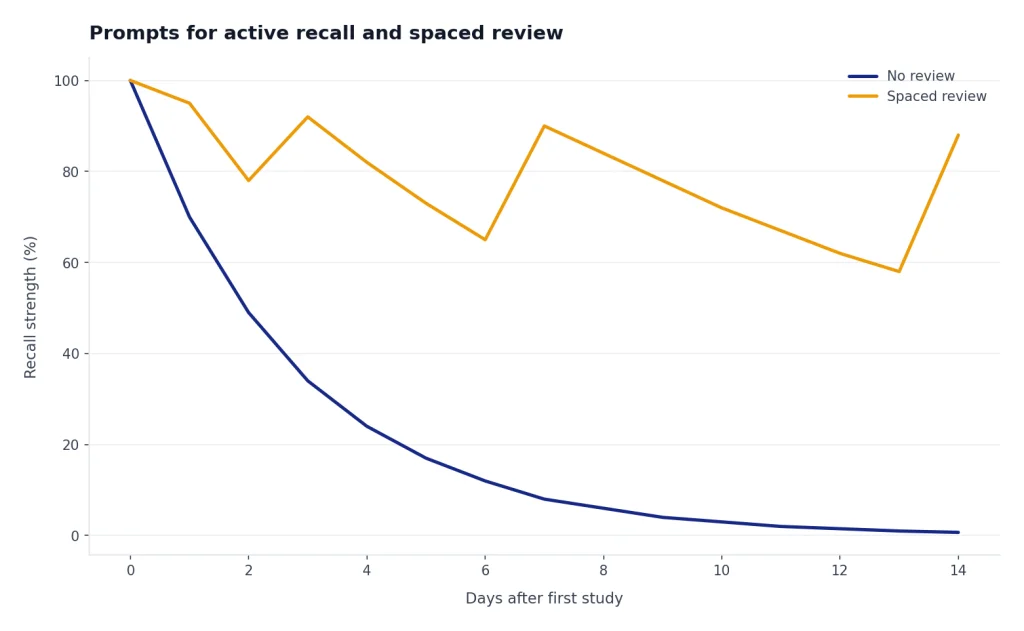
Use these prompts after you have read, watched, or practiced something. Close your notes before answering. Then let ChatGPT grade the response.
Active recall quiz
Quiz me on [topic] using active recall. Ask one question at a time. Do not show the answer until I respond. After each answer, grade it as strong, partial, or weak. Then explain the missing idea in a short correction.Flashcards from notes
Turn these notes into flashcards. Use question-and-answer format. Focus on concepts, distinctions, formulas, vocabulary, and common traps. Do not make cards that only ask me to recognize a sentence from the notes. Notes: [paste notes]Spaced review plan
Create a spaced review plan for [topic] between now and [deadline]. Include short review sessions, active recall questions, mixed practice, and a final self-test. Keep the plan realistic for [minutes available per day].If your study material includes data, formulas, or spreadsheets, combine these prompts with ChatGPT Excel Prompts for Power Users. It is useful when you need practice questions based on tables, datasets, budgets, or lab results.
Prompts for exam prep and practice tests
Exam prep prompts should simulate pressure without pretending to know the actual test. Give ChatGPT the course topics, the exam format, and your weak areas. Ask for a practice set, then ask for an error log that tells you what to review next.
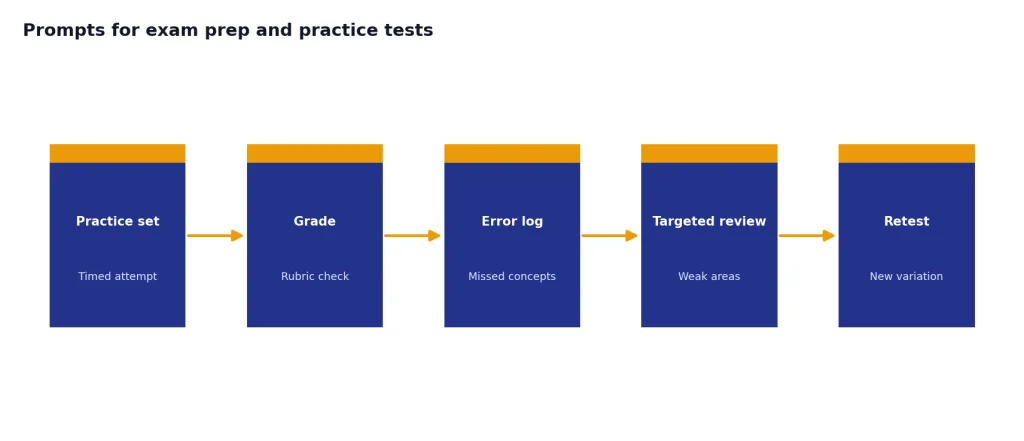
I am preparing for an exam in [course]. The exam covers [topics]. The format is [multiple choice, short answer, essay, oral, problem solving]. Create a practice test that matches this format. Ask one section at a time. After I answer, grade using a rubric and make an error log with the concept I missed, why I missed it, and what to practice next.For problem-heavy courses, ask ChatGPT to vary the surface details so you learn the method instead of memorizing one pattern.
Give me a worked example for [problem type]. Then give me a similar problem with different numbers, wording, or constraints. Do not solve it unless I get stuck. If I make a mistake, identify the exact step where my reasoning went wrong.For essay exams, ask ChatGPT to challenge the claim, not write the essay. You can also adapt feedback ideas from ChatGPT Teacher Prompts if you want rubric-style grading and lesson-style explanations.
Act as an examiner for [subject]. I will write a practice answer. Grade it against this rubric: clarity, evidence, reasoning, accuracy, and organization. Do not rewrite the answer. Give me margin-style comments and a revision checklist.
Prompts for textbooks, articles, and notes
Reading prompts are most useful when they make you interact with a source. Do not ask only for a summary. Ask for a reading guide, key claims, definitions, assumptions, and questions you should answer after reading. If you paste copyrighted text, keep excerpts short and use your own notes where possible.
Preview before reading
I am about to read [chapter/article/topic]. Create a reading guide. Include key terms to watch for, questions I should answer, likely confusing points, and a short checklist for whether I understood it.Turn notes into a study guide
Turn my notes into a study guide. Separate facts, concepts, examples, formulas, and open questions. Flag any notes that seem incomplete or unclear. Then quiz me on the most important ideas. Notes: [paste notes]Check your summary
I will summarize what I read in my own words. Compare my summary with the source notes below. Tell me what I captured well, what I missed, and what I may have misunderstood. Do not add outside information unless I ask for it.If you are learning in another language, pair this with ChatGPT translation prompts for quality output. Ask ChatGPT to explain vocabulary, register, and false friends instead of only translating the passage.
Prompts for skills, languages, and projects
Some subjects are not mainly about recall. You need to perform. That includes coding, speaking a language, cooking, fitness planning, design, analysis, and professional workflows. For these areas, ask ChatGPT to create deliberate practice tasks with constraints and feedback.
I want to learn [skill]. Create a practice ladder from easy to difficult. Each task should produce something I can show you. After each attempt, give feedback on accuracy, technique, and next practice. Do not move me to the next level until I can complete the current task reliably.For language learning, make ChatGPT a conversation partner and correction coach.
Act as my [language] conversation partner. Ask me simple questions about [topic]. Correct only the most important mistakes after I answer. Give the correction, a natural version, and one follow-up question. Keep the conversation at [level].For professional skills, ask for scenarios. A learner studying operations might practice prioritizing requests. A learner studying customer support might practice tone and escalation. A learner studying business writing might compare multiple versions of the same message. For work-adjacent practice, see ChatGPT Productivity Prompts for Daily Workflow and ChatGPT Business Prompts for Owners.
Prompts that improve your answers without doing the work
Feedback prompts protect learning because they keep your original thinking in the center. Ask ChatGPT to mark problems, ask follow-up questions, and suggest revision moves. Avoid prompts that ask it to replace your answer with a finished submission.
Review my answer as a tutor. Do not rewrite it. Identify unclear reasoning, unsupported claims, missing definitions, and factual errors. Ask me follow-up questions that would help me improve it myself. My answer: [paste answer]Give me feedback in this format: What is strong, what is weak, what is missing, what I should revise first, and one practice question that targets my biggest gap.You can also ask for a confidence check. This is helpful when you are unsure whether you know the idea or merely recognize it.
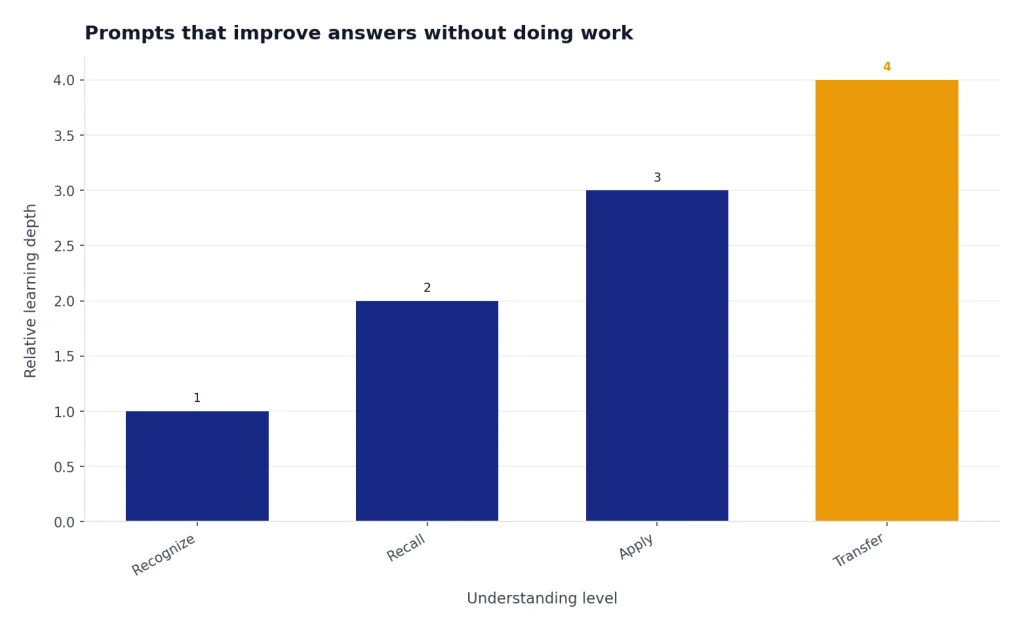
Test whether I truly understand [topic]. Ask me to explain it, apply it, compare it with a related idea, and solve a new case. After each response, tell me whether my understanding is recall-level, application-level, or transfer-level.If you are new to ChatGPT itself, start with what is ChatGPT? before relying on it as a tutor. It explains what the tool can and cannot do in plain language.
How to keep learning prompts honest
ChatGPT can support learning, but it can also let you skip the part where learning happens. Use it for explanation, practice, feedback, and planning. Do not use it to submit work you did not understand or produce. UNESCO’s guidance on generative AI in education raises concerns about privacy, academic integrity, and the need for human-centered policies in schools and universities.[6]
Follow your teacher’s, school’s, employer’s, or certification program’s rules. If AI assistance is allowed, keep a short record of how you used it. A simple note such as “used ChatGPT to generate practice questions and receive feedback on draft reasoning” is clearer than hiding the process.
Be careful with AI detectors too. Stanford HAI reported in 2023 that several detectors misclassified non-native English writing at high rates, including a reported 61.22 percent classification of TOEFL essays by non-native English writers as AI-generated in the tested setting.[7] If you teach or supervise learners, our guide to AI detectors for teachers and schools explains why detection should not replace conversation, process evidence, and fair review.
The safest learning pattern is transparent and active: write your own attempt, ask for feedback, revise in your own words, and keep the reasoning visible. That pattern builds skill and reduces integrity risk.
Frequently asked questions
What are the best ChatGPT learning prompts?
The best prompts ask ChatGPT to teach, quiz, correct, and review with you. A strong prompt includes your subject, level, goal, deadline, and preferred learning style. It should also tell ChatGPT not to reveal final answers too quickly.
Can ChatGPT replace a tutor?
ChatGPT can act like a practice tutor for explanations, quizzes, and feedback. It cannot replace a qualified teacher, human tutor, lab instructor, or adviser in every setting. Use it as a study partner, and verify important claims against your course materials or trusted sources.
How do I stop ChatGPT from just giving me answers?
Tell it to use hints, Socratic questions, and one-question-at-a-time tutoring. Add a rule such as “Do not give the final answer until I make an attempt.” If it gives away too much, correct it and restate the rule.
Are ChatGPT learning prompts good for exam prep?
Yes, if you use them for practice tests, active recall, error logs, and rubric-based feedback. Do not use ChatGPT to predict the exact exam or memorize only its sample questions. Ask it to vary problems so you learn the method.
Should I paste my textbook or class notes into ChatGPT?
Use caution. Paste your own notes when possible, and avoid uploading private, copyrighted, or restricted materials unless your school and the platform rules allow it. For long readings, summarize the relevant section yourself and ask ChatGPT to quiz you on that summary.
How can teachers adapt these prompts?
Teachers can turn these into guided study routines, formative checks, and feedback templates. The key is to define acceptable use and require students to show their thinking. For lesson planning and classroom workflows, use the dedicated teacher prompt guide linked earlier in this article.