

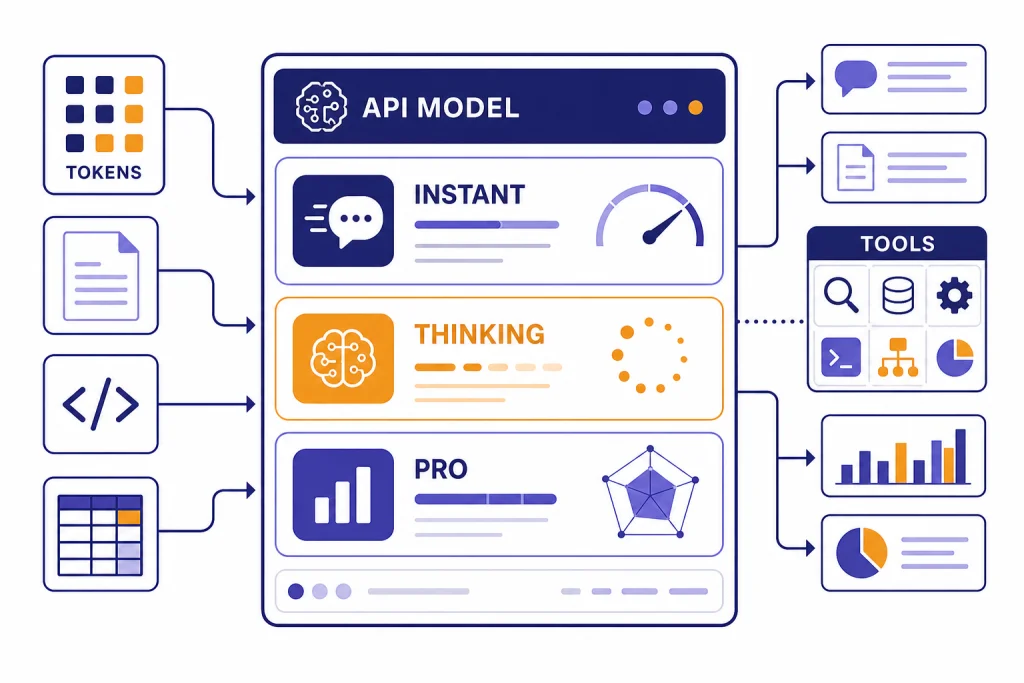
GPT-5.2 is OpenAI’s December 2025 GPT-5 upgrade focused on professional work, coding, long-context reasoning, tool use, and vision. OpenAI released it on December 11, 2025, with Instant, Thinking, and Pro variants in ChatGPT and corresponding API models for developers.[1][2] The headline is not that GPT-5.2 invents a new product category. It makes the GPT-5 family more useful for complex, multi-step work: spreadsheets, presentations, software changes, document analysis, and research-style reasoning. As of this article’s publication, GPT-5.2 is best understood as a major GPT-5 generation milestone and a useful comparison point for newer GPT-5 releases, not merely a minor naming update.[3]
Short answer: what GPT-5.2 changed
GPT-5.2 made the GPT-5 line more capable at professional output, not just chat. OpenAI positioned it around long-running work: coding, spreadsheet and presentation generation, long document analysis, tool-heavy agents, and more reliable visual understanding.[1][2]
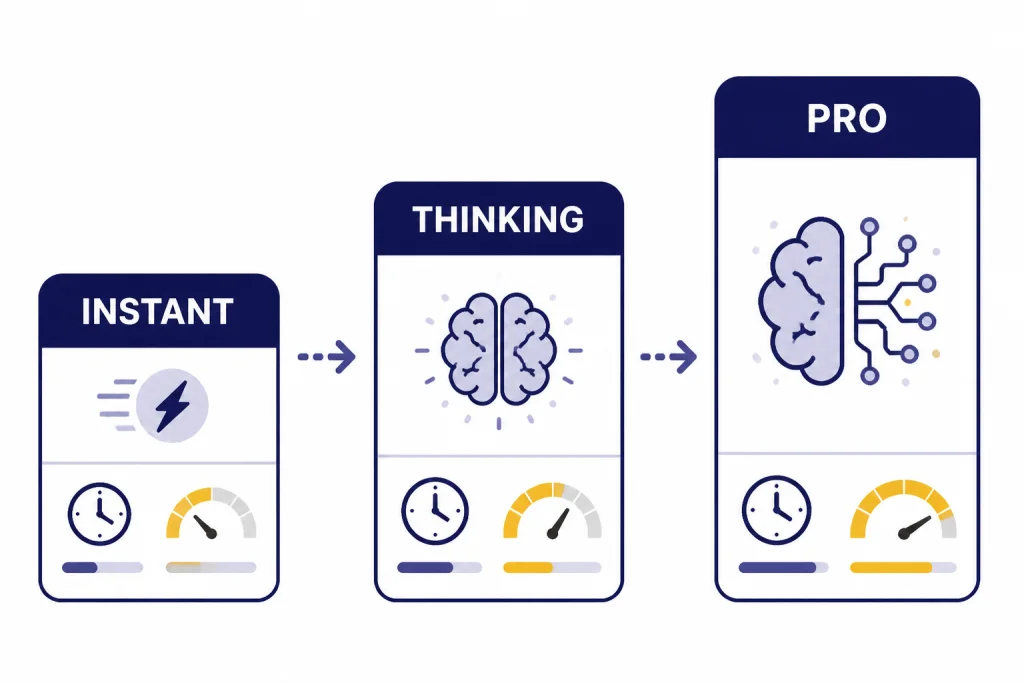
The release matters because it split practical usage into clearer tiers: Instant for fast everyday work, Thinking for deliberate reasoning, and Pro for harder tasks where quality is worth waiting for.[1][4] It also raised the API cost for the main GPT-5.2 model compared with GPT-5.1, so the decision is less about “newest” and more about whether better completion quality offsets higher token cost.[1][6]
GPT-5.2 release notes timeline
OpenAI announced GPT-5.2 on December 11, 2025. Reuters also reported the launch that day and framed it against competitive pressure from Google’s Gemini 3 release.[1][2] OpenAI’s own release emphasized improvements in general intelligence, coding, long context, vision, and agentic tool use.[1]
The public release was followed by several operational updates. OpenAI’s ChatGPT release notes said GPT-5.2 Instant, Thinking, and Pro shared a knowledge cutoff of August 2025, and described free and Go user changes around manual access to Thinking.[4] OpenAI later listed a January 22, 2026 personality system prompt update for GPT-5.2 Instant and a February 10, 2026 update intended to improve style and quality.[3]
On February 4, 2026, OpenAI said it restored the Extended thinking level for GPT-5.2 Thinking after an inadvertent reduction from January.[3] That detail is useful because it shows GPT-5.2 was not a fixed one-day event. Its behavior in ChatGPT changed after launch through routing, thinking-time, and style updates.
| Date | Release note | Reader impact | Sources |
|---|---|---|---|
| December 11, 2025 | GPT-5.2 launched with Instant, Thinking, and Pro variants. | Paid ChatGPT users and API developers began getting access. | [1][2] |
| December 11, 2025 | ChatGPT release notes listed an August 2025 knowledge cutoff for the GPT-5.2 variants. | Answers started from a newer built-in knowledge base than prior GPT-5-era models. | [4] |
| January 22, 2026 | GPT-5.2 Instant received a personality system prompt update. | OpenAI aimed for smoother tone adaptation in everyday ChatGPT conversations. | [3] |
| February 4, 2026 | OpenAI restored GPT-5.2 Thinking’s Extended thinking level after an unintended reduction. | Users who needed deeper reasoning got back the prior Extended setting. | [3] |
| February 10, 2026 | GPT-5.2 Instant received a style and quality update in ChatGPT and the API. | OpenAI said answers should be more measured, grounded, and direct. | [3] |
The GPT-5.2 model family
GPT-5.2 is easier to understand as a family than as a single model. In ChatGPT, OpenAI named the user-facing versions ChatGPT-5.2 Instant, ChatGPT-5.2 Thinking, and ChatGPT-5.2 Pro. In the API, the corresponding names are gpt-5.2-chat-latest, gpt-5.2, and gpt-5.2-pro.[1][14]
Instant is the fast default-style model for general writing, learning, translation, and how-to questions. Thinking is the main deliberate reasoning model for coding, long files, math, structured analysis, and planning. Pro is the slower, higher-compute option for difficult questions where accuracy and careful reasoning matter more than latency.[1][4]
If you are comparing GPT-5.2 against other OpenAI models, start with our broader all GPT models compared side by side. If your main concern is prompt length rather than raw reasoning, use our context window comparison alongside this guide.
| ChatGPT name | API model | Best fit | Main tradeoff |
|---|---|---|---|
| ChatGPT-5.2 Instant | gpt-5.2-chat-latest | Everyday work, writing, learning, translation, and fast help. | Less deliberate than Thinking on hard multi-step tasks.[1][14] |
| ChatGPT-5.2 Thinking | gpt-5.2 | Coding, long documents, reasoning, spreadsheets, planning, and file analysis. | Higher latency and higher API cost than GPT-5.1.[1][6] |
| ChatGPT-5.2 Pro | gpt-5.2-pro | Hard reasoning, complex professional work, and high-stakes draft analysis with human review. | Slowest and much more expensive in the API.[7][8] |
Capabilities and benchmark results
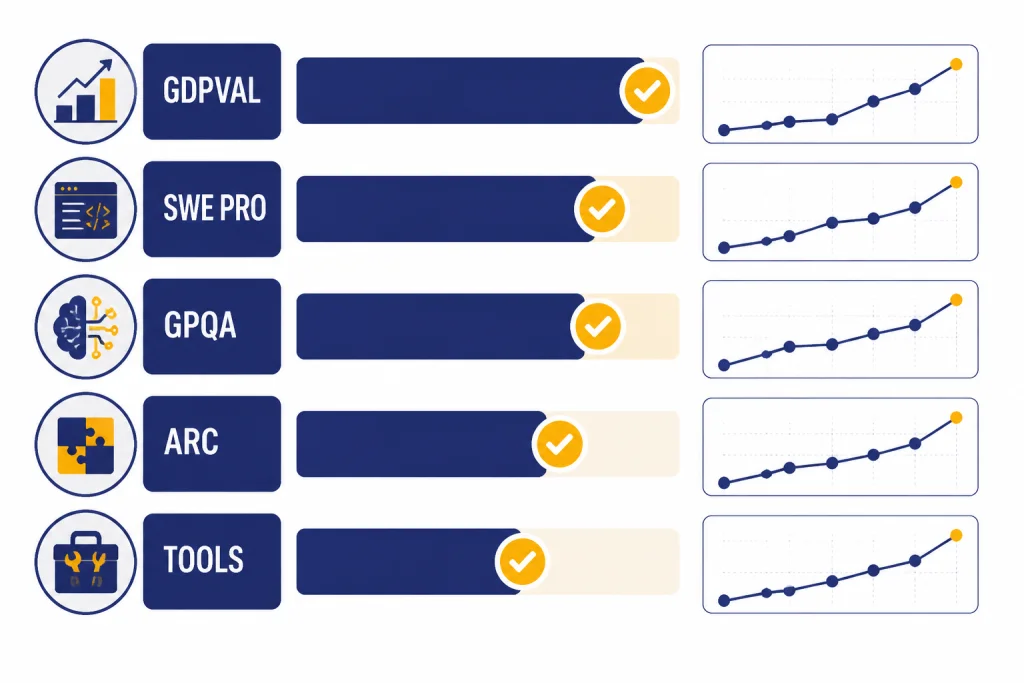
OpenAI’s strongest GPT-5.2 claims center on professional work. On GDPval, OpenAI reported that GPT-5.2 Thinking beat or tied top industry professionals on 70.9% of comparisons across well-specified knowledge-work tasks.[1][13] That benchmark matters because it uses concrete deliverables such as spreadsheets, presentations, schedules, and diagrams rather than simple multiple-choice answers.
Coding was another major release theme. OpenAI reported 55.6% on SWE-Bench Pro for GPT-5.2 Thinking and 80.0% on SWE-bench Verified.[1][14] DataCamp also described SWE-Bench Pro as a harder software-engineering evaluation involving long-horizon issues from real repositories.[14] For developers, this means GPT-5.2 is better suited to multi-file changes, debugging, refactoring, and agentic coding than a simple chat model.
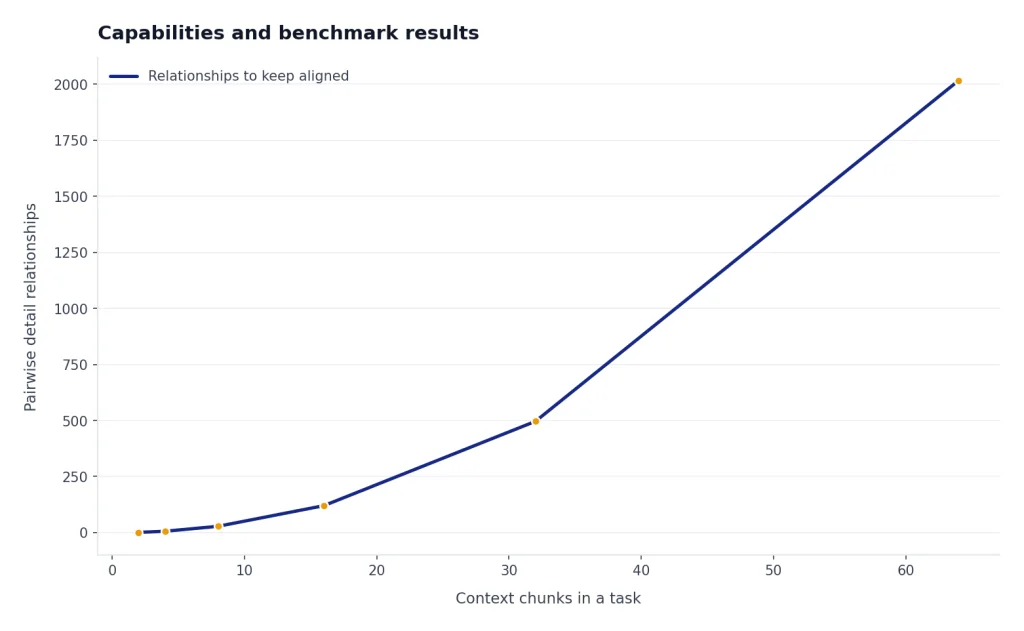
Long context is a practical upgrade, not just a spec line. OpenAI reported near-perfect accuracy on a four-needle MRCR variant out to 256,000 tokens and said GPT-5.2 Thinking performed strongly on long document workflows.[1][14] If you routinely upload contracts, research papers, transcripts, or multi-file project notes, GPT-5.2’s value is in keeping related details aligned across the whole task.
GPT-5.2 also improved visual reasoning. OpenAI said GPT-5.2 Thinking cut error rates roughly in half on chart reasoning and software interface understanding, and framed the improvement around dashboards, product screenshots, technical diagrams, and visual reports.[1][13] For image generation specifically, see our separate best GPT model for image generation guide, because GPT-5.2’s image role is primarily understanding rather than native image creation.
| Capability area | Reported GPT-5.2 result | What it suggests | Sources |
|---|---|---|---|
| Professional work | 70.9% beat-or-tie rate on GDPval for GPT-5.2 Thinking. | Strong fit for structured business artifacts and knowledge-work drafts. | [1][13] |
| Coding | 55.6% on SWE-Bench Pro and 80.0% on SWE-bench Verified. | Better performance on repository-level engineering tasks. | [1][14] |
| Science reasoning | 93.2% on GPQA Diamond for GPT-5.2 Pro and 92.4% for GPT-5.2 Thinking. | Strong graduate-level science Q&A performance under benchmark conditions. | [1][13] |
| Abstract reasoning | 54.2% on ARC-AGI-2 Verified for GPT-5.2 Pro and 52.9% for GPT-5.2 Thinking. | Improved performance on novel pattern and reasoning tasks. | [1][13] |
| Tool use | 98.7% on Tau2-bench Telecom for GPT-5.2 Thinking. | Better multi-turn tool reliability for agent-style workflows. | [1][13] |
API specs, pricing, and model IDs
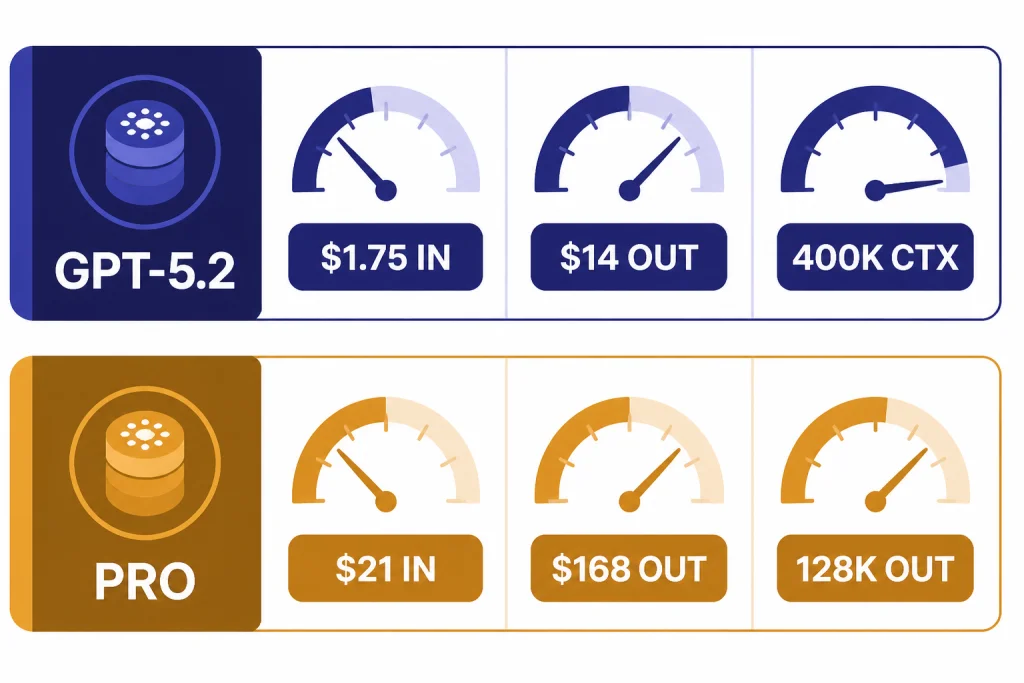
For developers, the key GPT-5.2 model is gpt-5.2. OpenAI’s model documentation lists a 400,000-token context window, 128,000 maximum output tokens, text and image input, text output, and support for reasoning tokens.[5][6] API.chat independently lists the same 400K context window, 128,000-token max output, and December 11, 2025 release date for GPT-5.2.[6]
The standard GPT-5.2 API price is $1.75 per 1 million input tokens, $0.175 per 1 million cached input tokens, and $14.00 per 1 million output tokens.[1][5][6] GPT-5.2 Pro is far more expensive: OpenAI lists $21.00 per 1 million input tokens and $168.00 per 1 million output tokens, and Sim lists the same prices for GPT-5.2 Pro.[7][8] For a wider cost comparison, use our OpenAI API pricing reference and our cheapest GPT model breakdown.
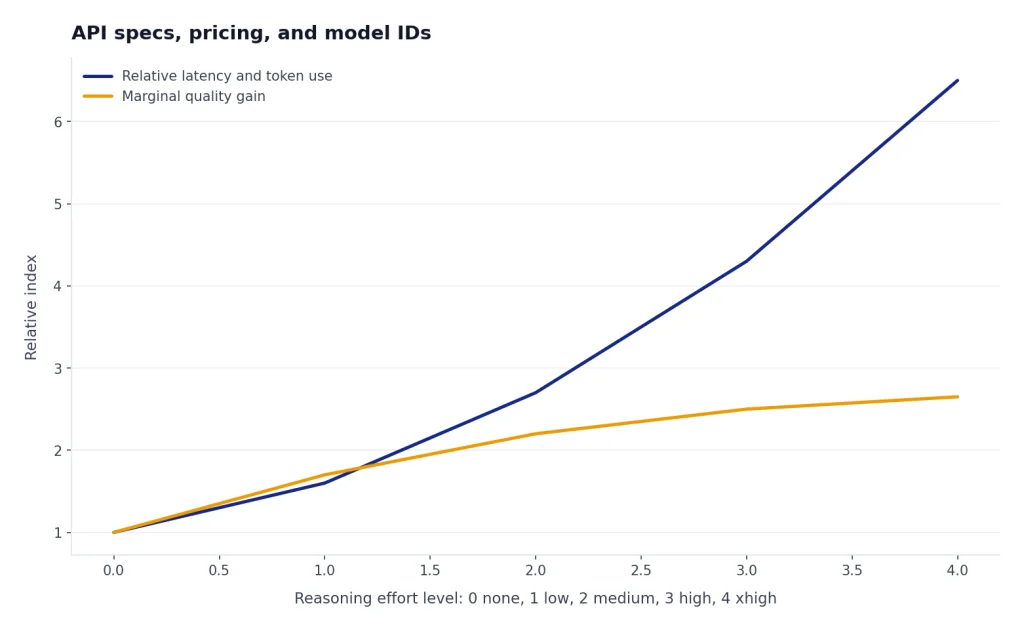
The API model page also lists reasoning effort support for GPT-5.2 as none, low, medium, high, and xhigh.[5] That matters because GPT-5.2 is not a single latency profile. A low-effort call can be economical enough for routine work, while an xhigh call should be reserved for tasks where added reasoning justifies the extra time and output tokens.
| API model | Context | Max output | Input price | Output price | Best use |
|---|---|---|---|---|---|
gpt-5.2-chat-latest | OpenAI has not published a corroborated figure in the sources used here. | OpenAI has not published a corroborated figure in the sources used here. | $1.75 / 1M tokens. | $14.00 / 1M tokens. | Fast chat-style assistant behavior.[1][14] |
gpt-5.2 | 400,000 tokens. | 128,000 tokens. | $1.75 / 1M tokens; $0.175 cached. | $14.00 / 1M tokens. | Main reasoning and professional-work API model.[5][6] |
gpt-5.2-pro | 400,000 tokens. | 128,000 tokens. | $21.00 / 1M tokens. | $168.00 / 1M tokens. | Highest-quality GPT-5.2 reasoning when latency and cost are secondary.[7][8] |
GPT-5.2 in ChatGPT
In ChatGPT, GPT-5.2 was designed to feel more useful for day-to-day work while also offering deeper reasoning when selected. OpenAI described Instant as a fast workhorse and Thinking as the better choice for coding, long documents, file questions, math, logic, and planning.[1][4] Pro was positioned as the highest-quality option for difficult questions where the wait is acceptable.[1][4]
The practical rule is simple. Use Instant for normal writing and learning. Use Thinking when the task has multiple constraints, hidden dependencies, or files that must be reconciled. Use Pro only when an error is costly enough that waiting longer is rational. If your main use case is prose, compare it with our best GPT model for writing. If your main use case is code, compare it with our best GPT model for coding.
Subscription pricing is separate from API pricing. OpenAI said ChatGPT subscription pricing remained the same when GPT-5.2 launched, while API GPT-5.2 pricing was higher per token than GPT-5.1.[1] For consumer plan economics, see our ChatGPT Plus price in 2026 guide.
GPT-5.2-Codex and coding workflows
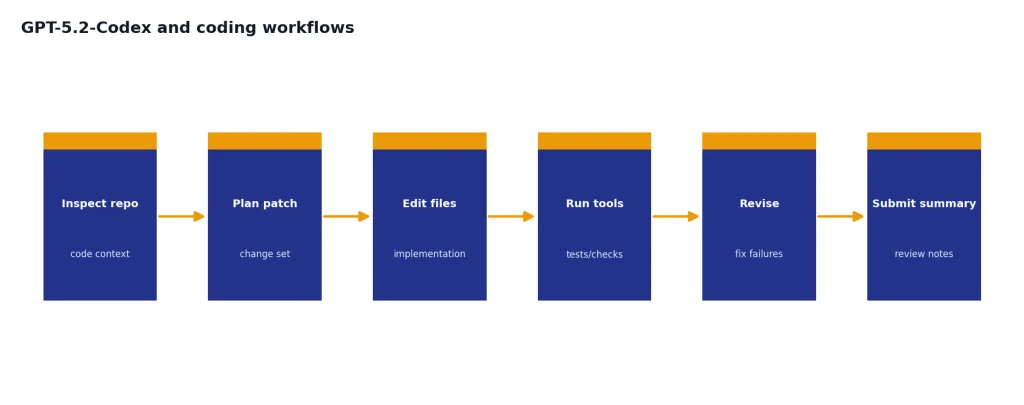
OpenAI released GPT-5.2-Codex on December 18, 2025, as a version of GPT-5.2 optimized for agentic coding in Codex.[9] The launch post listed improvements for long-horizon work through context compaction, large refactors and migrations, Windows environments, and cybersecurity capability.[9]
The difference between GPT-5.2 and GPT-5.2-Codex is not just branding. GPT-5.2 is the general professional reasoning model. GPT-5.2-Codex is the coding-agent variant tuned for Codex surfaces, where the model may inspect repositories, run tools, revise files, and continue through longer sessions.[9] If you are choosing a coding assistant rather than a general ChatGPT model, the Codex variant is the more relevant comparison point.
OpenAI also tied GPT-5.2-Codex to defensive cybersecurity workflows. The company said the model did not reach a High level of cyber capability under its Preparedness Framework, but it added safeguards and discussed invite-only trusted access for vetted security professionals.[9][12] This is the right framing: useful for authorized security work, not a blanket license to automate risky behavior.
Safety, limitations, and early criticism
GPT-5.2 is stronger than earlier GPT-5 models in several benchmark areas, but it is not error-free. OpenAI’s launch post said GPT-5.2 Thinking hallucinated less than GPT-5.1 Thinking on a set of de-identified ChatGPT queries, but it also warned that users should double-check anything critical.[1] That is still the correct operating rule for legal, medical, financial, security, or production engineering use.
Safety is also a moving target. OpenAI’s GPT-5.2 system card says it continued to treat GPT-5.2 Thinking as High capability in the Biological and Chemical domain and applied corresponding safeguards.[12] The same document said final checkpoint evaluations for cybersecurity and AI self-improvement did not indicate a plausible chance of reaching a High threshold.[12]
Early user reaction was mixed. TechRadar reported a wave of complaints from users who felt GPT-5.2 was too corporate, too safe, or more robotic than GPT-5.1, while also cautioning that launch-day reactions can overrepresent dissatisfied users.[10] OpenAI’s own notes later included style and quality updates for GPT-5.2 Instant, which suggests the company was still tuning how the model felt in everyday conversations.[3]
That contrast is common with frontier models. Better benchmark performance can arrive with a tone, refusal, or pacing change that some users dislike. For a raw speed-first view, compare GPT-5.2 against our fastest GPT model guide. For pure capability, compare it with our most powerful GPT model benchmark roundup.
Analysis: the GPT-5.2 tradeoff
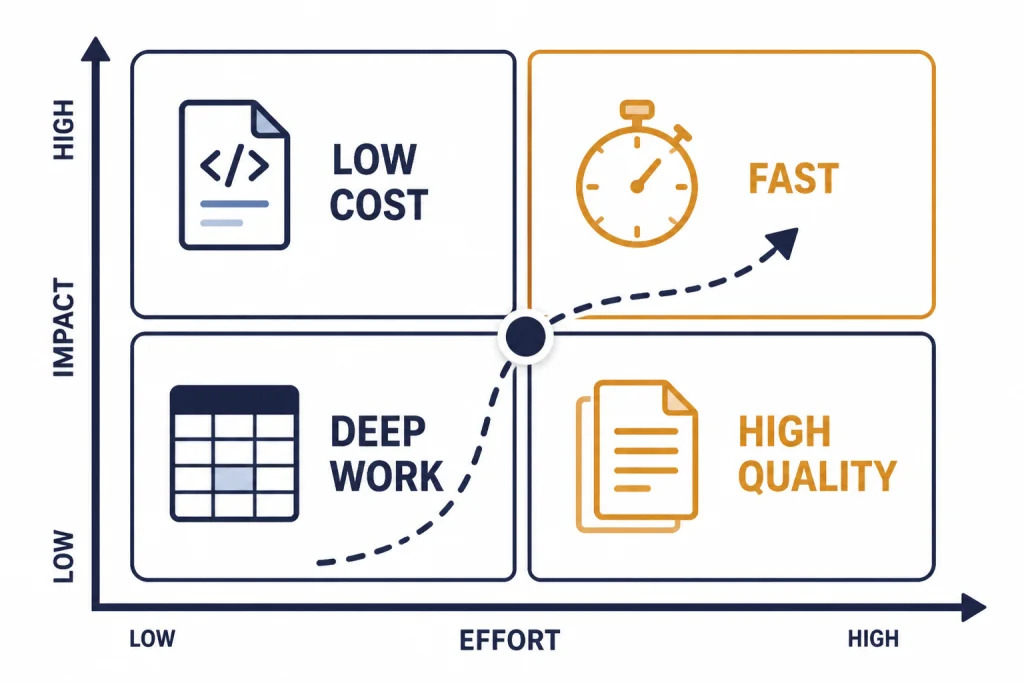
GPT-5.2’s central tradeoff is quality density. The model costs more in the API, and the stronger modes can be slower. In return, it can compress more professional work into fewer failed attempts, fewer repair prompts, and fewer manual rewrites. That tradeoff is attractive when the output is a spreadsheet model, code patch, legal-style summary, research synthesis, or decision memo. It is less attractive when the output is a casual answer that any cheaper model can produce.
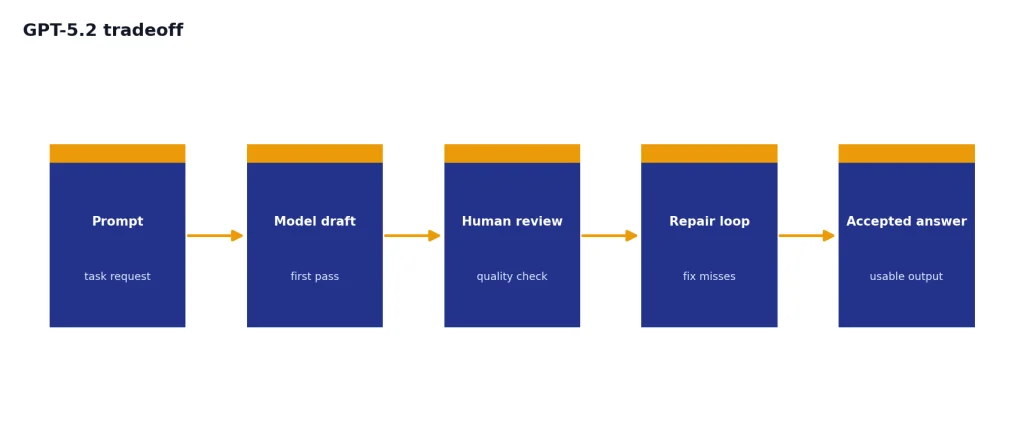
Think of GPT-5.2 as a model for reducing coordination cost. If your workflow involves many constraints, files, tools, and review cycles, a better first pass can save time even when token prices rise. If your workflow is high-volume customer support, basic classification, short rewriting, or simple Q&A, the economics may point to a smaller or cheaper GPT model instead.
This pattern also explains why the release focused on spreadsheets, presentations, coding, long context, and tools. These are areas where failure is expensive because the user must inspect structure, formulas, citations, dependencies, and hidden assumptions. GPT-5.2 is strongest when the model’s extra reasoning reduces that review burden. It is weakest when the task only needs fluent text.
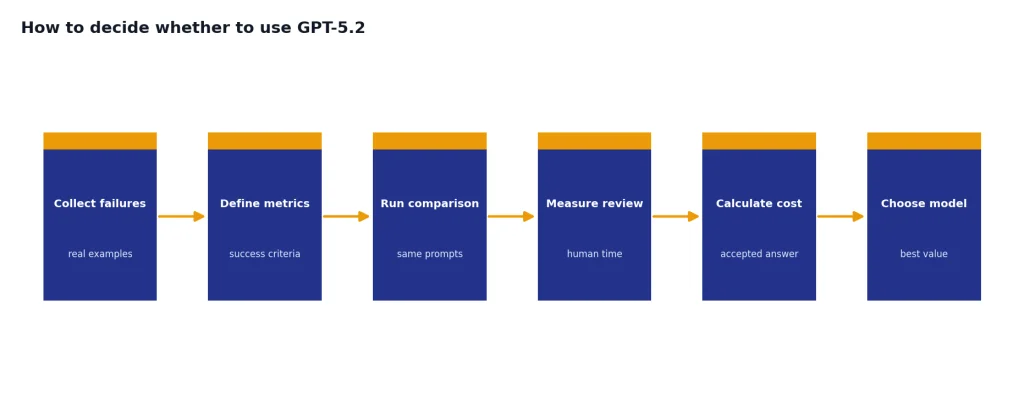
How to decide whether to use GPT-5.2
Use GPT-5.2 when the task has depth. Good examples include refactoring a codebase, reading a long contract, reconciling several PDFs, building a board-ready presentation outline, creating a spreadsheet model, or planning an agentic workflow that calls tools. These tasks benefit from the model’s reported gains in long context, coding, structured professional work, and tool use.[1][14]
Do not use GPT-5.2 by default for every request. If the prompt is short, the stakes are low, and the desired output is ordinary prose, a faster or cheaper model may be a better fit. If the task is image creation, video generation, speech transcription, or multimodal production, compare specialized models such as DALL-E 3, Sora, or Whisper rather than assuming GPT-5.2 is the right tool.
For API teams, start with a small evaluation set. Include examples that represent your real failures: wrong citations, bad tool calls, missed constraints, long-context omissions, and code changes that do not pass tests. Compare GPT-5.2 against your current production model on correctness, review time, latency, and total cost per accepted answer. The best model is the one that improves accepted output per dollar, not the one with the highest benchmark headline.
Frequently asked questions
When was GPT-5.2 released?
OpenAI released GPT-5.2 on December 11, 2025.[1][2] Reuters reported the same launch date and said the rollout began with GPT-5.2 Instant, Thinking, and Pro in ChatGPT, starting with paid plans.[2] OpenAI also made the API models available to developers at launch.[1]
What are the GPT-5.2 model names in the API?
The main API names are gpt-5.2-chat-latest for the Instant-style model, gpt-5.2 for Thinking, and gpt-5.2-pro for Pro.[1][14] OpenAI’s API model page also lists a dated snapshot for GPT-5.2: gpt-5.2-2025-12-11.[5] Use the dated snapshot when repeatability matters more than automatic alias updates.
How much does GPT-5.2 cost in the API?
The standard GPT-5.2 price is $1.75 per 1 million input tokens, $0.175 per 1 million cached input tokens, and $14.00 per 1 million output tokens.[1][5][6] GPT-5.2 Pro costs $21.00 per 1 million input tokens and $168.00 per 1 million output tokens.[7][8] Those numbers make Pro a specialist choice, not a default setting for routine traffic.
What is the GPT-5.2 context window?
OpenAI’s GPT-5.2 API model page lists a 400,000-token context window and a 128,000-token maximum output.[5] API.chat independently lists the same 400K context window and 128,000 max output for GPT-5.2.[6] Long context does not guarantee perfect recall, so teams should still test the exact document patterns they plan to use.
Is GPT-5.2 good for coding?
Yes, GPT-5.2 is a strong coding model, especially for multi-file and agentic work. OpenAI reported 55.6% on SWE-Bench Pro and 80.0% on SWE-bench Verified for GPT-5.2 Thinking.[1][14] OpenAI then released GPT-5.2-Codex on December 18, 2025, specifically for agentic coding in Codex.[9]
Does GPT-5.2 generate images or video?
GPT-5.2 is primarily a text-output model with text and image input support in the API.[5][7] OpenAI emphasized better vision understanding, including chart reasoning and software interface understanding, rather than native image or video generation.[1] For image generation, compare DALL-E and GPT image models; for video, compare Sora-family models.
Should I use GPT-5.2 or a newer GPT-5 model?
Use GPT-5.2 when your workflow already depends on its API behavior, pricing, or snapshot stability. OpenAI’s later model notes list newer GPT-5 releases after GPT-5.2, so new ChatGPT users should compare the current default against GPT-5.2 rather than assuming GPT-5.2 is still the top option.[3] If you want the next step in the sequence, read our GPT-5.3 breakdown.
Bottom line
GPT-5.2 was a substantial GPT-5 upgrade for professional work. Its strongest case is not casual chat. It is complex work with structure: code, spreadsheets, long documents, tool calls, visual reports, and reasoning-heavy drafts.
The model is worth testing if mistakes, rewrites, or missed context are costing more than tokens. It is less compelling for high-volume simple prompts where speed and unit cost matter more than frontier reasoning.