

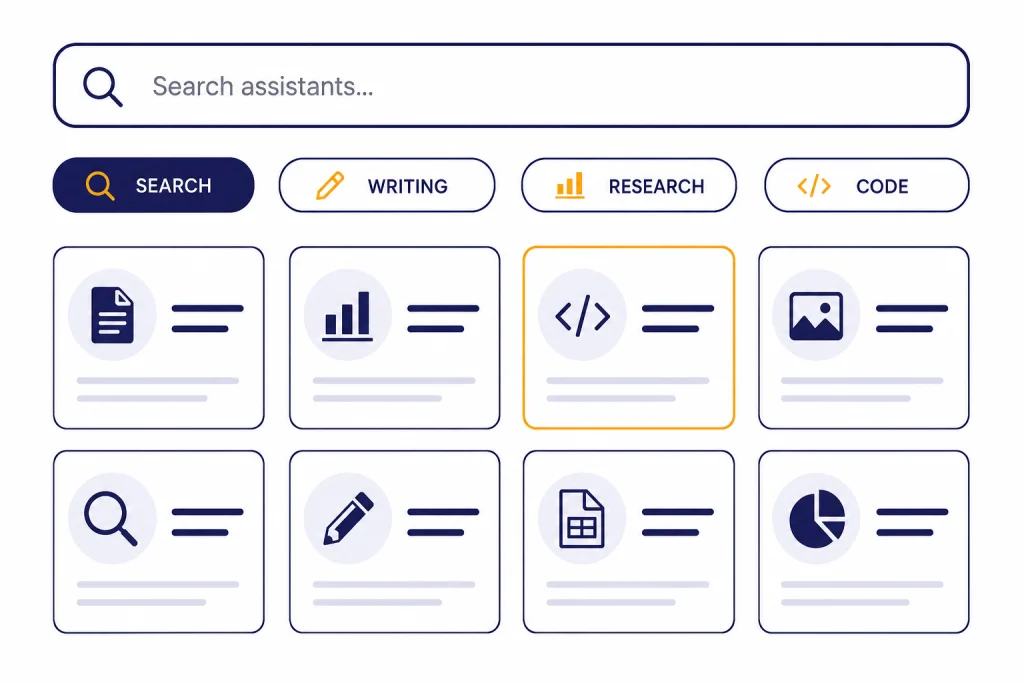
The GPT Store is ChatGPT’s built-in directory for finding custom GPTs: specialized versions of ChatGPT configured for a task, workflow, audience, or set of reference materials. The best GPTs are not always the most popular ones. They are the ones with a clear purpose, useful conversation starters, trustworthy handling of files and outside services, and consistent answers after a few realistic tests. This guide explains how to browse the GPT Store, evaluate listings before you use them, compare GPTs with other ChatGPT personalization tools, and decide when it is better to build your own custom GPT instead.
What the GPT Store is
The GPT Store is the discovery area inside ChatGPT for custom GPTs. OpenAI defines GPTs as customized versions of ChatGPT that can combine instructions, knowledge, selected capabilities, apps, and actions for a specific purpose.[1] In practice, a GPT is a packaged assistant. It may be tuned for résumé review, tutoring, data cleanup, lesson planning, image prompt drafting, legal intake triage, or another narrow workflow.
You can open Explore GPTs from ChatGPT, browse available GPTs, open a listing, read its description, review its conversation starters, and start chatting.[1] Public GPT pages may be visible before sign-in, but OpenAI says users must be signed in before they can start a conversation with a GPT.[1]
The Store is not the same thing as a traditional app store. Many GPTs are prompt-and-knowledge wrappers around ChatGPT. Some add capabilities such as web search, image generation, Canvas, Code Interpreter and Data Analysis, apps, or custom actions that connect to external APIs.[3] That range is useful, but it also means quality varies. A GPT can be excellent for a narrow task and weak outside its intended scope.
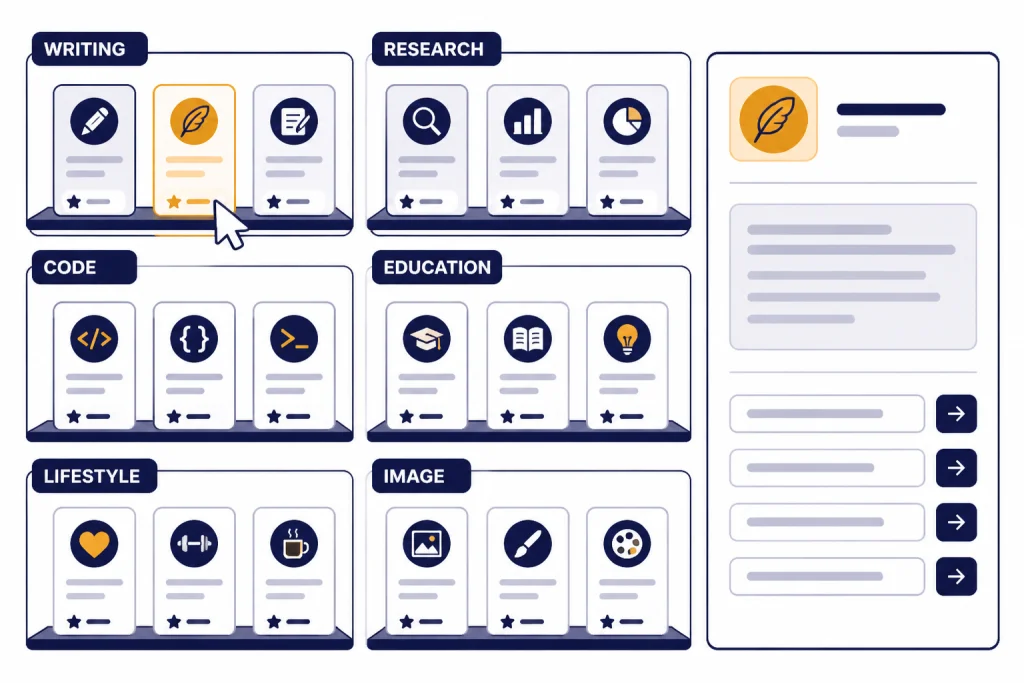
OpenAI’s original GPT Store announcement described community leaderboards, featured GPTs, and categories such as DALL·E, writing, research, programming, education, and lifestyle.[2] Those categories are a starting point, not a quality guarantee. Treat the Store as a discovery layer, then test each GPT like you would test a template, spreadsheet, browser extension, or workflow automation.
How to browse and test GPTs
Start with the task, not the Store. A vague search such as “productivity” returns broad assistants that often overlap. A sharper search such as “summarize medical PDFs for patient questions” or “convert meeting notes into Jira tickets” makes it easier to judge whether a GPT matches your real workflow.
After you open a GPT, read the description and conversation starters before sending sensitive content. OpenAI says GPTs respond based on their configured instructions, knowledge, and enabled capabilities.[1] The listing should make that configuration legible. A good GPT tells you what it does, who it is for, what inputs it expects, and what kind of output it produces.
- Run a small test first. Use a harmless prompt that resembles your real use case.
- Ask for the same task twice. A useful GPT should be reasonably consistent in structure and assumptions.
- Check its boundaries. Ask what it cannot do. Good GPTs admit limits.
- Look for tool use. If a GPT claims current information, check whether it can use web search or another reliable source path.
- Save only the ones you will reuse. Hide or ignore GPTs that are merely interesting once.
For research tasks, compare the GPT’s behavior with standard ChatGPT Search. For document-heavy tasks, compare it with your normal chatgpt file upload workflow. For image-based tasks, test whether a custom GPT adds value beyond chatgpt vision or chatgpt image search. The best GPT is the one that reduces repeated setup without hiding important assumptions.
What makes a custom GPT worth using
A strong custom GPT has a specific job. It should not promise to be “the ultimate assistant for everything.” The strongest Store listings usually narrow the task, define the input, and shape the output. A grammar coach that returns a marked-up rewrite, a short explanation, and a practice drill is easier to trust than a writing GPT that simply says it can improve any text.
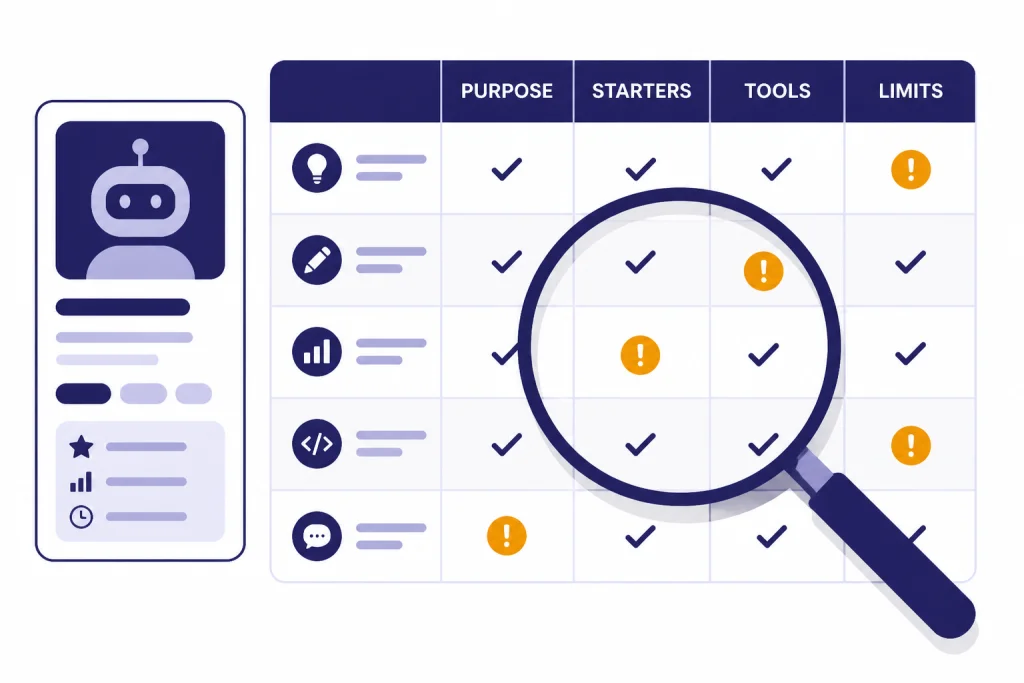
Use this evaluation table before you rely on a GPT for repeated work.
| Signal | What to look for | Why it matters |
|---|---|---|
| Clear purpose | The listing names a narrow task and audience. | Specific GPTs are easier to test and less likely to drift. |
| Useful starters | The suggested prompts resemble real work, not generic demos. | Good starters reveal how the builder expects the GPT to be used. |
| Input discipline | The GPT asks for missing details before producing a final answer. | This reduces confident but poorly grounded output. |
| Output format | It produces repeatable tables, checklists, drafts, or step sequences. | Repeatability is the main reason to use a custom GPT. |
| Tool transparency | It explains when it uses files, web search, apps, or actions. | You need to know when data may leave the chat context. |
| Graceful limits | It declines or cautions on tasks outside its scope. | Boundary-setting is a quality feature, not a weakness. |
Do not judge only by popularity. A niche GPT with a small audience can be better than a broad GPT with many casual users. Test with an example you know well. If you are evaluating a coding tutor, give it a small bug and see whether it explains the fix. If you are evaluating a grant-writing GPT, give it a short program description and see whether it asks for funder criteria before drafting.
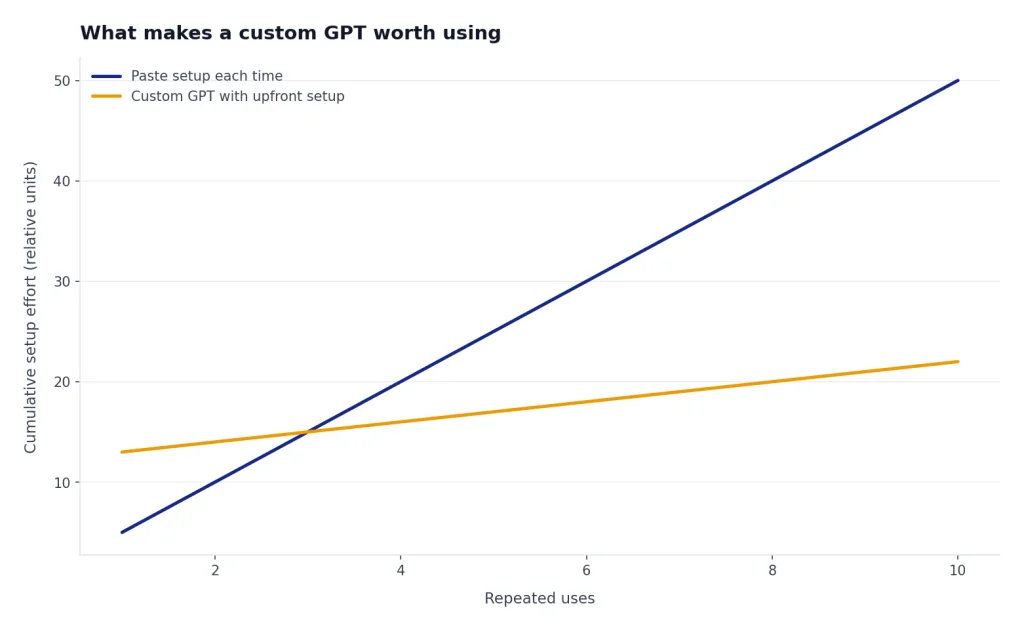
Custom GPTs are especially useful when you repeat the same setup instructions. If you often paste a style guide, define a role, list formatting rules, and ask for a standard output, a GPT can turn that repeated prompt into a reusable assistant. If you only need a preference applied across normal chats, ChatGPT Custom Instructions may be simpler.
Privacy and safety checks
Before you paste private information into a GPT, check what kind of GPT it is and what tools it uses. OpenAI says GPT builders cannot view individual conversations users have with their GPTs.[1] That is reassuring, but it is not the whole privacy story.
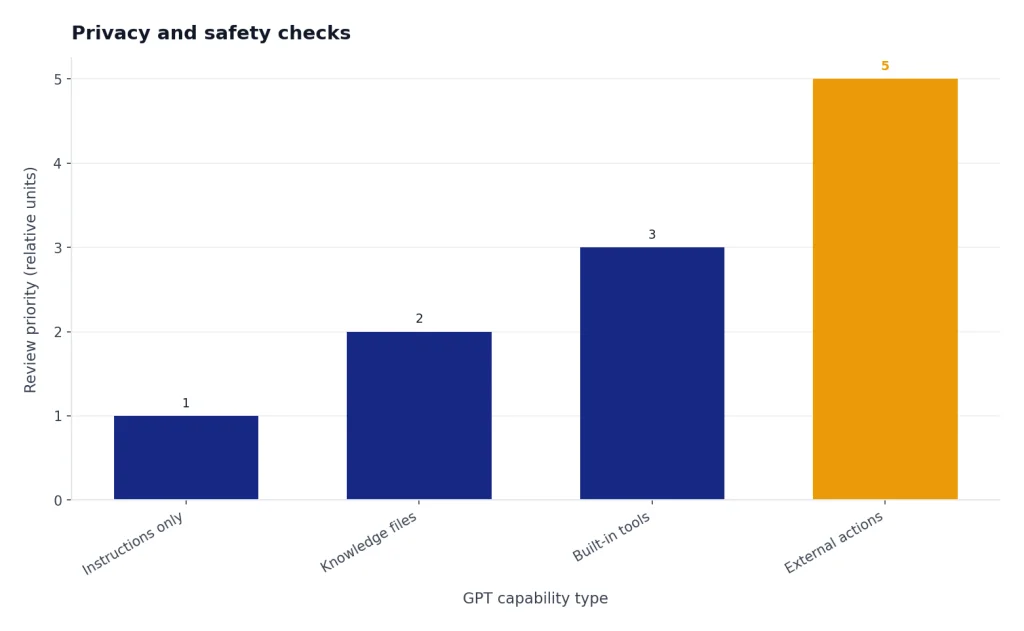
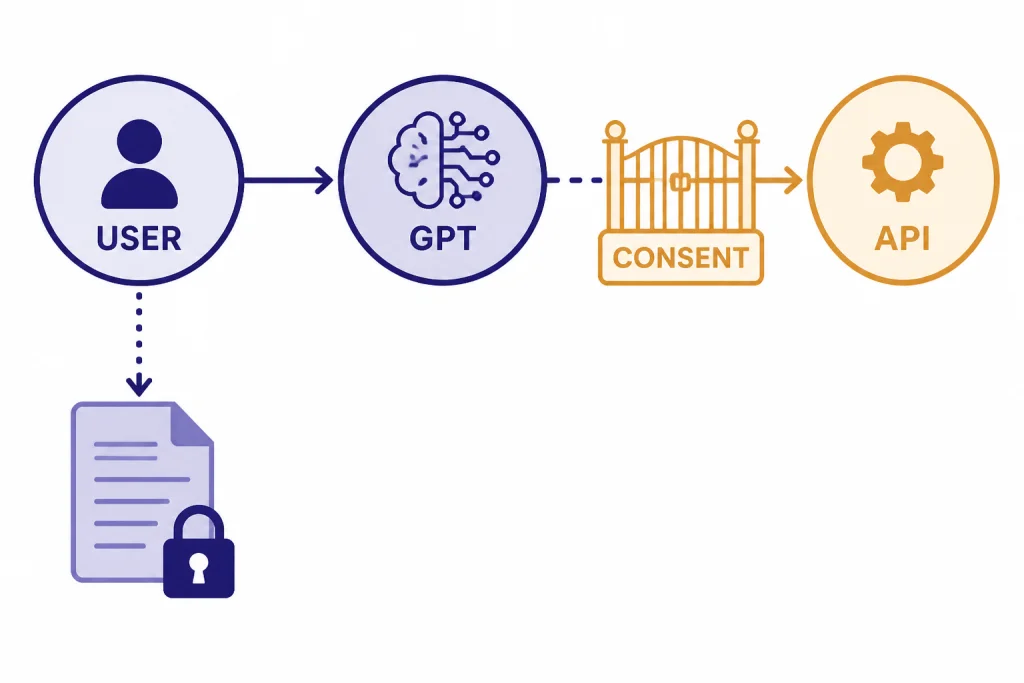
OpenAI also says GPTs can integrate with apps and external APIs, and that relevant parts of your input may be sent to a third-party service when you interact with a GPT that uses those connections.[1] OpenAI says it does not audit or control how those third-party services use or store your data.[1] For that reason, do not send client files, patient details, trade secrets, credentials, or regulated data to an unfamiliar GPT.
Data use also depends on your plan. OpenAI says Business, Enterprise, and Edu plan data is not used for training by default, while consumer plan conversations may be used for training depending on opt-out settings.[1] If you use ChatGPT at work, ask your administrator which GPT Store and sharing settings apply to your workspace.
- Prefer GPTs from builders you recognize when the task involves sensitive information.
- Use sample or anonymized data for first tests.
- Read whether the GPT uses apps or external APIs before sending private content.
- Do not treat a Store listing as professional certification.
- For medical, legal, financial, employment, or education decisions, keep a qualified human in the loop.
OpenAI’s Usage Policies prohibit high-risk misuse, including automation of high-stakes decisions in sensitive areas without human review.[7] A GPT can help draft, summarize, classify, or prepare material. It should not silently replace a professional decision process.
GPT Store vs. other ChatGPT features
The GPT Store is one way to customize ChatGPT, but it is not always the best one. Choose the lightest tool that solves the problem. A custom GPT is useful when you want a reusable assistant with a name, description, instructions, starter prompts, optional knowledge, and selected tools. Other ChatGPT features solve different problems.
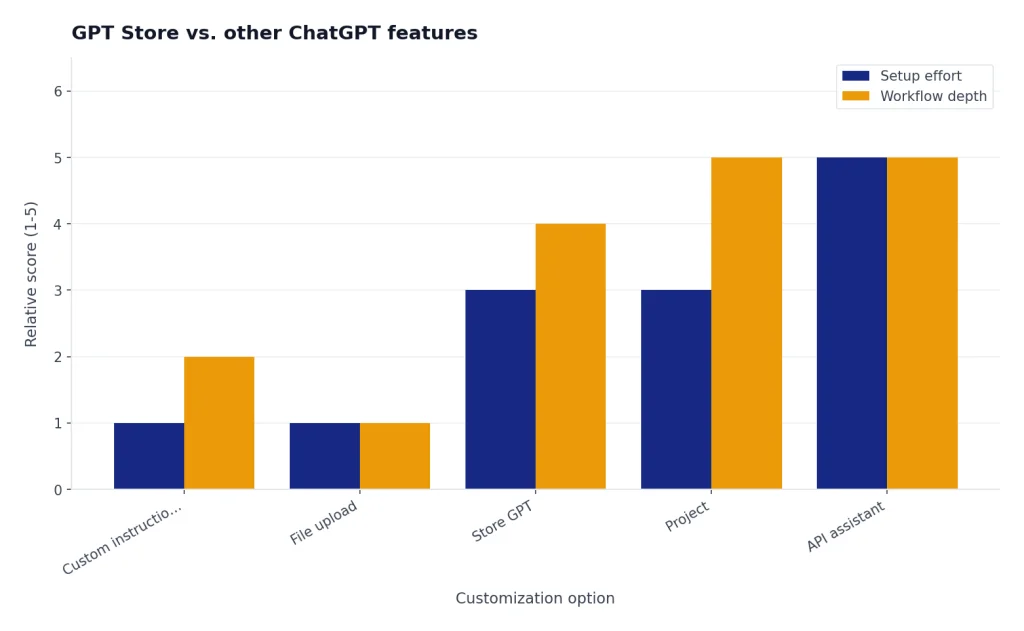
| Option | Best use | When it is better than a Store GPT |
|---|---|---|
| GPT Store GPT | Repeated task with a packaged workflow. | You want a specialized assistant you can open again. |
| Custom instructions | Account-wide response preferences. | You want ChatGPT to follow your general style across chats. OpenAI says custom instructions apply immediately across chats.[5] |
| Projects | Long-running work with related chats, files, and context. | You need a workspace for an ongoing effort. OpenAI describes Projects as spaces that group chats, reference files, and custom instructions.[6] |
| File upload | One-off analysis of a document, spreadsheet, image, or dataset. | You do not need a reusable assistant; you need help with today’s file. |
| Search | Current web-grounded answers. | You need fresh information more than a specialized personality. |
| Legacy plugins | Older third-party tool connections. | Use current GPT capabilities instead; see our ChatGPT Plugins history if you are comparing old tutorials. |
There is overlap. A GPT can use knowledge files, and a Project can also hold files. A GPT can guide a writing workflow, and Canvas can help revise a draft. If the work is a single document, use Canvas or file upload. If the work is a repeating role with specific rules, use a GPT. If the work is a long-running effort with many threads, use ChatGPT Projects.
For technical users, a GPT is not the same as an API assistant embedded in your own product. OpenAI says GPTs are no-code assistants built and used inside ChatGPT, while API assistants are developer-built integrations used inside an external site or service.[1] If you need authentication, billing, custom UI, server-side logging, or product integration, compare the Store with the API and the OpenAI Playground review.
How to publish your own GPT
You can also create and publish your own GPT, but building and editing are not available to every user in every context. OpenAI says creating or editing GPTs requires a paid subscription, and managed workspaces may add role and workspace permissions.[1] OpenAI also says building and editing GPTs is limited to the web experience, while mobile apps support using GPTs but not building them.[3]
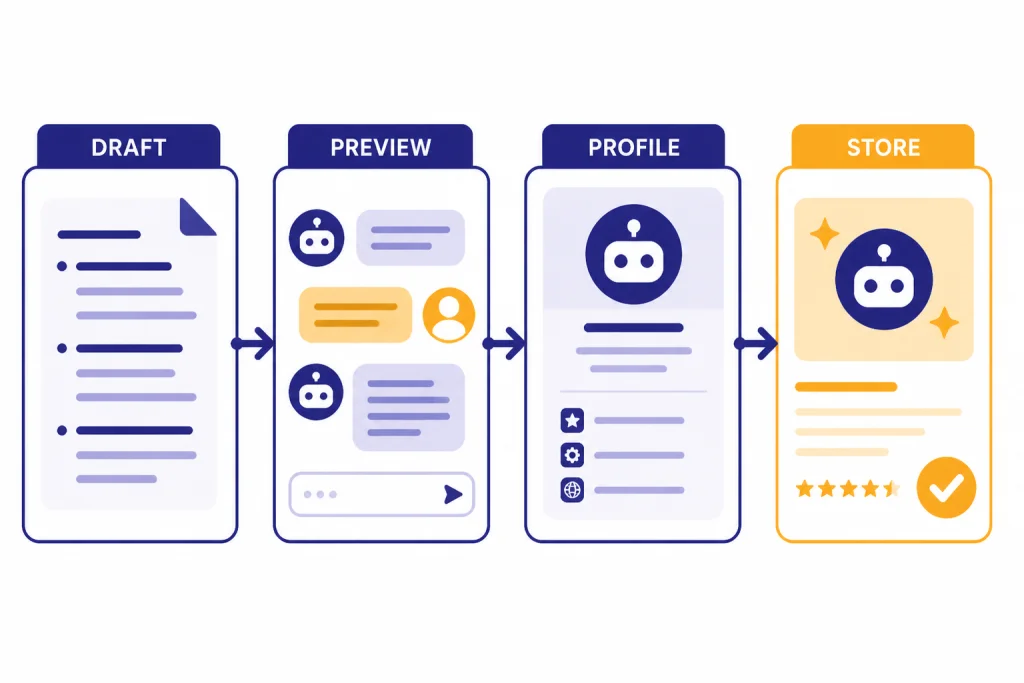
The editor supports two build paths: a conversational builder and a direct configuration view.[3] The conversational builder is better for a first draft. The configuration view is better when you already know the instructions, output format, files, and tools you want.
- Name the job. Use a title that states the task, not a clever brand phrase.
- Write a plain description. Tell users what to bring and what they will get back.
- Add realistic starters. Use prompts that demonstrate the intended workflow.
- Put behavior in instructions. Define tone, steps, refusal rules, and output structure.
- Use knowledge for reference. Add files only when the GPT needs source material.
- Test in preview. Try normal cases, edge cases, and bad inputs before sharing.
Publishing adds more requirements. OpenAI says publishing to the GPT Store makes a GPT publicly available through ChatGPT, and the publisher may need to choose a category, review the builder name or website, and confirm that the GPT meets policy and product requirements.[4] If a GPT uses actions and you want to publish it publicly, OpenAI says each public action must include a valid privacy policy URL.[4]
After publication, the GPT is still editable. OpenAI says changes save as a draft while you edit, and you select Update to apply draft changes to the live GPT.[4] That versioning mindset matters. Treat a public GPT like a small product. Keep a changelog for yourself, retest after edits, and remove unclear capabilities rather than piling on tools.
Practical ways to use the GPT Store
The Store is most useful when you build a small bench of reliable GPTs. Do not try to collect dozens. Pick one for each repeated task and revisit the set every few weeks. If a GPT stops being useful, replace it.
For writing and editing
Look for GPTs that ask about audience, tone, length, and format before rewriting. A good editor GPT should show what changed, not just produce a polished version. For longer drafts, compare the result with a ChatGPT tutorial for Canvas, since Canvas is often better for iterative document work.
For research
Use research GPTs to structure questions, generate search strategies, compare sources, and summarize findings. Do not let a research GPT be the only source of truth. Ask it to separate sourced claims from assumptions, and verify current facts with web-grounded tools.
For coding and data
A coding GPT is useful when it enforces a repeatable workflow: clarify requirements, propose a plan, write code, create tests, and explain tradeoffs. For dataset work, compare the GPT with a direct chatgpt tutorial using Code Interpreter and Data Analysis. The custom GPT should save setup time, not obscure the analysis.
For learning
Choose tutor GPTs that ask diagnostic questions before teaching. Strong learning GPTs adapt examples, quiz you, and explain mistakes. Weak ones lecture immediately. If you are learning a language, compare Store options with a focused ChatGPT Translate workflow.
If you want a more opinionated assessment of whether browsing the Store is worth your time, read our separate gpt store review. This guide focuses on how to evaluate GPTs yourself.
Frequently asked questions
Do I need a paid ChatGPT plan to use the GPT Store?
OpenAI says GPTs are available to all ChatGPT users, but users must be signed in to start a conversation.[1] Creating or editing GPTs requires a paid subscription, subject to workspace permissions.[1]
Can GPT builders see my chats?
OpenAI says GPT builders cannot view individual conversations users have with their GPTs.[1] Still, be careful with GPTs that use apps or external APIs, because relevant parts of your input may be sent to third-party services.[1]
Are GPT Store results always reliable?
No. A Store listing means the GPT is discoverable, not that its answers are correct for your use case. Test a GPT with low-risk examples, check whether it asks for needed context, and verify important claims independently.
Should I use a GPT or custom instructions?
Use custom instructions for broad preferences that should apply across normal chats, such as tone or formatting. Use a GPT when you want a reusable task-specific assistant with its own instructions, starters, knowledge, and tools.
Can I use a custom GPT inside an existing chat?
Yes. OpenAI says you can type @ in a ChatGPT conversation to bring in a GPT without starting a new chat, and the next message goes to that GPT while the conversation keeps its current context.[1] This is useful when a general discussion turns into a specialized task.
When should I build my own GPT instead of browsing the Store?
Build your own GPT when your workflow depends on private rules, a specific output format, internal terminology, or reference files you control. Browsing is better when you are exploring a common task and want to learn what patterns other builders use.