

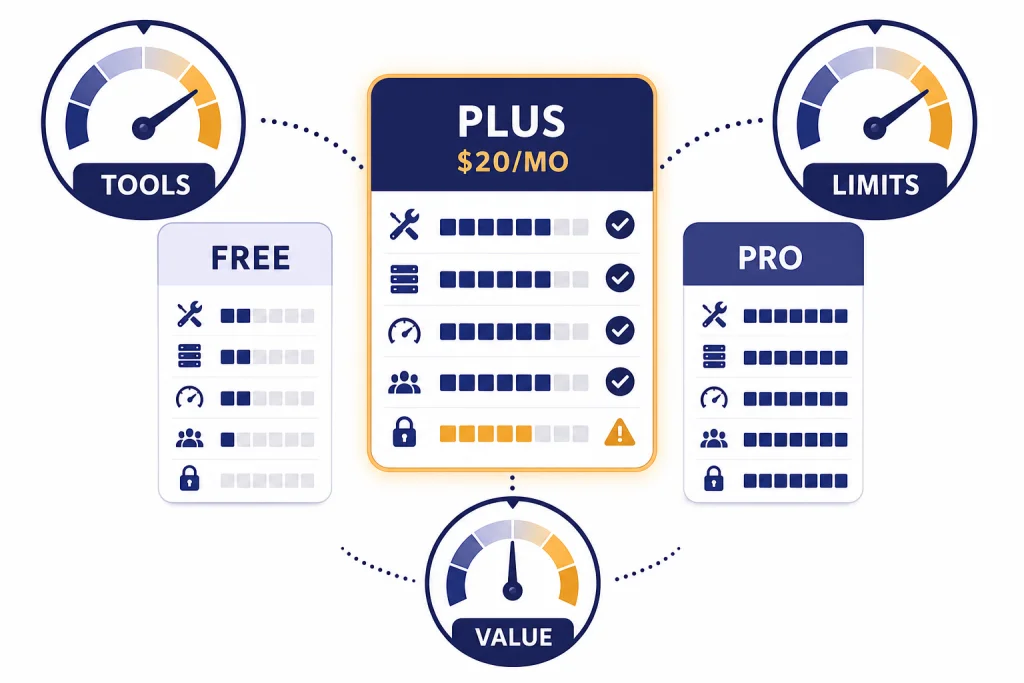
ChatGPT Plus is worth it in 2026 if you use ChatGPT most workdays, hit the free plan’s limits, upload files, generate images, run research, or want steadier access to advanced reasoning. It is not worth it if you only ask occasional questions, already get an AI assistant through work or school, or mainly need API access. The price is still $20/month, billed monthly, and OpenAI says Plus includes higher GPT-5.3 limits, faster responses, advanced reasoning models, voice, image generation, file uploads, Deep Research where available, and custom GPT creation.[1] The honest verdict: try Plus for one busy month, keep it only if it saves time every week, and cancel before renewal if it becomes a novelty.
Quick verdict
The short answer is this: ChatGPT Plus is a good buy for regular users and a poor buy for casual users. At $20/month, the break-even point is low if it helps you draft, analyze, code, study, research, or plan faster even a few times each week.[1] If you use ChatGPT twice a month for simple answers, the free plan is the better choice.
Plus is best understood as a convenience subscription. You are paying for higher limits, better access to advanced tools, and fewer interruptions. You are not buying guaranteed unlimited use of every model. OpenAI says Plus subscriptions may still include usage limits, including message caps during high demand.[1] That matters. If you expect a paid plan to remove every ceiling, Plus may disappoint you.
Our practical verdict: Plus is worth keeping if it replaces at least one paid writing tool, one light research assistant, one coding helper, or one hour of manual work each month. It is worth trying if you are comparing ChatGPT Free vs Plus and are already frustrated by limits. It is not worth keeping out of habit.
What ChatGPT Plus includes
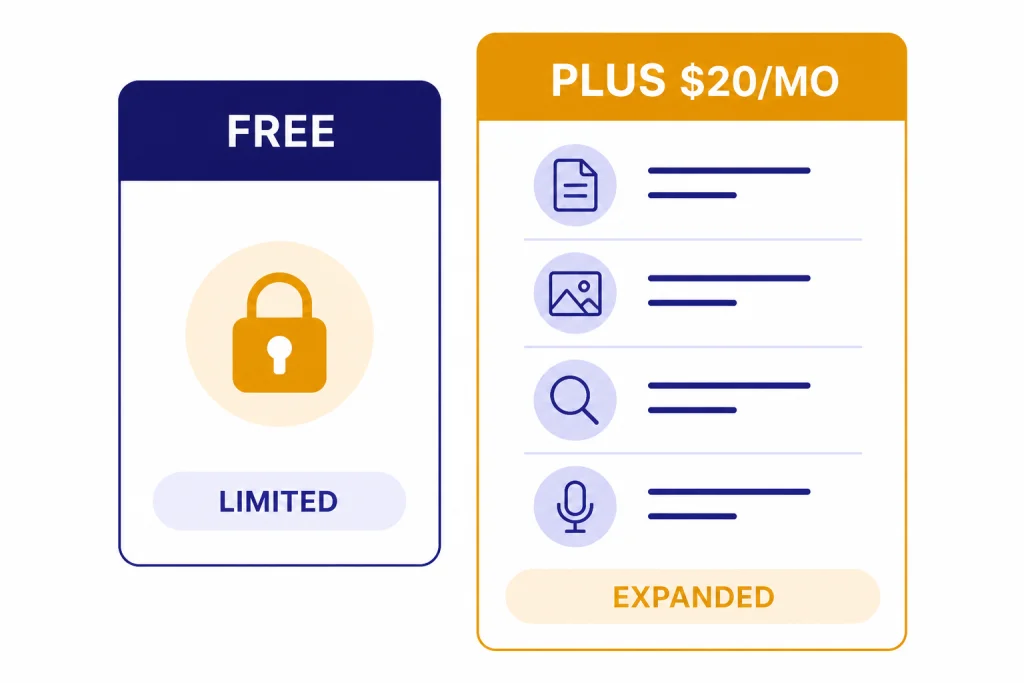
OpenAI describes ChatGPT Plus as enhanced access to the ChatGPT web app for $20/month, billed monthly.[1] The core benefits are higher GPT-5.3 limits, priority access during high-traffic periods, faster responses, advanced reasoning models, voice conversations, image generation, file uploads and analysis, Deep Research where available, and custom GPT creation and use.[1] If you want the full feature-by-feature list, see our separate ChatGPT Plus benefits guide.
That bundle is broad. For many people, the strongest feature is not one model name. It is the ability to combine tools in one place. You can upload a PDF, ask for a summary, turn the findings into a table, draft an email from that table, generate a supporting image, and save the workflow in a project. The value comes from the chain.
There are also limits to what Plus includes. OpenAI states that API usage is separate and billed independently, so ChatGPT Plus does not give you API credits or make platform usage free.[1] If you are building an app, running automated jobs, or integrating OpenAI models into software, read OpenAI API pricing instead.
OpenAI also says it does not currently support annual billing or prepaid multi-month billing for ChatGPT Plus.[1] That makes Plus easy to test and easy to cancel. It also means there is no standard annual discount to count on. If you are looking for savings, start with legitimate ChatGPT Plus discount code and ChatGPT promo code options, not unofficial resale accounts.
ChatGPT Free vs Plus
The free plan is much stronger than it used to be, but it is still designed for limited use. OpenAI’s pricing page says the free plan includes limited access to GPT-5.3, limited messages and uploads, limited and slower image generation, limited deep research, limited memory and context, and limited Codex access.[2] Plus adds advanced reasoning, expanded messages and uploads, more complex image creation, expanded deep research and agent mode, expanded memory and context, projects, tasks, custom GPTs, expanded Codex usage, and early access to new features.[2]
| Use case | Free is enough if… | Plus is worth it if… |
|---|---|---|
| Everyday questions | You ask occasional questions and can wait when the service is busy. | You use ChatGPT during work hours and want fewer interruptions. |
| Writing | You draft short emails, outlines, and simple rewrites. | You revise long documents, compare versions, or need a reliable writing partner most days. |
| Research | You need quick background answers. | You use Deep Research for multi-step reports, source review, or structured briefings where available.[1] |
| Files | You rarely upload documents. | You analyze PDFs, spreadsheets, presentations, notes, or transcripts often.[1] |
| Images | You only test image generation occasionally. | You create visuals, mockups, diagrams, or edited images as part of recurring work.[1] |
| Custom workflows | You mostly chat in single sessions. | You use projects, tasks, custom GPTs, and saved instructions to repeat workflows.[2] |
The clearest upgrade trigger is friction. If you keep seeing limits when you are trying to finish real work, Plus probably makes sense. If you never notice the free plan’s ceiling, keep the free plan.
Usage limits and weak spots
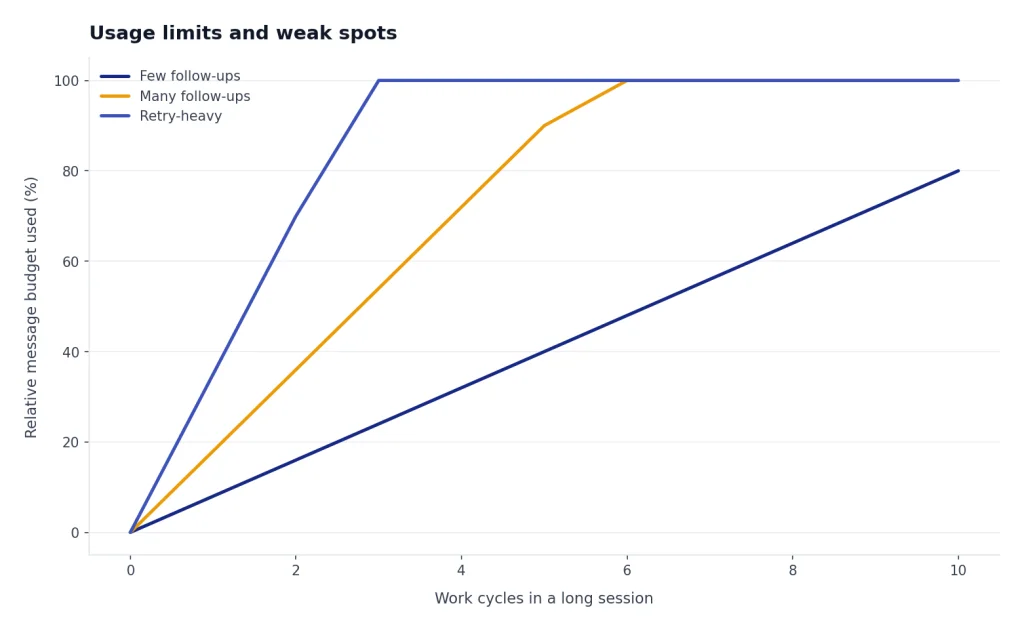
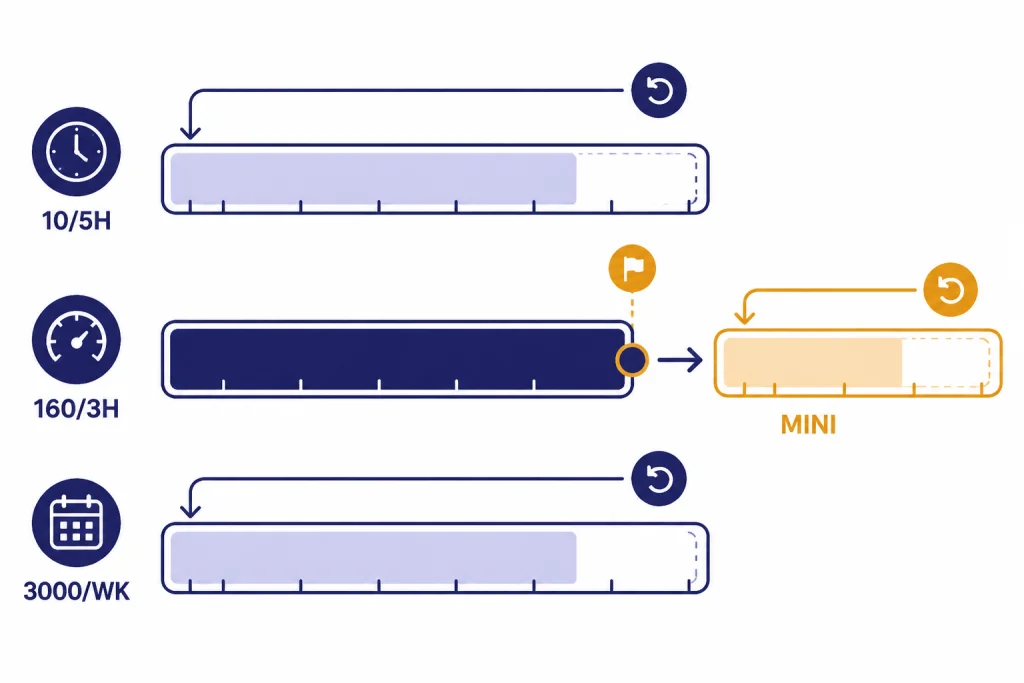
Plus is not a blank check. OpenAI’s help page says ChatGPT Free accounts can send up to 10 messages with GPT-5.3 every 5 hours, while ChatGPT Plus and Go users can send up to 160 messages with GPT-5.3 every 3 hours before chats switch to a mini version until the limit resets.[3] For Thinking usage, OpenAI says Plus and Business users can manually select GPT-5.5 Thinking with a usage limit of up to 3,000 messages per week.[3]
Those limits are generous for many individuals, but they still matter. A long analysis session can burn through messages quickly if you ask many follow-ups, retry outputs, upload multiple files, or work across several projects. If you rely on ChatGPT for time-sensitive client work, do not assume Plus will always behave like an unlimited enterprise tool.
Context is another limit. OpenAI’s model help page lists GPT-5.3 Instant context windows as 16K for Free, 32K for Plus and Business, and 128K for Pro and Enterprise.[3] It also says manually selected Thinking has a 256K context window for all paid tiers, while the Pro tier gets a 400K Thinking context window.[3] In plain English: Plus can handle longer work than Free, but Pro and Enterprise are still better for very large documents or extended technical sessions.
The other weak spot is billing expectation. Some users buy Plus thinking it includes developer API usage. It does not. OpenAI says API service is billed and managed separately from ChatGPT, and API usage is charged by the number of tokens used.[5] If your goal is a script, app, automation, or server workflow, a ChatGPT subscription is not the right pricing unit.
Who should pay for Plus
Pay for Plus if ChatGPT is part of your normal workday. That includes writers, marketers, students, analysts, consultants, founders, researchers, developers, teachers, and operations teams that use ChatGPT as a daily assistant but do not need a business workspace. The strongest cases are repetitive and document-heavy.
- Writers and editors: Plus is useful when you draft, restructure, summarize, compare tones, and turn source notes into polished copy.
- Students: Plus can help with study plans, explanation, practice questions, file review, and research organization. Students should still check whether ChatGPT Plus for students or a ChatGPT student discount applies before paying full price.
- Developers: Plus is useful for code review, debugging, refactoring, architecture sketches, and learning unfamiliar libraries. It is not a replacement for API billing if you are running code through OpenAI models programmatically.[5]
- Knowledge workers: Plus is strongest when you feed it meeting notes, PDFs, spreadsheets, and rough drafts, then ask for structured outputs.
- Independent professionals: Plus can be a low-cost assistant for proposals, client research, inbox drafts, and internal documentation.
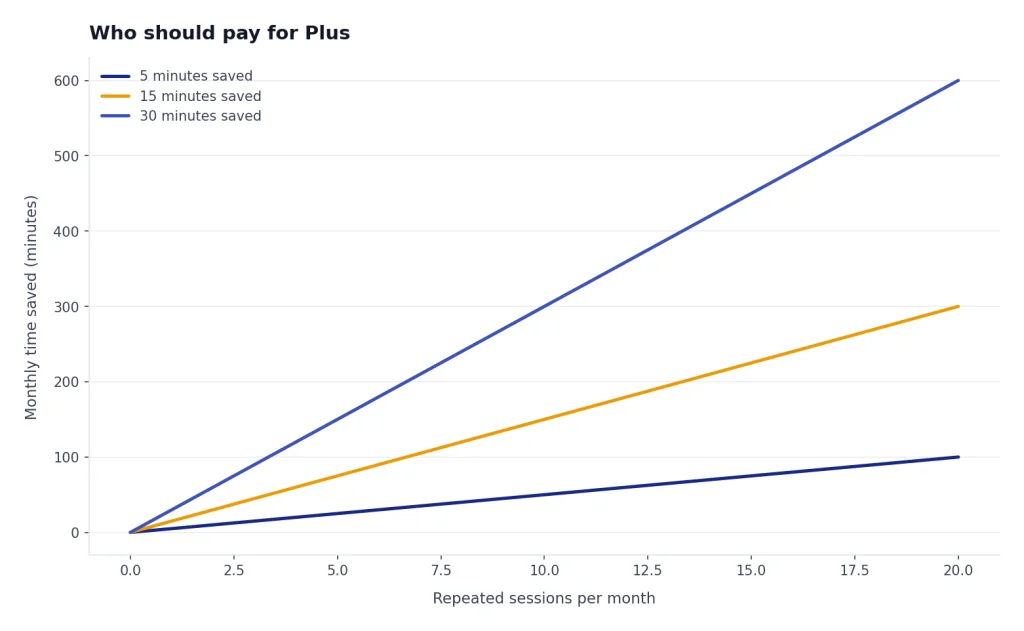
A good rule is to look for repeated use. If ChatGPT helps once, that is interesting. If it helps every Monday, every report cycle, every study session, or every client project, Plus becomes easier to justify.
Who should skip or cancel
Skip Plus if the free plan already meets your needs. Many casual users ask simple questions, brainstorm dinner ideas, rewrite short notes, or get occasional explanations. For that pattern, the free plan is enough. OpenAI says the free version is available to everyone, and paid plans add a more powerful experience through additional features and access to newer model capabilities.[2]
Also skip Plus if your employer, school, or client already provides a managed ChatGPT workspace. Business and Enterprise plans add workspace controls that individual Plus does not include, such as admin and security features on OpenAI’s pricing page.[2] If you need shared billing, SAML SSO, domain controls, workspace management, or enterprise privacy terms, an individual plan is the wrong tool.
Cancel Plus if you stop using it for real work. OpenAI says web subscribers can cancel by going to ChatGPT, opening Settings, navigating to Account, choosing Manage, and selecting Cancel Subscription.[6] OpenAI also says you should cancel at least 24 hours before the next billing date to avoid the next charge, and subscription fees are non-refundable under its cancellation article.[6] For a step-by-step walkthrough, use our guide on how to cancel ChatGPT Plus subscription.
If you think you were charged incorrectly, use the refund path instead of only canceling. OpenAI says accidental purchases are generally eligible for a refund if you contact support within 14 days of the charge; eligible web refunds are processed within 5-7 business days, while Google Play refunds are processed within 10 business days.[7] We cover the details in our ChatGPT Refund Policy guide.
Plus vs Pro, Business, and API
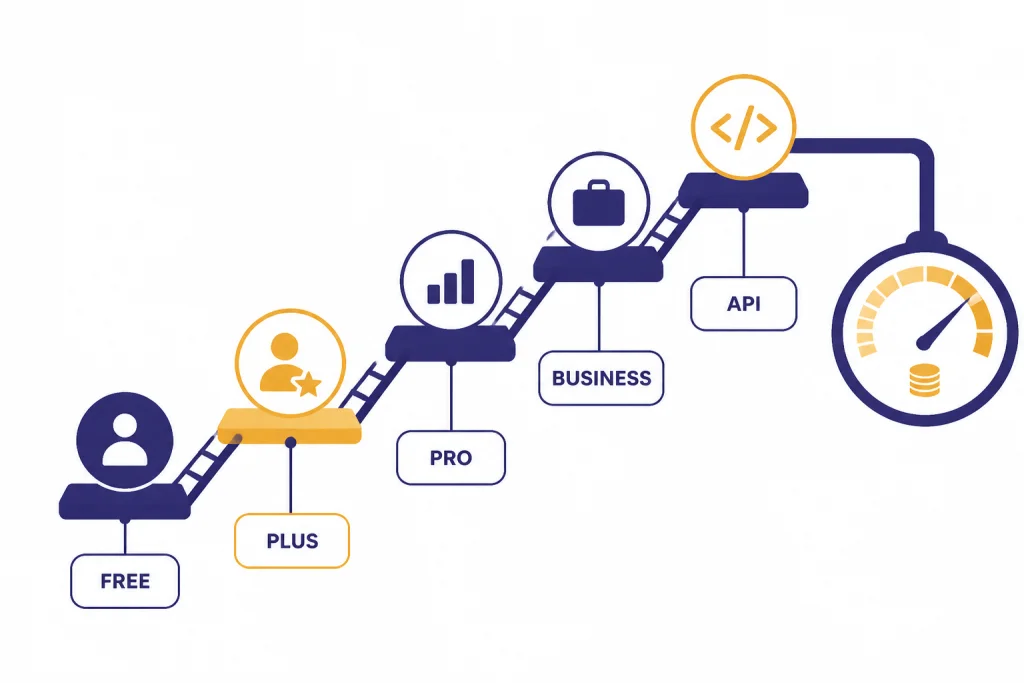
Plus sits in the middle of ChatGPT’s consumer lineup. It is more capable than Free, but it is not the top tier. OpenAI describes Pro as a higher tier for people who rely on AI for high-stakes, complex work, with advanced features such as Pro models, Codex, Deep Research, image creation, memory, and file uploads.[4] If you routinely hit Plus limits, compare ChatGPT Plus vs Pro before assuming Plus is still the right tier.
Business is different. It is not just “Plus for more money.” OpenAI’s pricing page describes Business ChatGPT and Codex as a secure, collaborative workspace with member, role, and billing management, a dedicated workspace, SAML SSO, MFA, and no training on business data.[2] If you are choosing for a company, start with ChatGPT Subscription Plans, chatgpt business pricing, or chatgpt team pricing rather than an individual Plus account.
| Option | Best for | Main reason to choose it | Main reason to avoid it |
|---|---|---|---|
| Free | Occasional users | No monthly cost and enough for simple questions. | Limited messages, uploads, memory, image generation, and deep research.[2] |
| Plus | Regular individual users | $20/month for higher limits and expanded tools.[1] | Still has caps and does not include API usage.[1] |
| Pro | Heavy individual users | Higher usage and access to Pro-level capabilities.[4] | Overkill for casual or moderate use. |
| Business | Teams and companies | Workspace administration, security, and shared billing controls.[2] | Unnecessary for one personal account. |
| API | Developers and automations | Token-based usage for apps, scripts, and integrations.[5] | Not the same experience as the ChatGPT app. |
If you are mostly asking, drafting, uploading, and researching inside chatgpt.com, Plus is the natural paid plan. If you are building software, choose API billing. If you are buying for employees, choose a business plan.
A one-month test before you commit
The best way to decide is to run a one-month test. Because ChatGPT Plus is billed monthly at $20/month and OpenAI does not support annual billing for Plus, you can treat it as a short experiment rather than a long commitment.[1] Before upgrading, write down three tasks you want Plus to improve. Good examples include summarizing weekly PDFs, preparing class notes, drafting client deliverables, analyzing spreadsheets, generating images for a project, or using Deep Research for a recurring report.
- Upgrade only when you have real work queued. Do not start the subscription during a quiet week.
- Use it for the same tasks you already do. Do not judge Plus by novelty prompts.
- Track saved time. If it saves no meaningful time after several work sessions, cancel.
- Watch for limits. If you still hit ceilings often, consider Pro or a business plan.
- Set a renewal reminder. Cancel at least 24 hours before your billing date if you do not want another charge.[6]
If the test works, keep Plus. If it does not, downgrade without guilt. You can always upgrade again later through the normal flow; our how to upgrade to ChatGPT Plus step by step guide explains that process. If you are still only comparing prices, start with how much is ChatGPT Plus and How Much Does ChatGPT Cost in Total? before deciding.
Frequently asked questions
Is ChatGPT Plus worth it for the average user?
It depends on frequency. If you use ChatGPT for real work several times a week, Plus is usually worth testing. If you only ask occasional questions, the free plan is usually enough.
How much does ChatGPT Plus cost in 2026?
OpenAI lists ChatGPT Plus at $20/month, billed monthly.[1] OpenAI also says it does not currently support annual billing or prepaid multi-month billing for Plus.[1]
Does ChatGPT Plus include API access?
No. OpenAI says API service is billed and managed separately from ChatGPT, and API usage is charged by tokens.[5] If you need model access for an app or automation, use API billing rather than ChatGPT Plus.
Can I cancel ChatGPT Plus after one month?
Yes. OpenAI says web subscribers can cancel from ChatGPT settings under Account and Manage.[6] It also says to cancel at least 24 hours before the next billing date to avoid the next charge.[6]
Is ChatGPT Plus better than Free?
Yes, for regular users. Plus provides expanded messages and uploads, advanced reasoning, expanded deep research and agent mode, expanded memory and context, projects, tasks, custom GPTs, and early access to new features according to OpenAI’s pricing page.[2] Free remains the right choice for light use.
Should students pay for ChatGPT Plus?
Students should first check whether a student offer, school-provided plan, or free plan covers their needs. Plus is most useful for heavy study workflows, document review, practice problems, and research organization. It is not a substitute for doing the work or checking sources.