

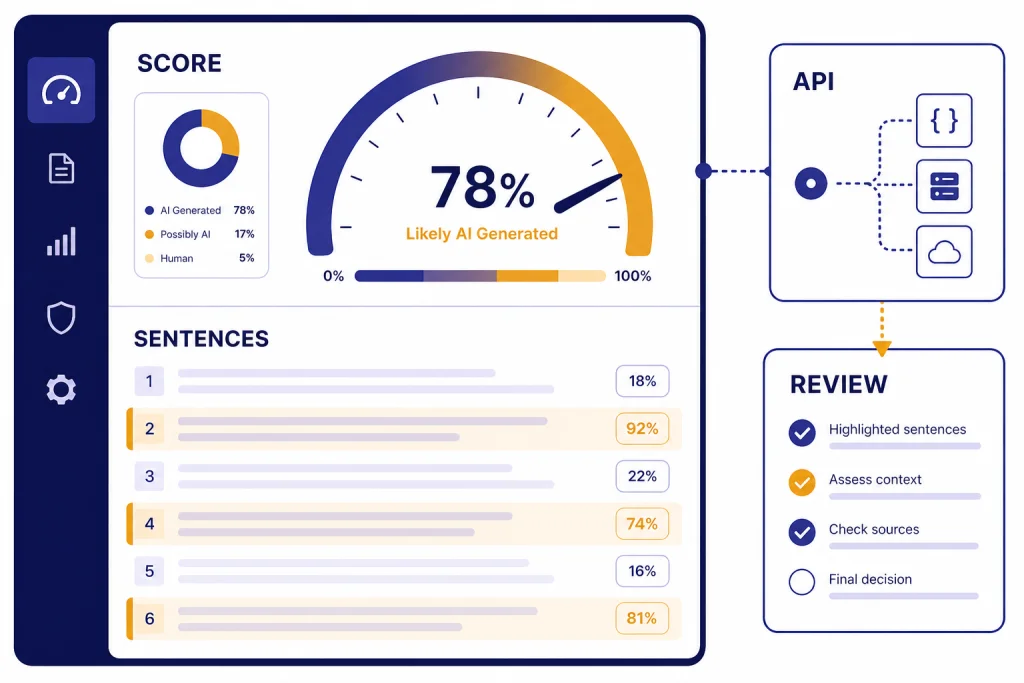
Sapling AI Detector is a fast, approachable AI-content checker, but it should not be treated as proof that a person used ChatGPT or another model. The strongest parts are its clean web interface, sentence-level highlighting, Chrome extension, and API access. Sapling says its internal benchmarks catch more than 97% of AI-generated texts while keeping false positives below 3%, but it also warns that no detector, including its own, should be used as a standalone judgment tool.[1] This Sapling review finds it useful for low-stakes screening, editorial triage, and developer workflows. It is weaker for school discipline, employment decisions, and any case where a false accusation would matter.
What Sapling AI Detector is
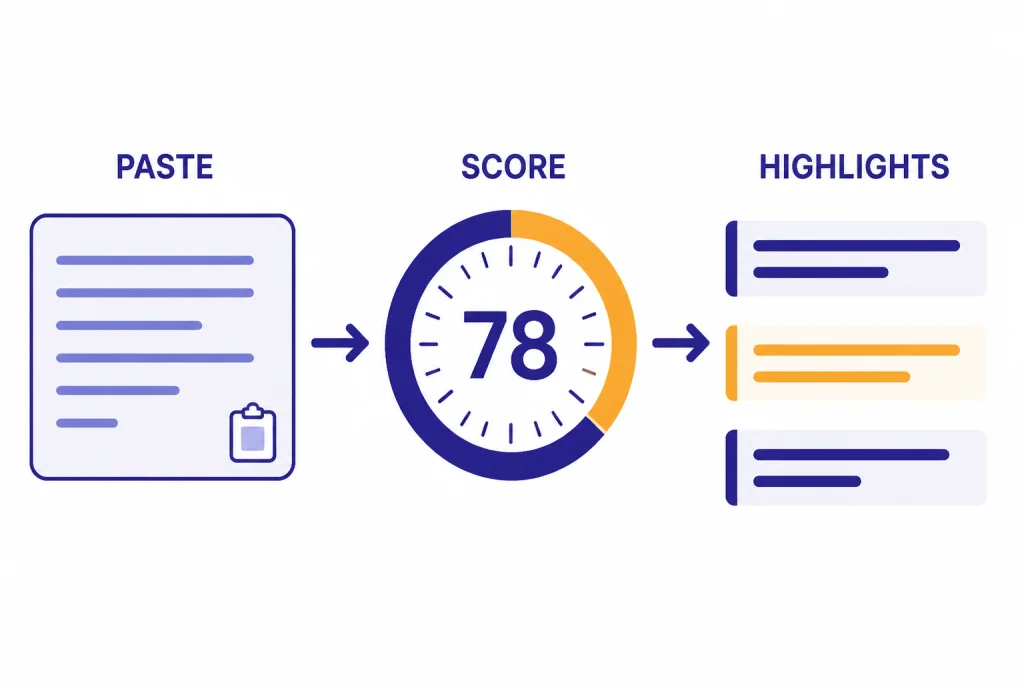
Sapling AI Detector is a text classifier that estimates whether a passage looks AI-generated. You paste text into the web checker, run the scan, and review an overall score plus highlighted sentences. Sapling describes the tool as a detector for generated text from model families such as OpenAI GPT models, Google Gemini models, Anthropic Claude models, Llama, and Mistral.[2]
The product sits inside a broader Sapling writing platform. Sapling is not only an AI detector. It also sells grammar, writing assistance, snippets, autocomplete, rephrasing, enterprise features, and developer APIs. That matters because Sapling feels more like a writing-operations tool than a school-only detector. If you need a broader list of classroom-oriented options, see our Best AI Detectors for Teachers and Schools guide.
The detector is best understood as a probability signal. It can help you decide what to inspect more closely. It cannot tell you who wrote a document, whether a student cheated, or whether a writer used AI in an allowed way. Sapling itself says false positives and false negatives occur and says no current AI detector should be used as a standalone check.[1]
How Sapling scores text
Sapling gives an overall AI probability for the submitted text and can break that result down by sentence. Its API response includes a score, sentence scores, the analyzed text, and token probabilities when configured for token-level highlighting.[2] In plain terms, the overall score tells you how suspicious the passage looks as a whole, while the sentence view helps you locate the parts that most influenced the result.
The web interface also explains that its whole-text detector and sentence-level detector use complementary techniques. That is a helpful design choice. A single bland sentence can look machine-like, but an entire document may still show human drafting, source integration, and revision history. Conversely, a human-edited AI draft may look mixed, with some sentences appearing more machine-like than others.
Sapling says the detector becomes much more accurate after roughly 50 words.[1] The API documentation recommends at least 300 characters for classification, although it says classification is still possible by sampling portions rather than evaluating the entire text.[4] Short snippets are a poor fit for serious conclusions. Headlines, bullet points, product blurbs, and boilerplate email copy often have predictable wording even when a human wrote them.
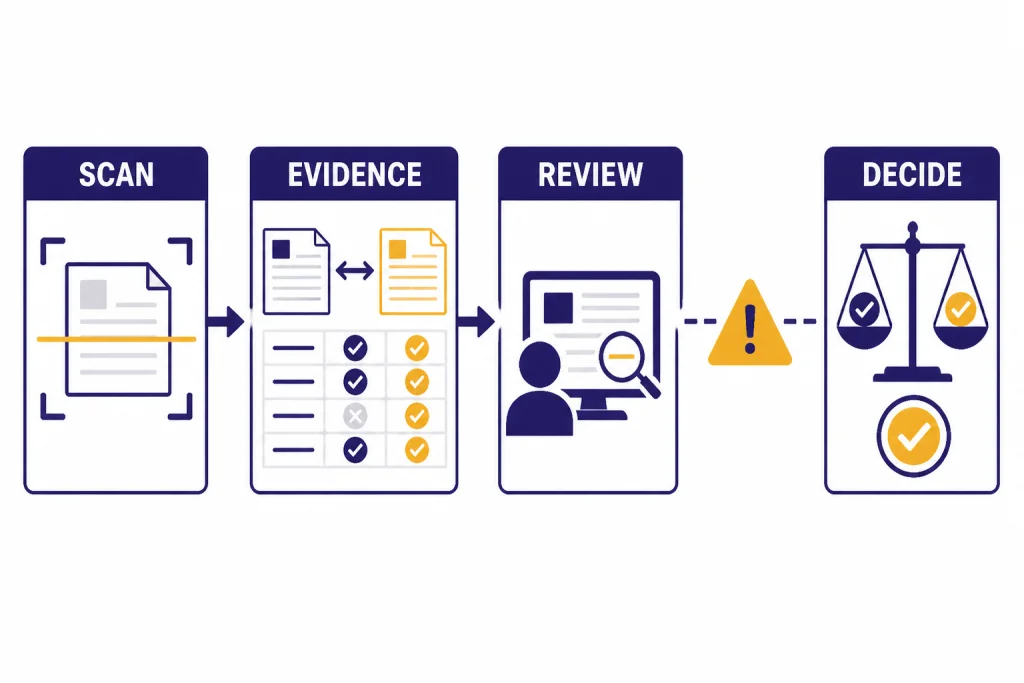
The practical workflow is simple. Scan the text. Check the overall result. Read the highlighted sentences. Compare the result with the writing context. Then decide whether the issue is AI use, generic writing, copied language, or simply a style that detectors often dislike. If originality is the main concern, pair Sapling with a plagiarism checker. Our Best Plagiarism Checkers roundup explains that separate category.
Accuracy and false positives
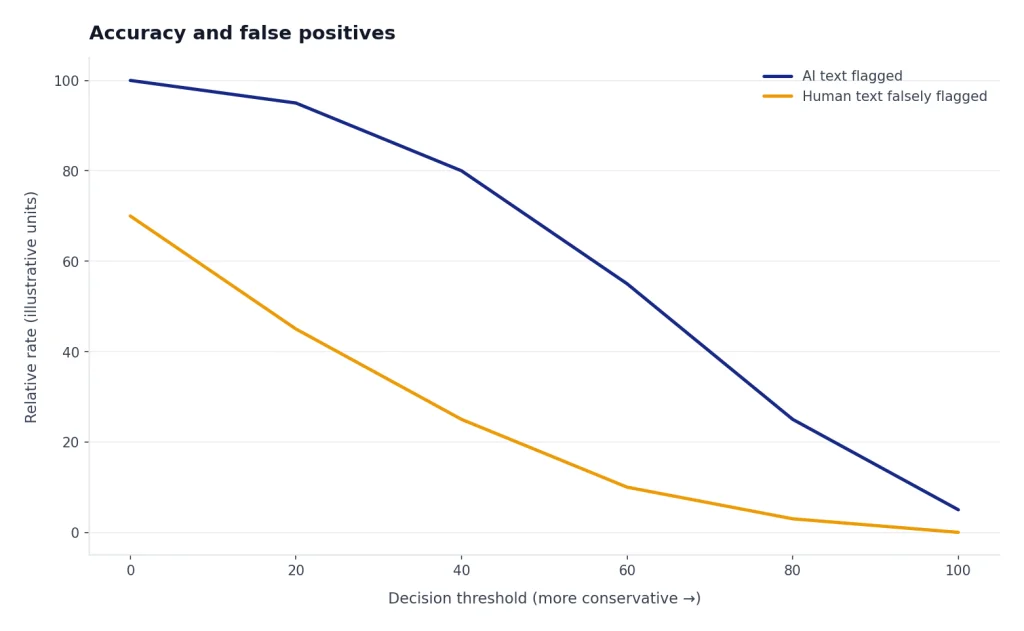
Sapling’s headline accuracy claim is strong, but it is also narrow. Sapling says that on its internal benchmarks, the detector catches more than 97% of AI-generated texts while keeping false positives below 3%.[1] The same official explanation cautions that those benchmarks use longer texts and may not represent your text.[1] That qualification is important.
AI detector accuracy depends on the test set, the text length, the model used to generate the text, the amount of human editing, and the threshold used to call something AI-written. A detector can look excellent on long, clean samples generated by known models and much weaker on mixed drafts, heavily edited AI text, translated writing, template-heavy documents, or concise business copy.
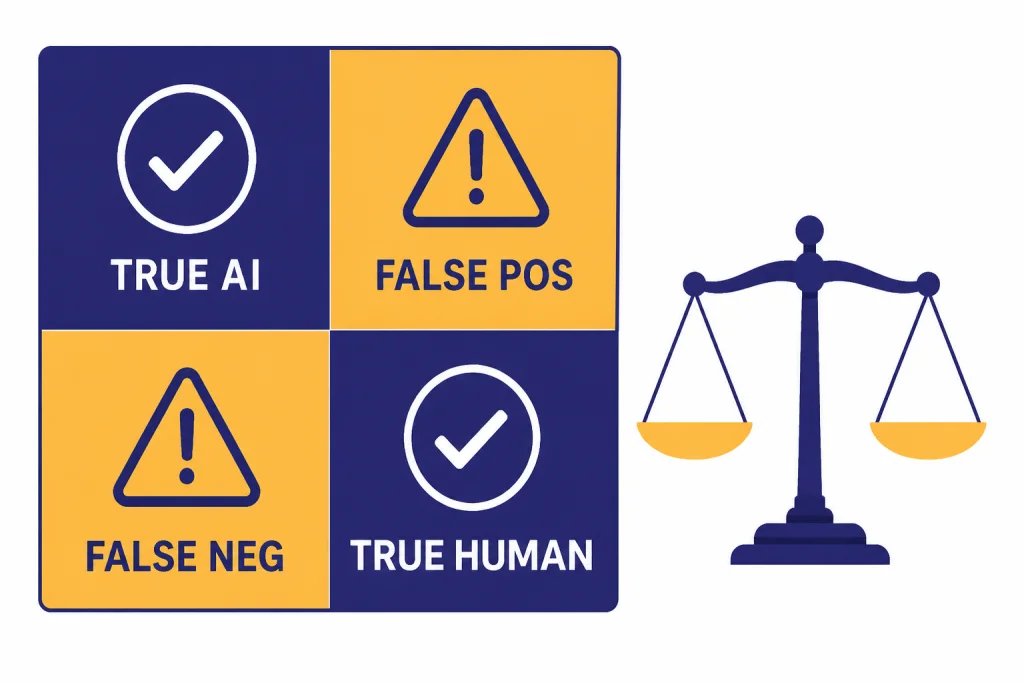
Sapling’s own documentation says all AI detection systems have false positives and false negatives. It also notes that small modifications to AI-generated text can sometimes stop a detector from flagging it, while human-written but rote text can sometimes be misclassified as AI-generated.[2] That is the core trade-off. If a detector catches more AI writing, it may also accuse more human writing. If it avoids false accusations, it may miss more AI writing.
Independent academic work gives another reason to be cautious. Stanford HAI reported that common detectors classified 61.22% of TOEFL essays written by non-native English students as AI-generated in one study, even though those essays were human-written.[6] This does not prove Sapling has the same error rate in the same setting. It does show why detector-only decisions can be unfair, especially for multilingual writers and students.
A sound Sapling review should separate “useful signal” from “final verdict.” The tool is useful when it tells an editor or teacher where to look. It becomes risky when an organization treats the score as an accusation. For school settings, require drafting notes, document history, source checks, oral explanation, and teacher judgment before taking action.
What the score should and should not mean
| Result pattern | Reasonable interpretation | Risk if misused |
|---|---|---|
| High overall score on a long, polished passage | Worth closer human review, especially if the writing context is unclear. | Could still be a false positive, especially for formulaic writing. |
| Low score on a heavily edited draft | The final version does not strongly match Sapling’s AI patterns. | May miss AI-assisted writing after paraphrasing or revision. |
| Several flagged sentences inside otherwise ordinary text | Review those sentences for cliché wording, generic structure, or copied phrasing. | Do not assume the whole document is AI-written. |
| Very short text with a strong score | Treat the result as weak evidence. Sapling says performance improves after about 50 words.[1] | Short passages can be too generic for reliable classification. |
Pricing and plans
Sapling has a free plan, a Pro plan, an Enterprise plan, and a metered API option. Its pricing page lists Free at $0 per month, Pro at $25 per month, an annual Pro option shown as $12 per month, Enterprise as “Contact Us,” and an Enterprise note that it starts at 10 seats at $15 per seat per month.[3] The same page says new users can sign up for a free 1-month trial of Sapling Pro with no credit card required.[3]
The pricing table lists “AI detector (longer queries)” as a plan feature, but the public pricing copy we reviewed does not provide a clear free-web-check character limit in the visible plan table.[3] That makes Sapling less transparent than products that publish exact scan limits, document limits, or monthly quotas on the plan page. For buyers, the main question is whether you need occasional web checks, the Chrome extension, or high-volume API detection.
The API has separate usage pricing. Sapling’s API pricing page lists AI Detector usage at $0.005 per 1,000 characters for 0 to 10 million characters per month, $0.00375 per 1,000 characters for 10 million to 50 million characters, and $0.0025 per 1,000 characters for 50 million to 100 million characters.[4] The same calculator example shows 30 million detector characters as $125 per month.[4] For teams comparing model costs more broadly, our OpenAI Token Counter Tools and Best OpenAI API Cost Calculator Tools guides may help frame usage-based pricing.
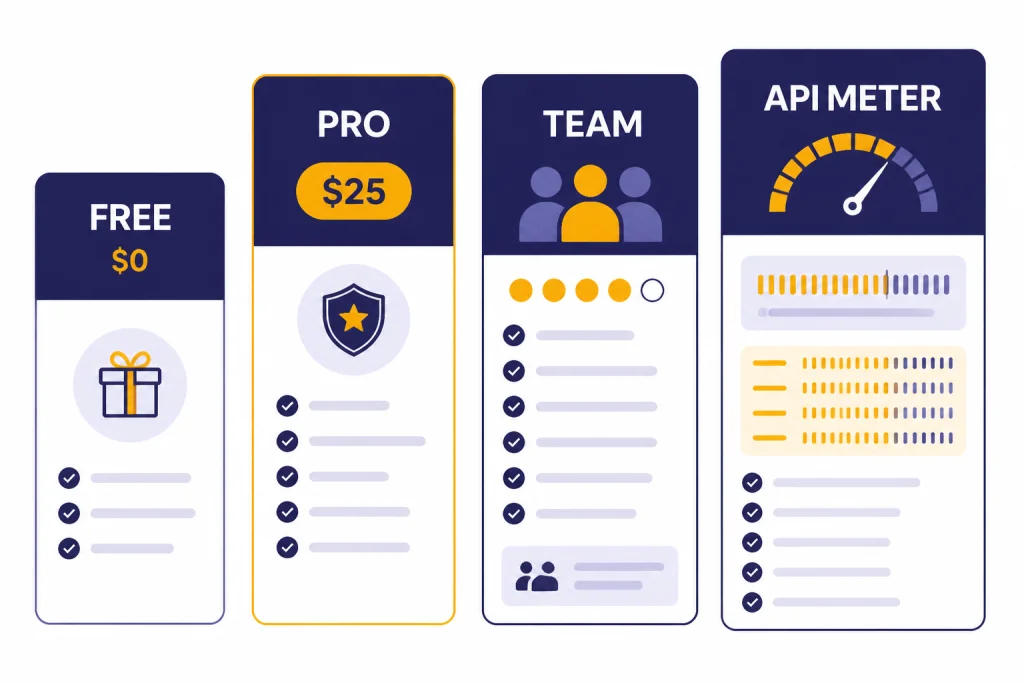
| Option | Published price | Best fit | Main caveat |
|---|---|---|---|
| Free | $0 per month[3] | Occasional checks and quick trials. | Public plan copy does not clearly explain every detector limit. |
| Pro | $25 per month, with annual pricing shown as $12 per month[3] | Individual users who also want Sapling’s writing features. | May be expensive if you only need rare AI scans. |
| Enterprise | Contact sales; starts at 10 seats at $15 per seat per month[3] | Teams that need administration, security, or writing assistance across seats. | Requires vendor conversation for exact terms. |
| API | Metered; AI Detector starts at $0.005 per 1,000 characters for the first 10 million monthly characters[4] | Developers adding AI-detection checks to apps or workflows. | Costs scale with volume and are separate from browser extension subscription. |
API and extension options
Sapling is stronger than many lightweight AI detectors because it offers both a developer API and a browser extension. The AI Detector API uses a POST endpoint at /api/v1/aidetect and accepts text, an API key, sentence-score settings, token-highlighting settings, and detector version options.[2] The API text limit is currently 200,000 characters, and Sapling says users should contact the company for longer inputs or chunking guidance.[2]
The API documentation also lists two detector versions: 20240606, available upon request, and 20251027, the current default.[2] Versioning is useful for teams that need consistent outputs over time. If your product logs detector scores, version changes can shift results. Store the detector version with the score when auditability matters.
The Chrome Web Store listing describes Sapling’s AI Content Detector for ChatGPT extension as a tool that checks selected text across the web, embeds a “Detect AI” button next to responses on generative AI sites, highlights suspicious sections, and can generate certificates for sharing results.[5] The listing showed 9,000 users, a 4.8 rating from 5 ratings, and version 1.0.0.5 updated on August 12, 2024 in the retrieved listing.[5] Treat those store metrics as directional. Extension counts and ratings can change.
Privacy deserves attention. The Chrome listing says the extension handles personally identifiable information, personal communications, location, user activity, and website content, while also stating that data is not sold to third parties outside approved use cases and is not used or transferred for unrelated purposes.[5] That is not unusual for a browser extension that analyzes selected page text, but it means organizations should review policies before deploying it broadly.
Who should use Sapling
Sapling fits teams that need fast AI-detection triage, not legal-grade certainty. Editors can use it to find generic AI-like passages in contributed drafts. Customer-support teams can use it as part of a larger writing-quality stack. Developers can use the API to add a probability signal to internal moderation or review queues.
Teachers can use Sapling cautiously, but they should not rely on it alone. A detector score is not the same as academic evidence. A better process combines the score with assignment-specific knowledge, draft history, citations, in-class writing samples, and a conversation with the student. That is especially important for English-language learners, because detector bias against non-native writing has been documented in academic research.[6]
Content marketers should also keep the goal clear. AI detection is not the same as quality control. Search performance, originality, factual accuracy, brand voice, and reader usefulness matter more than whether a detector assigns a low AI probability. If you are evaluating writing tools rather than detectors, see our Best AI Writing Tools Compared in 2026 guide.
Researchers and academic writers should use Sapling only as a diagnostic aid. It can highlight prose that sounds generic or overly polished. It cannot verify authorship, source use, data quality, or research integrity. For literature work, our Best AI Research Tools for Academics guide covers tools that solve a different problem.
Use Sapling when
- You need a quick first-pass scan on long text.
- You want sentence-level clues instead of only a single score.
- You need an API for internal triage.
- You already use Sapling for writing assistance.
- The decision is low-stakes and will include human review.
Avoid using Sapling alone when
- A student, employee, or contractor could be penalized.
- The text is very short, generic, translated, or template-heavy.
- You need plagiarism detection rather than AI-style detection.
- You need a transparent independent benchmark for your exact use case.
- You cannot explain how the score will be reviewed and appealed.
Sapling vs alternatives
Sapling’s biggest advantage is the combination of web checker, browser extension, and API. Many AI detectors offer one of those pieces but not all three. Sapling also has a broader writing platform behind it, which may appeal to teams that want detection, grammar suggestions, snippets, and workflow tools from one vendor.
Its main weakness is the same weakness shared by every AI detector: the output is probabilistic. Sapling does not solve the authorship problem. It scores text patterns. That makes it less useful when the real question is whether a writer followed a policy, cited sources properly, or substantially revised AI-generated material.
Compared with plagiarism checkers, Sapling answers a different question. A plagiarism checker looks for matching or similar text against a corpus. Sapling looks for machine-like writing patterns. Use both if you need both originality checks and AI-likelihood signals. Compared with AI writing tools, Sapling is evaluative rather than generative. If your real goal is better prompts, our Best ChatGPT Prompt Generator Tools article is a better starting point.
Compared with summarizers, Sapling does not condense documents or extract key points. It reviews authorship signals. If you are processing long documents, see Best AI Summarizer Tools for Long Documents. If you are reviewing student work, start with a policy and evidence process before choosing any detector.
| Tool type | Primary job | Where Sapling is stronger | Where Sapling is weaker |
|---|---|---|---|
| Sapling AI Detector | Estimate AI-generated text probability. | Fast scoring, sentence highlights, Chrome extension, API. | Cannot prove authorship or intent. |
| Plagiarism checker | Find copied or closely matched text. | Sapling can catch AI-like phrasing that is not copied. | Does not replace source matching. |
| Teacher-focused detector | Review student submissions. | Sapling is simple and accessible. | Education workflows may need LMS features and appeal processes. |
| AI writing assistant | Draft, rewrite, or improve text. | Sapling can evaluate AI-like output after drafting. | Detection does not improve factual quality by itself. |
Verdict
Sapling AI Detector is worth trying if you want a quick, readable AI-likelihood score with sentence-level clues. It is more capable than a bare web form because Sapling also provides a Chrome extension and an API. The API’s 200,000-character text limit and published detector pricing make it especially relevant for developers and internal review systems.[2][4]
The main reason to hesitate is not that Sapling is uniquely unreliable. It is that AI detection as a category is easy to overuse. Sapling’s own warnings are clear. False positives and false negatives happen, and detector scores should not stand alone.[1] Use Sapling as a triage layer, not as a judge.
For most readers, the best Sapling review conclusion is this: use the free or trial path to test it on your own documents, compare results across known human and AI-assisted samples, and write a review policy before using the score operationally. If the outcome affects grades, employment, pay, or publication, require human review and supporting evidence.
Frequently asked questions
Is Sapling AI Detector accurate?
Sapling says its internal benchmarks catch more than 97% of AI-generated texts while keeping false positives below 3%.[1] That does not mean every real-world scan is reliable. Text length, editing, writing style, and domain all affect results.
Can Sapling prove that someone used ChatGPT?
No. Sapling estimates whether text looks AI-generated. It cannot prove who wrote a document, what tool they used, or whether AI use violated a policy.
Is Sapling free?
Sapling lists a Free plan at $0 per month and a Pro plan at $25 per month.[3] The public pricing page also says new users can start a free 1-month Pro trial without a credit card.[3] Check the current plan page before buying because feature limits can change.
Does Sapling have an API?
Yes. Sapling documents an AI Detector API with a POST endpoint, sentence scores, token-level highlighting options, and detector version settings.[2] The current documented text limit is 200,000 characters.[2]
Should teachers use Sapling for discipline?
Not by itself. Teachers should treat Sapling as one signal and combine it with drafts, revision history, citations, in-class writing, and a student conversation. This is especially important because research has found high false-positive rates for non-native English writing across common detectors.[6]
Does Sapling detect plagiarism?
Sapling AI Detector is designed to estimate AI-generated text probability, not to match passages against outside sources. Use a dedicated plagiarism checker when you need source matching. AI detection and plagiarism detection answer different questions.