

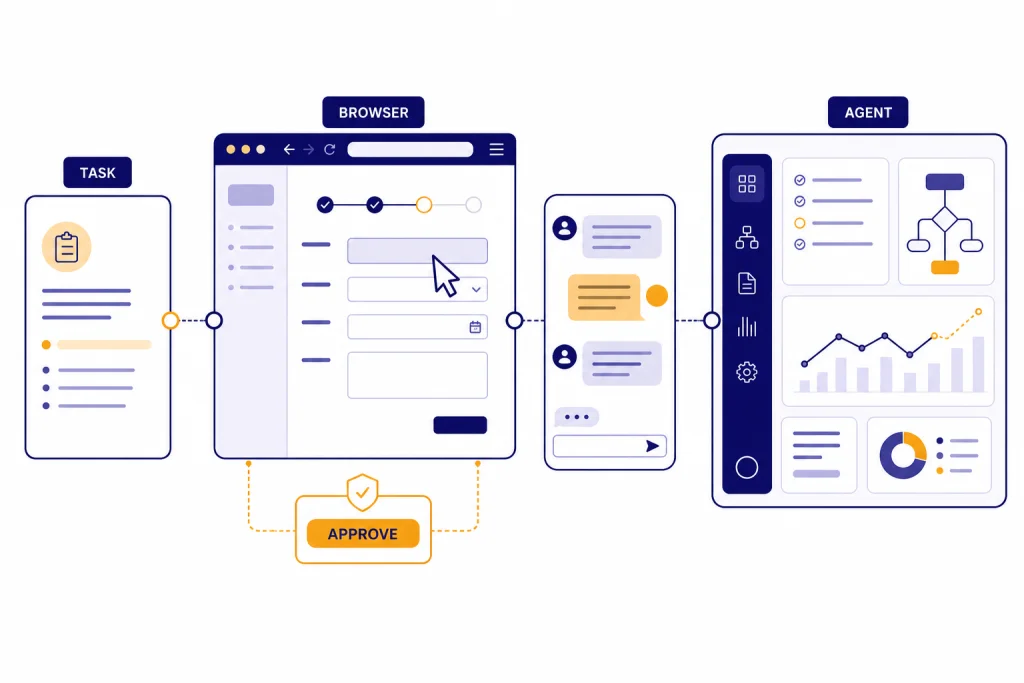
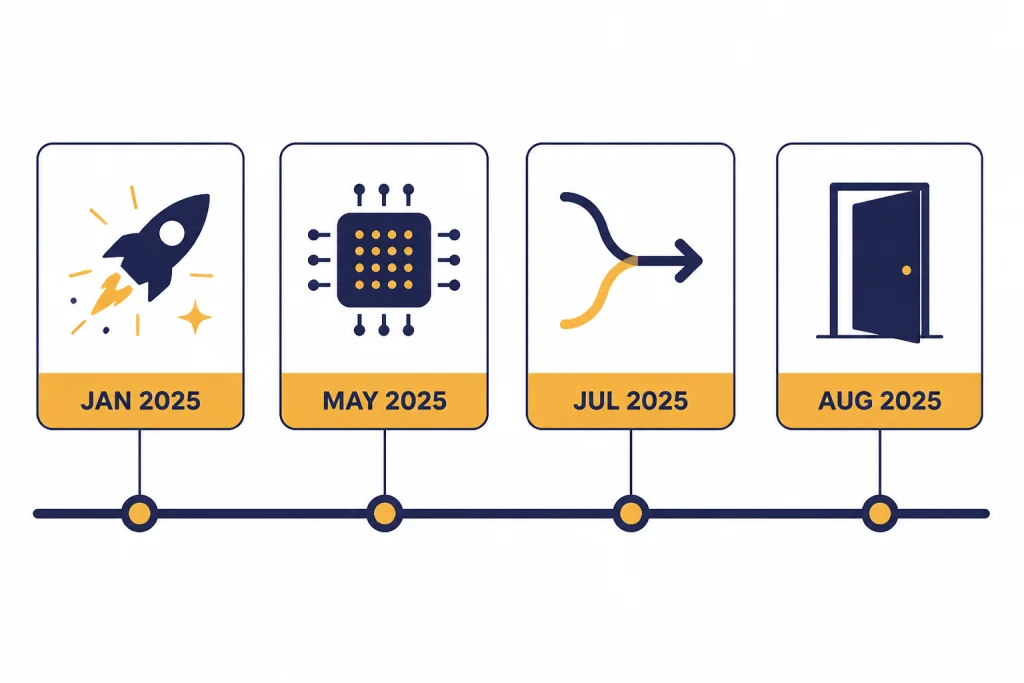
ChatGPT Operator was OpenAI’s standalone computer-use agent: a research preview that could open a remote browser, read webpages through screenshots, click buttons, type into fields, scroll, and ask you to take over when a task required sensitive input. OpenAI launched Operator on January 23, 2025 for ChatGPT Pro users in the United States, then folded its core web-control capability into ChatGPT agent on July 17, 2025.[1] The separate Operator experience was deprecated on August 1, 2025 and access ended on August 31, 2025.[2] As of this article’s March 12, 2026 publication date, “ChatGPT Operator” mainly refers to the computer-use approach that now lives inside ChatGPT agent.
What ChatGPT Operator was
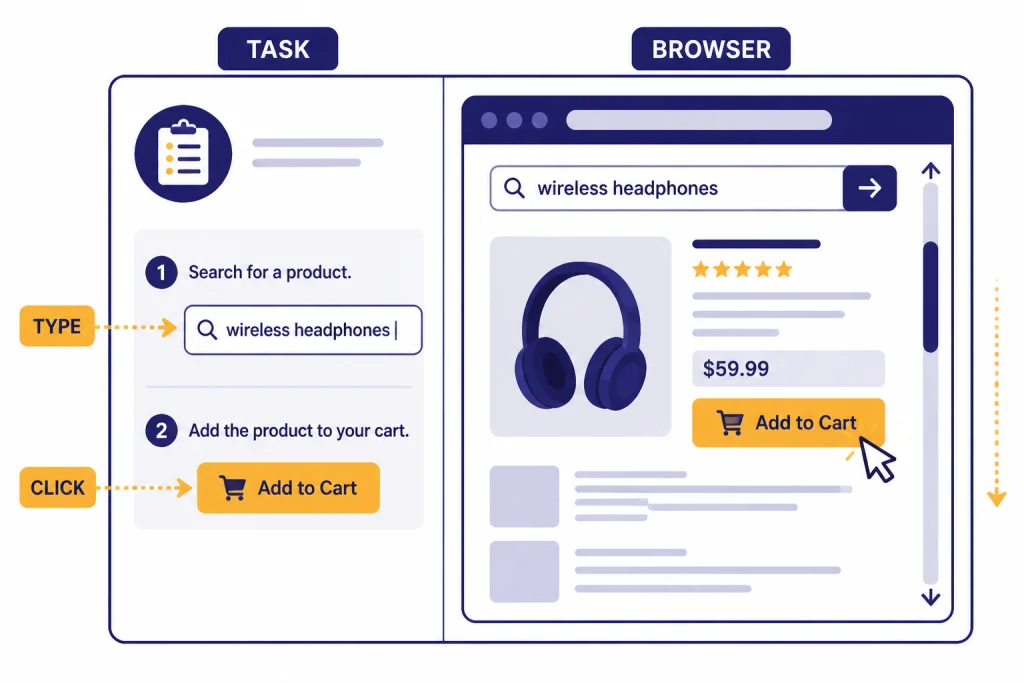
ChatGPT Operator was a computer-use feature built around a simple idea: instead of only answering questions, an AI agent could use a browser interface on your behalf. You gave it a task. It opened a remote browser. It looked at the page visually. Then it clicked, typed, and scrolled through the workflow while you watched.
OpenAI described Operator as a research preview when it launched on January 23, 2025.[1] CNBC also reported the same launch date and described Operator as a web-task automation agent, which corroborates the timing outside OpenAI’s own announcement.[8] At launch, OpenAI limited access to ChatGPT Pro users in the United States.[1]
The feature mattered because it changed the shape of a ChatGPT session. A normal chat can explain how to book a hotel, compare grocery options, or fill out a form. Operator tried to perform the browser steps itself. It did not need a custom integration with each website. It interacted with the same buttons, menus, and text fields a human would use.
That made Operator different from ChatGPT Search, which focuses on finding and summarizing information from the web. It also differed from ChatGPT web browsing, which can retrieve current webpages but does not, by itself, imply full browser control. Operator was about action through a visible interface.
How Operator used a computer
Operator ran on a model OpenAI called Computer-Using Agent, or CUA.[4] OpenAI said the original CUA combined GPT-4o vision capabilities with reasoning trained through reinforcement learning, with the model trained to interact with graphical user interfaces such as buttons, menus, and text fields.[4]
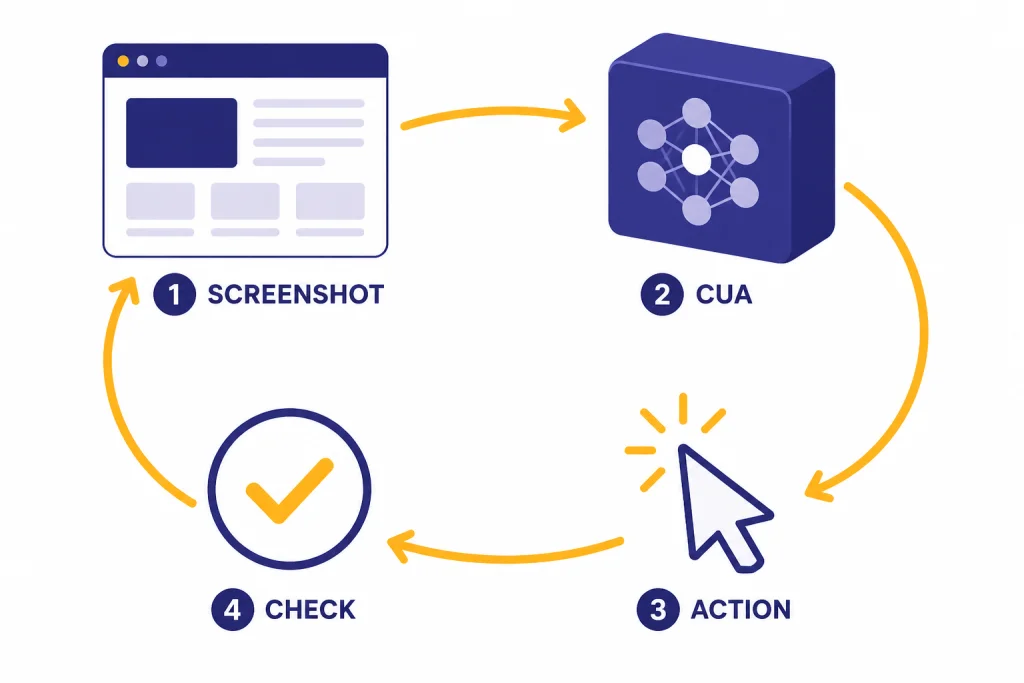
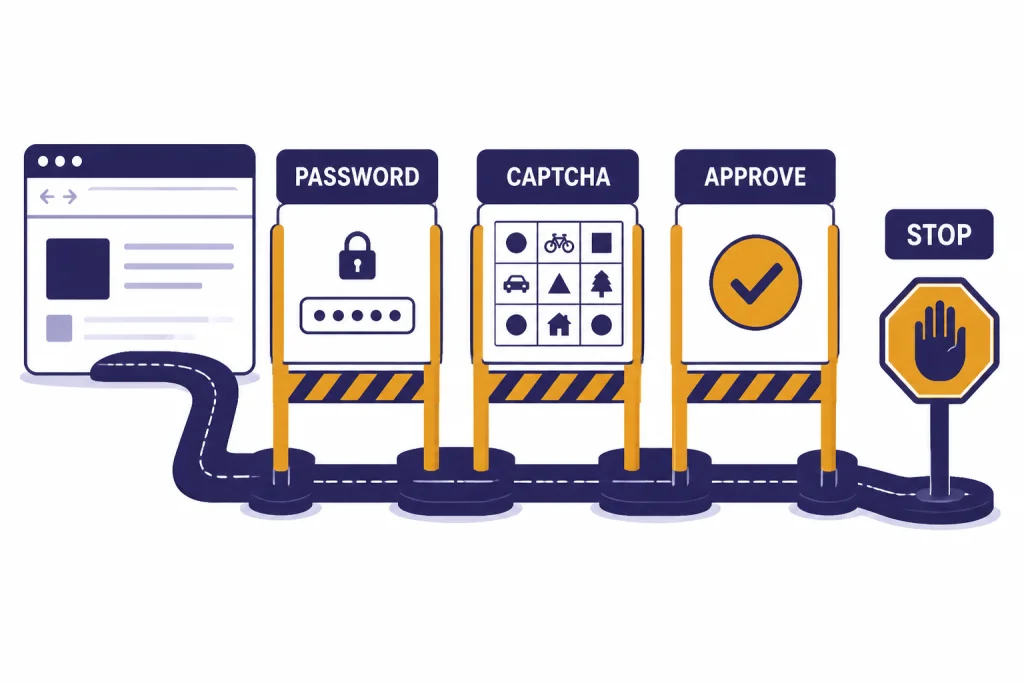
The practical loop was straightforward. Operator took screenshots of its remote browser. The model interpreted the visible state of the page. It chose a next action, such as clicking a button or typing into a box. It checked the result and continued. If the interface changed, it adjusted. If it hit a login, CAPTCHA, missing detail, or confusing step, it could pause and ask you to take over.[3]
OpenAI later upgraded Operator with a Computer-Using Agent model based on a version of OpenAI o3 on May 23, 2025.[2] OpenAI’s separate o3 Operator addendum said this replaced the existing GPT-4o-based model for Operator with an OpenAI o3-based version, while the API version remained based on 4o.[5]
This screenshot-and-action design explains both the promise and the limits. It could work across websites without custom website APIs. It could also fail when a page was visually confusing, slow to load, highly customized, or designed to block automation. It was closer to a careful remote assistant than to a guaranteed web robot.
What Operator could do well
Operator was best suited to bounded browser tasks with visible steps, low ambiguity, and a clear end state. Good examples included collecting product options, filling repetitive forms, comparing appointment slots, navigating order flows up to the final confirmation step, and preparing a draft action for your review.
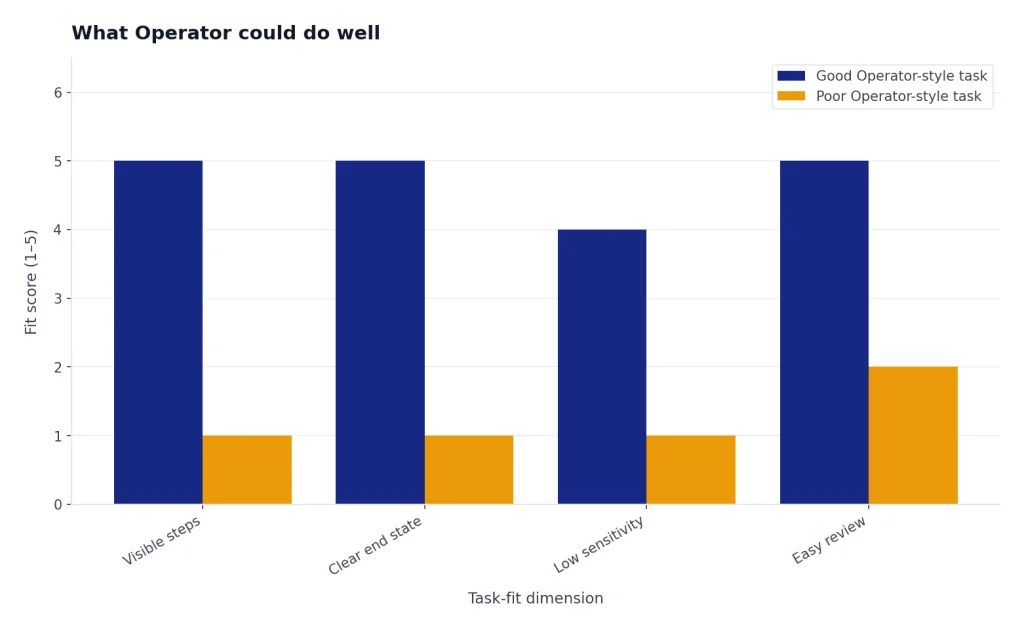
OpenAI’s launch examples included filling out forms, ordering groceries, and creating memes.[1] Its Help Center examples also described travel booking, grocery ordering, and form completion.[3] The important pattern is not the category. It is the structure of the task. Operator worked best when the task could be broken into visible webpage steps and when the user could verify the result before anything consequential happened.
Here are practical examples of tasks that fit the Operator style:
- Comparison shopping: gather several options that meet your filters, then stop before purchase.
- Reservation prep: find available restaurant times, then ask you to confirm the booking.
- Form drafts: prefill non-sensitive fields from details you provide, then hand control back for review.
- Research-to-action flows: compare vendors, open the most relevant pages, and prepare a shortlist.
- Routine web navigation: locate settings, download a public file, or find a support page.
For file-heavy work, a different ChatGPT tool may be better. If the main task is to inspect spreadsheets, PDFs, or text documents, start with ChatGPT file upload. If the task is recurring but does not require browser control, ChatGPT Tasks may be the cleaner fit. Operator-style automation is most useful when the web interface itself is the work surface.
Where Operator went
Operator did not remain a separate long-term product. OpenAI announced on July 17, 2025 that Operator was fully integrated into ChatGPT as ChatGPT agent, with access through agent mode in the ChatGPT composer.[1] The Operator release notes said the standalone Operator experience would be deprecated in the weeks after that July 17, 2025 update.[2]
OpenAI then marked Operator deprecated on August 1, 2025 and said it would remain accessible until August 31, 2025.[2] The same release note said Operator’s functionality had become part of the new ChatGPT agent experience, alongside deep research, code execution, and connector support.[2]
That means the term “ChatGPT Operator” now describes both a discontinued standalone feature and a set of capabilities that survived in a broader agent system. If you are looking for Operator in 2026, do not expect a separate Operator site to be the main path. Look for agent mode in ChatGPT instead.
| Milestone | What changed | What it means for users |
|---|---|---|
| January 23, 2025[1] | Operator launched as a research preview. | Early access started with ChatGPT Pro users in the United States. |
| May 23, 2025[2] | Operator received an o3-based CUA model upgrade. | The browser-control model became more persistent and accurate, according to OpenAI. |
| July 17, 2025[1] | Operator’s core capability moved into ChatGPT agent. | Users accessed the updated capability through agent mode in ChatGPT. |
| August 31, 2025[2] | Standalone Operator access ended. | Operator history needed to be saved before the shutdown date. |
Operator vs. ChatGPT agent vs. web browsing
The easiest way to understand Operator is to compare it with nearby ChatGPT features. Operator was the browser-control piece. ChatGPT agent is the broader system that combines browser control with research, code execution, and connectors. Web browsing and search are narrower tools for finding or reading web information.
OpenAI introduced ChatGPT agent on July 17, 2025 and said it brought together Operator’s ability to interact with websites, deep research’s ability to synthesize information, and ChatGPT’s conversational fluency.[6] OpenAI also said ChatGPT agent could use its own virtual computer, navigate websites, ask users to log in securely when needed, run code, conduct analysis, and create editable slideshows and spreadsheets.[6]
That broader scope is the reason Operator was absorbed. A standalone browser agent is useful, but many real tasks require more than clicking around a site. A user may want the system to research options, inspect uploaded files, use connected sources, calculate totals, draft a spreadsheet, and then fill a web form. ChatGPT agent is the container for that larger workflow.
| Feature | Main job | Best use | Main limitation |
|---|---|---|---|
| Operator | Control a remote browser through clicks, typing, and scrolling. | Bounded web tasks with visible steps. | The standalone product was deprecated in 2025.[2] |
| ChatGPT agent | Combine browser action, research, code execution, and connected data. | Multi-step workflows that need both reasoning and action. | Needs careful supervision for sensitive or consequential tasks. |
| ChatGPT Search | Find and summarize current web information. | Fast answers with sources and recent context. | Not designed as a full browser-control workflow. |
| ChatGPT web browsing | Read webpages inside a chat workflow. | Checking live pages, documentation, and current facts. | Reading a page is not the same as completing a task on it. |
If you mainly need current facts, start with the ChatGPT Search breakdown. If you need an AI browser environment on a desktop, compare the agent workflow with ChatGPT Atlas for Windows and the ChatGPT Windows app. If you are still learning the product family, our beginner guide to what ChatGPT is gives the broader context.
Privacy, safety, and control
Computer-use agents need stronger guardrails than ordinary chat because they can take actions in real interfaces. OpenAI’s Operator Help Center said Operator could pause for CAPTCHAs, password fields, or other moments where the user needed to take over.[3] It also said Operator could refuse certain higher-stakes tasks, including financial transactions, sending emails, and deleting calendar events during the research preview stage.[3]
OpenAI’s Operator launch post also described safety defenses for adversarial websites, including sites that may try to mislead the agent through hidden prompts, malicious code, or phishing attempts.[1] The later ChatGPT agent system card said the agent inherited Operator’s remote visual browser capability and added safeguards for the broader agent launch, including risks created by wider availability and terminal access.[7]
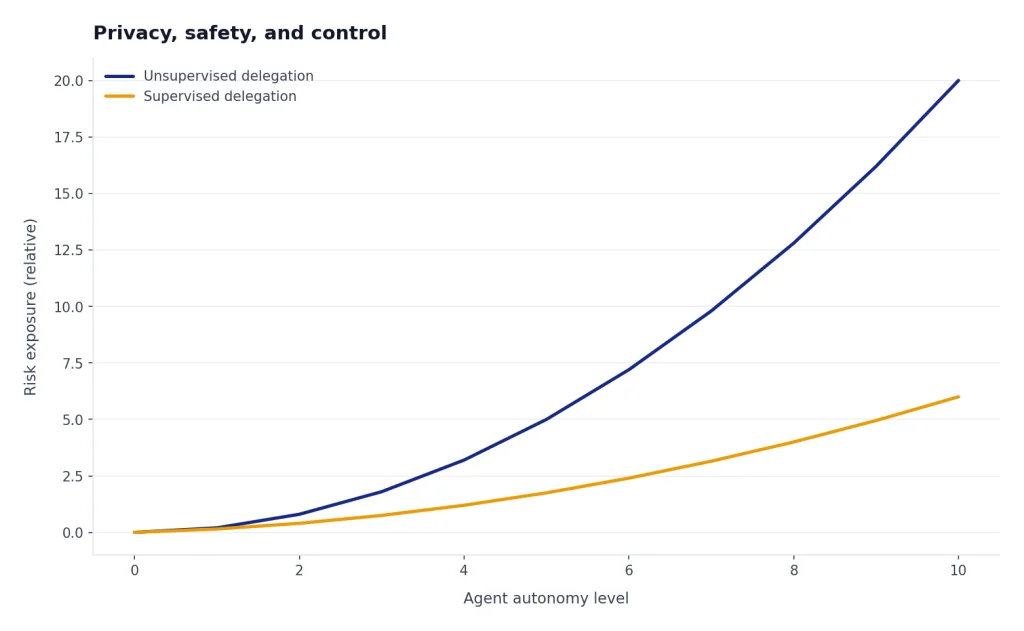
The safest mental model is “supervised delegation.” Do not ask an agent to handle open-ended private work such as “go through my inbox and take care of everything.” Give narrow instructions. Watch the task. Stop it if a page looks wrong. Take control for passwords, payment details, one-time codes, or irreversible choices.
Data handling also matters. The Operator Help Center said Operator’s privacy and security settings included options to delete past chats, screenshots, and browsing data, and it pointed users to ChatGPT settings for model improvement controls.[3] CNBC reported that OpenAI said users could opt out of some training data collection by turning off the “improve the model for everyone” setting in ChatGPT.[8] If you use the newer agent workflow, review your current ChatGPT data controls before giving it access to sensitive sessions.
How to use the Operator-style workflow now
Because standalone Operator ended in 2025, the practical path is ChatGPT agent. OpenAI’s ChatGPT agent announcement said users on Pro, Plus, and Team could activate agentic capabilities through the tools dropdown by selecting agent mode on July 17, 2025.[6] OpenAI’s Operator release notes later said Operator’s functionality became part of ChatGPT agent, which added deep research, code execution, and connector support.[2]
Use this workflow for safer results:
- Define the target. Say exactly what outcome you want, such as “find three refundable hotel options under my budget and stop before booking.”
- Set boundaries. Tell it what not to do, such as “do not purchase,” “do not send messages,” or “ask before changing any setting.”
- Provide only needed details. Share the minimum information required for the task. Avoid putting passwords or payment details in the prompt.
- Watch the browser steps. Treat the agent like a junior assistant using a shared computer.
- Take over for sensitive input. Manually enter passwords, one-time codes, and payment details when the system asks you to take control.
- Review before final action. Confirm the cart, reservation, form, message, or file before it is submitted.
A strong prompt looks like this: “Use agent mode to compare three refundable train tickets from Boston to New York for next Friday morning. Prefer departures before 10 a.m. Create a short comparison with departure time, arrival time, refund policy, and total price. Do not log in or purchase. Stop when you have the shortlist.”
A weak prompt looks like this: “Plan my trip and book whatever is best.” It is too broad, it hides the decision criteria, and it gives the system too much discretion. Operator-style workflows improve when you define the finish line and require confirmation before consequences.
You can combine this with other ChatGPT features. Use ChatGPT Memory for stable preferences you want ChatGPT to remember, but avoid storing sensitive account details. Use ChatGPT Projects to keep research, files, and task history together. Use ChatGPT Shareable Links only after checking that the conversation does not expose private data.
Frequently asked questions
Is ChatGPT Operator still available?
No. OpenAI deprecated standalone Operator on August 1, 2025 and said access ended on August 31, 2025.[2] Its core browser-control capability moved into ChatGPT agent.
What replaced ChatGPT Operator?
ChatGPT agent replaced the standalone Operator experience for most practical purposes. OpenAI said ChatGPT agent combines Operator’s website interaction capability with deep research, code execution, and connector support.[2]
Could Operator use my personal computer?
Operator used its own remote browser, not your local desktop. OpenAI described it as an agent that could use its own browser to look at webpages and interact by typing, clicking, and scrolling.[1] You still needed to supervise it and take over for sensitive steps.
Was Operator the same as ChatGPT Search?
No. ChatGPT Search is for finding and summarizing web information. Operator was for taking browser actions, such as clicking through a workflow or filling visible fields. The newer agent mode can combine research and action in one workflow.
Could Operator make purchases?
Operator could navigate shopping-style workflows, but the safer pattern was to stop before the final purchase and ask for confirmation. OpenAI’s Help Center said Operator paused for sensitive moments such as password fields or CAPTCHAs, and its research preview refused some higher-stakes tasks.[3]
What was Computer-Using Agent?
Computer-Using Agent, or CUA, was the model approach behind Operator. OpenAI said CUA used vision and reasoning to interact with graphical user interfaces such as buttons, menus, and text fields.[4]