

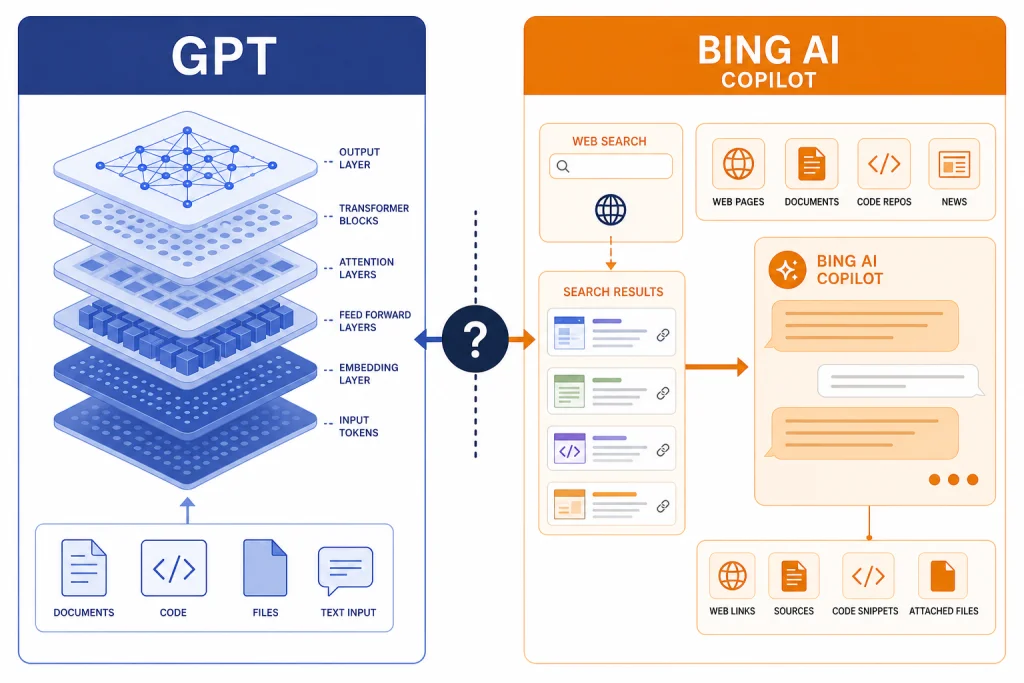
GPT vs Bing AI is not a clean one-to-one comparison. GPT is a family of OpenAI models that can power products such as ChatGPT, APIs, and other AI tools. Bing AI was Microsoft’s AI search chat experience, and Microsoft later folded that branding into Copilot. The real difference is control and purpose. ChatGPT gives you a more direct OpenAI workspace for writing, analysis, files, coding, custom GPTs, and model choice. Bing AI, now commonly encountered as Microsoft Copilot in Bing, is built around web search, Microsoft account access, Edge, Windows, and Microsoft 365. Use ChatGPT when you want a general AI workspace. Use Copilot when you want a search-centered assistant inside Microsoft’s ecosystem.
Quick answer
If someone asks for a GPT vs Bing AI verdict, the practical answer is this: GPT is the model layer, while Bing AI is a Microsoft product layer. Bing AI launched as an AI-powered Bing and Edge experience in February 2023, then Microsoft renamed Bing Chat and Bing Chat Enterprise under the Copilot brand in November 2023.[5][6]
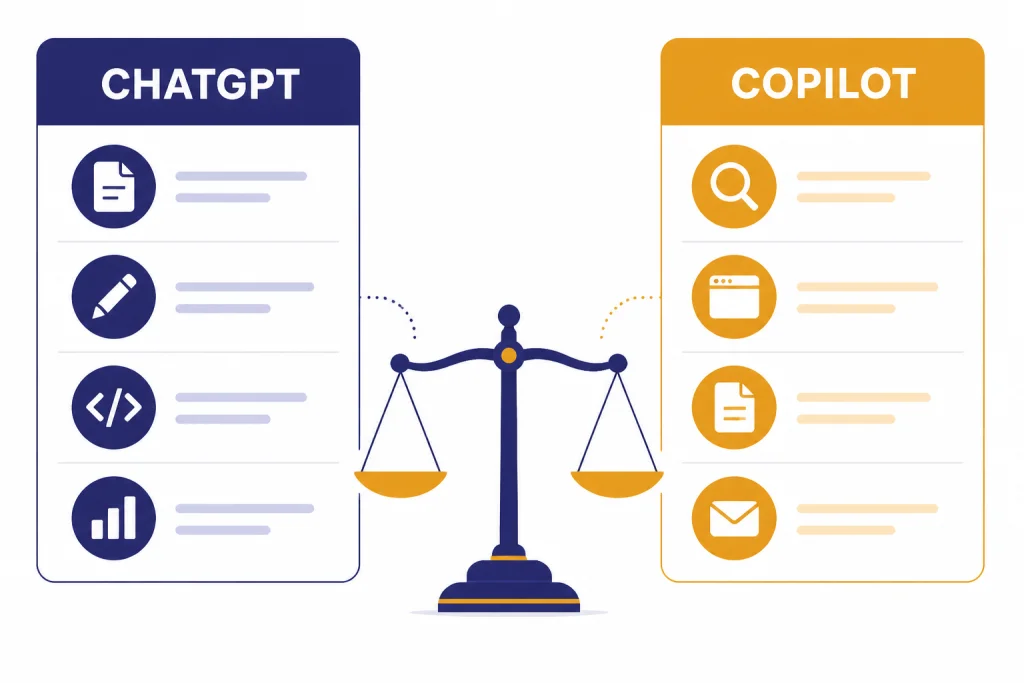
For most readers, the real comparison is ChatGPT vs Microsoft Copilot in Bing. ChatGPT is better when you want a flexible AI workspace with OpenAI’s model picker, file workflows, writing help, coding help, data analysis, image tools, memory, and custom GPTs. Copilot in Bing is better when your task starts with a web query, a Microsoft account, Edge, Windows, or Microsoft 365.
The names can be confusing because Microsoft’s AI assistant has changed labels over time. In this article, “Bing AI” means the Bing Chat-style experience that now lives mainly as Microsoft Copilot in Bing. If you want a broader search comparison, see our ChatGPT vs Google Search breakdown. If you want the closest current Microsoft comparison, read our GPT vs Microsoft Copilot guide.
What GPT and Bing AI mean
GPT is the model family
GPT refers to OpenAI’s generative model family. In the ChatGPT product, OpenAI exposes models and modes through plan-based access. As of this article’s publication date, OpenAI’s help materials described GPT-5.3 Instant and GPT-5.4 Thinking in ChatGPT, with paid tiers able to use a model picker for manual selection.[2]
That matters because GPT is not one fixed app. It can appear in ChatGPT, the OpenAI API, enterprise tools, developer workflows, and products built by other companies. If you are comparing “GPT” to “Bing AI,” you are really comparing an underlying model family with a consumer-facing Microsoft assistant.
Bing AI is now part of Microsoft Copilot
Bing AI began as Microsoft’s AI-enhanced search and chat experience. Microsoft described the new Bing as using technologies from Microsoft and OpenAI, including GPT for language generation and DALL-E for image generation.[4] Microsoft later simplified the branding so Bing Chat and Bing Chat Enterprise became Microsoft Copilot.[5]
That means “Bing AI” is still a useful search phrase, but it is not the cleanest current product name. When you open Copilot from Bing, Edge, Windows, or a Microsoft app, you are generally using Microsoft’s Copilot experience, not a standalone product called Bing AI.
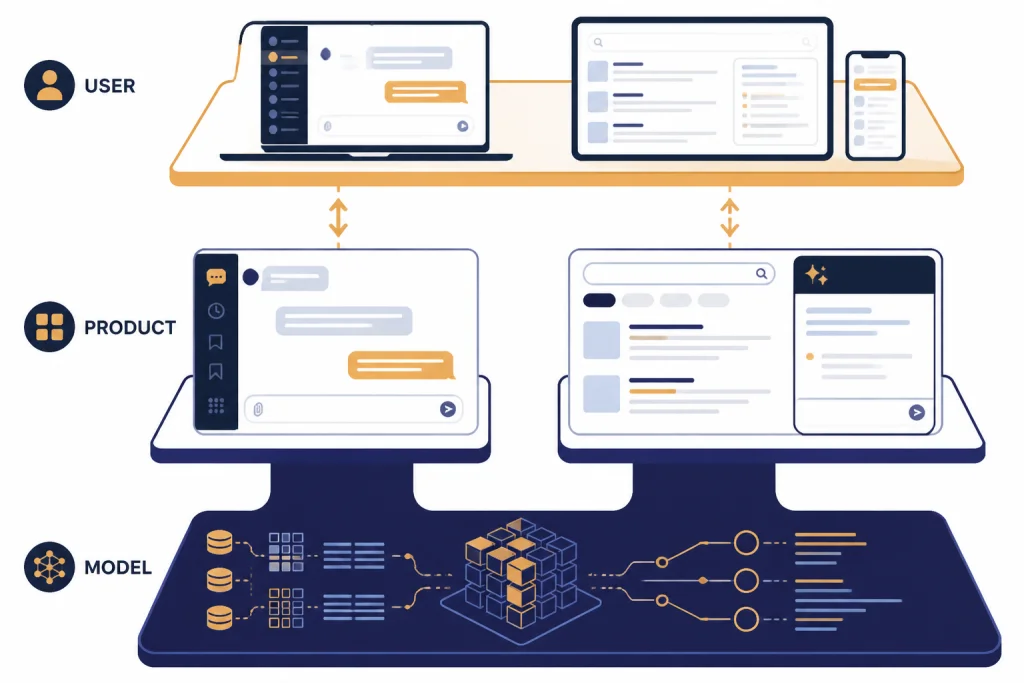
For beginners, the clean mental model is simple. OpenAI owns GPT and ChatGPT. Microsoft packages AI into Bing, Edge, Windows, Microsoft 365, and Copilot. The two companies’ products overlap, but the interfaces, account systems, limits, privacy rules, and feature priorities differ.
Side-by-side comparison
The table below compares GPT as most people experience it through ChatGPT against Bing AI as most people experience it through Microsoft Copilot in Bing.
| Category | ChatGPT / GPT | Bing AI / Copilot in Bing |
|---|---|---|
| Best description | OpenAI’s general AI workspace built around GPT models, tools, files, memory, and custom workflows. | Microsoft’s search-connected AI assistant, originally known as Bing Chat and now under the Copilot brand.[5] |
| Core strength | Writing, reasoning, coding, data analysis, document work, structured outputs, and reusable custom GPTs. | Web search, answer summaries, shopping-style research, Edge access, Windows access, and Microsoft 365 proximity. |
| Model visibility | More direct access to OpenAI model names and, on paid plans, model selection such as GPT-5.3 Instant and GPT-5.4 Thinking.[2] | Less direct model control. Microsoft presents the product as Copilot and manages the model layer behind the interface. |
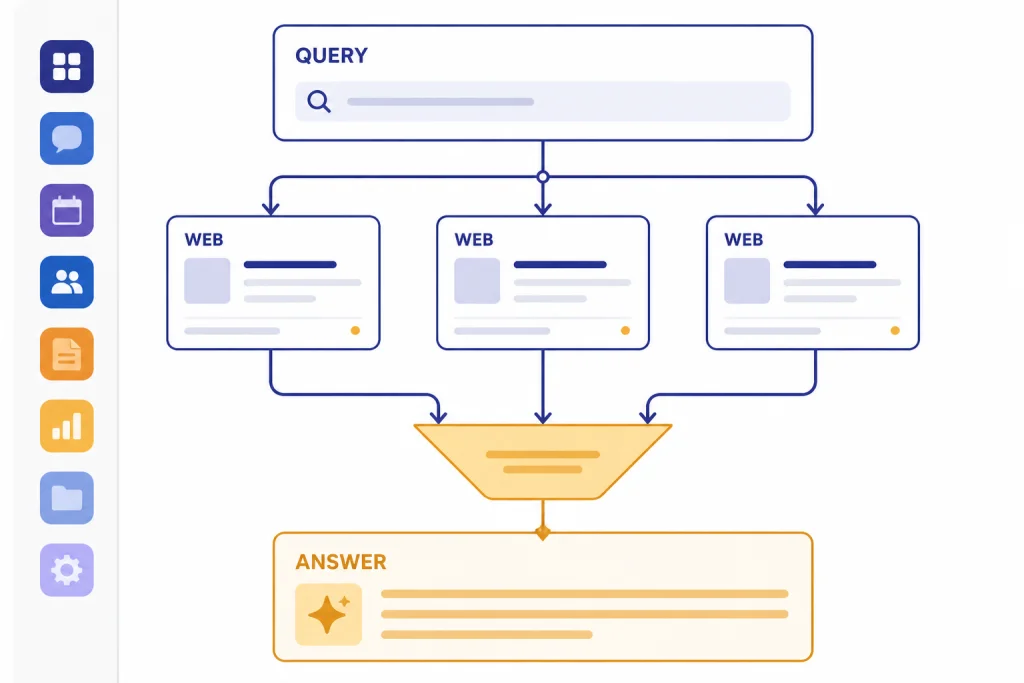
| Web access | Available through ChatGPT search and tools, depending on plan and product state.[1] | Native to the Bing search experience. Microsoft describes the intended use as connecting users with relevant search results and summarizing answers from the web.[4] |
| Free access | OpenAI’s pricing page lists a Free plan with limited access to its flagship model and web search.[1] | Microsoft says Copilot is available at no cost through copilot.com, apps, mobile devices, and Edge.[7] |
| Paid consumer plan | ChatGPT Plus is listed at $20 per month.[3] | Copilot Pro is listed at $20.00 per user per month.[8] |
| Best fit | People who want a broad AI workspace and more direct OpenAI model access. | People who already live in Bing, Edge, Windows, or Microsoft 365. |
The short version is that ChatGPT feels like an AI workbench. Bing AI feels like an AI search and Microsoft productivity layer. The better choice depends less on raw intelligence and more on where your work begins.
Where ChatGPT is stronger
ChatGPT is usually stronger when the task is not just “find something on the web.” It is the better default for drafts, outlines, rewrites, data cleanup, document summarization, code explanations, brainstorming, prompt refinement, and multi-step projects. It gives you a blank workspace rather than a search page.
ChatGPT also gives paid users a more explicit relationship with OpenAI models. OpenAI’s help center described paid-tier model picker access for GPT-5.3 Instant and GPT-5.4 Thinking, which makes it easier to choose a faster mode or a deeper reasoning mode when the product exposes those options.[2] If you care about model behavior, this matters.
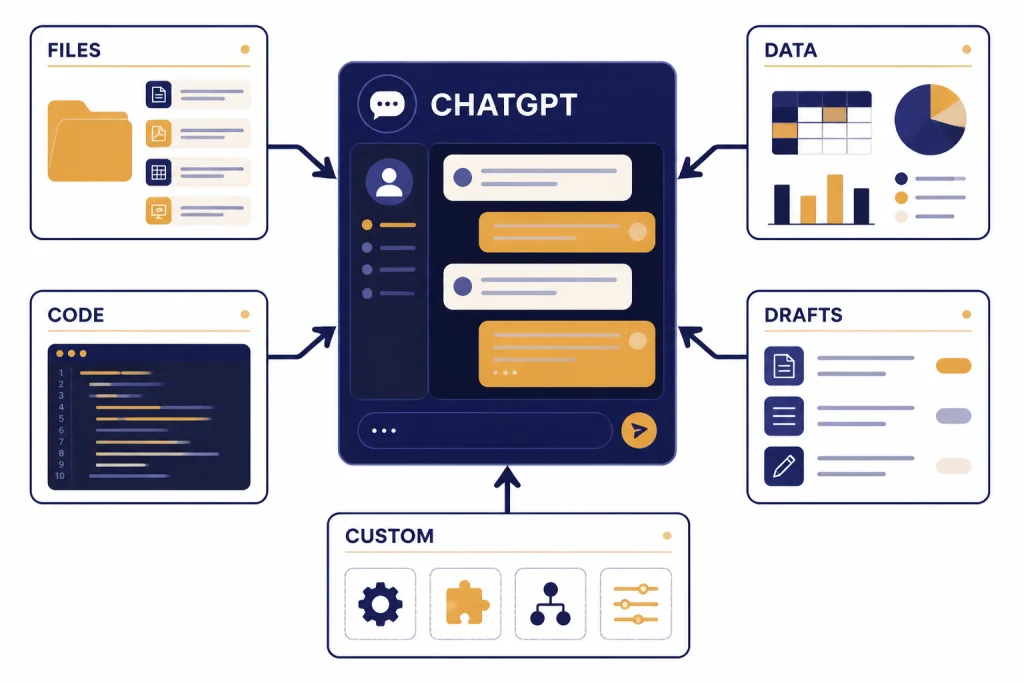
The other advantage is workflow depth. ChatGPT can combine uploaded files, memory, custom instructions, canvas-style drafting, image analysis, image generation, data analysis, and custom GPTs in one place, subject to plan limits.[2] That makes it more useful for repeatable work. For example, a consultant can build a recurring proposal assistant. A developer can use it to review a codebase excerpt. A student can turn lecture notes into a study plan.
ChatGPT is also the better place to learn the OpenAI ecosystem itself. If you are deciding among OpenAI model families, start with all GPT models compared side by side. If you want the conceptual foundation, read what GPT means. If speed matters more than depth, our fastest GPT model guide is the more relevant next stop.
Where Bing AI is stronger
Bing AI, now framed through Copilot, is strongest when the task starts with the open web. Microsoft says Copilot in Bing is intended to connect users with relevant search results, summarize answers from across the web, refine research through chat, and help create content.[4] That search-first design is the point.
Use Copilot in Bing when you want a current web answer with visible search context. It works well for comparing products, checking recent pages, finding official documentation, planning a simple itinerary, or summarizing search results before clicking through. It is less ideal when you need a long controlled writing session, a reusable project workspace, or careful model selection.
Copilot also has a distribution advantage. Microsoft says the free Copilot experience is available at copilot.com, through desktop and mobile apps, and from the Microsoft Edge header.[7] For users who already work in Edge or Windows, that convenience can matter more than a feature checklist.
The Microsoft ecosystem is the second major advantage. Copilot Pro adds preferred access to advanced models during peak times and unlocks Copilot in Word, Excel, PowerPoint, and Outlook for eligible users.[8] If your main work happens in Microsoft 365, paying Microsoft may make more sense than paying for a separate AI chat workspace.
Pricing and access
ChatGPT and Copilot both have free and paid consumer paths, but the money buys different things. ChatGPT Plus costs $20 per month and is positioned as enhanced access to the ChatGPT web app.[3] Copilot Pro costs $20.00 per user per month and is positioned around preferred access, higher usage, experimental features, and Microsoft 365 app access for eligible users.[8]
That price parity is why the decision can be confusing. The same monthly number does not mean the same product. ChatGPT Plus is the more direct OpenAI upgrade. Copilot Pro is the more Microsoft-integrated upgrade. Microsoft’s January 15, 2024 announcement also described Copilot Pro as a $20 per individual per month subscription with priority access to the latest models, starting with OpenAI’s GPT-4 Turbo at that time.[9]
Do not choose only by price. Choose by where the paid features remove friction. If your problem is ChatGPT limits, file workflows, advanced reasoning, or model access, ChatGPT Plus is the more obvious upgrade. If your problem is that you want AI directly inside Word, Excel, PowerPoint, Outlook, or Edge, Copilot Pro is the more obvious upgrade.
If you are comparing OpenAI subscriptions, see ChatGPT Free vs Plus vs Pro. Teams should also compare ChatGPT Plus vs Team, ChatGPT Pro vs Team, and ChatGPT Team vs Enterprise before making a purchase.
Privacy and work use
For personal use, both tools are acceptable for ordinary brainstorming, drafting, and research. For work use, the right choice depends on your company’s data rules. Do not paste confidential client data, regulated health data, credentials, unreleased financials, private source code, or internal legal material into either tool unless your organization has approved that workflow.
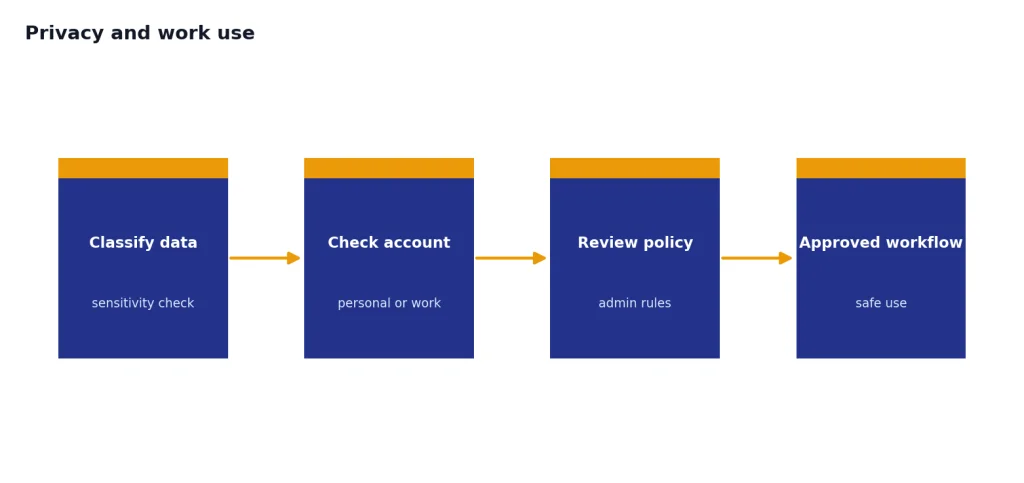
The reason is simple. ChatGPT and Copilot are not just text boxes. They are account-based services with plan-specific settings, retention policies, admin controls, and integrations. A personal account is not the same as a business account. A free product is not the same as an enterprise deployment.
Microsoft’s Copilot story can be stronger for companies already standardized on Microsoft 365, Entra ID, compliance tools, and admin policy. ChatGPT can be stronger for teams that want a dedicated AI workspace, OpenAI-native model access, or API-based workflows. Developers and technical teams should also separate the ChatGPT app from API usage. For model costs outside the consumer app, see our OpenAI API pricing guide.
If you are evaluating reasoning quality rather than product packaging, compare the underlying OpenAI families separately. Our GPT vs the o-Series comparison, GPT-5 vs GPT-4o guide, and context window comparison are better starting points than a Bing-branded comparison.
Which one should you use?
Use ChatGPT if you want one flexible AI workspace for writing, analysis, coding, files, image work, custom GPTs, and longer project sessions. It is the better everyday assistant for people who ask open-ended questions, iterate on drafts, upload documents, or want more direct OpenAI model control.
Use Bing AI or Copilot in Bing if your first need is web research. It is also the easier pick if you spend your day in Microsoft Edge, Windows, Outlook, Word, Excel, or PowerPoint. Copilot is less about choosing a model and more about putting an assistant inside places Microsoft users already work.
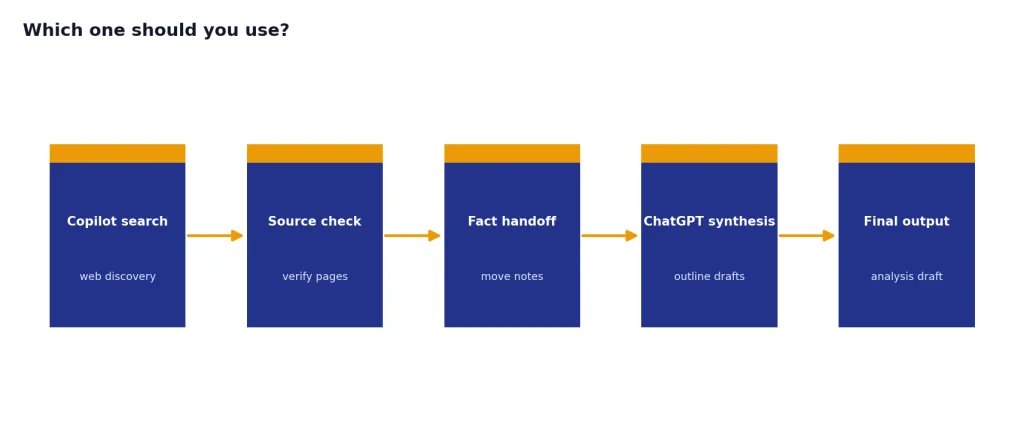
Use both if you can. A practical workflow is to start in Copilot for quick web discovery, then move the useful facts into ChatGPT for outlining, synthesis, drafting, or analysis. That division avoids treating one tool as if it should do everything.
The clean verdict: ChatGPT wins as a general-purpose AI workspace. Bing AI wins as a search-centered Microsoft assistant. GPT is the engine category. Bing AI is the product experience. Once you separate those layers, the comparison becomes much easier.
If you are comparing more assistants, read our best AI chatbot alternatives to ChatGPT and ChatGPT alternatives 2026.
Frequently asked questions
Is Bing AI the same as ChatGPT?
No. Bing AI was Microsoft’s AI search chat experience, later folded into the Copilot brand. ChatGPT is OpenAI’s own AI assistant built around OpenAI models and tools.
Does Bing AI use GPT?
Microsoft says Copilot in Bing uses advanced technologies from Microsoft and OpenAI, including GPT and DALL-E.[4] That does not mean it behaves exactly like ChatGPT. Microsoft controls the product interface, search layer, safety systems, and integrations.
Why does Microsoft call it Copilot instead of Bing AI?
Microsoft unified much of its AI branding under Copilot. The company said in November 2023 that Bing Chat and Bing Chat Enterprise would become Microsoft Copilot.[5] People still search for “Bing AI,” but Copilot is the current umbrella term.
Which is better for research?
Copilot in Bing is often better for quick web research because it is built around Bing search. ChatGPT is better when research turns into synthesis, drafting, document analysis, or a longer project. Many users get the best results by using both.
Which is better for writing?
ChatGPT is usually better for sustained writing work. It is easier to refine tone, structure long drafts, reuse instructions, and continue a project across multiple steps. Copilot can write, but its strongest identity is still search and Microsoft app assistance.
Is ChatGPT Plus or Copilot Pro the better $20 subscription?
ChatGPT Plus is the better $20 subscription if you want a broader OpenAI workspace.[3] Copilot Pro is the better $20.00 per user per month subscription if you want preferred Copilot access and Microsoft 365 app integration.[8] The better value depends on where you already work.