

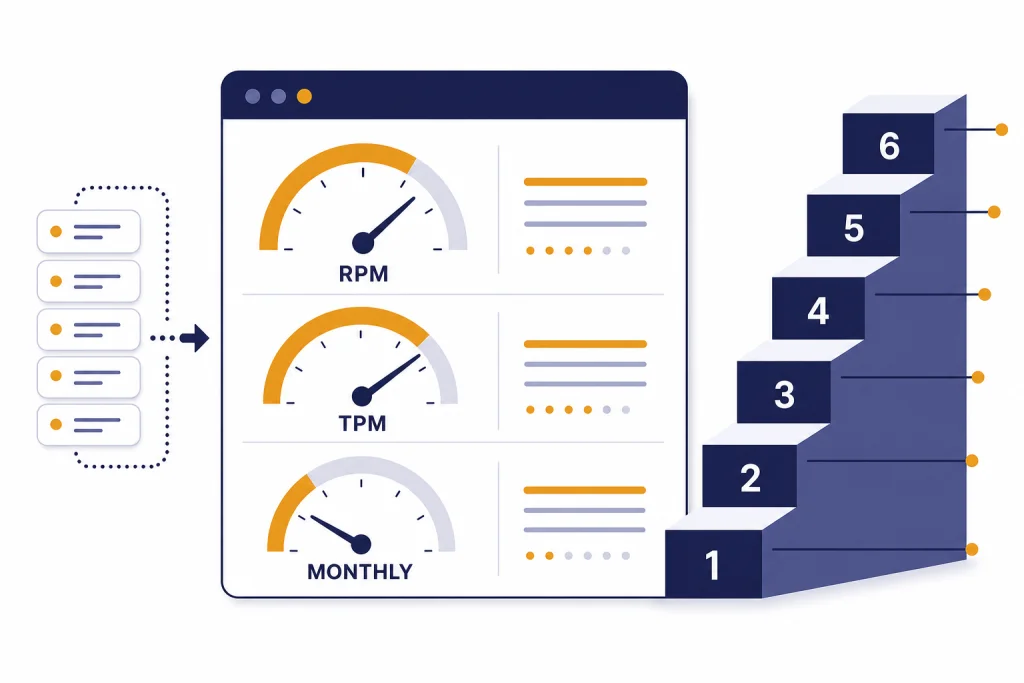
OpenAI API rate limits control how many requests, tokens, images, and batch tokens your organization can use over a given period. They are not one universal number. Limits vary by organization, project, usage tier, model, endpoint, and sometimes model family. The practical path is simple: check your Limits page, design around requests per minute and tokens per minute, handle 429 errors with backoff, and request a higher tier only after your production traffic shows a clear need. OpenAI says API rate limits are measured across RPM, RPD, TPM, TPD, and IPM, and usage tiers generally rise automatically as API spend increases.[1]
What OpenAI API rate limits measure
OpenAI API rate limits are caps on how much API traffic an organization or project can send. OpenAI defines them at the organization and project level, not at the individual user level, and says they vary by model.[1] That distinction matters when you have several apps sharing one organization. A staging script, a batch job, and a production service can all compete for the same model pool if you do not isolate them with separate projects and budgets.
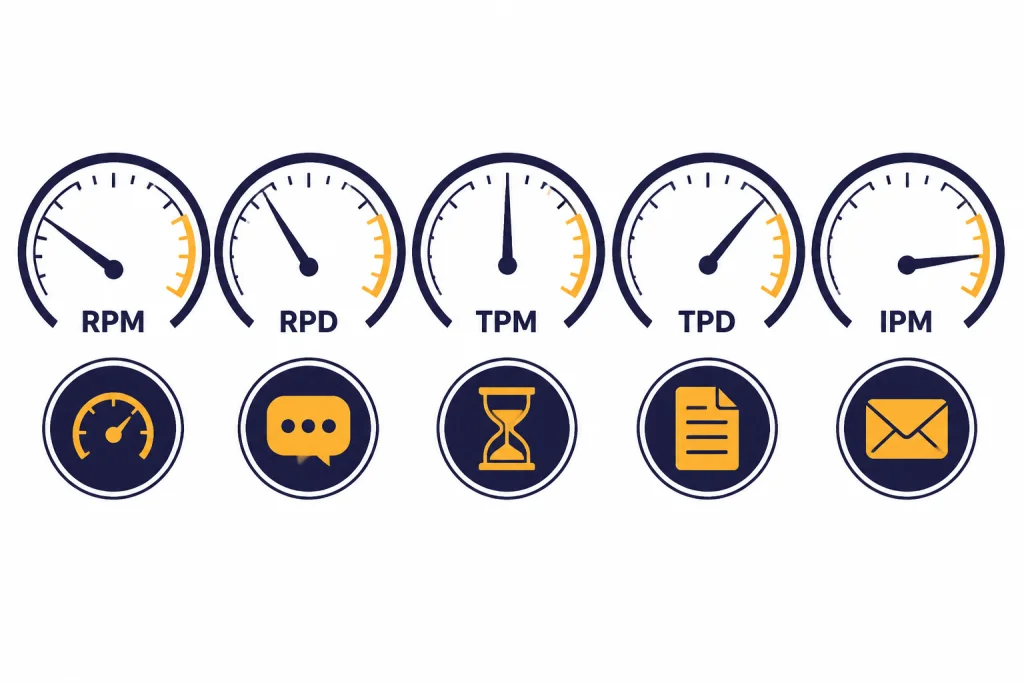
The main units are requests per minute, requests per day, tokens per minute, tokens per day, and images per minute. OpenAI abbreviates those as RPM, RPD, TPM, TPD, and IPM.[1] You can hit a limit through any one of those dimensions. A service that sends many tiny prompts may hit RPM first. A service that sends fewer long prompts may hit TPM first.
Rate limits are different from model pricing. Pricing determines what you pay for usage. Rate limits determine how quickly you can use a model. If you are planning both cost and capacity, pair this article with our OpenAI API pricing guide and the OpenAI API cost calculator.
Rate limits and usage limits are not the same
A rate limit controls short-window throughput. A usage limit controls monthly spend. OpenAI’s rate-limit documentation says organizations also have monthly API spending limits, known as usage limits.[1] You can be blocked by either one. A 429 error can mean you sent requests too quickly, but OpenAI’s error-code guide also lists a 429 quota error when you run out of credits or hit maximum monthly spend.[6]
Treat these as two dashboards. For throughput, watch RPM, TPM, reset headers, and queue depth. For billing, watch monthly spend, soft alerts, and hard caps. Our OpenAI API best practices for production article covers the broader operating checklist.
OpenAI API usage tiers
OpenAI’s public rate-limit guide lists the usage-tier qualifications and monthly usage limits below. These tiers do not guarantee the same RPM and TPM for every model. They define your account’s general level, and the model pages or Limits page show the exact caps that apply to each model.[1]
| Tier | Qualification | Monthly usage limit | What it usually means |
|---|---|---|---|
| Free | User must be in an allowed geography | $100 / month[1] | Testing and evaluation, if the model supports free access |
| Tier 1 | $5 paid | $100 / month[1] | Small prototypes and early paid experiments |
| Tier 2 | $50 paid and 7+ days since first successful payment | $500 / month[1] | Low-volume production apps |
| Tier 3 | $100 paid and 7+ days since first successful payment | $1,000 / month[1] | Growing production apps with regular traffic |
| Tier 4 | $250 paid and 14+ days since first successful payment | $5,000 / month[1] | Higher-throughput services with stronger traffic history |
| Tier 5 | $1,000 paid and 30+ days since first successful payment | $200,000 / month[1] | Large production workloads and enterprise-scale usage |
OpenAI also says that, as API spend goes up, organizations are automatically graduated to the next usage tier, which usually increases rate limits across most models.[1] The word “usually” is important. Some models, endpoints, or preview features can still have separate availability rules or tighter limits.

Usage tiers are not ChatGPT subscription tiers
Do not confuse API usage tiers with ChatGPT Free, Plus, Pro, Team, Business, Enterprise, or Edu plans. API billing and ChatGPT subscriptions are separate products. If you are trying to decide whether you need a subscription or API billing, start with ChatGPT API vs ChatGPT Plus and Does ChatGPT Plus include API access?.
Why model limits differ by tier
A tier is only the starting point. OpenAI states that rate limits vary by model and that some model families share limits.[1] This is why two apps in the same organization can see different throughput. One app may call a low-latency model with generous TPM. Another may call a heavier reasoning model with a smaller pool.
OpenAI’s GPT-5 model page shows this pattern clearly. For GPT-5, Free is listed as not supported, while Tier 1 is listed at 500 RPM, 500,000 TPM, and a 1,500,000-token Batch queue limit; Tier 5 is listed at 15,000 RPM, 40,000,000 TPM, and a 15,000,000,000-token Batch queue limit.[8] Those numbers are model-specific. Do not copy them to another model without checking that model’s page or your Limits dashboard.
| Limit type | What it caps | Common bottleneck | Common fix |
|---|---|---|---|
| RPM | Requests sent per minute | Many short calls | Batch small tasks into fewer requests |
| TPM | Input and output token volume per minute | Long prompts or long completions | Shorten prompts, cap output, or spread traffic |
| RPD / TPD | Daily request or token volume | Large daily jobs | Move non-urgent work to Batch API |
| IPM | Image requests per minute | Concurrent image generation | Queue image jobs and limit parallelism |
| Batch queue | Queued input tokens for batch jobs | Large offline processing runs | Chunk files and submit staged batches |
Shared limits deserve special attention. If multiple aliases or snapshots appear under the same shared limit, calls to any of them can draw from the same pool.[1] That can surprise teams that split traffic across model names but still see one combined bottleneck.
How to check your current limits
The most reliable place to check your limits is the Limits section of your OpenAI account settings. OpenAI’s Help Center says all API usage is subject to rate limits and directs users to the settings Limits page to apply for an increase.[2] OpenAI’s rate-limit guide also says you can view rate and usage limits for your organization under the Limits section of account settings.[1]
- Open the OpenAI Platform dashboard.
- Select the correct organization and project.
- Open the Limits page.
- Check the model you plan to use.
- Record RPM, TPM, daily limits, and batch queue limits where shown.
- Confirm whether the model has a shared limit with related models.
If your account belongs to multiple organizations, confirm the default organization before testing. OpenAI’s production best-practices guide says usage counts against the organization specified for the API request, and if no organization header is provided, the default organization is billed.[3] A common mistake is testing in one organization and deploying under another.
Use response headers for live throttling
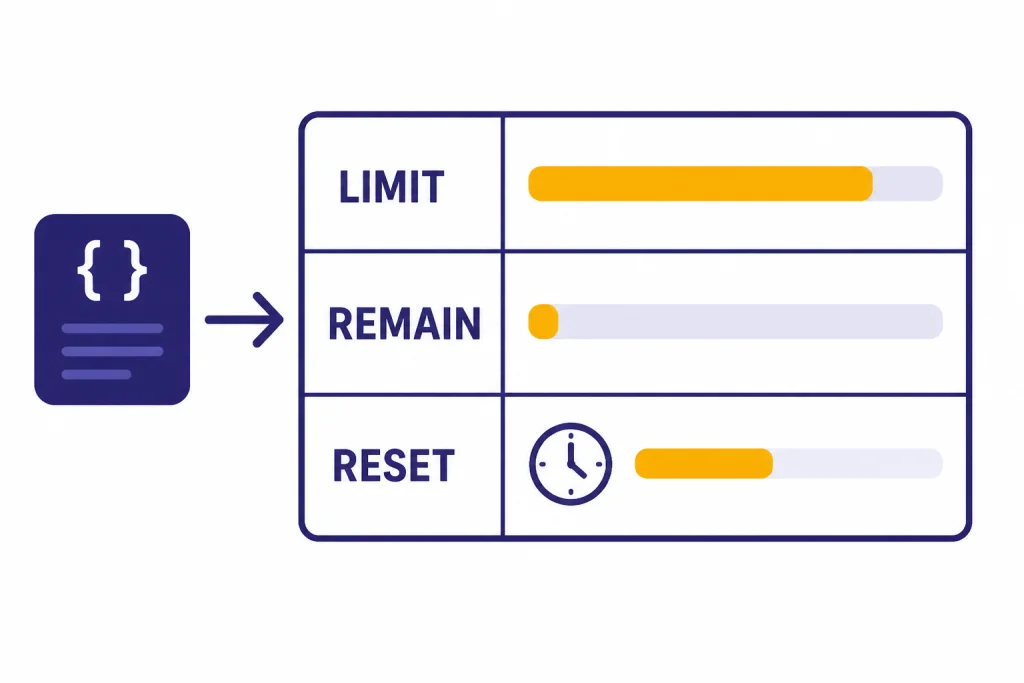
OpenAI documents rate-limit response headers for the current limit, remaining capacity, and reset timing. The published header fields include x-ratelimit-limit-requests, x-ratelimit-limit-tokens, x-ratelimit-remaining-requests, x-ratelimit-remaining-tokens, x-ratelimit-reset-requests, and x-ratelimit-reset-tokens.[1] Your application should log these headers for production traffic. They are more useful than guessing from averages.
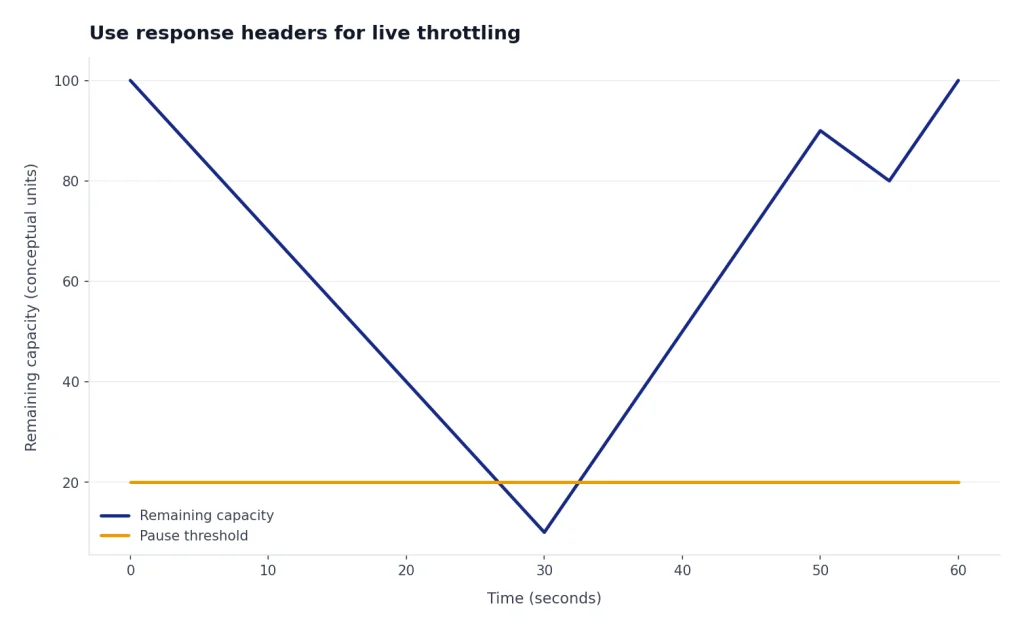
Use headers to slow down before failures. If remaining requests or remaining tokens approach zero, pause low-priority work. If the reset value is short, wait and retry. If the reset value is long, move work to a queue rather than tying up web requests.
How to increase OpenAI API rate limits
There are two main ways to increase OpenAI API rate limits: automatic tier graduation and a manual increase request. OpenAI says API spend can automatically move an organization to the next usage tier, and that this usually raises rate limits across most models.[4] The Help Center also says users who want higher limits can use the Limits page in settings and apply for an increase at the bottom of the page.[2]
Before you request an increase
Do a capacity audit first. OpenAI has not published an official approval time for manual rate-limit increases, so you should assume the request needs clear evidence. The best request explains the production use case, the model, expected traffic, current limits, peak RPM, peak TPM, monthly spend, and what mitigation you already implemented.
- Identify the exact model and endpoint that bottleneck.
- Export recent traffic logs showing real demand.
- Show whether you hit RPM, TPM, daily limits, or monthly spend.
- Confirm that retries use backoff and jitter.
- Explain why batching, streaming, or smaller models do not solve the bottleneck.
- Set a safe monthly budget before raising throughput.
If the issue is cost rather than throughput, increasing rate limits will not fix it. Use the OpenAI API cost calculator and then decide whether to reduce token volume, change models, cache outputs, or use Batch API for offline work.
Manual increase request template
Use a concise request. The goal is to make review easy.
Organization: [org name and ID]
Project: [project name]
Model and endpoint: [model] via [Responses API / Chat Completions / Batch / other]
Current bottleneck: [RPM / TPM / daily / batch queue / monthly usage]
Current limit: [value from Limits page]
Requested limit: [target value]
Use case: [short production description]
Traffic evidence: [peak and average usage from logs]
Mitigations already implemented: [queueing, backoff, batching, output caps]
Safety controls: [user quotas, abuse monitoring, budget cap]
Business impact: [what fails if the limit stays unchanged]
Keep the request specific. “We need more tokens” is weak. “Our production support classifier hits TPM on this model during weekday peaks even after queueing and shorter prompts” is stronger.
How to avoid 429 rate-limit errors
A 429 response can mean you are sending requests too quickly or that you exceeded quota. OpenAI’s error-code guide distinguishes “Rate limit reached for requests” from “You exceeded your current quota, please check your plan and billing details.”[6] Handle these cases differently. Throughput errors need pacing. Quota errors need billing, credits, or usage-limit changes.
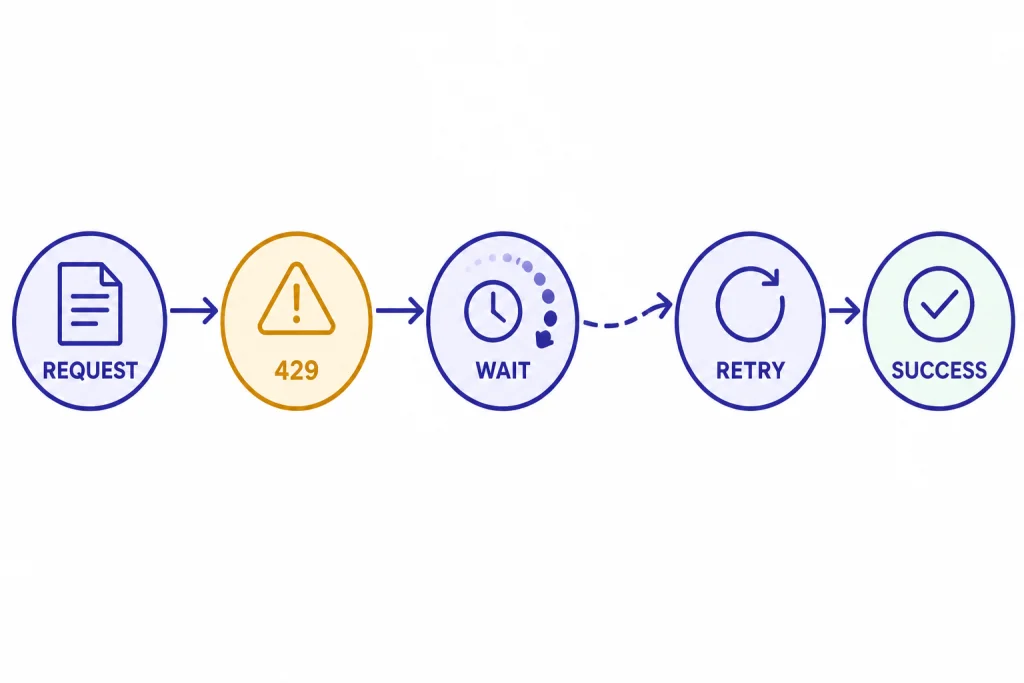
OpenAI’s Help Center recommends exponential backoff for “Too Many Requests” errors and notes that unsuccessful requests still contribute to the per-minute limit.[5] That last point is the reason tight retry loops fail. A service that retries instantly can make the problem worse.
A practical retry policy
Use a retry policy that reads reset headers when available, adds jitter, and gives up after a bounded number of attempts. Do not retry every 429 forever. Send the failed job to a queue if it is safe to process later. Return a graceful message if the user needs an immediate answer.
try:
    call_openai()
except RateLimitError as error:
    if error_is_quota_related(error):
        alert_billing_owner()
        stop_retrying()
    else:
        wait_for_reset_or_backoff_with_jitter()
        retry_or_enqueue()
For a broader list of failures, see our OpenAI API errors breakdown. Rate-limit handling should live beside authentication, timeout, validation, and server-error handling. It should not be a one-off patch in a single endpoint.
Reduce the token estimate before you scale
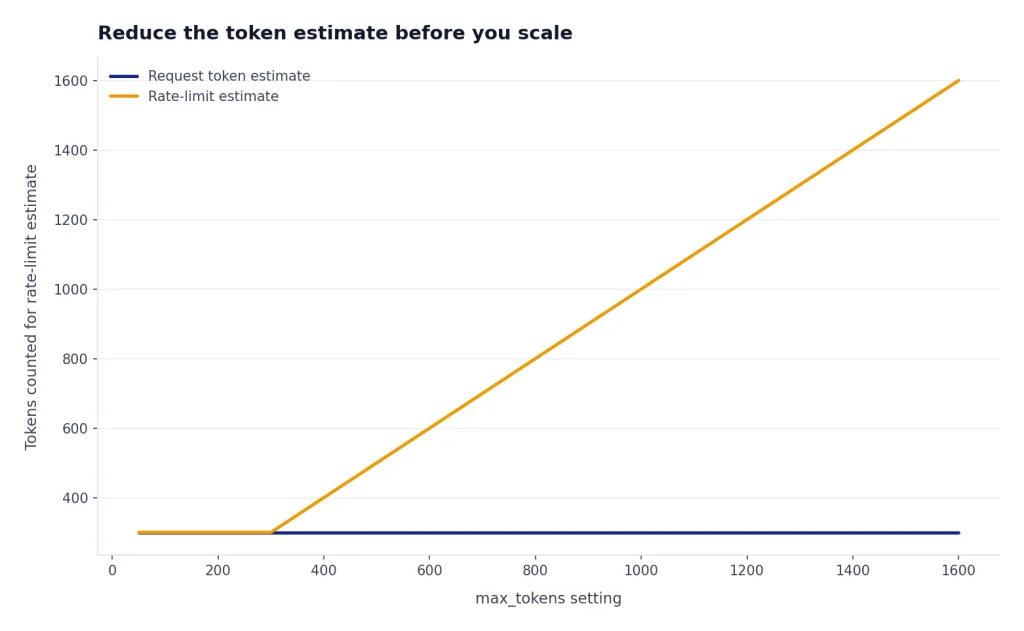
OpenAI’s rate-limit guide says a request’s rate-limit calculation uses the maximum of max_tokens and an estimated token count based on request character count, and recommends setting max_tokens close to the expected response size.[1] This is one of the easiest fixes. If you reserve far more output than you need, you can reduce effective throughput even when actual completions are short.
Structured responses can also help because they make output length more predictable. If you need machine-readable JSON, review structured outputs with the OpenAI API and function calling in the OpenAI API.
Production design patterns for higher throughput
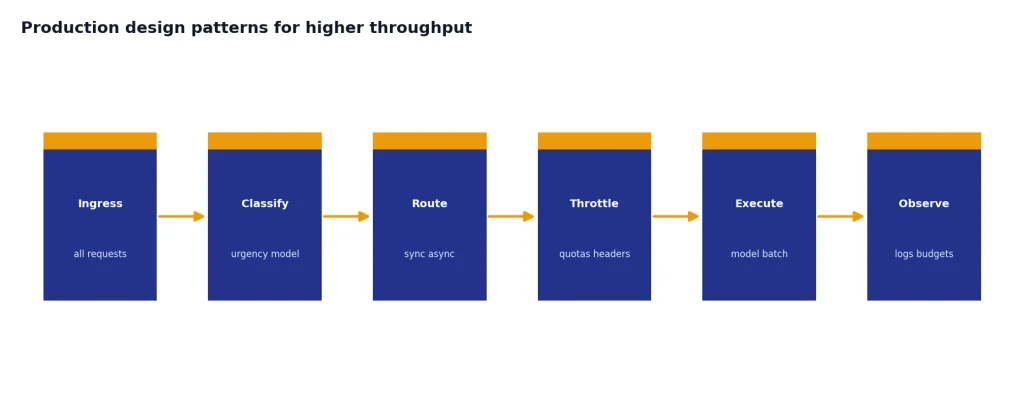
The best way to raise effective throughput is not always a higher tier. Often it is better routing. Split traffic by urgency, model, and latency tolerance. Keep user-facing requests fast. Move offline work out of the synchronous path. Add per-customer quotas so one customer cannot consume the whole organization’s pool.
| Pattern | Use it when | Limit it helps | Tradeoff |
|---|---|---|---|
| Queue and worker pool | Traffic arrives in bursts | RPM and TPM | Adds operational complexity |
| Batch multiple small tasks | Each task is short and independent | RPM | Responses return together, not individually |
| Use Batch API | Work does not need an immediate response | Standard synchronous limits | OpenAI documents a clear 24-hour turnaround for Batch jobs[7] |
| Stream responses | Users wait on long outputs | Perceived latency | Does not remove TPM constraints |
| Cap output length | Completions are longer than needed | TPM | May require better prompts or schemas |
| Use smaller models for simple tasks | Classification or extraction is routine | Cost and sometimes throughput | Requires evaluation before switching |
OpenAI says the Batch API has a separate pool of significantly higher rate limits, offers 50% lower costs, and has a 24-hour turnaround time.[7] That makes it a good fit for evaluations, content classification, embeddings jobs, and large offline transformations. Our OpenAI Batch API guide explains when it is worth the latency tradeoff.
Streaming can improve user experience, but it is not a rate-limit bypass. Use streaming responses with the OpenAI API when users need early tokens on screen. Use the Responses API when you want a modern endpoint for multimodal inputs, tools, structured outputs, and streaming in one workflow.
Finally, add internal guardrails. OpenAI’s rate-limit guide recommends caution with programmatic access, bulk processing, and automated social posting, and suggests setting usage limits for individual users over daily, weekly, or monthly windows.[1] That advice applies even if your organization has a high tier. A high global limit without per-user controls can still fail under abuse or a runaway job.
Frequently asked questions
Where do I find my OpenAI API rate limits?
Open the OpenAI Platform dashboard, select the correct organization and project, and check the Limits page. OpenAI’s Help Center says users can check rate limits there and apply for an increase at the bottom of that page.[2] Also check response headers in production logs because they show remaining capacity and reset timing.
What is the difference between RPM and TPM?
RPM is requests per minute. TPM is tokens per minute. You can hit RPM with many small calls or TPM with fewer large calls. OpenAI’s rate-limit guide says limits can be hit across any measured option depending on which one occurs first.[1]
How do I increase OpenAI API rate limits?
OpenAI says usage tiers generally increase automatically as API spend grows, and that users can review the Usage Limits page for information on advancing to the next tier.[4] You can also apply for an increase from the Limits page in account settings.[2] Include the model, endpoint, current bottleneck, traffic evidence, and safety controls in the request.
Does a higher usage tier increase limits for every model?
Not necessarily. OpenAI says rate limits vary by model and that some model families share rate limits.[1] Always check the specific model page or your Limits dashboard. Do not assume a higher tier gives identical RPM or TPM across all models.
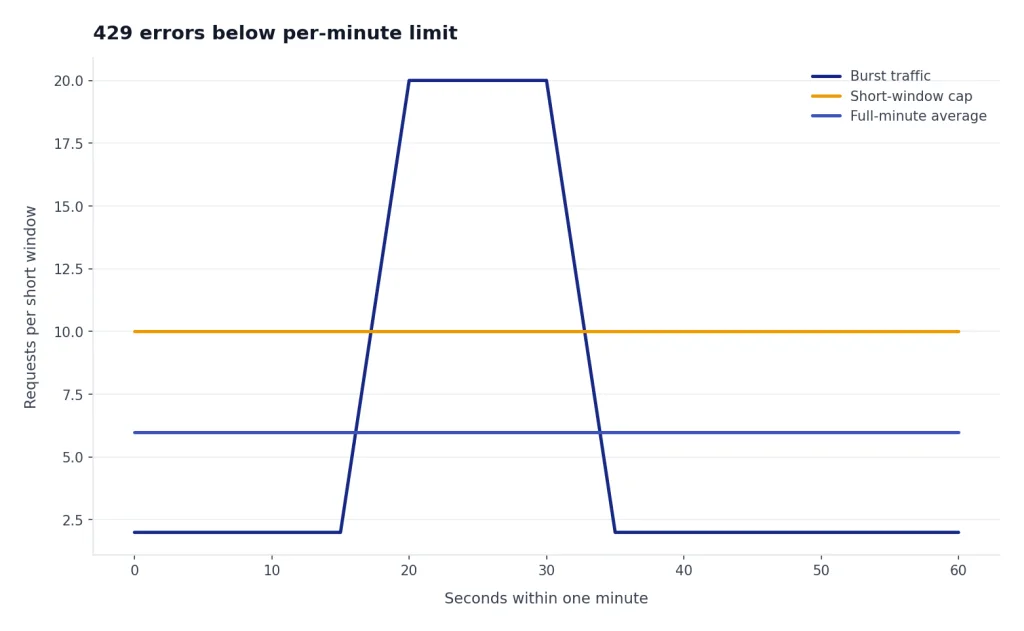
Why am I getting 429 errors if I am below my per-minute limit?
OpenAI says rate limits can be quantized and enforced over shorter periods, so short bursts can trigger errors even if the full-minute average looks safe.[5] Your retry loop may also be contributing to the limit because unsuccessful requests count against per-minute capacity.[5] Add pacing, jitter, and queueing instead of retrying immediately.
Can the Batch API help with rate limits?
Yes, if the work is not time-sensitive. OpenAI describes the Batch API as using a separate pool of significantly higher rate limits, with 50% lower costs and a 24-hour turnaround time.[7] It is a poor fit for live chat, but a strong fit for evaluations, classification, and large offline processing.