

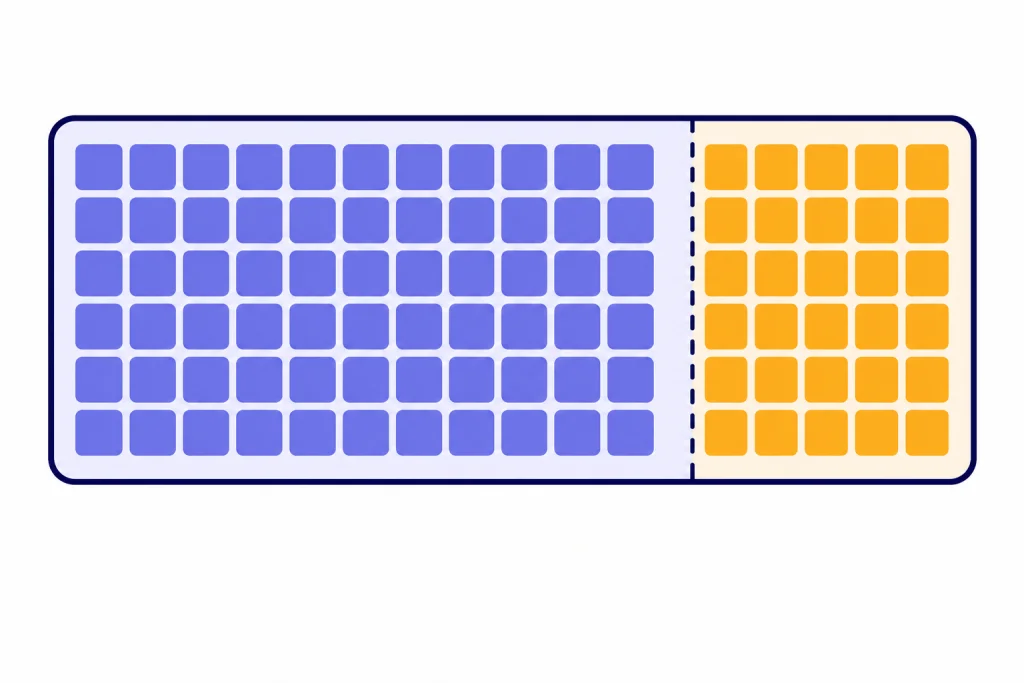
The ChatGPT token limit is the maximum amount of text the model can consider and produce in one request or conversation window. It is not the same as a word limit, a message limit, or a memory limit. Tokens are chunks of text, and OpenAI’s rule of thumb for English is that 1 token is about 4 characters or about three-quarters of a word.[1] In ChatGPT, the practical limit depends on your plan, the model mode, and whether you are using Instant or Thinking. For developers, the API exposes larger model-specific context windows and max output settings that do not always match the ChatGPT app.[4]
What the ChatGPT token limit means
A token limit is the size of the model’s working text window. Every instruction, pasted document, previous message, tool result, hidden system instruction, file excerpt, and generated answer competes for space in that window. When the window fills up, ChatGPT must shorten, omit, summarize, or stop using some material.
OpenAI defines tokens as the building blocks of text that its models process. A token may be a character, part of a word, a full word, punctuation, or a space, depending on the text and language.[1] That means the chatgpt token limit cannot be converted perfectly into a fixed word count.
For English, OpenAI gives several useful approximations: 1 token is about 4 characters, 1 token is about three-quarters of a word, 100 tokens are about 75 words, and 1 paragraph is about 100 tokens.[1] These estimates are good for planning, but they are not exact. Code, tables, URLs, JSON, math, and non-English text often use tokens differently.
The most important practical point is simple: ChatGPT does not “read” a conversation as an unlimited scrollback. It reads the portion that fits into the active context window. If you need the model to use a fact, keep that fact inside the active context or restate it in a compact form.
Current ChatGPT token limits by mode
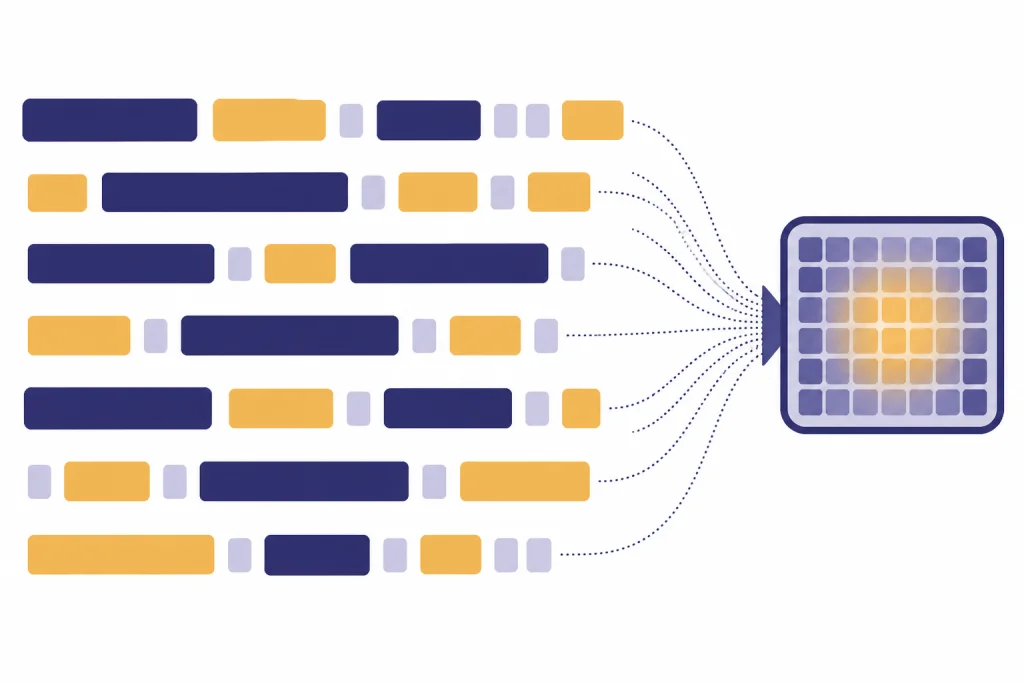
As of this article’s publication date, March 20, 2026, OpenAI documents ChatGPT context windows by plan and model mode rather than as one universal number. Instant mode and Thinking mode have different limits, and Pro or Enterprise access can raise the window.[2]
The table below summarizes the practical ChatGPT context windows OpenAI published for GPT-5.3 Instant and GPT-5.4 Thinking in ChatGPT. These are app limits, not API limits. If you are comparing the app with developer access, jump to the API token limits section after this table.
| ChatGPT mode | Plan | Published context window | What that means in practice |
|---|---|---|---|
| GPT-5.3 Instant | Free | 16K tokens[2] | Good for normal chats, short drafts, and modest pasted text. |
| GPT-5.3 Instant | Plus / Business | 32K tokens[2] | More room for longer prompts, medium documents, and multi-step work. |
| GPT-5.3 Instant | Pro / Enterprise | 128K tokens[2] | Enough for large documents, long projects, and more retained chat context. |
| GPT-5.4 Thinking | All paid tiers | 256K total: 128K input plus 128K max output[2] | Designed for bigger reasoning tasks when Thinking is manually selected. |
| GPT-5.4 Thinking | Pro | 400K total: 272K input plus 128K max output[2] | The largest published ChatGPT window in this group. |
OpenAI’s GPT-5.4 launch note said GPT-5.4 Thinking in ChatGPT was available to Plus, Team, and Pro users and replaced GPT-5.2 Thinking, while GPT-5.4 Pro was available to Pro and Enterprise plans.[3] That matters because model names can change while the underlying question stays the same: how much input can the app keep active, and how much output can it produce?
For plan-level message caps, use our ChatGPT message limit guide. For a narrower paid-plan view, see the ChatGPT Plus message limit by model and the ChatGPT Plus token limit breakdown.
Context limit vs. output limit
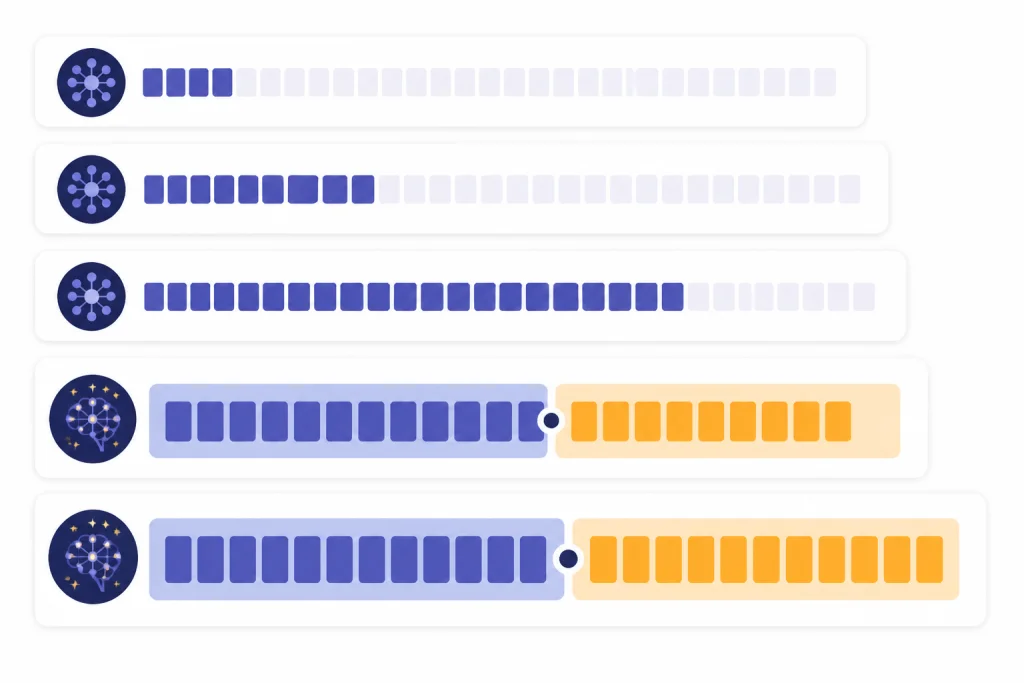
ChatGPT users often treat “token limit” as one number. It is better to split it into two parts: context and output.
- Context limit: the total working window available for the prompt, conversation history, tool results, file excerpts, system instructions, and answer.
- Output limit: the maximum amount the model can generate in one response.
In Thinking mode, OpenAI’s published ChatGPT figures make this split explicit. All paid tiers get a 256K total window made from 128K input plus 128K maximum output, while Pro gets a 400K total window made from 272K input plus 128K maximum output.[2] The larger Pro number does not mean every answer can be 400K tokens long. It means the total working space is larger, with a published output ceiling of 128K tokens for that mode.[2]
This distinction explains many confusing failures. You might paste a very large document and ask for a long report. The request can fail or truncate because the document, your instructions, and the desired answer must all fit into the available token budget. A huge input leaves less space for the answer.

It also explains why “continue” works sometimes and fails other times. If the model stopped because it reached an output ceiling, a follow-up can continue. If the conversation is already overloaded and key source material has fallen out of context, “continue” may produce a weaker answer because the model no longer has the same evidence active.
Tokens vs. words, characters, messages, and memory
Several ChatGPT limits sound similar. They control different things.
| Limit type | What it controls | Common mistake | Where to learn more |
|---|---|---|---|
| Token limit | How much text the model can process and generate in the active window. | Assuming the whole chat history is always available. | This article. |
| Word limit | A rough human-facing length request, such as “write 1,000 words.” | Treating words and tokens as the same unit. | ChatGPT word limit |
| Character limit | How many typed or pasted characters an interface accepts. | Confusing a text-box cap with the model’s context window. | ChatGPT character limit per message |
| Message limit | How many prompts you can send during a plan or time window. | Thinking more messages always means more context. | ChatGPT daily limit |
| Memory limit | What ChatGPT can save about you across chats, when memory is enabled. | Assuming saved memory expands the active context window. | ChatGPT memory limit |
| File upload limit | How many files, how large they are, and which formats the app accepts. | Assuming every word in every file is always loaded into context. | ChatGPT file upload limit |
OpenAI’s English token estimates are useful for converting between these categories. If 100 tokens are about 75 words, then a 10,000-token document is roughly 7,500 English words before you account for formatting, tables, code, and unusual text.[1] Treat that as a planning estimate, not a guarantee.
Memory deserves special care. ChatGPT memory can help with preferences, recurring facts, and personalization, but it is not a substitute for context. If a task depends on exact source material, paste or upload the relevant excerpt in the current chat. Do not rely on memory to carry detailed project evidence.
Why long chats break down before you expect
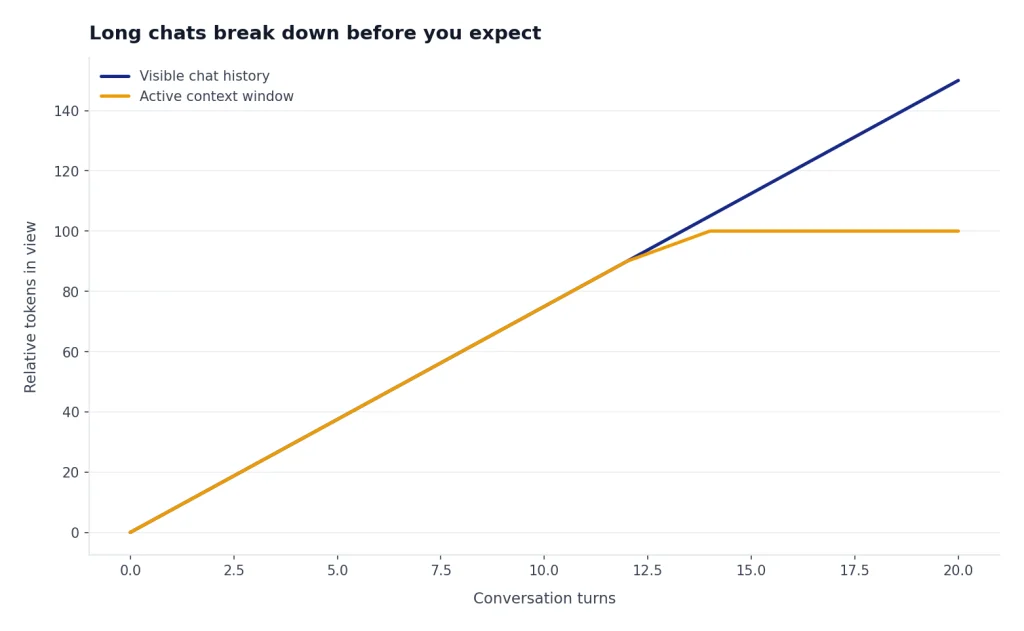
A long ChatGPT thread can become unreliable even when it still appears open. The visual chat history is not the same as the active context window. ChatGPT may summarize older material, prioritize recent turns, or lose access to details that no longer fit.
Three patterns cause most token-limit problems:
- Long source material: pasted reports, transcripts, contracts, codebases, exports, and meeting notes consume context quickly.
- Long instructions: style guides, role definitions, examples, constraints, and rubrics also count.
- Long outputs: reports, tables, code files, and multi-part answers need output space, not just input space.
Tool use can add another layer. OpenAI’s API pricing documentation notes that tokens used for built-in tools are billed at the chosen model’s per-token rates, and web search content tokens are retrieved from the search index and fed to the model alongside the prompt.[7] The ChatGPT app does not expose every internal token detail to users, but the same general principle applies: tool results are not free space. They add information the model must process.
Files create a similar expectation gap. Uploading a file does not mean every token in that file remains active forever. The system may retrieve, summarize, or inspect relevant portions. If you need exact handling, ask ChatGPT to identify which sections it used, request citations or excerpts, and keep the working set small. For upload-specific troubleshooting, see ChatGPT Plus file upload limit explained and ChatGPT file upload not working.
API token limits are different from ChatGPT limits
The OpenAI API has model-specific context windows and max output token limits. These can be larger than the ChatGPT app limits, but they also require developer setup, per-token billing, and explicit configuration.
For example, OpenAI’s GPT-5.4 API model page lists a 1,050,000-token context window and a 128,000-token max output limit.[4] The model comparison page also lists a 1,050,000-token context window and 128,000 max output tokens for GPT-5.4, and the same context and output figures for GPT-5.4 pro.[5] Those API numbers should not be pasted back onto ChatGPT plan limits.
GPT-4.1 is another useful contrast. OpenAI’s GPT-4.1 model page says it has a 1,047,576-token context window and a 32,768-token max output limit.[6] That makes it a long-context API option, but it does not mean every ChatGPT plan exposes the same 1,047,576-token window inside the consumer app.[6]
| Model or environment | Published context window | Published max output | Best interpretation |
|---|---|---|---|
| ChatGPT GPT-5.3 Instant, Free | 16K tokens[2] | Not separately published in the same Instant table | App-level window for normal free use. |
| ChatGPT GPT-5.4 Thinking, paid tiers | 256K total[2] | 128K max output[2] | Large ChatGPT reasoning window when Thinking is selected. |
| ChatGPT GPT-5.4 Thinking, Pro | 400K total[2] | 128K max output[2] | More input room, not a larger single-answer ceiling. |
| API GPT-5.4 | 1,050,000 tokens[4] | 128,000 tokens[4] | Developer model window; usage is token-billed. |
| API GPT-4.1 | 1,047,576 tokens[6] | 32,768 tokens[6] | Long-context non-reasoning API model. |
OpenAI says pricing is based on tokens used, and that Responses API, Chat Completions API, Realtime API, Batch API, and Assistants API are not priced separately from the chosen model’s input and output token rates.[7] If you are building an app, the token limit is both a technical limit and a cost control. A prompt that fits may still be too expensive to run at scale.


How to stay under the token limit
The best way to handle the ChatGPT token limit is to manage the working set. Do not ask the model to keep everything in mind. Give it the exact material it needs for the next step.
Use a working brief
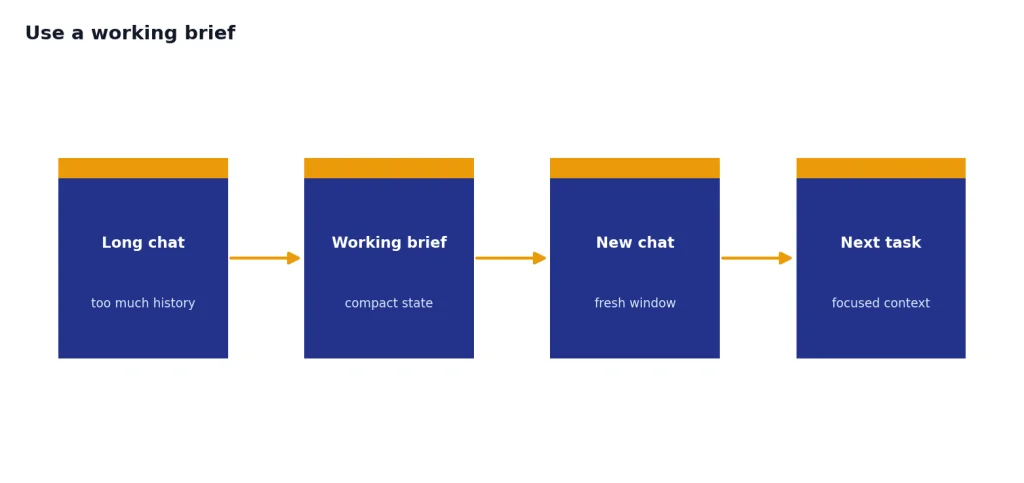
When a chat gets long, ask ChatGPT to produce a compact project brief. Include goals, decisions, definitions, constraints, open questions, and source excerpts. Start a new chat with that brief. This reduces irrelevant history while preserving the important state.
Chunk large documents by task
Do not upload or paste a giant document and ask for everything at once. Split it into sections and assign one job per pass: extract facts, find contradictions, summarize arguments, rewrite a section, or build a table. Then combine the results in a final synthesis pass.
Reserve room for the answer
If you paste a huge source and ask for a long deliverable, the answer may stop early. Tell ChatGPT the desired output size and structure. For example: “Use only the excerpt below. Return a 700-word summary and a 10-row table.” This gives the model a smaller target.
Replace repetition with references
Repeated instructions waste tokens. Keep a short house style, a short glossary, and a short source list. If you need a longer style guide, ask ChatGPT to compress it into rules that are safe to reuse.
Use API controls when you need precision
Developers can control output length more directly than most ChatGPT users. OpenAI’s help material distinguishes prompt tokens from completion tokens and discusses generated completion tokens as part of managing output.[8] In the newer API, model documentation points developers to output-length controls such as max output tokens.[4]
If your problem is not token volume but usage frequency, read our ChatGPT rate limit guide. If you are trying to work around caps without violating OpenAI’s rules, start with How to Bypass ChatGPT Message Limits Legitimately.
Frequently asked questions
What is the ChatGPT token limit?
It is the amount of text ChatGPT can keep in its active working window and, in some modes, the maximum amount it can generate in one answer. The exact limit depends on the plan and model mode. As of March 20, 2026, OpenAI listed different ChatGPT context windows for GPT-5.3 Instant and GPT-5.4 Thinking.[2]
How many words are in a token?
OpenAI’s rule of thumb for English is that 1 token is about three-quarters of a word, and 100 tokens are about 75 words.[1] This varies by language and content type. Code, tables, URLs, and non-English text may tokenize differently.
Does ChatGPT remember everything in a long chat?
No. The visible chat can be longer than the active context window. Once a conversation gets too large, older or less relevant details may be compressed or excluded from the model’s active view.
Is the token limit the same as the message limit?
No. The token limit controls how much text fits in the working window and answer. The message limit controls how many prompts you can send under a plan or time window; see our ChatGPT daily limit guide for that separate quota.
Can ChatGPT Plus handle longer prompts than the free plan?
Yes, for the published Instant limits, OpenAI listed Free at 16K tokens and Plus / Business at 32K tokens.[2] Thinking mode also changes the window for paid tiers when manually selected.[2] For the full paid-plan comparison, use our ChatGPT Plus token limit breakdown.
Why did ChatGPT stop writing before finishing?
The answer may have hit an output cap, the prompt may have left too little room for the response, or the chat may have become too large. Ask it to continue if the source material is still in context. If accuracy matters, start a new chat with a compact brief and the exact source excerpts needed.
Are API token limits larger than ChatGPT token limits?
Often, yes. OpenAI lists GPT-5.4 in the API with a 1,050,000-token context window and 128,000 max output tokens.[4] Those developer limits are not the same as the ChatGPT app limits and are billed by token usage.[7]