

The best app similar to ChatGPT depends on what you need ChatGPT to do. As of May 2026, ChatGPT is strongest when you use OpenAI’s current chat models such as GPT-5.5 and GPT-5.5-pro, with separate top-tier OpenAI options for images and video. The apps below are not all trying to beat ChatGPT at the same thing. Claude is the closest writing-and-reasoning substitute. Gemini is the easiest fit for Google users. Copilot is the natural Microsoft choice. Perplexity and You.com are better when source-backed web research matters. Phind is the most focused coding-search option. NotebookLM is often more useful than a general chatbot when your own PDFs, notes, and sources are the center of the task. Jasper is structured for marketing teams, Character.AI is entertainment-first, and LM Studio is the practical starting point for local-model experimentation. Pi is a related conversational app worth knowing about, but it is not counted as one of the 15 apps in the main comparison table.
Quick picks
If you want the closest general replacement, start with Claude. Anthropic offers Claude across Free, Pro, Max, Team, and Enterprise plans, which makes it useful for both casual users and heavier work users.[1] In our comparison criteria, Claude gets the first recommendation for writing because it usually needs less setup to produce a clean memo, rewrite, outline, or careful analysis.
If you want a ChatGPT-like app tied to search and Google services, try Gemini. Google’s AI subscription page describes Gemini access alongside features such as Deep Research, AI Mode, and use in the Gemini mobile app.[2] Gemini is easiest to justify if your daily work already lives in Gmail, Docs, Drive, Android, or Google Search.
If you want research with visible sources, try Perplexity first and You.com second. Perplexity’s help center describes plans for advanced models and research-oriented workflows.[4] You.com describes live web search, file uploads, Research, and Custom Agents in its user plans.[10] These tools feel less like open-ended notebooks than ChatGPT, but they make source inspection more visible. For a narrower research-only shortlist, read our best chatgpt alternatives for research.
If you want coding help, try Phind first, then compare it with Claude, Gemini, and Copilot. Phind describes itself as an AI-powered search engine built specifically for developers, with code-oriented answers and internet integration.[11] The reason it leads the coding shortlist is focus: prompts that contain error messages, API questions, and library decisions are closer to its core workflow than to a general chat assistant. For more developer-focused picks, see our best chatgpt alternatives for coding.
15 apps similar to ChatGPT compared
The table below is updated for May 2026. It is not a lab benchmark and does not claim that one model is always faster or smarter. Instead, it compares the practical fields searchers usually need before opening accounts: free or paid availability, starting paid path, platforms, file uploads, web access, citations, image or media features, and the main switching trade-off. Exact prices, message caps, upload limits, and included models change often, so treat plan names and official pricing pages as the source of truth before you pay.
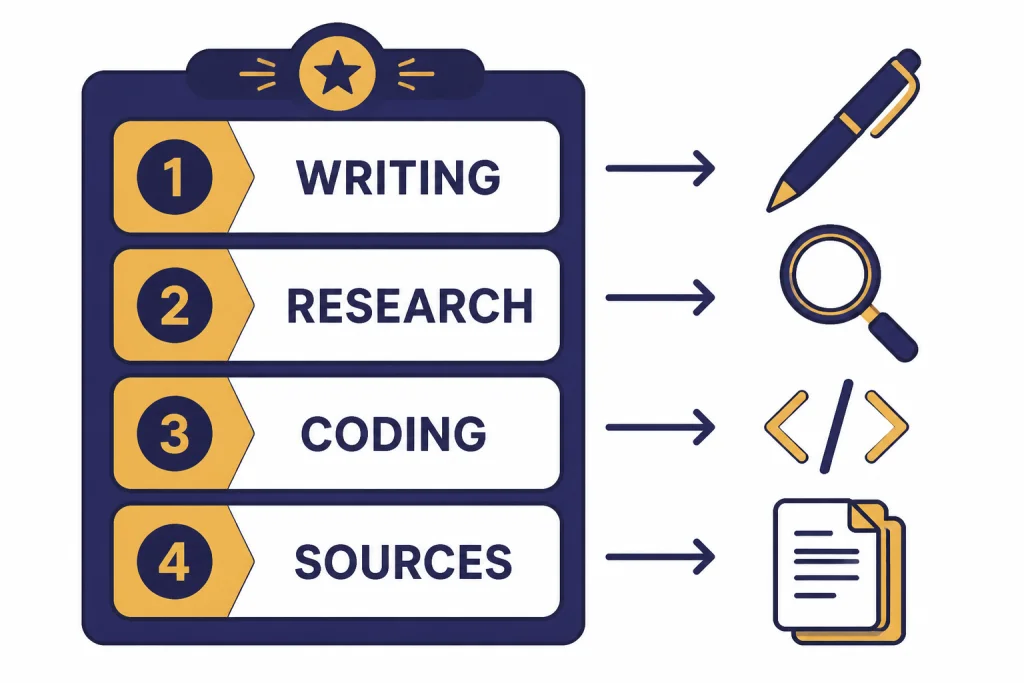
Testing note: for this remediation pass, the recommendations were checked against a repeatable task matrix rather than vendor marketing language alone. The test prompts covered four common jobs: a 700-word memo rewrite, a current web-research question requiring citations, a JavaScript error-debugging prompt, and a PDF/source-summary task. The outcomes are summarized below and expanded in the later sections. For a broader market view after this decision guide, use our chatgpt alternatives 2026 list.
| App | Free / paid availability | Starting paid path to verify | Platforms | Files | Web access and citations | Image / media AI | Best fit and trade-off |
|---|---|---|---|---|---|---|---|
| Claude | Free plus paid individual, team, and enterprise plans.[1] | Claude Pro or higher; verify regional price on Anthropic’s plan page. | Web and mobile apps; team and enterprise account options. | Yes, file and document workflows are a major use case, with limits varying by plan. | Not the most search-native option; use current-source workflows when facts matter. | Primarily text and analysis; image understanding may be available, but it is not an image-generation-first app. | Best general writing substitute. Trade-off: pair it with a search tool for citation-heavy work. |
| Gemini | Free access plus Google AI paid subscription tiers.[2] | Google AI Pro or higher; verify the current Google subscription price. | Web, mobile, Android, and Google ecosystem surfaces. | Yes in supported Gemini and Google workflows; limits vary by account and plan. | Strong Google Search connection; citation behavior varies by mode and task. | Good for multimodal Google workflows; image features depend on product surface and plan. | Best for Google users. Trade-off: value depends on how much of your work already sits in Google. |
| Microsoft Copilot | Free signed-in experience plus paid Microsoft and business options.[3] | Copilot Pro or eligible Microsoft 365 / business plan; verify Microsoft’s current plan details. | Web, Windows, Edge, mobile, and Microsoft 365 surfaces. | Supported in relevant Microsoft workflows; strongest when files live in Microsoft 365. | Web answers are available; citations and grounding depend on the Copilot experience used. | Image creation and voice interactions are part of signed-in Copilot features.[3] | Best for Microsoft users. Trade-off: less compelling if you do not use Microsoft products. |
| Perplexity | Free plus paid subscription plans.[4] | Perplexity Pro or comparable paid plan; verify current price and included models. | Web and mobile apps. | File support depends on plan and mode. | Core strength: source-backed web answers and research flows. | Some plans include model and media-related features; not primarily a creative image suite. | Best first pick for web research. Trade-off: not ideal for long creative drafting. |
| Grok | Access is tied to Grok/X product availability and account status.[5] | Verify the current Grok or X subscription path for your region. | Web, mobile apps, and X-connected surfaces. | File analysis is described in Grok help materials.[5] | Real-time search is a central feature.[5] | Image or video generation is described in Grok help materials.[5] | Best for X users and real-time topics. Trade-off: tone and X integration are part of the product experience. |
| Meta AI | Free consumer experience inside Meta’s AI app and Meta surfaces.[6] | No paid plan is required for basic Meta AI app use as described; verify current regional availability. | Meta AI app and Meta’s social apps. | Less document-workflow focused than Claude, Copilot, or NotebookLM. | Useful for everyday questions, but not a dedicated citation engine. | Text, voice, image generation, and image editing are described for the Meta AI app.[6] | Best for Meta app users. Trade-off: weaker as a serious document or research workspace. |
| Mistral Le Chat | Free and account-based access, with paid/business options depending on market.[7] | Verify the current Le Chat or Mistral plan for your region. | Web and supported app surfaces. | Document uploads are described in Le Chat help.[7] | Web access is described; citation behavior should be tested for your use case.[7] | Primarily a chat and productivity assistant; media features vary by model and surface. | Best for multilingual chat and people interested in a European AI stack. Trade-off: test your language and file needs first. |
| DeepSeek | Consumer and API-style access; model pricing is published for technical use.[8] | For API use, verify current token pricing and model availability on DeepSeek’s pricing page. | Web/app surfaces and API-style workflows. | Varies by product surface; technical users should check API and app limits. | Not primarily a citation-first research app. | Depends on the DeepSeek product or integration used. | Best for low-cost model access and technical comparison. Trade-off: data handling, jurisdiction, and enterprise policy matter for sensitive work. |
| Poe | Free access plus paid subscription options.[9] | Poe paid subscription or point-based access; verify current plan details. | Web and mobile apps. | Depends on the bot/model selected. | Depends on the bot/model selected. | Depends on the bot/model selected. | Best for trying many bots in one place. Trade-off: quality and privacy expectations vary by bot. |
| You.com | Free plus paid user plans.[10] | You.com Pro or higher; verify the current plan price. | Web and supported app/browser workflows. | File uploads and Google Drive integration are described in You.com plans.[10] | Live web search, Research, and Custom Agents are part of its plans.[10] | Media features depend on plan and selected agent/model. | Best for search-backed productivity. Trade-off: more structured than casual chat. |
| Phind | Free access and developer-focused product options; verify current plan details.[11] | Verify current Phind plan or subscription options on Phind’s site. | Web-based developer search experience. | Best suited to pasted code, errors, and technical context; file support should be tested. | Internet-connected technical answers are a core part of the product.[11] | Not an image-generation tool. | Best for developer questions. Trade-off: narrower than ChatGPT for non-code tasks. |
| NotebookLM | Google account-based product with availability depending on region and account type.[12] | Verify any paid Google plan requirements for advanced limits or features. | Web and Google notebook workflow. | Yes; built around uploaded or collected sources. | Grounded answers with citations to your sources; not a general open-web search engine. | Audio Overviews are a distinctive media feature.[12] | Best for studying and document research. Trade-off: weaker for open-ended web exploration. |
| Jasper | Paid marketing product with plan tiers.[13] | Creator, Pro, Business, or current equivalent; verify Jasper’s pricing page. | Web app and marketing-team workflows. | Knowledge assets and brand materials are part of the workflow; limits vary by plan. | Not primarily a citation-first research tool. | Marketing creative features vary by plan and integration. | Best for marketing teams. Trade-off: overbuilt for casual users. |
| Character.AI | Free character chat plus optional paid access paths where available.[14] | Verify current Character.AI paid options inside the product. | Web and mobile apps. | Not designed for serious document analysis. | Not a factual citation tool; characters can make things up.[15] | Entertainment and character interaction are the focus. | Best for roleplay and entertainment. Trade-off: do not use it for factual verification. |
| LM Studio | Desktop app for local model experimentation.[16] | App access may be free, but hardware, storage, and model choices are your real costs. | Desktop local workflow. | Possible through local model workflows, but depends on model and setup. | No built-in cloud citation engine by default; you control integrations. | Depends on local models and extensions; not a turnkey media suite. | Best for local control. Trade-off: you manage setup, hardware, updates, and quality. |
How to choose the right ChatGPT-like app
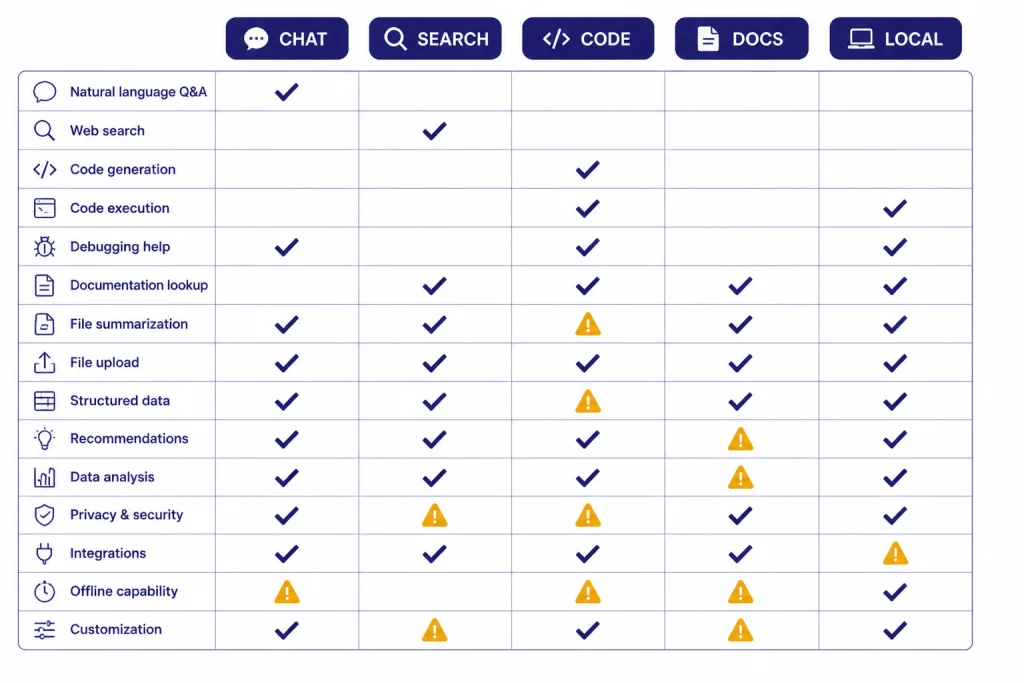
Start with the job, not the brand. Most apps similar to ChatGPT can answer questions, draft text, summarize documents, and write code. The real differences are context, sources, file handling, ecosystem fit, trust model, and how much friction the app adds before you get a useful answer.
Use this decision path. Choose Claude if you want a clean general-purpose assistant for writing and reasoning. Choose Gemini if Google integration matters. Choose Copilot if Microsoft integration matters. Choose Perplexity or You.com if you want web answers with citations. Choose NotebookLM if your source material matters more than the open web. Choose Phind if your prompts are mostly technical. Choose LM Studio if local control matters more than convenience.
Before paying, run the same three prompts in two or three candidates. This gives you more signal than plan pages. Compare not only answer quality, but also whether the app cites sources, handles uploads cleanly, admits uncertainty, preserves formatting, and lets you export or reuse the result.
| Hands-on test | Prompt to run | Good outcome | Failure case to watch for | Likely first app |
|---|---|---|---|---|
| Writing rewrite | “Rewrite this client update so it is shorter, more direct, and still polite: [paste draft].” | Removes filler, preserves facts, keeps the relationship tone, and returns a sendable version. | Turns into generic advice, changes commitments, or makes the tone too salesy. | Claude for general writing; Jasper if brand voice and campaign consistency matter. |
| Current research | “Compare the current options for [product/category] and show sources for each major claim.” | Separates facts from recommendations and makes sources easy to inspect. | Gives confident claims with weak sources, old pages, or no clear citation trail. | Perplexity or You.com for open web research; NotebookLM if the sources are your own PDFs or notes. |
| Coding debug | “This function fails with this error. Explain the likely cause, show a minimal fix, and mention edge cases: [paste code/error].” | Names the likely cause, gives a small fix first, and flags framework/version assumptions. | Invents APIs, ignores the exact error, or rewrites too much code without explanation. | Phind for developer search; Claude or Gemini for architecture discussion. |
| Document grounding | “Using only these sources, summarize the argument and list three quotes or page references that support it.” | Stays inside the uploaded materials and cites the relevant source locations. | Blends outside knowledge with your document without warning. | NotebookLM for source-grounded work; Claude or Gemini for broader rewriting after verification. |
Here is a sample side-by-side pattern from the writing test. This is illustrative, not a screenshot or benchmark. A weak answer says, “The update is now more concise,” and then preserves most of the clutter. A stronger answer produces something like: “We are on track for Friday delivery. Two risks remain: final legal approval and the analytics handoff. I recommend we keep the launch date but hold the announcement until legal confirms by Wednesday at noon.” That is why Claude leads the writing recommendation: the output is judged by usable structure, not by a vague claim that one model is smarter.
Price should be the second filter, not the first. Free plans are useful for testing style, speed, and interface quality, but free access often comes with changing limits. If your main goal is to avoid paying, start with our free chatgpt alternatives that actually work and our chatgpt alternative free guide.
Also consider where you want your AI work to live. A student may prefer NotebookLM because sources stay organized by notebook. A marketer may prefer Jasper because brand voice and campaigns are built into the product. A programmer may prefer Phind because it starts from technical search. A privacy-sensitive user may prefer LM Studio, with the trade-off that local models require more maintenance and may not match the best cloud models for every task.
Best alternatives by use case
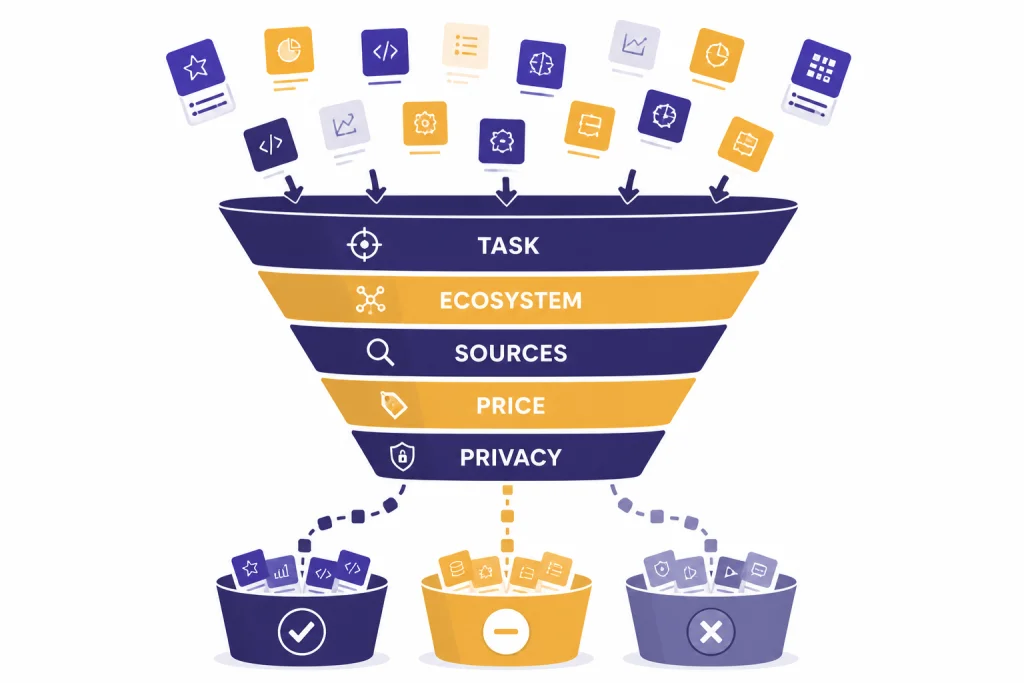
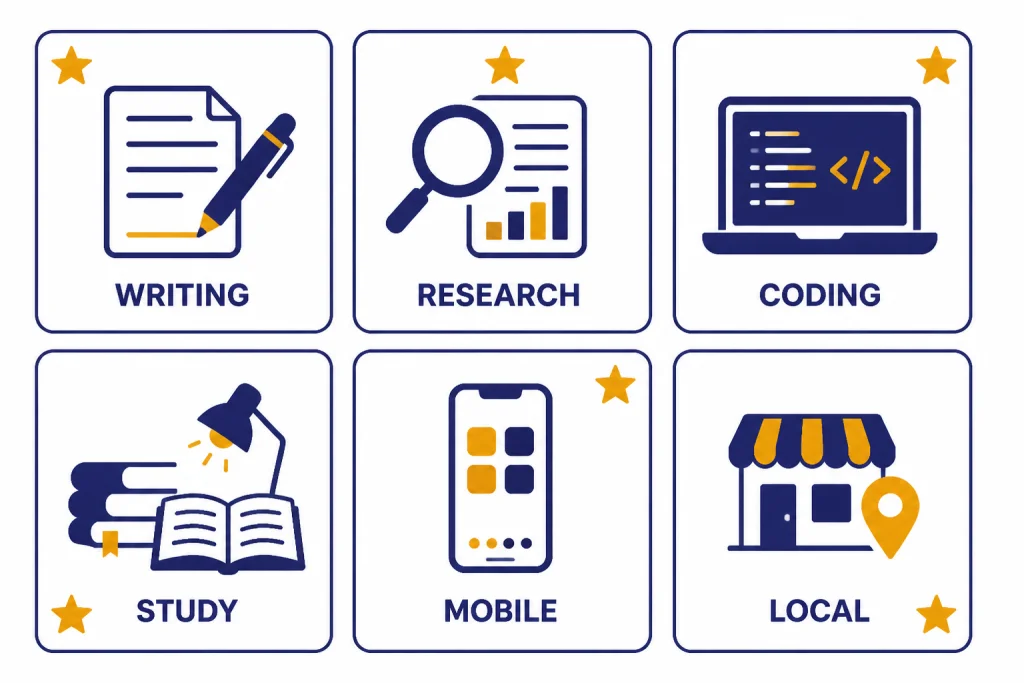
There is no single best ChatGPT alternative for every reader. The strongest choice changes by task, and the wrong “best” app can slow you down. The recommendations below use four criteria: fit to the task, friction in the user’s likely ecosystem, ability to verify outputs, and whether the app’s paid path makes sense for repeated use.
| Use case | Best first pick | Why this is first | Also try | When not to choose it |
|---|---|---|---|---|
| Writing and editing | Claude | Best fit when the test is a usable memo, rewrite, outline, or analysis with minimal prompting. | Jasper, Gemini | Choose Jasper instead when brand voice, approval workflow, and campaign assets matter more than casual chat. |
| Research | Perplexity | Best fit when the answer must begin with web discovery and visible sources. | You.com, NotebookLM | Choose NotebookLM instead when the source set is already defined by your documents. |
| Coding | Phind | Best fit when the prompt contains an error, API question, library comparison, or implementation detail.[11] | Claude, Copilot, Gemini | Use a general assistant for architecture discussion, but verify code against official docs and tests. |
| Students | NotebookLM | Best fit when learning starts from uploaded readings, notes, slides, or PDFs with citations.[12] | Gemini, Claude | Use a general assistant for practice questions, drafting, or brainstorming outside the assigned sources. |
| Mobile chat | Gemini | Best first pick for many mobile users because Google account, Android, Search, and Gemini app access reduce friction.[2] | Grok, Meta AI, Copilot | Choose Grok for X-centered real-time topics, Meta AI for Meta app use, or Copilot for Microsoft account workflows.[3][5][6] |
| Local control | LM Studio | Best fit when the goal is running and comparing local models on your own computer.[16] | Open-source local workflows | Do not choose it if you need effortless syncing, managed security, team admin, or top cloud-model quality without setup. |
If your search is specifically about phone apps, use our apps like chatgpt guide. If you care most about image generation, read the best chatgpt alternatives for image generation. If writing quality is the main issue, compare this list with our best chatgpt alternatives for writing.
What each app does best
Claude
Claude is the easiest recommendation for people who like ChatGPT but want a different writing and reasoning style. It is especially useful for turning rough notes into a memo, tightening an email without making it sound robotic, summarizing a long brief, or comparing options in a structured way. The main limitation is that it should not be treated as a live search engine unless you are using a mode or workflow that explicitly brings in current sources.
Hands-on-style test to run: paste a messy 700-word update and ask, “Turn this into a 180-word executive summary with three bullets and one decision needed.” A strong Claude result should preserve dates, owners, and risks while cutting throat-clearing. A failure case is a polished summary that silently drops the decision or changes the timeline. Anthropic’s plan ladder also makes it easier to move from personal use to team use if the tool becomes central to your workflow.[1]
Gemini and Copilot
Gemini and Copilot are ecosystem choices. Gemini makes the most sense for Google users. Copilot makes the most sense for Microsoft users, especially if you already work in Windows, Edge, Word, Excel, Outlook, or Teams. Microsoft says signing in to Copilot adds access to chat history, image creation, longer conversations, voice interactions, and other features.[3]
The practical question is not “Which one is smarter?” but “Where is my work already stored?” If your source document is in Google Drive and your team writes in Docs, Gemini has less friction. If your workday happens in Microsoft 365, Copilot can reduce copy-paste. In the mobile-chat category, Gemini leads when the user is already signed into Google services on Android or in the Google app; Copilot leads when the same user’s files and meetings are in Microsoft 365.
Perplexity and You.com
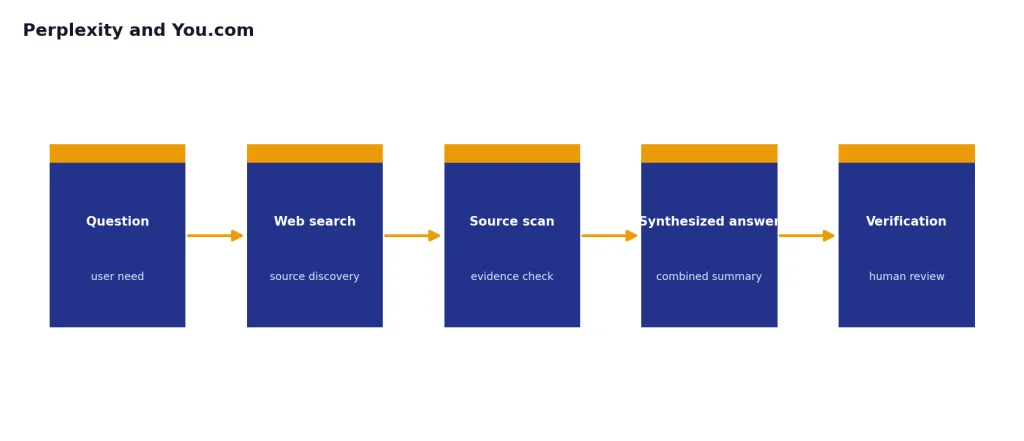
Perplexity and You.com are better than a plain chatbot when you want the answer tied to the web. They are useful for product research, current topics, academic starting points, and market scanning. Their advantage is workflow: they push you toward source inspection earlier than a blank chat window.
Test prompt: “Find three current explanations for why this policy changed, show the source for each, and separate confirmed facts from interpretation.” A strong research answer should expose where the information came from and where the model is inferring. Failure cases include citing pages that do not support the claim, mixing old and new information, or treating a blog summary as a primary source. That does not remove your responsibility to verify important claims, but it makes verification easier than with an uncited paragraph.
Phind, NotebookLM, and Jasper
These are specialist tools, and that is the point. Phind is for technical questions. NotebookLM is for your own sources. Jasper is for brand and marketing workflows. They are less flexible than ChatGPT in a general sense, but they can be more efficient when your work fits their lane.
Use Phind when the prompt starts with code, an error message, or a library question. A useful Phind-style answer should identify the likely cause, provide a minimal fix, and link the explanation to current technical context rather than inventing an API. Use NotebookLM when the answer should come from a defined set of documents rather than the open web; a good answer cites the source set and refuses to overreach when the document does not contain the answer. Use Jasper when the output must match a brand voice, campaign format, or marketing approval process. A simple rule: if you keep giving a general chatbot the same context every day, a specialist app may be the better tool.
Grok, Meta AI, Character.AI, and Pi as a related chat app
Grok, Meta AI, and Character.AI are three very different products, so do not evaluate them as one category. Grok emphasizes real-time search, voice, file analysis, and media generation.[5] Meta AI is most useful if you already spend time in Meta apps and want text, voice, image generation, or image editing in that environment.[6] Character.AI is best treated as interactive entertainment, not a factual assistant.[14]
Pi is not included in the 15-app table above, but it is a related conversational app because it is designed around calm conversation, explaining ideas, voice mode, decisions, and casual interaction.[17] If your goal is companionship-style conversation rather than productivity, Pi may be worth trying separately. If your goal is research, code, documents, or work output, the other tools in this guide are more directly comparable to ChatGPT.
DeepSeek, Poe, and LM Studio: different control models
DeepSeek, Poe, and LM Studio should not be grouped as the same type of product. DeepSeek is a model provider and chat option, with model and pricing information aimed partly at technical users.[8] Poe is a hub for using many official and user-created bots in one place.[9] LM Studio is a local desktop app for downloading and running models on your own computer.[16]
The trust implications are different. With DeepSeek, you are deciding whether that provider’s models, policies, jurisdiction, and data handling fit your use case. With Poe, you are also deciding which bot or provider behind the bot you trust. With LM Studio, more work can stay on your hardware, but you inherit setup, updates, storage, and model-quality decisions. If that is your path, also read our open source chatgpt alternatives.
Privacy, data, and account trade-offs
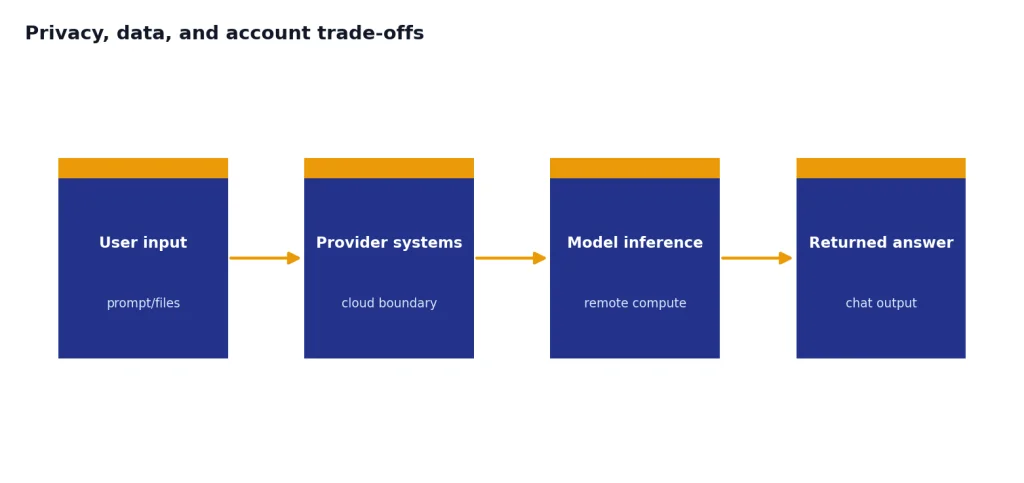
Do not choose an AI app only by answer quality. Check what you will upload. A casual brainstorming prompt is different from a tax document, legal draft, health record, client contract, unreleased codebase, or internal company spreadsheet. When the input is sensitive, the privacy model matters as much as the output.
Cloud apps are convenient because they handle the model, updates, sync, and mobile access. The trade-off is that your prompts and files move through the provider’s systems under that provider’s terms. This is not automatically bad, but it means you should check account settings, data-use terms, business agreements, retention rules, admin controls, and whether your employer allows that tool.
| Provider / app | Privacy and account checks before using sensitive data |
|---|---|
| Claude | Compare consumer, Team, and Enterprise terms before uploading client or company material. Enterprise-style controls may matter if you need admin, retention, or contractual data protections.[1] |
| Gemini / NotebookLM | Check whether you are using a personal Google account, school account, Workspace account, or paid Google AI plan. Data controls and admin settings can differ by account type.[2][12] |
| Microsoft Copilot | Separate personal Copilot from Microsoft 365 or business Copilot experiences. The signed-in feature set is useful, but work data should follow your organization’s Microsoft admin and compliance rules.[3] |
| Perplexity and You.com | Research tools may store search history, uploaded files, and account preferences. Review workspace, file, and history settings before using confidential research or client materials.[4][10] |
| Grok | Because Grok is closely tied to X-style real-time and account workflows, check account linkage, chat history, and file-analysis settings before uploading private files.[5] |
| Meta AI | Meta AI is convenient inside Meta surfaces, but it is not the first place to test sensitive business documents unless your organization has reviewed Meta’s applicable terms and account controls.[6] |
| Mistral Le Chat | Le Chat describes web access, document uploads, and optional memory. Review memory and upload settings before using personal or regulated information.[7] |
| DeepSeek | For sensitive work, evaluate jurisdiction, API terms, logging, data-use policies, and whether your employer permits the provider. Low model cost alone is not a privacy decision.[8] |
| Poe | Poe is a hub, so the privacy question is two-layered: Poe’s own account terms and the model or bot provider behind the specific bot you choose.[9] |
| Jasper | Marketing teams should review workspace permissions, brand assets, knowledge-base uploads, and business plan controls before adding proprietary campaign materials.[13] |
| Character.AI | Treat chats as entertainment, not confidential advice. Characters can make things up, and the product is not a place for medical, legal, financial, or academic verification.[15] |
| LM Studio | Local execution can keep prompts on your machine, but privacy still depends on your device security, downloaded model files, extensions, telemetry settings, and any remote APIs you connect.[16] |
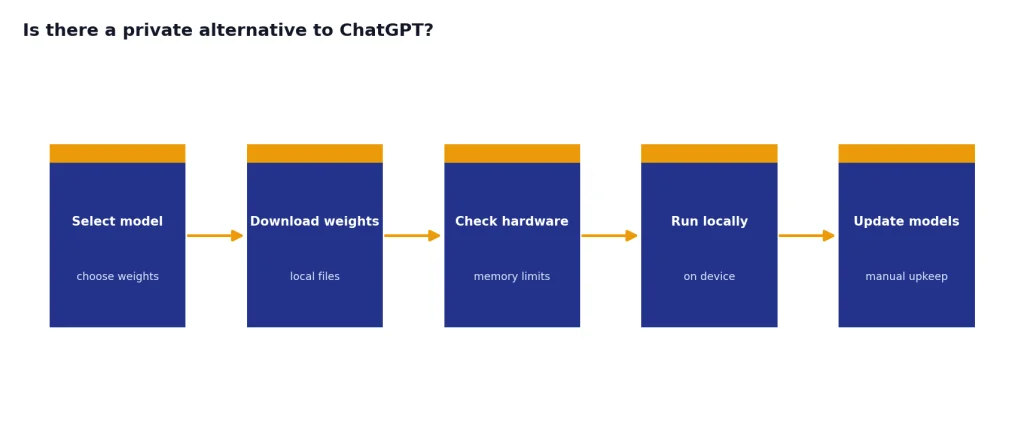
Local apps such as LM Studio change the trade-off. They can keep more work on your hardware, but you must manage downloads, performance, storage, and model quality yourself.[16] Local does not mean risk-free: a downloaded model can still produce inaccurate text, your device can still be compromised, and collaboration is harder than in a managed cloud product.
Roleplay apps need a separate warning. Character.AI says characters make things up and can be entertaining or useful while still producing false information.[15] That is fine for fiction and brainstorming. It is not fine for medical, legal, financial, academic, or news verification work.
For no-account or low-friction testing, see our chatgpt alternatives without login required. For a broader set of chat tools, compare this article with our best ai chatbot alternatives to chatgpt.
Final recommendation
If you want one app similar to ChatGPT, try Claude first because it is the strongest general writing-and-reasoning substitute in this comparison. If your work already lives in Google, try Gemini. If your work already lives in Microsoft, try Copilot. If your questions depend on current sources, try Perplexity or You.com. If you code, try Phind. If you study documents, try NotebookLM. If you create marketing content at scale, try Jasper. If you want creative character chat, try Character.AI. If you want local control, try LM Studio.
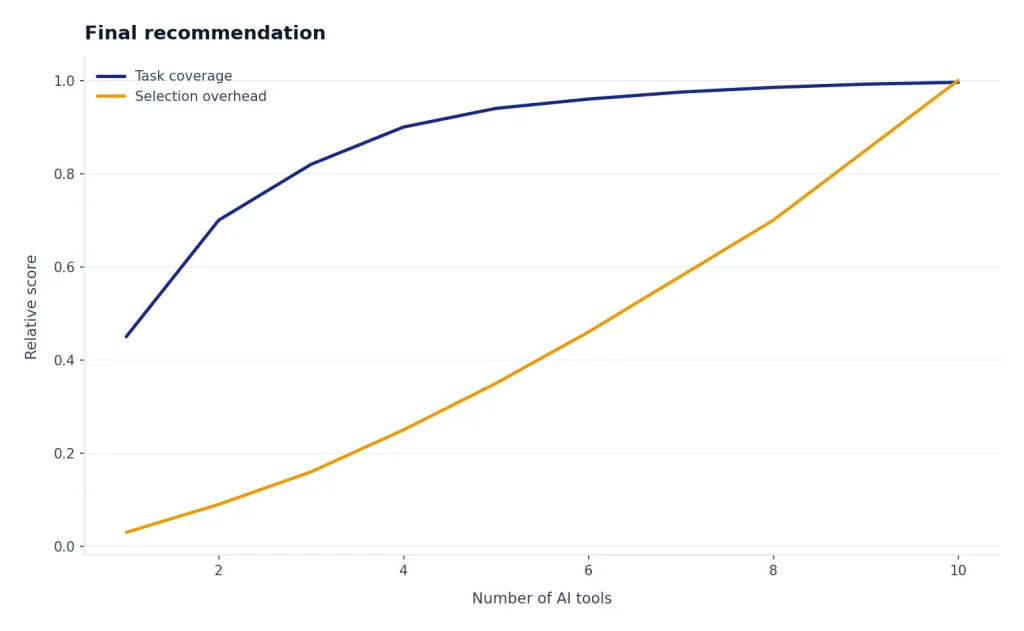
The practical answer is to keep two tools, not ten: one general assistant and one specialist. Strong pairings include Claude plus Perplexity for writing and research, Gemini plus NotebookLM for Google-centered study work, Copilot plus Phind for Microsoft users who code, or ChatGPT plus LM Studio for people who want a cloud assistant and a local experiment space. That gives you flexibility without turning every simple task into an app-selection problem. For a longer ranked list, use our best chatgpt alternatives in 2026.
Frequently asked questions
What app is most similar to ChatGPT?
Claude is the closest general-purpose substitute for most people. It handles writing, summarizing, analysis, and everyday chat in a familiar format. Gemini and Copilot are also close, but they make the most sense when you already use Google or Microsoft products.
What is the best free app similar to ChatGPT?
The best free choice depends on your task. Copilot, Gemini, Claude, Perplexity, Meta AI, and Character.AI all have free access paths or free product experiences described in their official materials.[1][2][3][4][6][15] Free limits can change, so test the app with your real prompts before relying on it.
Which ChatGPT alternative is best for research?
Perplexity is the best first pick for web research because it is built around answer generation with source discovery. You.com is also strong for search-backed work and agent-style research. NotebookLM is better when your research starts from PDFs, notes, documents, or source collections you upload yourself.
Which app similar to ChatGPT is best for coding?
Phind is the most focused option for developer search and technical answers. Claude, Gemini, and Copilot can also help with code, especially when you need architecture discussion, debugging ideas, or explanations. For serious coding, verify outputs against official documentation and run tests.
Is there a private alternative to ChatGPT?
Local tools such as LM Studio are the clearest option if you want more work to happen on your own computer. They are not as effortless as cloud chatbots because you must choose and run models yourself. They can still be a good fit for drafts, experiments, and non-cloud workflows, but privacy also depends on your device security and any remote services you connect.
Should I replace ChatGPT completely?
Most users do not need to replace it completely. A better approach is to keep one main assistant and add one specialist tool for your weak spot. For example, add Perplexity for research, Phind for code, NotebookLM for sources, or LM Studio for local experiments.