

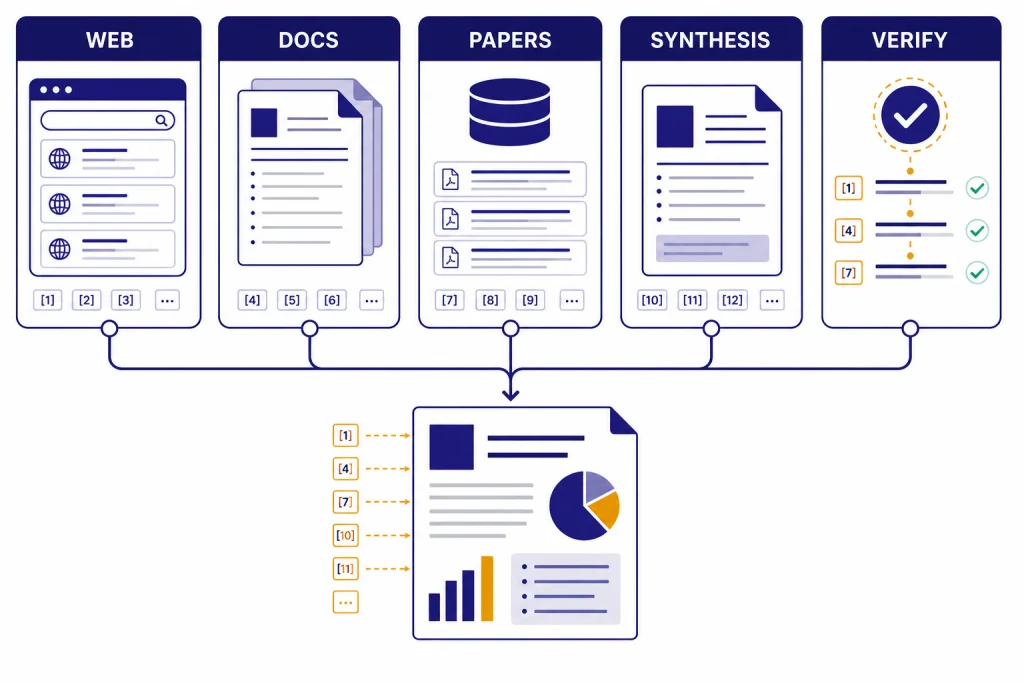
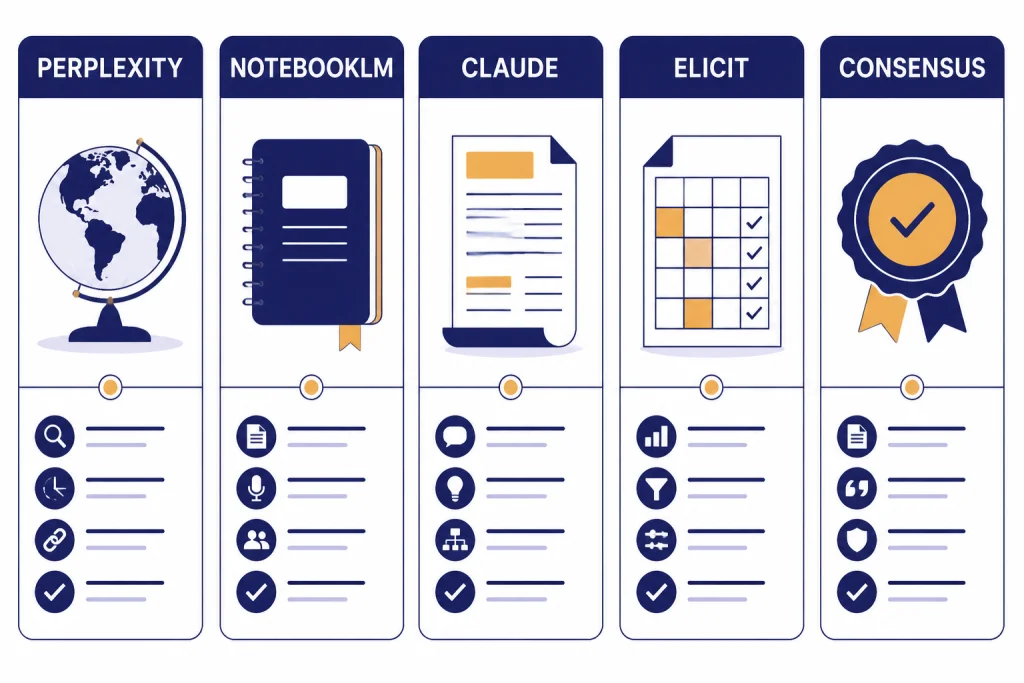
The best ChatGPT alternatives for research are not all trying to replace ChatGPT. Perplexity is the strongest general-purpose answer engine for sourced web research. NotebookLM is better when your research starts with documents you already trust. Claude is useful for long-form synthesis and careful drafting after you collect sources. Elicit and Consensus are stronger for academic literature review because they search papers rather than the open web. Gemini and Microsoft Copilot matter most when your research lives inside Google or Microsoft apps. The right choice depends on your source type, not the chatbot brand.
Research alternatives shortlist
Use Perplexity when you need a fast, citation-first answer engine for current topics, market scans, policy summaries, and general web research. It is the closest alternative to ChatGPT Deep Research for everyday users who want sources visible in the answer.
Use NotebookLM when you already have the source set. It is strongest for PDFs, notes, reports, transcripts, and other materials that you want the model to treat as the research base. Google says NotebookLM is designed to answer based on uploaded sources, and it can fail when the information is not in those sources.[5]
Use Claude when you need careful synthesis, outline building, argument mapping, and long-form writing from material you have already gathered. Claude’s paid Pro plan includes access to Research, web search, projects, and document organization features.[3]
Use Elicit or Consensus when the research question depends on papers, trials, abstracts, or evidence from peer-reviewed literature. Elicit lists unlimited search across more than 138 million papers on its Basic plan, while Consensus gives its free tier unlimited Papers searches with monthly limits on advanced AI features.[9][10]
If you want a wider market scan beyond research-specific tools, start with our chatgpt alternatives 2026 list. If price matters more than research depth, compare this article with our chatgpt alternative free guide.
What makes a good research tool
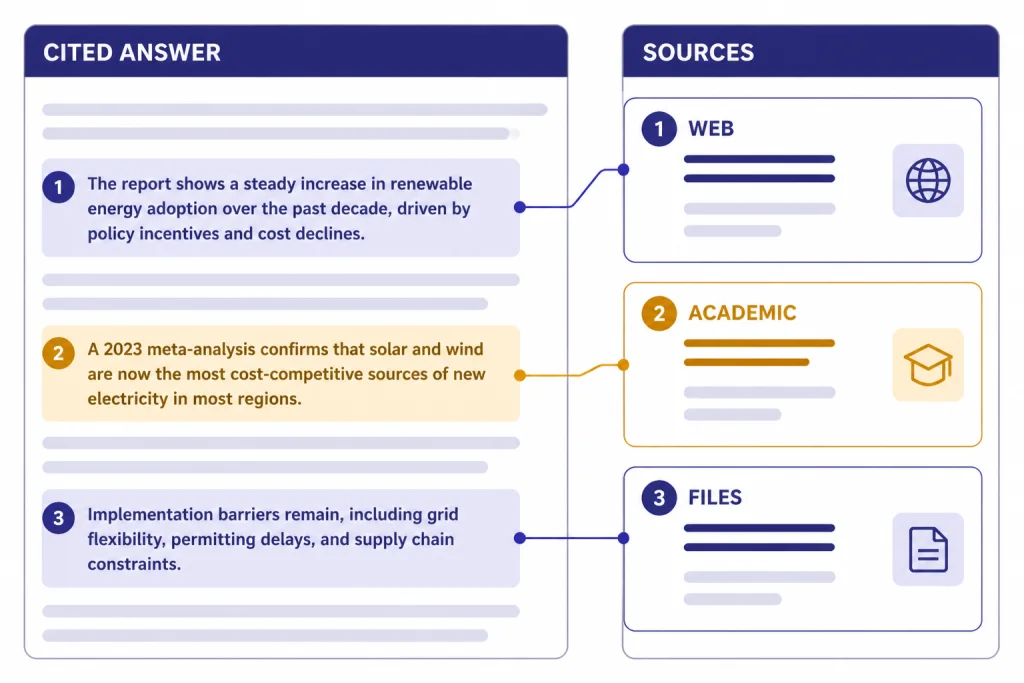
A research chatbot needs different strengths than a writing chatbot. A polished paragraph is not enough. The tool must show where claims came from, let you inspect sources, handle follow-up questions without losing context, and separate retrieved evidence from generated interpretation.
The most important test is source control. For web research, that means visible citations and links you can open. For academic research, that means paper search, abstracts, DOI-aware workflows, citation export, and structured evidence tables. For internal research, that means document grounding and clear limits when the answer is not present in the source set.
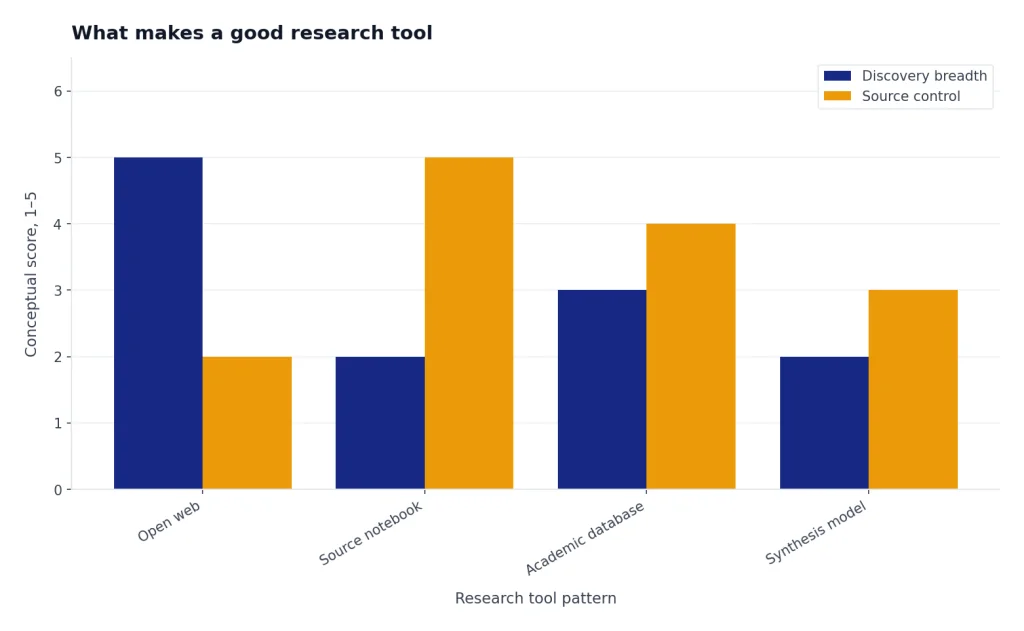
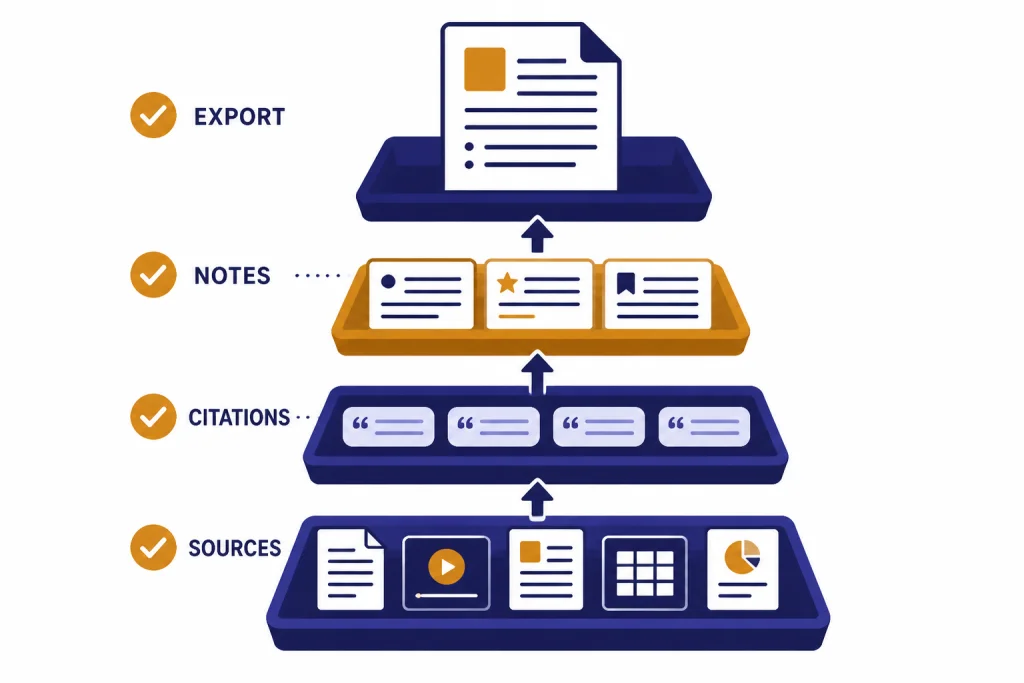
Look for four practical capabilities. First, the tool should retrieve sources before it writes. Second, it should let you narrow the source universe. Third, it should preserve a trail from claim to source. Fourth, it should export or organize results in a form you can reuse. This is why a general chatbot can be excellent for synthesis but weak as the first stop for evidence gathering.
Also watch for hidden limits. AI research products often describe usage as “limited,” “expanded,” “higher,” or “maximum” instead of publishing exact caps. OpenAI, Google, Anthropic, and Perplexity all use plan language that can change by feature, country, account type, or load. When an official page does not publish a hard number, do not plan a deadline around an assumed quota.
Comparison table
This table focuses on research fit, not general chatbot quality. Prices and limits change often. Treat the citations as the source of truth for the plan facts available at publication.
| Tool | Best research use | Strongest source type | Free option | Paid plan notes | Main weakness |
|---|---|---|---|---|---|
| Perplexity | Current web research and cited answers | Web, news, academic mode, uploaded files | Standard plan with basic searches and very limited Pro Searches | Education Pro is listed at $10/month with verification; Enterprise Pro starts at $40/month or $400/year per seat.[1] | Answers still need citation checking before publication. |
| NotebookLM | Research from your own source library | Uploaded documents, Drive files, notes, source sets | Available with a Google account, subject to account and admin requirements | Google AI Pro includes higher NotebookLM access, 5 TB of storage, Deep Research, and a 1 million token expanded context window in Google AI plans.[7] | It is less useful when you have not built a good source set. |
| Claude | Long synthesis and research drafting | Documents, web search, projects, connectors | Free plan includes web search and core chat features | Claude Pro is $17/month with annual billing or $20 if billed monthly; Max starts from $100/month.[3] | It is not a dedicated academic database. |
| Elicit | Literature reviews and paper extraction | Research papers and clinical trials | Basic plan is free | Plus is $7/month billed annually; Pro is $29/month billed annually; Scale is $49/month billed annually.[9] | Best value depends on whether you need workflow reports and exports. |
| Consensus | Fast answers from scientific literature | Papers and evidence summaries | Free tier includes unlimited Papers searches, 15 Pro messages, 3 Deep reviews, and 10 Study Snapshots per month.[10] | Pro is $15/month or $120/year; Deep is $65/month or $540/year.[10] | It is narrower than a general web research agent. |
| Microsoft Copilot | Research inside Microsoft work files | Web data, referenced files, uploaded files, Microsoft 365 data | Copilot Chat is available at no additional cost for eligible Microsoft Entra account users with an eligible Microsoft 365 subscription.[13] | Microsoft 365 Copilot is aimed at secure work chat and enterprise workflows.[13] | Consumer research features are less focused than Perplexity or NotebookLM. |
Best overall: Perplexity
Perplexity is the best default ChatGPT alternative for research because it starts from search. Its answers are built around source links, follow-up questions, and modes that make it feel closer to an answer engine than a blank chatbot. That matters when the first job is not “write a summary,” but “find what is knowable and show me where it came from.”
The official Perplexity help page lists a free Standard plan, Pro, Max, Education Pro, Enterprise Pro, Enterprise Max, and Sonar API options.[1] The same page says the free plan includes practically unlimited basic searches, a very limited amount of Pro Searches, basic file uploads, and automatic model choice.[1]
Perplexity Pro is the right paid tier for most individual researchers because it adds extended access to Pro Search, access to advanced AI models, image and video generation, higher file and attachment limits, and support channels.[1] For verified students and faculty, Education Pro is especially relevant because Perplexity lists it at $10/month and says it includes 10x as many citations in answers, Study Mode, extended access to Perplexity Research, and extended access to Perplexity Academic.[1]
Use Perplexity for market maps, public policy scans, product research, competitor research, grant backgrounders, and “what changed recently” questions. Ask it to separate primary sources, news coverage, and commentary. Then open the cited sources and verify the claims yourself. Perplexity is strong because it exposes sources quickly, not because its summary should be treated as final.
Perplexity is less ideal when you need to work only from a private source set. It can handle uploads, but NotebookLM is usually cleaner for “answer only from these documents” work. It is also not a substitute for a formal database search in medicine, law, or systematic reviews. For students who need a broader list of study-focused tools, see our best free ChatGPT alternatives for students guide.
Best for source notebooks: NotebookLM and Gemini
NotebookLM is the best alternative when research begins with sources you already trust. That includes PDFs from a class, call transcripts, interview notes, long reports, policy documents, meeting records, or a pile of articles you want to interrogate as a collection. Google’s help page says NotebookLM is designed to answer based on information from uploaded sources and may be unable to answer when the information is not in those sources.[5]
This constraint is a strength. A general chatbot may fill gaps too confidently. NotebookLM is more useful when you want the system to stay close to a bounded corpus. Ask it for contradictions across documents, definitions used by different authors, a chronology from a source set, or a list of claims that appear in one document but not another.
Google also added Deep Research to NotebookLM. Google describes it as a feature that can create a research plan, browse hundreds of websites, generate a source-grounded report, and then let you add the report and sources directly into your notebook.[6] That makes NotebookLM a hybrid tool: it can start with your documents, expand outward to the web, and then bring the new materials back into the notebook.
Gemini matters because it connects NotebookLM to Google’s broader AI plan ecosystem. Google says the AI Pro plan includes more access to capable Gemini models, Deep Research, a 1M token context window, Gemini in Gmail and Docs, 5 TB of storage, and NotebookLM with higher access.[7] Third-party reporting in January 2026 listed Google AI Plus at $7.99/month in the U.S. and Google AI Pro at $19.99/month.[8]
Choose NotebookLM over Perplexity when you care more about the integrity of a specific source library than about broad discovery. Choose Gemini or Google AI Pro when your research workflow already lives in Drive, Docs, Gmail, and long-context tasks. If your main concern is raw model capability rather than research workflow, compare model tradeoffs in our all GPT models compared side by side and context window sizes for every GPT model references.
Best for long synthesis: Claude
Claude is the best research alternative when the hard part is synthesis. It is especially useful after source gathering, when you need to turn notes into a memo, compare positions, build an outline, identify assumptions, or stress-test an argument. It is less specialized than Elicit or Consensus for finding papers, but it is often stronger as a writing and reasoning partner once you have the material.
Anthropic’s pricing page lists a free Claude plan with web search, text and image analysis, memory, file creation and code execution, connectors, and extended thinking for complex work.[3] The same page says Claude Pro costs $17/month with annual billing, $20 if billed monthly, and includes more usage, Claude Code, Claude Cowork, unlimited projects, access to Research, more Claude models, and Office integrations including Claude for Excel, PowerPoint, and Word beta.[3]
Anthropic’s help documentation says web search expands Claude with real-time data and includes citations in responses.[4] That makes Claude viable for current research, but you should still treat web search as a retrieval aid, not a bibliography generator. Ask for a claim table with source links, then verify the links yourself.
Use Claude for executive briefings, literature review drafting after database search, qualitative coding support, meeting synthesis, and “explain the disagreement” tasks. Avoid using it as the only source finder for medical, legal, or academic work. If your research output is mostly prose, also compare the dedicated writing options in our best ChatGPT alternatives for writing guide.
Best for academic research: Elicit and Consensus
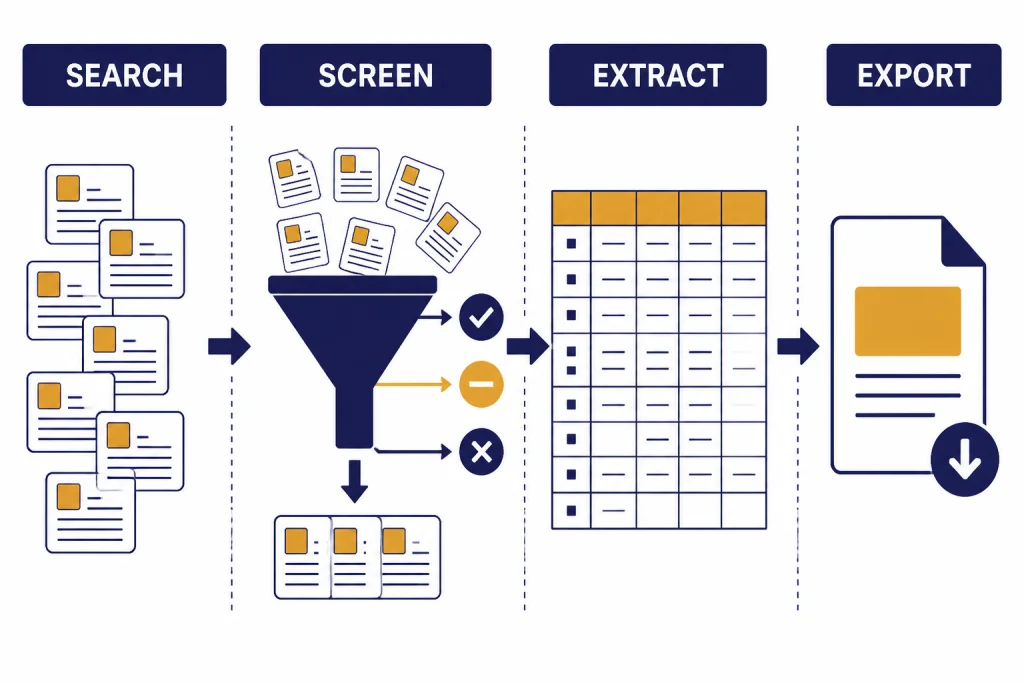
Academic research needs a different workflow from web research. You usually need to discover papers, screen relevance, compare methods, extract findings, and preserve citations for a bibliography or reference manager. Elicit and Consensus are better fits than general chatbots because their product design starts from papers.
Elicit for structured literature review work
Elicit is strongest when you need tables, extraction, and repeatable workflows. Its Basic plan is free and includes limited Research Agent access, 2 Automated Reports per month, unlimited search across more than 138 million papers, unlimited summaries, chat with papers that have full-text access, 2 table columns at a time, source viewing, and Zotero import.[9]
The paid tiers matter when you move from exploration to review production. Elicit lists Plus at $7/month billed annually, Pro at $29/month billed annually, and Scale at $49/month billed annually.[9] Pro adds a dedicated systematic review workflow that can screen 5,000 papers, 144 Reports or Systematic Reviews per year, 20 columns at a time, custom extractions from uploaded papers, explanations for AI-generated answers, output templates, and API access.[9]
Consensus for evidence-backed answers
Consensus is better when your question can be answered by surfacing what the research literature says. Its help center describes a free tier with $0 cost, unlimited Papers searches per month, 15 Pro messages per month, 3 Deep reviews per month, and 10 Study Snapshots per month.[10]
Consensus Pro costs $15/month or $120/year and unlocks unlimited Pro messages plus 15 Deep reviews per month.[10] The Deep plan costs $65/month or $540/year and includes 200 Deep reviews per month for heavier literature review use.[10]
Use Elicit when you need a literature review table. Use Consensus when you need a fast evidence map and paper-backed answer. Use both when the stakes are high: one tool can find and structure papers, while the other can sanity-check whether your summary matches the broader literature. For researchers who want local or self-hosted options, compare these with Open Source ChatGPT Alternatives.
Where ChatGPT still fits
This article focuses on alternatives, but ChatGPT remains a strong research tool when you need broad reasoning, data analysis, drafting, and agentic research in one interface. OpenAI describes Deep Research as an agent that can find, analyze, and synthesize hundreds of online sources into a report at the level of a research analyst.[11]
OpenAI’s ChatGPT pricing page lists expanded deep research and agent mode on Plus, maximum deep research and agent mode on Pro, and limited apps for deep research on Free and Go plans.[12] OpenAI has not published a single official universal figure for every user’s Deep Research quota on that pricing page, so treat any uncited quota you see online as provisional.
In practice, ChatGPT is strongest when the research task also involves analysis, coding, spreadsheet work, or polished writing. Perplexity often feels faster for source discovery. NotebookLM is cleaner for source-bounded notebooks. Elicit and Consensus are better for papers. Claude is a strong alternative for long synthesis. If you are comparing all-purpose assistants rather than research workflows, see our best ChatGPT alternatives in 2026 and best AI chatbot alternatives to ChatGPT guides.
How to choose
Choose by source type first. If the source is the live web, start with Perplexity. If the source is your own library, start with NotebookLM. If the source is academic literature, start with Elicit or Consensus. If the source is a bundle of messy documents and your output is a memo, use Claude after you collect the evidence.
Choose by output second. A cited briefing needs Perplexity or ChatGPT Deep Research. A class study guide needs NotebookLM or a student-focused assistant. A systematic review needs Elicit. A scientific answer scan needs Consensus. A board memo needs Claude or ChatGPT after verification.
Choose by environment third. Google-heavy users should consider Gemini and NotebookLM. Microsoft-heavy teams should consider Copilot because Microsoft’s business pages emphasize secure AI chat, referenced files, uploaded files, and Microsoft 365 data access for work contexts.[13] Users who need no-login tools should read our ChatGPT alternatives without login required roundup, but serious research usually benefits from saved projects, source libraries, and account-based history.
- Best fast web answer engine: Perplexity.
- Best source-grounded notebook: NotebookLM.
- Best synthesis partner: Claude.
- Best literature review workflow: Elicit.
- Best paper-backed evidence scan: Consensus.
- Best workspace-native option: Gemini for Google users, Copilot for Microsoft users.
A safer research workflow
Do not ask one model for a finished research answer and stop there. Use a workflow that separates discovery, extraction, synthesis, and verification.
- Start with a retrieval tool. Use Perplexity for web sources, Elicit or Consensus for papers, or NotebookLM if you already have documents.
- Export or save the source list. Keep titles, URLs, publication dates, and notes. Do not rely on the chat transcript as your only record.
- Ask for a claim table. Put each important claim in one row with its supporting source.
- Open the sources yourself. Check that the cited page says what the model claims it says.
- Use a synthesis model last. Bring the verified notes into Claude, ChatGPT, or Gemini for structure, writing, and editing.
- Mark uncertainty. If sources disagree, keep the disagreement in the final output instead of forcing a false consensus.
This process is slower than accepting a one-shot answer, but it prevents the most common AI research failure: a confident summary with weak or mismatched evidence. For lower-stakes browsing, a simple answer engine may be enough. For publication, academic work, legal work, medical work, finance, or business decisions, verification is part of the research task.
Frequently asked questions
What is the best ChatGPT alternative for research overall?
Perplexity is the best overall alternative for general research because it is built around search and citations. It works well for current topics, quick source discovery, and follow-up questions. Use NotebookLM instead when your research must stay grounded in a fixed document set.
What is the best free research alternative to ChatGPT?
Perplexity, NotebookLM, Claude, Elicit, and Consensus all have useful free access, but they are not interchangeable. Perplexity is best for web discovery, NotebookLM for uploaded sources, Claude for synthesis, and Elicit or Consensus for papers. For a broader no-cost comparison, read our free ChatGPT alternatives that actually work guide.
Is Perplexity better than ChatGPT for research?
Perplexity is often better for fast source discovery because citations are central to the product. ChatGPT is often better when the task combines research with data analysis, drafting, coding, or multimodal work. The safest approach is to use Perplexity to find sources and a synthesis model to organize verified notes.
Is NotebookLM only for students?
No. NotebookLM is useful for analysts, writers, lawyers, consultants, product teams, and anyone who works from a defined source library. Its main advantage is source grounding. It is less useful when you want open-ended discovery across the web.
Should I use Elicit or Consensus for academic papers?
Use Elicit when you need a structured literature review workflow with screening, extraction, and tables. Use Consensus when you want a quick answer from scientific papers and evidence summaries. For serious academic work, use both alongside your library database and manual verification.
Can AI research tools replace manual fact-checking?
No. AI tools can shorten discovery and synthesis, but they can still misread sources, omit context, or overstate confidence. Always open cited sources before relying on a claim. This is especially important for medical, legal, financial, academic, and policy work.