

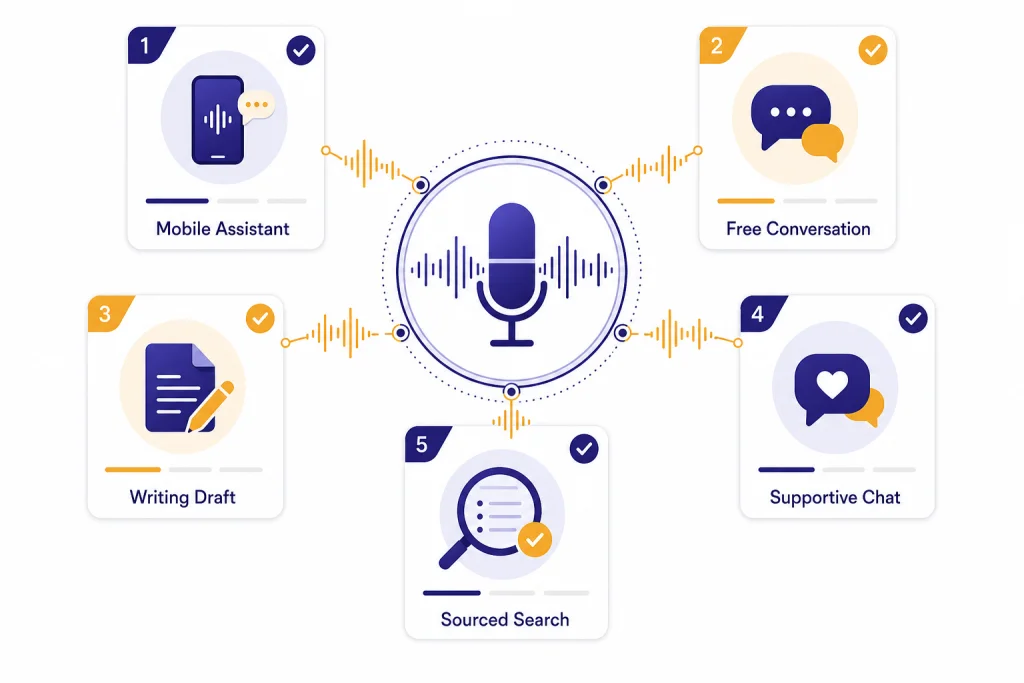
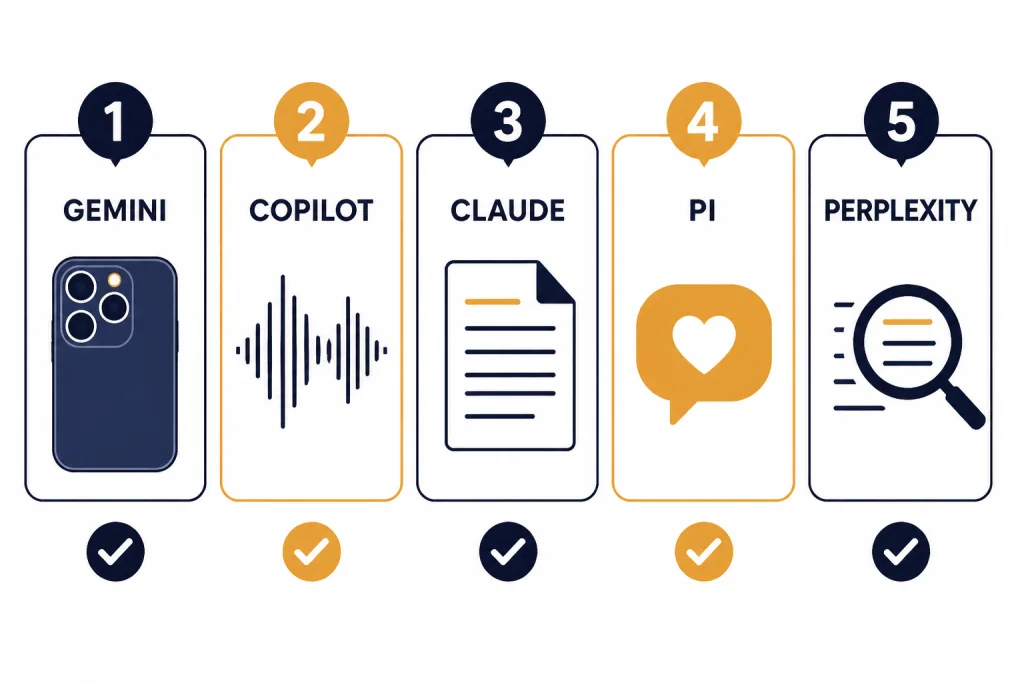
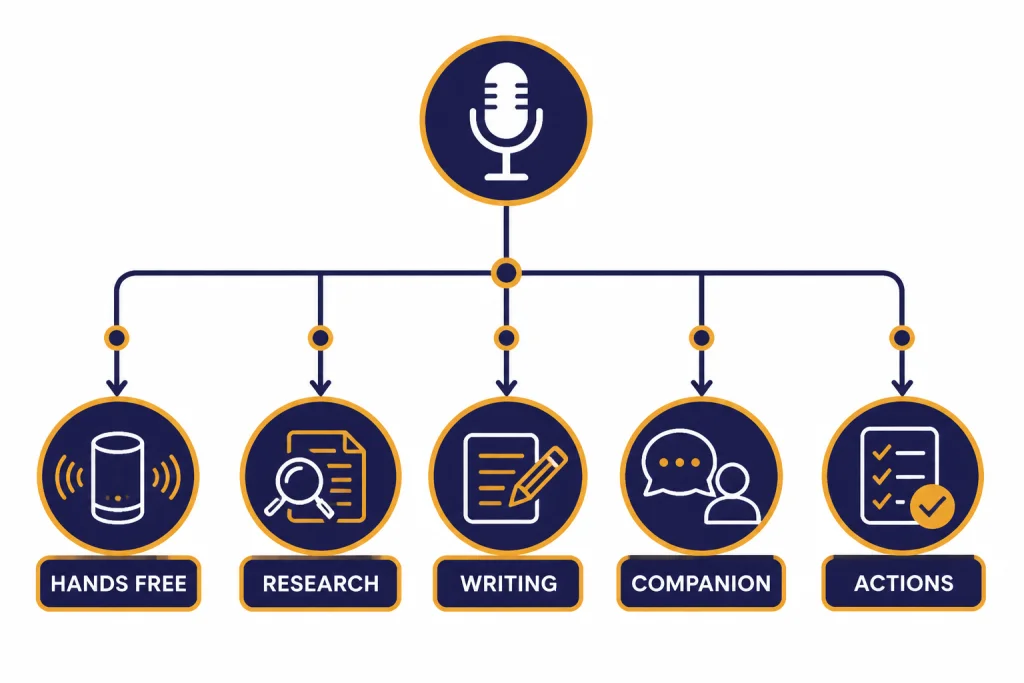
The best alternatives for voice are not all trying to do the same job. Gemini Live is the strongest ChatGPT alternative for natural mobile conversations and visual help. Microsoft Copilot Voice is the easiest free option for long spoken sessions. Claude is best when you want thoughtful spoken drafting on mobile. Pi remains useful for supportive, low-friction conversation. Perplexity Assistant is better when your voice query should turn into search or a phone action. Meta AI and Le Chat are worth considering, but they are more situational. This guide compares the main voice-first alternatives to ChatGPT and explains which one to use for hands-free work, learning, search, coaching, and mobile tasks.
Quick picks
If you want one practical answer, start with Gemini Live if you use Android heavily or want voice plus camera and screen context. Google describes Gemini Live as a natural voice experience that can handle back-and-forth conversation and, on supported mobile experiences, help with what you see through your camera or screen.[2]
Choose Copilot Voice if cost and session length matter most. Microsoft says Copilot Voice is available in the Copilot app, produces spoken responses, saves a text transcript after the conversation, and is not limited, with priority access for some Microsoft subscribers when capacity is constrained.[4] Microsoft also announced free, unlimited access to Voice and Think Deeper in February 2025.[5]
Choose Claude Voice if you want a calm, structured partner for planning, learning, drafting, and thinking out loud. Anthropic says Claude Voice is a beta feature for the Claude mobile apps on iOS and Android, supports spoken conversations, shows key points on screen, and lets users switch between text and voice in the same conversation.[3]
Choose Pi if you want an emotionally warm voice companion rather than a productivity suite. Inflection describes Pi as an emotionally intelligent AI that supports voice mode for live spoken conversation on mobile devices.[8]
Choose Perplexity Assistant if spoken questions should become web-grounded answers or phone tasks. Perplexity says its Android Assistant can handle voice-activated tasks, from simple questions to more complex end-to-end actions on a device.[6]
| Voice alternative | Best use | Where it stands out | Main limitation |
|---|---|---|---|
| Gemini Live | Mobile voice assistant | Natural conversation, visual context, Google app connections | Feature availability varies by device, account, language, and region |
| Copilot Voice | Free long spoken sessions | Broad access, transcripts, strong casual brainstorming | Less phone-native than Gemini on Android |
| Claude Voice | Spoken drafting and planning | On-screen key points, text-to-voice continuity, careful tone | Still described by Anthropic as beta |
| Pi | Supportive conversation | Warm conversational style and low-friction voice use | Not a strong research, coding, or file-analysis tool |
| Perplexity Assistant | Voice search and phone actions | Search-first answers and device tasks | Best-documented assistant support is Android-first |
| Le Chat | Voice input to a capable chatbot | Speech-to-text voice mode on web and mobile | More dictation-oriented than continuous real-time voice chat |
If you are comparing voice tools as part of a broader switch away from ChatGPT, read our best ChatGPT alternatives in 2026 and AI chatbot alternatives guides next.
How we judged voice alternatives
A good voice alternative needs more than a microphone button. The best tools understand interruptions, keep context across turns, respond in a natural cadence, and let you recover when speech recognition fails. They also need clear controls for transcripts, saved chats, data use, and microphone access.
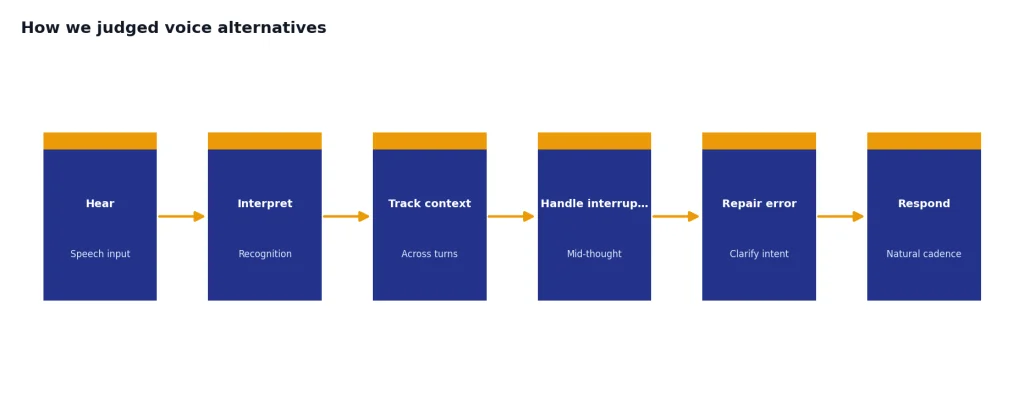
We weighted these criteria more heavily than general chatbot quality:
- Conversation flow: The assistant should handle pauses, follow-ups, corrections, and topic changes without making the user restart.
- Hands-free usefulness: A voice tool should work while walking, cooking, commuting, rehearsing, or looking at something else.
- Mobile integration: The strongest voice assistants can connect to phone actions, screen context, calendar tasks, or camera input.
- Transcript control: Users should be able to see or recover what was said, especially after a long spoken session.
- Task fit: Search, writing, emotional support, device control, and learning need different voice behaviors.
- Availability clarity: Voice features change often. Official help pages matter more than promotional claims.
ChatGPT remains the baseline because OpenAI says voice conversations are available to logged-in users in the ChatGPT mobile apps and on desktop web, with subscriber access starting on more advanced voice capability and fallback behavior when higher-capacity use is reached.[1] For a direct review of OpenAI’s own experience, see our ChatGPT voice mode review.
Best overall voice alternative: Gemini Live
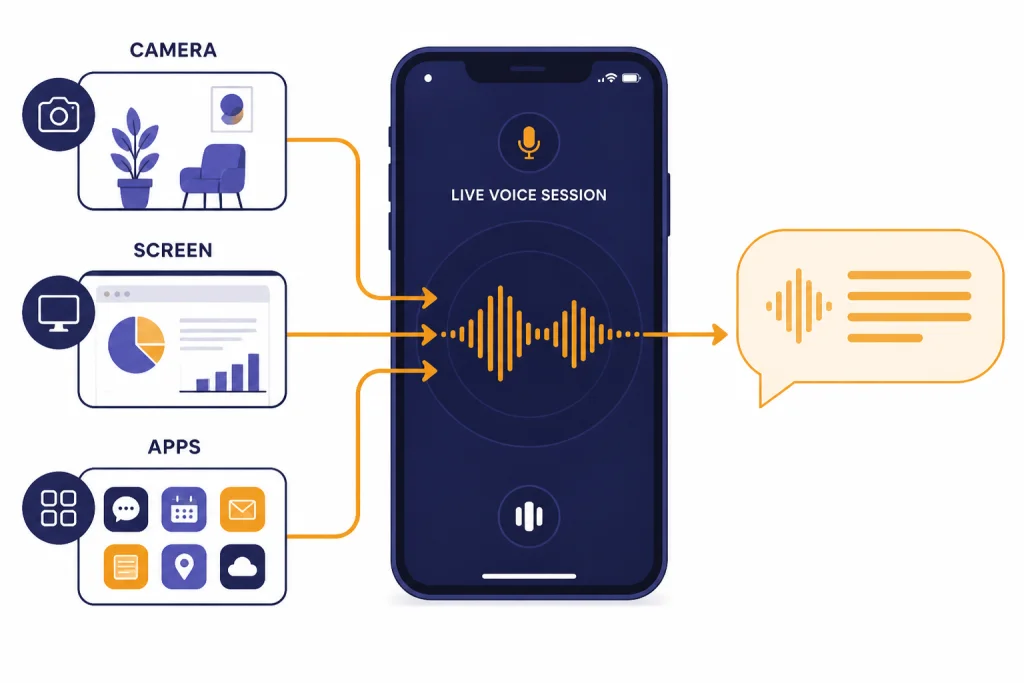
Gemini Live is the best ChatGPT alternative for voice if your main device is a phone and you want the assistant to understand the world around the conversation. Google’s support documentation says Gemini Live supports real-time spoken responses, natural voice conversations, brainstorming, interview rehearsal, and help while using Gemini on Android.[2] Google also describes Gemini Live as a mobile voice experience that can use camera and screen sharing in supported contexts.[2]
The practical advantage is context. A normal voice chatbot waits for you to describe the whole situation. Gemini Live can be more useful when the task starts with “look at this,” “help me understand this screen,” or “walk me through what I am seeing.” That makes it a strong fit for troubleshooting, shopping decisions, language practice, recipe help, and real-time study support.
Gemini Live is also the cleanest pick for Android users who want an assistant-like role rather than a separate chatbot. Google says Gemini can help through text, voice, images, and camera, connect with Google apps such as Gmail, Maps, and YouTube, and perform phone-oriented tasks such as reminders and phone settings where supported.[2] This is the strongest reason to choose Gemini over a more isolated app.
The tradeoff is availability. Google repeatedly notes that Gemini mobile features may vary by language, device, account, and location.[2] That means two users may have different Gemini Live experiences, especially across work accounts, school accounts, older phones, and regions outside the main rollout areas.
Use Gemini Live if you want voice plus mobile context. Do not choose it only because you want the best long-form writing style. For writing-heavy work, Claude may fit better. For research-heavy work, Perplexity may be the better companion. If mobile experience is your main concern, compare it with our best mobile alternatives to ChatGPT guide.
Best free long-session option: Copilot Voice
Copilot Voice is the best free-leaning alternative when you want to talk for a while without treating voice as a scarce feature. Microsoft says Copilot Voice uses speech recognition and natural language processing to understand spoken words, generate spoken responses, and make a text transcript available after the conversation.[4] Microsoft’s support page also says use of Copilot Voice is not limited, while Microsoft 365 Personal, Family, and Premium subscribers get priority access when capacity is limited.[4]
That makes Copilot Voice useful for low-stakes thinking. You can use it to rehearse a difficult conversation, brainstorm a presentation outline, talk through a travel plan, or ask follow-up questions while walking. The best use case is not “replace every assistant.” It is “give me a generous voice channel for casual reasoning.”
Microsoft separately announced free, unlimited access to Copilot Voice and Think Deeper on February 25, 2025.[5] That announcement matters because many AI voice features are tied to paid plans, message caps, or app-specific limits. Copilot is one of the easiest recommendations for people who simply want a no-cost voice conversation tool to try first.
Copilot Voice is less compelling if you want deep Android integration, continuous camera context, or the strongest creative writing style. It is better as a broadly available voice companion than as a specialized research or writing environment. If your priority is free access across chatbot categories, compare it with our free ChatGPT alternatives that actually work and ChatGPT alternative free roundups.
Best for thoughtful spoken drafting: Claude Voice
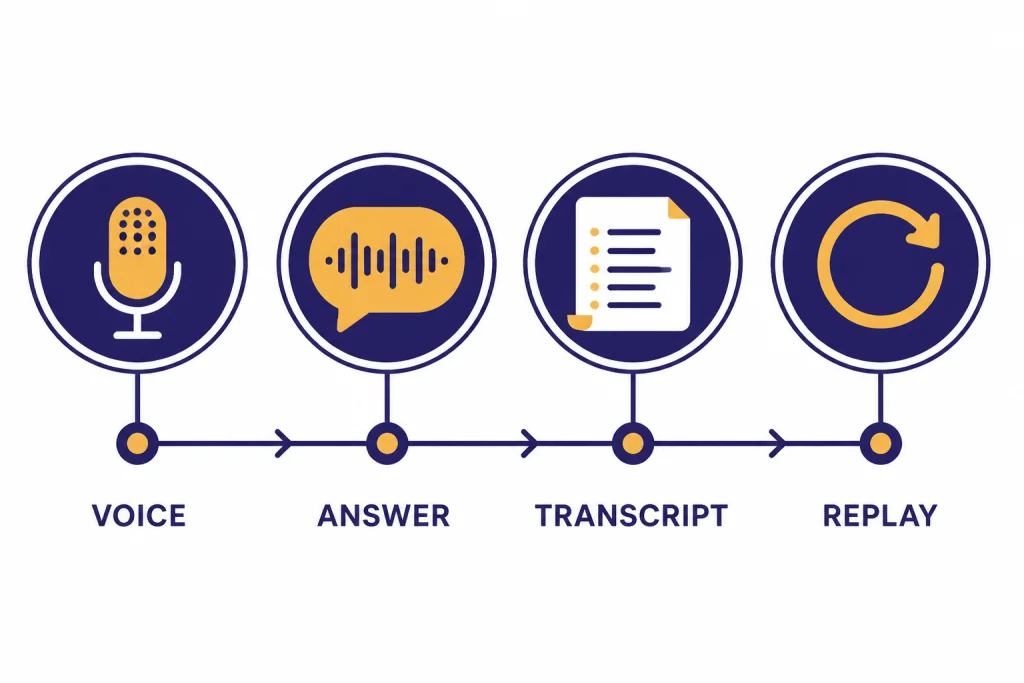
Claude Voice is the best choice when the spoken session is really a thinking or drafting session. Anthropic says Claude Voice is available in the Claude mobile apps on iOS and Android, lets you speak to Claude and hear voice responses, displays key points on screen while Claude speaks, and supports switching between text and voice in the same conversation.[3]
That on-screen summary behavior is important. Voice can be fast, but it is easy to lose track of a complex response. Claude’s key-points approach makes spoken answers easier to review, which helps when you are outlining a memo, preparing for an interview, or turning scattered thoughts into a plan.
Claude is also a strong fit if you like to refine wording through conversation. Ask it to listen to a rough argument, restate the structure, suggest gaps, and then help you convert the result into a written draft. That workflow suits people who think better out loud than at a keyboard. For broader writing use cases, see our best ChatGPT alternatives for writing.
The main caution is that Anthropic still describes voice mode as beta in its support material.[3] It also says voice conversations count toward the user’s regular usage limits based on subscription plan.[3] In practice, Claude Voice is best for focused sessions, not endless background conversation.
Best for supportive conversation: Pi
Pi is the best ChatGPT alternative for people who value emotional tone and conversational comfort over maximum capability. Inflection describes Pi as an emotionally intelligent AI that can help users untangle thoughts, make decisions, explore ideas, and talk live through voice mode on mobile devices.[8]
Pi is not the tool I would choose for coding, detailed research, spreadsheet analysis, or a professional report. Its strength is different. It is good for walking through a decision, practicing a conversation, talking through a stressful day, or exploring a personal question with a patient tone.
This distinction matters because “voice” is not only an interface. It changes the emotional feel of the product. A technically powerful assistant can still feel stiff when spoken aloud. Pi’s advantage is that the product is built around supportive conversation rather than productivity features.
Use Pi with realistic expectations. It can be a helpful voice companion, but it should not replace a therapist, doctor, lawyer, or emergency support line. It also should not be your main fact-checking tool for research. For school and study use, compare it with our best free ChatGPT alternatives for students.
Best for voice search and phone actions: Perplexity Assistant
Perplexity Assistant is best when your spoken prompt needs to become an answer backed by search or a phone action. Perplexity says its Android Assistant can handle voice-activated tasks, from simple questions and actions to more complex end-to-end tasks on the device.[6] The Perplexity iOS App Store listing also describes voice as a way to get instant, up-to-date answers by typing or speaking.[7]
This makes Perplexity different from a pure voice companion. It is more useful when you ask, “What is the current status of this topic,” “find an answer and cite it,” or “help me do this on my phone.” It is less ideal for long reflective conversations where tone and emotional continuity matter more than sources.
The best Perplexity workflow is short and intent-driven. Ask a question out loud, get a concise answer, inspect the supporting sources, and decide whether to continue. This is especially useful for news, product research, travel details, and quick explanations. If you care most about citations and web-grounded answers, read our best ChatGPT alternatives for research.
The biggest limitation is platform unevenness. Perplexity’s official Android Assistant documentation is stronger than its general voice documentation, while the iOS listing confirms voice support in the app.[6][7] If you are choosing only for iPhone hands-free assistant behavior, test it directly before making it your default workflow.
Other voice options worth knowing
Meta AI
Meta AI is worth considering if you already live inside Meta’s apps or use Meta’s AI glasses. Meta says its standalone Meta AI app is designed around voice conversations and connects with other Meta AI features such as image generation and editing through voice or text.[10] That makes it more relevant for social and wearable contexts than for professional drafting or research.
Le Chat by Mistral
Le Chat is a good option if you want voice input rather than a full continuous voice companion. Mistral says Le Chat voice mode lets users chat by voice instead of typing, transcribes speech into text, works on web and mobile apps for all plans, and is powered by Mistral’s own speech-to-text technology.[9] This is useful for dictation-style prompting, but it is not the same experience as a fluid phone call with an assistant.
ChatGPT itself
If you are not committed to leaving ChatGPT, it remains one of the strongest voice products. OpenAI says ChatGPT voice conversations are available to logged-in users on mobile and desktop web, and its help page explains voice, video, screen sharing, background conversations, and usage behavior by plan.[1] If you want the broader app landscape instead of voice-only tools, see our apps like ChatGPT guide.
How to choose the right voice assistant
Pick based on the job, not the brand. Voice assistants feel similar in demos, but they diverge quickly when you use them every day.
- For an Android-first assistant: Start with Gemini Live. It has the clearest path from chatbot to phone assistant.
- For free, long spoken brainstorming: Start with Copilot Voice. It is the easiest low-cost test before paying for anything.
- For writing and planning out loud: Start with Claude Voice. It is good at turning spoken thinking into structure.
- For supportive conversation: Start with Pi. It is built around tone and reflection rather than enterprise workflows.
- For research by voice: Start with Perplexity Assistant. It is strongest when answers need current sources.
- For dictation into a capable chatbot: Try Le Chat. It is useful when you want to speak prompts but still review text before sending.
- For social apps and wearables: Try Meta AI. It makes more sense inside Meta’s ecosystem than as a standalone work assistant.
Most people should use more than one assistant. A practical setup is Gemini Live or Copilot Voice for casual spoken sessions, Claude for drafting, Perplexity for sourced answers, and ChatGPT when you need OpenAI’s own multimodal voice experience. For a broader comparison, see our ChatGPT alternatives 2026 list.
Privacy and safety notes for voice AI
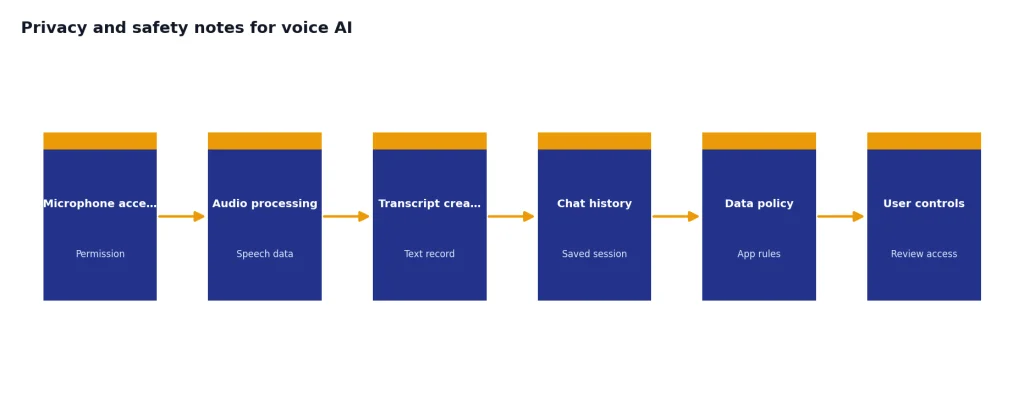
Voice assistants can feel more private than typing because the interaction is natural. Treat them as less private, not more private. A spoken session may involve microphone permissions, generated transcripts, saved chat history, audio processing, and app-level data policies.
OpenAI says ChatGPT voice conversations may make mistakes and advises users to check important information.[1] That warning applies to every alternative in this guide. Voice does not make an answer more reliable. It often makes the answer feel more confident.
Be especially careful with health, legal, financial, and workplace information. Do not read confidential material into a consumer voice assistant unless your organization has approved that tool and plan. For meetings, recordings, or conversations with other people, get consent and check local law before using any recording or transcription feature.
Also check whether the assistant saves transcripts. Microsoft says a text transcript is made available after a Copilot Voice conversation ends.[4] Anthropic says Claude Voice transcripts and summarized voice notes are saved in chat history like text conversations.[3] Mistral explains that voice data handling differs by Le Chat plan and that some plans may use voice messages under its data training policies unless the user opts out.[9]
The safest habit is simple. Use voice for convenience, not secrets. Review transcripts before relying on them. Turn off microphone access when you stop using an app. Avoid using voice AI as an emergency service, medical authority, or substitute for professional advice.
Frequently asked questions
What is the best ChatGPT alternative for voice overall?
Gemini Live is the best overall alternative if you want a phone-native voice assistant with visual and mobile context. Copilot Voice is better if you want a generous free voice option. Claude Voice is better if your spoken sessions are mostly writing, planning, or careful thinking.
Which ChatGPT voice alternative is best for free users?
Copilot Voice is the easiest free recommendation because Microsoft says use of Copilot Voice is not limited, with priority access for some Microsoft subscribers when capacity is constrained.[4] Gemini, Claude, Pi, and Perplexity also have free access paths, but the exact experience can vary by account, platform, and rollout status.
Is Claude Voice better than ChatGPT Voice?
Claude Voice can be better for spoken drafting, planning, and reflective conversation. ChatGPT Voice is stronger if you want OpenAI’s full multimodal voice environment, including the features OpenAI documents for mobile and desktop users.[1] The better choice depends on whether you care more about writing quality, voice fluidity, or multimodal features.
What is the best voice AI for research?
Perplexity Assistant is the best fit when voice is just the input method for search-backed answers. It is built around answering questions and taking device actions rather than providing a warm companion experience.[6] Use it when citations and current information matter more than conversational tone.
Is Pi still worth using for voice?
Yes, if you want a supportive voice companion. Pi is less compelling for research, coding, and business workflows, but it remains useful for talking through personal decisions, rehearsing conversations, and exploring ideas in a calmer style.[8] Do not use it as a replacement for professional mental health support.
Does Le Chat have real voice conversations?
Le Chat has voice mode, but Mistral describes it as speech-to-text voice input that lets you speak instead of typing and review or send the transcription.[9] That makes it useful for dictation-style prompting. It is not the same as the most fluid live voice assistants.