


The best ChatGPT alternative in 2026 is Claude for long-form writing, careful reasoning, and coding help, but it is not the best choice for every job. Gemini is stronger if you live in Google Workspace. Perplexity is better for cited web research. Microsoft Copilot fits Office users. Le Chat, DeepSeek, Meta AI, Poe, Midjourney, Firefly, and GitHub Copilot each win narrower use cases. We tested these tools as practical replacements, not as benchmark trophies. The right answer depends on whether you need sources, code, images, voice, mobile access, privacy, or a lower monthly bill.
Best ChatGPT alternative overall
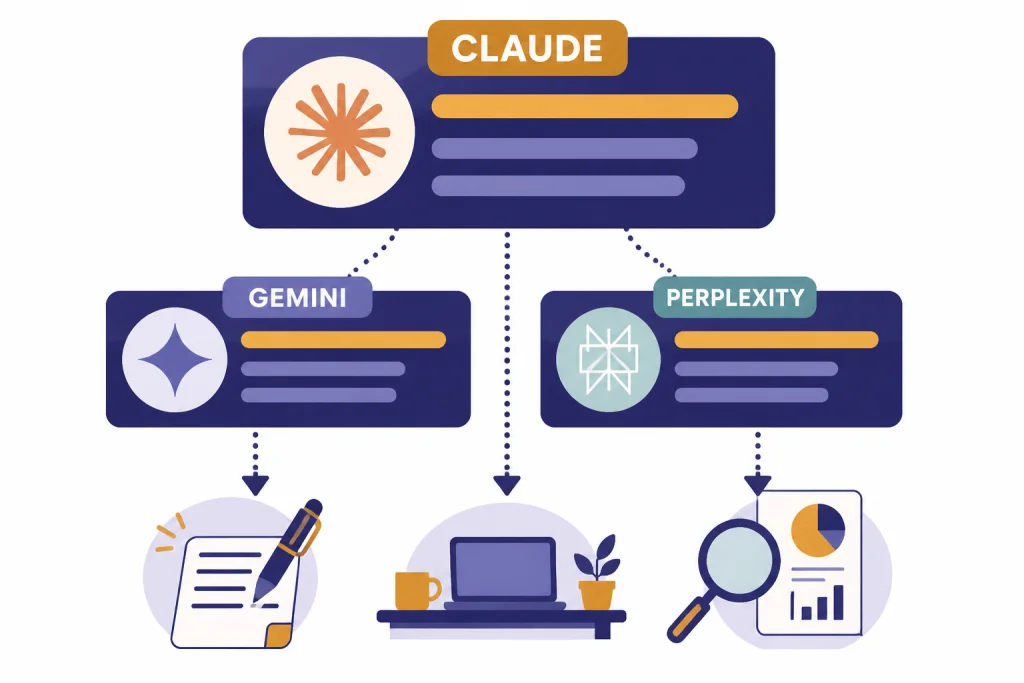
Claude is the best overall ChatGPT alternative for most people in 2026. It produced the most reliable long drafts, the cleanest explanations, and the least brittle help on ambiguous coding and writing tasks in our testing. Claude Pro costs $20 per month, and Claude Max tiers cost $100 or $200 per month, according to Anthropic’s plan guide.[3][4]
That does not make Claude the default pick for everyone. Choose Gemini if your work starts in Gmail, Docs, Drive, or Android. Choose Perplexity if your top need is fast, cited research. Choose GitHub Copilot if you want AI inside your editor rather than a general chat window. If cost matters most, start with free chatgpt alternatives that actually work before paying for another subscription.
How we tested the alternatives
We tested each product as a daily ChatGPT replacement. That means we cared less about isolated benchmark scores and more about whether the app could finish real work without constant correction. The test set covered research, summarization, code review, spreadsheet reasoning, rewriting, image prompts, mobile dictation, and source checking.
Each tool received the same task families. We asked for a one-page product brief, a sourced research answer, a Python refactor, a messy meeting-note cleanup, an image prompt set, and a phone-friendly voice interaction. We then judged the output on accuracy, edit distance, source usefulness, speed, interface friction, and whether the tool clearly disclosed its limits.
We also checked plan pages because subscriptions now shape the experience as much as models do. ChatGPT, Claude, Gemini, Perplexity, Poe, GitHub Copilot, Midjourney, and Firefly all publish plan structures that affect message limits, model access, credits, or feature availability.[1][3][5][7][13][14][15][16]
One caution: AI plan names change faster than normal software plans. Treat this article as a decision guide for March 9, 2026, and verify a plan page before you buy an annual subscription. For a broader list, see our chatgpt alternatives 2026 directory.
Quick comparison table
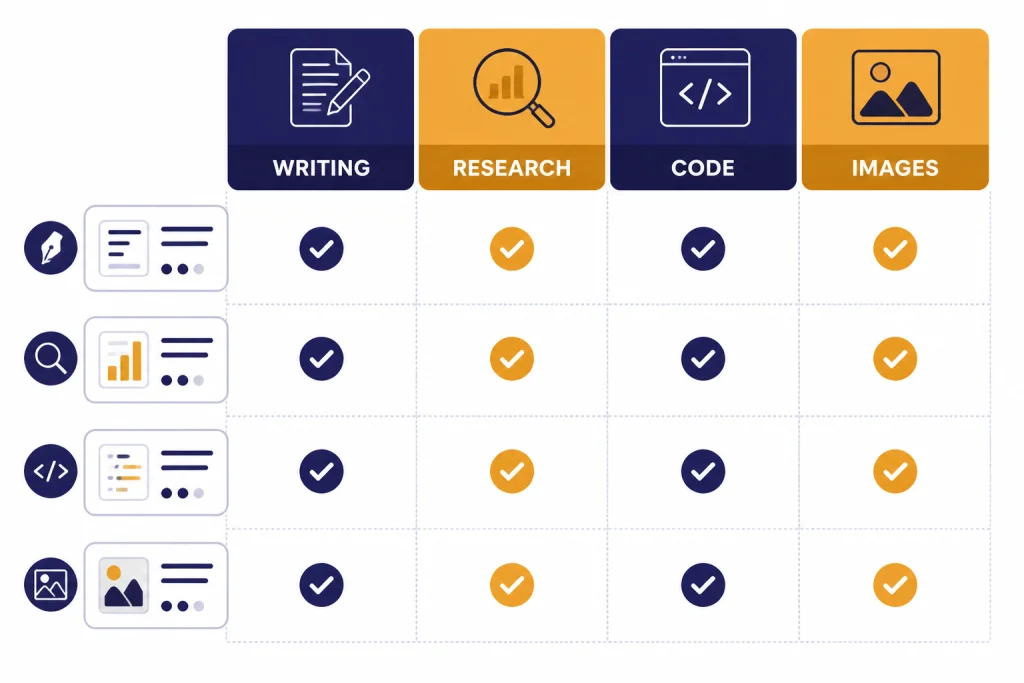
This table gives the practical answer first. It compares the strongest alternatives by the job they handled best in testing.
| Alternative | Best for | Why it stands out | Main tradeoff |
|---|---|---|---|
| Claude | Writing, coding explanation, long reasoning | Strong drafting quality and careful answers; individual paid plans include Pro and Max tiers.[3][4] | Usage ceilings can matter for heavy users. |
| Gemini | Google Workspace users | Google AI Pro includes Gemini app benefits, Gmail and Docs access, and 5 TB of storage; Ultra includes 30 TB.[5][19] | Best value depends on your Google ecosystem use. |
| Perplexity | Cited research | Built around search, citations, file upload, Research, and Pro Search workflows.[7][8] | Not as natural for creative drafting as Claude or ChatGPT. |
| Microsoft Copilot | Microsoft 365 users | Copilot Pro is positioned for preferred access and Office app use.[6][20] | Best if you already pay for Microsoft apps. |
| Le Chat | Fast general chat and European AI stack | Mistral documents Le Chat for web, iOS, Android, voice, search, files, and code interpreter workflows.[9][10] | Smaller ecosystem than ChatGPT, Gemini, or Copilot. |
| Meta AI | Free voice and social-app access | Meta launched a standalone app built around voice and Llama 4, with web search and image generation.[11][21] | Personalization depends on Meta account context. |
| DeepSeek | Free reasoning and open-weight interest | DeepSeek’s official site offers free chat access and links to research models and API docs.[12][22] | Policy, privacy, and regional availability deserve extra review. |
| Poe | Trying many models in one app | Poe sells point-based subscriptions and lists access to multiple model families inside one interface.[13][23] | Points add another layer of cost management. |
| Midjourney | Image generation | Midjourney publishes Basic, Standard, Pro, and Mega plans from $10 to $120 per month.[14][24] | Image-first, not a full ChatGPT replacement. |
| GitHub Copilot | Developer workflow | GitHub Copilot runs inside IDEs and offers Free, Pro, and Pro+ individual plans.[16][17] | Less useful for non-coding work. |
Best alternatives by use case
Best for writing: Claude
Claude gave us the best first drafts when the prompt required judgment, structure, and a consistent voice. It was especially good at turning scattered notes into clean memos and at preserving nuance during rewrites. If your work is mostly essays, briefs, reports, scripts, or policy drafts, Claude is the first alternative to try. For a deeper writing-specific breakdown, see best chatgpt alternatives for writing.
Best for research: Perplexity
Perplexity is the strongest ChatGPT alternative when the answer needs citations by default. Its plan guide separates everyday Pro Search from deeper Research queries and enterprise limits, including 400 weekly Pro Searches for Enterprise Pro and 4,000 weekly Pro Searches for Enterprise Max.[7][8] That structure makes it more transparent for research-heavy teams than a general chatbot with browsing bolted on. See best chatgpt alternatives for research if source quality is your main concern.
Best for coding: GitHub Copilot and Claude
GitHub Copilot is better than a browser chatbot when you want completions, chat, and agent-style help inside VS Code, Visual Studio, JetBrains IDEs, Xcode, Neovim, and other developer environments listed by GitHub.[16][17] Claude is better when you need to reason through architecture, review a design, explain a bug, or rewrite a complex function with commentary. Many developers should use both: Copilot for flow, Claude for thinking. Our best chatgpt alternatives for coding guide covers that split in more detail.
Best for Google users: Gemini
Gemini is the best ChatGPT alternative if your day already runs through Google. Google AI Pro costs $19.99 per month and includes 5 TB of storage, while Google AI Ultra costs $249.99 per month and includes 30 TB of storage.[5][19] The main value is not just the model. It is the combination of Gemini, Gmail, Docs, Drive, NotebookLM, and Android access.
Best for images: Midjourney and Adobe Firefly
Midjourney is still the easiest recommendation for stylized image generation. Its official plan table lists monthly tiers at $10, $30, $60, and $120, with annual prices discounted by 20%.[14][24] Firefly is better when commercial workflow, Adobe apps, and generative credits matter. Adobe lists Firefly Standard at $9.99 per month, Firefly Pro at $19.99 per month, and Firefly Premium at $199.99 per month.[15][25] For more image detail, compare best chatgpt alternatives for image generation and dall-e vs stable diffusion.
Best for voice: Meta AI and Gemini
Meta AI is worth trying if you want a free, conversational voice assistant on a phone. Meta introduced its standalone Meta AI app on April 29, 2025, and described it as a voice-centered assistant built with Llama 4.[11][21] Gemini is the better pick if you want voice plus Google account context. For a full voice-first comparison, see best chatgpt alternatives for voice.
Pricing and limits compared
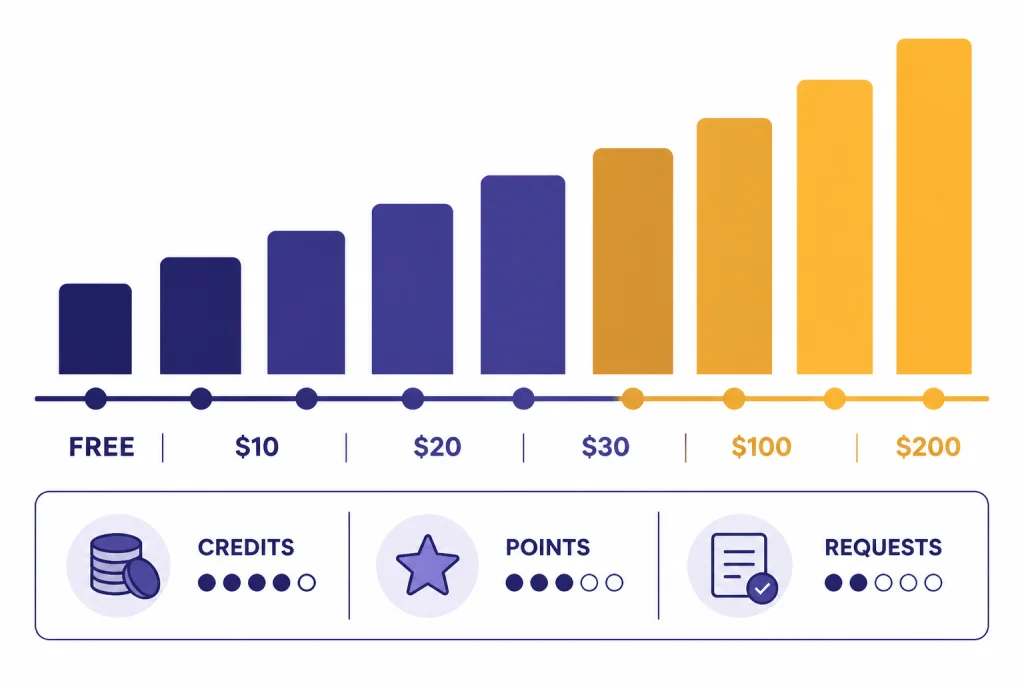
Price alone does not tell you much anymore. The important question is what the subscription meters: messages, points, credits, premium requests, research queries, storage, or GPU time. This table focuses on public individual or creator plans where the providers publish enough detail to compare.
| Product | Entry paid plan | Higher paid option | What the limit is really about |
|---|---|---|---|
| ChatGPT | Plus at $20/month | Pro at $200/month on the widely cited Pro tier | Model access, advanced tools, file uploads, deep research, voice, images, and usage guardrails.[1][2] |
| Claude | Pro at $20/month | Max at $100/month or $200/month | Session capacity and higher usage for frequent work.[3][4] |
| Gemini | Google AI Pro at $19.99/month | Google AI Ultra at $249.99/month | Access to Google AI features, model limits, and storage bundles.[5][19] |
| Microsoft Copilot | Copilot Pro at $20/user/month | Microsoft 365 Copilot business licensing varies by plan | Preferred model access and Copilot inside Microsoft apps.[6][20] |
| Perplexity | Pro commonly listed at $20/month | Enterprise Pro starts at $40/month or $400/year per seat | Pro Searches, Research queries, file limits, and enterprise controls.[7][8] |
| Poe | $49.99/year plan | $2,499.99/year plan | Daily or monthly points across many bots and model providers.[13][23] |
| Midjourney | Basic at $10/month | Mega at $120/month | Fast GPU time, Relax Mode, video prompts, and privacy features.[14][24] |
| Adobe Firefly | Standard at $9.99/month | Premium at $199.99/month | Generative credits for images, video, audio, and premium features.[15][25] |
| GitHub Copilot | Pro at $10/month | Pro+ at $39/month | Premium requests, model access, agent mode, and IDE integrations.[16][17] |
The cheapest good plan is not always the best value. A $10 coding tool can be worth more than a $20 general chatbot if it sits inside your editor all day. A $20 research plan can be worth more than a stronger general model if it saves source-checking time. A $120 image plan can be rational for a designer and wasteful for a student who needs essay help.
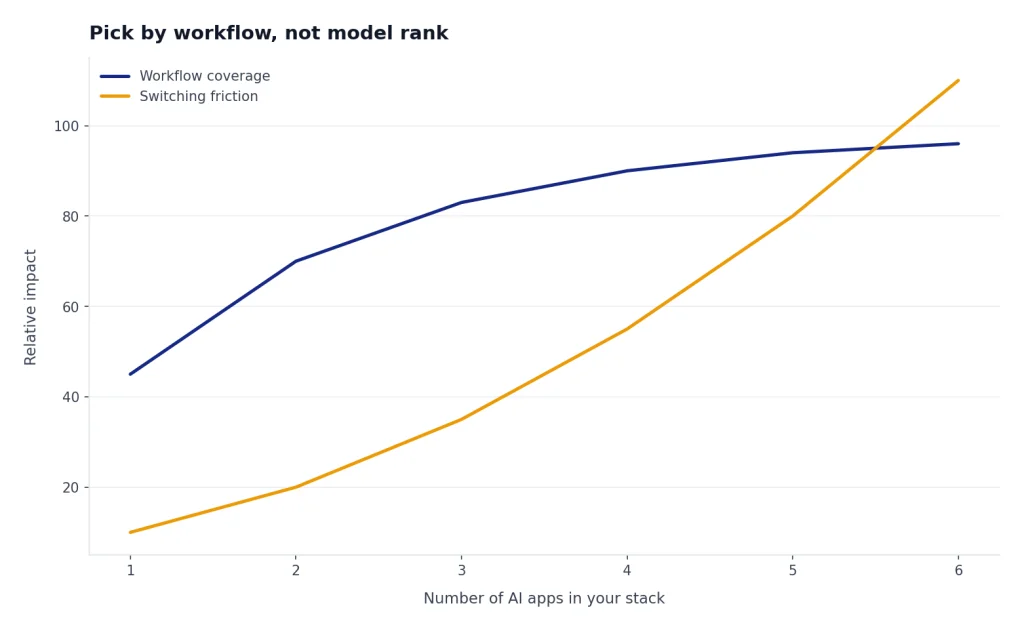
Original analysis: pick by workflow, not model rank
The market has split into three categories. The first category is the universal assistant: ChatGPT, Claude, Gemini, Le Chat, Meta AI, DeepSeek, and Grok-style products. The second is the workbench: Perplexity for research, GitHub Copilot for code, Midjourney and Firefly for images, and NotebookLM-style tools for documents. The third is the aggregator: Poe and similar apps that sell access to many models through points or credits.
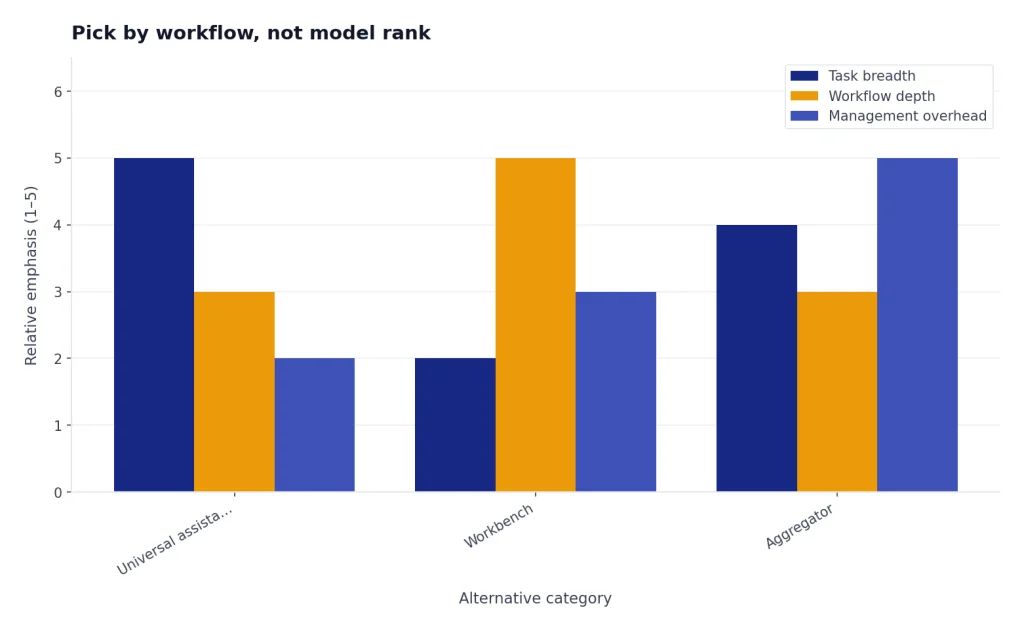
Most people should not chase the single “smartest” model. They should pick the tool that reduces handoffs. If you write in Google Docs, Gemini’s integration can matter more than a small reasoning difference. If you code in VS Code, Copilot’s location inside the editor can matter more than a cleaner chat answer. If your work requires citations, Perplexity’s default behavior can matter more than a more eloquent paragraph from a general assistant.
Use this decision rule. Choose a universal assistant if your tasks change by the hour. Choose a workbench if one workflow pays your bills. Choose an aggregator if you compare models often and accept a point budget. This is why the best replacement for ChatGPT may be more than one tool. A writer may pair Claude with Perplexity. A developer may pair GitHub Copilot with Claude. A marketer may pair Gemini with Midjourney or Firefly.
The hidden cost is switching friction. Every extra app adds another chat history, another billing page, another privacy policy, and another place to upload files. If you are only mildly unhappy with ChatGPT, switching may not be worth it. If one workflow keeps failing, replace that workflow first rather than replacing your entire AI stack.
Free, open-source, and mobile picks
For free use, start with Gemini, Meta AI, DeepSeek, Copilot, Le Chat, and the free tiers of ChatGPT and Claude. DeepSeek’s official site advertises free chat access and links to its app and API platform.[12][22] Meta AI is also a strong free mobile option because the standalone app is built around voice, image generation, and social context.[11][21] For a dedicated free list, use our chatgpt alternative free guide.
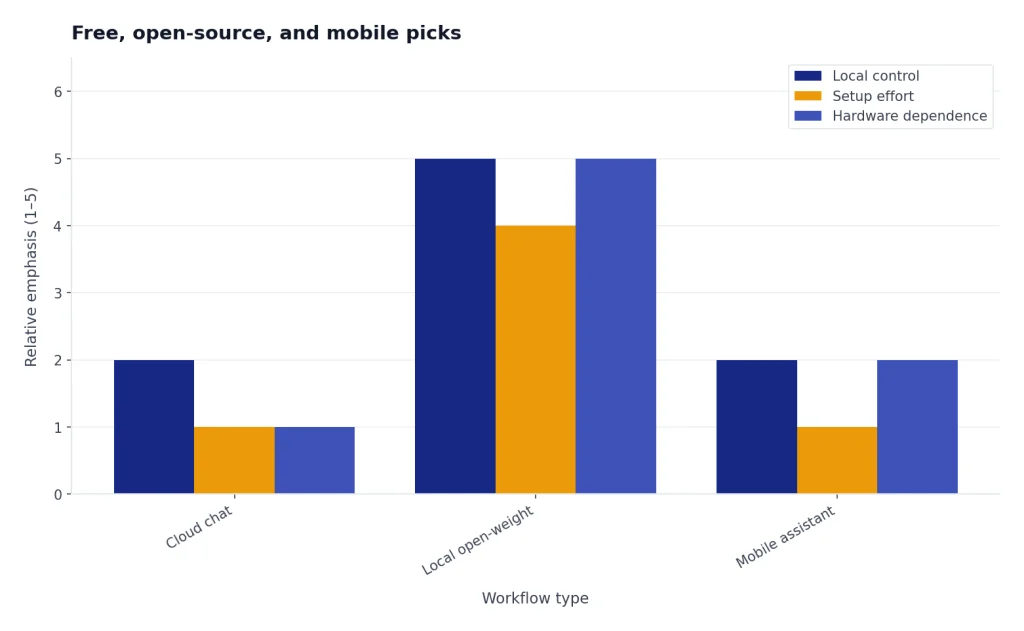
For open-source and open-weight workflows, the picture is different. HuggingChat, local Llama-based apps, Ollama, LM Studio, Jan, and Open WebUI are not always direct consumer substitutes for ChatGPT, but they matter if you want local control or model portability. We treat them separately in Open Source ChatGPT Alternatives because setup, hardware, and privacy tradeoffs are more important than the chat interface.
For mobile use, test the app before paying. Voice latency, file upload behavior, camera input, and notification controls vary more on phones than on desktop. If you use iOS or Android most of the day, compare apps like ChatGPT and best mobile alternatives to ChatGPT before choosing a paid plan.
Who should stay with ChatGPT
Stay with ChatGPT if you value one familiar interface for writing, coding, files, images, voice, custom GPTs, memory, and general problem solving. OpenAI’s pricing page groups those capabilities across Free, Plus, Pro, Business, and Enterprise plans.[1][2] ChatGPT is also still a safe default for users who do not want to manage multiple apps.
Also stay if your team already uses custom GPTs, shared projects, or OpenAI API workflows. Switching to Claude or Gemini may improve certain outputs, but it can break saved prompts, internal workflows, and training habits. If you mainly want to know whether your current plan is worth it, read ChatGPT Plus price in 2026 instead of shopping broadly.
Switch only when the replacement clearly beats ChatGPT on your primary job. Claude is a better writing partner for many people. Perplexity is a better research front end. Copilot is a better coding sidekick inside an IDE. Midjourney is a better image studio. But none of those automatically replace the whole ChatGPT bundle.
Frequently asked questions
What is the best ChatGPT alternative in 2026?
Claude is the best overall ChatGPT alternative for most writing, reasoning, and coding-adjacent work. Anthropic lists Claude Pro at $20 per month and Claude Max at $100 or $200 per month.[3][4] If you need citations more than prose quality, choose Perplexity instead.
What is the best free ChatGPT alternative?
Gemini, Meta AI, DeepSeek, Copilot, Le Chat, and Claude all have useful free access, but limits vary by account and region. DeepSeek’s official site explicitly offers free access to DeepSeek Chat.[12][22] Meta AI’s standalone app launched on April 29, 2025, with voice and image features built around Llama 4.[11][21]
Is Perplexity better than ChatGPT for research?
Perplexity is usually better when the output must include citations and current web context. Its plan guide lists Pro Searches, Research Queries, file uploads, and enterprise search limits as core plan differences.[7][8] ChatGPT can research well, but Perplexity starts from a search-first product design.
Which ChatGPT alternative is best for coding?
GitHub Copilot is best for coding inside an IDE, while Claude is best for explaining, reviewing, and planning code. GitHub lists Copilot Free, Pro at $10 per month, and Pro+ at $39 per month for individual users.[16][17] If you code daily, the editor integration matters as much as the model.
Which alternative is best for students?
Students should start with free tiers, then consider Perplexity Education Pro or Gemini if their schoolwork depends on research and documents. Perplexity lists Education Pro at $10 per month after student or faculty verification.[7][8] Mistral also describes a discounted Le Chat Student plan for students and educators.[9][10]
Is Gemini better than ChatGPT?
Gemini is better if you want AI inside Google’s ecosystem. Google AI Pro costs $19.99 per month and includes 5 TB of storage, while Google AI Ultra costs $249.99 per month and includes 30 TB.[5][19] ChatGPT remains a better neutral choice if you do not rely on Gmail, Docs, Drive, or Android.
Should I pay for more than one AI assistant?
Pay for more than one assistant only if each tool owns a different workflow. A common 2-tool stack is Claude for drafting and Perplexity for research. A developer might use GitHub Copilot at $10 per month plus Claude Pro at $20 per month.[16][17][3][4] If you only use AI a few times a week, one paid plan is usually enough.
Bottom line
Claude is the best single ChatGPT alternative in 2026, but the smarter move is to match the tool to the workflow. Use Claude for writing, Perplexity for research, Gemini for Google work, Copilot for Microsoft 365, GitHub Copilot for coding, Midjourney or Firefly for images, and Meta AI or DeepSeek when free mobile access matters.
Watch pricing and limits more closely than model announcements. The best AI assistant is no longer just the model with the best demo. It is the one that finishes your work with the least friction, at a price you can justify every month.