

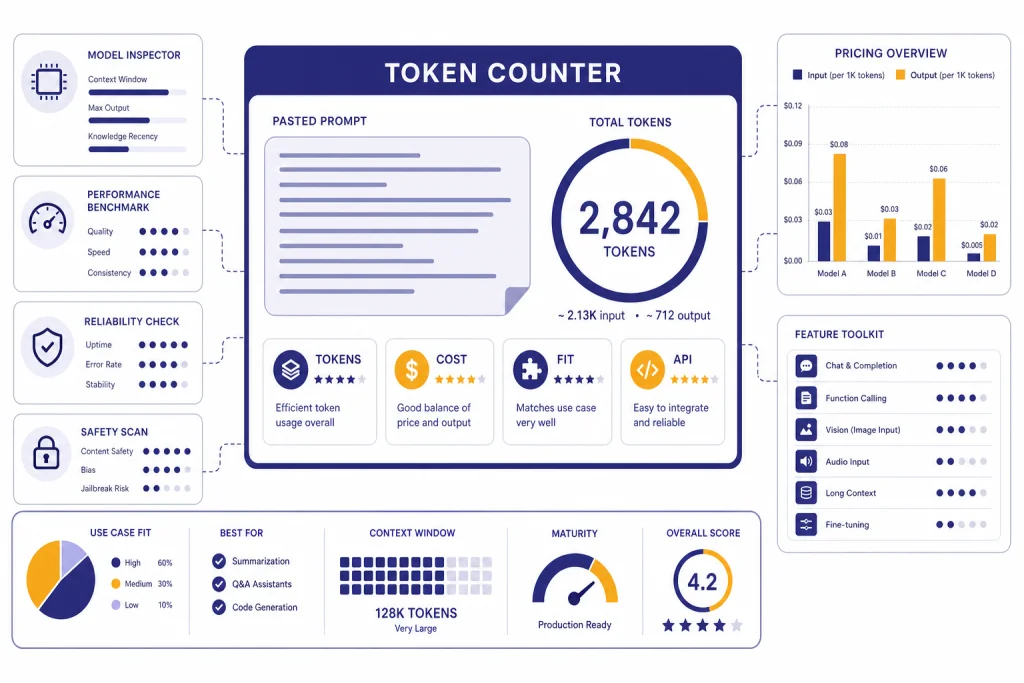
Token counter tools help you estimate how much text an OpenAI prompt will use before you send it to ChatGPT or the API. The best option depends on the job. Use the free counter on this page for quick prompt checks, context-fit planning, and rough cost awareness. Use OpenAI’s `tiktoken` library when you need repeatable counts inside production code. Use paid or team tools when you need saved prompts, model price tables, dashboards, exports, or workflow collaboration. OpenAI’s API reports usage as input, output, reasoning, and total tokens, so a counter is a planning tool rather than a final invoice.[4]
Token Counter
Paste any text and see roughly how many tokens it will use across GPT models. The estimate uses the cl100k_base scheme — close to GPT-4, GPT-5 and GPT-5.5 in production.
How the estimate works
One token averages ~4 characters or ~0.75 words for English. We weight long words and punctuation a little heavier to approximate the cl100k_base BPE tokenizer used by recent OpenAI chat models. For exact counts, run the official tiktoken library locally.
What this token counter does
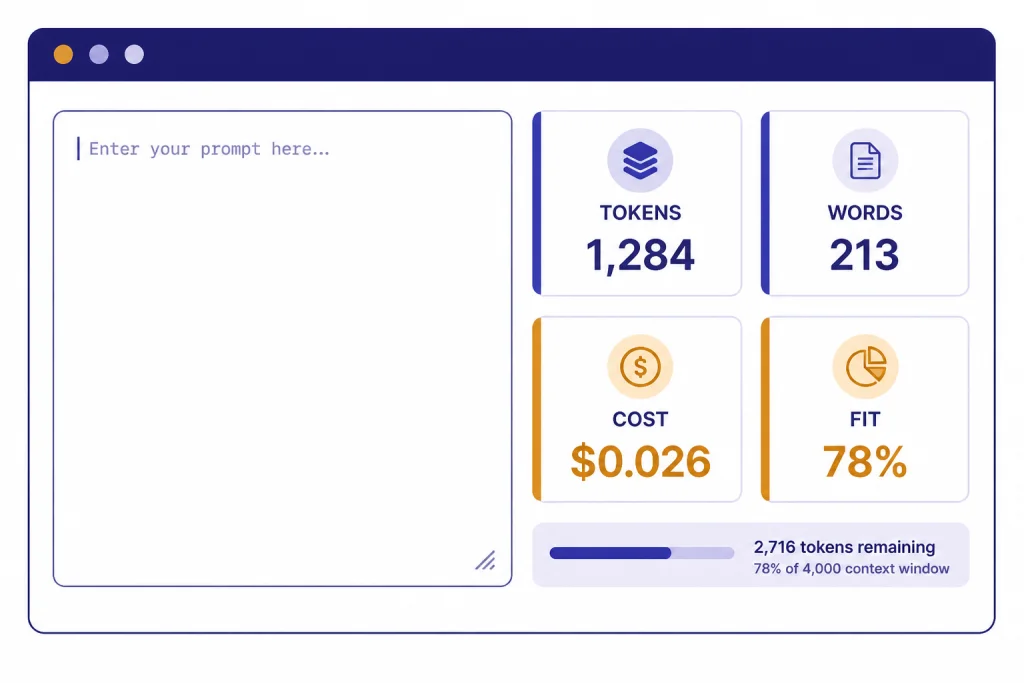
The free token counter above is built for practical prompt work. Paste text, check the estimated token count, and decide whether the prompt is small enough for the model and budget you plan to use. It is most useful before you paste a long article draft, support transcript, code file, JSON payload, or research note into an AI tool.
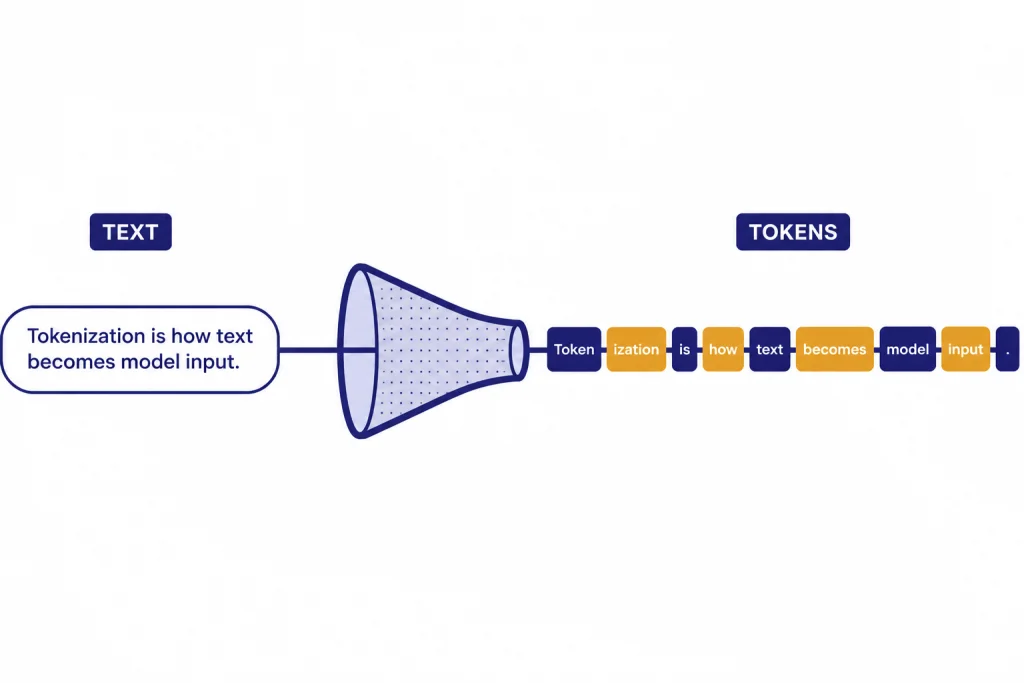
A token counter is not the same thing as a word counter. OpenAI explains that its language models process text as tokens, not as visible words, and points developers to `tiktoken` when they need a programmatic tokenizer.[1] OpenAI’s `tiktoken` package is a byte-pair encoding tokenizer for OpenAI models, and the repository shows model-aware lookup through `encoding_for_model`, including an example for `gpt-4o`.[2]
Use this page when you need a fast estimate. Use it before a summarization job, a prompt template review, or an API request that might be too large. If your next task is cost forecasting rather than counting, pair this page with our Best OpenAI API Cost Calculator Tools roundup or our OpenAI API pricing guide.
How to use the tool
The workflow is simple. Start with the exact text you plan to send, not a cleaned-up summary of it. Token counts can change when you add headings, code fences, URLs, markdown tables, JSON keys, or long system instructions.
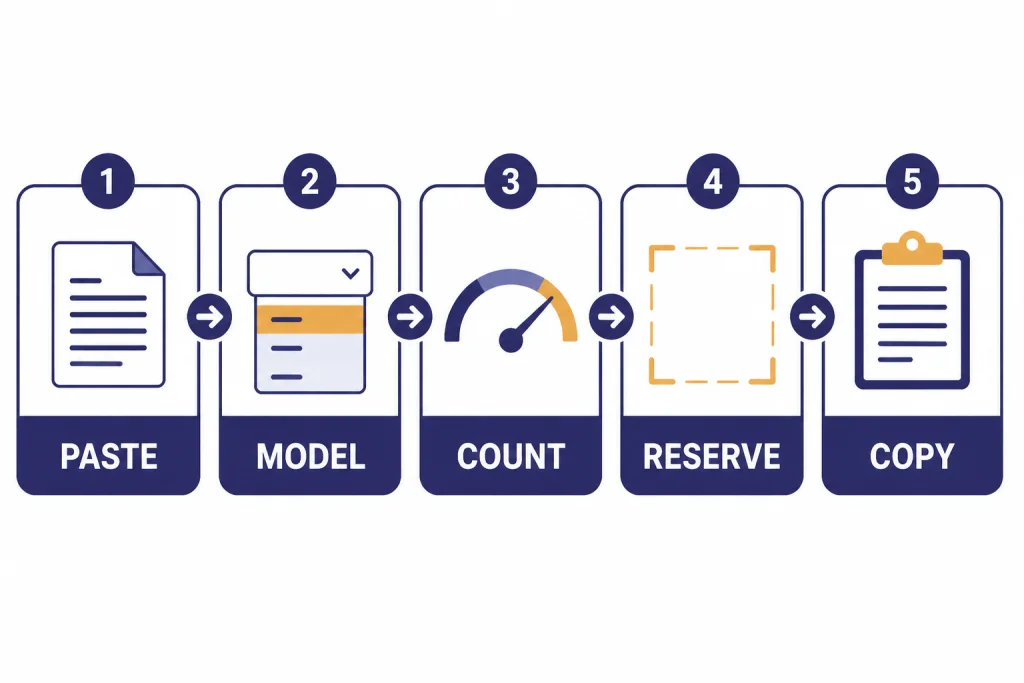
- Paste the full prompt. Include system instructions, examples, source text, and the user request if you are testing an API-style prompt.
- Select the closest model or encoding. If you are comparing OpenAI models, choose the model family you expect to use. If the exact model is missing, use the nearest supported encoding and treat the result as an estimate.
- Check the token count. A short creative prompt may be small. A transcript, code diff, or scraped web page can be much larger than it looks.
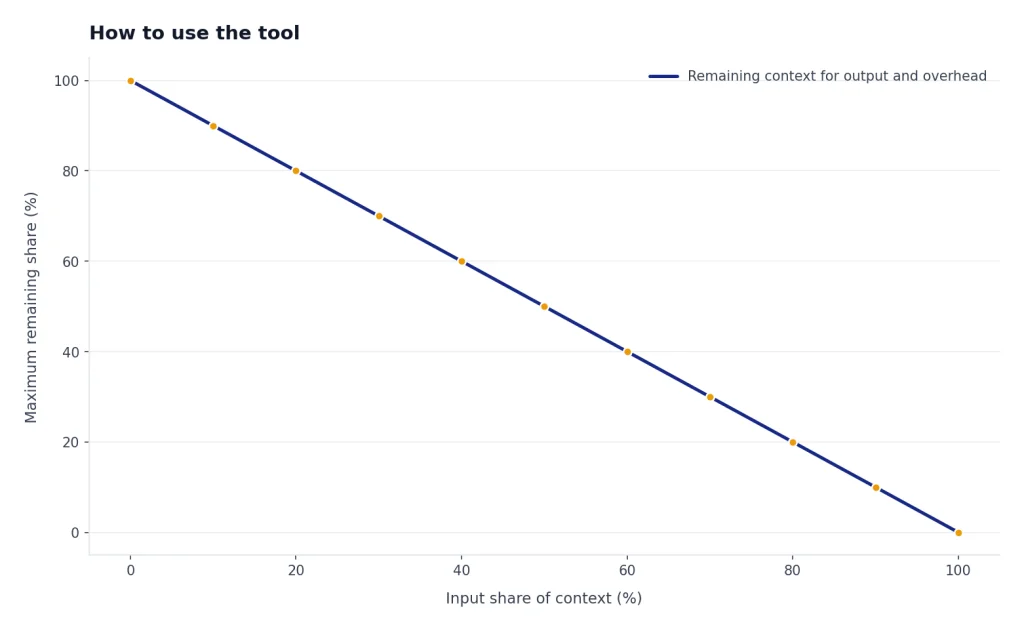
- Reserve space for the answer. Do not spend the entire context window on input. Leave room for the model’s response, tool output, and any hidden message overhead.
- Revise before sending. Remove boilerplate, shorten examples, split oversized documents, or move reusable context into a retrieval system.
For API work, compare the estimate with the actual usage returned by OpenAI after the request. The Responses API includes `input_tokens`, `output_tokens`, `reasoning_tokens`, and `total_tokens` in usage details, which makes the API response the source of truth after execution.[4] If your application fails because the input is too large, our OpenAI API errors guide explains the common failure modes and fixes.
Why token counts change by model
Different models can tokenize the same text differently. The OpenAI Cookbook says different models use different encodings and lists `o200k_base`, `cl100k_base`, `p50k_base`, and `r50k_base` among OpenAI-related encodings.[3] That is why a token counter should ask which model or encoding you care about.
Tokens also behave differently across content types. Plain English compresses differently from source code. Markdown tables add separators. JSON repeats keys. URLs and tracking parameters can create more fragments than expected. A prompt that looks short on screen can still be token-heavy if it contains dense structured text.
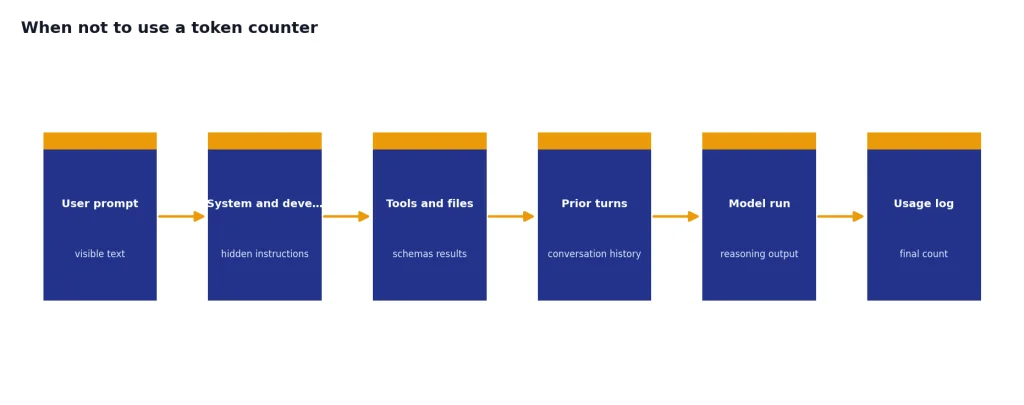
Chat-style prompts add another complication. A simple text counter measures the text you paste. An API request may also include role labels, tool definitions, structured response schemas, developer instructions, previous conversation turns, and reasoning overhead. OpenAI has not published an official figure for every hidden ChatGPT message overhead scenario, so treat browser counters as planning tools.
The practical rule is to count early, then verify with real usage logs. For repeatable workloads, log prompt tokens and completion tokens from development requests. Then compare those logs against your counter. That small feedback loop will teach you which prompts need trimming and which estimates are already close enough.
Free vs. paid token counter tools
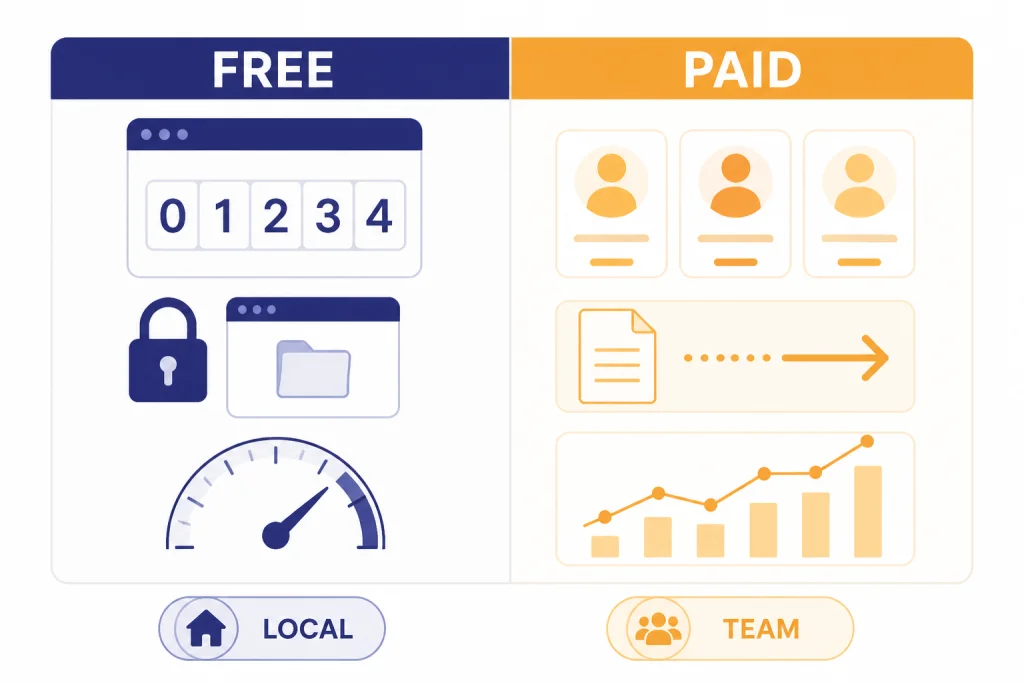
Most people should start with a free token counter. It is enough for checking prompt length, reducing waste, and avoiding obvious context-window problems. Paid tools make sense when token counting is part of a larger workflow, such as model cost reporting, prompt governance, developer dashboards, or team review.
| Tool type | Best for | Strengths | Limits |
|---|---|---|---|
| Free browser counter | One-off prompt checks | Fast, no account, good for drafts | May not include app-specific overhead |
| OpenAI `tiktoken` | Developers and pipelines | Model-aware, scriptable, repeatable | Requires code and maintenance |
| Cost calculator | Budget planning | Combines tokens with model price tables | Prices can change and must be verified |
| Team prompt platform | Shared prompt operations | Saved prompts, reviews, analytics, exports | Usually overkill for casual users |
| Provider usage dashboard | Final billing review | Uses actual request data | Only available after calls run |
OpenAI’s public API pricing page quotes API prices per token unit and separates categories such as input, cached input, and output for many model and tool types.[5] A cost calculator can multiply a prompt estimate by those rates, but it cannot know your final output length in advance. That is why a token counter and a cost calculator work best together.
If you run batch workloads, token counts also affect queue planning and savings decisions. See our OpenAI Batch API explainer for when asynchronous jobs can reduce costs.
Best OpenAI token counter alternatives
The tool on this page is the simplest option for quick checks. These alternatives are worth knowing when you need a different workflow.
OpenAI Tokenizer
OpenAI’s hosted tokenizer is useful when you want a direct view of tokenization behavior from OpenAI’s own platform. It is the natural starting point for learning what tokens are and why text is split in non-obvious ways.[1]
OpenAI tiktoken
`tiktoken` is the best choice for developers who need counting inside code. The GitHub repository shows installation with `pip install tiktoken` and model-aware encoding lookup.[2] The OpenAI Cookbook also shows how to count by encoding text and taking the length of the returned token list.[3]
Browser counters with cost estimates
Several free browser tools combine token counts with cost and context indicators. Pacgie describes a browser-side counter for OpenAI and Claude prompts with context-fit checks and prompt insights.[7] Token-counter.dev says it automatically selects encodings such as `o200k_base` or `cl100k_base` and keeps tokenization client-side.[8] CompuTools adds comparison blocks, context reserve settings, and static price references for planning.[9] Price Per Token offers an OpenAI pricing calculator and token counter with model price columns for input and output estimates.[10]
These tools are helpful, but verify price data before making production decisions. Price tables can lag behind provider changes. If a tool says it estimates another provider with a proxy tokenizer, treat that count as directional rather than exact.
When not to use a token counter
Do not use a token counter as a privacy shield unless the tool clearly runs locally. If your prompt contains private customer data, legal material, unreleased code, medical notes, or confidential business documents, use a local counter, self-hosted code, or a tool with a policy your organization has approved.
Do not use a counter as the final billing record. OpenAI’s API response usage is more authoritative because it reflects the exact request that ran, including output and reasoning tokens.[4] Use estimates before the call and usage logs after the call.
Do not rely on a single pasted-text count for agent workflows. Agents can add tool definitions, tool results, previous turns, files, retrieval snippets, and hidden instructions. The visible prompt may be only part of the real context. The Responses API also supports truncation behavior, where oversized input can be handled automatically or fail depending on settings.[4]
Do not use token count as a quality score. A shorter prompt is not always better. For writing, summarization, coding, and research, the best prompt is the shortest one that still gives the model enough context to do the job. For related workflow tools, see our guides to AI summarizer tools, ChatGPT prompt generator tools, and AI writing tools.
How to pick the right tool
Choose the smallest tool that gives you enough confidence. If you are checking a single ChatGPT prompt, use the free counter above. If you are testing a repeatable API prompt, use `tiktoken` in a small script and compare the estimate with real OpenAI usage fields. If you are budgeting a product feature, use a cost calculator and model several output lengths.
For software teams, the deciding factor is usually integration. A browser counter helps during design. A command-line or Python counter helps in CI checks, dataset preparation, and prompt regression tests. A paid dashboard helps when finance, product, and engineering all need the same view of usage.
For writers, researchers, and editors, usability matters more than exact billing math. Pick a tool that shows enough detail to reduce trial and error. A counter can tell you when to split a transcript, shorten a style guide, or summarize source material before asking for a rewrite. For coding-heavy workflows, pair counting with our AI coding assistants guide so you can judge context handling alongside developer features.
The best setup is usually layered: a free browser counter for drafting, `tiktoken` for repeatable automation, and provider usage logs for final accounting. That combination avoids guesswork without turning every prompt into a spreadsheet.
Frequently asked questions
Are token counter tools exact?
They can be exact for the text and encoding they actually count. They may still differ from final API usage if your real request adds system messages, tools, files, previous turns, or reasoning tokens. OpenAI usage fields are the final check after a request runs.[4]
What is the best free OpenAI token counter?
For quick work, use the free tool on this page or OpenAI’s tokenizer. For developer work, use `tiktoken` because it can be added to scripts and applications. OpenAI’s repository documents installation and model-aware encoding lookup.[2]
Can I use word count instead of token count?
Use word count only for a rough feel. Tokens do not map cleanly to words, especially in code, markdown, URLs, JSON, and multilingual text. A tokenizer-based counter is safer when cost or context size matters.
Do token counters estimate output cost?
Some do. They usually ask you to enter an expected output length or reserve. That estimate is useful for planning, but the model can produce fewer or more output tokens unless you set an output cap.
Are paid token counter tools worth it?
They are worth it when token counting is part of a team workflow. Saved prompts, exports, price dashboards, role-based review, and usage analytics can justify a paid tool. For casual prompt checks, free tools are usually enough.
Should I paste confidential data into a token counter?
Only if you trust the tool and understand where processing happens. Prefer local or browser-only counters for sensitive text. If your organization has compliance requirements, use an approved internal workflow instead.