

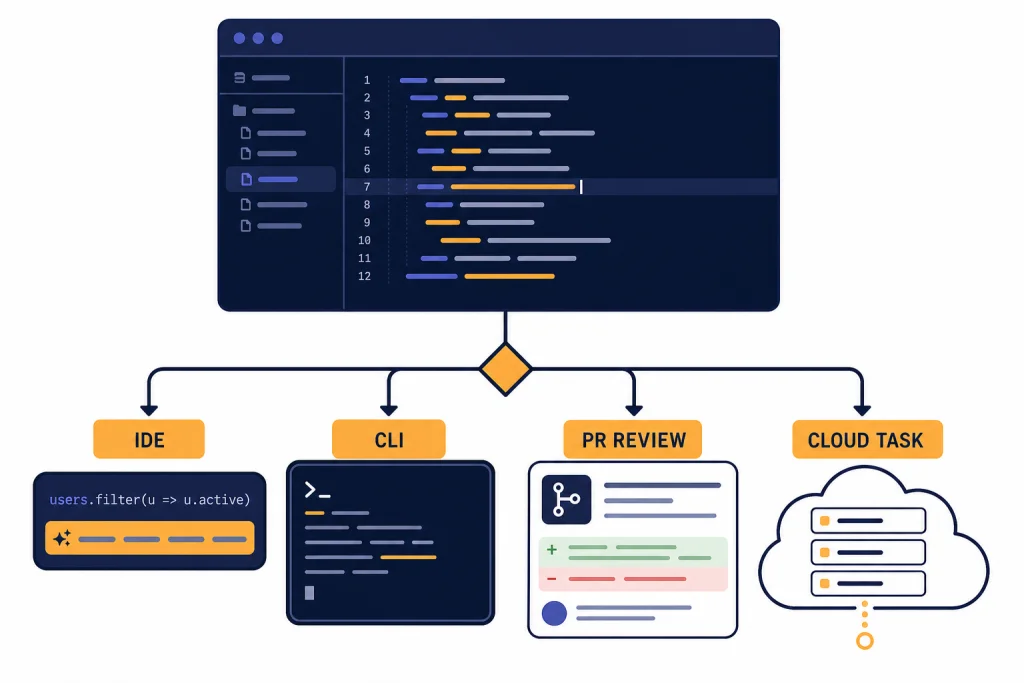
The best AI coding assistants in 2026 are no longer simple autocomplete tools. The strongest options now combine inline suggestions, repo-aware chat, terminal agents, pull request review, test generation, and admin controls. GitHub Copilot is the safest default for most teams. Cursor is the best AI-first editor for solo builders who want fast iteration. Claude Code is the best terminal-native agent for deep refactors. OpenAI Codex is the best fit if your workflow already runs through ChatGPT. Windsurf, Amazon Q Developer, JetBrains AI, and Tabnine each make sense for narrower use cases where IDE preference, cloud stack, or security policy matters more than raw popularity.
Quick picks
If you want the short version, start with your editor and your risk profile. A developer who lives in GitHub and VS Code should try GitHub Copilot first. A solo developer who wants an AI-native editor should try Cursor. A developer who wants a terminal agent that can reason across a repository should try Claude Code. A ChatGPT subscriber who wants coding tasks inside a broader AI workspace should try OpenAI Codex.
For AWS-heavy organizations, Amazon Q Developer is the most natural fit because it connects coding help with AWS console and transformation workflows. For JetBrains shops, JetBrains AI keeps assistance inside IntelliJ IDEA, PyCharm, WebStorm, GoLand, Rider, and related IDEs. For regulated teams that care most about deployment control and vendor posture, Tabnine deserves a serious look.
- Best default: GitHub Copilot.
- Best AI-first editor: Cursor.
- Best terminal coding agent: Claude Code.
- Best ChatGPT-connected coding agent: OpenAI Codex.
- Best AWS-focused option: Amazon Q Developer.
- Best JetBrains-native option: JetBrains AI.
- Best for enterprise control: Tabnine.
If you are comparing these tools because of usage limits, pair this guide with our OpenAI API pricing breakdown and API cost calculator tools. Coding agents can burn through large context windows quickly, especially when they scan repositories, write tests, and retry failed changes.
AI coding assistant comparison table
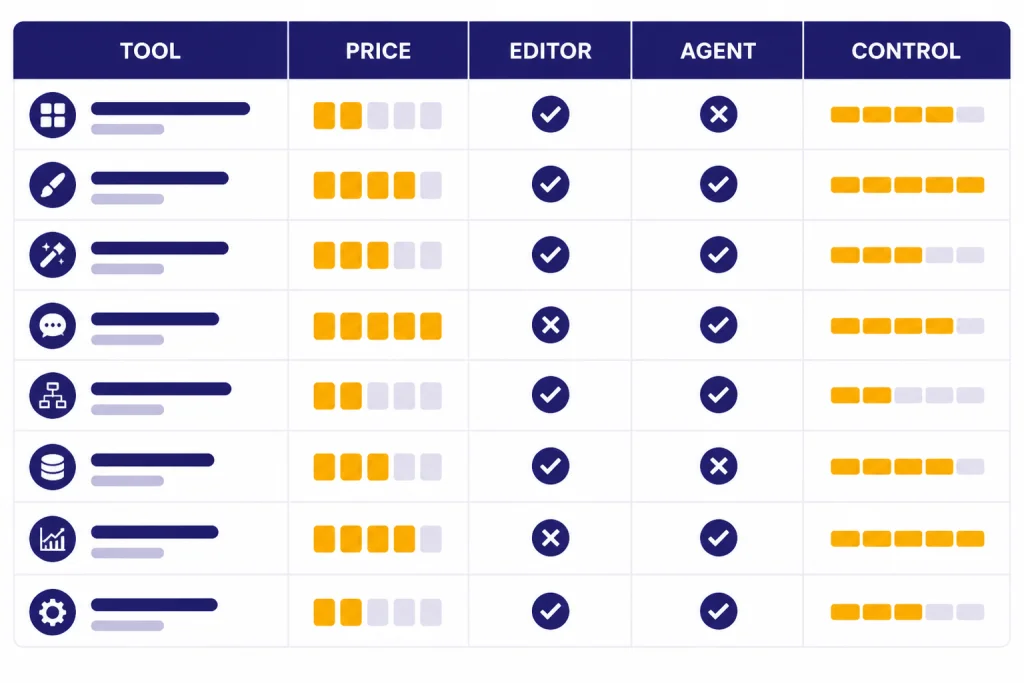
The best tool depends on where you want the assistant to operate. Some products are editor copilots. Some are AI-first IDEs. Some are agents that run tasks in the terminal or cloud. The table below focuses on practical buying criteria rather than benchmark claims.
| Tool | Best for | Starting paid plan | Where it works | Notable strength |
|---|---|---|---|---|
| GitHub Copilot | Most developers and teams | Pro at $10 per month; Pro+ at $39 per month; Business and Enterprise plans are also listed on GitHub’s pricing page.[1] | GitHub, VS Code, Visual Studio, JetBrains IDEs, Neovim, Eclipse, Xcode, and more.[1] | Broad IDE support, GitHub-native code review, and strong admin controls. |
| Cursor | Solo developers who want an AI-native editor | Pro at $20 per month, Pro+ at $60 per month, Ultra at $200 per month, and Teams at $40 per user per month.[2] | Cursor editor with agent, tab completion, cloud agents, rules, MCPs, skills, and hooks.[2] | Fast integrated editing loop and a workflow designed around agentic coding. |
| Windsurf | Developers who like Cascade-style agent workflows | Pro at $20 per month, Max at $200 per month, and Teams at $40 per user per month.[3] | Windsurf editor, Cascade, Tab, JetBrains plugin, and team controls.[3] | Clean agent experience with daily and weekly usage allowances. |
| Claude Code | Terminal-first developers doing larger refactors | Claude Max 5x is $100 per person monthly and Max 20x is $200 per person monthly.[4] | Terminal, Claude Code, Claude apps, and connected workflows.[5] | Strong reasoning across files and a natural command-line workflow. |
| OpenAI Codex | ChatGPT users who want coding agents in the same account | Codex is included with ChatGPT Free, Go, Plus, Pro, Business, and Enterprise plans; Pro tiers add higher usage.[6] | Codex app, IDE, CLI, GitHub review, and ChatGPT-connected workflows.[6] | Best fit for teams already standardizing on ChatGPT. |
| Amazon Q Developer | AWS-heavy developers | Free tier plus Pro at $19 per user per month.[8] | IDE, CLI, AWS Console, and AWS transformation workflows.[8] | AWS integration, app transformation, admin controls, and IP indemnity on Pro. |
| JetBrains AI | JetBrains IDE users | JetBrains lists AI Free, AI Pro, AI Ultimate, and AI Enterprise tiers, with AI Credits used as quota.[9] | JetBrains IDEs with AI Assistant and integrated agents.[9] | Native fit for IntelliJ IDEA, PyCharm, WebStorm, GoLand, Rider, and related IDEs. |
| Tabnine | Security-conscious organizations | Code Assistant Platform at $39 per user per month and Agentic Platform at $59 per user per month.[10] | Major IDEs, enterprise deployments, Jira integration, and optional headless agents.[10] | Enterprise deployment options and stronger focus on control. |
How to choose an AI coding assistant
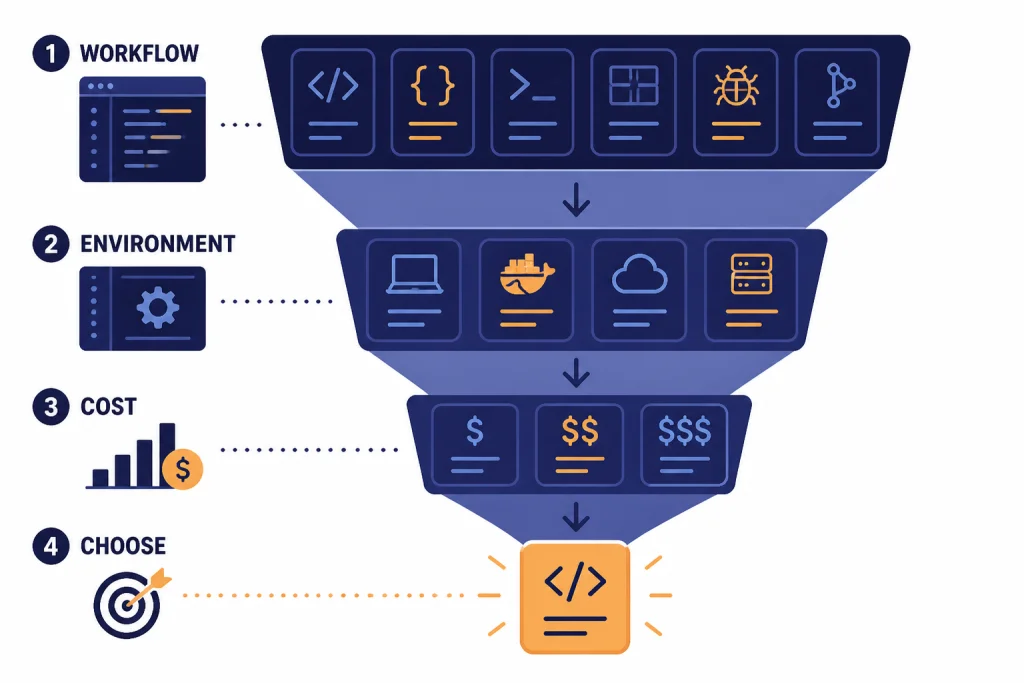
Use a coding assistant for the work it is actually good at. The best assistants accelerate known tasks. They are less reliable when you ask them to redesign a poorly understood system with no tests, no architecture notes, and no clear acceptance criteria.
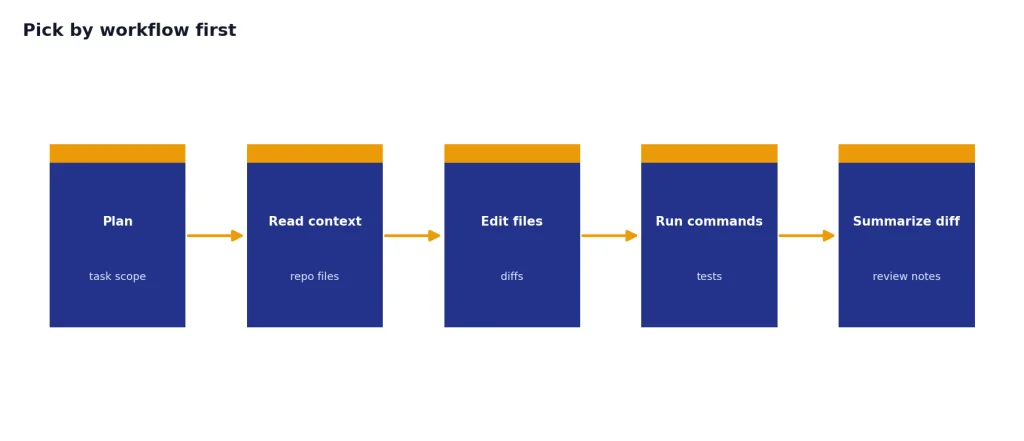
Pick by workflow first
If you want suggestions while typing, choose an assistant with strong inline completion. GitHub Copilot, Cursor, Windsurf, JetBrains AI, and Tabnine all compete here. If you want an agent to read files, edit across a repo, run commands, and summarize changes, focus on Cursor, Claude Code, Codex, Windsurf, and the newer Copilot agent features.
Pick by environment second
Your editor matters. Cursor is a full editor, not just a plugin. GitHub Copilot has the broadest editor footprint in this list. JetBrains AI is strongest when the team already uses JetBrains IDEs. Amazon Q Developer makes the most sense when the code is tied to AWS services, deployment, modernization, or console work.
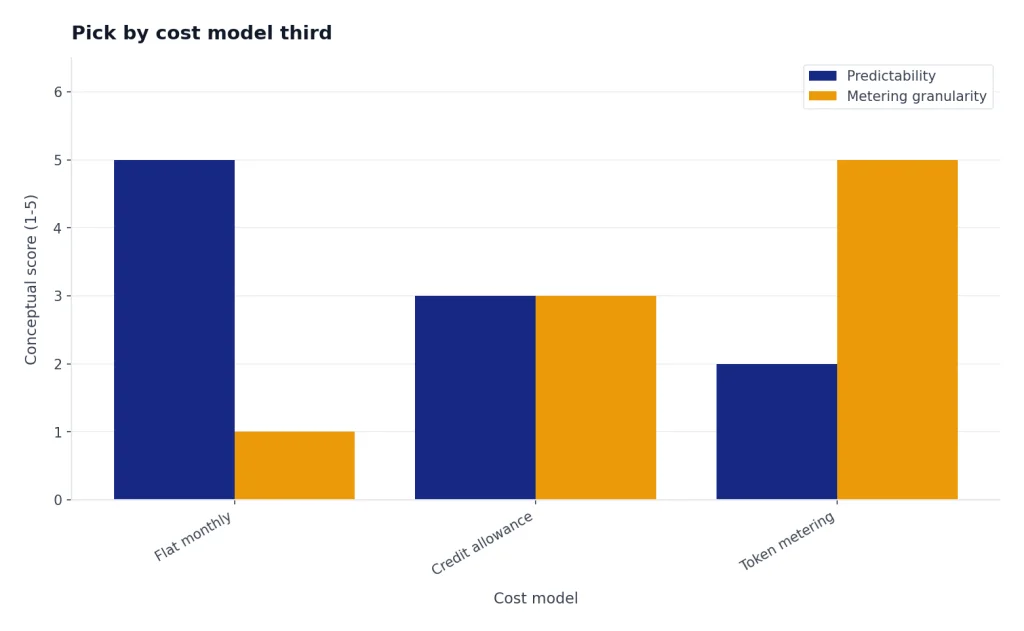
Pick by cost model third
Flat monthly pricing is easier to understand, but agentic work increasingly depends on usage allowances, credits, and token consumption. Cursor states that every plan includes a set amount of model usage and that on-demand usage can continue after the included amount is consumed.[2] OpenAI says Codex usage depends on task size, execution location, and the complexity of the coding session.[6] If you build internal coding tools on model APIs, use token counter tools before you estimate cost.
Tool reviews
GitHub Copilot
GitHub Copilot is the best default for most teams because it meets developers where they already work. It supports common editors, integrates with GitHub, and includes both inline suggestions and chat-style assistance. GitHub lists Free, Pro, and Pro+ individual plans, with Pro at $10 per month and Pro+ at $39 per month.[1]
Copilot is especially strong when the codebase already lives on GitHub. Pull request review, code review in editors, cloud agent features, custom instructions, and GitHub-native workflows reduce the amount of tool switching. GitHub also lists 50 premium requests per month on Free, 300 on Pro, and 1,500 on Pro+.[1]
The main downside is that Copilot can feel less opinionated than Cursor or Claude Code for deep autonomous work. It is a broad platform. That is a strength for teams, but some solo developers prefer a more aggressive AI-first environment.
Cursor
Cursor is the best choice if you want your editor itself to be shaped around AI. It offers agent workflows, tab completion, cloud agents, rules, MCPs, skills, and hooks. Cursor prices individual plans at $20 per month for Pro, $60 per month for Pro+, and $200 per month for Ultra.[2]
The appeal is speed. You can ask for a change, inspect diffs, refine the instruction, and keep moving without leaving the editor. Cursor also recommends Pro+ for daily agent users and Ultra for agent power users.[2] That is a useful signal. If you only need occasional autocomplete, Cursor may be more tool than you need.
Cursor is less ideal for organizations that want to standardize on existing IDEs without adding another editor. It can also require more active cost awareness because heavy agent use can consume included model usage quickly.
Claude Code
Claude Code is the best terminal-first coding assistant. It fits developers who prefer command-line workflows and want an agent that can inspect a repository, propose edits, and iterate from inside the development environment. Anthropic says Claude Max combines Claude desktop and mobile apps with Claude Code in one subscription.[4]
Claude Max has two listed tiers: Max 5x at $100 per person billed monthly and Max 20x at $200 per person billed monthly.[4] Anthropic’s Claude Code cost guidance also says Max and Pro subscribers have usage included in the subscription, while API users should track token usage and cost.[5]
Choose Claude Code when you trust a terminal workflow and want deeper reasoning for refactors, debugging, or unfamiliar code. Skip it if your team needs a simple plug-in rollout with centralized editor policy on day one.
OpenAI Codex
OpenAI Codex is the best fit for developers who already use ChatGPT heavily. OpenAI describes Codex as an AI agent that helps users write, review, and ship code, and says it is included with ChatGPT Plus, Pro, Business, and Enterprise/Edu plans.[6] The Codex pricing page also lists Codex access across Free, Go, Plus, Pro, Business, and Enterprise plans.[6]
The biggest reason to choose Codex is account consolidation. Coding tasks, general reasoning, deep research, files, and team workspaces can live under the same ChatGPT umbrella. OpenAI’s Pro tiers page says Plus is $20, Pro $100 offers 5x higher limits than Plus, and Pro $200 offers 20x higher limits than Plus.[7]
Codex also has a more explicit token-based cost story than many consumer coding tools. OpenAI says Codex pricing moved to token usage on April 2, 2026, for applicable plans, with credit rates tied to input tokens, cached input tokens, and output tokens.[11] Developers who want to understand that structure should also read our OpenAI API errors guide, because rate limits and billing errors often show up during automation.
Windsurf
Windsurf is strongest for developers who like a focused AI editor with a named agent workflow. Its pricing page lists Free, Pro, Max, Teams, and Enterprise plans, with Pro at $20 per month, Max at $200 per month, and Teams at $40 per user per month.[3] Windsurf’s docs say the product introduced new usage-based self-serve plans in March 2026.[3]
The product is especially interesting if you want a balance between Cursor-like editing and agentic flows. The docs describe prompt credits for Enterprise plans and note that credits are consumed when a message is sent to Cascade with a premium model.[3] That makes usage tracking easier to explain to teams than a vague “AI limit” label.
Amazon Q Developer
Amazon Q Developer is the best AI coding assistant for developers whose work centers on AWS. AWS lists a Free tier and a Pro tier at $19 per user per month.[8] The Pro tier adds increased agentic request limits, higher Java and .NET transformation limits, Identity Center support, admin dashboards, controls, and IP indemnity.[8]
Amazon Q Developer is not the best general-purpose choice for every stack. Its advantage is context. If your team needs help diagnosing AWS errors, transforming applications, or working inside AWS tooling, it can save time in places where editor-only tools do not see enough operational context.
JetBrains AI
JetBrains AI is the obvious candidate for teams that live in IntelliJ IDEA, PyCharm, WebStorm, GoLand, Rider, and related tools. JetBrains says AI Assistant connects users to large language models and enables AI-powered features in JetBrains products.[9] It lists AI Free, AI Pro, AI Ultimate, and AI Enterprise tiers, with quota measured in AI Credits.[9]
The main benefit is native fit. Developers do not need to switch to a VS Code-style AI editor to get assistance. The tradeoff is that JetBrains AI makes the most sense when the IDE is already part of the team’s workflow. If your team uses a mix of editors, GitHub Copilot or Tabnine may be easier to standardize.
Tabnine
Tabnine is best for organizations that value control, privacy posture, and enterprise deployment options. Tabnine lists a Code Assistant Platform at $39 per user per month and an Agentic Platform at $59 per user per month.[10] It also says unlimited usage is available when using your own LLM on-prem or your own LLM endpoint on cloud, with additional payment for reserved token consumption quota when using Tabnine-provided LLM access.[10]
Tabnine may not be the first pick for a solo developer chasing the fastest AI editor loop. It is more compelling for companies that need procurement, deployment, and security conversations to happen before broad rollout.
Privacy, security, and cost controls
AI coding assistants touch sensitive material. They can see source code, comments, file names, package names, test data, logs, prompts, and sometimes issue tracker context. Before a team rolls out any assistant, decide which repositories are allowed, which secrets must be blocked, and who can enable agentic features.
GitHub Copilot’s pricing page separates individual plans from business controls such as license management, policy management, and IP indemnity.[1] Cursor’s Teams plan includes shared chats, centralized billing, usage analytics, role-based access control, and SAML/OIDC SSO.[2] Amazon Q Developer Pro includes Identity Center support with admin dashboards and controls.[8] Tabnine emphasizes enterprise-grade deployments and works with major IDEs.[10]
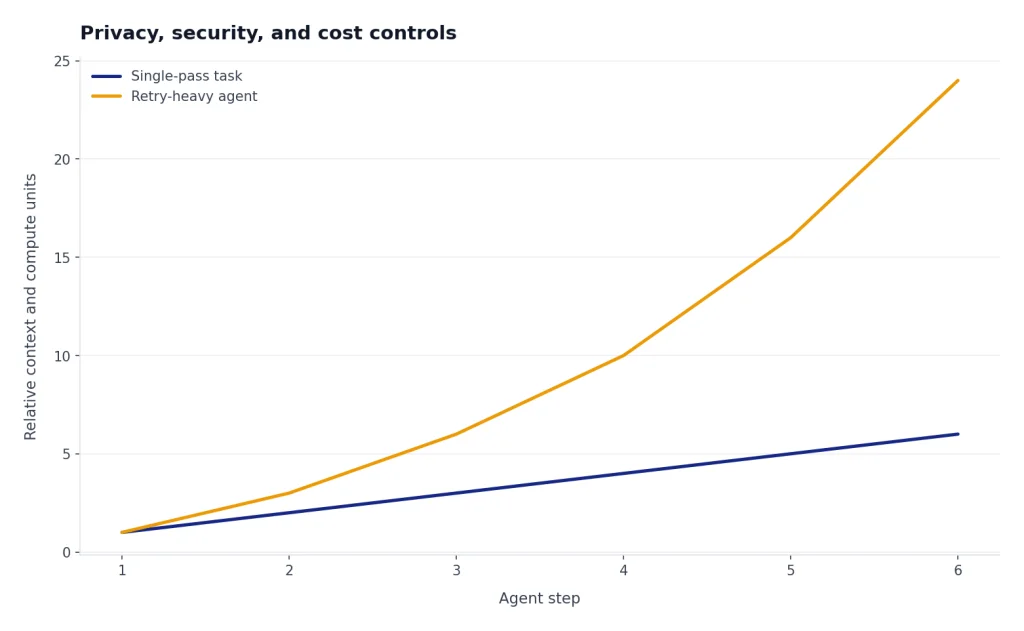
Cost control matters just as much as data control. Agents can run tests, read large files, open dependencies, and retry tasks. That is useful, but it can also create unpredictable usage. If you are building your own coding agent rather than buying one, start with OpenAI Token Counter Tools, then use Best OpenAI API Cost Calculator Tools before you connect the agent to a large repository.
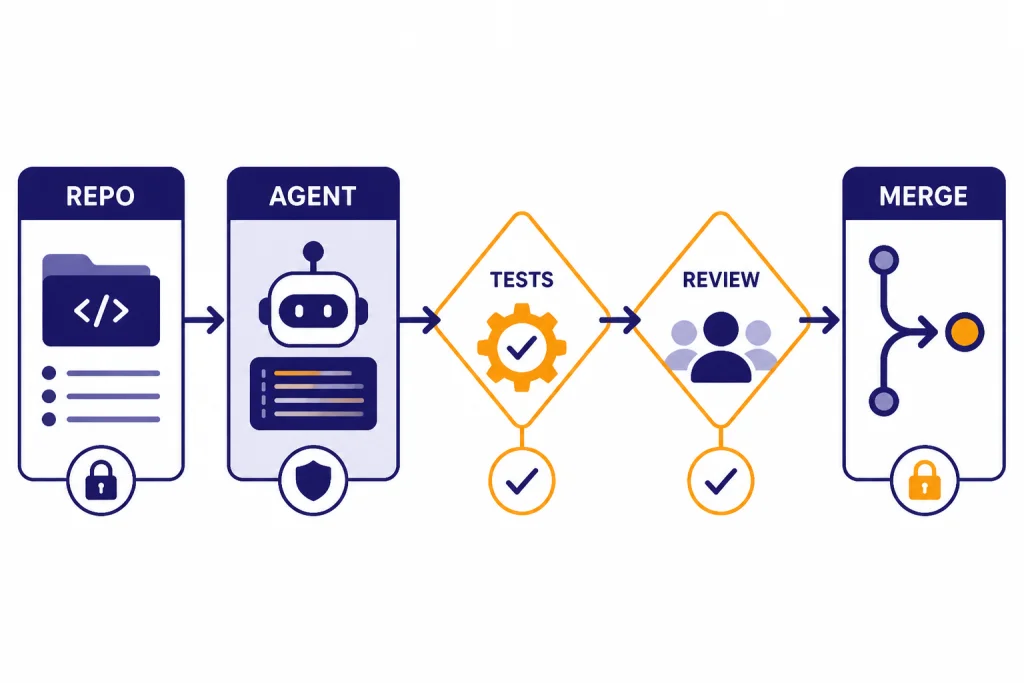
Human review remains mandatory. AI assistants can produce plausible code that compiles but fails edge cases. They can also delete important behavior while “simplifying” a function. Treat AI output like a junior developer’s pull request: require tests, diff review, and a clear explanation of the change.
Best workflows for different developers
For a solo web app builder: Start with Cursor or Windsurf. Both keep the edit, prompt, and diff loop tight. Add ChatGPT or Claude for architecture discussion when you need a second opinion outside the editor.
For a GitHub-based engineering team: Start with GitHub Copilot. It is easier to justify because it fits existing pull request and repository workflows. Pair it with written coding standards and a short prompt guide. Our ChatGPT prompt generator tools guide can help teams formalize reusable instructions.
For a backend developer handling refactors: Try Claude Code or Codex. Both are better suited to multi-step reasoning than a plain autocomplete tool. Keep the task narrow. Ask for a plan first, then approve files in batches.
For AWS teams: Use Amazon Q Developer where AWS context matters. It is most valuable around AWS services, console diagnosis, transformations, and cloud-adjacent tasks. For general writing around documentation, runbooks, and release notes, compare it with our best AI writing tools.
For documentation-heavy engineering teams: Combine a coding assistant with a summarizer. Pull request summaries, incident notes, and architecture docs often need a different tool than code generation. See our AI summarizer tools comparison and best AI research tools for academics if your team reads long technical material.
For desktop-first users: Check whether the assistant fits your operating system before you buy. Codex, Claude, GitHub Copilot, and ChatGPT-related workflows can involve desktop apps, browser apps, IDE extensions, or terminals. Our Best ChatGPT Desktop Apps and ChatGPT Windows App guides cover the broader app side.
Frequently asked questions
What is the best AI coding assistant overall?
GitHub Copilot is the best overall choice for most developers and teams. It has broad editor support, GitHub-native workflows, and a pricing structure that is easy to understand at the entry level. Cursor or Claude Code may be better if you want a more agent-heavy workflow.
Is Cursor better than GitHub Copilot?
Cursor is better if you want an AI-first editor and you are willing to move your workflow into Cursor. GitHub Copilot is better if you want AI assistance inside tools your team already uses. For organizations, Copilot is usually easier to roll out; for solo builders, Cursor can feel faster.
Is Claude Code worth it for programming?
Claude Code is worth trying if you like terminal workflows and often ask AI to make multi-file changes. It is strongest when the task has clear tests, a clear goal, and enough repository context. It is less useful if you only want lightweight autocomplete.
Should teams allow AI agents to commit code automatically?
Most teams should not allow automatic commits to protected branches. Let agents create diffs or pull requests, then require human review and tests. This keeps the speed benefits while reducing the risk of silent regressions.
Which AI coding assistant is best for privacy?
There is no single privacy winner for every organization. Tabnine is strong for teams that want enterprise deployment control. GitHub Copilot Business or Enterprise, Cursor Teams or Enterprise, Amazon Q Developer Pro, and JetBrains AI Enterprise may also fit depending on your admin, data, and compliance requirements.
Can AI coding assistants replace developers?
No. They can speed up implementation, testing, refactoring, and explanation, but they still need direction and review. The developer remains responsible for architecture, security, correctness, and maintainability.