

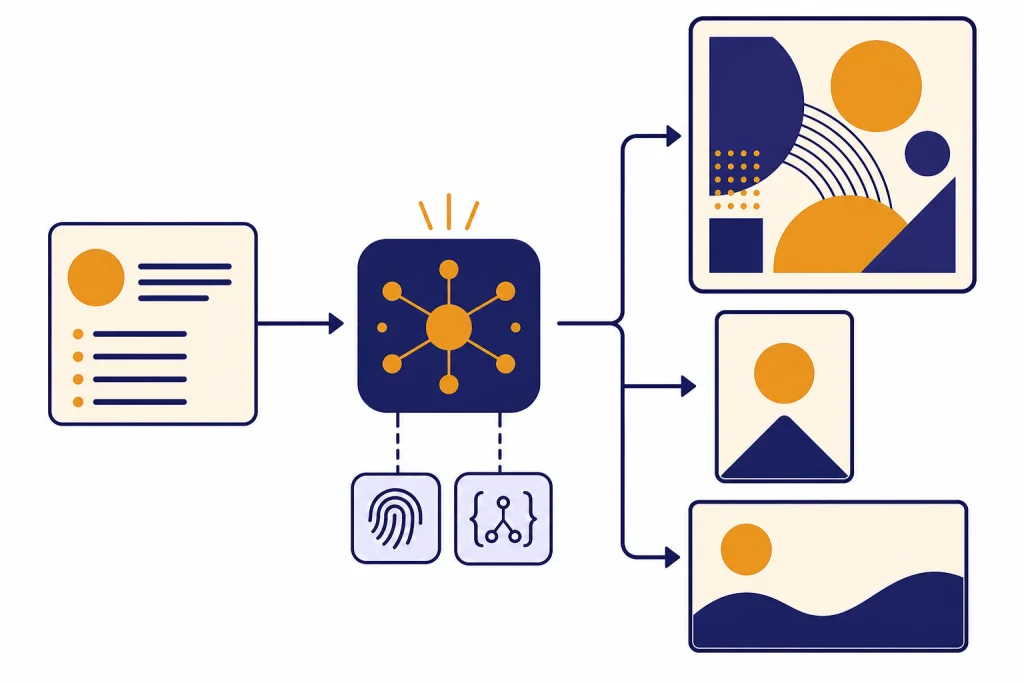
DALL-E 3 is OpenAI’s third-generation text-to-image model and the system that first made image generation feel native inside ChatGPT. It turns written prompts into original images, handles richer instructions than DALL-E 2, and supports square, portrait, and landscape outputs through the API.[2] In 2026, however, DALL-E 3 is no longer the newest OpenAI image path. ChatGPT users can still generate with DALL-E through the DALL-E GPT, while OpenAI’s newer ChatGPT Images and GPT Image API handle more advanced generation and editing workflows.[5][6] Treat DALL-E 3 as a capable legacy image model, not the default answer for every new image project.
What DALL-E 3 is
DALL-E 3 is an OpenAI image generation model. It accepts a text prompt and returns a new image. OpenAI describes the model as able to generate text in images, support portrait and landscape formats, create more detailed images, and understand complex prompts.[2]
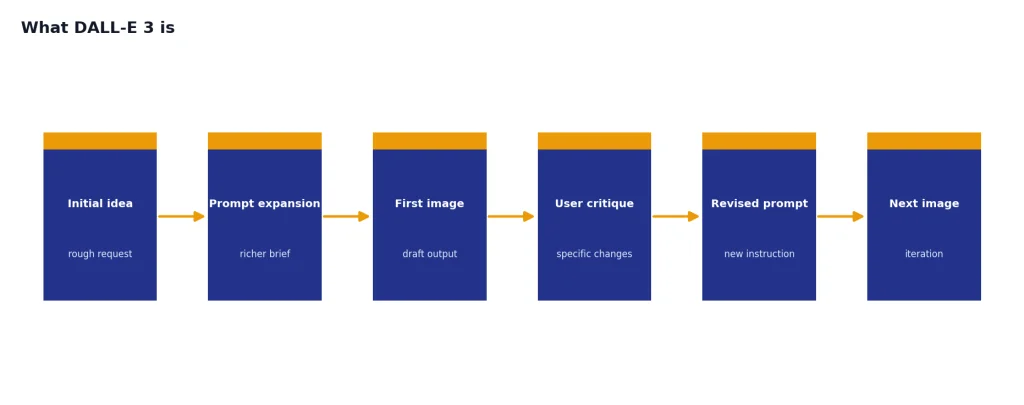
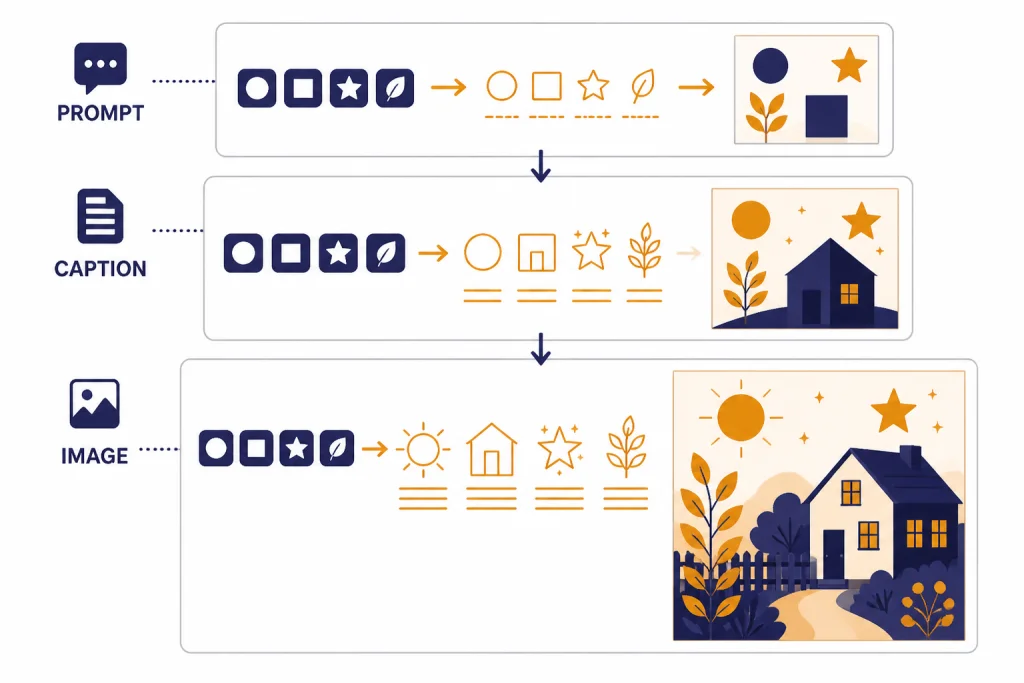
The important shift from DALL-E 2 to DALL-E 3 was not only higher image quality. It was better instruction following. OpenAI’s research paper on DALL-E 3 says the team improved prompt following by training on highly descriptive generated image captions, after finding that noisy or incomplete captions limited earlier text-to-image systems.[9] That training direction explains why DALL-E 3 often responds well to plain English, scene descriptions, lists of objects, and composition instructions.
DALL-E 3 also marked the point where image generation became conversational inside ChatGPT. OpenAI announced DALL-E 3 availability in ChatGPT Plus and Enterprise on October 19, 2023, and described the experience as creating images from a simple conversation that users could refine in chat.[1] That matters because DALL-E 3 was not just another image endpoint. It was the model that taught many users to build images through iteration instead of one-shot prompt engineering.
For a broader map of OpenAI models, see all GPT models compared side by side. If you are deciding across image-specific systems, start with our best GPT model for image generation guide.
How DALL-E 3 works in ChatGPT
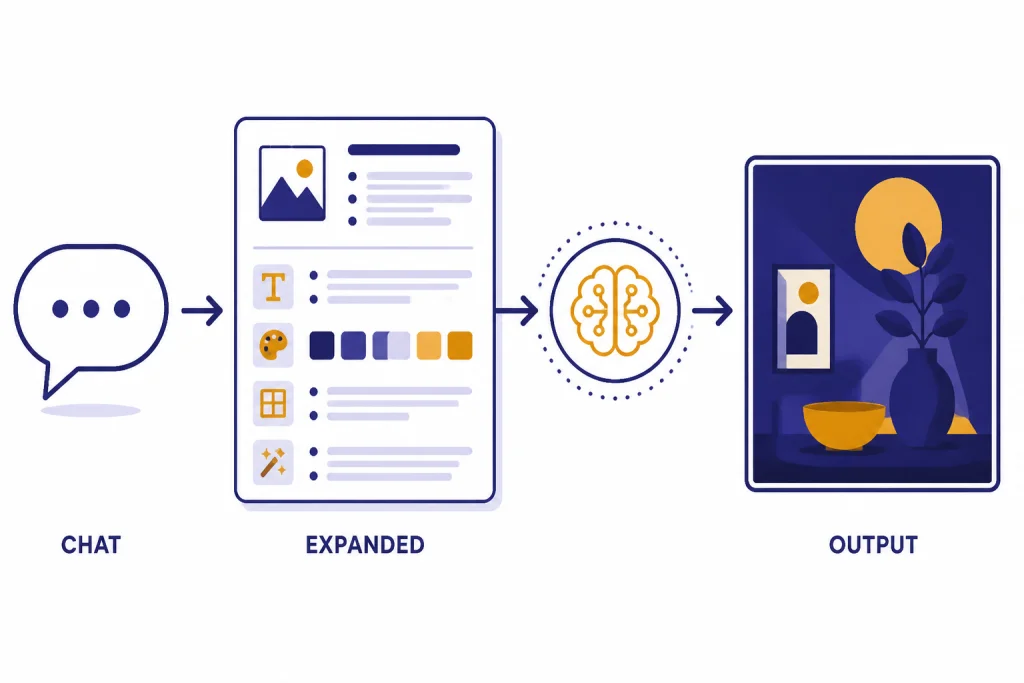
DALL-E 3 became popular because ChatGPT could act as the prompt writer, art director, and revision interface. Instead of forcing users to learn a dense syntax, ChatGPT could expand a short request into a richer image prompt and pass it to the image model. OpenAI’s DALL-E 3 API help article says the API automatically creates a more detailed prompt because DALL-E 3 expects highly detailed prompts, similar to the ChatGPT experience.[2]
That prompt expansion is useful, but it also means the image may reflect ChatGPT’s interpretation of your request. If you write “make a clean product mockup,” ChatGPT may infer a studio background, a certain lighting style, and extra design details. This is often helpful for casual creation. It can be frustrating when you need exact control over packaging, layout, product scale, or typography.
As of OpenAI’s current help guidance, ChatGPT Free, Plus, Team, and Pro users can still generate images with DALL-E by using the DALL-E GPT. The same help article says images created with DALL-E show “Created with DALL-E” below the image.[5] That label is important in 2026 because ChatGPT also has newer image generation tools that are not the same as DALL-E 3.
OpenAI’s newer ChatGPT Images workflow can create and edit images, including edits to uploaded images and selected regions inside an image.[5] If your task involves repeated localized edits, transparent backgrounds, or detailed image-to-image changes, the newer image system is usually a better place to start. DALL-E 3 remains useful when you want the older DALL-E look, a simple text-to-image generation, or compatibility with older workflows.
Think of the ChatGPT flow as a three-step chain:
- You describe the image in normal language.
- ChatGPT turns the request into a more detailed image instruction.
- DALL-E 3 generates one image from that expanded instruction through the image generation path.
Where DALL-E 3 still works well
DALL-E 3 is still strong for text-forward visual concepts. OpenAI lists “generate text in images” as one of the DALL-E 3 API capabilities.[2] It is not perfect at typography, especially for small text, dense posters, or multiple lines of copy, but it was a major improvement over earlier image models that treated letters as decorative texture.
The model is also useful for clean editorial illustrations, concept art, icons, storyboards, classroom visuals, and ideation boards. It tends to follow multi-part prompts better when the prompt describes the scene positively rather than relying on a long list of exclusions. Instead of “no clutter, no people, no glare,” write “a clean empty desk surface with one matte ceramic cup, soft overhead light, and a plain gray background.”
DALL-E 3 also works well when you need one finished visual from a natural-language idea. It is less suited to workflows that require precise reusable seeds, layered files, exact camera continuity, or production-grade inpainting. For those needs, compare it with newer OpenAI image systems, open-source diffusion pipelines, or design tools that expose more low-level controls. Our DALL-E vs Stable Diffusion comparison covers that trade-off in more detail.
Use DALL-E 3 for:
- Blog and newsletter illustrations that need a coherent scene.
- Simple product concept mockups for early brainstorming.
- Educational diagrams where exact measurement is not required.
- Social graphics with short text, large lettering, and simple layouts.
- Creative exploration where prompt adherence matters more than editability.
Avoid relying on DALL-E 3 for final logos, medical diagrams, legal evidence, technical schematics, or images where exact text placement must be guaranteed. It can generate plausible-looking results that still contain small errors.
DALL-E 3 API specs and pricing
Developers can call DALL-E 3 by setting the image model parameter to dall-e-3 in the OpenAI API.[2] OpenAI’s image generation guide says the Image API supports GPT Image models as well as dall-e-2 and dall-e-3, while the Responses API supports image generation as part of multi-step conversational flows.[4]
OpenAI’s current image generation guide also states that DALL-E 2 and DALL-E 3 are deprecated and that support is scheduled to stop on May 12, 2026.[4] That date is the key planning fact for developers. If you are building a new production workflow in April 2026, you should not design it around DALL-E 3 unless you have a migration plan.
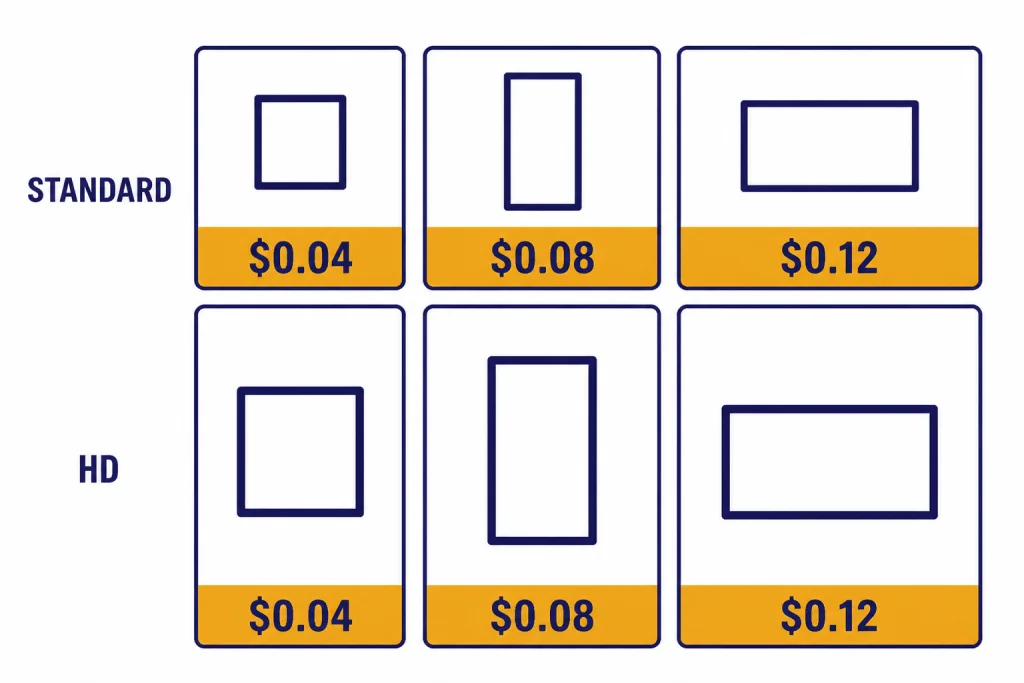
DALL-E 3 is priced per image in the API. OpenAI’s pricing page lists the following DALL-E 3 prices:[3]
| Quality | Square output | Portrait output | Landscape output | Best use |
|---|---|---|---|---|
| Standard | 1024 x 1024 at $0.04 | 1024 x 1792 at $0.08 | 1792 x 1024 at $0.08 | Drafts, blog images, concept art |
| HD | 1024 x 1024 at $0.08 | 1024 x 1792 at $0.12 | 1792 x 1024 at $0.12 | Final candidates, detail-heavy images |
OpenAI’s DALL-E 3 API help article says the model was trained to generate 1024 x 1024, 1024 x 1792, or 1792 x 1024 images.[2] It also says the quality parameter supports standard and hd, with standard as the default and hd trading higher cost and latency for higher image quality.[2]
The same help article says DALL-E 3 supports a style parameter with vivid and natural options, and that vivid is the default.[2] It also says DALL-E 3 currently supports n=1, so developers who want multiple candidates should make multiple parallel calls rather than requesting several images in one call.[2]
If cost is the main decision factor, compare DALL-E 3 with the broader OpenAI API pricing guide and our cheapest GPT model breakdown. Image pricing does not behave like text token pricing, so a cheap text model is not automatically a cheap image workflow.
How to prompt DALL-E 3
DALL-E 3 usually responds best to specific, concrete prompts. You do not need to write a wall of keywords. You do need to describe the subject, setting, composition, style, lighting, aspect ratio intent, and any text that must appear in the image.
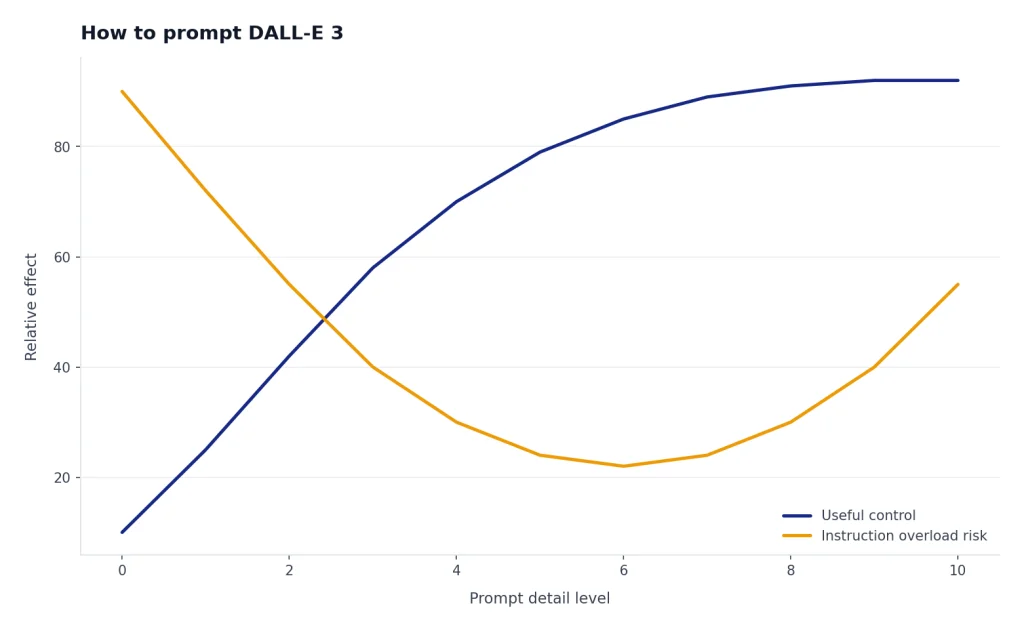
A weak prompt says: “Make an image for a blog post about AI image generation.”
A stronger prompt says: “Create a flat editorial illustration for a blog post about AI image generation. Show a text prompt card on the left, a processing node in the center, and a finished square image card on the right. Use a clean white background, simple shapes, and no brand logos.”
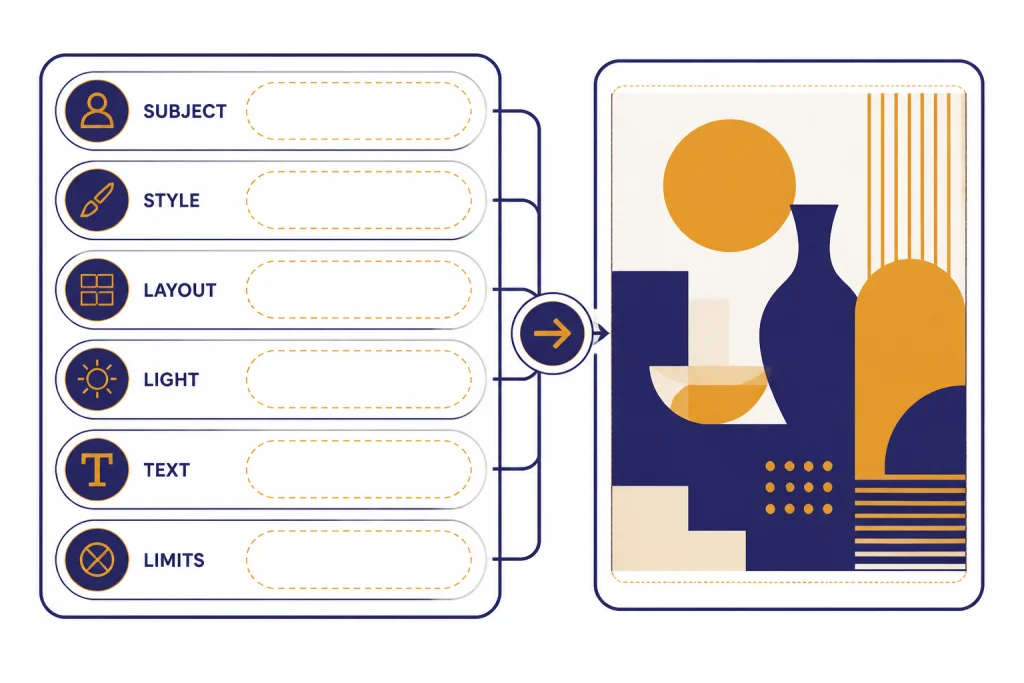
For DALL-E 3, the strongest prompts usually include these parts:
- Subject: the main object, scene, or diagram.
- Composition: where the parts should sit in the frame.
- Medium: flat vector, watercolor, product render, line drawing, editorial illustration, or photo style.
- Constraints: no logos, no faces, limited text, plain background, or specific color palette.
- Text: exact short labels, if the image needs words.
- Use case: blog header, slide, classroom worksheet, product concept, or social post.
When you need text in the image, keep it short. DALL-E 3 is better with one to six large labels than with a paragraph, a data table, or tiny interface copy. If the words matter legally or commercially, generate the visual without text and add the final typography in a design tool.
When you need consistency, keep a reusable prompt template. Change only one variable at a time, such as subject, palette, or format. DALL-E 3 can drift when you revise too many instructions at once. This is one reason teams often use ChatGPT for ideation, then move into a more controlled design workflow for production.
For text-heavy articles, pair image generation with a stronger writing model. Our best GPT model for writing guide covers that side of the workflow. For developer automation around image prompts, see the best GPT model for coding comparison.
Limits, safety, and provenance
DALL-E 3 has real limits. It can misunderstand spatial relationships, distort hands and small objects, miss exact counts, or introduce unwanted text. It can also make a polished image feel more accurate than it is. Treat outputs as drafts unless a human checks the details.
OpenAI’s DALL-E 3 system card says the model takes a text prompt as input and generates a new image as output, and that DALL-E 3 builds on DALL-E 2 by improving caption fidelity and image quality.[7] The system card also describes external red teaming, risk evaluations, and mitigations used before deployment.[7] Those mitigations do not make the model risk-free. They mean OpenAI designed safety layers around a system that can generate convincing synthetic media.
Provenance is another part of the DALL-E 3 story. OpenAI’s C2PA help article says images generated with ChatGPT on the web and the API serving DALL-E 3 include C2PA metadata.[8] It also warns that metadata is not a complete solution because it can be removed accidentally or intentionally, including when platforms strip metadata or someone takes a screenshot.[8]
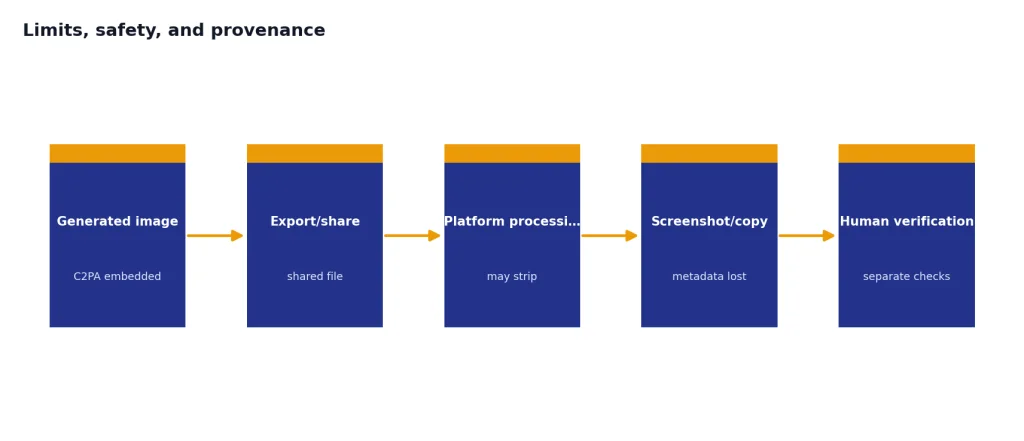
That means you should not treat the absence of C2PA metadata as proof that an image is human-made. You should also avoid presenting DALL-E 3 outputs as documentary evidence unless you have separate verification. For publishing, the safer practice is to disclose AI-generated imagery when it affects reader trust, especially in news, health, finance, education, or public-interest contexts.
DALL-E 3 is a generation model, not a vision analysis model. If your workflow requires understanding an uploaded image, compare it with GPT-4 Vision or other multimodal models. If you need video rather than still images, read our guide to Sora and the newer Sora 2 overview.
When to use DALL-E 3 in 2026
Use DALL-E 3 in 2026 when you specifically want the DALL-E workflow, need compatibility with older prompts, or want a simple text-to-image endpoint while it remains available. Do not choose it by default for a new long-term API integration. OpenAI’s image generation guide now points developers toward GPT Image models and lists DALL-E 2 and DALL-E 3 as deprecated, with support scheduled to stop on May 12, 2026.[4]
The newer GPT Image API is the better default for most new work. OpenAI’s GPT Image API help article says GPT Image supports generation, edits, and transforms, and its model comparison table lists GPT Image as best for highest quality, detailed instruction following, and transparent backgrounds, while DALL-E 3 is best for larger resolutions and text-forward imagery.[6]
| Task | Better starting point | Reason |
|---|---|---|
| Simple one-shot illustration | DALL-E 3 or GPT Image | DALL-E 3 remains capable, but GPT Image is the newer path. |
| Precise editing of an uploaded image | GPT Image | OpenAI positions GPT Image for generation, editing, and transformation.[6] |
| Legacy prompts already tuned for DALL-E | DALL-E 3 | It preserves the older model behavior while supported. |
| Transparent backgrounds | GPT Image | OpenAI lists transparent backgrounds as a GPT Image strength.[6] |
| Long-term production API | GPT Image | OpenAI lists DALL-E 2 and DALL-E 3 as deprecated in the image generation guide.[4] |
The practical answer is simple. DALL-E 3 still matters because it shaped how ChatGPT users create images through conversation. It is still worth understanding, especially if you maintain old prompts or compare image model behavior. But for new production work after April 2026, start with the newer image stack unless you have a specific reason not to.
If you want the older lineage, compare this article with DALL-E 2. If you want the full model landscape, use our context window sizes for every GPT model reference for text models and the image model guides for visual generation.
Frequently asked questions
Is DALL-E 3 still available in ChatGPT?
Yes. OpenAI’s help article says ChatGPT Free, Plus, Team, and Pro users can still generate images with DALL-E using the DALL-E GPT.[5] The default ChatGPT image experience may use newer image generation systems, so check the tool or label shown in your ChatGPT interface.
Is DALL-E 3 the newest OpenAI image model?
No. OpenAI’s help center describes a newer GPT Image API based on its latest multimodal image model, and its comparison table positions GPT Image ahead for high-quality generation, editing, and transparent backgrounds.[6] DALL-E 3 is now best understood as a legacy model with specific strengths.
How much does DALL-E 3 cost through the API?
OpenAI lists DALL-E 3 API pricing per image. Standard square images at 1024 x 1024 cost $0.04, while HD square images at 1024 x 1024 cost $0.08.[3] Portrait and landscape outputs cost more, depending on quality.[3]
What image sizes does DALL-E 3 support?
OpenAI’s DALL-E 3 API help article says the model was trained to generate 1024 x 1024, 1024 x 1792, or 1792 x 1024 images.[2] Smaller 512 x 512 and 256 x 256 sizes are associated with DALL-E 2 rather than DALL-E 3.[2]
Can DALL-E 3 edit existing images?
DALL-E 3 is mainly a text-to-image generation model in the current API documentation. OpenAI’s image generation guide describes the newer GPT Image path as the focus for generation and editing workflows, while DALL-E 3 is a specialized image generation model.[4] Use GPT Image or ChatGPT Images when editing is central to the task.
Does DALL-E 3 add metadata to generated images?
OpenAI says images generated with ChatGPT on the web and the API serving DALL-E 3 include C2PA metadata.[8] That metadata can help show provenance, but OpenAI also notes that metadata can be removed by screenshots, uploads, or platform processing.[8]