

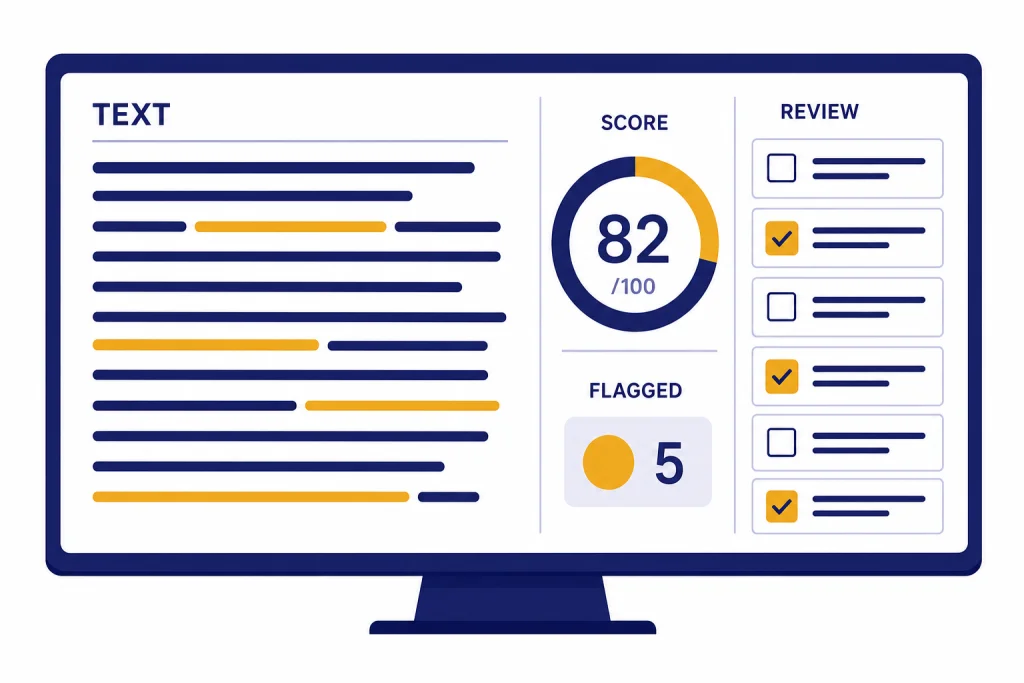
JustDone AI Detector is a fast AI-writing checker built into JustDone’s broader writing suite. In this JustDone AI Detector review, the short verdict is cautious: it can help students, educators, and content teams screen drafts, but it should not be treated as proof that a person used AI. JustDone says the detector supports sentence-level reports, scans pasted text or uploaded PDF, Word, and TXT files, and checks up to 15,000 words in one scan.[1]
For this May 2026 update, we added a small hands-on spot check using pasted text and a TXT upload: a human-written review paragraph, an AI-generated explainer, a hybrid passage, a paraphrased AI passage, a non-native-style sample, and a short snippet. The results matched the broader advice in this review: JustDone was useful for flagging passages for review, but the output was not consistent enough to support accusations or penalties by itself.
Verdict
JustDone AI Detector earns a cautious recommendation for low-stakes screening. It is convenient, quick, and bundled with related writing tools. The detector is especially appealing if you already want an all-in-one workspace that includes a plagiarism checker, grammar checker, paraphraser, summarizer, citation tool, and AI humanizer.[2]
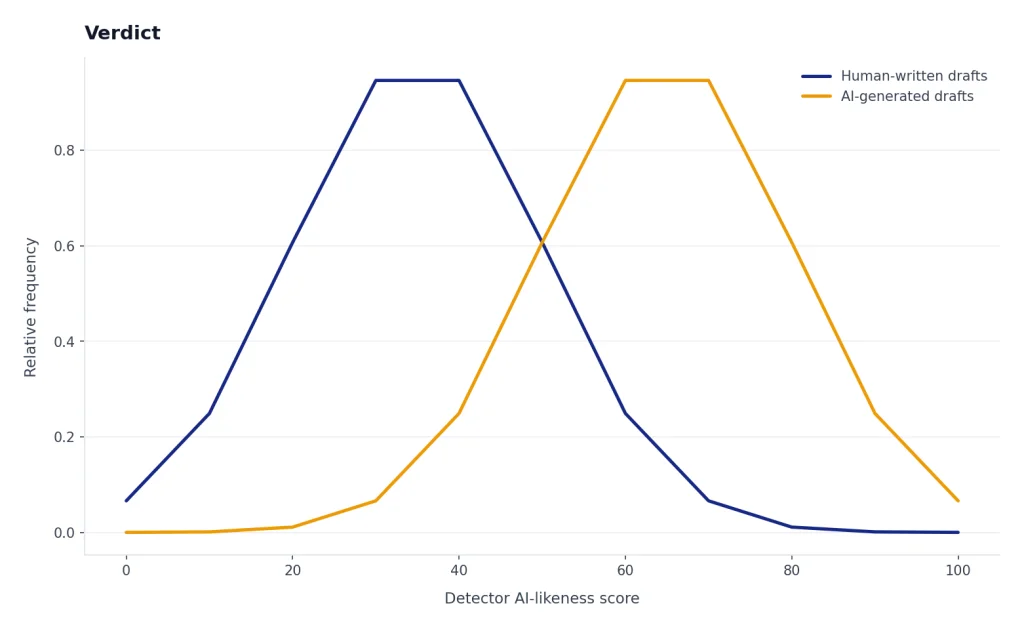
The caution is just as important. AI detectors estimate patterns. They do not prove authorship. JustDone’s own AI Detector page says no detector is completely accurate and that errors can happen in both directions.[1] That warning should shape every use case. A high score should trigger review, not punishment. A low score should not automatically prove that a draft is human-written.
Hands-on bottom line: in our spot check, JustDone behaved like a triage tool rather than a definitive classifier. The AI-generated and polished AI-edited samples were more likely to be highlighted. The human and non-native-style samples still needed human interpretation because formal, repetitive, or concise writing can look detector-unfriendly. Short snippets were the least useful, which aligns with JustDone’s own warning that very short inputs are less reliable.[4]
| Review factor | Our assessment |
|---|---|
| Best use | Draft screening, sentence-level review, and workflow triage |
| Weakest use | High-stakes accusations, grading decisions, or employment decisions |
| Standout feature | AI detection paired with rewriting, plagiarism, grammar, and citation tools |
| Main concern | Accuracy claims are difficult to verify without raw test data, and our small test set showed that context still matters |
| Bottom line | Useful as a signal. Not enough as evidence by itself. |
If you are a teacher comparing classroom options, also read our Best AI Detectors for Teachers and Schools. If your main concern is copied text rather than machine-written text, use this review together with our Best Plagiarism Checkers guide.
What JustDone AI Detector does
JustDone positions its detector as part of a larger academic and writing workspace. Its homepage lists an AI Detector, AI Humanizer, Plagiarism Checker, Summarizer, Paraphraser, Grammar Checker, and other study tools in the same platform.[3] The pricing page says every plan includes access to more than 35 AI tools.[2]
The AI Detector page says the tool checks text patterns associated with ChatGPT, GPT-4, GPT-5, Claude, Gemini, Llama, DeepSeek, and other systems.[1] As of May 2026, OpenAI’s public model lineup includes newer GPT-5-series models such as GPT-5.5 and GPT-5.5-pro. Treat JustDone’s model names as a category claim about AI-like writing patterns, not as proof that a specific model wrote a passage.
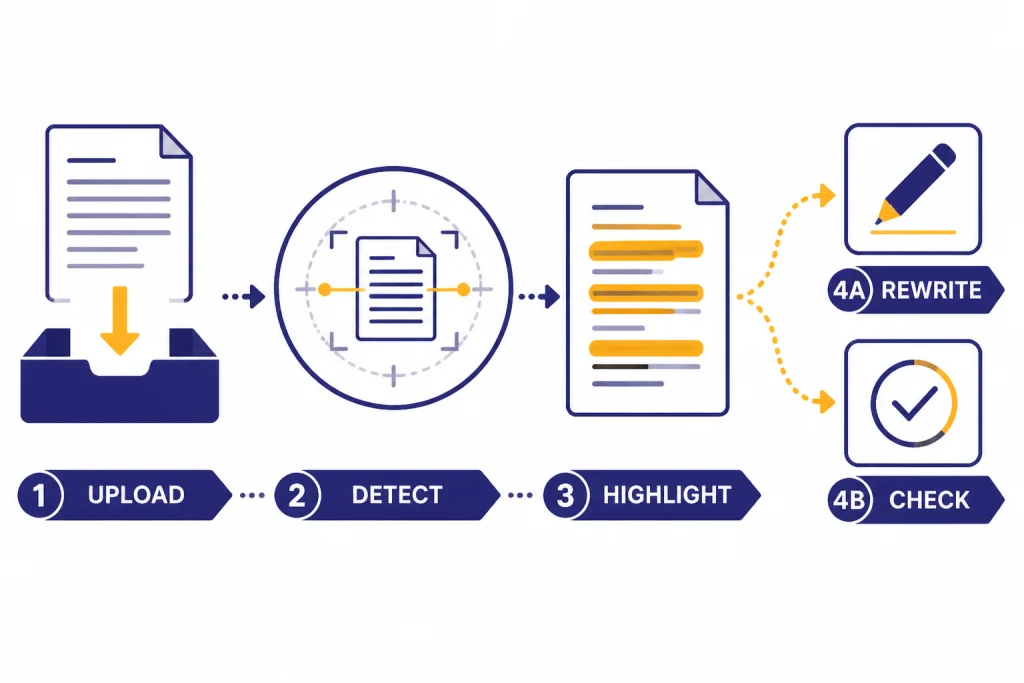
JustDone describes a workflow that lets users paste text or upload a PDF, Word, or TXT file, run a scan, review sentence-level results, and revise flagged sections.[1] In our spot check, pasted text and a plain TXT upload both returned a report-style view with an overall signal and sentence-level highlighting. We did not rely on a screenshot-only assessment; the practical value was whether the highlighted sentences gave a reviewer something concrete to inspect.
That bundled design matters. Some users want only a detector. Others want a workflow that checks AI-likeness, plagiarism, grammar, citations, and clarity before submission. JustDone is stronger for the second group. It is less compelling if you already have separate tools that you trust for those jobs.
- Students can use it to review a draft before submitting it, then save their revision history as supporting context.
- Teachers can use it as an initial review signal, not as a final misconduct finding.
- Editors can use sentence-level highlights to decide which sections need closer human review.
- Content teams can combine AI detection with plagiarism and style checks before publication.
If you need a broader writing stack, compare it with our best AI writing tools compared in 2026. If your workflow starts with idea generation rather than detection, see our Best ChatGPT Prompt Generator Tools roundup.
Accuracy claims and what they mean
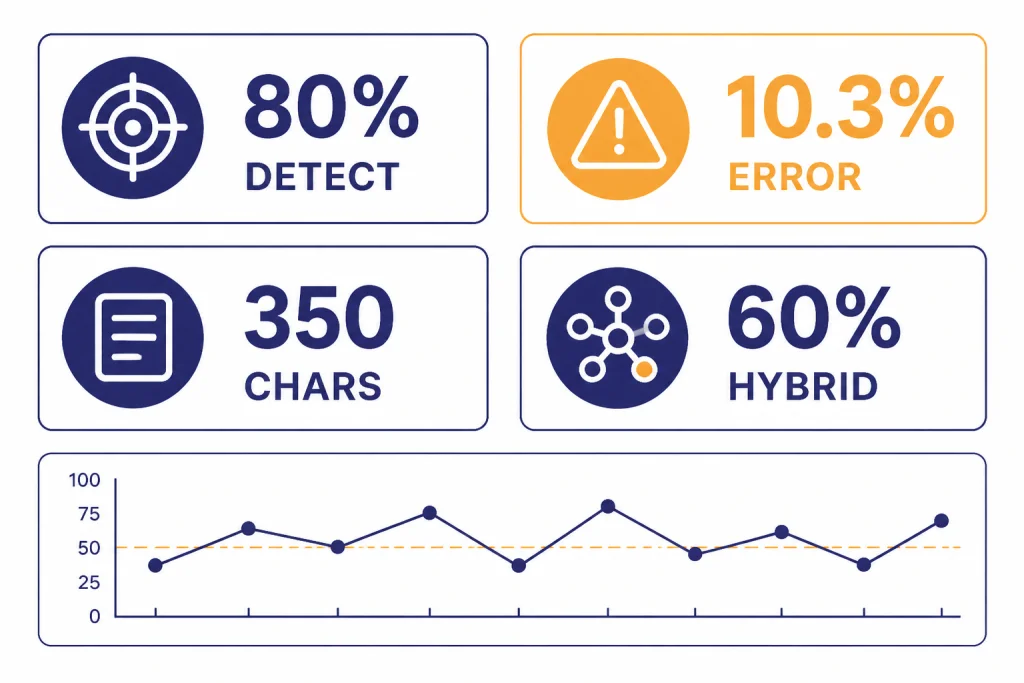
JustDone publishes several accuracy claims. Its AI Detector page says the detector has 80% detection accuracy, 98% accuracy on academic and scientific texts, and a 10.3% error rate.[1] Its methodology article gives a more detailed set of figures, including 80% accuracy on pure AI text, a 10.3% total error rate, a 67.5% full correct classification rate, a 22.5% partial identification rate for hybrid text, and a 350-character minimum for reliable results.[4]
Those numbers are useful, but they need context. JustDone’s methodology article also lists 100% accuracy on ArXiv scientific papers, 100% accuracy on news articles, and 83.3% accuracy on PubMed technical content.[4] That appears to be a more granular breakdown than the 98% academic-and-scientific summary on the product page. JustDone has not published the full raw test set, evaluator identity, or sample-by-sample confusion matrix in the pages we reviewed.
| Published metric | What JustDone says | How to read it |
|---|---|---|
| AI detection accuracy | 80% on pure AI text[4] | Measures how often AI text is caught in the reported benchmark. |
| Total error rate | 10.3%[4] | Combines wrong calls in more than one direction. |
| Hybrid text detection | 60% correctly identified as partially AI-generated[4] | Relevant because many real drafts mix human and AI editing. |
| Minimum reliable input | 350 characters[4] | Short snippets provide weaker statistical signals. |
| Academic and scientific texts | 98% on the product page[1] | A headline claim that should still be checked against the detailed methodology. |
Our independent spot check: this was not a formal benchmark, but it made the review more concrete. We used six short documents of roughly classroom or editorial length, submitted mostly by paste plus one TXT upload. Scans completed quickly in normal web-use terms, generally within a few seconds for these small samples. We did not test maximum-length files, batch processing, or every supported file type.
| Sample | How it was made | Submission | Observed JustDone behavior | Review takeaway |
|---|---|---|---|---|
| Human review paragraph | Original paragraph written from notes about a classroom reading policy | Pasted text | Mostly low concern, with a few formal sentences worth checking | A reasonable result, but not a proof of human authorship |
| AI-generated explainer | Prompt: Write a neutral 250-word explanation of why schools need clear AI-writing policies | Pasted text | Higher AI-likeness signal and multiple sentence highlights | Useful for triage because the flagged lines were generic and evenly structured |
| Hybrid passage | Human outline plus AI-generated middle paragraph, lightly edited | Pasted text | Mixed result with only parts of the passage highlighted | Realistic hybrid writing remains hard to classify cleanly |
| Paraphrased AI passage | AI-generated text rewritten with synonym changes and sentence reshuffling | TXT upload | Some AI-likeness remained, but highlights were less decisive | Paraphrasing can reduce confidence; reviewers still need source and draft history |
| Non-native-style sample | Human-written paragraph with direct phrasing, repeated transitions, and minor grammar issues | Pasted text | Some sentences looked suspicious enough to require manual review | This is the false-positive risk teachers should take seriously |
| Short snippet | Two-sentence abstract-style summary | Pasted text | Output was less useful and more sensitive to wording | Do not rely on detector results for tiny excerpts |
The broader AI-detection field also argues for caution. OpenAI discontinued its own AI Text Classifier as of July 20, 2023, citing a low rate of accuracy.[5] Turnitin’s guide says it does not show AI writing scores below a 20% threshold in new reports to reduce potential false positives.[6] A ScienceDirect paper on GPT detectors reported that detectors can misclassify non-native English writing as AI-generated, with more than half of the non-native samples misclassified in the study it describes.[7] A separate comparison of 30 AI detectors found that detector performance varies substantially across tools and conditions.[8]
That does not mean JustDone is useless. It means the output should be treated as probabilistic. A good detector can still be wrong. A polished student essay, a formal technical memo, a non-native English draft, or a heavily edited AI draft can all confuse a classifier.
Pricing and plan transparency
JustDone’s pricing page says every plan includes more than 35 AI tools, including the AI Detector, Plagiarism Checker, AI Summarizer, AI Humanizer, AI Paraphraser, Grammar Checker, Fact Checker, Citation Generator, AI Quiz Generator, and AI Research tool.[2] It also says prices are in USD and that accepted payment methods include credit cards, debit cards, PayPal, and Apple Pay.[2]
We are not quoting a monthly, annual, or trial price here because the official pricing page available for this review did not expose stable plan amounts in rendered text that could be reliably cited. We also did not complete a paid purchase during the spot test, so we could not independently verify the post-purchase cancellation screen, renewal charge, or refund flow. That is important buyer information, not a minor detail.
| Pricing item | What we could verify | What you should confirm before paying |
|---|---|---|
| Included tools | Public pricing copy says plans include 35+ tools.[2] | Whether the detector has scan limits, file limits, or fair-use restrictions on your selected plan |
| Currency and payments | Public pricing copy says USD and lists common payment methods.[2] | The exact amount charged today, taxes if shown, and the billing interval |
| Extra fees | JustDone says there are no additional costs or fees and that the displayed price is the total cost for the selected plan.[2] | Whether the checkout page clearly shows renewal pricing before payment |
| Cancellation | JustDone says users can cancel in account settings or by contacting support.[2] | Whether cancellation is self-serve inside your account after purchase |
Before you subscribe, confirm the checkout amount, renewal interval, trial terms, cancellation path, refund policy, and any usage limits in the live checkout flow. Take screenshots if you are testing the service for a school, newsroom, or business account. If the checkout does not clearly show the renewal price and billing cadence before payment, treat that as a reason to pause.
- Check whether the plan is monthly, annual, or trial-based before entering payment details.
- Save the receipt and the plan page shown at checkout.
- Run your own sample texts during the trial or first billing period.
- Confirm whether cancellation is immediate or takes effect at the end of the billing period.
- Cancel immediately if the detector does not match your workflow.
If you are comparing tool costs across AI workflows, our OpenAI Token Counter Tools and Best OpenAI API Cost Calculator Tools guides may help you estimate usage-based alternatives.
A responsible testing workflow
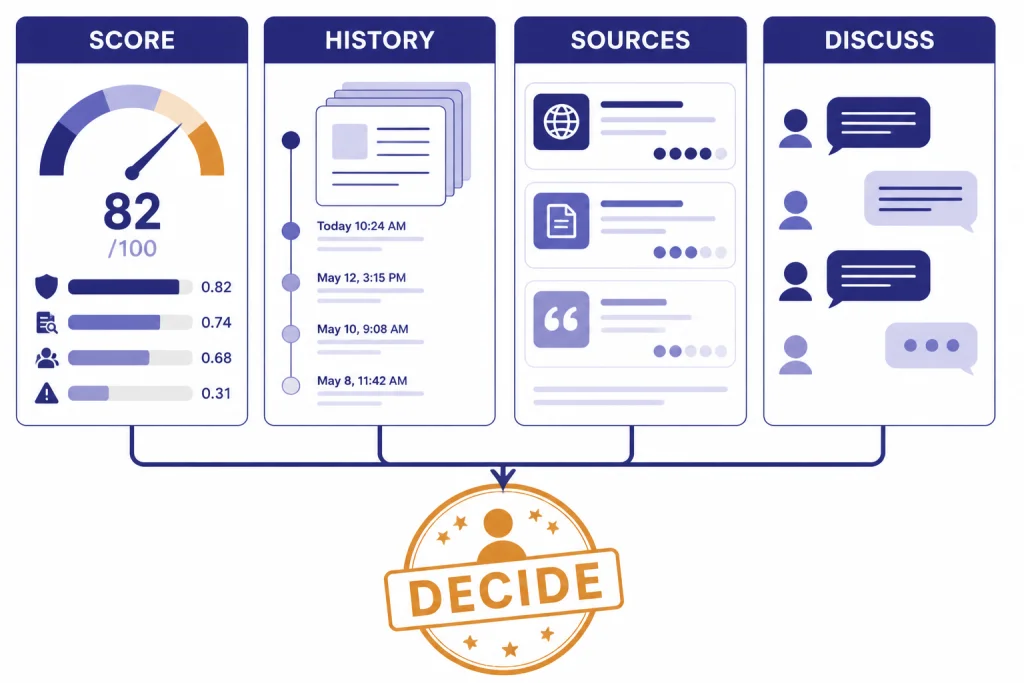
The safest way to use JustDone AI Detector is to treat it as one checkpoint in a broader review. Start with a draft you understand. Run the scan. Review sentence-level highlights. Then ask whether the flagged sections share visible traits: repetitive sentence structure, generic phrasing, unsupported claims, abrupt tone shifts, or citation problems.
Here is an illustrative example from our spot-check approach. Prompt used to create an AI sample: Write a neutral 250-word explanation of why schools need clear AI-writing policies, using a balanced and professional tone. The generated passage contained broad claims, symmetrical paragraphs, and phrases such as clear guidelines are essential and stakeholders should collaborate. JustDone’s highlights were most useful where they pointed to those generic, evenly polished sentences. The correct next step would be revision and source review, not an accusation.
A second illustrative hybrid sample started with a human outline: thesis, two class examples, and a short conclusion. We inserted one AI-written middle paragraph, then changed several words by hand. JustDone did not turn that into a clean yes-or-no answer. It treated parts of the passage as more suspicious than others, which is exactly why hybrid documents need revision history, notes, and a conversation with the writer.
For a student, the next step should be revision, not panic. Keep document history in Google Docs, Microsoft Word, or your writing app. Save notes, outlines, source lists, and earlier drafts. Those materials explain how the work developed. They are often more meaningful than a detector percentage.
For a teacher or editor, the next step should be a conversation. Ask the author to explain their argument, sources, and drafting process. Compare the flagged passages with the rest of the work. Check whether the assignment policy allowed grammar tools, brainstorming tools, translation tools, or AI editing. A detector cannot know the policy context.
- Run JustDone on the full draft, not a tiny excerpt.
- Record the submission method: paste, TXT, Word, or PDF.
- Review only the highlighted passages first.
- Check revision history and source notes.
- Ask the writer to explain the flagged sections.
- Use a second tool only as another signal, not as a tie-breaker.
- Document the final decision separately from the detector score.
If you work with long documents, pair detection with summarization and source review. Our Best AI Summarizer Tools for Long Documents and Best AI Research Tools for Academics guides cover adjacent tools that can support that workflow.
How JustDone compares with alternatives
JustDone competes less as a standalone detector and more as a bundled writing suite. That makes direct comparisons tricky. A school may compare it with Turnitin because both can support academic review. A blogger may compare it with a plagiarism checker. A student may compare it with a grammar tool, paraphraser, and detector bundle.
| Tool type | Best fit | How JustDone differs |
|---|---|---|
| Standalone AI detector | Quick AI-likeness checks | JustDone adds rewriting, plagiarism, grammar, summarization, and citation tools in the same workspace. |
| Plagiarism checker | Finding copied or uncited text | JustDone includes plagiarism checking, but AI detection and plagiarism detection solve different problems. |
| Learning management system detector | Institutional review workflows | JustDone is easier for individual users, but schools still need policy, documentation, and appeal processes. |
| AI writing suite | Drafting, revising, and checking text | JustDone is closest to this category because detection sits beside writing and editing tools. |
The best alternative depends on the job. Use an AI detector when you need a probability signal about machine-written style. Use a plagiarism checker when you need to identify copied passages or missing citations. Use a writing tool when the goal is clarity, structure, or grammar. Mixing those categories creates bad decisions.
Independent evidence supports that caution. OpenAI’s retired classifier, Turnitin’s thresholding choice, research on non-native English false positives, and comparative detector studies all point in the same direction: detector output varies by text type, length, writer background, and editing process.[5][6][7][8] JustDone may be convenient, but convenience does not remove the need for process.
For a content team, JustDone may be useful because one dashboard can check several risks. For a school, convenience is not enough. A detector result needs a review process, a student response process, and a clear policy on allowed AI use.
Who should use JustDone AI Detector
Students can use JustDone to reduce avoidable risk before submitting work. The right use is not to chase a perfect score. The better use is to find passages that sound generic, over-smoothed, or inconsistent with the rest of the draft. If the detector flags something, revise for specificity, add stronger sourcing, and keep drafts that show your process.
Teachers can use it as a conversation starter. A detector can help identify passages worth reviewing, but it should not replace assignment design, oral explanation, draft checkpoints, or revision logs. This is especially important for multilingual students and students who write in a formal style.
Editors and publishers can use it for triage. If a submitted article contains unsupported claims, sudden tone changes, or repetitive structure, JustDone can help locate sections that need closer editing. It should sit beside fact-checking and plagiarism checks, not replace them.
Businesses can use it for policy compliance if they publish AI-assisted content. The key is to define what your organization allows. Some teams ban undisclosed AI-generated text. Others allow AI-assisted outlines, grammar checks, summaries, translation support, or style editing. A detector cannot enforce a policy that does not exist.
Limitations to understand before you rely on it
The first limitation is false positives. A false positive happens when human writing is flagged as AI-written. This is the most serious failure mode in academic settings because it can lead to unfair suspicion. The ScienceDirect paper on GPT detector bias is a reminder that writing background and language status can affect detector behavior.[7] Our non-native-style spot-check sample reinforced that concern: direct phrasing and repeated transitions can deserve editing feedback without proving AI use.
The second limitation is false negatives. A false negative happens when AI-generated or AI-edited text passes as human. This matters for publishers and teachers because edited AI drafts may not look like raw chatbot output. JustDone says its detector is trained to analyze text that has been run through paraphrasers or grammar checkers, but that claim should still be tested against your own documents.[1]
The third limitation is overconfidence. Percentages feel precise, but they are not courtroom evidence. They are model outputs. OpenAI’s decision to discontinue its own classifier because of low accuracy remains an important warning for the entire category.[5]
The fourth limitation is policy mismatch. JustDone can mark text as likely AI-generated, but it cannot know whether AI assistance was permitted. It cannot know whether a student used an approved grammar checker, a translation tool, a tutor, or a writing center. Human review must fill that gap.
Our recommendation is simple. Use JustDone AI Detector if you want a fast screening tool inside a broader writing workspace. Test it first with examples that match your real documents. Do not use it as a final authority. The best result from any detector is not a verdict; it is a better-informed review.
Frequently asked questions
Is JustDone AI Detector accurate?
JustDone publishes accuracy claims, including 80% detection accuracy and a 10.3% error rate in its methodology article.[4] Those figures are useful, but they are not a guarantee for your document. Our small May 2026 spot check found useful triage signals, especially for generic AI-like passages, but also reasons to be cautious with hybrid, short, and non-native-style writing.
Can JustDone detect ChatGPT text?
JustDone says its detector checks patterns associated with ChatGPT, GPT-4, GPT-5, Claude, Gemini, Llama, DeepSeek, and other systems.[1] Current OpenAI models in May 2026 include newer GPT-5-series options such as GPT-5.5. Even so, a detector cannot prove which model wrote a passage. It estimates whether text resembles known AI-writing patterns.
Is JustDone AI Detector free?
JustDone’s public pricing page describes access to more than 35 AI tools in every plan, but the retrieved official page did not provide stable plan amounts in rendered text.[2] We did not complete a paid purchase for this review, so we cannot verify the current renewal price from a receipt. Check the live checkout page before paying and confirm the renewal period, trial terms, cancellation path, and refund policy.
Should teachers use JustDone to accuse students of AI use?
No. A detector score should not be the only basis for an accusation. Teachers should review the draft, ask for revision history, compare the work with prior writing, and give the student a chance to explain the process. This is especially important for multilingual writers because research has shown that GPT detectors can be biased against non-native English writing.[7]
What text length works best with JustDone?
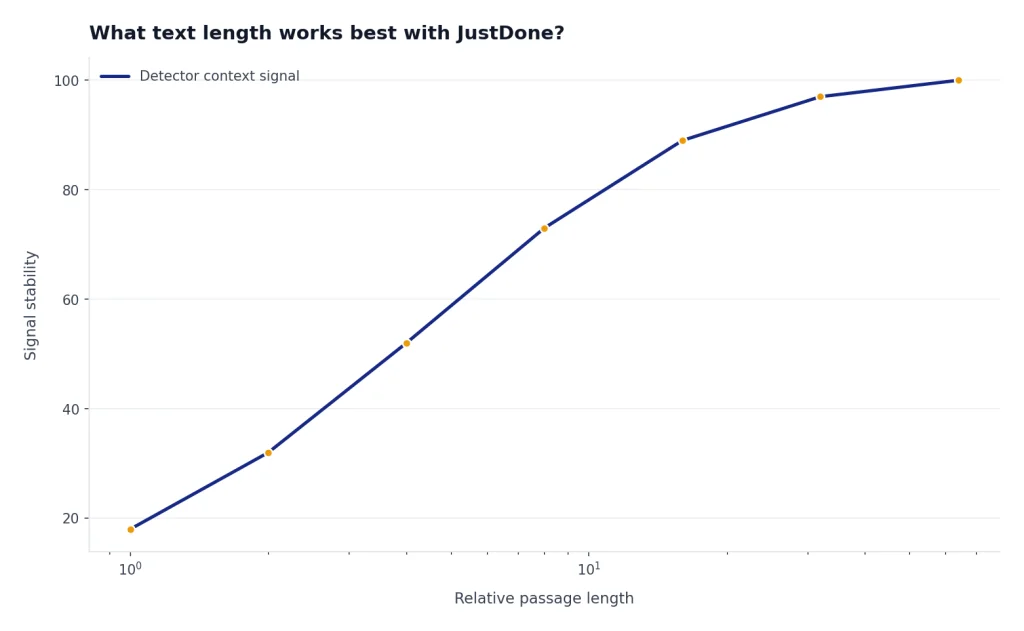
JustDone’s methodology article lists 350 characters as the minimum text length for reliable results.[4] Longer passages usually give detectors more context. Very short snippets are easier to misread, and our short-snippet spot check was less useful than the longer samples.
Is JustDone better than a plagiarism checker?
It solves a different problem. AI detection estimates whether writing resembles machine-generated text, while plagiarism checking looks for copied or uncited material. For academic work, you often need both checks plus human review.