

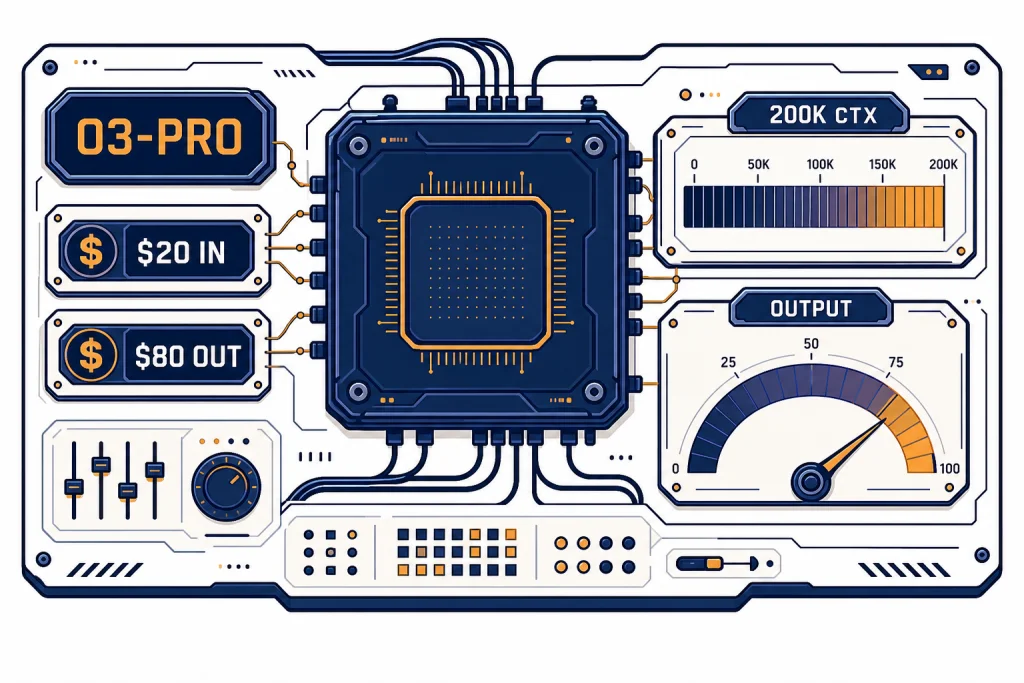
OpenAI o3-pro is the premium version of o3 built for difficult reasoning work where a slower, more deliberate answer is acceptable. OpenAI launched it for ChatGPT Pro users and the API on June 10, 2025, and positioned it as a model that thinks longer to deliver more reliable responses.[1] It is not the right default model for every task. Its API price is high, streaming is not supported, and some requests can take several minutes.[2] The best fit is narrow but important: math, science, coding, legal-style analysis, strategy, and high-stakes review where correctness matters more than speed.
Verdict
Our view is simple. Use o3-pro when the cost of a wrong answer is higher than the cost of a slow answer. It is a specialist model, not a daily driver. OpenAI says o3-pro uses more compute than o3 to think harder and provide consistently better answers.[2] That makes it valuable for hard questions with many dependencies, unclear constraints, or a need for careful verification.
The tradeoff is equally clear. o3-pro is expensive and slow. It is also constrained in ways that matter for product builders. OpenAI lists it as available through the Responses API, not as a streaming-first model, and says streaming is not supported.[2] If your app needs instant chat, high-volume classification, autocomplete, or cheap extraction, start with a faster model from all GPT models compared side by side instead.
For most teams, o3-pro should sit behind a routing rule. Send routine requests to a cheaper model. Escalate only the tasks that need extended reasoning, such as a production incident analysis, a complex code migration plan, or a second-opinion review of a model-generated legal summary. This pattern keeps the heavy-reasoning tier available without letting it dominate cost and latency.
What o3-pro is
o3-pro is a higher-compute variant of OpenAI o3. OpenAI describes o3 as a reasoning model for complex tasks and says o3-pro is the version of o3 that uses more compute for better responses.[2][4] In plain terms, it is built to spend more effort before answering.
The model belongs to OpenAI’s o-series reasoning family. OpenAI’s reasoning guidance says o-series models are trained to think longer and harder about complex tasks, strategy, planning, and decisions involving large volumes of ambiguous information.[3] That is the right mental model for o3-pro. It is strongest when the prompt is not just asking for text, but asking for judgment.
OpenAI’s release notes say expert reviewers preferred o3-pro over o3 in every tested category, especially science, education, programming, business, and writing help.[1] OpenAI has not published a single public score that reduces o3-pro to one universal benchmark. The practical lesson is more useful: o3-pro is meant for difficult tasks where reliability, clarity, and careful instruction following matter.
That does not mean o3-pro is always the most powerful model for every user. Newer GPT-5-family models may be better defaults for many general workflows, especially when speed, tool breadth, or modern product integration matters. If you are comparing model families broadly, start with our most powerful GPT model benchmark showdown and then treat o3-pro as a specialized reasoning option.
Specs and access
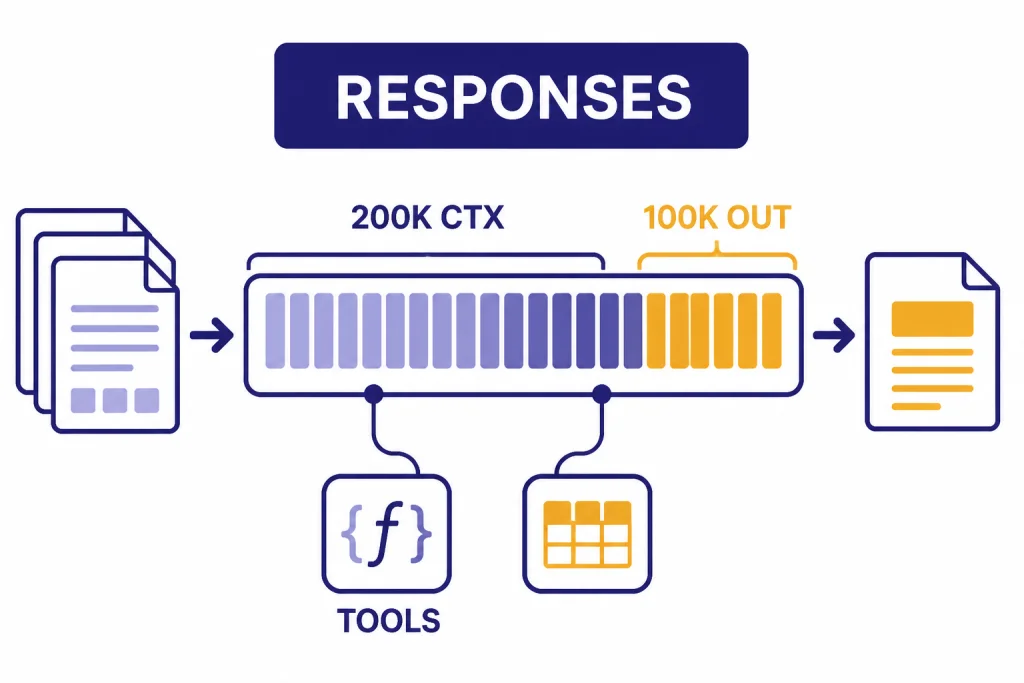
OpenAI lists o3-pro with a 200,000-token context window, a 100,000-token maximum output, and a June 1, 2024 knowledge cutoff.[2] It supports text input and output, image input, reasoning tokens, function calling, and structured outputs.[2] Audio and video are not supported.[2]
In ChatGPT, OpenAI launched o3-pro for Pro users and said Team users received access at launch, with Enterprise and Edu users following the week after.[1] In the API, OpenAI lists the model snapshot as o3-pro-2025-06-10.[2] For developers who need repeatability, using the dated snapshot can reduce surprises compared with relying only on an alias.
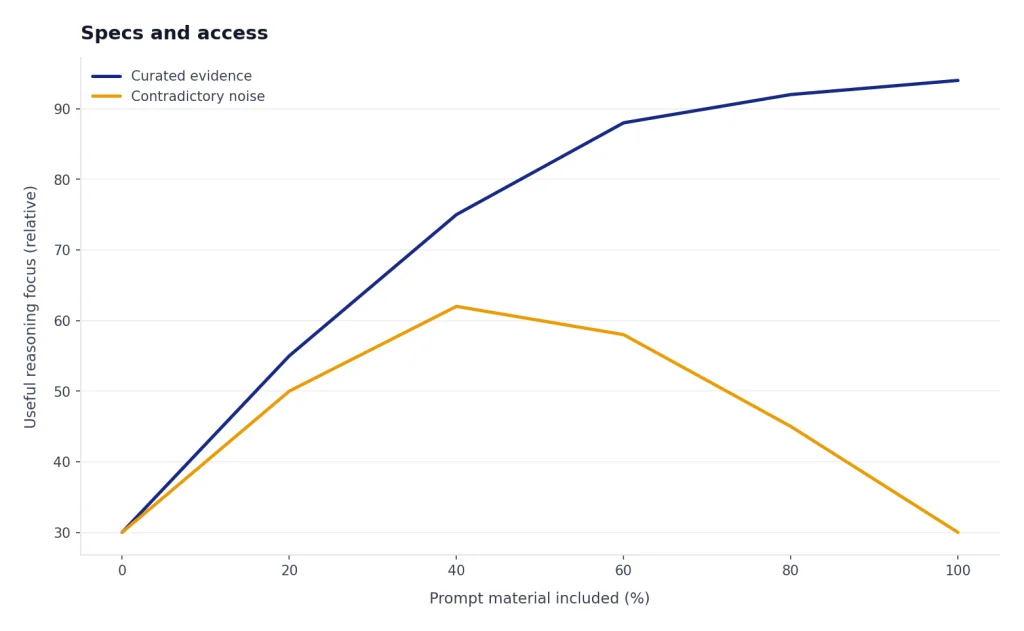
The large context window is useful, but it is not a license to dump everything into the prompt. Use the context for evidence, constraints, examples, source excerpts, and previous decisions. Do not use it as a junk drawer. A long prompt with contradictory evidence can make the model spend its reasoning budget resolving noise instead of solving the real problem. For a broader cross-model reference, see our context window sizes for every GPT model.
Where o3-pro is strongest
o3-pro works best when the answer must reconcile multiple facts, constraints, and possible failure modes. A good o3-pro task usually has three traits: it is hard to check quickly, it benefits from planning before execution, and the cost of a shallow answer is meaningful. That is why OpenAI points to math, science, coding, and similar expert-style domains in its release notes.[1]
Coding and architecture review
For coding, o3-pro is best as a reviewer, planner, or debugger for difficult systems. Use it to compare migration strategies, reason through a distributed-system failure, review security assumptions, or map a legacy codebase before a rewrite. If you need a daily coding assistant, also compare it with the options in our best GPT model for coding guide.
Research synthesis
o3-pro can help synthesize dense source material when you provide the material directly. Give it primary excerpts, your evaluation criteria, and a required output format. Ask it to identify conflicts and uncertainty rather than forcing a single confident conclusion.
High-stakes drafting and critique
o3-pro is also useful for reviewing important writing. It can audit a policy memo for unstated assumptions, pressure-test a board proposal, or compare two versions of a technical document. For routine copy, a faster writing model will usually be more efficient; see our best GPT model for writing if speed and tone control are the main goals.
Pricing and cost
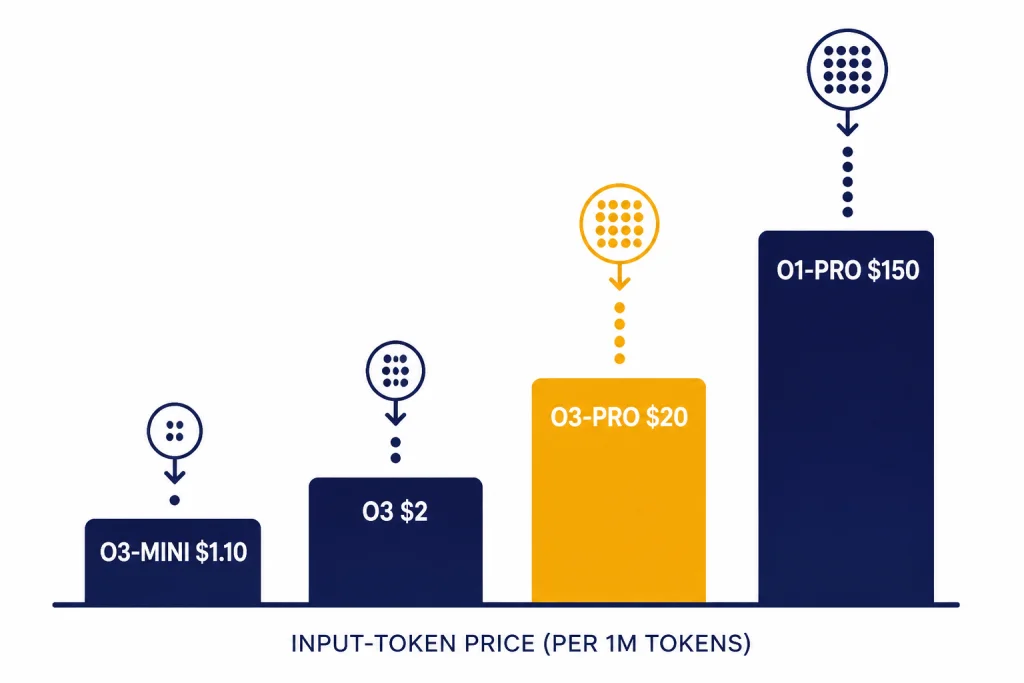
o3-pro costs $20.00 per 1 million input tokens and $80.00 per 1 million output tokens in the OpenAI API.[2] That is much more expensive than standard o3, which OpenAI lists at $2.00 per 1 million input tokens and $8.00 per 1 million output tokens.[4] It is also far cheaper than o1-pro, which OpenAI lists at $150.00 per 1 million input tokens and $600.00 per 1 million output tokens.[6]
The important cost driver is output. Long answers, hidden reasoning token use, tool calls, and retries can make a single hard request expensive. The safest production pattern is to put o3-pro behind explicit escalation rules. Make the user or system prove that a task deserves the heavy tier.
| Model | Best role | Input price per 1M tokens | Output price per 1M tokens | Cost note |
|---|---|---|---|---|
| o3-mini | Lower-cost reasoning | $1.10[5] | $4.40[5] | Good first stop for structured reasoning at lower cost. |
| o3 | General heavy reasoning | $2.00[4] | $8.00[4] | Often the better default before escalating to o3-pro. |
| o3-pro | Highest-reliability o3 tier | $20.00[2] | $80.00[2] | Use when reliability beats latency and cost. |
| o1-pro | Older pro reasoning tier | $150.00[6] | $600.00[6] | Legacy benchmark for premium reasoning cost. |
If budget is the main constraint, do not start with o3-pro. Start with the cheapest GPT model options, then add a fallback route for difficult cases. For API budgeting across the whole catalog, use our OpenAI API pricing guide.
o3-pro compared with o3, o3-mini, and o1-pro
The closest comparison is o3-pro versus o3. Standard o3 is already a strong reasoning model for complex tasks, with the same 200,000-token context window and 100,000-token maximum output listed in OpenAI’s model docs.[4] o3-pro is the model to choose when you want the same family’s heavier reasoning mode and can tolerate slower responses.
o3-mini sits at the opposite end. OpenAI lists o3-mini as a small alternative to o3 with a 200,000-token context window and 100,000-token maximum output, but at much lower API pricing.[5] It is the better test model when you are building a workflow and do not yet know whether the harder cases justify the o3-pro tier.
o1-pro is mostly useful as historical context. OpenAI describes it as the version of o1 with more compute for better responses, similar in positioning to o3-pro, but it carries much higher listed API prices.[6] If you previously used OpenAI o1-pro, o3-pro is the more relevant pro reasoning tier to evaluate now.
| Question | Choose o3-mini | Choose o3 | Choose o3-pro |
|---|---|---|---|
| You need a quick first pass on a reasoning task. | Yes | Maybe | No |
| You need a strong answer but still care about responsiveness. | Maybe | Yes | Maybe |
| You need a second-opinion review of a hard answer. | No | Maybe | Yes |
| You are processing many similar tasks. | Yes | Maybe | No |
| You are debugging a rare production failure with sparse evidence. | Maybe | Yes | Yes |
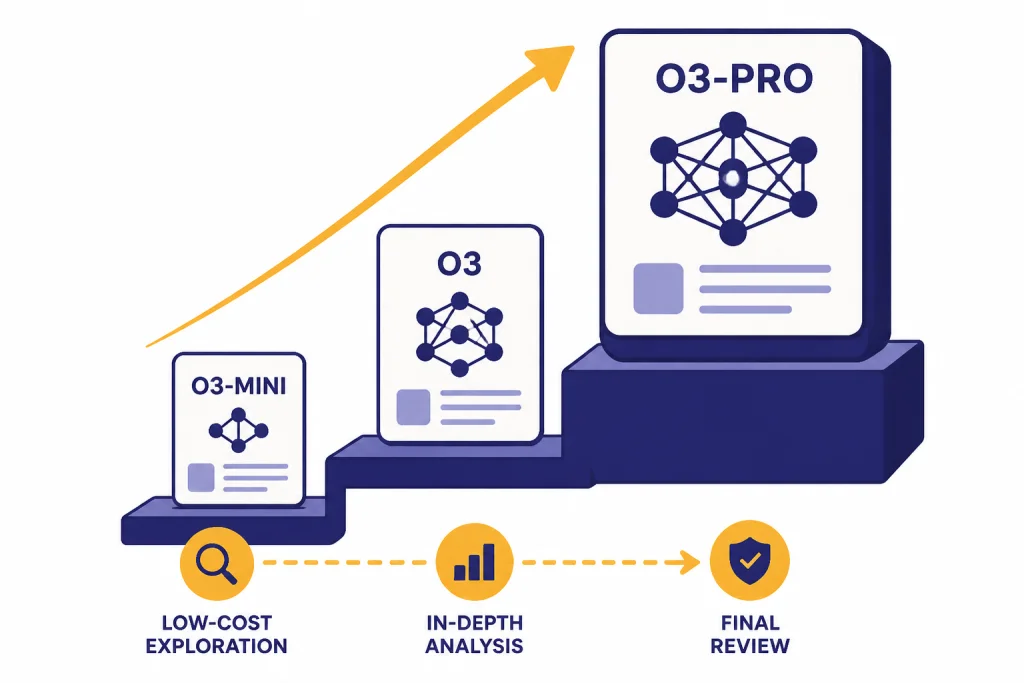
A good routing rule is simple: o3-mini for low-cost exploration, OpenAI o3 for most serious reasoning, and o3-pro for final review or ambiguous problems that have already resisted cheaper models. If latency is your main bottleneck, compare the fastest GPT model options before adding o3-pro.
API implementation notes
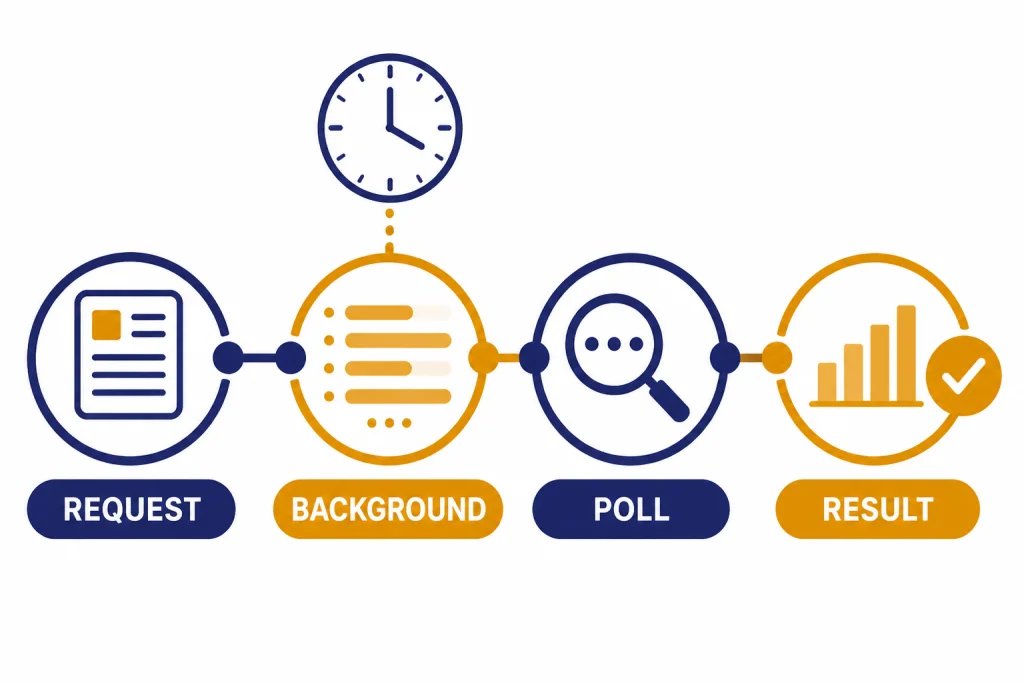
OpenAI says o3-pro is available in the Responses API only, and recommends background mode because some requests may take several minutes.[2] This should shape your product design. Do not wire o3-pro into a UI that assumes every response arrives immediately. Treat it more like a job that can be submitted, monitored, and retrieved.
OpenAI lists function calling and structured outputs as supported for o3-pro.[2] That matters because many o3-pro tasks should end in a structured decision, not a long essay. For example, a code-review workflow can ask for a JSON object with severity, affected files, evidence, and recommended patch order. A compliance workflow can ask for findings, citations to provided evidence, uncertainty level, and required human review.
Build your retry logic carefully. Retrying the same large prompt can multiply cost. First check whether the failure came from a timeout, a malformed request, a tool failure, or a validation error. If the model returned an incomplete but usable structure, consider a repair request that includes only the broken fragment rather than rerunning the full prompt.
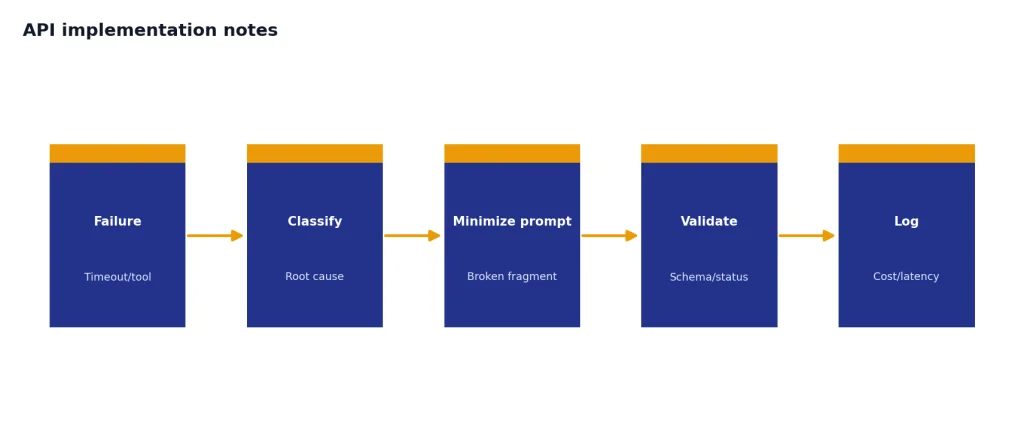
For production systems, log the model ID, snapshot, prompt template version, tool calls, token usage, latency, and final validation status. The model is expensive enough that you need observability. Without it, you will not know whether o3-pro is solving the hard cases or merely absorbing spend.
When not to use o3-pro
Do not use o3-pro for routine summarization, simple extraction, style rewriting, brainstorming, translation, or customer-support macros. Those tasks rarely need the heavy reasoning tier. You will usually get better product behavior from a faster and cheaper model.
Do not use it when the user expects live interaction. OpenAI explicitly notes that some o3-pro requests may take several minutes.[2] That delay can be acceptable for a research job, a legal-style memo review, or a codebase analysis. It is not acceptable for autocomplete, interactive tutoring, voice chat, or rapid support triage.
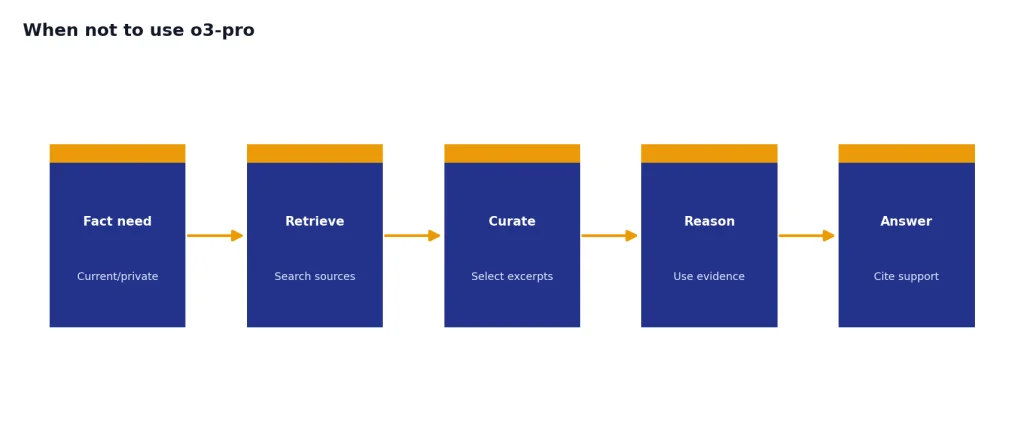
Do not use it as a substitute for retrieval. o3-pro has a large context window, but it still needs the right facts. If the answer depends on current policy, private documents, customer records, or source code, provide that evidence directly or connect the workflow to retrieval. Reasoning improves the use of evidence; it does not replace evidence.
Do not use it when image generation is the main task. OpenAI’s release notes say image generation is not supported within o3-pro and point users to other models for that purpose.[1] If image work is the goal, see our best GPT model for image generation guide.
Prompting checklist
o3-pro does not need elaborate prompt theater. It needs clear inputs, crisp success criteria, and room to make distinctions. OpenAI’s reasoning guidance says o-series models are suited for complex problem-solving and reliable decision-making, while faster GPT models are better for straightforward execution.[3] Your prompt should match that purpose.
- State the decision. Tell the model what must be decided, not just what topic to discuss.
- Provide evidence. Include the documents, code snippets, logs, assumptions, or constraints that matter.
- Define failure. Say what would make an answer unacceptable, such as unsupported claims, missing edge cases, or vague recommendations.
- Ask for uncertainty. Require the model to separate conclusions from assumptions and unknowns.
- Use structured output. Ask for tables or JSON when a human or program must compare results.
- Escalate intentionally. Run a cheaper model first when possible, then send the unresolved part to o3-pro.
Here is a useful pattern: “Review the attached migration plan. Identify the top risks, rank them by severity, cite the exact section that creates each risk, propose a mitigation, and list any assumptions you cannot verify from the provided text.” That prompt gives o3-pro a hard job with explicit evidence and an actionable output.
Frequently asked questions
Is o3-pro better than o3?
OpenAI positions o3-pro as a higher-compute version of o3 that thinks longer and provides more reliable responses.[1] In practice, that makes it better for difficult reviews, complex analysis, and final answers where reliability matters. It is not automatically better for fast chat or high-volume tasks.
How much does o3-pro cost in the API?
OpenAI lists o3-pro at $20.00 per 1 million input tokens and $80.00 per 1 million output tokens.[2] That price makes routing important. Use cheaper models for routine work and reserve o3-pro for cases that need heavy reasoning.
Does o3-pro support images?
Yes, but only as input. OpenAI lists image input as supported for o3-pro, while audio and video are not supported.[2] OpenAI’s release notes also say image generation is not supported within o3-pro.[1]
Does o3-pro support streaming?
No. OpenAI lists streaming as not supported for o3-pro.[2] If your user experience depends on tokens appearing immediately, choose another model or design the o3-pro step as an asynchronous background job.
What is the o3-pro context window?
OpenAI lists o3-pro with a 200,000-token context window and a 100,000-token maximum output.[2] That is large enough for substantial source material, but prompts still need curation. Better evidence usually beats more evidence.
Should I use o3-pro or o3-mini?
Use o3-mini when cost and throughput matter more than maximum reliability. OpenAI lists o3-mini at $1.10 per 1 million input tokens and $4.40 per 1 million output tokens, far below o3-pro’s API price.[5][2] Use o3-pro only after the task justifies the premium.