

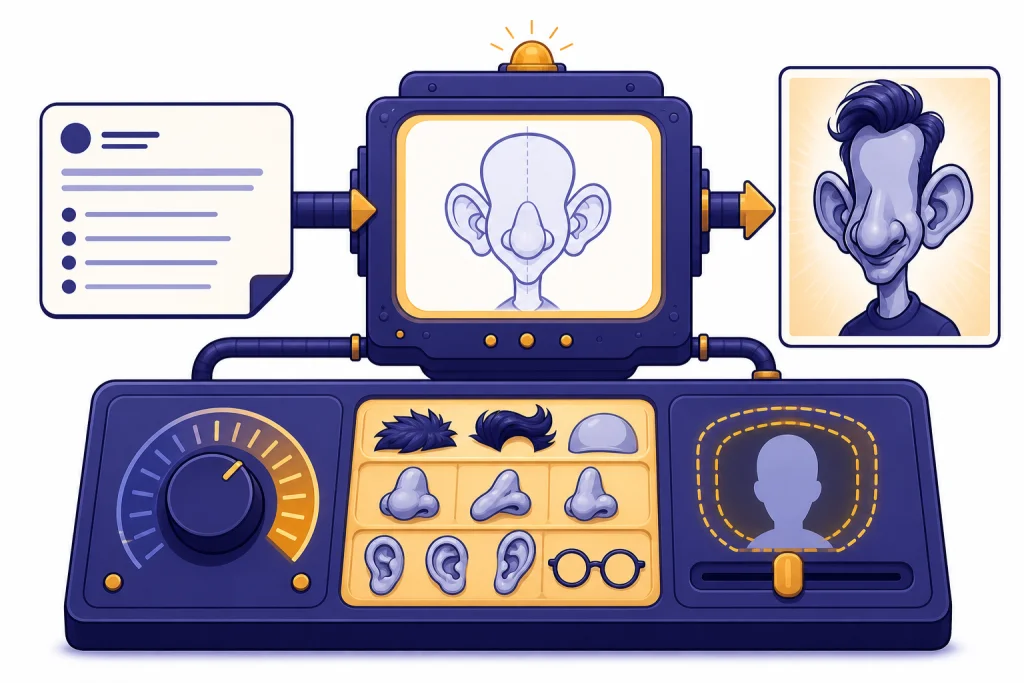
ChatGPT caricature prompts work best when you describe the person, the exaggeration, the art style, the mood, and the limits in plain language. A strong prompt does not just say “make this funny.” It tells ChatGPT which features to emphasize, what to preserve, what background to use, and how sharp or gentle the joke should be. This guide gives you copy-paste prompt templates for profile pictures, editorial cartoons, gifts, team avatars, mascots, and social posts. It also explains how to revise results without turning a playful caricature into an unflattering or confusing image.
What a good caricature prompt needs
A caricature prompt needs a clear subject, a visible exaggeration, and a boundary. The subject tells ChatGPT who or what to draw. The exaggeration tells it which visual traits to amplify. The boundary tells it what not to distort. Without all three, the result often becomes a generic cartoon face instead of a recognizable caricature.
OpenAI introduced GPT-4o image generation on March 25, 2025, and described it as a native image generation feature that can follow prompts, render text, and use uploaded images or chat context as visual inspiration.[1] That matters for caricatures because the best results usually come from a conversation. You can start with a broad direction, then ask for a gentler expression, a different pose, or a cleaner background.
For most readers, the safest approach is to make the caricature playful rather than mean. Use prompts such as “warm exaggeration,” “friendly editorial cartoon,” or “affectionate parody.” Avoid prompts that target sensitive traits, medical conditions, age, body size, ethnicity, disability, or any personal attribute that would make the image feel like harassment instead of humor.
If you are building a broader prompt workflow, save your best structure in a reusable library. Our chatgpt prompt generator guide is useful if you want to turn the examples below into a repeatable template system.
The caricature prompt formula
Use this formula when you want reliable ChatGPT caricature prompts:
Create a caricature of [subject]. Emphasize [specific feature or habit] in a [gentle / bold / editorial / comic] way. Keep [identity detail, expression, outfit, or prop] recognizable. Use [art style], [background], and [mood]. Avoid [unwanted distortions, stereotypes, harsh insults, or clutter].The most important part is the exaggeration field. “Make it funny” is weak because it gives ChatGPT no visual target. “Slightly oversized glasses, expressive eyebrows, and a coffee mug held like a trophy” gives the model concrete objects to work with.
Here is a simple before-and-after example.
| Prompt type | Example | Likely result |
|---|---|---|
| Too vague | Create a funny caricature of me. | A generic cartoon portrait with random exaggeration. |
| Better | Create a friendly caricature of a person with curly hair, round glasses, and a laptop covered in sticky notes. Exaggerate the glasses and curious expression, but keep the face warm and flattering. | A more controlled portrait with a clear joke and recognizable visual anchors. |
| Best | Create a friendly editorial caricature of a remote worker with curly hair, round glasses, and a laptop covered in sticky notes. Exaggerate the glasses, raised eyebrow, and overstuffed coffee mug. Keep the smile kind, avoid harsh facial distortion, and use a clean desk background. | A specific scene that gives ChatGPT subject, style, props, tone, and limits. |
Caricatures also improve when you separate identity from joke. Identity details include hairstyle, outfit, pose, and accessories. The joke can be a habit, role, hobby, or exaggerated object. For example, a teacher caricature might feature a giant marker and a tiny mountain of lesson plans. A developer caricature might show a calm face surrounded by chaotic sticky notes. If you need classroom-friendly ideas, compare this approach with our ChatGPT Teacher Prompts.
Copy-paste ChatGPT caricature prompts
Use these prompts as starting points. Replace bracketed details with your subject, tone, and intended use. If you upload a reference photo, include consent and keep the request clear. OpenAI’s image documentation says ChatGPT can create images from text prompts and can also edit images when you describe the changes you want.[2]
Friendly profile caricature
Create a friendly caricature portrait of [person]. Emphasize [hair, glasses, smile, posture, or signature accessory] in a warm and flattering way. Keep the expression confident and approachable. Use a clean background, soft studio lighting, and a polished editorial cartoon style. Avoid harsh distortion, mockery, or exaggerated age.Social media avatar
Create a square social media avatar caricature of [person or role]. Use a bold outline, simplified features, and a clear silhouette. Exaggerate [one recognizable feature] and include [one prop] that represents [hobby, job, or personality]. Keep the background simple and high contrast.Gift caricature
Create a playful gift caricature of [person] doing [favorite activity]. Exaggerate [signature habit or accessory] affectionately. Include [pet, hobby object, workplace prop, or travel item] as a supporting detail. Make the mood celebratory, kind, and personal. Avoid mean jokes or embarrassing details.Professional editorial caricature
Create an editorial caricature of [professional role] in [setting]. Exaggerate [work habit, tool, or repeated challenge] visually. Keep the tone clever, not cruel. Use clean newspaper cartoon linework, restrained color, and a simple symbolic background. Avoid stereotypes and personal attacks.Team avatar set
Create a consistent set of caricature avatar prompts for a team. Each avatar should use the same line weight, color palette, shoulder-up framing, and background shape. For each person, exaggerate only one positive visual anchor, such as glasses, hairstyle, headset, notebook, or favorite mug. Keep every result equally flattering.Pet-and-owner caricature
Create a cheerful caricature of [person] with [pet]. Exaggerate the shared personality between them, such as matching curiosity, sleepy calm, or chaotic energy. Keep both faces friendly and expressive. Add a simple background that supports the joke without distracting from the pair.Roast-style caricature, kept safe
Create a light roast caricature of [person or fictional character type]. Make the joke about [harmless habit, hobby, or object], not identity or appearance. Exaggerate the prop and situation more than the face. Keep the image funny, affectionate, and suitable to share with the person.If you want sharper jokes, start with a text-only roast draft before generating an image. Our ChatGPT Roast Prompts article can help you separate harmless teasing from comments that would make a caricature feel personal or cruel. For lighter experiments, use Fun ChatGPT Prompts to Try Today alongside these visual templates.
Caricature style directions that change the result
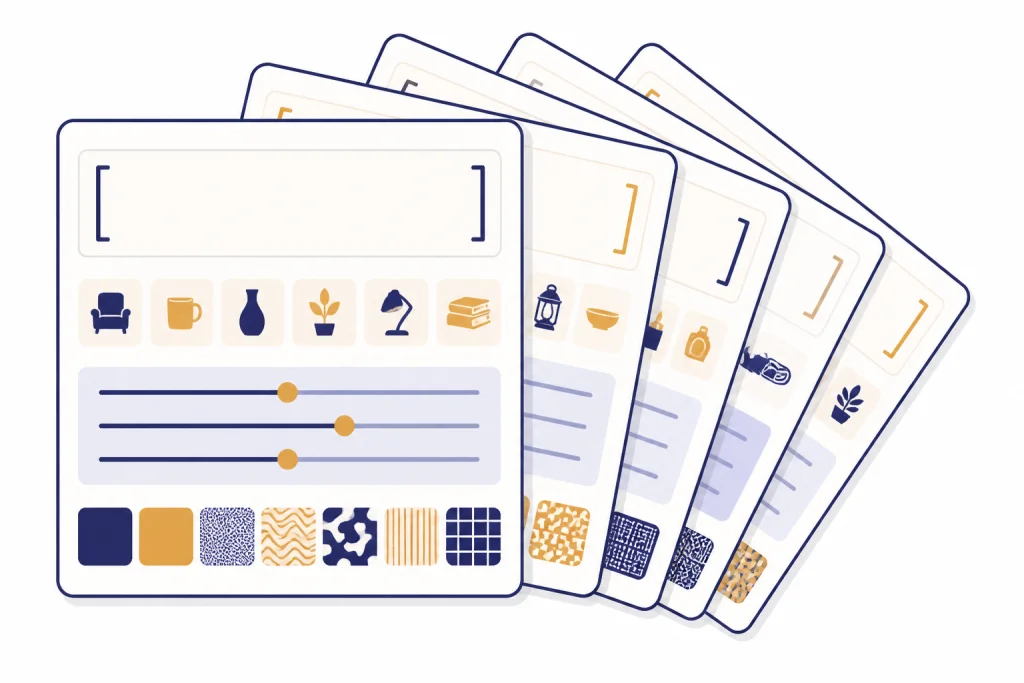
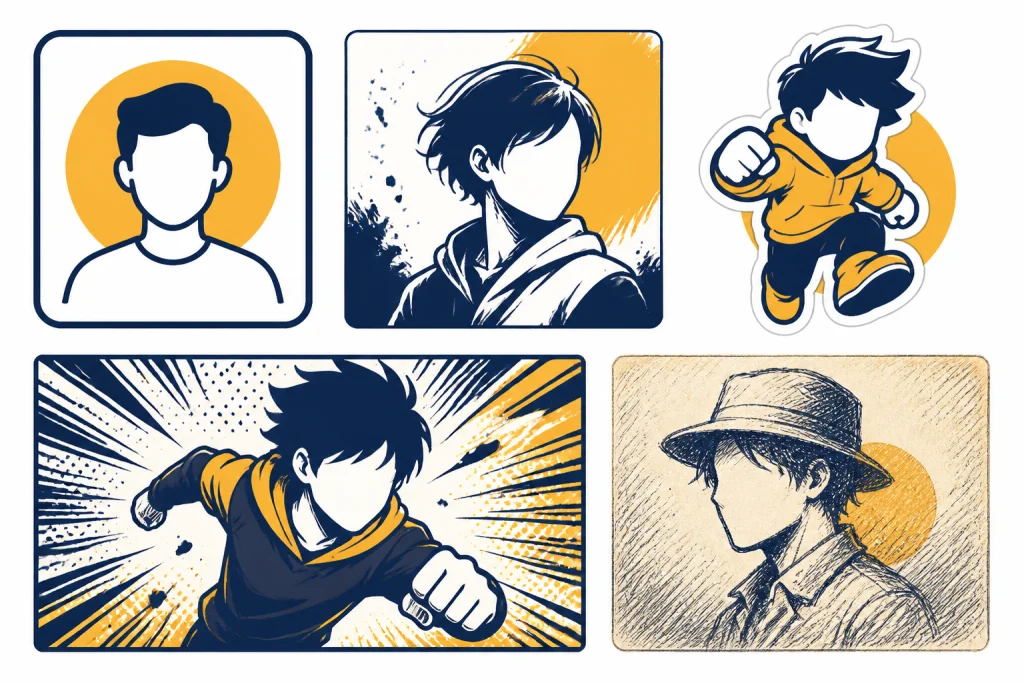
Style words carry a lot of weight in caricature prompts. A “newspaper editorial cartoon” will feel sharper and more symbolic. A “children’s book caricature” will feel softer. A “mascot sticker” will simplify the face and make props more important. Pick the style before you pick the joke.
| Style direction | Best for | Prompt language to use | What to avoid |
|---|---|---|---|
| Friendly avatar | Profile pictures, team pages, casual bios | Warm, flattering, clean outline, approachable expression | Overly large facial distortion |
| Editorial cartoon | Blog art, opinion pieces, workplace humor | Symbolic props, restrained color, clever exaggeration | Defamatory or personal attacks |
| Mascot sticker | Merch, community posts, creator branding | Bold shape, simple pose, expressive prop, high contrast | Cluttered backgrounds |
| Comic panel | Story scenes, reactions, creator content | Dynamic pose, speechless visual gag, expressive hands | Too many actions at once |
| Vintage fair caricature | Gift art, party invitations, playful portraits | Hand-drawn texture, lively linework, gentle exaggeration | Mean-spirited body jokes |
Do not rely on a famous studio or living artist’s name as your whole style direction. Describe visible traits instead: soft watercolor texture, rounded shapes, calm expressions, cinematic lighting, or inked newspaper lines. If you are comparing image styles more broadly, our Best ChatGPT Image Prompts guide covers photo-quality and illustration prompt structure in more detail. For fantasy or story-led variations, see ChatGPT Creative Prompts for Storytellers.
You can also translate the same caricature idea into seasonal, character, or toy-like formats. A holiday card might use a cozy sweater and oversized mug. A collectible-style prompt might turn the subject into a desk figurine with accessories. For related visual formats, compare our ChatGPT Christmas Photo Prompts and ChatGPT Action Figure Prompts.
Using uploaded photos safely
Uploaded photos can make caricatures more recognizable, but they also raise consent and privacy questions. Use your own image, a photo you have permission to edit, or a subject who understands how the result will be used. OpenAI’s usage policies prohibit using someone’s likeness, including a photorealistic image or voice, without consent in ways that could confuse authenticity.[3] A caricature is usually stylized, but it can still be recognizable enough to cause problems if used deceptively.
Use this safer prompt when working from a reference photo:
Use the uploaded photo only as a reference for broad features, pose, hairstyle, outfit, and expression. Create a clearly stylized caricature, not a photorealistic edit. Exaggerate [specific harmless feature or prop] in a flattering way. Preserve the overall friendly mood. Do not make the person look older, thinner, heavier, sick, angry, or embarrassed.If the output will be posted publicly, review it like an editor. OpenAI’s sharing policy says users should manually review generations before sharing and disclose AI-generated content in a way others will not miss or misunderstand.[4] That is especially important for workplace caricatures, client gifts, political commentary, and social media posts.
For business use, keep the caricature focused on a role or scenario rather than private traits. A real estate agent could be shown holding an oversized key. A customer support manager could be surrounded by calm checkmarks and message bubbles. A creator could be drawn with a giant camera and a tiny script pile. For adjacent business use cases, see ChatGPT Real Estate Prompts for Agents, ChatGPT Customer Service Prompts and Templates, and ChatGPT for YouTubers.
How to revise a caricature without starting over
The first result is rarely the final result. Treat it like a sketch. Ask for one change at a time. If you ask for a new pose, new background, new style, and new expression all at once, ChatGPT may change details you wanted to keep.
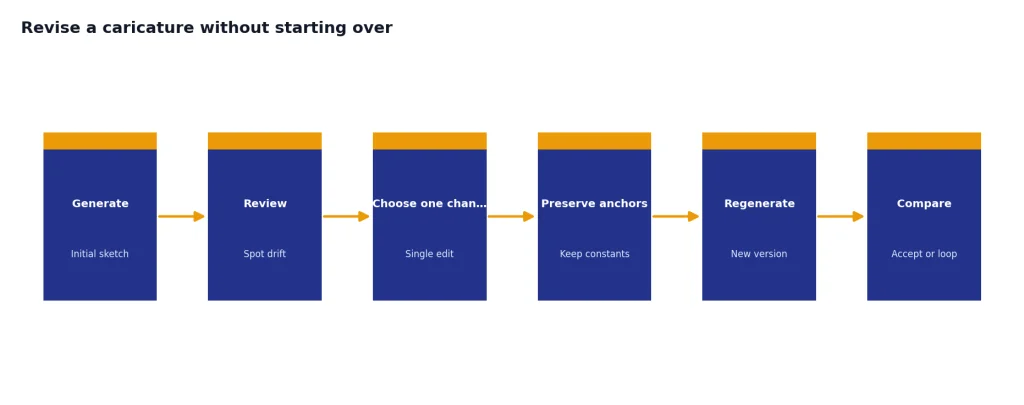
Use revision prompts like these:
- Keep the same composition, but make the expression warmer and less sarcastic.
- Keep the face and outfit, but exaggerate the coffee mug more than the facial features.
- Make the background simpler and remove extra objects.
- Keep the editorial cartoon style, but make the joke about the laptop and sticky notes instead of the person’s face.
- Make the caricature more flattering while preserving the playful oversized glasses.
When the model changes too much, anchor the next prompt with preservation language. Say “keep the same pose,” “keep the same outfit,” “keep the same clean background,” or “preserve the friendly expression.” OpenAI’s API announcement for gpt-image-1 described the model as supporting image generation and editing workflows, with safety guardrails and C2PA metadata in generated images.[5] Even with better editing, clear preservation instructions still matter.
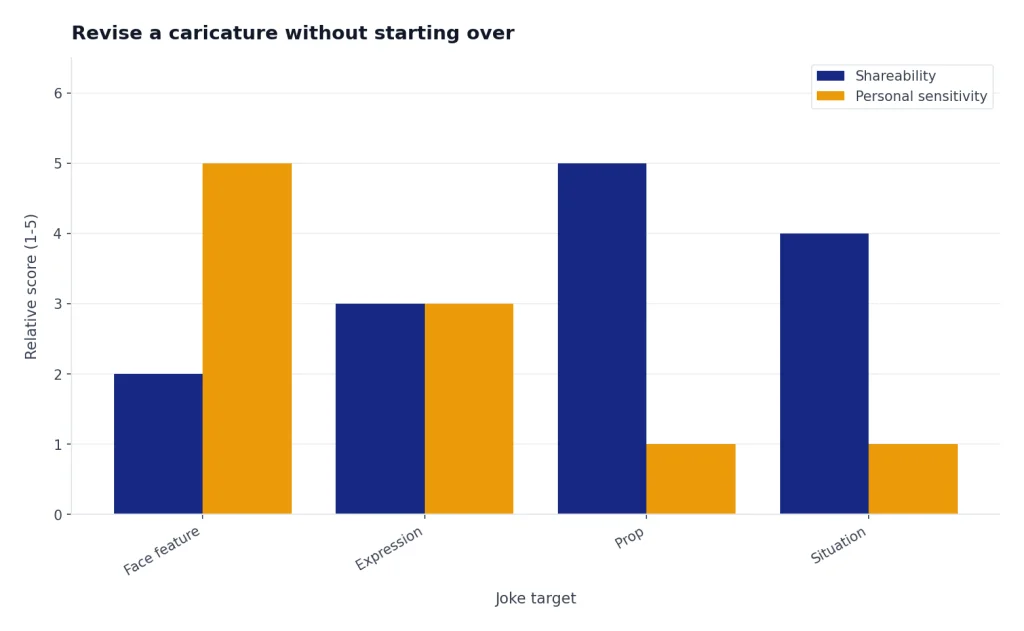
A useful pattern is “increase the prop, decrease the face.” Many caricatures become more shareable when the joke lives in the object rather than the person. Instead of asking for a bigger nose or sharper chin, ask for a comically oversized planner, microphone, keyboard, plant collection, hiking backpack, or stack of unread books.
Common caricature prompt mistakes
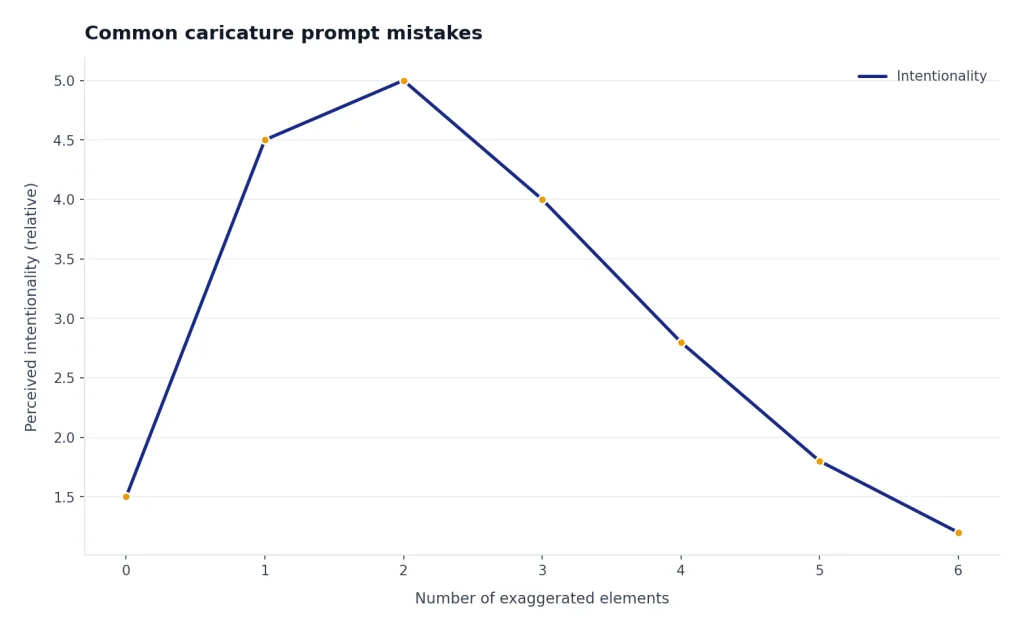
The most common mistake is asking for exaggeration without saying what should stay normal. Caricature depends on contrast. If everything is exaggerated, nothing feels intentional. Name the feature to amplify and the feature to preserve.
Another mistake is using insult words as style direction. “Ugly,” “weird,” “creepy,” and “humiliating” may produce a harsh image that the subject would not want shared. Use visual language instead: angular linework, dramatic eyebrows, surprised expression, oversized prop, tiny desk, or theatrical posture.
A third mistake is copying a trend prompt without adapting it. Viral image styles can be fun, but caricatures need personal anchors. If a prompt works for any face, it will not feel like a specific caricature. Add the subject’s role, hobby, pose, prop, and tone. If you are experimenting with stylized trends, our ChatGPT Studio Ghibli Style Prompts article is a useful comparison point for translating a broad visual mood into concrete prompt details.
Finally, do not use a caricature to impersonate someone. A stylized image can still mislead viewers when paired with a fake quote, fake endorsement, or fake event. Keep captions honest. Make it clear when an image is AI-generated, satirical, or fictional.
Frequently asked questions
What is the best ChatGPT caricature prompt?
The best prompt names the subject, the feature to exaggerate, the tone, the art style, and the limits. A strong version is: “Create a friendly caricature of a [subject], exaggerating [feature or prop] while keeping [expression or outfit] recognizable. Use [style] and avoid harsh distortion.”
Can ChatGPT make a caricature from a photo?
ChatGPT can use uploaded images as visual inspiration and can edit images when you describe the changes you want.[2] Use photos only when you have permission, and ask for a clearly stylized caricature rather than a deceptive realistic edit.
How do I make a caricature flattering instead of insulting?
Put the joke in the situation, prop, or hobby rather than in sensitive personal traits. Use phrases such as “warm,” “affectionate,” “friendly,” “polished,” and “flattering.” Also tell ChatGPT what not to exaggerate.
What style should I use for a professional caricature?
Use “editorial cartoon,” “clean vector caricature,” or “polished avatar illustration.” These styles keep the image useful for websites, bios, and internal decks. Avoid chaotic comic styles if the image needs to represent someone professionally.
Can I make caricatures of public figures?
Political and editorial cartoons often use public figures, but you should avoid deceptive realism, fake endorsements, defamatory claims, or misleading contexts. OpenAI’s policies restrict uses of likeness that could confuse authenticity and prohibit impersonation-related misuse.[3] When in doubt, make the satire obvious and avoid presenting the image as a real event.
Why does my caricature look generic?
Your prompt probably lacks specific anchors. Add hairstyle, posture, clothing, hobby, prop, setting, and mood. Then name the single feature or object you want exaggerated most.