

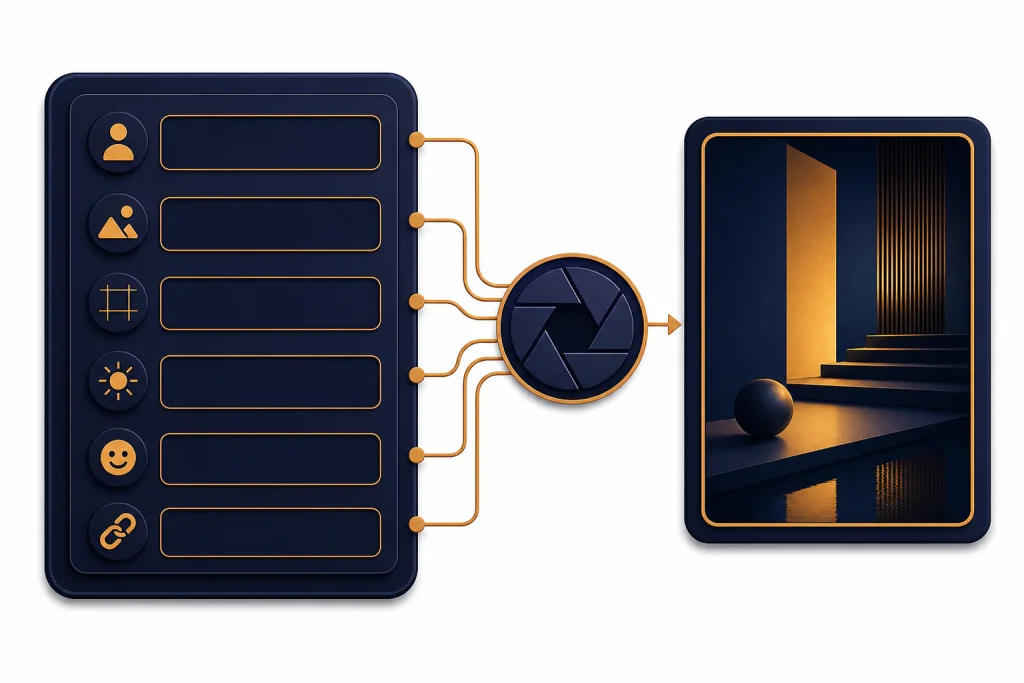
The best ChatGPT image prompts for photo-quality results describe the subject, setting, lighting, camera feel, composition, mood, and constraints in plain language. You do not need a wall of technical terms. You need a clear scene brief that tells ChatGPT what should be in the frame, what should stay realistic, and what should not change. This guide gives you reusable prompt patterns for portraits, product shots, food photography, interiors, travel-style scenes, real estate images, social media visuals, and precise edits.
What makes a photo-quality prompt work
A strong ChatGPT image prompt reads like a compact creative brief. It names the subject, visible action, environment, lighting, framing, desired finish, and exclusions. The model can infer a lot from ordinary language, but it still needs concrete visual anchors.
OpenAI launched 4o image generation on March 25, 2025, describing it as a natively multimodal image system that could produce photorealistic output, follow detailed prompts, render text more accurately, and use uploaded images as visual context.[1] OpenAI later released ChatGPT Images powered by GPT Image 1.5 on December 16, 2025, with stronger instruction following, more precise editing, and generation speeds up to four times faster than the prior version.[2] PCWorld separately reported the same GPT Image 1.5 launch and four-times-faster speed claim.[7] As of May 2026, OpenAI’s current image lineup also includes newer gpt-image models such as gpt-image-2, but the prompt habits below remain useful across current ChatGPT image tools.
For prompt writing, the practical lesson is simple: write like an art director, not like a keyword spammer. “A candid editorial portrait in soft window light, shallow background blur, natural skin texture, neutral wall, relaxed expression” is usually more useful than a pile of disconnected tags.
If you want broader prompt-building habits beyond images, start with our chatgpt prompt generator. If you want more imaginative visual directions, pair this article with ChatGPT Creative Prompts for Storytellers.
Copy-paste prompt structure
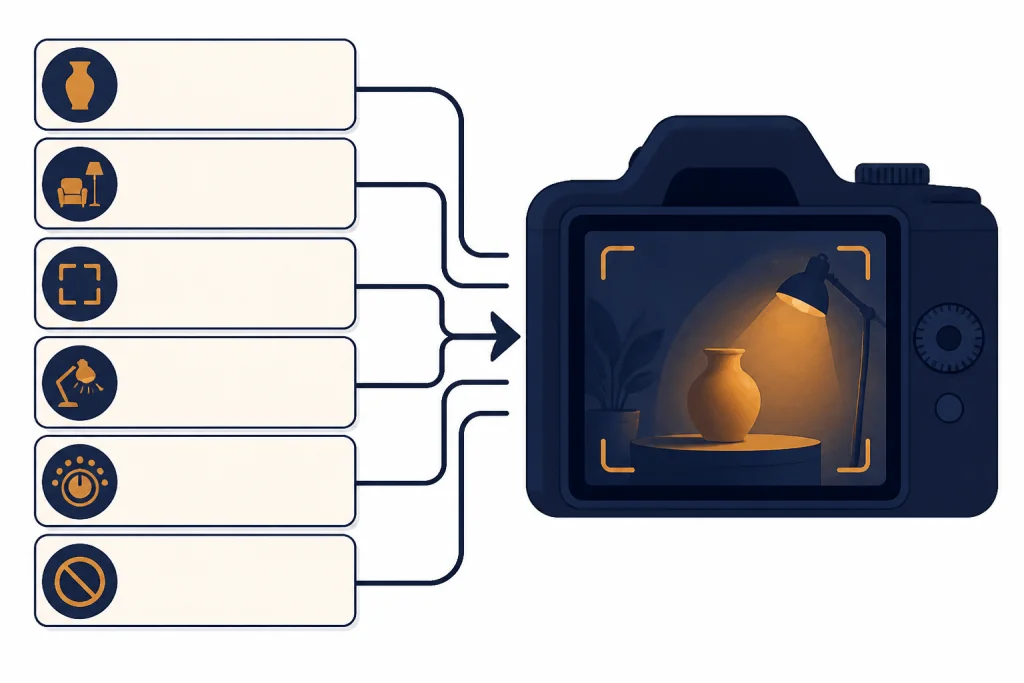
Use this structure when you want a realistic image rather than a stylized illustration. It gives ChatGPT enough context without forcing you to memorize photography jargon.
Create a photo-quality image of [main subject].
Scene: [where the subject is and what is happening].
Composition: [close-up, wide shot, overhead, centered, asymmetrical, foreground/background details].
Lighting: [soft window light, golden-hour light, studio softbox, overcast daylight, candlelight].
Camera feel: [natural portrait, editorial product photo, documentary snapshot, polished commercial photo].
Mood: [calm, premium, warm, playful, dramatic, clean, candid].
Constraints: [no logos, no extra text, no distorted hands, no unrealistic skin, keep background simple].
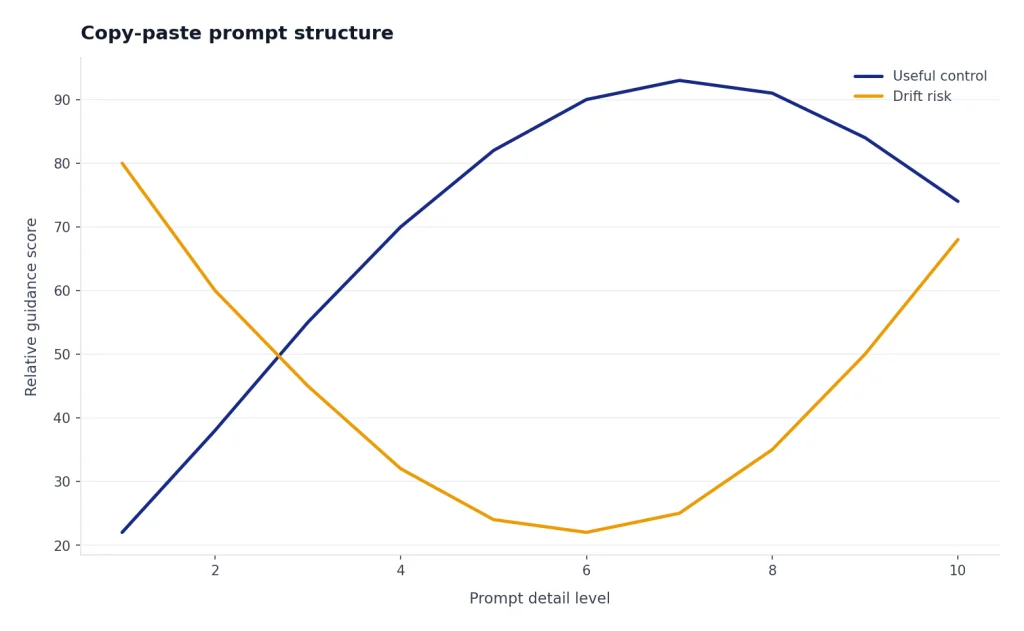
That structure works because it separates what the image is from how it should look. The subject and scene define content. Composition and lighting define the photographic feel. Mood and constraints reduce drift.
| Prompt field | What to write | Weak example | Better example |
|---|---|---|---|
| Subject | The main object, person, room, food, or scene | nice portrait | candid portrait of a ceramic artist in a small studio |
| Scene | The place and visible action | in a room | standing beside a worktable with clay tools and unfinished mugs |
| Composition | How the frame is arranged | professional shot | waist-up portrait, subject slightly off-center, shelves blurred in the background |
| Lighting | The visible light source and softness | good lighting | soft afternoon window light from the left, gentle shadows |
| Camera feel | The kind of photograph it should resemble | realistic | editorial magazine photo with natural texture and restrained color |
| Constraints | Details to avoid or preserve | make it perfect | no logos, no text overlays, no plastic-looking skin, keep hands natural |
Do not overload every prompt. A product photo needs surface, lighting, materials, and background. A portrait needs expression, clothing, setting, lighting, and skin realism. A real estate image needs room layout, natural light, accurate proportions, and clean surfaces.
Best ChatGPT image prompts for photo-quality results
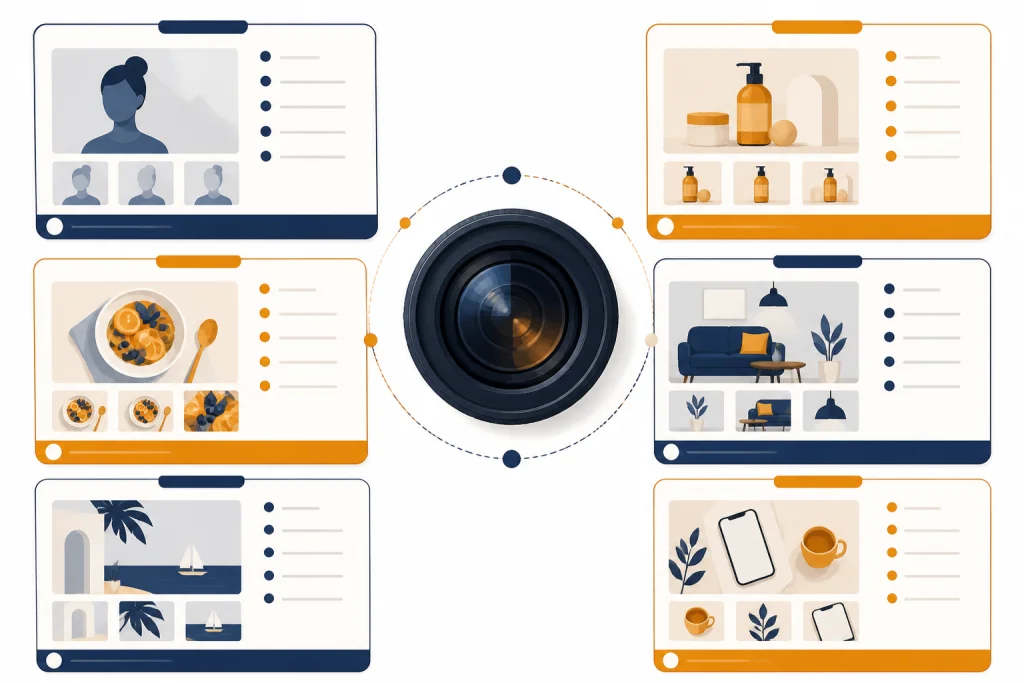
Copy these prompts and replace the bracketed details. Keep your first version focused, then ask for one small refinement at a time: warmer light, a simpler background, less contrast, a tighter crop, or fewer props.
Portrait prompt
Create a photo-quality editorial portrait of [person description] in [setting]. The subject is [pose or expression], wearing [clothing style]. Use soft natural window light, realistic skin texture, subtle background blur, and a calm professional mood. Keep the face natural and symmetrical. No text, no logos, no exaggerated retouching.Illustrative filled-in example: “Create a photo-quality editorial portrait of a middle-aged ceramic artist in a small sunlit studio. The subject is leaning beside a worktable with a relaxed half-smile, wearing a linen apron over a dark shirt. Use soft natural window light, realistic skin texture, subtle background blur, shelves of unfinished mugs behind them, and a calm professional mood. No text, no logos, no exaggerated retouching.”
Professional headshot prompt
Create a realistic professional headshot of [person description] against a clean neutral background. The person has a relaxed, confident expression and natural posture. Use soft studio lighting, crisp focus on the face, realistic hair detail, and natural skin tone. Avoid glamour retouching, harsh shadows, fake teeth, and corporate logos.Product photography prompt
Create a premium product photograph of [product] on [surface material]. Place the product slightly off-center with a clean background, soft studio lighting, realistic reflections, and crisp material detail. The image should feel like a modern ecommerce hero photo. No brand logos, no text, no extra props unless specified.Illustrative filled-in example: “Create a premium product photograph of a matte white ceramic pour-over coffee dripper on pale oak. Place it slightly off-center with a clean warm-gray background, soft studio lighting, realistic ceramic reflections, and crisp material detail. Add only a folded beige linen napkin in the background. No brand logos, no text, no extra props.”
Food photography prompt
Create a realistic food photograph of [dish] served on [plate or bowl] on [table surface]. Use soft side lighting, appetizing texture, natural steam if appropriate, and a shallow background blur. Include simple supporting props such as [napkin, cutlery, herbs] only if they fit the scene. Make it look freshly prepared, not artificial.Interior design prompt
Create a realistic interior photo of [room type] with [design style]. Show the full room layout with accurate proportions, natural daylight, clean surfaces, and lived-in but uncluttered details. Use warm neutral colors, realistic furniture scale, and believable shadows. No warped walls, no impossible windows, no text.Real estate listing prompt
Create a realistic real estate listing photo of [space]. The room should look bright, clean, and accurate, with straight vertical lines, natural daylight, balanced exposure, and visible layout. Keep finishes believable and avoid luxury upgrades that are not specified. No fake views, no distorted architecture, no text overlays.Agents should not misrepresent a property. Use image generation for concepting, staging ideas, or marketing variants, not for deceptive listing photos. For listing copy and client workflows, use these prompts alongside ChatGPT Real Estate Prompts for Agents.
Travel-style scene prompt
Create a documentary-style travel photograph of [place or scene]. Show [specific subject] in the foreground with [background details] behind it. Use natural ambient light, realistic weather, candid composition, and true-to-life colors. Avoid postcard exaggeration, fake landmarks, oversaturated skies, and text.Social media lifestyle prompt
Create a realistic lifestyle photo for a social media post about [topic]. Show [person or object] in [setting], with a clean composition that leaves open space for a caption outside the image. Use natural light, warm colors, and an authentic candid feel. No embedded text, no logos, no unrealistic filters.If you plan to turn generated visuals into captions, hooks, or platform-specific posts, connect this workflow to chatgpt social media prompts for every platform. For thumbnail ideas, titles, and video concepts, see ChatGPT for YouTubers.
Seasonal photo prompt
Create a realistic seasonal photo of [subject] in a [seasonal setting]. Use natural materials, warm practical lighting, believable decorations, and a cozy but uncluttered composition. The image should feel like a real photograph from a tasteful home or small studio. No text, no brand marks, no cartoon styling.For holiday-specific visual ideas, compare this with ChatGPT Christmas Photo Prompts. For playful character-based visuals, try ChatGPT Caricature Prompts or ChatGPT Action Figure Prompts.
How to edit and iterate in ChatGPT Images
ChatGPT Images can create new images and edit existing ones. OpenAI’s help documentation says users can ask ChatGPT to create an image, use the image tool, upload an existing image, and describe the changes they want.[3] OpenAI also says image generation time can vary by prompt complexity and may take up to two minutes.[3]
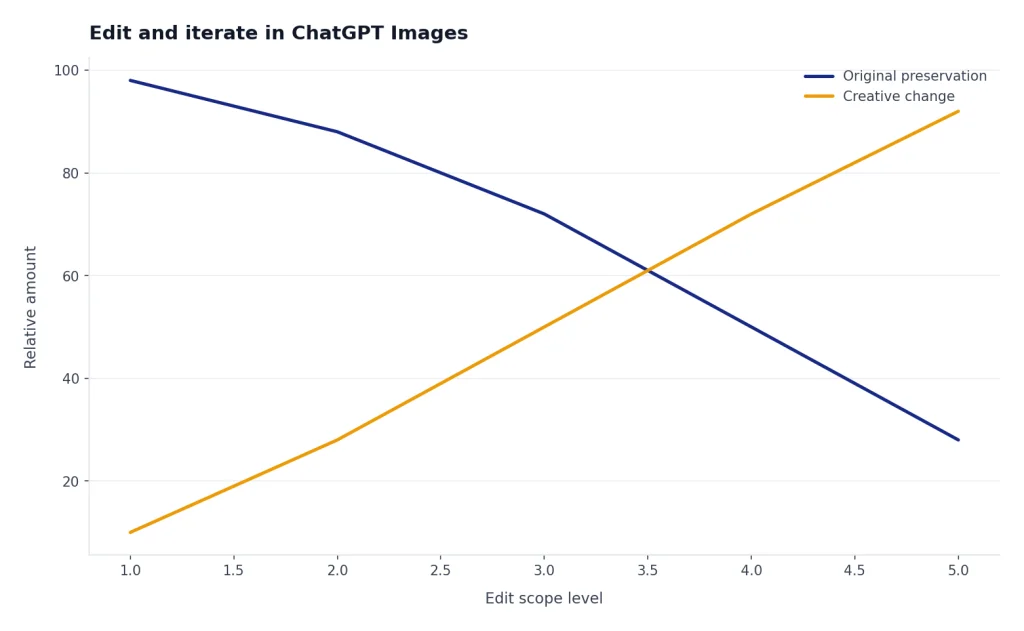
The best editing prompts are narrow. Do not ask for a full remake if you only need to fix one thing. Say exactly what should change and what should remain unchanged.
General edit prompt
Edit this image. Change only [specific element]. Keep the same composition, subject identity, pose, lighting direction, background, color palette, and camera feel. Make the change look natural and photo-realistic. Do not add text, logos, extra objects, or style changes.Background cleanup prompt
Clean up the background of this image while keeping the subject exactly the same. Remove [specific clutter]. Preserve the lighting, shadows, camera angle, clothing, facial expression, and natural texture. The result should look like the original photo was taken in a cleaner space.Lighting adjustment prompt
Adjust the lighting in this image to feel [brighter, softer, warmer, moodier]. Keep the subject, pose, background, and composition unchanged. Preserve realistic shadows and natural skin or material texture. Do not overexpose the image or create an artificial filter effect.Wardrobe or object change prompt
Replace [clothing item or object] with [new item]. Match the original camera angle, lighting, shadows, scale, and material realism. Keep the person or scene otherwise unchanged. The edit should look physically plausible and not like a pasted overlay.Illustrative edit example: “Edit this product photo. Change only the background from a busy kitchen counter to a clean pale stone surface. Keep the bottle shape, label-free packaging, shadow direction, camera angle, reflections, and color palette unchanged. Do not add text, logos, plants, hands, or extra props.”
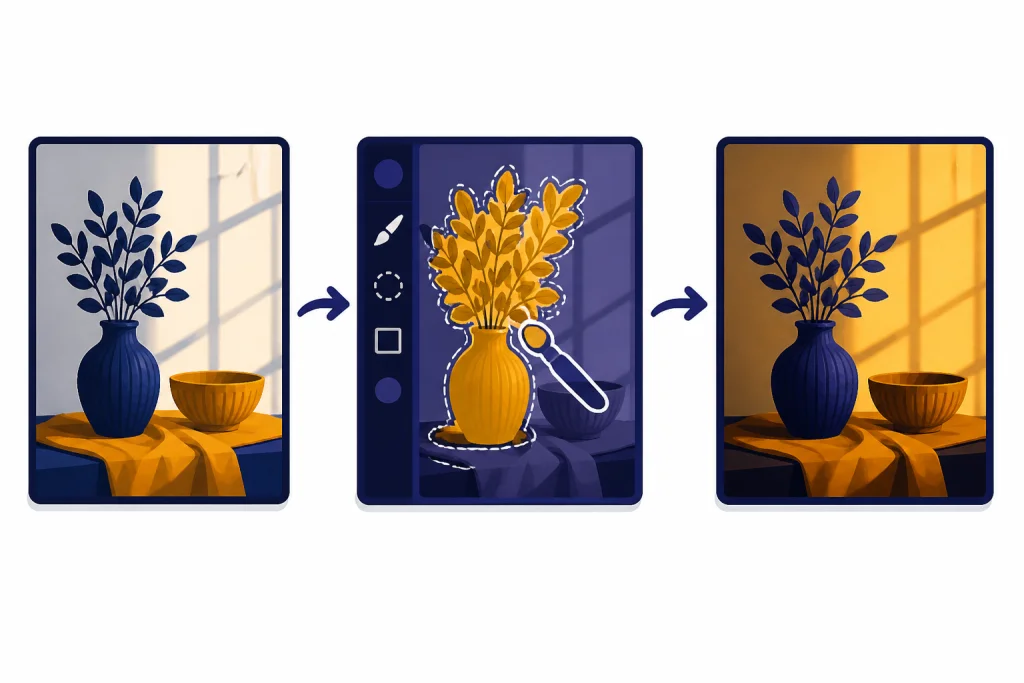
OpenAI’s editing documentation says the ChatGPT image editor can update selected areas through the selection tool, or accept an edit prompt in the conversation panel without using selection.[4] Use the selection tool when the change is local. Use a normal chat edit when the change affects the whole image, such as lighting or overall mood.
Prompt terms that help, and terms that hurt
Photo-quality prompts work best when the words describe visible outcomes. Vague prestige words do not tell the model what to draw. Replace “stunning” with a visible lighting choice. Replace “high quality” with a clean surface, natural texture, accurate proportions, or balanced exposure.
| Use this | Instead of this | Why it works better |
|---|---|---|
| soft window light from the side | beautiful lighting | It defines the light source and shadow behavior. |
| natural skin texture | perfect face | It discourages plastic-looking retouching. |
| straight vertical walls | real estate quality | It targets a common interior-image failure. |
| clean neutral background | professional background | It states what should be visible. |
| realistic reflections on ceramic | premium product shot | It names the material behavior. |
| no embedded text or logos | make it brand safe | It gives a concrete exclusion. |
Use camera terms only when they describe the visible result: close-up, wide shot, overhead, shallow background blur, documentary-style, centered, or off-center. Long strings of camera specifications are less important than clear subject, light, and composition.
Style references need care. It is safer to describe the visible qualities you want than to ask for a living artist’s style, a specific brand look, or a trademarked product design. For example, ask for “warm hand-painted animation background with soft forest colors” rather than a named studio imitation. If you are exploring animation-style prompts, read our take on chatgpt studio ghibli prompts for the practical and ethical tradeoffs.
Use cases for marketers, creators, and small businesses
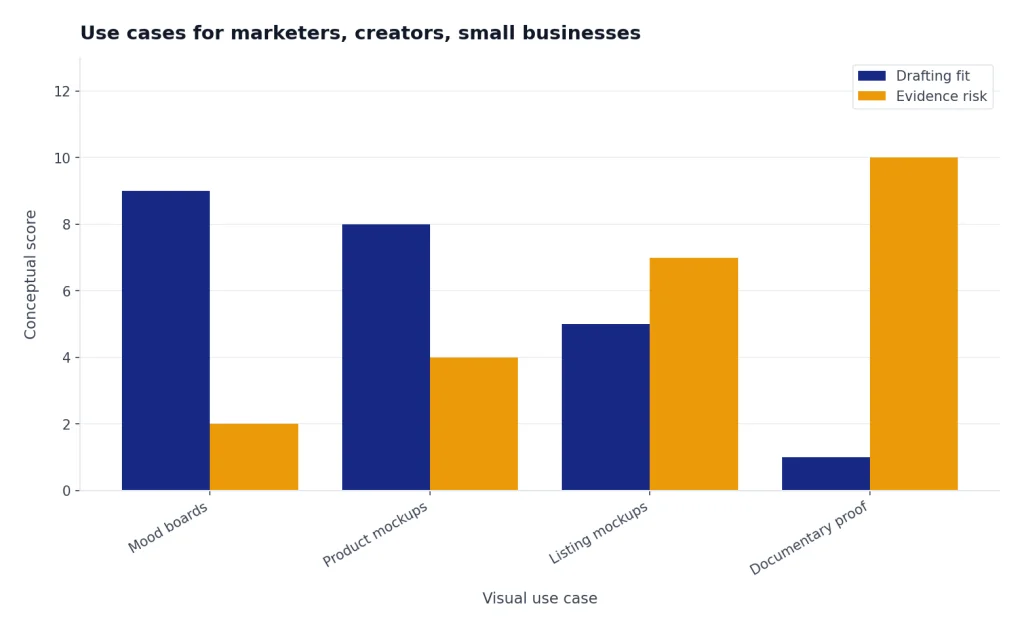
Photo-quality ChatGPT image prompts are most useful when you need fast visual drafts, not verified evidence. Use them for campaign concepts, mood boards, blog headers, product mockups, social graphics, thumbnails, internal presentations, staging ideas, and creative direction. Do not use them as documentary proof.
For marketing, write the image prompt after you know the audience and message. A skincare product for a minimalist landing page needs a different visual brief than the same product in a casual creator post. If the image supports search content, pair it with chatgpt seo prompts that help you rank. If the image supports business planning, use it with ChatGPT Business Prompts for Owners.
Landing page hero prompt
Create a realistic landing page hero image for [product or service]. Show [main subject] in a clean, bright setting with open negative space on one side for page copy outside the image. Use soft commercial lighting, restrained colors, and realistic materials. No text, no logos, no fake interface elements.Blog featured image prompt
Create a realistic editorial photo for an article about [topic]. Show [concrete subject] in [setting] with a clear visual metaphor but no text. Use natural light, clean composition, and a trustworthy publication style. Avoid clichés, exaggerated expressions, stock-photo poses, and brand marks.Thumbnail concept prompt
Create a realistic thumbnail concept for a video about [topic]. Show [main visual hook] with strong contrast, simple composition, and a clear focal point. Leave room for text to be added later in a design tool. Do not include text inside the image. Keep faces and objects natural.Generated images should still pass your normal review process. Check whether the image supports the message, fits the audience, and avoids false implications. If the best result still has small visual defects, export it and finish in a design editor rather than forcing endless regenerations.
Rights, safety, and realism checks
OpenAI’s image generation documentation for developers says the OpenAI API can generate and edit images from text prompts using GPT Image and DALL·E models, and that prompts and generated images are filtered under the company’s content policy.[5] OpenAI’s policy page also links to its rules for creating images and videos in line with its guardrails.[6]
For everyday use, keep three checks in your workflow. First, do not imply that a generated image is a real event, a real product photo, or a verified listing photo when it is not. Second, get permission before using a private person’s likeness as an input or output. Third, avoid prompts that copy a brand, celebrity endorsement, living artist, or protected character too closely.
Photo quality is not the same as truth. A realistic image can still be fictional. Label generated visuals when context requires disclosure, especially in journalism, education, real estate, health, finance, or political content. If accuracy matters, use real photographs, licensed assets, or clearly marked mockups.
Frequently asked questions
What is the best ChatGPT image prompt format?
The best format is a short creative brief: subject, scene, composition, lighting, camera feel, mood, and constraints. Write in plain language. Add only the details that affect what should appear in the frame.
How do I make ChatGPT images look less fake?
Ask for natural light, realistic texture, believable shadows, accurate proportions, and restrained color. Avoid words that push the image toward plastic retouching, such as “flawless” or “ultra perfect.” If people appear in the image, ask for natural skin texture and ordinary facial expressions.
Should I use camera settings in ChatGPT image prompts?
Use camera language when it describes a visible result, such as close-up framing, wide composition, shallow background blur, or overhead view. You do not need long technical strings. Plain visual direction is usually more reliable than a list of camera specifications.
Can ChatGPT edit an existing image?
Yes. OpenAI says ChatGPT Images can edit images created in ChatGPT or uploaded by the user, and the editor can use a selected area or a normal prompt in the conversation panel.[4] For best results, state exactly what should change and what should remain the same.
Can I use ChatGPT image prompts for product photos?
You can use them for mockups, concepts, ads, mood boards, and ecommerce-style drafts. Be careful with real product representation. Do not show features, packaging, materials, claims, or labels that the actual product does not have.
Why does ChatGPT add text or logos when I did not ask for them?
Image models sometimes infer signage, labels, or decorative marks from the scene type. Add a direct constraint such as “no embedded text, no logos, no brand marks, no watermarks.” If text is required, keep it short and check it carefully.