

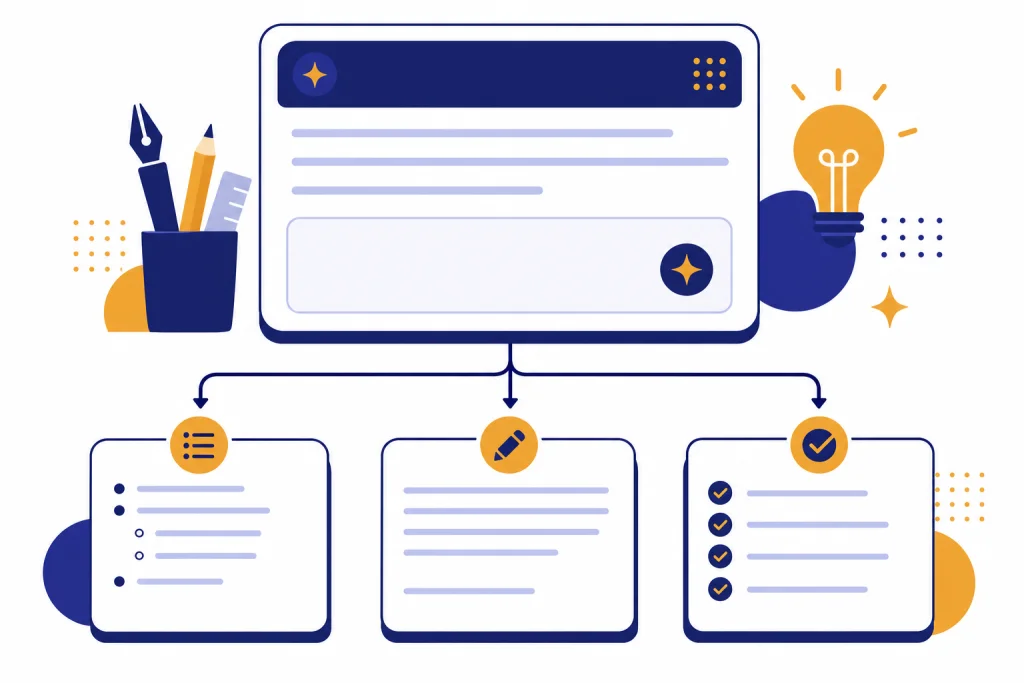
ChatGPT writing prompts work best when they give the model a clear job, a defined reader, source material, constraints, and an output format. Bloggers should use ChatGPT as a drafting, outlining, editing, and repurposing assistant, not as a one-click publisher. The prompts below are built for real blogging tasks: finding an angle, shaping an outline, drafting sections, improving introductions, creating SEO elements, refreshing old posts, and checking weak claims. Copy them, replace the bracketed details, and add your own experience, examples, screenshots, quotes, and facts before publishing.
How to use ChatGPT writing prompts well
ChatGPT can help with drafting, rewriting, summarizing, explaining concepts, and generating creative suggestions, which makes it useful across a blogger’s workflow.[1] The mistake is asking for a finished article with one vague instruction. A weak prompt creates a generic draft because it gives the model no reader, no point of view, no evidence, and no standard for quality.
A strong prompt works like a creative brief. It tells ChatGPT what role to play, who the article serves, what material to use, what not to invent, what structure to follow, and how the output should look. OpenAI’s prompt engineering guidance recommends putting instructions at the beginning, separating instructions from source text with delimiters, and being specific about context, length, format, style, and desired outcome.[2]
For bloggers, that means the best prompt is rarely just “write a blog post about remote work.” A better prompt says: “Act as an editor for a solo SaaS founder’s blog. Draft a practical outline for a post about remote onboarding for teams under twenty people. Use a skeptical, plainspoken tone. Include sections for mistakes, examples, and a checklist. Do not make up statistics.”
Use ChatGPT for leverage, not substitution. Ask it to generate options, organize research, pressure-test structure, find gaps, rewrite clunky passages, and adapt a finished article into other formats. If you need broader prompt systems beyond blogging, start with our chatgpt prompt generator and then come back to this library for blog-specific examples.
A reusable blog post prompt framework
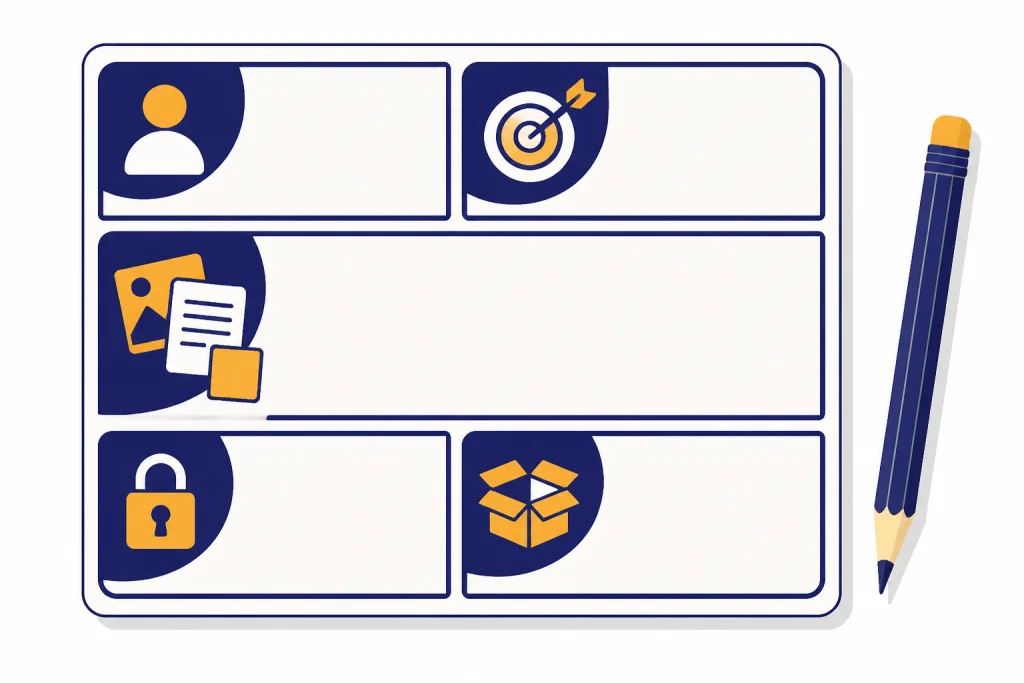
Use this framework when you want consistent blog output. It is not a magic phrase. It is a container for the information ChatGPT needs before it can produce useful writing.
Act as [role].

Goal: Help me create [type of blog asset] about [topic].

Audience: [who the reader is, what they know, what they want, what they fear].

Angle: [the point of view, thesis, or practical promise].

Source material: """
[paste notes, interview transcript, product details, examples, outline, or research excerpts]
"""

Constraints:
- Do not invent facts, quotes, sources, prices, dates, or statistics.
- Flag any claim that needs verification.
- Use [tone] and avoid [phrases or style habits].
- Prioritize practical advice over generic explanation.

Output format:
[exact structure you want: outline, table, intro options, section draft, checklist, FAQ, meta title, etc.]
This format gives you a clean starting point for almost any blogging task. The role sets the lens. The goal defines the deliverable. The audience prevents generic advice. The angle adds a point of view. The source material keeps the model grounded. The constraints reduce bad habits. The output format makes the answer easier to use.
For longer posts, do not ask ChatGPT to draft the whole article at once. Work in passes. First ask for angles. Then ask for an outline. Then draft one section at a time. Then edit for clarity, usefulness, and originality. This mirrors how human writers work and gives you more chances to steer the article.
If you work in ChatGPT Canvas or another document-style editor, keep the same framework but ask for revision notes before rewrite. Our ChatGPT Canvas tutorial covers document workflows that pair well with these prompts.
Copy-paste prompts for common blogging tasks
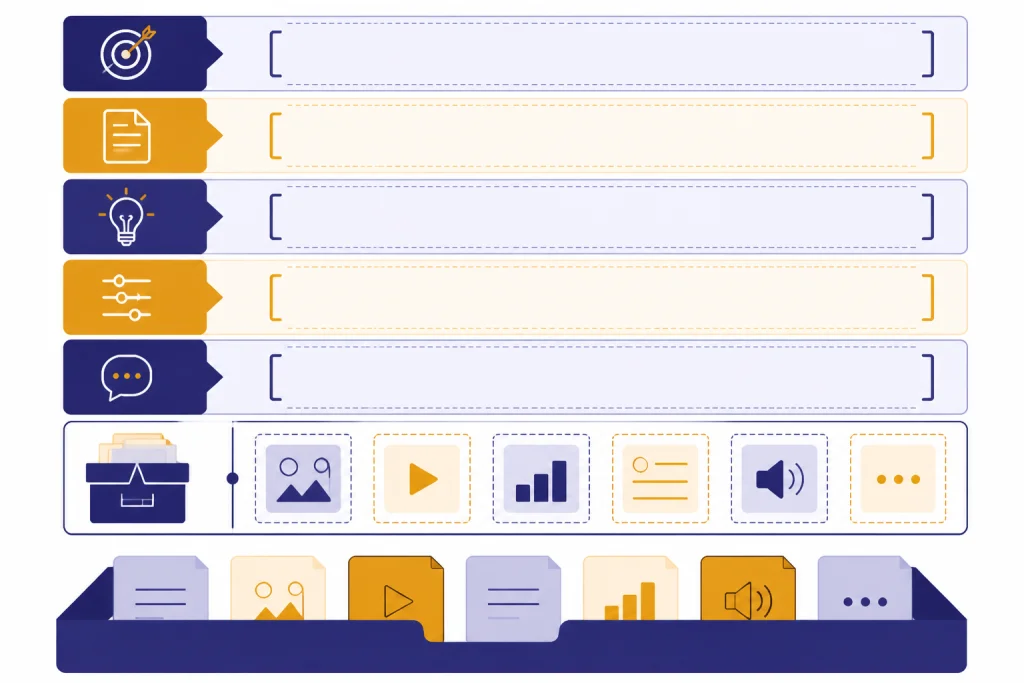
The table below gives you practical prompts for the parts of blogging where ChatGPT tends to help most. Replace the bracketed text with your own details. When a prompt asks for source material, paste your notes, interviews, product documentation, survey comments, or existing draft. If you do not provide source material, ask ChatGPT to flag assumptions instead of filling gaps with confident guesses.
| Blogging task | Copy-paste prompt | What to add before using it |
|---|---|---|
| Find a sharper angle | Act as a senior blog editor. Give me several distinct angles for a post about [topic] for [audience]. For each angle, include the reader problem, the promise, the likely objections, and what would make the post original. Avoid generic beginner advice. | Your audience, topic, business goal, and any opinion you already hold. |
| Create a search-focused outline | Build a practical blog outline for the keyword [keyword]. The reader wants [intent]. Include an introduction, logical H2 sections, useful H3 ideas, examples, and an FAQ. Do not add sections only because competitors use them. Explain what each section should accomplish. | The target keyword, reader intent, and notes from your own research. |
| Turn notes into a draft | Use only the notes inside the delimiters to draft a blog section about [section topic]. Keep the tone [tone]. If a needed detail is missing, insert [VERIFY] rather than inventing it. Notes: “””[paste notes]””” | Raw notes, quotes, examples, or a rough transcript. |
| Write a stronger introduction | Write three introduction options for this blog post. Each option must answer the headline directly, name the reader’s problem, and preview the practical value of the post. Avoid hype, throat-clearing, and phrases like “in today’s digital world.” Headline: [headline]. Outline: [outline]. | Your headline and outline. |
| Improve section transitions | Review this draft for abrupt transitions. Suggest smoother bridge sentences between sections without adding fluff. Preserve the author’s voice. Draft: “””[paste draft]””” | A draft with headings included. |
| Create examples | Generate original examples for a blog post about [topic]. The examples should fit [audience] and show realistic situations. Do not use famous brands, fake statistics, or unverifiable claims. Present the examples in a table with the lesson each one teaches. | Your audience and the point each example should support. |
| Rewrite for clarity | Rewrite the passage below for clarity and flow. Keep the meaning, preserve any technical terms that matter, and cut filler. After the rewrite, list the main changes you made. Passage: “””[paste passage]””” | A rough paragraph or section. |
| Generate headline options | Create headline options for a blog post about [topic]. Group them by style: practical, contrarian, beginner-friendly, advanced, and curiosity-driven. Keep them accurate. Do not overpromise. Include a short note on which reader each headline fits. | Your topic, reader level, and article promise. |
| Build an FAQ | Create FAQ questions and concise answers for a blog post about [topic]. Prioritize questions a real reader would ask before acting on the advice. Avoid repeating points already covered unless the FAQ makes them easier to apply. | Your outline and reader objections. |
| Repurpose a post | Turn this blog post into a short email, a LinkedIn post, and a social caption. Keep the core idea intact, but adapt the structure and tone for each channel. Blog post: “””[paste post]””” | The finished post and the target channels. |
These prompts also pair well with related content workflows. Use chatgpt social media prompts for every platform when you want to distribute a post after publishing. Use ChatGPT for YouTubers if a blog article needs to become a script, title set, or video outline. Use Best ChatGPT Image Prompts when the post needs diagrams, featured images, or visual concepts.
Editing prompts that make posts better
Editing is where ChatGPT often gives bloggers the highest return. Drafting from scratch can produce bland prose. Editing against a real draft gives the model something concrete to improve. Paste your draft, name the standard, and ask for diagnosis before rewrite.
Prompt: diagnose the draft before rewriting
Act as a strict but helpful blog editor.

Review this draft for:
- unclear thesis
- weak section order
- generic claims
- missing examples
- unsupported facts
- repetition
- slow paragraphs

First, give me an editorial diagnosis. Then suggest a revision plan. Do not rewrite yet.

Draft: """
[paste draft]
"""
This prompt prevents ChatGPT from polishing sentences while ignoring deeper problems. Use it before you spend time on headlines, meta descriptions, or formatting.
Prompt: preserve voice while cutting filler
Cut filler from this section while preserving my voice. Keep useful detail. Remove repeated ideas, vague modifiers, and generic setup. Return two versions: a light edit and a tighter edit.

Section: """
[paste section]
"""
Ask for two versions when you are worried ChatGPT will over-edit. The light version usually keeps more personality. The tighter version often works for intros, summaries, and dense explanatory sections.
Prompt: make the article more useful
Read this blog post as the target reader: [describe reader]. Identify where the article is too abstract. Suggest specific examples, screenshots, tables, definitions, warnings, or step-by-step details that would make it more useful. Do not invent facts. Mark any missing evidence as [NEEDS SOURCE].This is the prompt to use when the article sounds correct but thin. It pushes the model toward practical improvements rather than surface-level style edits. For more ideation-heavy work, see ChatGPT Creative Prompts for Storytellers. For routine work systems, use chatgpt productivity prompts for daily workflow.
SEO, fact-checking, and human review
AI-assisted blogging still needs editorial judgment. Google’s Search guidance says appropriate use of AI or automation is not against its guidelines, but using automation mainly to manipulate search rankings is spam.[4] Google also says its ranking systems are designed to prioritize helpful, reliable, people-first content.[5] Treat that as a practical standard: the finished post should help a reader do something better, not merely fill a keyword slot.
ChatGPT can also be wrong. OpenAI tells users to approach ChatGPT critically and verify important information from reliable sources.[3] That matters for blog posts with product details, legal topics, medical advice, finance, software features, regulations, dates, prices, or statistics. If a fact could affect someone’s money, health, safety, job, or legal position, verify it outside ChatGPT before publishing.
Use this prompt after drafting:
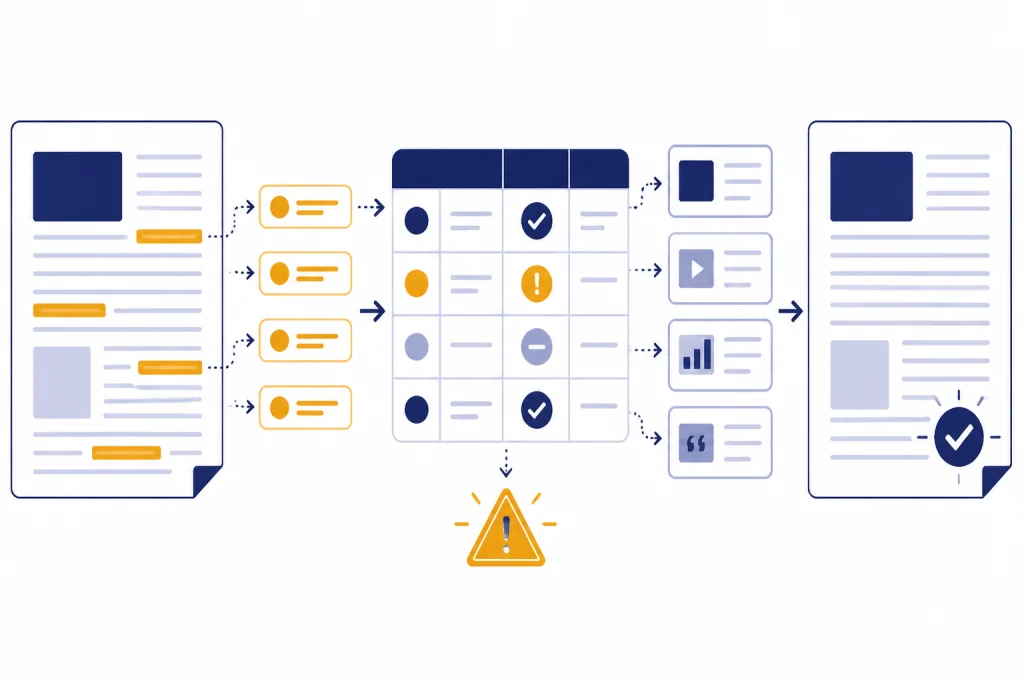
Act as a fact-checking editor for this blog post.

Create a table with these columns:
- Claim from the draft
- Why it needs verification
- Suggested source type
- Risk if wrong
- Rewrite that avoids overclaiming

Focus on dates, prices, statistics, legal or medical claims, product features, named tools, and comparisons. Do not verify from memory. Do not invent sources.

Draft: """
[paste draft]
"""
Then check the flagged claims manually. Use official documentation for product facts. Use primary sources for research claims. Use current sources for prices and availability. If you are writing in a regulated niche, ask a qualified reviewer to read the article before it goes live.
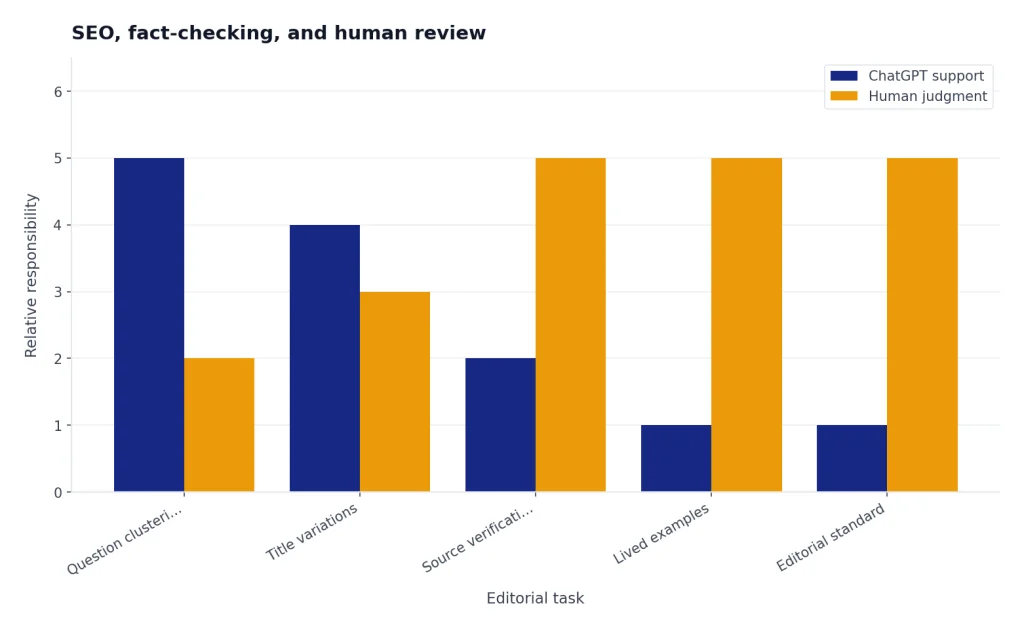
For SEO, ask ChatGPT to support the article rather than dictate it. It can cluster related questions, identify missing definitions, draft title variations, summarize search intent, or turn a finished outline into a checklist. It should not replace your experience, your examples, or your editorial standard.
Act as an SEO editor. Review this outline for the keyword [keyword] and the audience [audience]. Identify missing subtopics that would genuinely help the reader. Do not suggest sections only to add keywords. Separate must-have additions from optional additions. Explain your reasoning in plain English.If your post includes material in another language, pair these writing prompts with chatgpt translation prompts for quality output. If your blog supports a business function, our ChatGPT Business Prompts for Owners can help turn articles into briefs, emails, and operating documents.
Mistakes to avoid with ChatGPT writing prompts
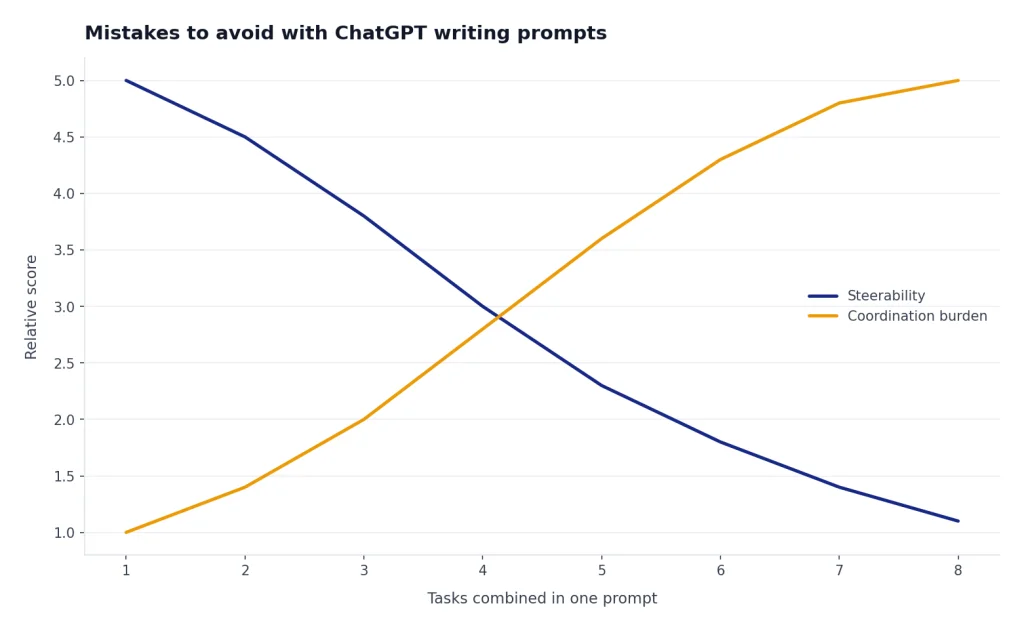
The most common mistake is asking for too much in one message. If you request research, strategy, outline, draft, SEO, fact-checking, examples, and editing all at once, you reduce your ability to guide the result. Split the work into stages.
Another mistake is hiding the good material. ChatGPT cannot know your customer stories, product details, field experience, failed experiments, or personal examples unless you provide them. The more original input you give, the less generic the output becomes.
Do not ask ChatGPT to imitate a living writer’s exact style. Ask for traits instead: concise, plainspoken, skeptical, warm, technical, example-driven, or beginner-friendly. That gives you a usable voice direction without trying to clone someone else’s work.
Be careful with confidential material. OpenAI’s consumer data FAQ says content submitted to ChatGPT and other individual services may be used to improve model performance, and it explains that users can adjust related data controls.[6] Before pasting client documents, private analytics, unpublished contracts, employee details, customer records, or sensitive drafts, review your account settings and your organization’s policy.
Finally, do not publish the first answer unchanged. Ask for alternatives. Challenge weak claims. Add lived experience. Remove generic phrasing. Insert real screenshots or examples. A good ChatGPT workflow still ends with a human editor.
Frequently asked questions
What is the best ChatGPT writing prompt for bloggers?
The best prompt gives ChatGPT a role, reader, goal, source material, constraints, and output format. A reusable version is: “Act as a blog editor for [audience]. Help me create [asset] about [topic]. Use the source material below. Do not invent facts. Return the output as [format].” Add your own notes before asking for a draft.
Can ChatGPT write a full blog post?
Yes, ChatGPT can draft a full blog post, but that is not always the best workflow. You usually get better results by asking for an angle, outline, section draft, examples, and edits in separate passes. The final article should still include your expertise and verified facts.
Are ChatGPT-written blog posts bad for SEO?
AI-assisted content is not automatically bad for SEO. The risk is publishing thin, unoriginal, unhelpful content made mainly to target search rankings. Use ChatGPT to improve research, structure, and clarity, then add original examples, accurate sourcing, and human review.
How do I make ChatGPT sound less generic?
Give it specific input. Paste your notes, audience details, product experience, examples, failed attempts, and strong opinions. Then ask it to remove vague claims, add concrete examples, and preserve your voice instead of rewriting everything in a polished but bland style.
Should I ask ChatGPT for sources?
You can ask ChatGPT to identify claims that need sources, but do not rely on it as the final authority. Verify dates, prices, legal claims, medical claims, product features, and statistics with reliable external sources. For product facts, official documentation is usually the best starting point.
Can I use these prompts for newsletters or ebooks?
Yes. The same prompt structure works for newsletters, ebooks, guides, scripts, and lead magnets. Change the output format, audience, and constraints. For example, ask ChatGPT to turn a blog outline into an email sequence, chapter plan, or downloadable checklist.