

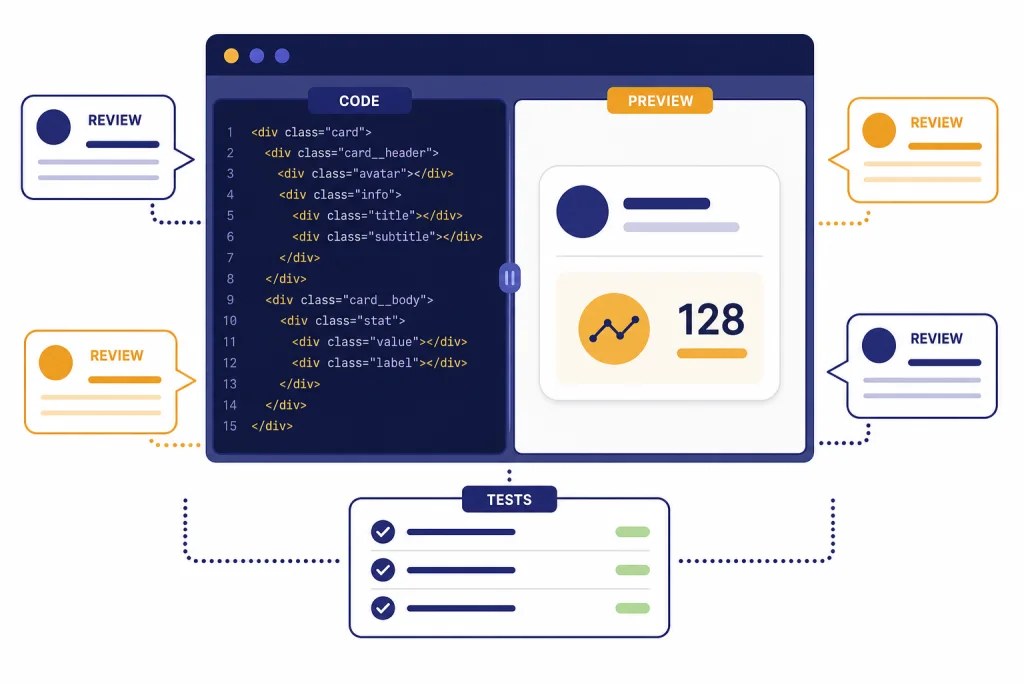
ChatGPT for JavaScript works best as a development partner, not as an autopilot. Use it to explain unfamiliar code, design components, debug browser errors, write tests, review pull requests, refactor functions, and turn rough ideas into working HTML, CSS, and JavaScript. For larger repositories, use ChatGPT to reason about architecture and Codex to delegate contained code tasks. For live web prototypes, canvas is often the most useful surface because it supports editing, review, and rendered React/HTML previews. The strongest results come from tight prompts, real error messages, project constraints, and a human review step before any code ships.
Where ChatGPT fits in JavaScript and web development
JavaScript is still a broad target for an assistant because it runs in browsers and in non-browser environments. MDN describes JavaScript as a lightweight interpreted, or just-in-time compiled, language with first-class functions, best known for web pages but also used in environments such as Node.js.[6] That breadth is the reason a vague prompt like “fix my JavaScript” usually fails. ChatGPT needs to know whether you are working in browser DOM code, a React component, a Node.js route, a test runner, a build tool, or an API integration.
The best use of ChatGPT for JavaScript is focused collaboration. Ask it to explain a confusing closure, rewrite a function without changing behavior, propose edge cases, generate a small test file, review a component for accessibility, or compare two implementation approaches. It is less reliable when you ask for a complete app in one pass and accept the result without running it.
Think of ChatGPT as a fast second developer who can read context, produce drafts, and suggest alternatives. It can help you move faster through the messy middle of development: naming, branching logic, error handling, test coverage, and documentation. It should not replace your local runtime, type checker, linter, browser DevTools, package audit process, or production review.
If your work overlaps with data access, keep this guide beside chatgpt for sql queries and database work. If your web project also needs content strategy, pair it with chatgpt for seo or chatgpt for blog writing. JavaScript rarely lives alone in a real product.
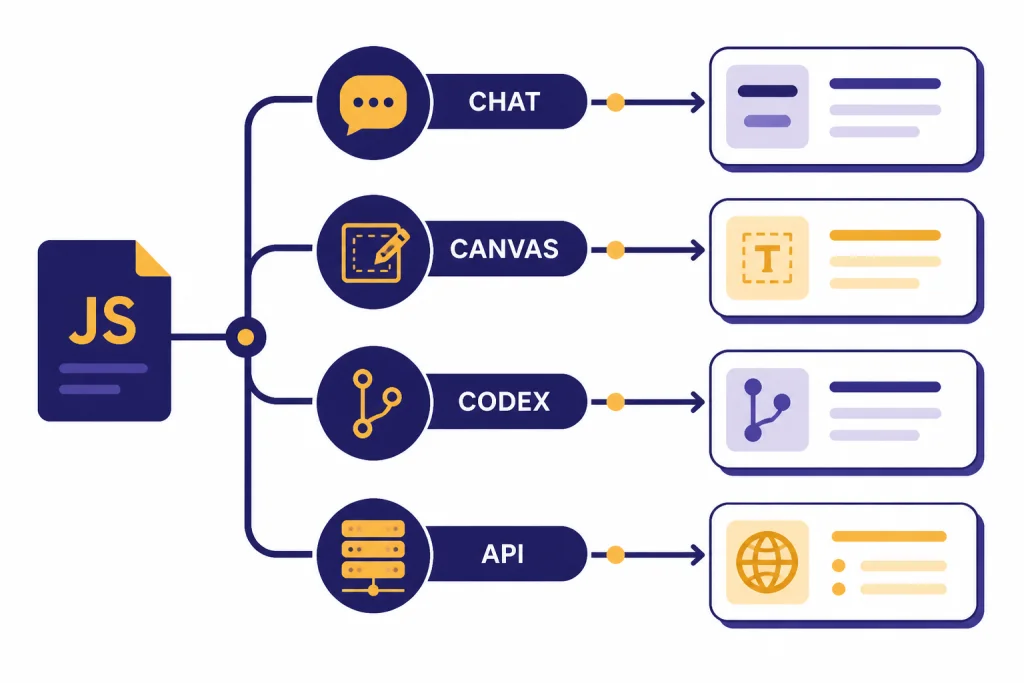
Choose the right ChatGPT surface for the task
ChatGPT is not one workflow. For JavaScript and web development, you may use normal chat, canvas, Codex, the Codex CLI, or the OpenAI API. Each surface has a different job. The simplest choice is chat for thinking and explanation, canvas for editable code and previews, Codex for delegated repository tasks, and the API when you are building AI features into your own app.
OpenAI describes canvas as an interface for writing and coding projects that require editing and revisions. Canvas lets you directly edit text or code, ask ChatGPT to focus on a selected section, use coding shortcuts, and restore previous versions.[1] OpenAI describes Codex as a cloud-based software engineering agent that can write features, answer questions about a codebase, fix bugs, and propose pull requests in an isolated environment preloaded with the repository.[2] The Codex help article describes it as an AI coding agent for writing, reviewing, and shipping code faster.[3]
| Surface | Best for | Use when | Watch out for |
|---|---|---|---|
| Chat | Explanations, small snippets, design tradeoffs | You need quick reasoning or a second opinion | It may miss project-specific constraints unless you provide them |
| Canvas | Editable files, component drafts, code review, web previews | You want iterative changes in a visible working area | Previewed web content can communicate with third parties after confirmation |
| Codex | Repository tasks, bug fixes, tests, pull request drafts | You can define a contained task with a clear success condition | You still need to review diffs, run tests, and check security |
| Codex CLI | Local terminal work | You want an agent that can operate near your local files and tools | Local access raises the stakes for permissions and secrets |
| OpenAI API | Adding AI features to your JavaScript app | You need model calls from your own backend | Do not expose API keys in browser code |
The OpenAI Codex GitHub repository describes Codex CLI as a coding agent that runs locally on your computer and can be installed with npm or Homebrew.[9] That makes it useful for terminal-centered developers, but also means you should treat it like any other tool that can read or modify files.
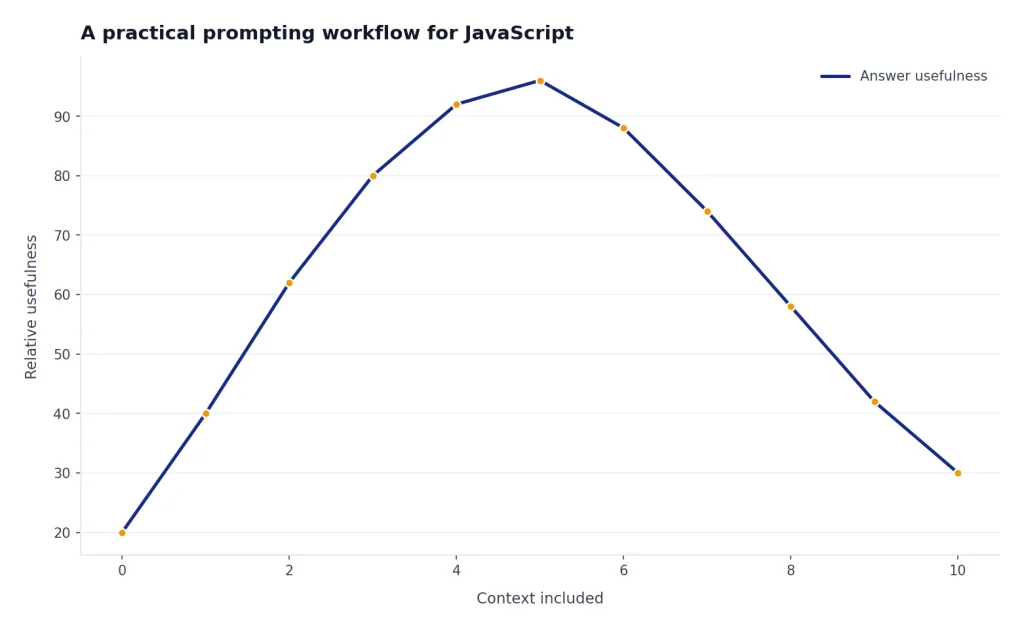
A practical prompting workflow for JavaScript
Good JavaScript prompts look like good bug reports. They include the goal, the relevant code, the runtime, the observed behavior, the expected behavior, and constraints. You do not need a long essay. You need enough context to prevent ChatGPT from guessing the wrong environment.
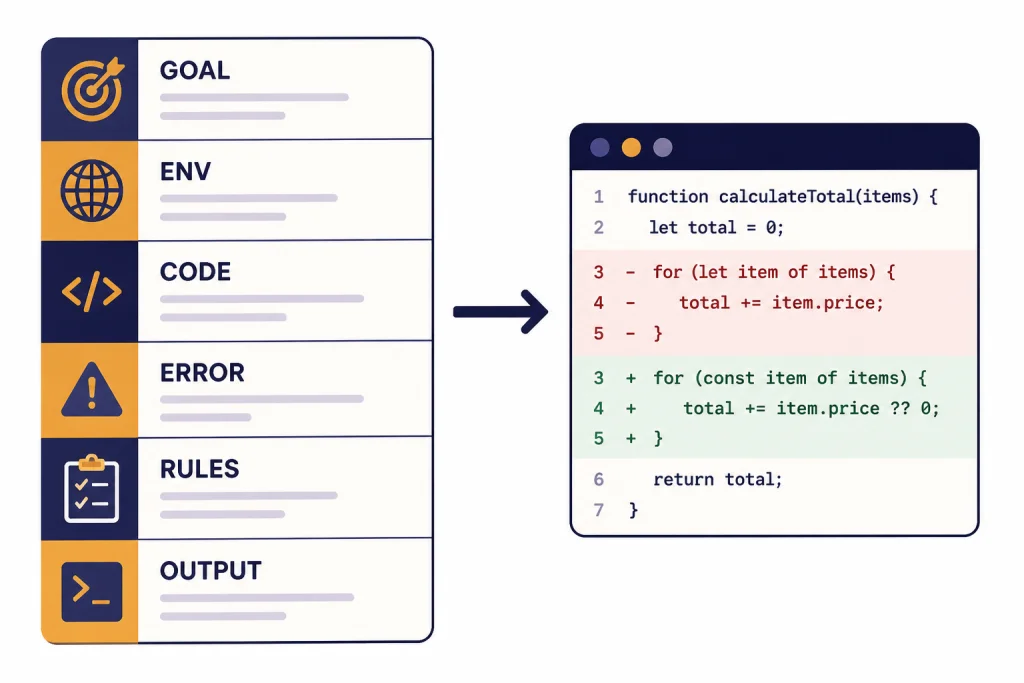
Use a compact structure:
- Goal: State what the code should do in plain English.
- Environment: Name the browser, runtime, framework, package manager, or test tool if it matters.
- Code: Paste the smallest relevant snippet, not the whole project.
- Problem: Include the exact error message or broken behavior.
- Constraints: Say what cannot change, such as public API shape, styling approach, package policy, or supported browsers.
- Output: Ask for a patch, explanation, test cases, or review notes.
For example, do not write: “Why does this form not work?” Write: “This browser form should disable submit until email and password are valid. The button stays disabled after valid input. Review this event-handling code and return a minimal patch plus a short explanation.” That prompt narrows the task. It also tells ChatGPT not to rewrite the whole UI.
You can build a reusable prompt library for repeated work. A small set of review, test, refactor, and explanation prompts will save more time than inventing a new prompt every session. If you want to systematize that library, use a chatgpt prompt generator to turn recurring tasks into reusable templates.
Debugging, refactoring, and tests
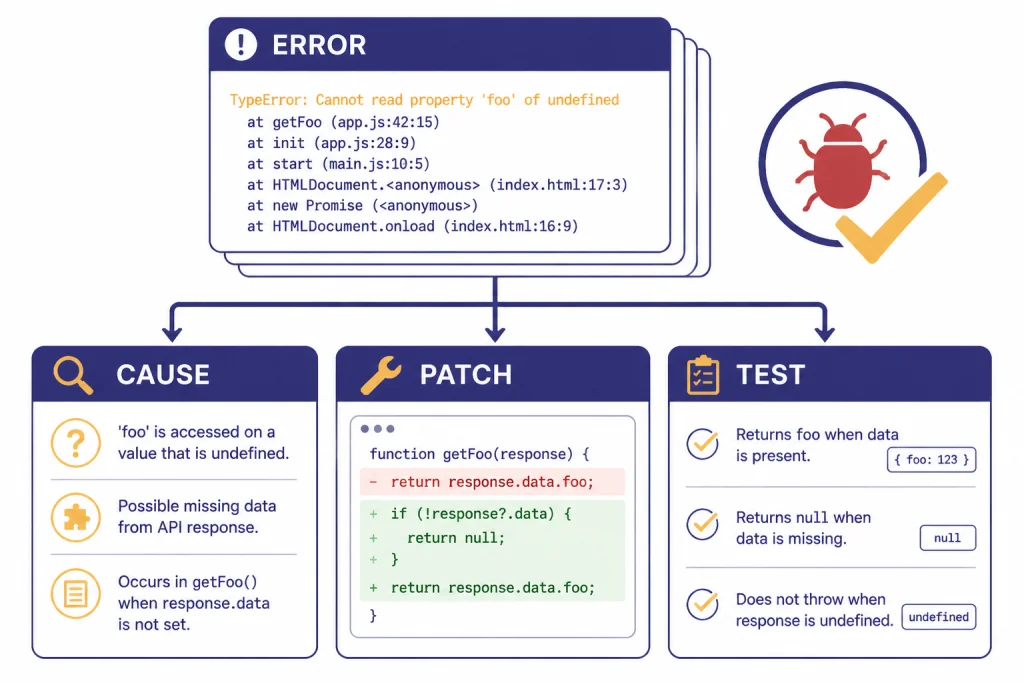
Debugging is where ChatGPT can be most useful for JavaScript developers. Browser errors often point at symptoms, not causes. ChatGPT can connect the error message, the call stack, the snippet, and the user action into a list of likely causes. Ask it to rank hypotheses before writing code. That keeps the session diagnostic instead of speculative.
A strong debugging prompt asks ChatGPT to separate evidence from assumptions. Paste the stack trace. Paste the component, handler, or function where the error occurs. Describe the action that triggers it. Then ask for likely causes, a minimal patch, and a test that would have caught the bug.
For refactoring, ask ChatGPT to preserve behavior first. Do not start with “make this better.” Say what better means. You may want lower cognitive complexity, fewer repeated branches, clearer names, smaller functions, or stronger input validation. Ask for a before-and-after explanation so you can inspect the tradeoff.
Tests deserve their own pass. ChatGPT can identify missing edge cases, draft unit tests, suggest mocks, and explain why a test is brittle. It is especially helpful when legacy JavaScript has implicit behavior that no one wants to touch. Ask it to generate tests before refactoring. That gives you a safety net before it proposes changes.
If you work with data-heavy scripts or logs, the chatgpt tutorial code interpreter may help with analysis workflows. If you prefer editing longer files in a side panel, this guide to chatgpt tutorial canvas is the better companion.
Frontend prototypes with canvas
Canvas is useful for frontend work because it supports iterative editing. OpenAI says canvas can render React/HTML code in a sandbox environment, allowing users to view the output, and that all npm packages and many JavaScript libraries will work.[1] That makes it a practical place to sketch components, landing page sections, dashboards, small tools, and UI states before moving code into your real repository.
Use canvas when the visual result matters. Ask ChatGPT to create a small component, then inspect the rendered output. Select the part that needs work and ask for a targeted change. For example: “Keep the card layout, but make the empty state more compact and improve keyboard focus styles.” This is better than asking for a complete redesign after every pass.
Canvas also has coding shortcuts. OpenAI lists shortcuts for adding logs, adding comments, fixing bugs, porting code to languages such as JavaScript and TypeScript, and code review.[1] Use those shortcuts as rough helpers, not final authority. A code review shortcut can flag problems, but your app’s conventions, design system, and accessibility standards still matter.
For design-heavy web work, ChatGPT pairs well with a human design process. Ask it to produce state matrices, accessibility checklists, component prop tables, and copy variants. Then compare the result against your actual design system. If you are using ChatGPT for broader creative production, ChatGPT for Designers covers workflows that sit upstream from implementation.
API and backend work with JavaScript
When you move from using ChatGPT to building with OpenAI models, treat JavaScript differently in the browser and on the server. The OpenAI developer quickstart says the official OpenAI SDK for TypeScript and JavaScript can be used in server-side JavaScript environments such as Node.js, Deno, or Bun.[4] Keep API keys on the server. A browser bundle is not a safe place for secrets.
For app features, ask ChatGPT to help design the boundary between your UI and backend route. A good pattern is: browser form → your server endpoint → OpenAI API call → validated response → browser render. This keeps secrets out of client code and gives you a place to add rate limiting, logging, moderation, caching, and output validation.
The Responses API reference describes response creation as a way to provide text or image inputs, generate text or JSON outputs, and use built-in tools or function calling.[5] For JavaScript developers, that means you can ask ChatGPT to help draft a typed wrapper around your model call, define a response schema, and write fallback behavior when the model output is incomplete or invalid.
npm remains central to the JavaScript workflow. npm’s documentation describes the registry as a large public database of JavaScript software and related metadata.[7] Ask ChatGPT to compare package choices, but verify maintenance status, licenses, bundle size, security advisories, and compatibility yourself. Package names and APIs change. A generated import statement is not proof that a package is the right dependency.
If your main concern is cost once you move from ChatGPT to production API calls, use our take on openai api pricing. For research-backed product specs and competitive analysis before you code, chatgpt for market research and surveys may be the better starting point.
Limits, security, and code review
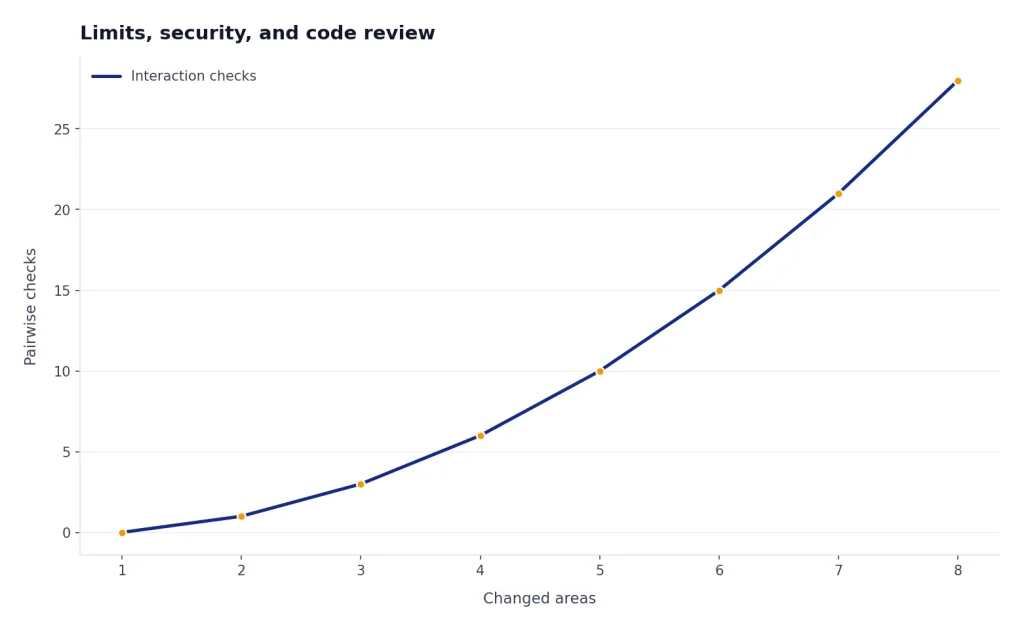
ChatGPT can write plausible code that is wrong. JavaScript makes this risk worse because many errors appear only at runtime, in specific browser states, or with specific asynchronous timing. Always run the code. Then run your formatter, linter, type checker if you use one, tests, and browser checks. Treat generated code as a draft from a junior teammate who types quickly.
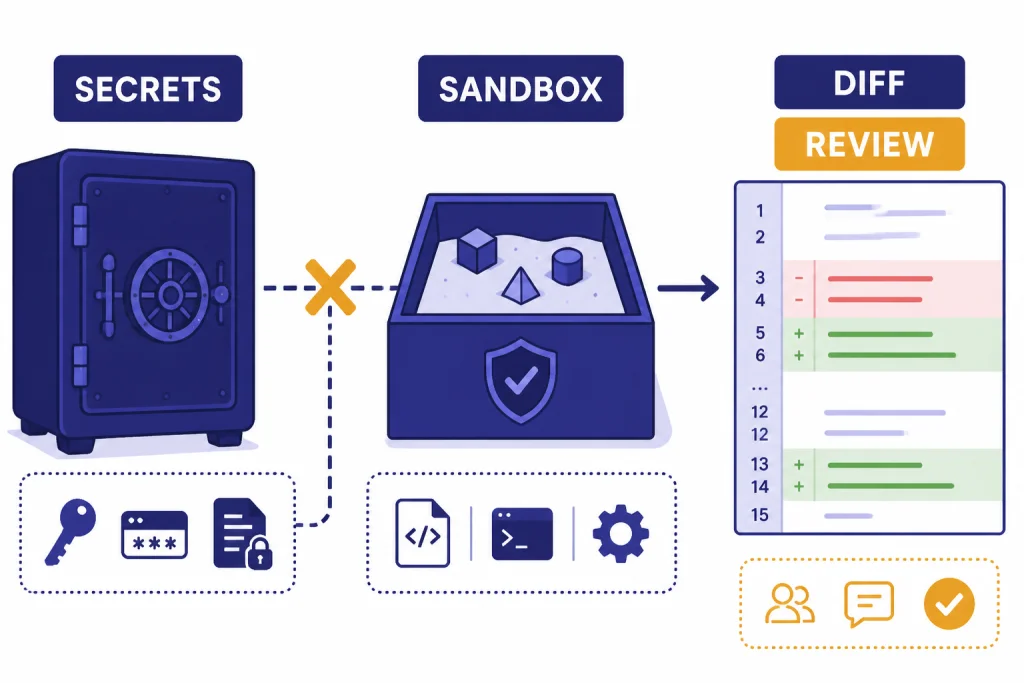
Security review matters. Do not paste production secrets, private keys, customer data, unreleased proprietary code, or credentials into a personal chat. OpenAI says it does not use data from ChatGPT Enterprise, ChatGPT Business, ChatGPT Edu, ChatGPT for Healthcare, ChatGPT for Teachers, or the API platform for training or improving models by default.[8] That business-data commitment is helpful, but it does not remove your obligation to follow your company’s data policy.
Canvas has its own web safety consideration. OpenAI notes that canvas web previews can communicate with third parties after user confirmation.[1] Do not test code that embeds secrets, internal URLs, tokens, or private endpoints in a preview. Use mock data and placeholder endpoints.
For Codex or local agent work, define narrow tasks. “Refactor the app” is too broad. “Add validation to this route, update tests, and do not change the public response shape” is much safer. Review the diff before merging. Read any new dependency. Run the app locally. Check that generated tests test behavior, not implementation details.
Prompt templates you can reuse
These templates work in normal chat, canvas, or as a starting brief for Codex. Replace the bracketed parts with your project details.
Explain unfamiliar JavaScript
You are helping me understand this JavaScript code. Explain what it does in plain English, then identify any hidden assumptions, side effects, and edge cases. Do not rewrite it yet.

Context: [browser, Node route, React component, build script, test file]
Code:
[paste code]
Debug an error
This JavaScript code fails when [user action]. The expected behavior is [expected behavior]. The actual behavior is [actual behavior]. Here is the exact error and relevant code. First list likely causes in order. Then propose a minimal patch and a test that would catch the issue.

Error:
[paste error]

Code:
[paste code]
Review a pull request
Review this JavaScript diff as a senior web developer. Focus on correctness, security, accessibility, performance, and maintainability. Separate blocking issues from optional improvements. Do not nitpick formatting unless it affects behavior.

Diff:
[paste diff]
Refactor safely
Refactor this function without changing behavior. Keep the public API the same. Reduce duplication, improve naming, and add comments only where they clarify non-obvious logic. Return the revised code and a short list of behavior-preserving changes.

Code:
[paste code]
Plan a component before coding
Before writing code, design a small frontend component for [purpose]. Include props, state, user interactions, loading state, error state, empty state, accessibility notes, and test cases. After the plan, ask me what framework and styling approach to use.Prompt templates are starting points. The real advantage comes from adding your project’s constraints. If you want similar reusable workflows outside programming, compare this with ChatGPT for Email Writing That Converts or chatgpt for social media content creation. The core skill is the same: give the model a clear job, useful context, and a review standard.
Frequently asked questions
Can ChatGPT write a complete JavaScript app?
It can draft a small app or prototype, but you should expect to revise it. Complete apps need decisions about state, routing, data validation, authentication, deployment, accessibility, and testing. Use ChatGPT to plan and generate pieces, then integrate those pieces through your normal development process.
Is ChatGPT better for JavaScript or TypeScript?
It can help with both. TypeScript often gives ChatGPT more structure because types reveal intent, inputs, and expected outputs. For important code, ask it to preserve types, explain type errors, and avoid using broad escape hatches unless you approve them.
Should I use ChatGPT, canvas, or Codex for web development?
Use chat for explanation and quick reasoning. Use canvas when you want to edit code, review sections, or preview React/HTML. Use Codex when the task belongs in a repository and has a clear definition of done, such as adding a test, fixing a bug, or drafting a pull request.
Can I paste my company code into ChatGPT?
Only if your company policy allows it. Use a business or enterprise-approved workspace when required, remove secrets, and avoid customer data unless your data rules permit it. When in doubt, paste a minimal reproduction instead of proprietary code.
How do I get better JavaScript answers from ChatGPT?
Provide the runtime, framework, exact error, relevant code, expected behavior, and constraints. Ask for a minimal patch before asking for a rewrite. Then ask for tests and edge cases so you can verify the answer instead of trusting the explanation.
Can ChatGPT replace learning JavaScript?
No. It can accelerate learning by explaining concepts, generating examples, and quizzing you on code behavior. You still need to understand the language well enough to judge whether an answer is correct, secure, and maintainable.