

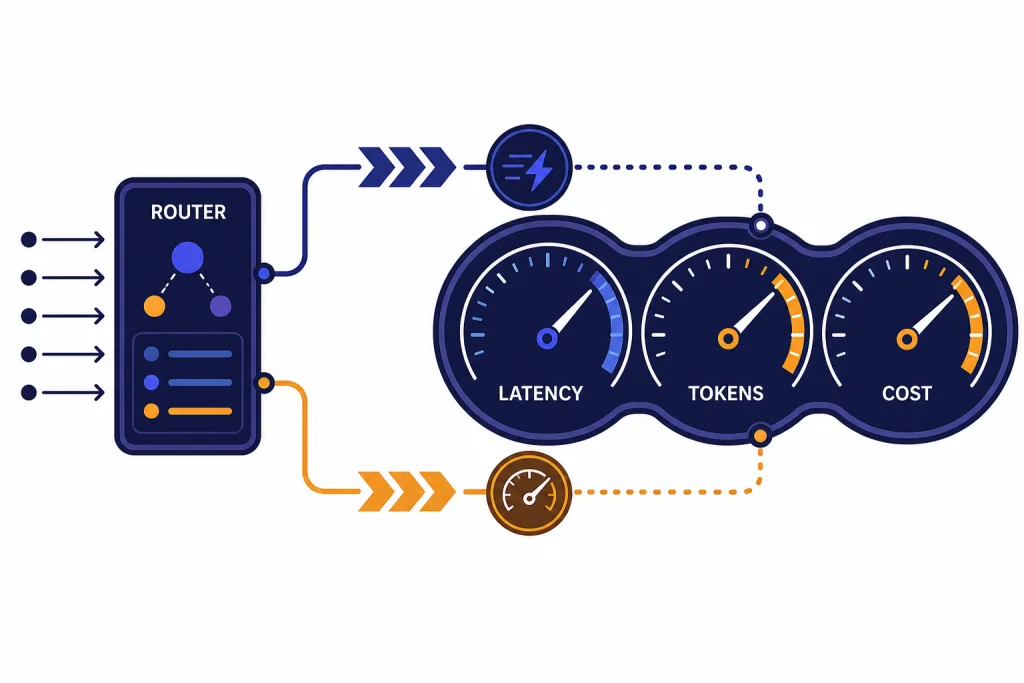
GPT-5 Turbo is not an official OpenAI model name as of March 31, 2026. OpenAI’s public model catalog lists GPT-5.4, GPT-5.4 mini, GPT-5.4 nano, GPT-5 mini, and GPT-5 nano, but it does not list a model called GPT-5 Turbo.[1] In practice, people use “gpt-5 turbo” to mean a faster GPT-5-class setup: a smaller model, lower reasoning effort, fewer output tokens, better caching, streaming, and parallelized sub-tasks. This guide explains the speed stack behind that shorthand, when it helps, and when you should choose an official model name instead.
GPT-5 Turbo is a shorthand, not an official model
The safest way to understand gpt-5 turbo is as a nickname for a speed-optimized GPT-5-class workflow. It is not a model ID you should put into production unless OpenAI adds that exact ID to its official model catalog. As of this article’s publication date, OpenAI has not published an official model named GPT-5 Turbo.[1]
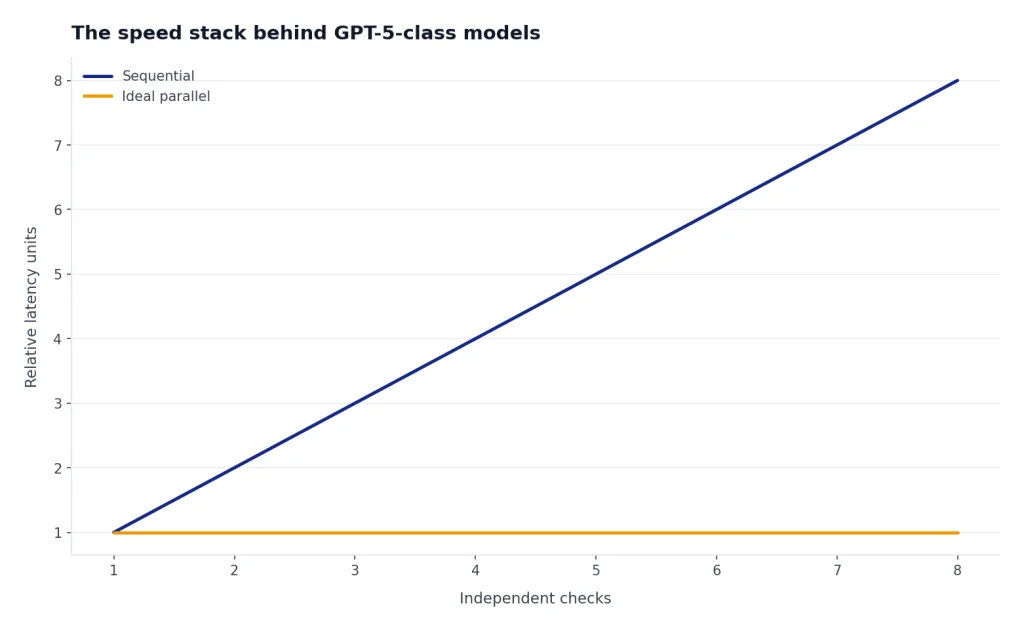
This matters because model IDs are operational contracts. A real API model has a documented name, context window, supported endpoints, tool support, pricing, and rate limits. A nickname does not. If a tutorial, benchmark, or internal note says “GPT-5 Turbo,” check whether it means gpt-5.4-mini, gpt-5.4-nano, gpt-5-mini, or a custom routing layer that sends easy work to a faster GPT-5-family model.
The word “Turbo” still has a useful meaning. It points to a design goal: reduce time to first token, reduce full-response latency, and reduce cost without making the answer feel thin. That goal is real, even if the specific name is not. For broader model positioning, see all GPT models compared side by side and our fastest GPT model latency guide.
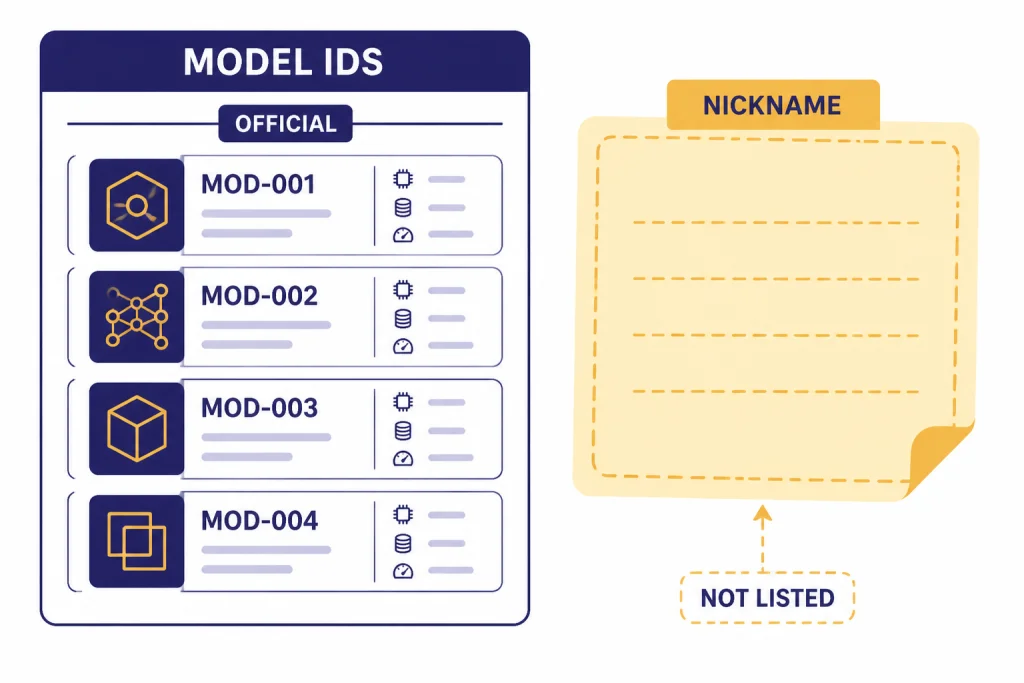
The speed stack behind GPT-5-class models
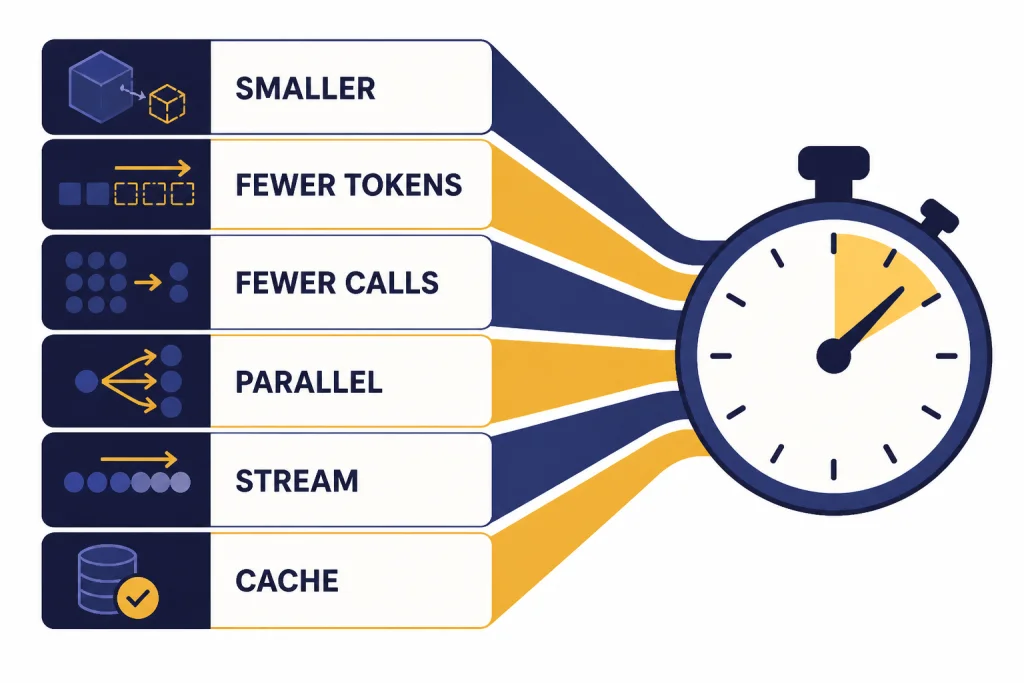
Speed does not come from one switch. A fast GPT-5-class system usually combines several small optimizations. OpenAI’s latency guidance groups the work into principles such as processing tokens faster, generating fewer tokens, using fewer input tokens, making fewer requests, parallelizing, improving perceived wait time, and avoiding model calls where classical software is enough.[8]
The largest practical lever is usually output length. OpenAI’s latency guide says generating tokens is almost always the highest-latency step, and it gives a heuristic that cutting output tokens by 50% may cut latency by about 50%.[8] That is why a “turbo” setup often starts with shorter responses, stricter schemas, smaller JSON field names, and lower verbosity for tasks that do not need explanation.
The second lever is model size. Smaller GPT-5-family variants process work faster and cost less, but they need cleaner task boundaries. A compact model can classify, extract, rank, rewrite, and route quickly. A larger model should handle ambiguous planning, deep reasoning, or final review. This is why many agent systems use a planner-worker split rather than sending every request to the largest model.
The third lever is request architecture. If a workflow performs independent checks, run them in parallel. If it performs several tiny sequential steps, consider merging them into one structured request. If the answer is mostly known in advance, use deterministic application code instead of a model call. A speed-optimized GPT-5 workflow is as much backend engineering as model selection.
Prompt caching also belongs in the stack. OpenAI says prompt caching can reduce latency by up to 80% and input token costs by up to 90% when repeated prompt prefixes match.[9] Put stable system instructions, schemas, examples, and tool definitions first. Put user-specific or retrieval-specific content later. That structure improves the chance that repeated calls reuse cached prompt prefixes.
Official fast GPT-5 options to compare
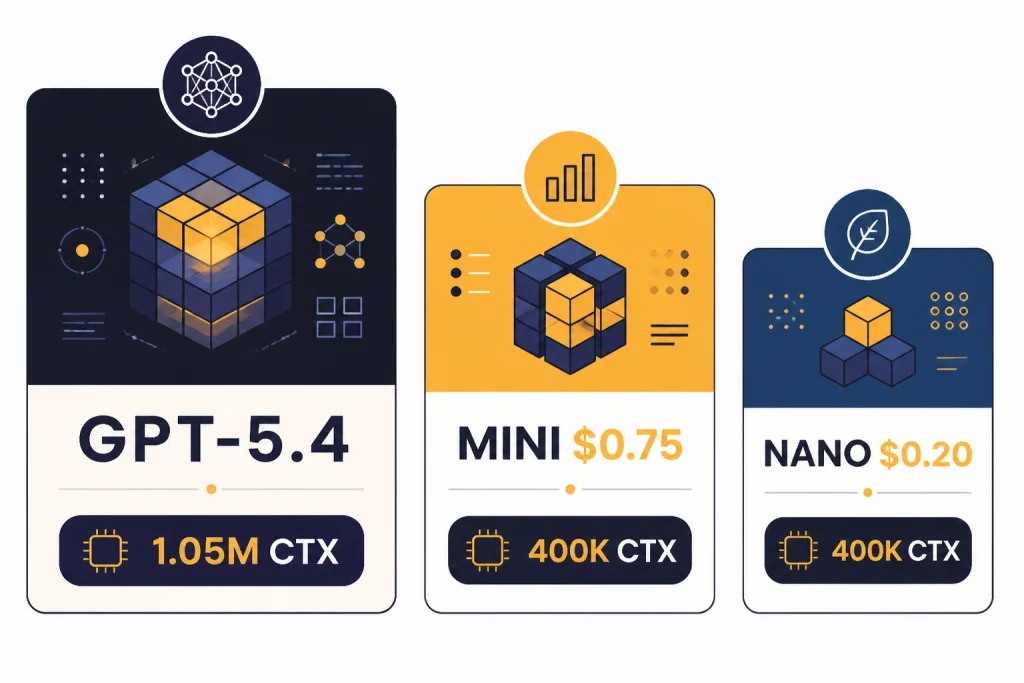
If someone asks for GPT-5 Turbo, the practical next question is which official model and configuration they actually need. On March 31, 2026, the most relevant GPT-5-class speed options were GPT-5.4, GPT-5.4 mini, GPT-5.4 nano, GPT-5 mini, and GPT-5 nano. OpenAI describes GPT-5.4 mini as a faster, more efficient model for high-volume workloads, and GPT-5.4 nano as the smallest and cheapest GPT-5.4 version for tasks where speed and cost matter most.[3]
| Option | Best use | Speed posture | Context and output | API price notes |
|---|---|---|---|---|
| GPT-5.4 | Complex professional work, coding, agents, final judgment | Fast for a frontier model | 1,050,000-token context window and 128,000 max output tokens.[4] | $2.50 per 1M input tokens and $15.00 per 1M output tokens.[4] |
| GPT-5.4 mini | High-volume coding, computer use, subagents, well-scoped tasks | Faster, smaller GPT-5.4-class option | 400,000-token context window and 128,000 max output tokens.[5] | $0.75 per 1M input tokens and $4.50 per 1M output tokens.[5] |
| GPT-5.4 nano | Classification, extraction, ranking, simple support tasks | Smallest and cheapest GPT-5.4-class option | OpenAI positions it for speed- and cost-sensitive work.[3] | $0.20 per 1M input tokens and $1.25 per 1M output tokens.[3] |
| GPT-5 mini | Legacy low-latency GPT-5 workloads with precise prompts | Fast, cost-efficient GPT-5 option | 400,000-token context window and 128,000 max output tokens.[6] | $0.25 per 1M input tokens and $2.00 per 1M output tokens.[6] |
| GPT-5 nano | Summarization, classification, simple extraction | Fastest, cheapest GPT-5 base-family option | OpenAI calls it the fastest, cheapest version of GPT-5.[7] | $0.05 per 1M input tokens and $0.40 per 1M output tokens.[7] |
The table shows why the “Turbo” label can be misleading. There is no single turbo tier. There are several speed tiers with different quality ceilings, context limits, tool support, and prices. For context sizing across models, use our context window comparison. For cost-first decisions, see the cheapest GPT model guide and the OpenAI API pricing breakdown.
Where the turbo pattern helps most
A speed-optimized GPT-5 setup helps most when the task is frequent, bounded, and easy to evaluate. The best cases have clear inputs, short expected outputs, and predictable correctness checks. The worst cases require broad judgment, fragile nuance, or many hidden assumptions.
High-volume classification
Classification is a strong fit because the model can return a small label set. A support queue can route messages into billing, account access, technical issue, refund, or abuse categories. A product can classify feedback into bug, feature request, churn risk, or praise. GPT-5.4 nano or GPT-5 nano may be enough if labels are stable and you test against human-reviewed examples.
Extraction and cleanup
Extraction tasks often benefit from small models because the output is structured. Examples include pulling invoice fields, normalizing lead records, extracting dates from emails, or converting messy notes into JSON. The speed trick is to make the schema compact. Avoid long field names if the response will be produced thousands of times per hour.
Coding subagents
OpenAI describes GPT-5.4 mini and nano as especially effective for coding workflows that benefit from fast iteration, including targeted edits, codebase navigation, front-end generation, and debugging loops.[3] In a coding assistant, a larger model can plan the change while smaller subagents search files, summarize code, draft tests, or inspect logs. For deeper model selection, see best GPT model for coding.
Drafting short answers
A smaller GPT-5 model can produce first drafts for transactional answers, concise summaries, metadata, titles, or internal notes. Use a larger model only when the answer needs synthesis, legal review, strategic judgment, or a polished final voice. For editorial use cases, compare this with best GPT model for writing.
Multimodal computer-use support
GPT-5.4 mini supports text and image inputs, plus tools such as web search, file search, code interpreter, hosted shell, apply patch, skills, computer use, MCP, and tool search in the Responses API.[5] That makes it relevant for fast screenshot interpretation, UI-state checks, and support automation where a large model is not always necessary.
API checklist for lower latency
Use this checklist when a product team says it wants “GPT-5 Turbo.” It turns the vague request into measurable engineering choices.
- Name the real model ID. Choose an official model such as
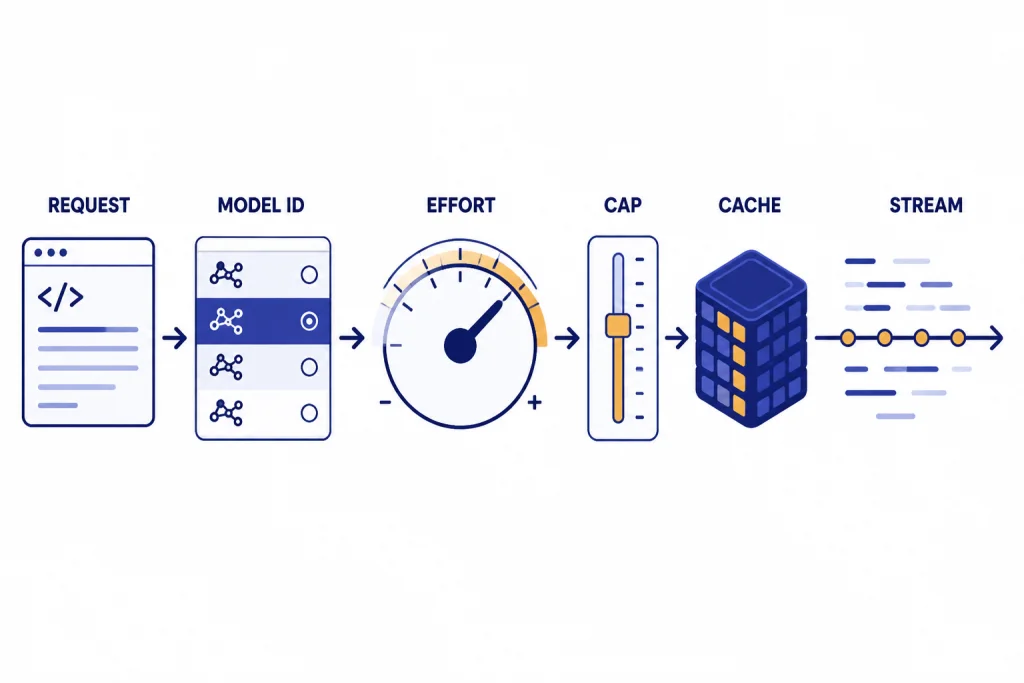
gpt-5.4-mini,gpt-5.4-nano,gpt-5-mini, orgpt-5-nano. Do not ship a placeholder called GPT-5 Turbo unless OpenAI documents it. - Define the latency target. Separate time to first token from full-response latency. Streaming can make the interface feel faster even when the complete answer takes longer.
- Cap output length. Ask for concise responses. Use compact structured outputs. Keep explanations out of machine-only responses.
- Lower reasoning effort where safe. GPT-5.4 supports reasoning effort settings including none, low, medium, high, and xhigh.[4] Use higher effort for planning and difficult judgment. Use lower effort for routine extraction and routing.
- Split planner and worker roles. Let a larger model plan or validate. Let smaller models execute narrow steps in parallel.
- Cache stable prompt prefixes. Put static instructions, schemas, and examples before dynamic user content so repeated requests can benefit from prompt caching.[9]
- Batch or defer noninteractive work. If the user is not waiting on the result, optimize for throughput and cost rather than real-time latency.
- Measure quality against real examples. A faster model that increases retries, support escalations, or human review time is not actually faster for the business.
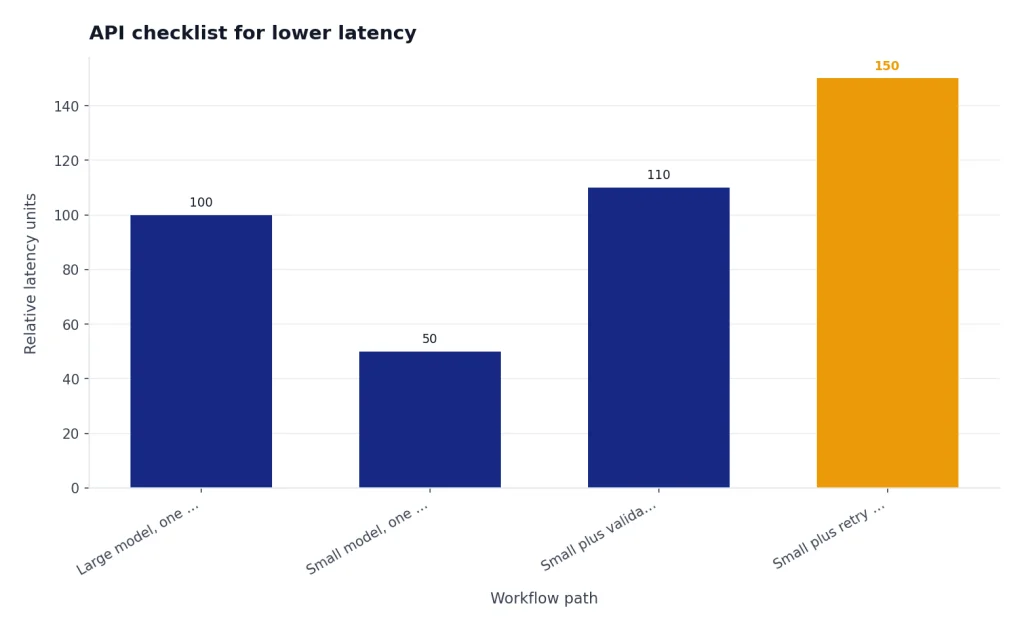
The practical benchmark should include both model latency and workflow latency. If a smaller model answers in half the time but forces an extra validation call, the total path may not improve. If streaming shows useful output earlier, users may experience the system as faster even when backend completion time is unchanged.
Tradeoffs and failure modes
Turbo-style optimization can backfire. The most common failure is over-compressing the task. A prompt that removes context, forbids explanation, and forces a tiny schema may look fast in logs but lose important distinctions. This is especially risky in medical, legal, financial, security, and policy-sensitive workflows.
The second failure is using a small model as a judge of work it cannot reliably evaluate. Smaller models are useful workers, but final review may require a stronger model or a deterministic validator. A code subagent can search files quickly. A larger model may still need to decide whether the patch is coherent.
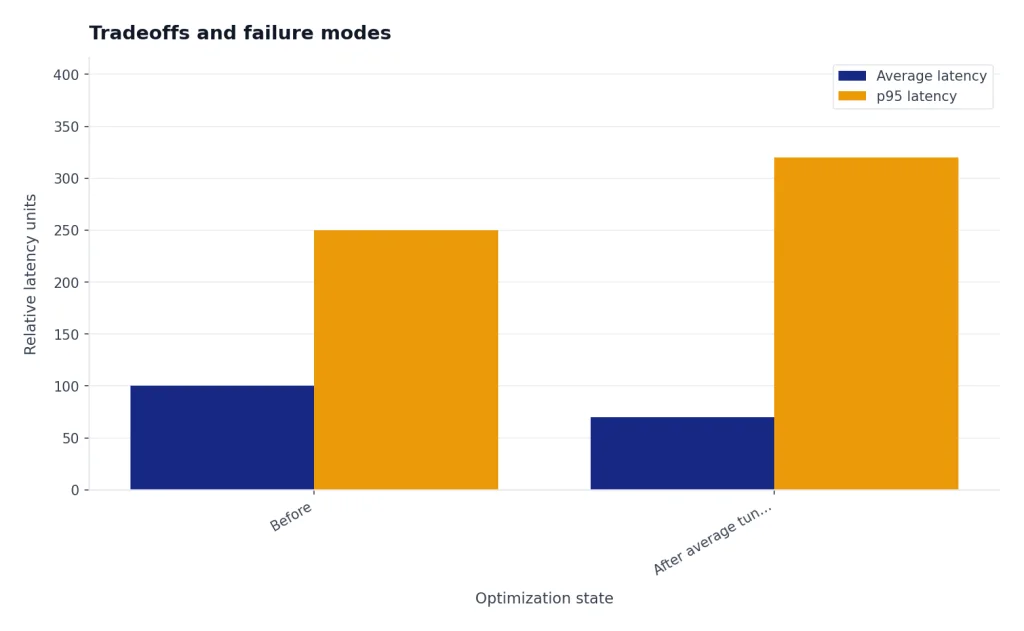
The third failure is optimizing for one latency metric. A team might cut average latency while making p95 latency worse. It might reduce full-response time while increasing user-perceived wait because streaming was removed. It might reduce tokens while increasing retries. Use a dashboard that tracks time to first token, full completion time, output tokens, retry rate, escalation rate, and human correction rate.
The fourth failure is ignoring context windows. GPT-5.4 has a 1,050,000-token context window, while GPT-5.4 mini has a 400,000-token context window.[4][5] That difference matters for long-document review, repository-wide coding tasks, and large retrieval bundles. Smaller can be faster, but it is not automatically a drop-in replacement for long-context work.
The fifth failure is using stale model names. OpenAI’s model lineup changes. Pin snapshots where stability matters, and review your routing logic when OpenAI releases new mini or nano variants. If your product documentation says “GPT-5 Turbo,” translate it into the exact model IDs your system uses.
Recommended setup
For most teams, the best GPT-5 Turbo equivalent is a router, not a single model. Start with GPT-5.4 mini for latency-sensitive tasks that still need strong reasoning, tool use, or image input. Use GPT-5.4 nano for very high-volume classification, extraction, ranking, and simple subagent work. Keep GPT-5.4 for complex planning, final synthesis, long-context professional work, and tasks where mistakes are expensive.
For older GPT-5 workloads, GPT-5 mini and GPT-5 nano remain useful reference points. GPT-5 mini is a faster, more cost-efficient version of GPT-5 for well-defined tasks and precise prompts.[6] GPT-5 nano is the fastest, cheapest version of GPT-5 and is positioned for summarization and classification.[7] New builds, however, should compare those against the GPT-5.4 mini and nano line before committing.
A practical default looks like this: GPT-5.4 for planner and final answer, GPT-5.4 mini for tool-heavy worker calls, GPT-5.4 nano for routing and extraction, short outputs everywhere, streaming in user-facing flows, and prompt caching for repeated instructions. That is the real “turbo” pattern. It is measurable, maintainable, and based on official model IDs.
If your priority is raw intelligence, compare this setup with the most powerful GPT model benchmark. If your workflow includes visual reasoning, also review best GPT model for image generation and GPT-4 Vision. If you are using the OpenAI Playground to test these tradeoffs, our OpenAI Playground review explains why it remains useful for prompt and model comparisons.
Frequently asked questions
Is GPT-5 Turbo a real OpenAI model?
No. As of March 31, 2026, OpenAI has not published an official model named GPT-5 Turbo in its public model catalog.[1] Treat the phrase as shorthand unless OpenAI later documents that exact model ID.
What should I use instead of GPT-5 Turbo?
Use an official model ID. Start with GPT-5.4 mini for lower-latency GPT-5.4-class work, GPT-5.4 nano for simple high-volume tasks, and GPT-5.4 for complex planning or final review. Test with your own examples before routing production traffic.
Does a smaller GPT-5 model always respond faster?
Usually, smaller models are better for latency and cost, but total workflow speed depends on prompt length, output length, reasoning effort, tool calls, retries, and network overhead. A small model that causes extra validation calls may not improve end-to-end latency.
What is the biggest speed optimization?
Reducing output tokens is often the biggest lever. OpenAI’s latency guide says token generation is usually the highest-latency step and that cutting output tokens by 50% may cut latency by about 50%.[8] Short answers and compact structured outputs matter.
Should I lower reasoning effort for speed?
Lower reasoning effort can help when the task is simple, bounded, and easy to evaluate. Do not lower it blindly for planning, multi-step tool use, or high-stakes decisions. Benchmark accuracy, not just latency.
Can prompt caching make GPT-5 feel like Turbo?
It can help repeated workloads. OpenAI says prompt caching can reduce latency by up to 80% and input token costs by up to 90% when prompts share stable prefixes.[9] Put static instructions first and dynamic user content later.