

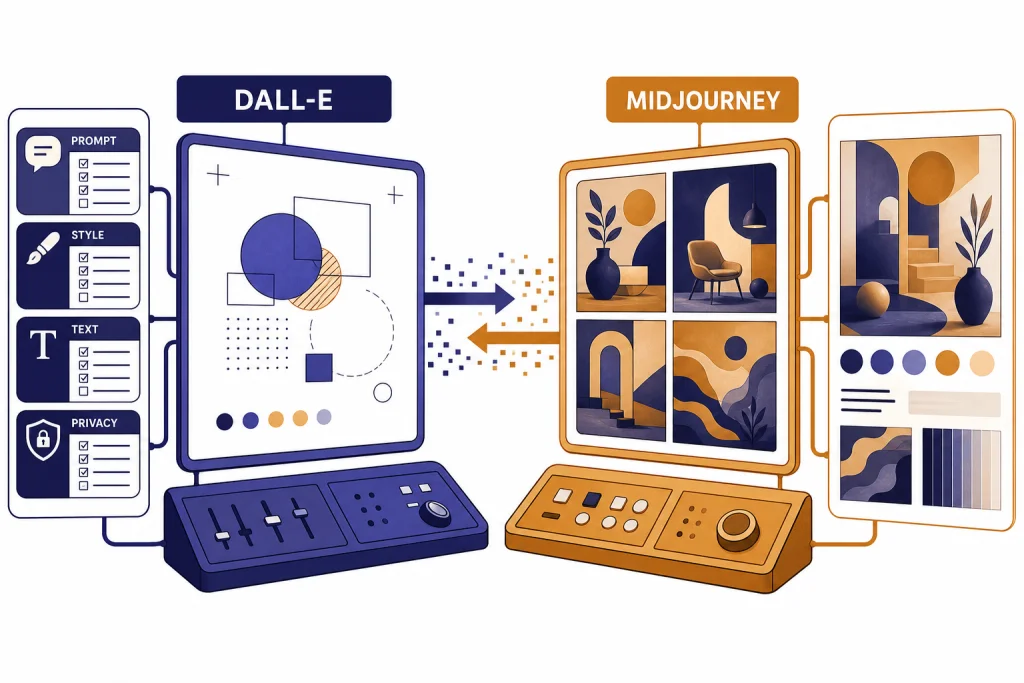
Short answer: if by “DALL-E” you mean OpenAI image generation inside ChatGPT, the current comparison is really OpenAI Images vs Midjourney. As of May 2026, OpenAI’s image stack includes DALL-E 3 plus newer GPT Image models, including gpt-image-2. In everyday search language people still say “DALL-E,” but for current buying decisions you should treat it as OpenAI’s image-generation workflow, not only the older DALL-E 3 model.
OpenAI image generation wins when you need dependable prompt following, readable short text, ChatGPT-style iteration, API access, and a workflow that connects to writing, planning, or product work. Midjourney wins when your priority is polished visual taste, fast creative exploration, image references, moodboards, and a dedicated visual creation environment. The practical answer for many teams is still both: use OpenAI Images for control and structured briefs, then use Midjourney for style exploration and art direction.
Quick verdict
The short version of dall-e vs midjourney is this: OpenAI’s image tools are the safer default for users who need the image to match a written brief, while Midjourney is the stronger default for users who want striking art direction with less manual styling.
OpenAI’s older DALL-E 3 model was designed to follow text prompts more closely than earlier systems.[1] It also became available inside ChatGPT Plus and Enterprise in 2023.[2] Since then, OpenAI has expanded its image stack with GPT Image models. So this guide uses “DALL-E” the way most readers use it: as shorthand for OpenAI image generation, while calling out DALL-E 3 only when a source or API detail is specifically about that model.
Midjourney, by contrast, is built around a dedicated visual creation environment with model versions, style references, personalization, image references, and GPU-time subscription plans. If you already pay for ChatGPT, start with OpenAI image generation before adding another subscription. If you make images every week for design, illustration, thumbnails, moodboards, or campaign concepts, Midjourney is worth testing. If you want an open-source or self-hosted option instead, read our DALL-E vs Stable Diffusion comparison.
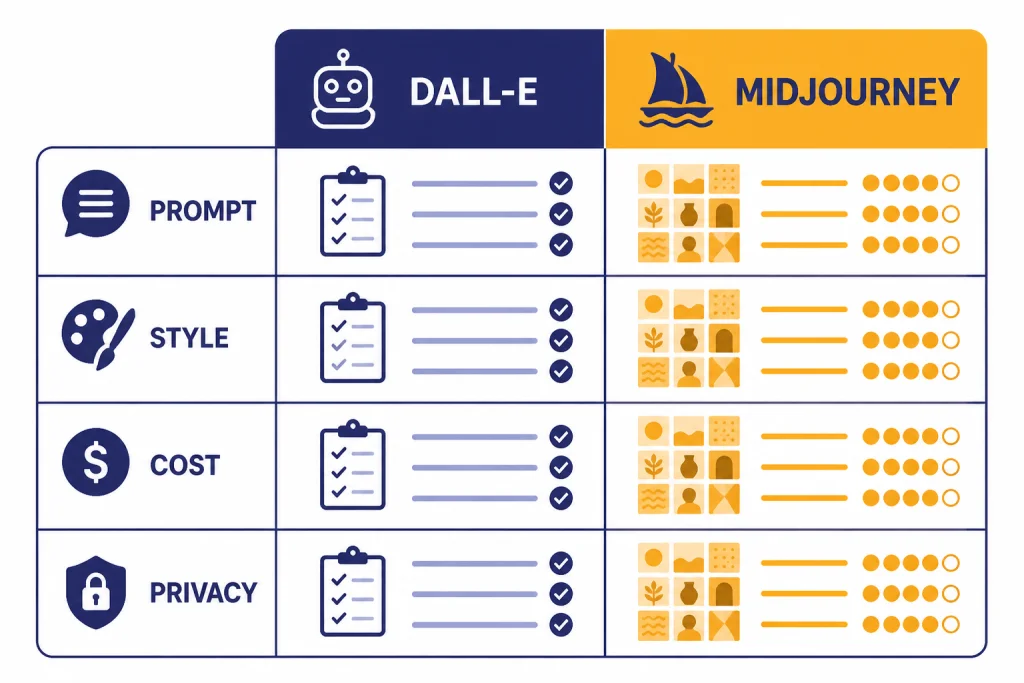
| Category | OpenAI Images / DALL-E | Midjourney | Winner |
|---|---|---|---|
| Prompt following | Strong at literal instructions, layout constraints, and text-heavy briefs | Strong, but more likely to interpret creatively | OpenAI |
| Art direction | Clean and controllable, especially with ChatGPT help | Highly polished, cinematic, and stylized by default | Midjourney |
| Text in images | OpenAI highlights improved text rendering for DALL-E 3.[1] Newer GPT Image models continue the same use case. | Improved across versions, but exact copy is still less dependable | OpenAI |
| Access | ChatGPT and OpenAI API | Midjourney web app and Discord-style workflow | Tie |
| Pricing structure | ChatGPT plan access or API usage pricing | Subscription tiers based mainly on GPU time and features | Depends on volume |
| Privacy | OpenAI terms say users own output to the extent permitted by law.[12] | Stealth Mode is limited to Pro and Mega plans.[10] | OpenAI for simpler private drafts |
What each tool is built for
OpenAI image generation is best understood as an image tool inside a broader assistant. You can ask ChatGPT to write the prompt, revise the concept, change the composition, simplify the background, create alternate copy, or turn a rough idea into a more detailed visual brief. OpenAI’s image generation documentation says its API can generate and edit images from text prompts using GPT Image or DALL-E models.[3] That makes OpenAI a natural fit when image work is part of a larger writing, planning, product, or software workflow.
Midjourney is best understood as a visual studio. It has model versions, parameters, image references, style references, personalization tools, grids, variations, and upscaling. Midjourney’s documentation says Version 7 became the default model on June 17, 2025, after being released on April 3, 2025.[8] The same documentation says V7 introduced Draft Mode and Omni Reference.[8]
That difference changes the user experience. OpenAI feels like giving instructions to an assistant. Midjourney feels like directing a visual system. One is better when the image must serve a specific brief; the other is better when you want to discover a look you had not fully imagined yet.
Use DALL-E when the brief is literal
Use OpenAI image generation first for an infographic rough, a product feature graphic, a scene with specific objects, or an ad concept that must include exact constraints. It is also easier for non-designers because ChatGPT can expand weak prompts into structured briefs.
Illustrative prompt: “Create a clean 16:9 product explainer image for a password manager. Show a laptop on the left, a locked vault icon in the center, and three labeled benefits on the right: FAST LOGIN, SECURE SHARING, AUDIT LOGS. Use a white background, blue accents, and readable sans-serif text.”
Likely OpenAI advantage: better odds that the three required labels appear and the composition follows the left-center-right layout. Likely Midjourney failure case: a more attractive tech illustration that changes the wording, invents extra labels, or ignores the exact layout.
Use Midjourney when the image needs taste
Use Midjourney first for style-first work: album covers, character concepts, fantasy scenes, fashion references, food photography looks, poster directions, editorial hero images, and brand mood exploration. It often produces a more finished-looking first draft. That can save time when the goal is visual impact, not exact instruction matching.
Illustrative prompt: “A premium editorial hero image for an article about remote work burnout, late-evening apartment, rain on the window, warm desk lamp, subtle exhaustion, cinematic 35mm photography, muted teal and amber palette, shallow depth of field.”
Likely Midjourney advantage: richer lighting, mood, and photographic polish on the first grid. Likely OpenAI failure case: a correct but flatter image that needs additional art-direction prompts to feel premium.
Quality and prompt control
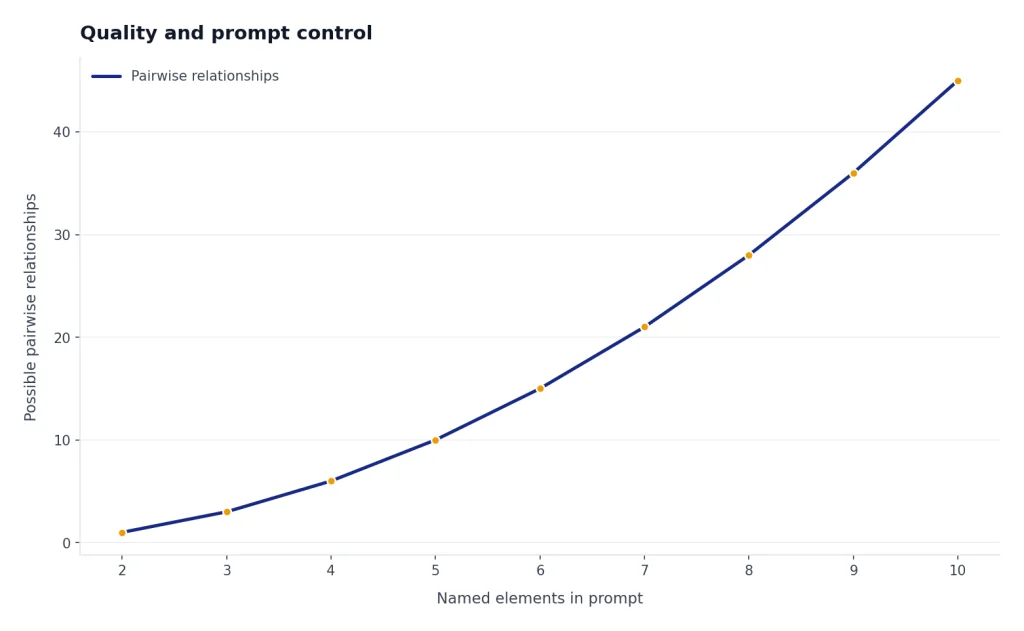
DALL-E’s historical advantage is control. OpenAI says DALL-E 3 was built to better understand nuance and detail and to reduce the need for prompt engineering.[1] In practice, that matters when a prompt includes relationships: “put the blue mug behind the laptop,” “make the left panel amber,” “show exactly three icons,” or “include the words SALE ENDS FRIDAY.” Newer GPT Image models keep OpenAI competitive here, especially when you use ChatGPT to refine the brief before generating.
Midjourney’s biggest advantage is visual richness. Its V7 documentation emphasizes improved image quality, richer textures, coherent details, and better handling of bodies, hands, and objects.[8] Midjourney also gives experienced users more levers: model versions, personalization, style references, image references, parameters, and grid-based iteration.
To make the comparison less hand-wavy, use a shared test set rather than judging one impressive gallery image. The table below is a practical scoring rubric we use for editorial reviews. It is not a lab benchmark, but it forces both tools to answer the same brief.
| Test dimension | What to check | Why it matters | Tool that usually has the edge |
|---|---|---|---|
| Constraint obedience | Objects, count, position, color, exclusions | Client briefs often fail on small details | OpenAI Images |
| Text rendering | Short labels, spelling, spacing, logo-like text | Ads, diagrams, slides, and thumbnails need readable copy | OpenAI Images |
| Composition | Does the image use the requested layout? | Needed for banners, thumbnails, and product graphics | OpenAI Images for strict layouts; Midjourney for artistic framing |
| Aesthetic quality | Lighting, texture, mood, camera feel, taste | First-glance appeal drives creative work | Midjourney |
| Iteration speed | How quickly can you explore many directions? | Moodboards and campaigns need breadth | Midjourney |
| Workflow fit | Does it connect to writing, planning, API, or team review? | Production work is more than generation | Depends on team |
Here are three shared prompts you can run yourself. Score each output 1 to 5 on constraint obedience, text accuracy, visual quality, and editability. The point is not that every run will behave identically; image models are stochastic. The point is that these prompts expose different strengths.
| Shared prompt | What it tests | Expected pattern |
|---|---|---|
| “Create a square poster for a spring bakery sale. Include exactly this headline: FRESH CROISSANTS 20% OFF. Show three croissants, a small coffee cup, pastel green background, no people.” | Exact text, object count, exclusions | OpenAI usually wins if the headline matters; Midjourney may make a prettier poster but can mutate the text. |
| “Design four different visual directions for a luxury electric bicycle campaign: urban night, coastal morning, minimalist studio, and alpine road. No visible brand logos.” | Art direction breadth and mood | Midjourney usually gives stronger first-pass style exploration. |
| “Create a simple diagram explaining a three-step refund process: Request, Review, Refund. Use arrows from left to right and keep the background white.” | Diagram logic and label placement | OpenAI is the better first choice; final typography should still be checked in a design tool. |
The tradeoff is predictability. Midjourney may make a beautiful image that bends the brief. OpenAI may make a more compliant image that needs extra art direction. If a client gave you a checklist, start with OpenAI. If a creative director asked for “six premium directions,” start with Midjourney.
| Prompt type | Better first choice | Reason |
|---|---|---|
| Product diagram with labels | OpenAI Images | Better for structured instructions and text placement |
| Cinematic character portrait | Midjourney | Stronger default lighting, texture, and style |
| Social ad with short copy | OpenAI Images | More dependable for readable text |
| Moodboard for a luxury brand | Midjourney | Better for aesthetic exploration |
| Blog hero image with abstract concept | Midjourney | Usually more visually polished |
| Workflow graphic inside a ChatGPT article | OpenAI Images | Works well with a detailed written brief |
For model families beyond image generation, see our all GPT models compared side by side and GPT-5 vs GPT-4o guides. Image generators follow different evaluation rules than chat models, but prompt control still matters.
Pricing and limits
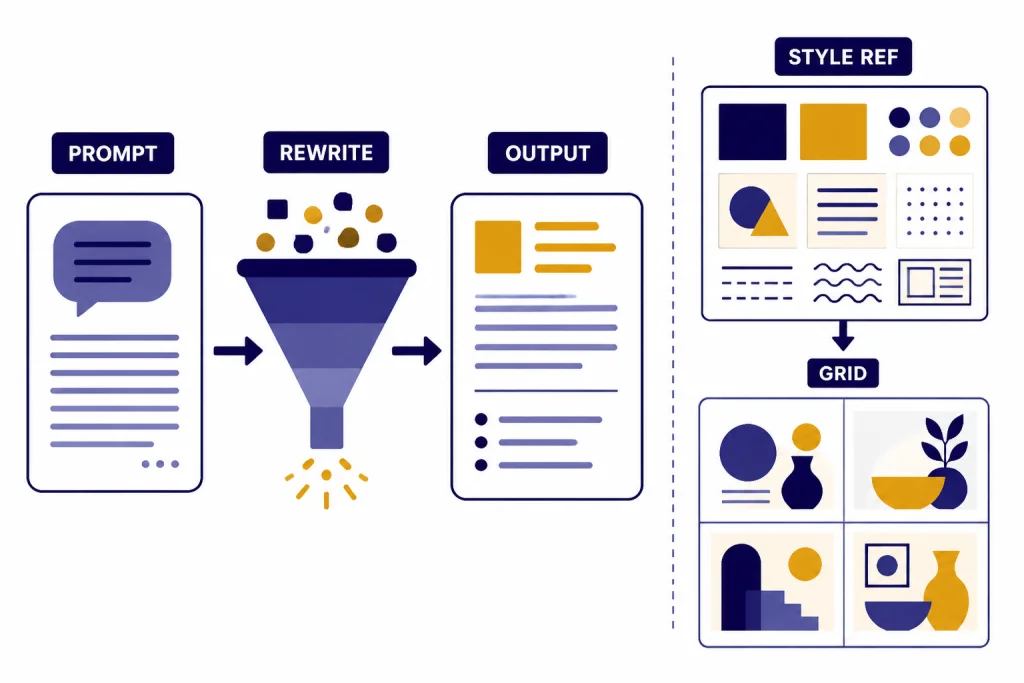
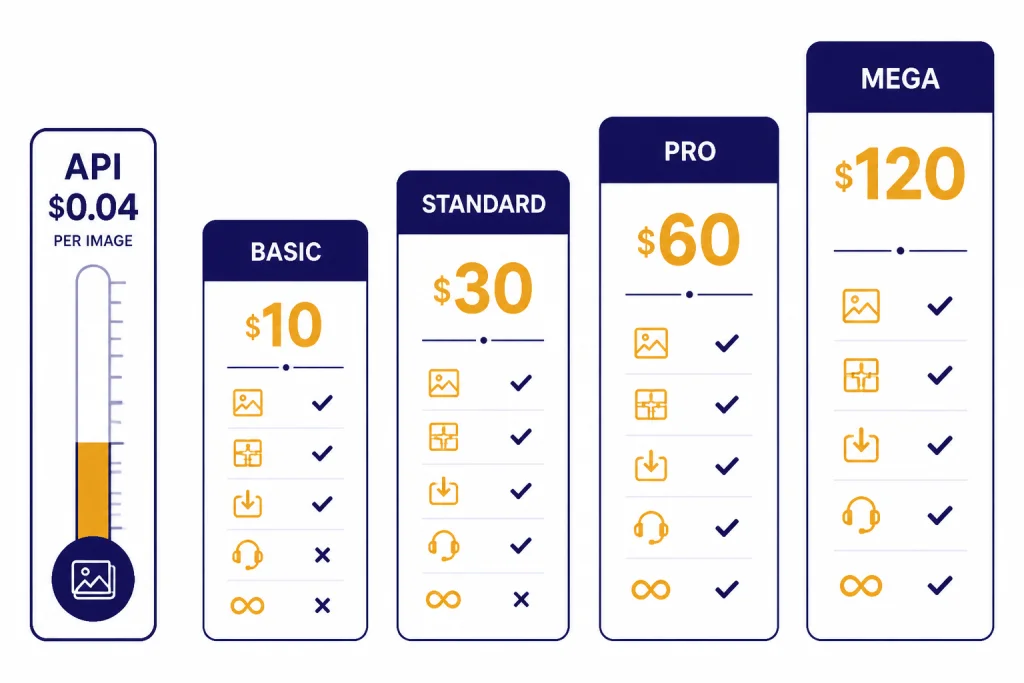
DALL-E and Midjourney are not priced the same way. OpenAI provides image generation through ChatGPT plans and exposes image models through the API. Midjourney sells subscriptions measured mainly by GPU time, speed, and feature access.
As of May 2026, do not treat a single DALL-E 3 price table as the whole OpenAI image story. OpenAI’s image API documentation covers both GPT Image and DALL-E models.[3] Older DALL-E 3 model documentation lists DALL-E-specific API behavior,[4] while OpenAI’s pricing page is the source to check before building production costs.[5] Newer GPT Image models, including gpt-image-2, may have different options, sizes, quality settings, or billing units than legacy DALL-E 3. For an app, verify the exact model name, size, quality, and pricing page on the day you ship.
Midjourney’s official plan table lists four subscription tiers: Basic, Standard, Pro, and Mega.[7] The same documentation describes plan differences around Fast GPU time and feature access.[7] Because Midjourney is subscription-based, the “cheapest” option depends less on one image and more on how often you explore, vary, upscale, and reroll images.
| Plan or route | What you pay for | Pricing note | Best fit |
|---|---|---|---|
| OpenAI image API | API usage for a selected image model | Check OpenAI’s live pricing page for the current GPT Image or DALL-E model, size, and quality.[5] | Apps, automation, predictable production workflows |
| ChatGPT access | Plan access to ChatGPT tools | OpenAI’s ChatGPT pricing page lists plan-based access and image-generation availability by tier.[6] | Individuals and teams already using ChatGPT |
| Midjourney Basic | Subscription with limited Fast GPU time | Official plan details are listed in Midjourney’s plan comparison.[7] | Light experimentation |
| Midjourney Standard | More Fast GPU time and broader generation use | Useful when you generate many exploratory concepts.[7] | Regular creators |
| Midjourney Pro | More GPU time plus professional features such as Stealth Mode eligibility | Stealth Mode is available only to Pro and Mega members.[10] | Professional visual work |
| Midjourney Mega | Highest listed GPU allowance and professional feature access | Best checked against Midjourney’s current plan table.[7] | Heavy production use |
The cost winner depends on your pattern. OpenAI API pricing is easier to model for low-volume, structured, automated image generation. Midjourney can be a better value for a person who generates many exploratory concepts and benefits from its visual iteration loop. If your main question is whether to pay for ChatGPT at all, start with our ChatGPT Free vs Plus vs Pro breakdown.
Workflow and usability
OpenAI image generation is easier for most beginners. You can describe what you want in normal language, then ask ChatGPT to revise the prompt, tighten the copy, or generate a new version for a different audience. That makes it useful for people who do not want to learn image parameters. A marketer can draft a campaign, write ad copy, generate visual concepts, and revise the image in the same chat.
Midjourney takes more learning, but rewards it. Draft Mode is a good example. Midjourney’s documentation says Draft Mode is compatible with Version 7 and is designed for faster prototyping at half the GPU cost.[9] The same page describes Draft Mode as “10x faster,” which matters when you are rapidly testing composition and style directions.[9]
Midjourney also has a stronger visual feedback loop. You generate a grid, pick a direction, vary it, upscale it, adjust style, and repeat. The workflow feels closer to browsing a contact sheet than chatting with an assistant. That is excellent for designers and creative directors, but it can be confusing for casual users.
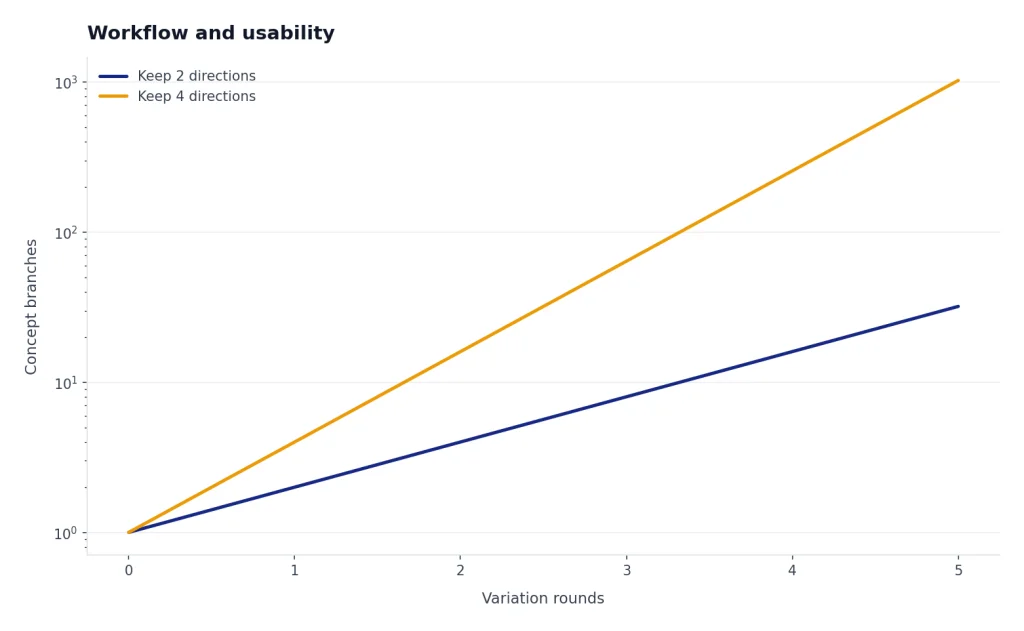
A strong mixed workflow looks like this: write the creative brief in ChatGPT, generate a controlled OpenAI image to validate layout and copy, then move the same brief into Midjourney for mood and style exploration. After that, do final type, brand compliance, and layout in a design tool. Do not rely on either generator for final legal copy, medical claims, financial claims, or trademark-sensitive assets without human review.
OpenAI is better when image generation is one step in a larger task. Midjourney is better when image generation is the task. The same distinction appears in video tools. If you are comparing creative generation systems more broadly, see Sora vs Runway and Sora vs Google Veo.
Privacy, rights, and commercial use
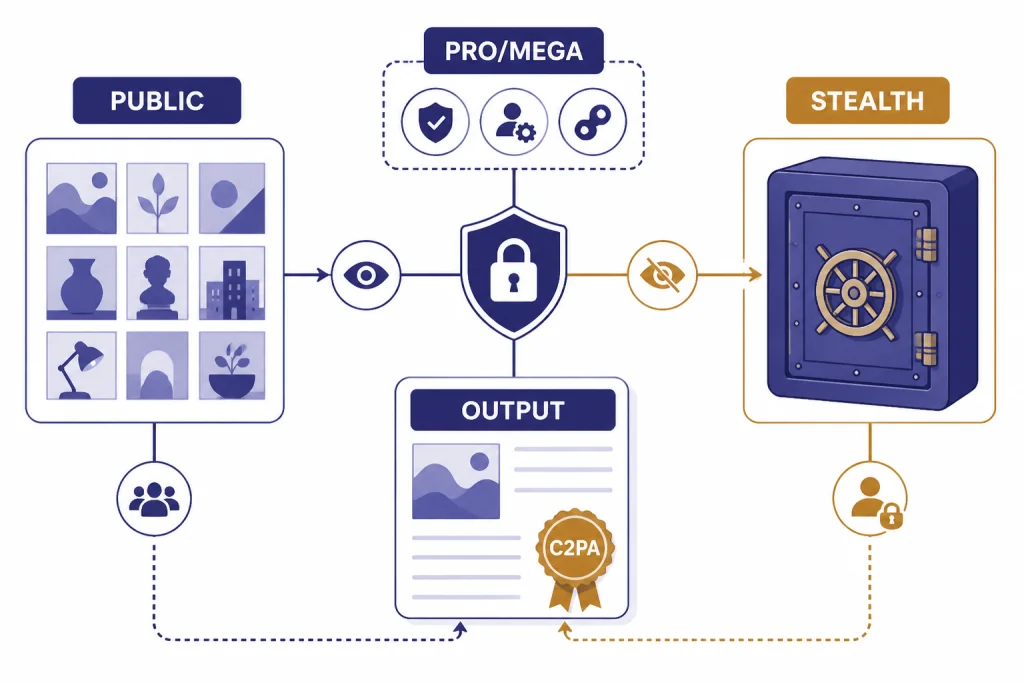
For business users, privacy and usage rights can matter more than image quality. OpenAI’s terms say that, as between you and OpenAI and to the extent permitted by law, you retain ownership rights in input and own the output.[12] OpenAI also says it will not claim copyright over API-generated content for you or your end users.[12] That does not mean every AI-generated image is copyrightable. It means OpenAI is not claiming it against you.
OpenAI also adds provenance signals to some generated images. Its Help Center says images generated with ChatGPT on the web and its API serving the DALL-E 3 model include C2PA metadata.[13] That is useful for disclosure and provenance, but it is not a replacement for legal review, brand review, or rights clearance. If you are using newer GPT Image models, check the current product documentation for the exact provenance behavior.
Midjourney’s default posture is more public. Midjourney says Stealth Mode lets users control who can see images and videos on the Midjourney website, but it is available only to Pro and Mega members.[10] Midjourney’s terms also say a company or employee of a company with more than $1,000,000 in annual revenue must be subscribed to a Pro or Mega plan to own its assets.[11]
That makes OpenAI the simpler choice for many business drafts, especially when the work is confidential or connected to internal documents. Midjourney can still be used professionally, but teams should understand plan requirements, Stealth Mode, and internal approval rules before uploading sensitive references.
If your team already uses ChatGPT at work, compare individual and group plans before deciding where image generation should live. Our ChatGPT Plus vs Team, ChatGPT Pro vs Team, and ChatGPT Team vs Enterprise guides cover the plan side.
Which one should you use?
Choose OpenAI image generation if you need clear instruction following, readable short text, straightforward commercial workflows, or API access. It is the better fit for marketers, product teams, educators, app builders, and writers who need images as part of a larger content process. It is also the easier recommendation for someone who already pays for ChatGPT.
Choose Midjourney if you care most about style, atmosphere, and finished-looking images. It is the better fit for artists, designers, creative directors, thumbnail makers, worldbuilders, and agencies producing lots of visual directions. It also gives serious image creators more room to develop a consistent aesthetic.
Use both if image quality affects revenue. A practical workflow is to brainstorm and write the creative brief in ChatGPT, generate literal comps with OpenAI, then use Midjourney for higher-style directions. Bring the strongest result back into a design tool for typography, brand layout, accessibility, and final production.
The real winner is not universal. OpenAI wins for control and integrated workflows. Midjourney wins for visual taste and exploration. For most readers searching for dall-e vs midjourney, that is the decision that matters.
Bottom line: Start with OpenAI image generation if you want the image to obey the brief. Start with Midjourney if you want the image to impress at first glance. Use both when the project needs both compliance and style.
For adjacent comparisons, see our guides to GPT vs Microsoft Copilot, ChatGPT vs Google Search, and OpenAI API pricing.
Frequently asked questions
Is DALL-E better than Midjourney?
DALL-E, used as shorthand for OpenAI image generation, is better for prompt accuracy, readable short text, and ChatGPT-based workflows. Midjourney is better for polished style, mood, and creative exploration. If you need a precise business image, start with OpenAI. If you need a striking concept image, start with Midjourney.
Is Midjourney more expensive than DALL-E?
It depends on how you use it. OpenAI can be accessed through ChatGPT plans or through API usage pricing, while Midjourney uses subscription tiers tied to GPU time and features.[5][6][7] A casual user may spend less by using image generation inside an existing ChatGPT plan, while a heavy visual creator may get more value from a Midjourney subscription. Verify current plan pages before budgeting because prices, limits, and model options can change.
Which tool is better for text inside images?
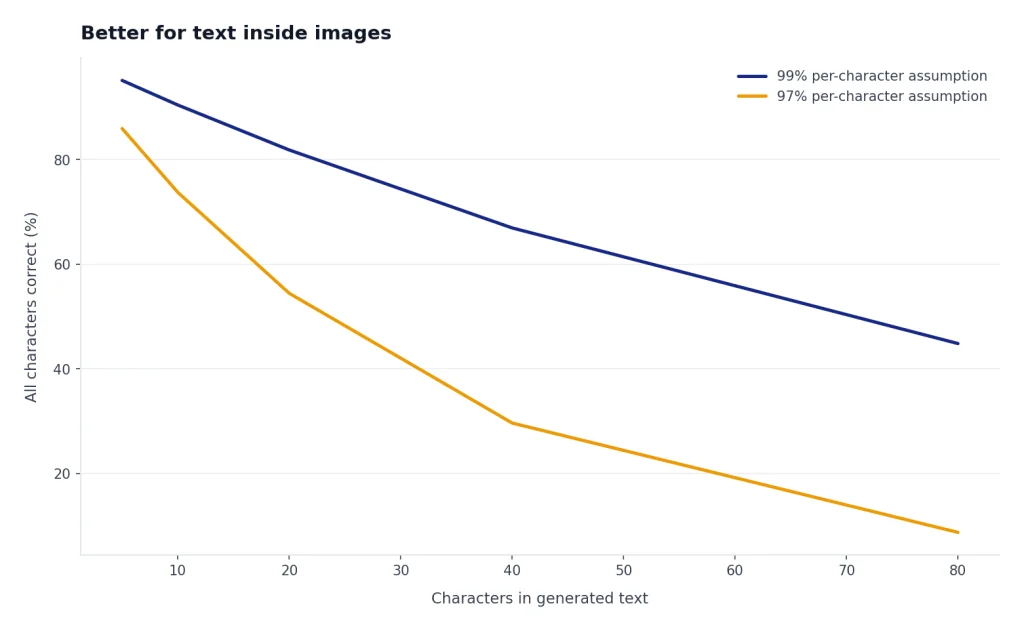
OpenAI image generation is usually the better first choice for text in images. OpenAI specifically highlighted DALL-E 3’s ability to generate text in images and understand complex prompts.[1] Even so, short labels work better than long sentences, and final production work should still be checked manually.
Can I use DALL-E or Midjourney images commercially?
Both services provide commercial paths, but the terms differ. OpenAI’s terms say users own output as between the user and OpenAI, to the extent permitted by law.[12] Midjourney says companies over $1,000,000 in annual revenue need Pro or Mega to own their assets.[11] For high-value commercial work, get legal review and keep human review in the production process.
Which is better for teams?
OpenAI is easier to fold into a team that already uses ChatGPT, especially for writing, planning, API workflows, and image generation in one place. Midjourney is better for teams centered on visual ideation and art direction. The deciding factor is whether your team needs assistant-style productivity or a dedicated image studio.
Should beginners start with DALL-E or Midjourney?
Beginners should usually start with OpenAI image generation because the learning curve is lower. You can describe what you want and ask ChatGPT to improve the prompt. Move to Midjourney when you want more control over style, references, model parameters, and repeated visual exploration.
[Shortcode placeholder removed]