

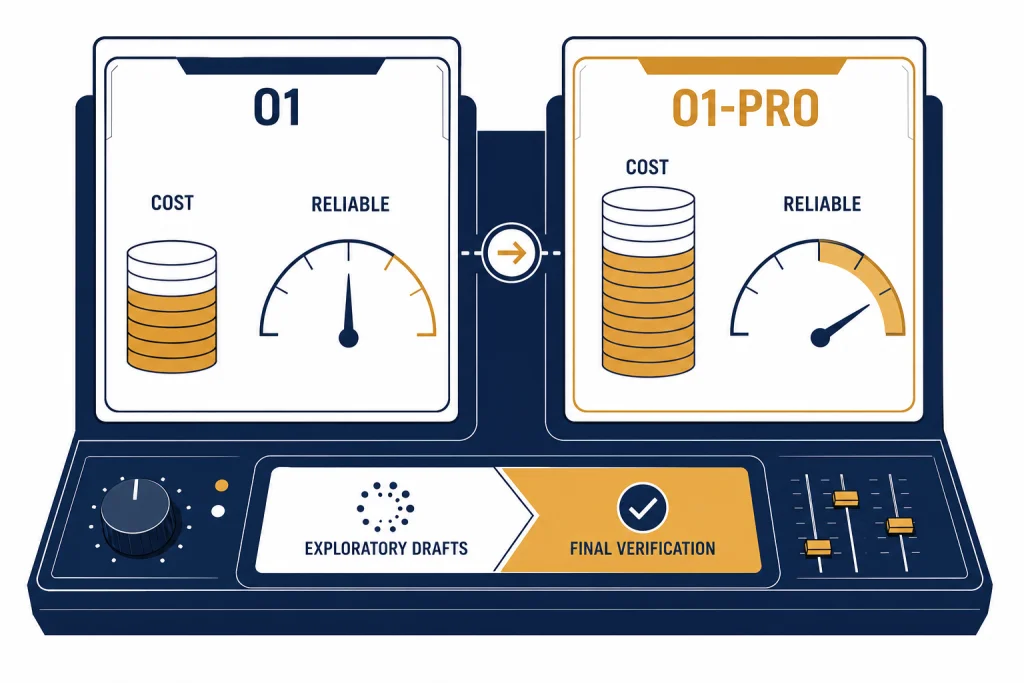
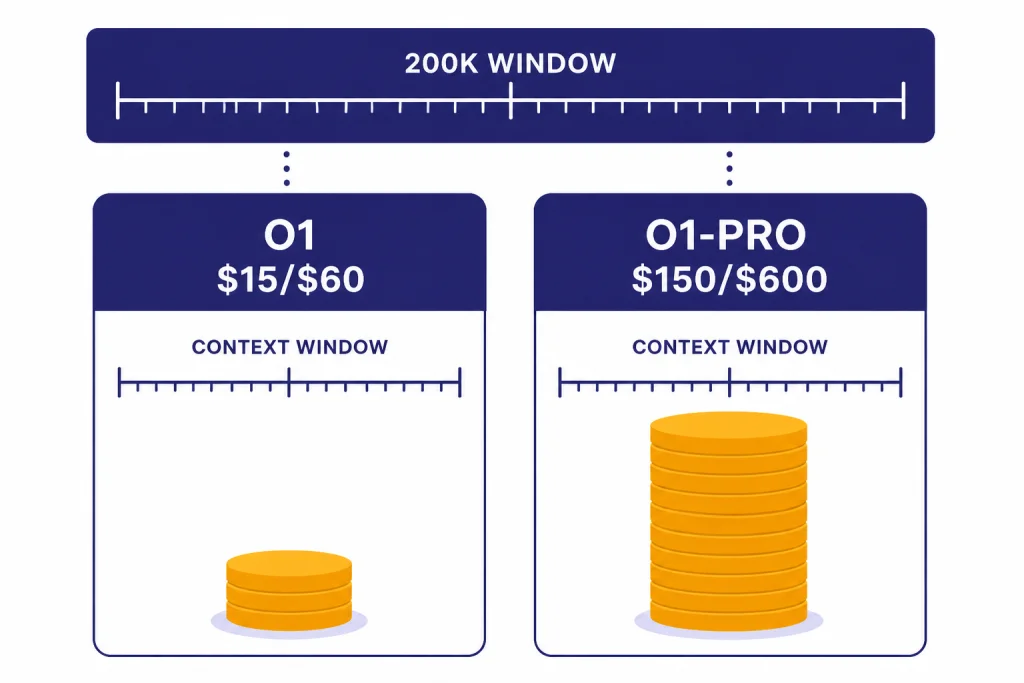
OpenAI o1 and o1-pro are built for the same kind of work: hard reasoning, multi-step coding, math, science, legal analysis, and other tasks where a quick model can miss a hidden constraint. The difference is not that o1-pro is a separate product category. It is a higher-compute version of o1 that OpenAI positions as more reliable on the hardest problems. That extra reliability is expensive. In the API, o1-pro is priced at $150 per 1M input tokens and $600 per 1M output tokens, compared with $15 and $60 for o1.[3][4] Most users should start with o1, then reserve o1-pro for final checks, critical answers, or problems where a wrong answer costs more than the model run.
Quick verdict
Choose o1 when you need strong reasoning at a price that can support repeated drafts, experiments, and production use. Choose o1-pro when you need a more reliable final answer on a narrow set of difficult prompts and you can tolerate higher cost and slower generation. OpenAI describes o1-pro as a version of o1 that uses more compute to think harder and provide consistently better answers.[3]
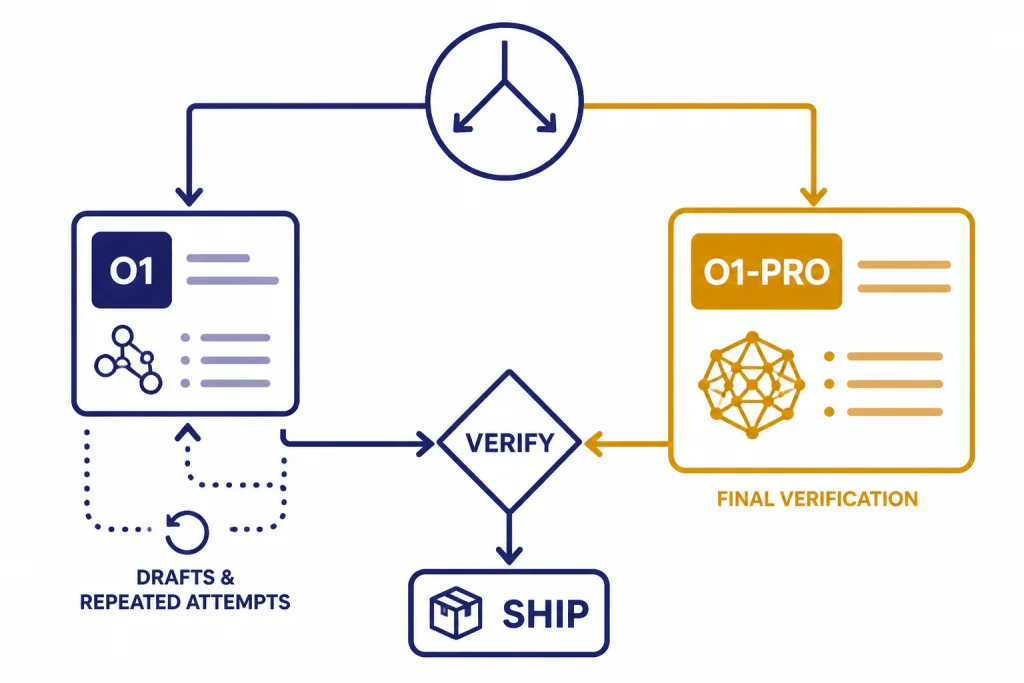
The clean rule is simple. Use o1 for exploration. Use o1-pro for adjudication. If you are asking the model to solve a research puzzle, review a complex contract clause, debug a stubborn production issue, or check a high-value calculation, o1-pro can be worth a separate pass. If you are drafting routine emails, summarizing ordinary documents, writing simple code, or running high-volume automation, o1-pro is usually the wrong tool.
If you are still choosing among OpenAI reasoning families, read GPT vs the o-Series first. If your real question is whether to use a newer reasoning model, see OpenAI o1 vs o3. For subscription-level decisions, pair this guide with ChatGPT Free vs Plus vs Pro.
o1 vs o1-pro side by side
o1 and o1-pro share the same broad purpose. Both are reasoning models. Both can handle text input and output, image input, long context, and long answers. The main differences are cost, availability, streaming behavior, and the amount of compute OpenAI allocates to the answer.[2][3]
| Category | OpenAI o1 | OpenAI o1-pro | What it means |
|---|---|---|---|
| Positioning | Previous full o-series reasoning model | Version of o1 with more compute for better responses | o1 is the default economical choice. o1-pro is the high-reliability option. |
| API input price | $15.00 per 1M tokens | $150.00 per 1M tokens | o1-pro costs 10 times more for input tokens.[4] |
| API output price | $60.00 per 1M tokens | $600.00 per 1M tokens | o1-pro costs 10 times more for output tokens.[4] |
| Cached input | $7.50 per 1M tokens | No cached-input price listed | o1 has a published cached-input discount; o1-pro does not list one in the pricing table.[4] |
| Context window | 200,000 tokens | 200,000 tokens | The context window is not the upgrade reason.[2][3] |
| Max output | 100,000 tokens | 100,000 tokens | The output cap is also not the upgrade reason.[2][3] |
| API endpoint fit | Chat Completions and Responses listed | Responses API only | o1-pro is more constrained for developers.[3] |
| Streaming | Supported | Not supported | o1 is better for interactive interfaces that show partial output.[2][3] |
| Function calling | Supported | Supported | Both can connect to tools through function calls.[2][3] |
| Structured outputs | Supported | Supported | Both can be used for schema-bound outputs.[2][3] |
The table shows why this is not a normal upgrade. o1-pro does not give you a larger context window. It does not give you a larger output limit. It does not add streaming. It buys more compute for the same reasoning family. That is valuable only when reliability matters enough to justify the price.
For a broader view of model limits, compare this with context window sizes for every GPT model. For a full model inventory, use all GPT models compared side by side.
ChatGPT plan access vs API access
There are two different buying decisions here. In ChatGPT, o1-pro originally arrived as o1 pro mode inside ChatGPT Pro. OpenAI introduced ChatGPT Pro on December 5, 2024 as a $200 monthly plan that included OpenAI o1, o1-mini, GPT-4o, Advanced Voice, and o1 pro mode.[1] In that setting, you are buying a subscription bundle, not paying token by token.
In the API, you are buying model calls. OpenAI’s changelog lists o1-pro as released on March 19, 2025 for v1/responses and v1/batch.[6] The o1-pro model page says it is available in the Responses API only.[3] That matters if your stack still depends on Chat Completions, streaming UX, or an existing agent framework that has not moved to Responses.
Do not compare the ChatGPT Pro subscription price directly with API token pricing. A $200 subscription can be rational for one heavy individual who wants the ChatGPT interface, file workflows, and advanced features. API pricing is better for applications, repeatable tests, logging, automation, and selective use. If you are modeling application cost, use OpenAI API pricing, not the ChatGPT plan page.
If your team is choosing between individual and shared workspaces, compare ChatGPT Pro vs Team and ChatGPT Plus vs Team before you treat o1-pro as the only upgrade lever.
Where o1-pro is actually better
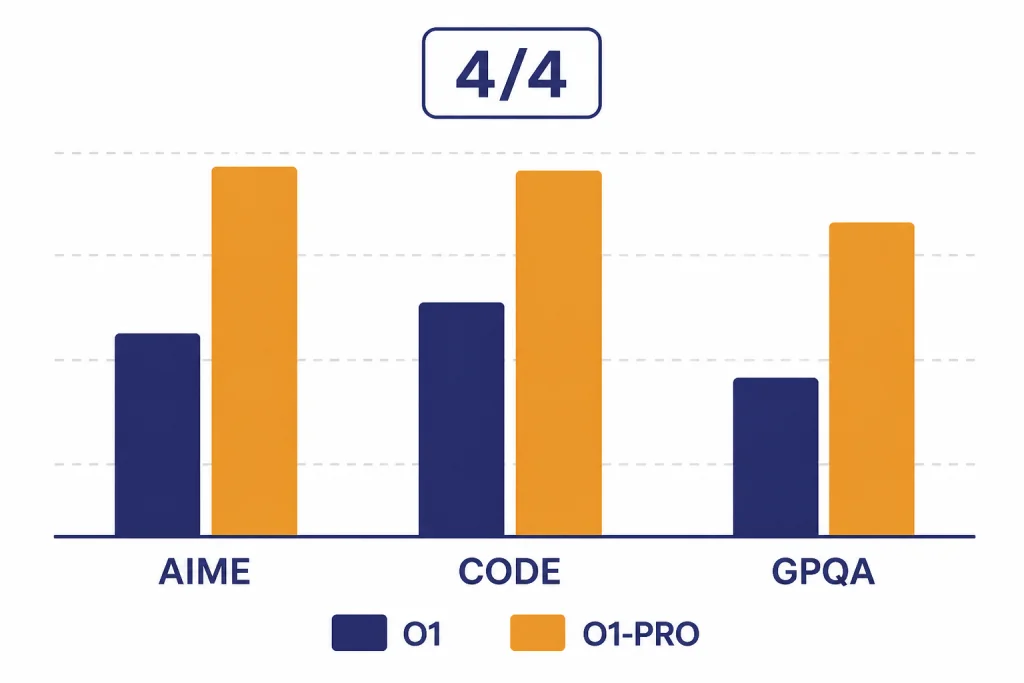
OpenAI’s own comparison frames o1-pro around reliability, not speed. In the ChatGPT Pro announcement, OpenAI reported higher o1-pro results than o1 on AIME 2024, Codeforces, and GPQA Diamond. The pass-at-one numbers were close in some areas: AIME 2024 was 86 for o1-pro versus 78 for o1, Codeforces was 90 versus 89, and GPQA Diamond was 79 versus 76.[1]
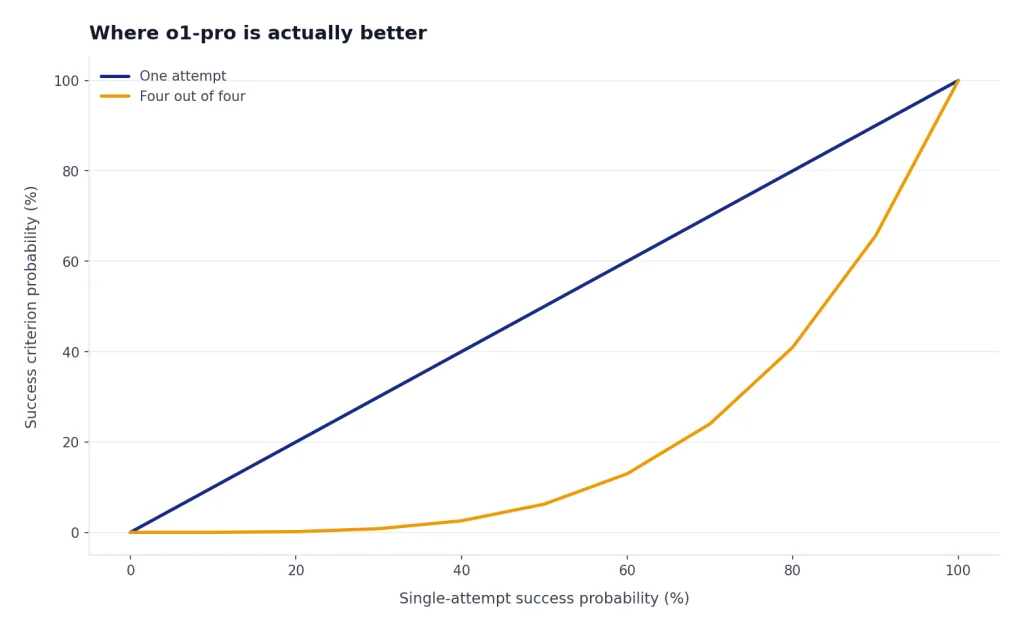
The bigger difference appeared in OpenAI’s stricter reliability view. OpenAI counted a problem as solved only if the model got it right in four out of four attempts. Under that test, o1-pro scored 80 versus 67 for o1 on AIME 2024, 75 versus 64 on Codeforces, and 74 versus 67 on GPQA Diamond.[1]
| Evaluation | o1 pass@1 | o1-pro pass@1 | o1 4/4 reliability | o1-pro 4/4 reliability |
|---|---|---|---|---|
| AIME 2024 | 78 | 86 | 67 | 80 |
| Codeforces | 89 | 90 | 64 | 75 |
| GPQA Diamond | 76 | 79 | 67 | 74 |
This is the central argument for o1-pro. If you only ask once, the gain may look modest. If you care about whether the model keeps arriving at the right answer across repeated attempts, o1-pro becomes more interesting. That pattern fits mathematical proofs, complex code review, scientific reasoning, and legal issue spotting better than casual chat.
OpenAI has not published an official universal latency figure for o1-pro versus o1. The safe assumption is qualitative: o1-pro spends more compute and often feels slower. In ChatGPT, OpenAI said o1 pro mode responses take longer and that ChatGPT shows a progress bar and can send an in-app notification if the user switches away.[1]
The cost math
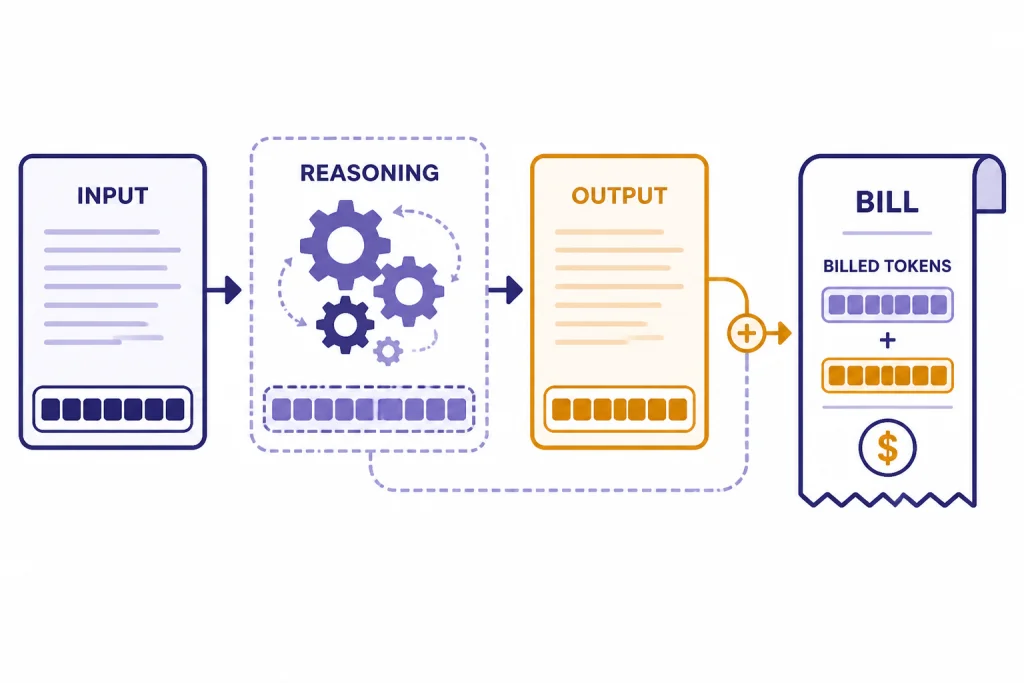
o1-pro is easy to overspend on because reasoning models can generate hidden reasoning tokens. OpenAI’s pricing page says reasoning tokens are not visible through the API, but they still occupy context-window space and are billed as output tokens.[4] That means a short visible answer can still involve more billed output than the final text suggests.
Here is a simple API example. A request with 100,000 input tokens and 20,000 billed output tokens would cost about $2.70 on o1 and about $27.00 on o1-pro, using OpenAI’s listed $15/$60 and $150/$600 per-1M-token rates.[4] The 10-times price ratio holds for both input and output tokens.[4]
| Example workload | o1 estimated cost | o1-pro estimated cost | Best default |
|---|---|---|---|
| Repeated prompt testing with long files | Lower | Much higher | o1 |
| One final review of a high-value answer | Lower | Higher but limited | o1-pro if the stakes justify it |
| High-volume background classification | Lower | Usually excessive | o1 or a cheaper model |
| Interactive user-facing chat | Better fit because streaming is supported | Weaker fit because streaming is not supported | o1 |
| Hard benchmark-style reasoning prompt | Strong | Potentially more reliable | Test both |
Price alone does not make o1-pro a bad model. It makes it a bad default. The right pattern is to reduce the number of o1-pro calls. Let o1 write the draft, list assumptions, produce alternatives, and expose uncertainty. Then send only the cleanest final prompt to o1-pro.
When to pay more for o1-pro
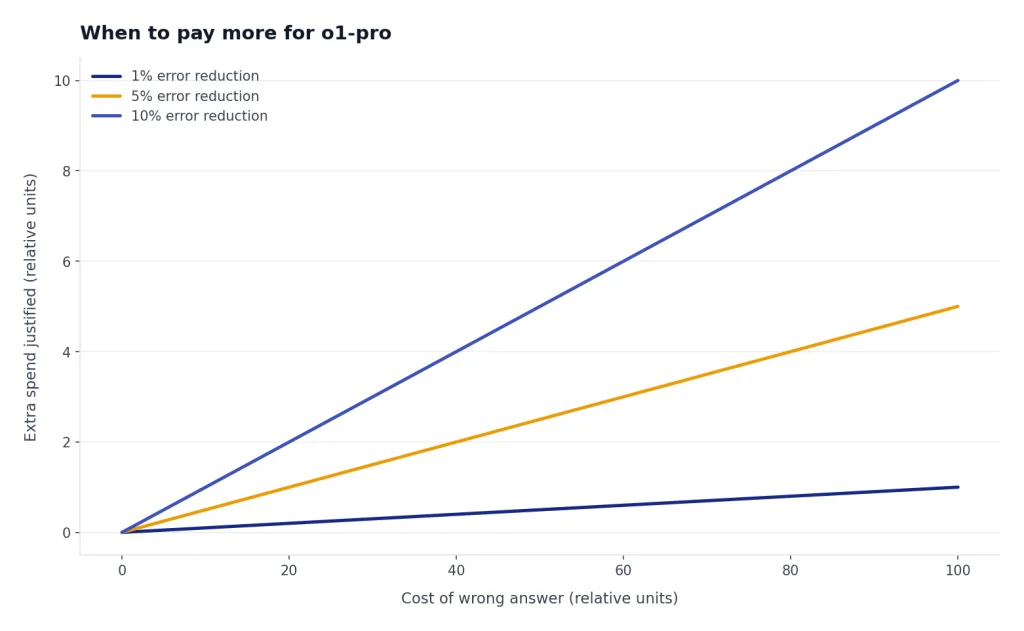
Pay more for o1-pro when the task has a narrow answer space, a high cost of error, and enough complexity that ordinary model confidence is not enough. It is strongest as a second-pass reasoner, not as a brainstorming companion.
Use o1-pro for final technical review
o1-pro makes sense when you already have a proposed solution and want a harder review. Examples include a migration plan, a concurrency bug, a security-sensitive architecture decision, or a calculation that feeds a business recommendation. Ask o1 to produce the first answer. Ask o1-pro to find the flaw.
Use o1-pro when consistency matters
The best published argument for o1-pro is the stricter four-out-of-four reliability comparison from OpenAI.[1] That matters when you cannot simply rerun the prompt until one answer looks good. If different runs produce different conclusions, o1-pro may reduce the need for manual arbitration.
Use o1-pro for expensive human bottlenecks
If a senior engineer, attorney, analyst, or researcher is waiting on the answer, the model cost may be small compared with the human time saved. In that setting, a $27 model pass can be reasonable if it avoids an hour of rework. Do not use that logic for every prompt. Use it only where the human bottleneck is real.
Use o1-pro for short, dense prompts
o1-pro is easiest to justify when the prompt is compact and the expected answer is dense. A small proof, a tricky function, a concise legal issue tree, or a diagnostic summary can fit this profile. Large document dumps make the 10-times input cost harder to defend.[4]
When to skip o1-pro
Skip o1-pro when the task does not need its reliability profile. Most writing, summarization, customer support, lightweight coding, and ideation tasks do not justify the premium. A faster model can often produce a better user experience, even if it is less capable on benchmark-style reasoning.
- Skip it for first drafts. Use o1, a faster GPT model, or a cheaper reasoning model to explore the problem first.
- Skip it for high-volume automation. A 10-times token premium compounds quickly at scale.[4]
- Skip it for streaming interfaces. The o1 model page lists streaming support, while the o1-pro page lists streaming as not supported.[2][3]
- Skip it when you need Chat Completions compatibility. OpenAI lists o1-pro as Responses API only.[3]
- Skip it when the task is mostly retrieval. If the answer depends on fresh facts or a database lookup, better retrieval will matter more than more reasoning compute.
Also skip o1-pro if the real issue is model selection across the current OpenAI catalog. A later model may be a better fit than paying a premium for a legacy pro variant. For speed-sensitive decisions, see fastest GPT model. For older model tradeoffs, compare GPT-4o vs GPT-4 or GPT-4 vs GPT-5.
A practical workflow
The best o1 vs o1-pro workflow is staged. It treats o1-pro as a scarce review resource.
- Frame the task with o1. Ask for assumptions, missing information, and a plan before asking for the final answer.
- Generate candidates with o1. For coding, ask for two implementation approaches. For analysis, ask for competing interpretations.
- Compress the prompt. Remove irrelevant file chunks, earlier dead ends, and chat history that does not affect the final decision.
- Send the final prompt to o1-pro. Ask it to verify the conclusion, identify failure modes, and state confidence boundaries.
- Use a deterministic output format. Both o1 and o1-pro support structured outputs, so use schemas when you need machine-readable results.[2][3]
- Log disagreements. If o1 and o1-pro disagree, save the prompt and expected answer. That set becomes your private evaluation suite.
This workflow keeps cost under control and makes the upgrade measurable. If o1-pro rarely changes the decision, stop using it for that task class. If it catches important errors, keep it as a final gate.
For developers, this also helps with migration. OpenAI’s December 2024 o1 developer post said o1 added function calling, Structured Outputs, developer messages, vision capabilities, and a reasoning_effort parameter.[5] o1-pro is more restrictive because it is Responses-only, so test the endpoint behavior before replacing o1 in an existing app.[3]
Frequently asked questions
Is o1-pro always better than o1?
No. OpenAI positions o1-pro as more reliable for the hardest problems, not as the best default for every task.[1] It is more expensive, more constrained in the API, and does not support streaming.[3] For routine tasks, o1 or a faster model will usually be more practical.
Does o1-pro have a larger context window than o1?
No. OpenAI lists both o1 and o1-pro with a 200,000-token context window and a 100,000-token max output limit.[2][3] The upgrade is more compute for harder reasoning, not a larger window.
How much more expensive is o1-pro in the API?
OpenAI lists o1 at $15.00 per 1M input tokens and $60.00 per 1M output tokens. It lists o1-pro at $150.00 per 1M input tokens and $600.00 per 1M output tokens.[4] That makes o1-pro 10 times more expensive for both input and output tokens.
Can I use o1-pro with Chat Completions?
OpenAI’s o1-pro model page says o1-pro is available in the Responses API only.[3] If your app depends on Chat Completions, you should test a Responses migration before planning around o1-pro.
Is ChatGPT Pro the same thing as o1-pro API access?
No. ChatGPT Pro is a subscription plan, while API access is billed by usage. OpenAI introduced ChatGPT Pro as a $200 monthly plan that included o1 pro mode, OpenAI o1, o1-mini, GPT-4o, and Advanced Voice.[1] API usage has separate token-based pricing.[4]
Should I use o1-pro for coding?
Use it selectively. o1-pro can be useful for final review of a difficult bug, architecture decision, or algorithmic problem. It is usually too expensive for routine code generation, autocomplete-style work, or repeated trial-and-error loops.