

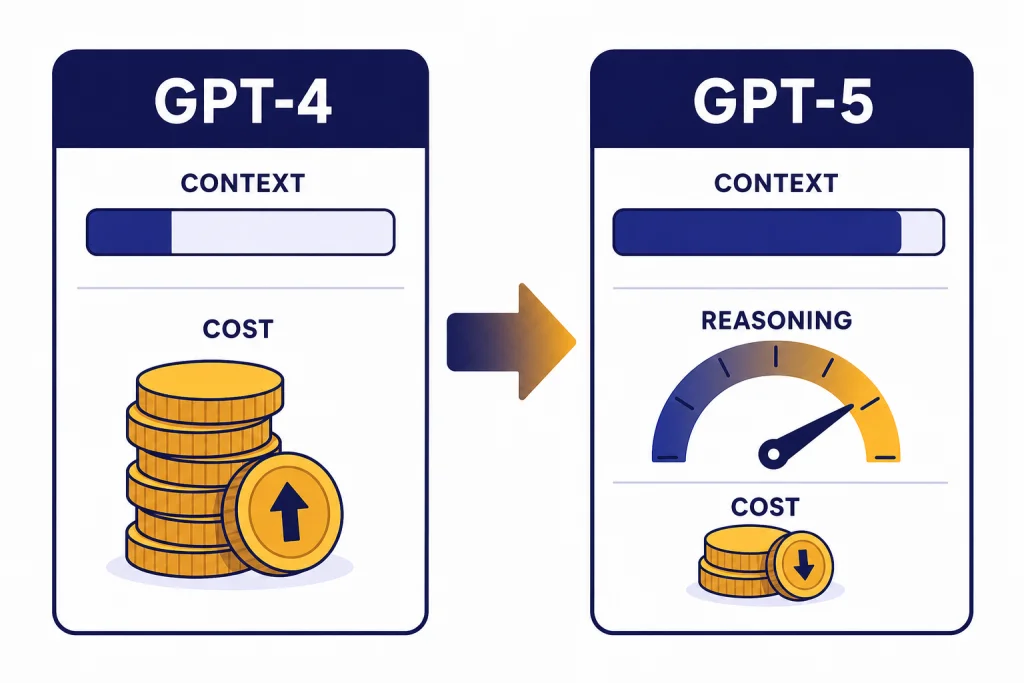
GPT-4 vs GPT-5 is no longer a close upgrade question for most users. GPT-5 is cheaper in the API, handles far larger context, and brings built-in reasoning controls that GPT-4 does not offer. The main exception is not technical performance. It is compatibility. If you have old prompts, fine-tuned workflows, or regression-sensitive outputs built around GPT-4, test before switching. For ChatGPT users, the choice is also different from the name suggests: as of April 6, 2026, original GPT-5 Instant and Thinking are no longer available in ChatGPT, and the app now routes users through newer GPT-5.x systems instead.
Quick verdict
Upgrade to GPT-5 if you are choosing a model for a new API project, coding assistant, long-document workflow, agent, or analytical tool. OpenAI describes GPT-4 as an older high-intelligence model, while GPT-5 was introduced as a unified system with stronger performance across coding, math, writing, health, and visual perception.[2][3]
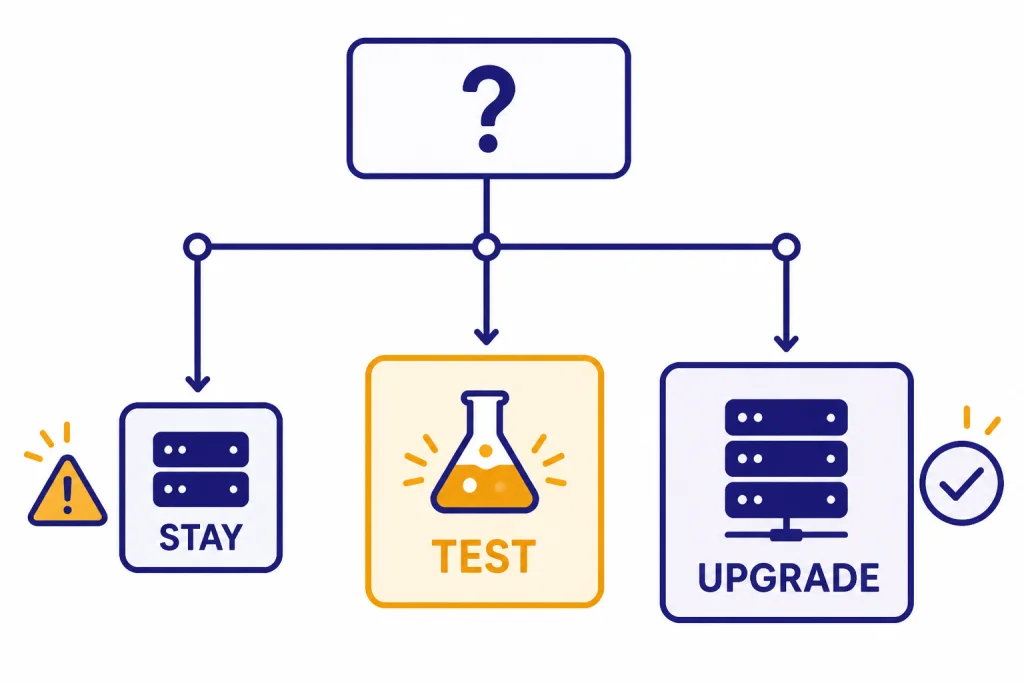
Stay cautious if you are maintaining a production workflow that depends on GPT-4’s exact behavior. The upgrade should be treated as a model migration, not a simple quality toggle. Run side-by-side evaluations, compare cost per completed task, and check whether your prompts become too long, too terse, or too tool-heavy under GPT-5.
For readers comparing other OpenAI model families, our GPT vs the o-Series guide explains when reasoning-first models are a better fit than general GPT models. If you want a broader model map, see all GPT models compared side by side.
What changed from GPT-4 to GPT-5
GPT-4 was OpenAI’s major multimodal model release from March 14, 2023. OpenAI described it as accepting image and text inputs and producing text outputs, with strong performance on professional and academic benchmarks.[1] It was also the model that made system-message steering, more reliable instruction following, and higher-end ChatGPT usage familiar to many developers and power users.
GPT-5, released on August 7, 2025, changed the frame. OpenAI described it not only as a model, but as a unified system that can answer quickly or think longer depending on the task.[3] In the API, OpenAI separated the family into gpt-5, gpt-5-mini, and gpt-5-nano, with different cost and latency tradeoffs.[4]
The practical difference is that GPT-5 is built around routing, reasoning effort, longer context, and tool-heavy work. GPT-4 can still produce excellent prose and structured answers, but it is no longer the best default for new systems. If your real question is how GPT-5 compares with the more recent GPT-4o line, read our GPT-5 vs GPT-4o comparison.
GPT-5 is a bigger workflow change than GPT-4 Turbo was
GPT-4 Turbo mainly changed cost, speed, and context relative to the original GPT-4. GPT-5 changes the operating model. It adds reasoning controls, supports much larger API context, and is designed for coding and agentic tasks. If you are upgrading from a GPT-4-era setup, the closer historical comparison is not a minor model swap. It is a platform migration. For the older intra-generation comparison, see the GPT-4 vs GPT-4 Turbo breakdown.
GPT-4 vs GPT-5 side by side
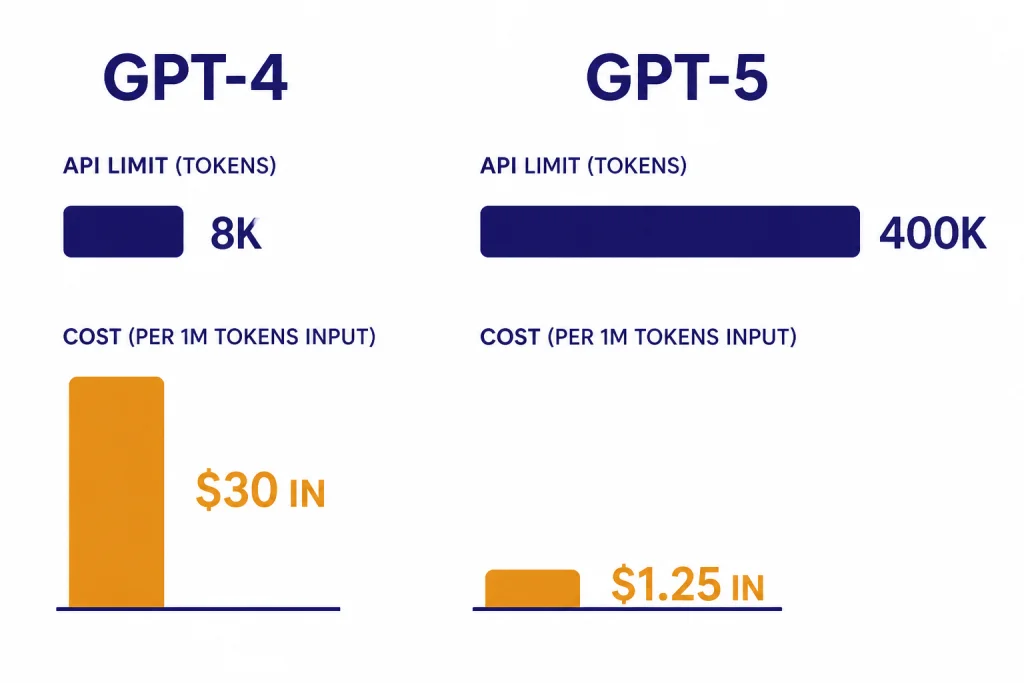
The clearest upgrade case is in the API. GPT-4 remains available as an older high-intelligence model in Chat Completions, but GPT-5 offers a much larger token budget and lower published token prices.[2][4]
| Category | GPT-4 | GPT-5 | Upgrade impact |
|---|---|---|---|
| Release position | Released as OpenAI’s flagship GPT model on March 14, 2023.[1] | Introduced on August 7, 2025 as OpenAI’s unified GPT-5 system.[3] | GPT-5 is the newer generation. |
| API context | 8,192-token context window and 8,192 max output tokens in OpenAI’s GPT-4 model documentation.[2] | Up to 272,000 input tokens and 128,000 reasoning and output tokens, for 400,000 total tokens in the GPT-5 API family.[4] | GPT-5 is far better for large files, long chats, and retrieval-heavy workflows. |
| API price | $30.00 per 1M input tokens and $60.00 per 1M output tokens.[2] | $1.25 per 1M input tokens and $10.00 per 1M output tokens for gpt-5.[4] | GPT-5 is cheaper per token for the base model. |
| Model family | Original GPT-4 snapshots include gpt-4, gpt-4-0613, and gpt-4-0314 in the model documentation.[2] | The GPT-5 API family launched with gpt-5, gpt-5-mini, and gpt-5-nano.[4] | GPT-5 gives developers more built-in cost and latency choices. |
| Reasoning controls | GPT-4 does not expose GPT-5-style reasoning effort controls in the cited model documentation.[2] | GPT-5 supports reasoning_effort, including a minimal option, plus a verbosity parameter.[4] | GPT-5 is easier to tune for speed versus depth. |
| Best use | Legacy high-intelligence chat and stable older integrations. | Coding, agents, long-context analysis, and new production systems. | Most new work should start on GPT-5 or a newer GPT-5.x model. |
Based on the published API prices, GPT-5 is 24x cheaper than GPT-4 on input tokens and 6x cheaper on output tokens. That math uses OpenAI’s listed $30.00 versus $1.25 input prices and $60.00 versus $10.00 output prices.[2][4]
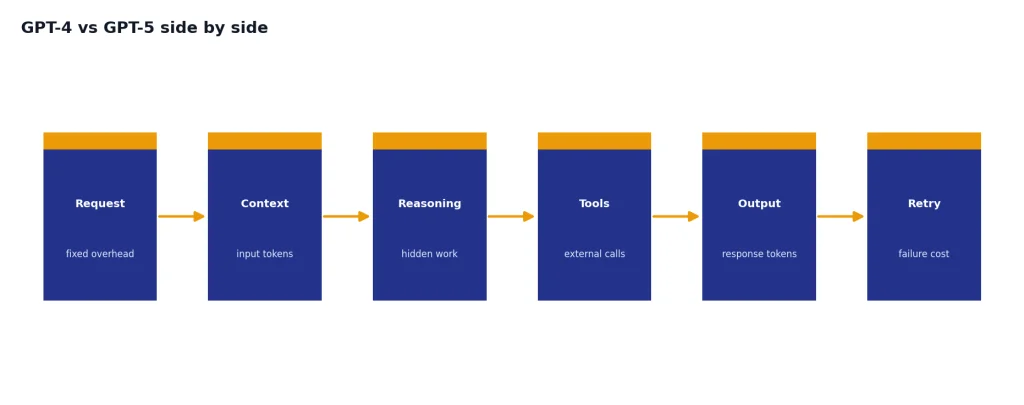
That does not mean every GPT-5 deployment is automatically cheaper. Reasoning tokens, tool calls, retries, longer context, and larger outputs can offset per-token savings. The right measure is cost per successful workflow, not cost per token alone. For a deeper cost view, use our OpenAI API pricing guide.
What this means in ChatGPT
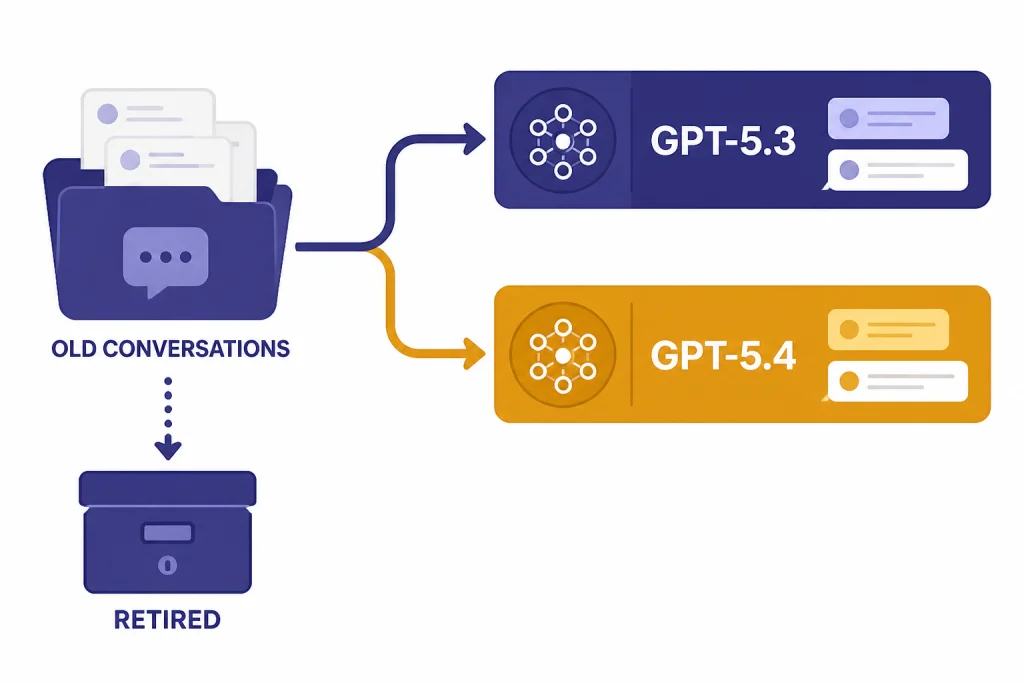
In ChatGPT, the phrase “upgrade to GPT-5” can be misleading in April 2026. OpenAI retired GPT-5 Instant and GPT-5 Thinking from ChatGPT on February 13, 2026, while noting that API access was unchanged.[6] The same retirement wave also removed GPT-4o, GPT-4.1, GPT-4.1 mini, and OpenAI o4-mini from ChatGPT.[7]
As of the GPT-5.3 and GPT-5.4 ChatGPT help page, logged-in users have access to GPT-5.3 models by default, while GPT-5.4 Thinking is the current paid-tier reasoning path described in that document.[6] OpenAI’s GPT-5.4 announcement says GPT-5.4 was released in ChatGPT, the API, and Codex on March 5, 2026.[5]
The upgrade question for ChatGPT users is therefore plan-based more than model-picker-based. You are usually choosing between Free, Plus, Pro, Team, Business, Enterprise, or Edu access, not manually choosing the original GPT-4 or original GPT-5. For plan tradeoffs, see ChatGPT Free vs Plus vs Pro, ChatGPT Plus vs Team, and ChatGPT Pro vs Team.
ChatGPT users should focus on limits and tools
If you use ChatGPT for writing, research, file analysis, coding help, or data work, the most important differences are usage limits, context window, tool access, and whether the model can use the right reasoning path for the task. OpenAI’s ChatGPT help page lists tools such as web search, data analysis, image analysis, file analysis, canvas, image generation, memory, and custom instructions for the GPT-5.3 and GPT-5.4 ChatGPT experience.[6]
What this means for API users
API users have the strongest reason to move away from GPT-4. GPT-4 is documented as an older high-intelligence model with an 8,192-token context window, while GPT-5 supports a 400,000-token total context length in the API family.[2][4] That difference changes what you can build. You can pass larger source files, longer transcripts, broader retrieval bundles, and richer tool traces before you need summarization.
The second API reason is control. GPT-5’s reasoning_effort and verbosity parameters make it easier to tune output style and thinking depth from the request layer.[4] With GPT-4, developers often simulated those controls through prompt instructions. Prompting still matters with GPT-5, but the platform now exposes more of the behavior as parameters.
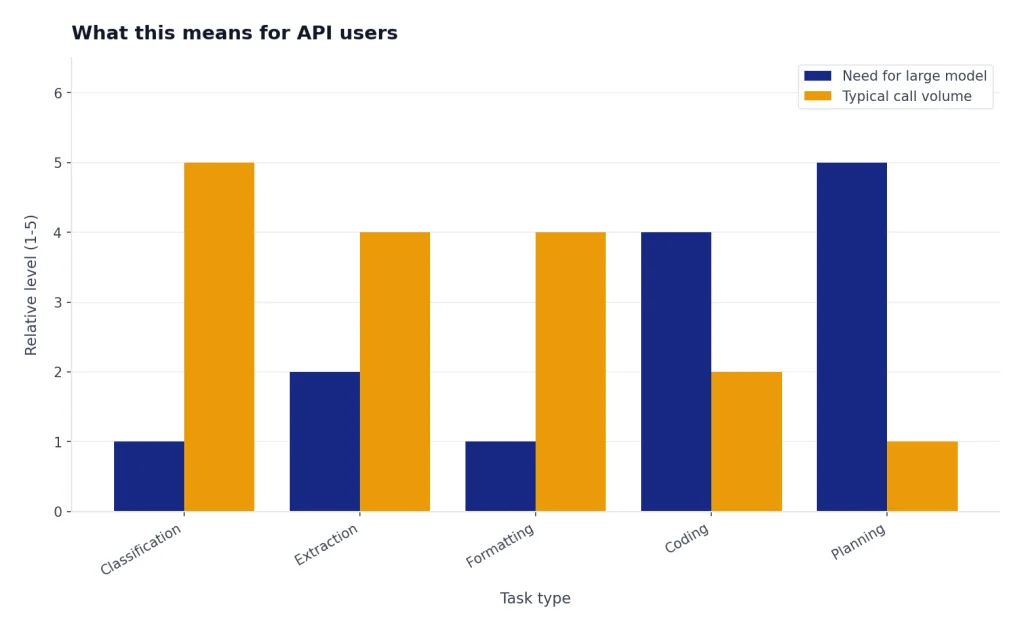
The third reason is model-family design. GPT-5 mini and GPT-5 nano let teams reserve the larger model for difficult work while routing simpler classification, extraction, and formatting tasks to cheaper variants.[4] That pattern matters for agents. A single workflow may need a planner, a coder, a verifier, and a summarizer, but not all of those steps need the same model.
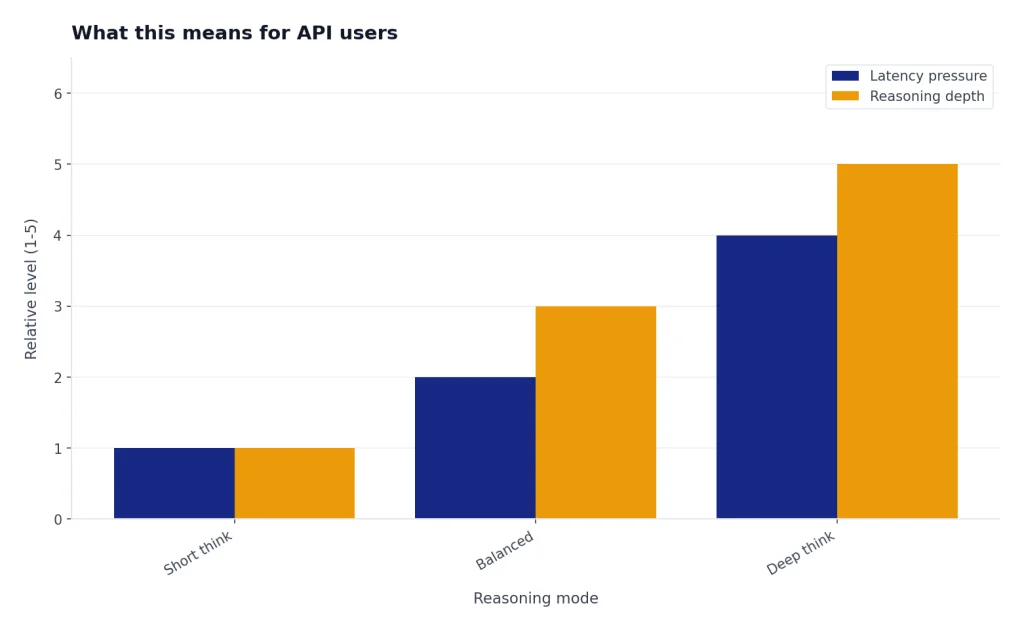
Latency still deserves testing. GPT-5 can be more efficient for hard tasks, but deep reasoning and long outputs can take longer than a short GPT-4 response. If speed is the main constraint, compare against our fastest GPT model guide and measure your own end-to-end task time.
When not to upgrade yet
Do not upgrade blindly if your system is already tuned around GPT-4 outputs. A model can be better overall and still break a narrow workflow. Common failure points include formatting drift, changed refusal behavior, different code style, longer reasoning traces, or a new tendency to call tools when the old prompt expected a direct answer.
You should also wait if you need exact reproducibility against old GPT-4 snapshots. OpenAI lists GPT-4 snapshots such as gpt-4-0613 and gpt-4-0314 in the GPT-4 model documentation.[2] GPT-5 may produce better answers, but it will not reproduce GPT-4’s behavior exactly.
Creative writing is another area where “better” depends on taste. Some users prefer the tone of older models or GPT-4o-style conversational outputs. If voice, warmth, or prose rhythm is central to your workflow, compare samples before switching. Our GPT-4o vs GPT-4 article is useful context for that kind of preference-based evaluation.
Finally, do not upgrade without checking data handling, compliance, and logging assumptions. Model migration can change token volume, tool-call frequency, and failure modes. Those changes can affect audits, budgets, and user-facing behavior even when the model is technically superior.
A practical migration checklist
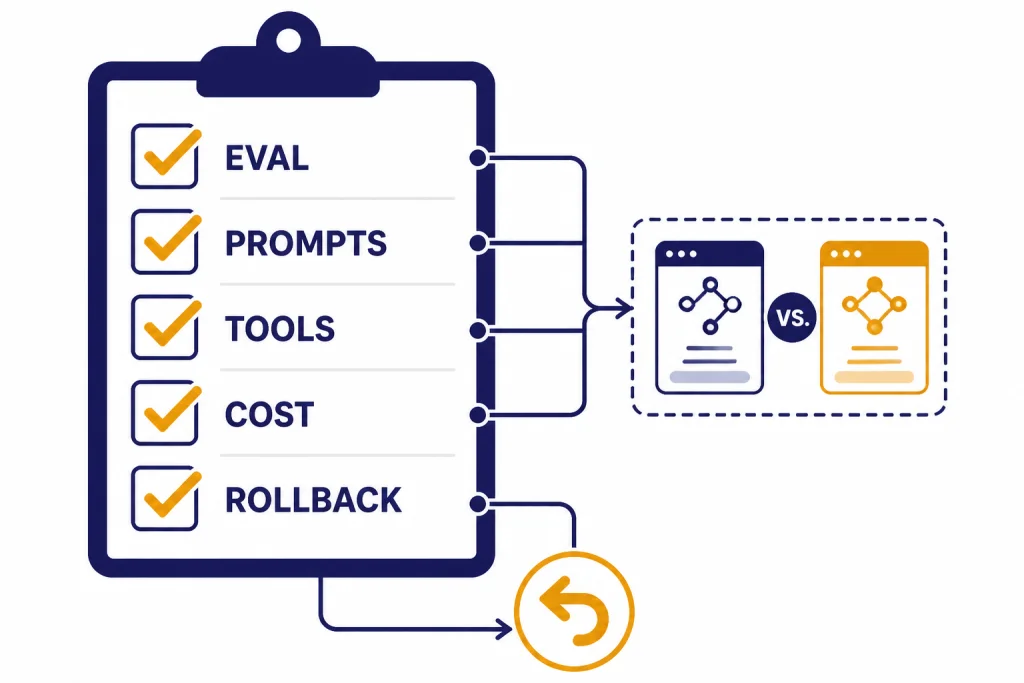
Use a structured migration. Treat GPT-5 as a new production dependency.
- Build an evaluation set. Include real prompts, edge cases, tool calls, long documents, and examples where GPT-4 currently fails.
- Run GPT-4 and GPT-5 side by side. Score correctness, format adherence, latency, output length, tool use, and user satisfaction.
- Separate task classes. Use the strongest GPT-5 model for hard reasoning and consider smaller GPT-5 family models for routing, extraction, and cleanup.
- Retune prompts. Remove instructions that only existed to compensate for GPT-4 limitations. Add clearer output contracts where GPT-5 becomes too expansive.
- Set cost alerts. GPT-5 has lower published token prices than GPT-4, but longer context and reasoning can increase total usage.[2][4]
- Keep a rollback path. Store model names, prompts, tool schemas, and evaluation results so you can reverse a bad deployment quickly.
For long-document systems, the context-window increase is the most obvious win. Still, large context is not a substitute for retrieval quality. See our context window sizes for every GPT model guide before you redesign chunking or retrieval around a larger window.
Bottom line
For new API work, GPT-5 is the better default than GPT-4. It is newer, cheaper per published token, much larger in context, and designed for reasoning-controlled workflows.[2][4] GPT-4 still matters for legacy compatibility, stable old prompts, and applications that need to preserve historical behavior.
For ChatGPT users, do not frame the decision as a manual GPT-4 vs GPT-5 toggle. Original GPT-5 Instant and Thinking have been retired from ChatGPT, and GPT-4o-era models were also retired from ChatGPT on February 13, 2026.[6][7] Choose the plan and tool access that match your workload, then evaluate the current GPT-5.x behavior on your own tasks.
The short answer: upgrade for new work, test for production work, and preserve GPT-4 only when compatibility is more valuable than performance.
Frequently asked questions
Is GPT-5 better than GPT-4?
Yes, for most new technical and analytical work. GPT-5 has a much larger API context window, lower published API token prices, and reasoning controls that GPT-4 does not expose in the same way.[2][4] You should still test if your workflow depends on GPT-4’s exact style or formatting.
Can I still use GPT-4 in ChatGPT?
Not as a normal current ChatGPT model. OpenAI retired several older ChatGPT models on February 13, 2026, including GPT-4o, GPT-4.1, GPT-4.1 mini, OpenAI o4-mini, and GPT-5 Instant and Thinking.[6][7] API availability is a separate issue and should be checked in the developer model list.
Is GPT-5 cheaper than GPT-4 in the API?
Yes, by OpenAI’s published prices for the base models. GPT-4 is listed at $30.00 per 1M input tokens and $60.00 per 1M output tokens, while GPT-5 is listed at $1.25 per 1M input tokens and $10.00 per 1M output tokens.[2][4] Total spend can still rise if your GPT-5 workflow uses more tokens, more tools, or longer reasoning.
Should developers replace GPT-4 with GPT-5 immediately?
Developers should start new projects on GPT-5 or a newer GPT-5.x model unless they have a specific compatibility reason not to. Existing production systems should migrate through evaluations, prompt updates, and staged rollout. The model is better positioned for new work, but production reliability depends on your task.
Is GPT-5 the same in ChatGPT and the API?
No. OpenAI said GPT-5 in ChatGPT was a system of reasoning, non-reasoning, and router models, while GPT-5 in the API platform was the reasoning model powering maximum performance in ChatGPT.[4] That means ChatGPT behavior and API behavior should be tested separately.
What is the main reason not to upgrade?
The main reason is compatibility. If GPT-4 already powers a stable workflow, GPT-5 may change tone, structure, refusal patterns, latency, or tool-use behavior. Run a side-by-side evaluation before making the switch permanent.