

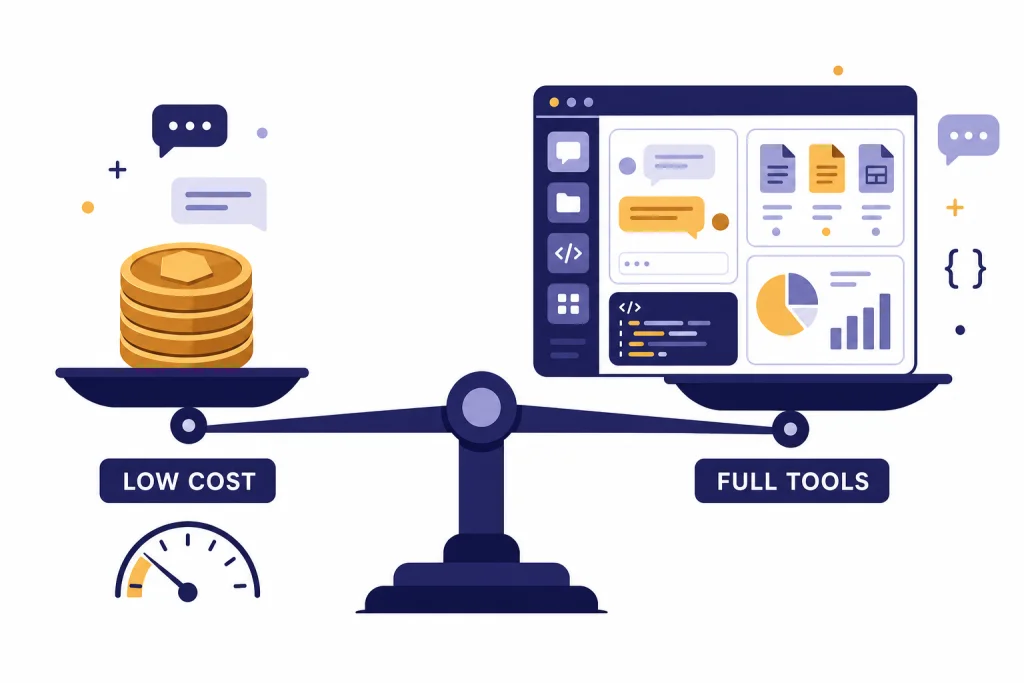
DeepSeek vs ChatGPT is not a simple quality ranking. DeepSeek is the stronger cost play for developers who want low token prices, open-weight options, and capable reasoning without paying frontier-model API rates. ChatGPT is the stronger product for people who want a polished assistant with web search, file analysis, image tools, memory, voice, workspace controls, and OpenAI’s latest reasoning stack in one interface. For raw API economics, DeepSeek is hard to ignore. For end-user productivity and integrated tools, ChatGPT usually wins. The right choice depends on whether you are buying tokens, a finished assistant, or a controlled business workspace.
Quick verdict
Choose DeepSeek if your main constraint is API cost, especially for high-volume text generation, extraction, summarization, coding drafts, and internal tools where you can tolerate more integration work. DeepSeek’s API documentation listed deepseek-chat and deepseek-reasoner as DeepSeek-V3.2 modes with a 128K context limit, cache-miss input at $0.28 per 1M tokens, cache-hit input at $0.028 per 1M tokens, and output at $0.42 per 1M tokens.[1]
Choose ChatGPT if you are buying a finished assistant rather than raw inference. OpenAI’s March model stack put GPT-5.4 into ChatGPT, Codex, and the API, with GPT-5.4 Thinking available to ChatGPT Plus, Team, and Pro users and GPT-5.4 Pro available to Pro and Enterprise plans.[4] That makes ChatGPT a better fit for research, documents, spreadsheet work, multimodal tasks, and nontechnical teams that need tools already wired together.
| Use case | Better default | Why |
|---|---|---|
| Cheapest API text workload | DeepSeek | Much lower per-token prices for both input and output. |
| Everyday assistant | ChatGPT | More complete app experience, memory, files, search, data analysis, and image tools. |
| Reasoning at low cost | DeepSeek | Strong reasoning-oriented V3.2 release at low token prices. |
| Best integrated professional workflow | ChatGPT | OpenAI’s GPT-5.4 rollout targeted ChatGPT, Codex, and API workflows together. |
| Open-weight experimentation | DeepSeek | DeepSeek released V3.2 and V3.2-Speciale through open-source repositories as well as the API.[2] |
| Managed business controls | ChatGPT | OpenAI’s paid workspaces package the assistant, tools, admin controls, and model access. |
What is being compared
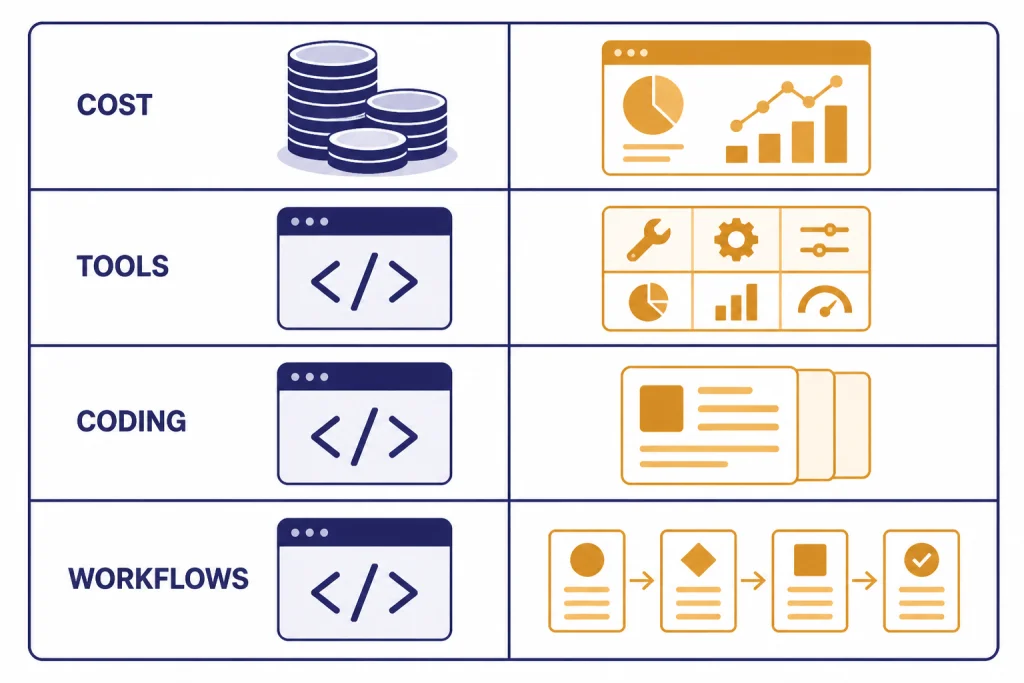
This comparison covers DeepSeek’s public chatbot and API against ChatGPT as a product and OpenAI’s API models as the developer backend behind many ChatGPT-adjacent workflows. That distinction matters. DeepSeek is often discussed as a model family and low-cost API. ChatGPT is a consumer and business application that sits on top of OpenAI models.
On the DeepSeek side, the practical comparison point on March 12, 2026 is DeepSeek-V3.2. DeepSeek announced DeepSeek-V3.2 and DeepSeek-V3.2-Speciale on December 1, 2025, describing V3.2 as live on app, web, and API, and V3.2-Speciale as API-only for evaluation and research.[2] DeepSeek also said V3.2 integrated thinking into tool use and supported tool use in both thinking and non-thinking modes.[2]
On the ChatGPT side, the comparison point is GPT-5.3 Instant plus GPT-5.4 Thinking and GPT-5.4 Pro, depending on plan and model picker access. OpenAI said GPT-5.4 was rolling out across ChatGPT and Codex on March 5, 2026, and that the API model was available as gpt-5.4 with gpt-5.4-pro for developers who need maximum performance.[4] If you need a broader map of OpenAI’s model lineup, see our all GPT models compared side by side and our GPT vs the o-Series guide.
The short version: DeepSeek is the more disruptive price competitor. ChatGPT is the more complete assistant. If you only compare answer quality in a blank chat box, the gap can look small on many tasks. If you compare total workflow, ChatGPT’s tool layer changes the result.
API cost comparison
For developers, the cost difference is the most obvious part of DeepSeek vs ChatGPT. DeepSeek’s listed V3.2 API prices were $0.28 per 1M cache-miss input tokens, $0.028 per 1M cache-hit input tokens, and $0.42 per 1M output tokens.[1] OpenAI’s GPT-5.4 API pricing was $2.50 per 1M input tokens, $0.25 per 1M cached input tokens, and $15 per 1M output tokens.[5]
That means GPT-5.4’s standard input price was about 8.9 times DeepSeek-V3.2’s cache-miss input price, and its output price was about 35.7 times DeepSeek-V3.2’s output price, using the listed API prices.[1][5] This ratio does not mean every completed task costs 35.7 times more on ChatGPT. Better models can use fewer retries, fewer prompt patches, and fewer manual review cycles. But for bulk workloads, token price has a direct effect on the monthly bill.
| API model | Input price | Cached input price | Output price | Context notes |
|---|---|---|---|---|
DeepSeek-V3.2 via deepseek-chat / deepseek-reasoner | $0.28 / 1M tokens | $0.028 / 1M tokens | $0.42 / 1M tokens | 128K context; maximum output depends on mode.[1] |
OpenAI gpt-5.4 | $2.50 / 1M tokens | $0.25 / 1M tokens | $15 / 1M tokens | 1.05M context; prompts above 272K input tokens priced at higher multipliers.[5] |
OpenAI gpt-5.4-pro | $30 / 1M tokens | Not listed | $180 / 1M tokens | Designed for maximum performance on the most complex tasks.[4] |
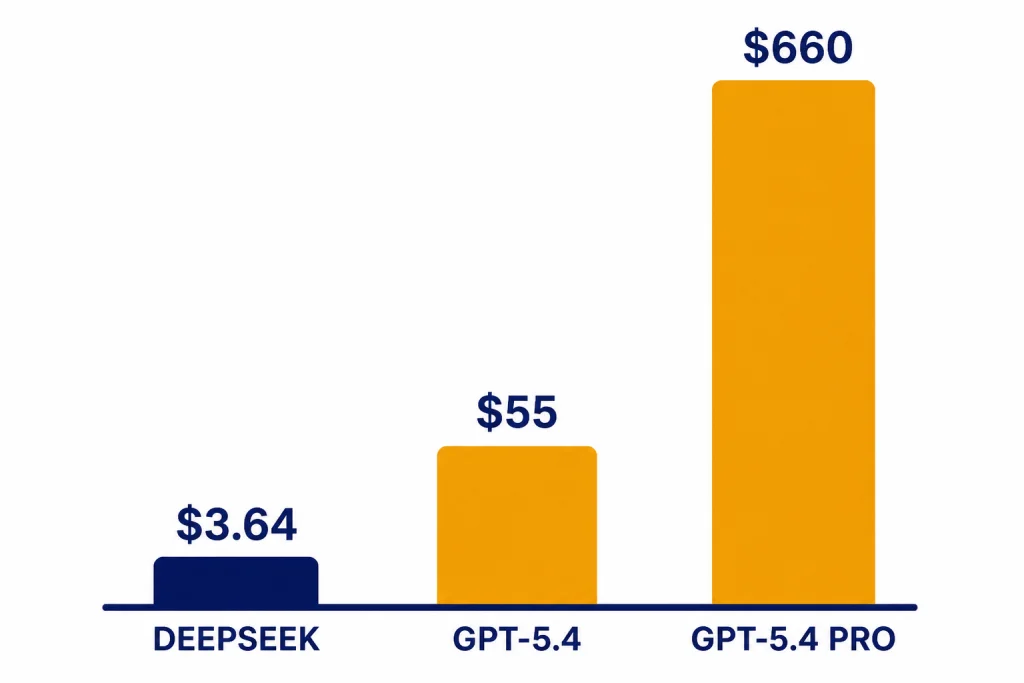
Here is a simple monthly workload example: 10M input tokens and 2M output tokens. At full cache-miss DeepSeek-V3.2 pricing, that costs about $3.64. If all DeepSeek input tokens hit cache, the same example costs about $1.12. On OpenAI GPT-5.4, the same token volume costs about $55. On GPT-5.4 Pro, it costs about $660.[1][4]
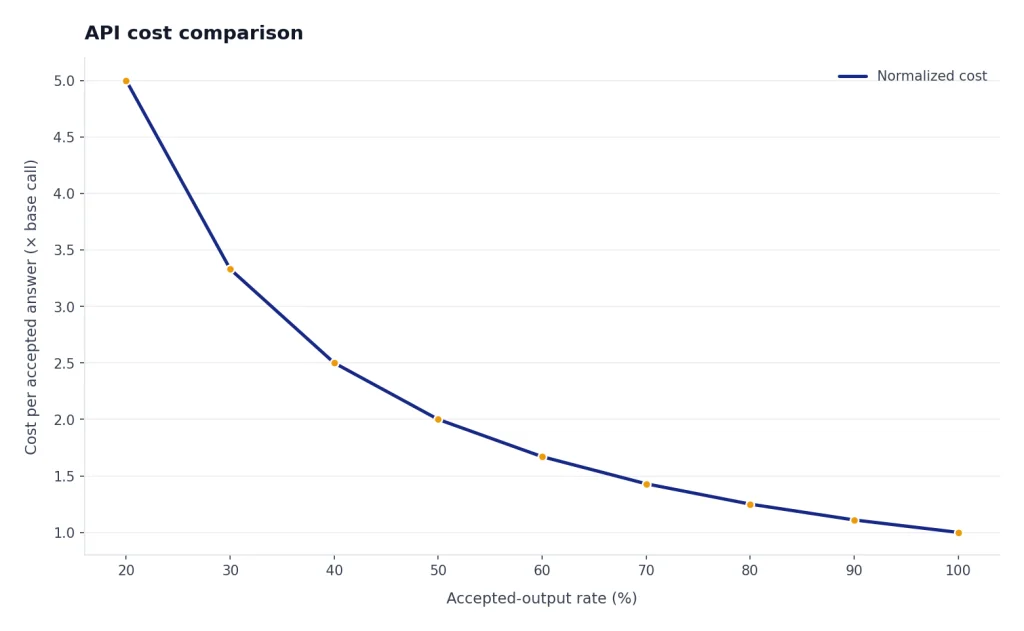
That example favors DeepSeek because it treats model outputs as equally useful. Real deployments should test cost per accepted answer, not just cost per token. A weaker answer that triggers two retries and a human rewrite may be more expensive than a stronger answer with a higher token price. Still, DeepSeek is the clear cost leader when workloads are large, repetitive, and easy to evaluate automatically.
If you are comparing OpenAI model prices beyond this article, use our OpenAI API pricing reference. If latency matters as much as price, also compare with our fastest GPT model guide.
Performance comparison
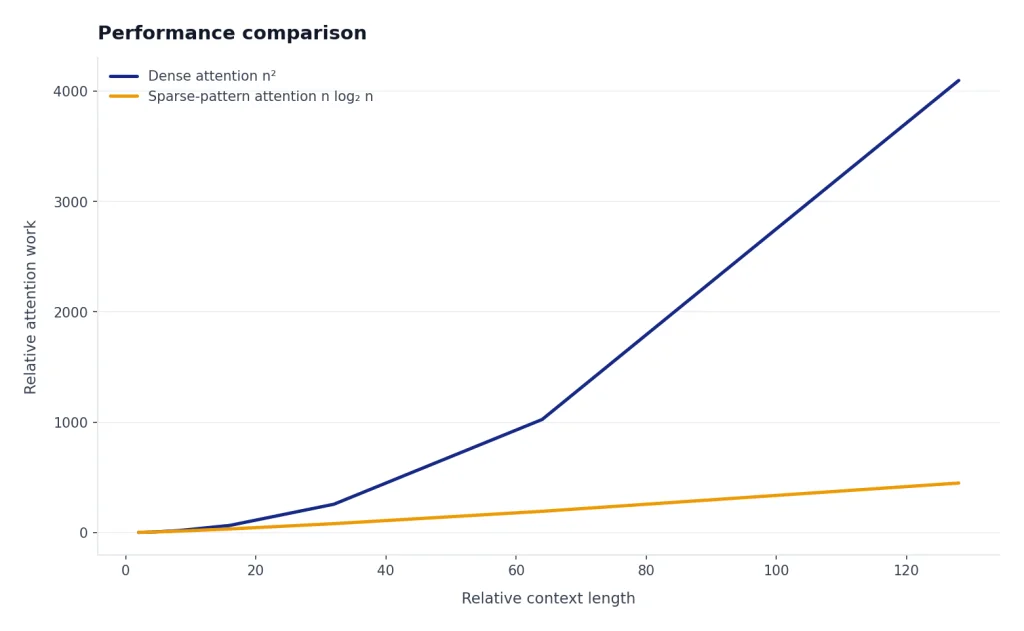
DeepSeek’s performance story is strongest when you judge it relative to cost. DeepSeek described V3.2 as a “daily driver” at GPT-5-level performance and said V3.2-Speciale pushed harder on reasoning, with gold-level results in major math and programming competitions.[2] The DeepSeek-V3.2 paper also described DeepSeek Sparse Attention as a way to reduce long-context computational complexity while preserving performance.[3]
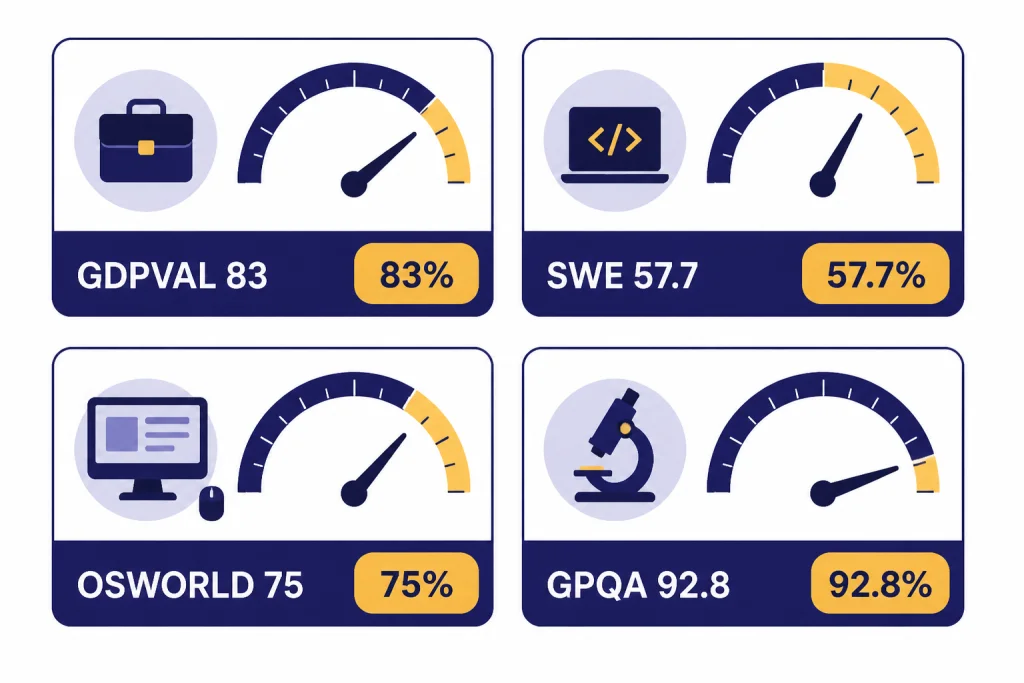
OpenAI’s performance story is strongest when you judge it as a complete frontier workflow system. In the GPT-5.4 launch, OpenAI reported GPT-5.4 at 83.0% on GDPval, 57.7% on SWE-Bench Pro, 75.0% on OSWorld-Verified, and 92.8% on GPQA Diamond.[4] OpenAI also positioned GPT-5.4 as a model for professional work, coding, computer use, and agentic tasks rather than as a cheap commodity text model.[4]
Benchmark comparisons between DeepSeek and ChatGPT should be read carefully. Vendor benchmark pages rarely use identical prompts, identical tool access, identical sampling settings, or identical grading rules. DeepSeek’s public claims and paper support the view that V3.2 is a serious frontier-class competitor, especially given its price. OpenAI’s GPT-5.4 results support the view that ChatGPT remains stronger for polished professional workflows that combine reasoning, code, tools, files, and interface actions.
Coding
For coding, DeepSeek is attractive for draft generation, refactors, tests, code explanation, and internal coding assistants where low cost lets you run more iterations. ChatGPT is stronger when the workflow depends on Codex, repository-aware work, tool calls, file analysis, and an assistant that can explain changes to non-engineers. OpenAI reported GPT-5.4 at 57.7% on SWE-Bench Pro and 75.1% on Terminal-Bench 2.0.[4]
Reasoning and math
DeepSeek-V3.2 is no longer just a cheap chat model. DeepSeek explicitly framed the release around reasoning-first agents and tool use.[2] ChatGPT still has the advantage when a reasoning task benefits from integrated browsing, spreadsheets, image understanding, and document analysis inside one session. For OpenAI-specific reasoning model tradeoffs, see our OpenAI o1 vs o3 comparison and OpenAI o1 vs o1-pro guide.
Long context
DeepSeek’s API documentation listed a 128K context length for the V3.2 API modes.[1] OpenAI’s GPT-5.4 model documentation listed a 1.05M context window, with prompts above 272K input tokens charged at 2x input and 1.5x output for the full session across standard, batch, and flex.[5] That gives OpenAI the larger official API context window, but not necessarily the cheaper long-context workload.
For buyers, the practical question is not “which model has the largest number?” It is whether your real documents fit, whether the model can retrieve the right details, and whether the bill still makes sense after long-context pricing. Our context window sizes for every GPT model guide is useful if you are comparing OpenAI options in detail.
Product experience and tools
ChatGPT is not just a model endpoint. It is a product layer that includes chat history, files, data analysis, image analysis, image generation, memory, custom instructions, and web search in supported plans. OpenAI’s Help Center listed GPT-5.3 Instant and GPT-5.4 Thinking as supporting ChatGPT tools including web search, data analysis, image analysis, file analysis, canvas, image generation, memory, and custom instructions.[6]
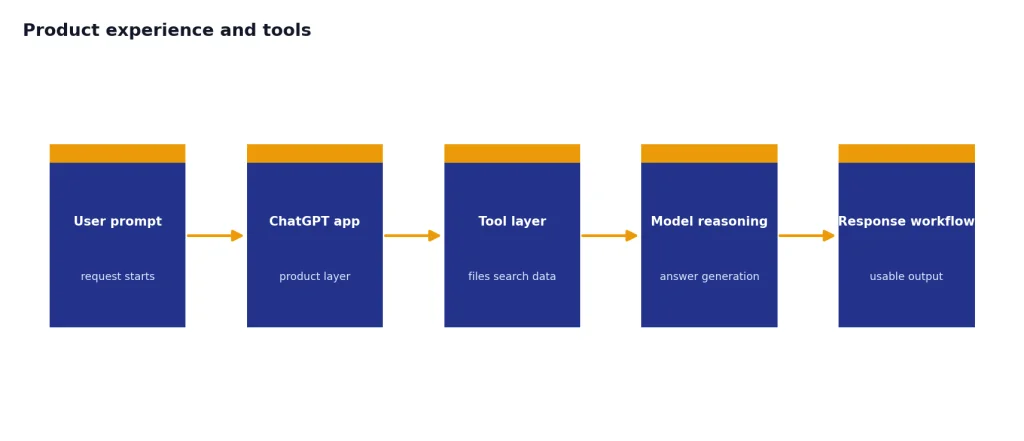
DeepSeek’s API feature list is more developer-oriented. Its documentation listed JSON output, tool calls, chat prefix completion, and FIM completion support, with FIM limited to the non-thinking mode.[1] That is useful for building products, but it does not replace ChatGPT’s finished interface for a finance team, legal ops team, teacher, analyst, or manager who wants to upload files and work inside a single assistant.
This difference is why some users keep both. They use ChatGPT for high-value interactive work and DeepSeek for background jobs. A support team might use ChatGPT to draft a policy explanation from uploaded documents, then use DeepSeek to generate thousands of categorized ticket summaries. A developer might use ChatGPT for architecture review and DeepSeek for cheap test generation. If you are looking across the wider market, start with our best AI chatbot alternatives to ChatGPT and ChatGPT alternatives 2026 lists.
For individual subscribers, ChatGPT plan choice also matters. OpenAI’s Help Center said Free users could send up to 10 messages with GPT-5.3 every 5 hours, while Plus and Go users could send up to 160 messages with GPT-5.3 every 3 hours.[6] It also said Plus and Business users could manually select GPT-5.4 Thinking with a usage limit of up to 3,000 messages per week.[6] For plan-level tradeoffs, see our ChatGPT Free vs Plus vs Pro, ChatGPT Plus vs Team, and ChatGPT Pro vs Team comparisons.
Privacy, deployment, and control
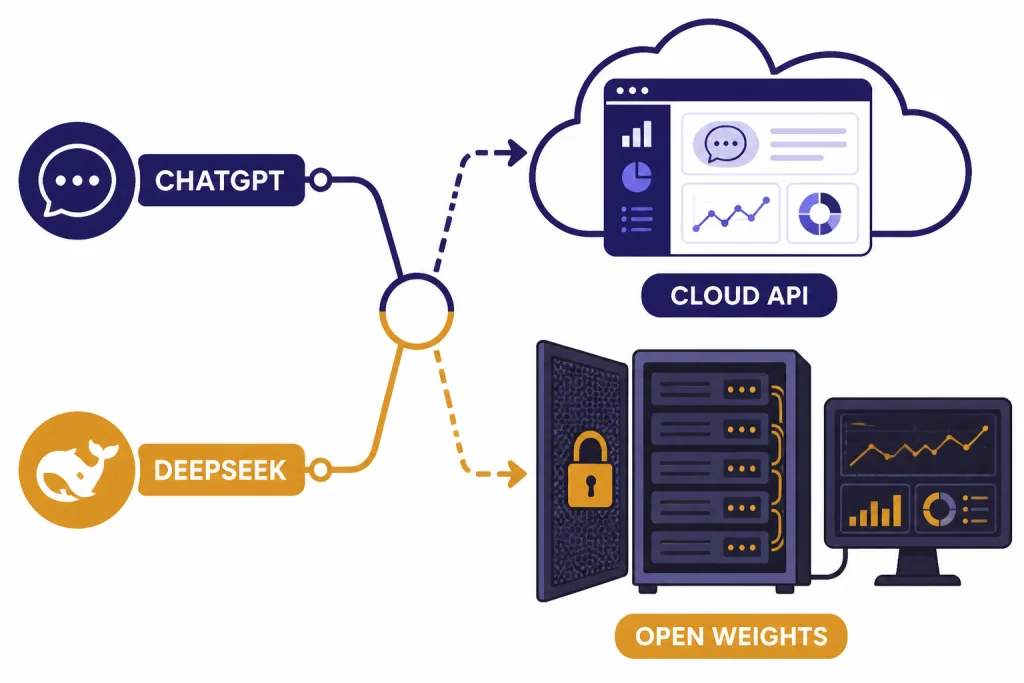
DeepSeek has a major advantage for teams that want open-weight deployment or deeper infrastructure control. DeepSeek’s release notes linked V3.2 and V3.2-Speciale model repositories and described V3.2 as available on app, web, and API.[2] That gives developers more paths: use the hosted API, use open repositories where practical, or evaluate third-party and self-hosting options.
ChatGPT has a different control model. It is a managed service. That is often better for organizations that want an assistant with admin, security, and user-management features rather than a model they must operate. OpenAI’s pricing FAQ says paid plans are priced per user per month, Business plans are available starting at 2 users, and Enterprise plans require sales contact.[7]
The privacy decision is not automatic. Self-hosting an open model can improve control, but it also moves security, logging, access control, patching, and monitoring onto your team. A managed ChatGPT workspace can reduce operational burden, but it requires trust in a third-party service and its contractual terms. For many companies, the right answer is split deployment: ChatGPT for knowledge workers and DeepSeek or another API for narrow internal automation.
If your main concern is search behavior rather than model ownership, compare this with our ChatGPT vs Google Search guide. If you are weighing other open or lower-cost model families, read our GPT vs Qwen and GPT vs Mistral comparisons.
Which should you use?
Use DeepSeek when the task is high-volume, text-heavy, and easy to verify. Good examples include summarizing support tickets, drafting product descriptions, classifying documents, extracting fields, writing first-pass code comments, generating synthetic examples, and running internal agents where the output can be checked by rules or downstream review.
Use ChatGPT when the task is ambiguous, interactive, multimodal, or tool-heavy. Good examples include analyzing uploaded spreadsheets, preparing a research memo with web citations, reviewing a PDF, creating a slide outline, debugging code with explanation, brainstorming with memory and context, or helping a nontechnical employee complete a workflow without touching an API.
Use both if you are serious about cost control. Route routine workloads to DeepSeek. Reserve ChatGPT or OpenAI’s stronger API models for difficult prompts, tool-heavy steps, and final review. This “cheap model first, frontier model when needed” pattern often beats picking one vendor for every task.
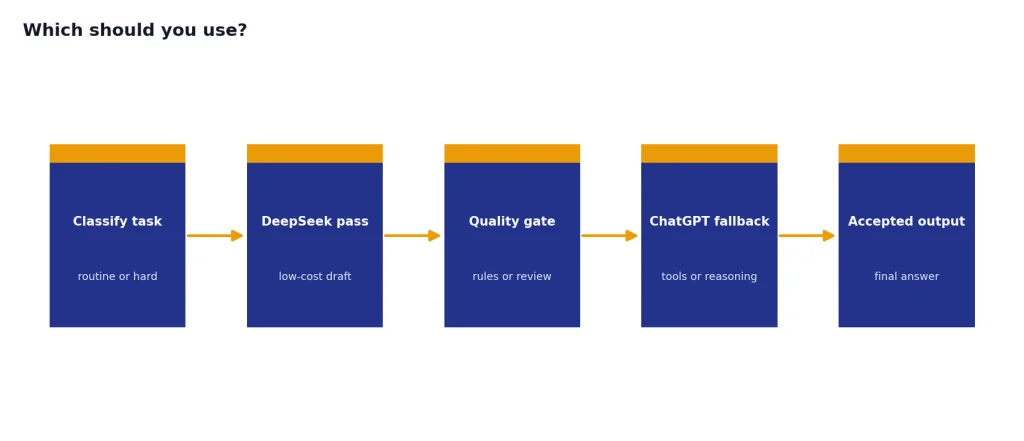
The practical buying test is simple. Take 50 real prompts from your workflow. Run them through DeepSeek and ChatGPT. Grade only accepted outputs. Track total tokens, retries, human edits, latency, and failures. If DeepSeek clears your quality bar, its price advantage is meaningful. If ChatGPT prevents rework or lets a nontechnical user finish the job alone, the higher price may be justified.
Frequently asked questions
Is DeepSeek cheaper than ChatGPT?
For API use, yes. DeepSeek-V3.2’s listed API prices were far below OpenAI GPT-5.4’s listed API prices on both input and output tokens.[1][5] For end users, the comparison is less direct because ChatGPT sells a finished assistant through subscription plans, while DeepSeek is often evaluated as a model and API.
Is DeepSeek better than ChatGPT for coding?
DeepSeek can be excellent for low-cost coding drafts, tests, refactors, and explanations. ChatGPT is usually better when coding work depends on a richer product layer, Codex workflows, file context, and interactive debugging. OpenAI reported GPT-5.4 at 57.7% on SWE-Bench Pro and 75.1% on Terminal-Bench 2.0, which supports its strength in coding and terminal-style work.[4]
Does DeepSeek have a larger context window than ChatGPT?
Not in the API comparison covered here. DeepSeek’s V3.2 API documentation listed a 128K context length.[1] OpenAI’s GPT-5.4 model documentation listed a 1.05M context window, with special pricing rules above 272K input tokens.[5]
Is DeepSeek open source?
DeepSeek released V3.2 and V3.2-Speciale through open-source repositories as part of the December 1, 2025 release.[2] That does not mean the hosted DeepSeek app and API are the same thing as running the model yourself. Teams should evaluate licensing, infrastructure, security, and serving costs before assuming open weights will be cheaper in production.
Which is better for business teams?
ChatGPT is usually the better default for business users who need a polished assistant with files, search, data analysis, memory, and admin features. DeepSeek is better for engineering-led teams that want low-cost model calls inside their own applications. Many businesses should use ChatGPT for employees and DeepSeek for backend automation.
Should I replace ChatGPT with DeepSeek?
Replace ChatGPT only if your actual prompts pass quality tests in DeepSeek and you do not rely heavily on ChatGPT’s tools. If your work depends on file uploads, web research, image features, memory, or workspace controls, DeepSeek is more likely to complement ChatGPT than replace it. The best answer is usually based on a small benchmark using your own tasks.