

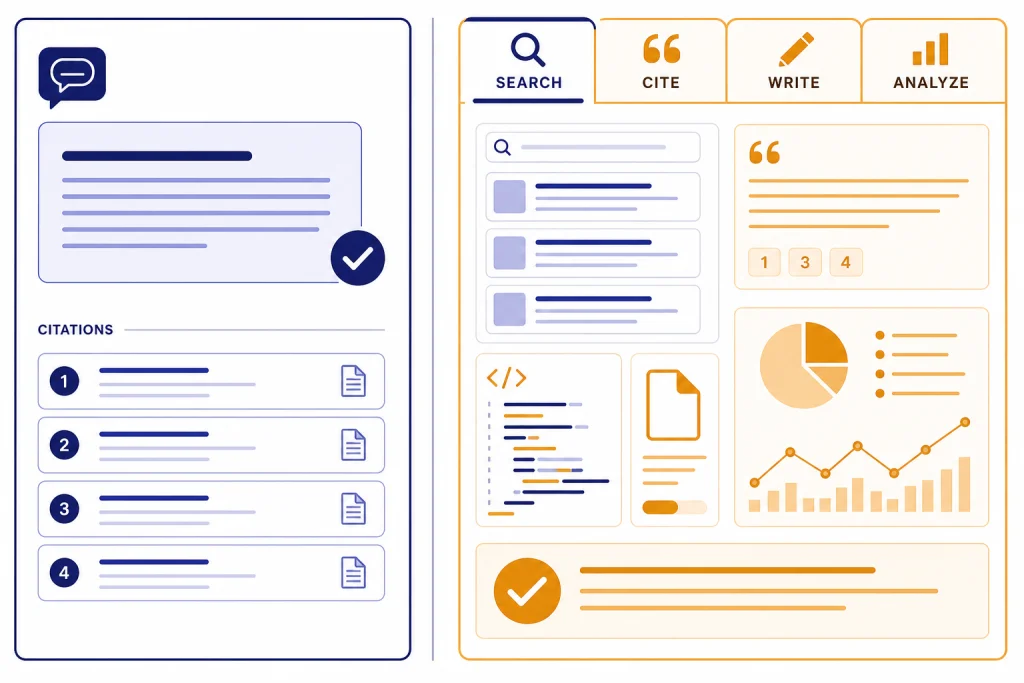
Perplexity is better when the job starts with web research, citations, and fast source checking. ChatGPT is better when the job continues after the answer: drafting, reasoning, coding, analyzing files, using voice, creating images, and turning rough material into finished work. For this Perplexity vs ChatGPT real-world test, we used a small task set rather than a synthetic benchmark: current-event lookup, product research, source comparison, file analysis, writing revision, coding help, and planning. The pattern was consistent. Perplexity behaved like an AI search engine built around cited answers. ChatGPT behaved like a general-purpose work assistant that can search, reason, write, analyze, and revise inside one conversation. Most people do not need both. Researchers, students, analysts, and news-heavy users should start with Perplexity. Writers, operators, developers, and teams should start with ChatGPT.
Bottom line
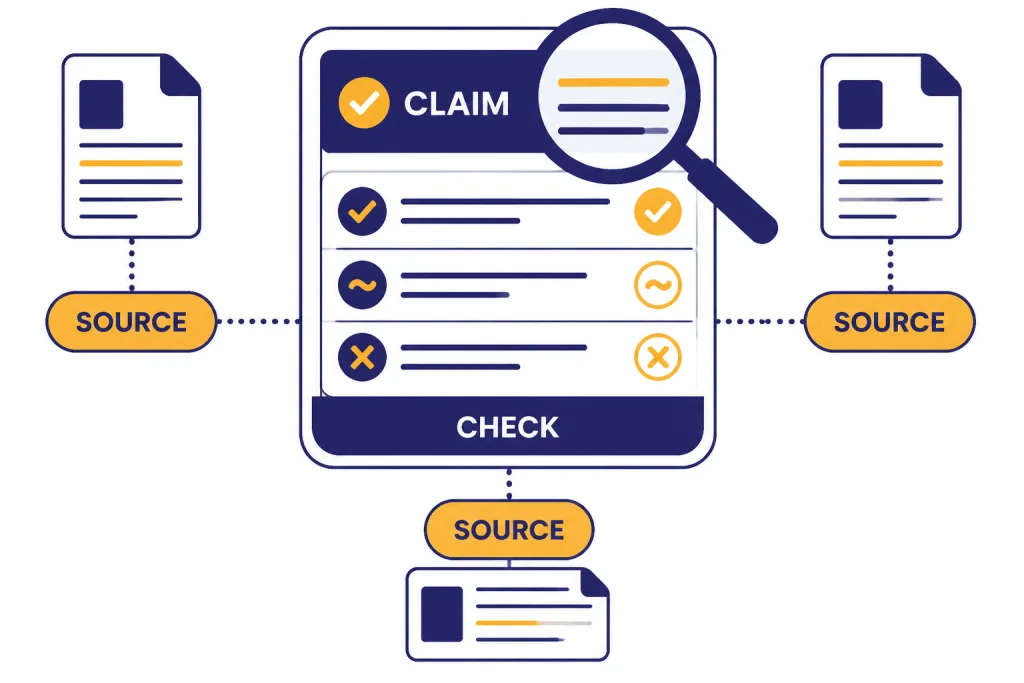
Perplexity wins the search-first tasks. It is strongest when you ask a factual question, want current sources, and expect a concise answer with citations. Perplexity’s own help center describes Pro Search as an advanced search feature that uses citations and direct links so users can verify the sources behind an answer.[2] In hands-on use, that design makes it easier to inspect where an answer came from, open the underlying pages, and branch into deeper research.
ChatGPT wins the assistant-first tasks. It can search the web, but search is only one mode. OpenAI says ChatGPT search is available across Free, Plus, Team, Edu, and Enterprise plans, and that search responses include inline citations when web search is used.[6] ChatGPT also has deep research, file work, writing revision, coding help, image generation, voice, memory, custom GPTs, and broader app-style workflows depending on the plan.[4] As of May 2026, ChatGPT’s current high-end chat lineup includes GPT-5.5 and GPT-5.5 Pro in relevant product surfaces, with GPT-image-2 for image generation and Sora-2 Pro for video where available by plan. The practical advantage is not just model naming; it is the ability to keep research, files, drafts, and revisions in one workspace.
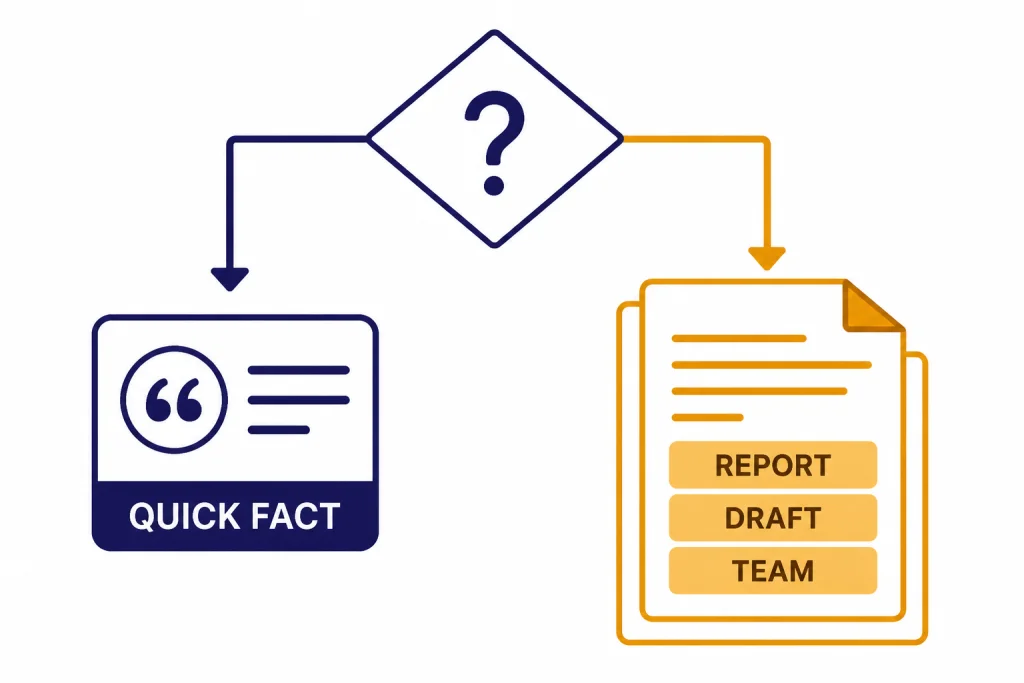
The cleanest recommendation is simple. Use Perplexity when you would otherwise open a search engine. Use ChatGPT when you would otherwise open a blank document, spreadsheet, code editor, or planning notebook. If your main question is whether AI search replaces Google, read our separate ChatGPT vs Google Search comparison after this one.
How we tested Perplexity vs ChatGPT
We tested both tools against practical prompts rather than abstract benchmark questions. The goal was not to crown a universal winner or publish a lab-grade latency benchmark. The goal was to see which product created less cleanup work for common jobs.
Test window: hands-on checks were reviewed and updated on May 3–4, 2026. Plans used: Perplexity Pro for Pro Search, Research mode, and file questions; ChatGPT paid consumer access for Search, file uploads, data analysis, and advanced reasoning/workflow tasks. Settings: we used the default answer experience unless a task clearly required a mode switch, such as Perplexity Pro Search or Research mode, or ChatGPT Search/deep research/file analysis. For ChatGPT, the main chat tests used the current GPT-5.5-era ChatGPT experience available in May 2026; we did not treat one short run as a formal model benchmark.
The test set covered current-event lookups, product comparison, source-backed research, uploaded document analysis, writing revision, basic coding help, and multi-step planning. We judged each answer by source transparency, answer usefulness, follow-up handling, formatting, ability to admit uncertainty, and how much manual verification the user still had to do.
| Real-world task | Example prompt used | Perplexity result | ChatGPT result | Winner |
|---|---|---|---|---|
| Find current facts with sources | “What changed in the last 30 days about [product/policy]? Give sources and dates.” | Fast, source-forward, easy to verify from the first answer | Good when Search is used, but required more explicit prompting to stay source-first | Perplexity |
| Summarize conflicting web sources | “Compare what three sources say about this issue and flag disagreements.” | Strong at surfacing source differences and links | Strong at synthesizing trade-offs and explaining implications | Tie |
| Turn research into a polished memo | “Turn these notes into a 600-word executive memo with risks, recommendation, and next steps.” | Useful first draft, usually concise | Better structure, tone control, and revision handling | ChatGPT |
| Analyze an uploaded file | “Read this CSV/PDF, find the main trends, and create a cleaned summary table.” | Good for direct questions about the file | Better for repeated transformations, follow-up calculations, and format changes | ChatGPT |
| Quick factual shopping or vendor research | “Compare these three vendors using recent sources; include pros, cons, and red flags.” | Strong citations and comparison summaries | Good if prompted to search and cite | Perplexity |
| Code, debug, and explain | “Here is a failing JavaScript function and error. Explain the bug and rewrite it safely.” | Capable for short help and source-backed explanations | Better as an ongoing coding partner across multiple edits | ChatGPT |
This is why broad model comparisons can mislead. The best answer depends on whether your workflow is retrieval-heavy or creation-heavy. If you want the model-level view behind the ChatGPT side, see all GPT models compared side by side, context window sizes for every GPT model, and GPT vs the o-Series.
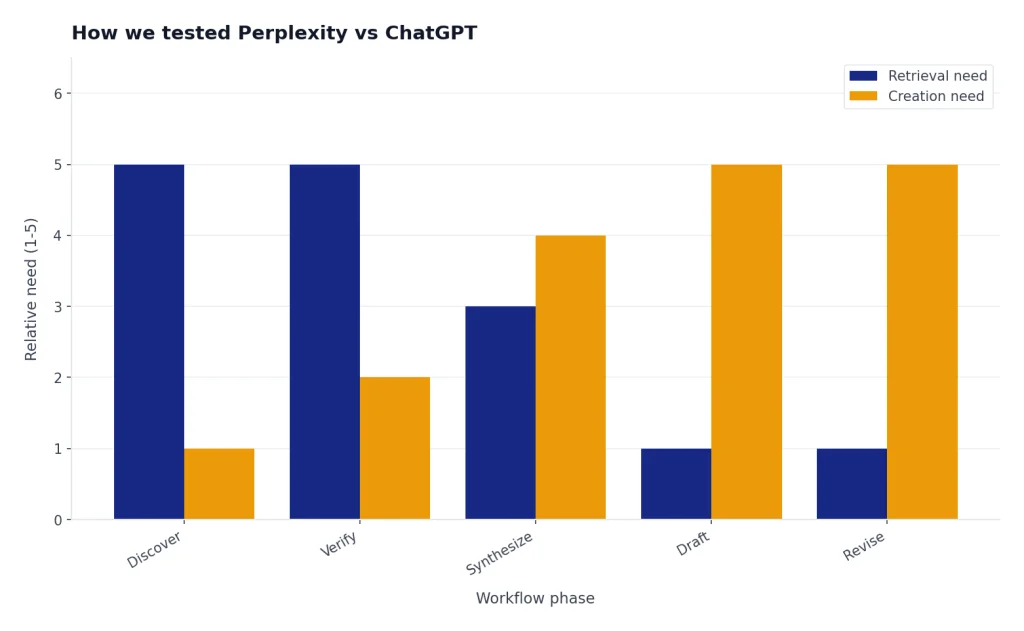
Side-by-side example 1: current source research. Prompt: “Find the latest official pricing pages for Perplexity and ChatGPT, then summarize the standard paid tier and any high-end individual tier. Do not use blog summaries as primary sources.” Perplexity returned a compact answer with official links prominent near each claim, which made spot-checking faster. ChatGPT also found the official pages when Search was active, then produced a clearer buyer-oriented explanation of what the tiers were for. For the first pass, Perplexity required less verification work; for turning the findings into advice, ChatGPT required less rewriting.
Illustrative output difference: Perplexity’s answer style was closer to “Plan A costs X according to the official pricing page; Plan B is positioned for heavy users; see sources.” ChatGPT’s answer style was closer to “If you mainly need research capacity, choose the search-focused plan; if you need drafting, files, voice, and analysis, choose the assistant plan.” The first is easier to audit. The second is easier to reuse in a memo.
Research and citations
Perplexity’s core advantage is that citations are not an add-on. The product is organized around answer-first search. Its Pro Search help page says every answer includes direct links to original sources, which makes the tool feel built for checking claims instead of only generating prose.[2] In our tests, this mattered most for topics where the answer could change, such as pricing, product availability, regulations, company announcements, and local information.
ChatGPT has narrowed the gap. OpenAI’s help center says ChatGPT can automatically search the web when a question may benefit from web information, and users can also select Search manually.[6] When ChatGPT uses search, it includes inline citations and a sources panel. That is enough for many everyday lookups, especially when the next step is writing, explaining, translating, or planning from the sourced material.
Deep research changes the comparison for longer assignments. OpenAI describes deep research as a ChatGPT feature that can search the public web, uploaded files, and connected apps, then produce a structured report with citations or source links.[7] Perplexity also offers Research mode, which it describes as an advanced feature for in-depth research and analysis.[3] The difference is emphasis. Perplexity gets you to a cited answer quickly. ChatGPT gives you more control after the research has been gathered.
Side-by-side example 2: conflicting sources. Prompt: “Two sources disagree about whether this feature is available to free users. Build a table with each source, publication/update date if visible, exact claim, and what I should verify manually.” Perplexity was stronger at keeping the source trail visible throughout the answer. ChatGPT was stronger when asked to turn the source table into a recommendation with caveats, for example: “treat the help-center page as more authoritative than a marketing recap, but confirm in the live product before publishing.” That is why this category is a tie rather than a simple Perplexity win.
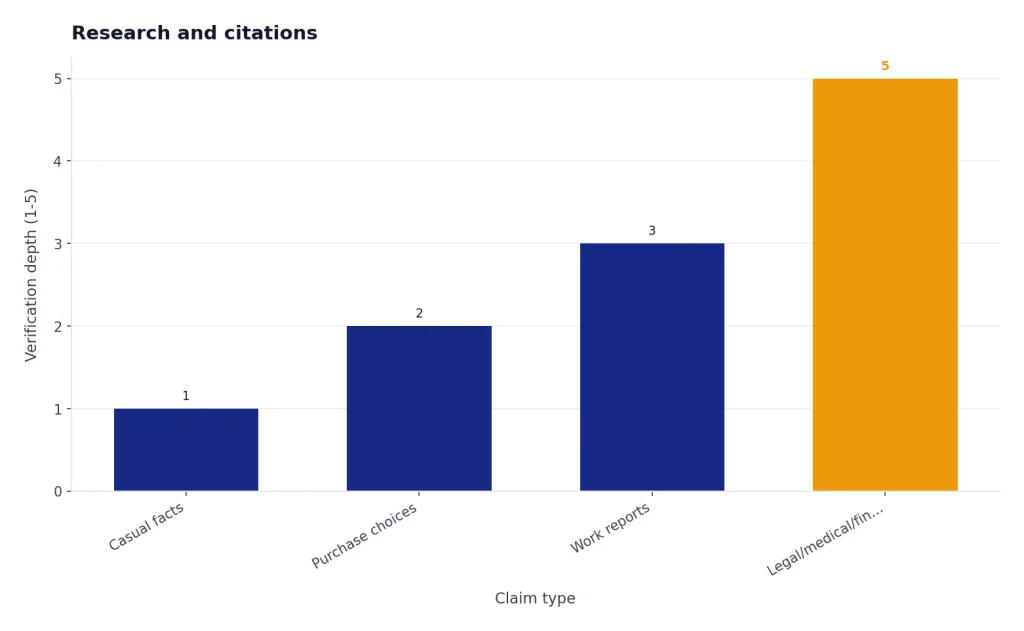
Neither tool removes the need to verify important claims. Citations can point to weak sources, outdated pages, or sources that support only part of a sentence. Perplexity makes source inspection more central. ChatGPT makes post-research synthesis easier. For legal, medical, financial, or high-risk work, use either tool as a research assistant, not as the final authority.
Writing, reasoning, and workflows
ChatGPT is the better writing partner when the task requires multiple turns. It handles tone, structure, audience, constraints, revision cycles, and long-running context more naturally. In a realistic writing workflow, you rarely ask for one answer and stop. You ask for an outline, revise the angle, add examples, cut length, change tone, check gaps, and create a final version. ChatGPT is built for that loop.
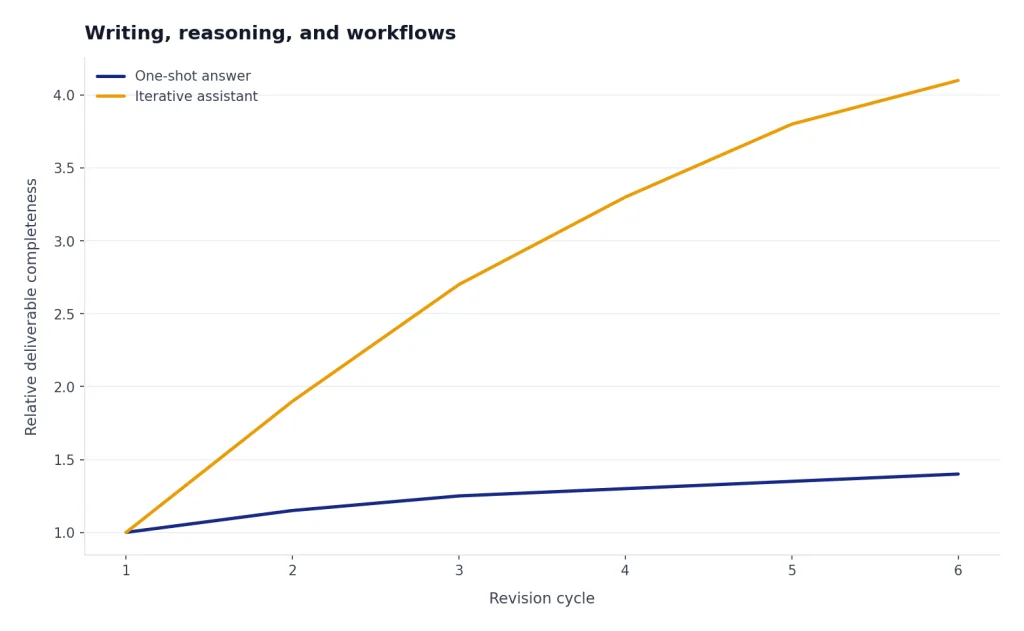
Perplexity can write. It can draft summaries, compare sources, and produce useful paragraphs. But in our writing and planning prompts, it tended to optimize for a direct answer. That is helpful for a quick brief, but less helpful when the deliverable changes shape over several follow-ups: “make it more executive,” “turn it into a checklist,” “add an objection-handling section,” “cut it by 30%,” and “create a version for a technical audience.”
File-analysis example. Prompt: “Here is a CSV of support tickets. Group the top complaint themes, identify the three riskiest accounts, and create a follow-up email template for each theme.” Perplexity handled direct questions about the uploaded material, but ChatGPT was smoother across the full chain: inspect the file, group rows, explain assumptions, revise the grouping, create a table, then draft the email templates. That is the concrete reason behind the “ChatGPT wins file analysis and iterative work” judgment.
Coding/workflow example. Prompt: “This JavaScript function returns the wrong total when discounts are missing. Explain the bug, rewrite the function, and add two simple tests.” Perplexity gave a usable explanation and fix. ChatGPT was better when the task continued: “convert it to TypeScript,” “add edge-case handling,” “explain the test failure,” and “turn this into a pull-request comment.” For one code question, either can help. For a debugging session that evolves, ChatGPT is the safer starting point.
ChatGPT also has the broader tool set. OpenAI’s pricing page lists features across plans such as web search, file uploads, data analysis, image generation, voice mode, deep research, custom GPTs, and Sora availability depending on plan level.[4] That breadth matters if you want one assistant for many jobs. If image tools are part of your workflow, our DALL-E vs Midjourney and DALL-E vs Stable Diffusion comparisons cover the creative side separately.
For reasoning-heavy work, ChatGPT also has a stronger identity as a model platform. Users who care about model families, latency, and reasoning depth should compare the underlying choices rather than only the chat apps. Start with GPT-5 vs GPT-4o, GPT-4o vs GPT-4, and our fastest GPT model benchmark.
Pricing and limits
Pricing checked: May 4, 2026. These products change often, so treat the figures below as a snapshot and confirm on the official pricing pages before buying.
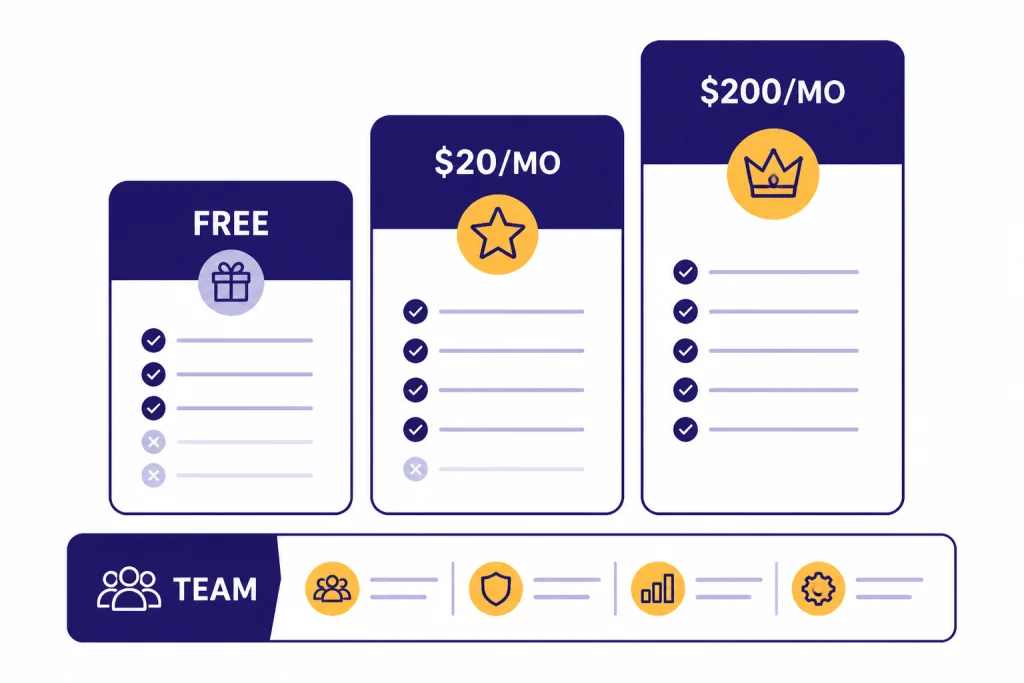
The entry-level paid price is similar. Perplexity’s enterprise pricing page lists consumer Pro at $20 per month or $200 per year, and it also lists Enterprise Pro at $40 per month per seat and Enterprise Max at $325 per month per seat.[1] OpenAI’s pricing page lists ChatGPT Free, Plus, Pro, Team, and Enterprise plan families, with Plus positioned as the consumer paid step above Free.[4] OpenAI’s Help Center states that ChatGPT Plus costs $20 per month when billed monthly.[5]
Perplexity Max is the expensive consumer tier. Perplexity’s help center lists Max at $200 per month or $2,000 per year.[11] ChatGPT Pro has also historically sat at the high end for individual users, with OpenAI’s Pro help article listing a $200 per month monthly price.[12] If you are choosing between the standard paid tiers, the comparison is usually Perplexity Pro versus ChatGPT Plus. If you are choosing between high-end tiers, make sure the premium limits match your real workload before paying.
The important question is not only price. It is what the paid tier unlocks. Perplexity Pro focuses on higher research capacity, model choice, file attachments, and support channels.[8] ChatGPT Plus focuses on broader access to ChatGPT’s assistant features, higher limits than Free, and access to more tools depending on current plan rules.[4] For a plan-by-plan OpenAI breakdown, use our ChatGPT Free vs Plus vs Pro guide. For workplace buying, compare ChatGPT Plus vs Team and ChatGPT Pro vs Team.
| Plan area | Perplexity | ChatGPT | Best fit |
|---|---|---|---|
| Free use | Basic searches and limited advanced access | General assistant access with plan-dependent limits | Casual users |
| Standard paid tier | Pro at $20/month or $200/year | Plus at $20/month | Daily power users |
| High-end individual tier | Max at $200/month or $2,000/year | Pro article lists $200/month | Heavy users who need premium limits |
| Team tier | Enterprise Pro at $40/month per seat | Team and Enterprise plan families | Organizations |
| Main paid value | More research, source depth, model choice | More assistant tools, creation, analysis, workflows | Depends on job type |
Privacy and team use
For individual users, both tools require judgment. Do not paste sensitive client data, private health details, credentials, unreleased financials, or confidential company documents unless your organization has approved the tool and plan. Consumer AI tools are convenient, but convenience is not the same as a governed data environment.
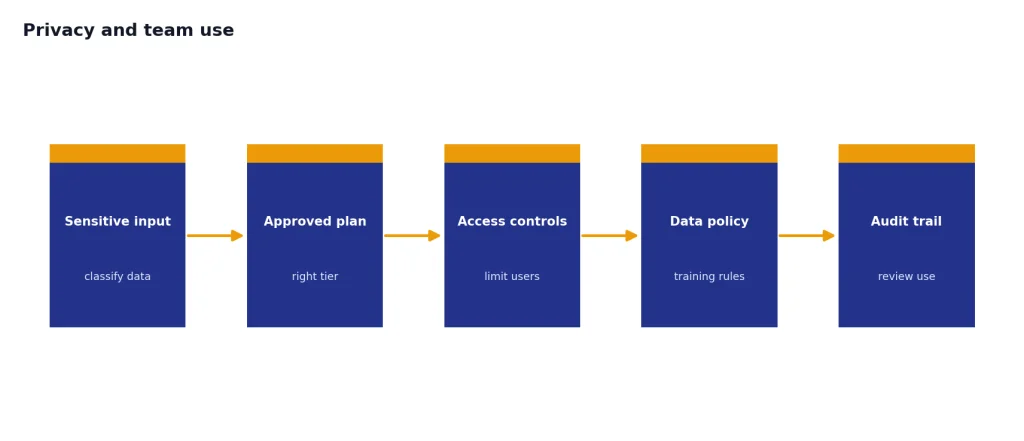
For businesses, the official commitments matter. OpenAI says it does not use data from ChatGPT Enterprise, ChatGPT Business, ChatGPT Edu, ChatGPT for Teachers, or the API platform for training or improving models by default.[9] Perplexity says Enterprise data is never used to train or fine-tune its AI models, and that its agreements with third-party AI providers prevent Perplexity data from being used for model training.[10]
Perplexity’s Enterprise Pro pitch is strongest for research teams, sales teams, analysts, and organizations that need shared search over web and work sources. Its enterprise pricing page lists features such as SSO or SCIM provisioning, user management, permissioning, dedicated support, and compliance references including SOC 2 Type II, HIPAA, GDPR, and PCI DSS.[1]
ChatGPT’s team value is broader. It fits organizations that want one assistant for writing, analysis, coding, support workflows, research, data work, and custom internal assistants. If your decision is mostly organizational, compare ChatGPT Team vs Enterprise before standardizing. If your broader question is whether to consider other AI assistants, see our best AI chatbot alternatives to ChatGPT and ChatGPT alternatives 2026 guides.
Which one should you use?
Choose Perplexity if your work begins with questions like “What happened?”, “What changed?”, “Which source says that?”, “What are the best options?”, or “What is the evidence?” It is especially useful for market scans, source discovery, academic starting points, product research, competitive monitoring, and briefing documents that require clickable sources.
Choose ChatGPT if your work begins with a messy input and ends with a deliverable. That includes drafting, rewriting, brainstorming, coding, tutoring, spreadsheet analysis, long document cleanup, internal process design, and multimodal work. ChatGPT can search, but its main advantage is what it can do after the search.
Use both only if you will actually separate the jobs. A good two-tool workflow is Perplexity for first-pass source discovery and ChatGPT for synthesis, writing, analysis, and revision. A bad two-tool workflow is asking the same question twice and believing whichever answer sounds more confident.
- Best for cited web answers: Perplexity.
- Best for polished writing: ChatGPT.
- Best for quick source discovery: Perplexity.
- Best for file analysis and iterative work: ChatGPT.
- Best for teams doing research-heavy knowledge work: Perplexity Enterprise is worth evaluating.
- Best for teams standardizing on a general AI assistant: ChatGPT Team or Enterprise is the better starting point.
The final answer is not “Perplexity is smarter” or “ChatGPT is smarter.” The better question is where you spend your time. If most of your AI sessions start with the web, pick Perplexity. If most of your AI sessions end in a document, decision, dataset, code change, or reusable workflow, pick ChatGPT.
Frequently asked questions
Is Perplexity more accurate than ChatGPT?
Perplexity is often easier to verify because citations are central to the answer experience. That does not mean every cited claim is correct. ChatGPT can also provide cited answers when Search or deep research is used, but you should still check important claims against the underlying sources.
Is ChatGPT better than Perplexity for research?
For quick web research, Perplexity is usually better. For long-form research that needs planning, synthesis, file review, and a polished final report, ChatGPT can be better. The strongest workflow may be Perplexity for discovery and ChatGPT for synthesis.
Do Perplexity and ChatGPT both cite sources?
Yes, but they do it differently. Perplexity is built around cited search answers. ChatGPT provides citations when it uses Search or deep research, and OpenAI says search responses include inline citations.[6]
Which is better for students?
Perplexity is better for finding and checking sources. ChatGPT is better for explaining concepts, building study plans, drafting outlines, and practicing questions. Students should not submit either tool’s output as their own work without following their school’s AI policy.
Which paid plan is the better value?
Perplexity Pro is the better value if you mainly want AI search, citations, and research capacity. ChatGPT Plus is the better value if you want a general assistant for writing, analysis, voice, images, files, and everyday productivity. As checked on May 4, 2026, both standard paid tiers are listed at $20 per month in official sources, but prices and limits can change.[1][5]
Can Perplexity replace Google Search?
It can replace many informational searches, especially when you want a summarized answer with citations. It is less ideal when you need a full results page, local business discovery, maps, shopping filters, or exhaustive manual browsing. For a wider search comparison, read our ChatGPT vs Google Search breakdown.