

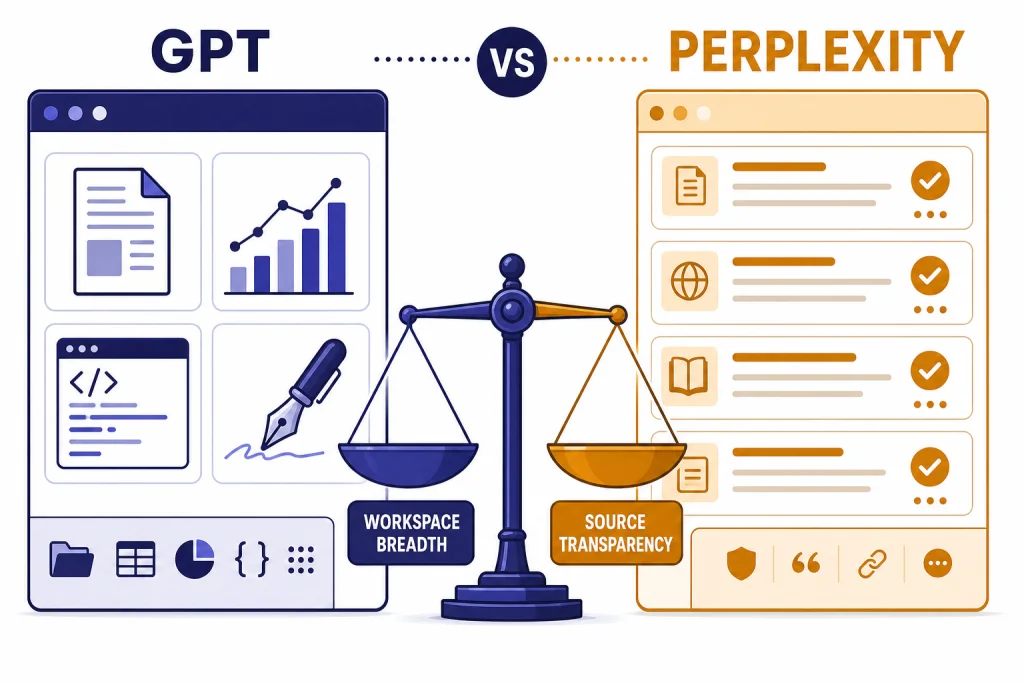
GPT is the better all-purpose AI assistant, but Perplexity is the better search-first research tool. If your main job is finding current information, comparing sources, and checking citations quickly, Perplexity usually wins. If you need search plus drafting, coding help, data analysis, images, voice, files, custom GPTs, and longer multi-step work in one place, GPT inside ChatGPT is the stronger choice. The real answer is not that one replaces the other. Perplexity behaves more like an answer engine built around sources. ChatGPT behaves more like a general AI workspace that can search when needed. For most users, the best single paid subscription is ChatGPT. For research-heavy users, Perplexity is easier to trust and faster to audit.
Quick verdict
Perplexity wins when the task starts with evidence. It is built around cited answers, source lists, research modes, and quick follow-up questions. That makes it strong for news checks, market scans, academic starting points, product research, and fact-checking.
GPT wins when the task continues after the search. ChatGPT can search the web, but it also handles writing, coding, file analysis, image generation, voice, tasks, custom GPTs, and broader AI workflows in the same product. OpenAI introduced ChatGPT search on October 31, 2024, and later made it available to everyone in regions where ChatGPT is available on February 5, 2025.[1]
The simplest rule is this: choose Perplexity if your output needs receipts. Choose GPT if your output needs work after the receipts. Readers comparing other search-style assistants may also want our ChatGPT vs Google Search comparison and GPT vs Bing AI breakdown.
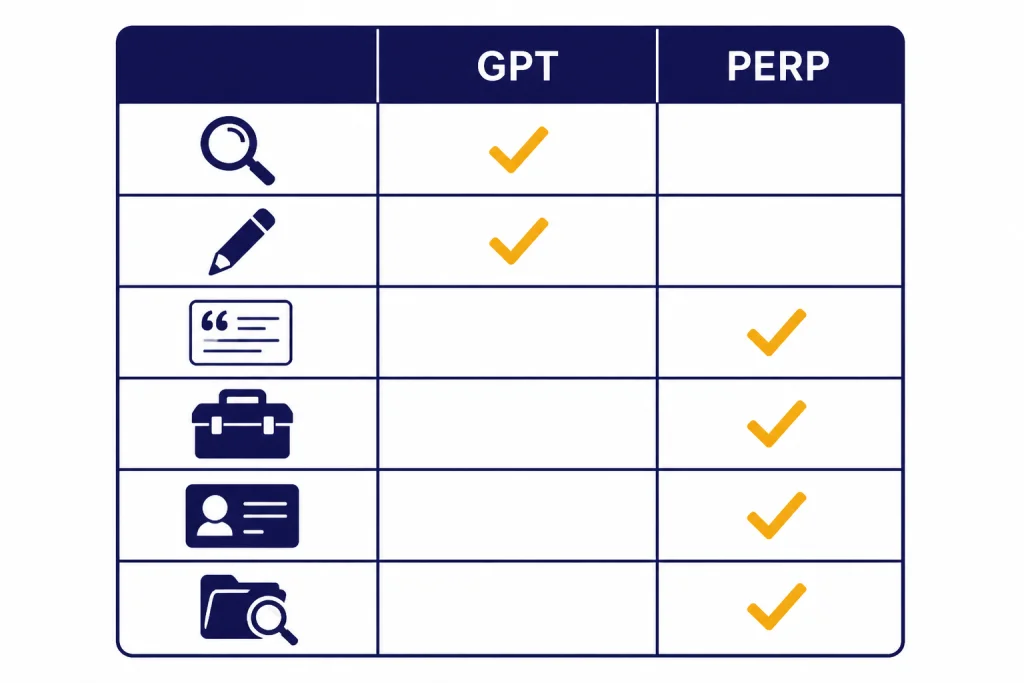
| Category | Winner | Why it wins |
|---|---|---|
| Fast factual research | Perplexity | Source-forward answers are easier to inspect. |
| Writing and editing | GPT | Stronger general-purpose drafting and revision flow. |
| Source transparency | Perplexity | Citations are central to the interface. |
| All-in-one productivity | GPT | Search sits beside files, analysis, voice, images, and custom GPTs. |
| Best single subscription | GPT | It covers more non-search tasks for the same broad user. |
| Research-heavy workflow | Perplexity | It reduces the time needed to find and compare sources. |
The core difference
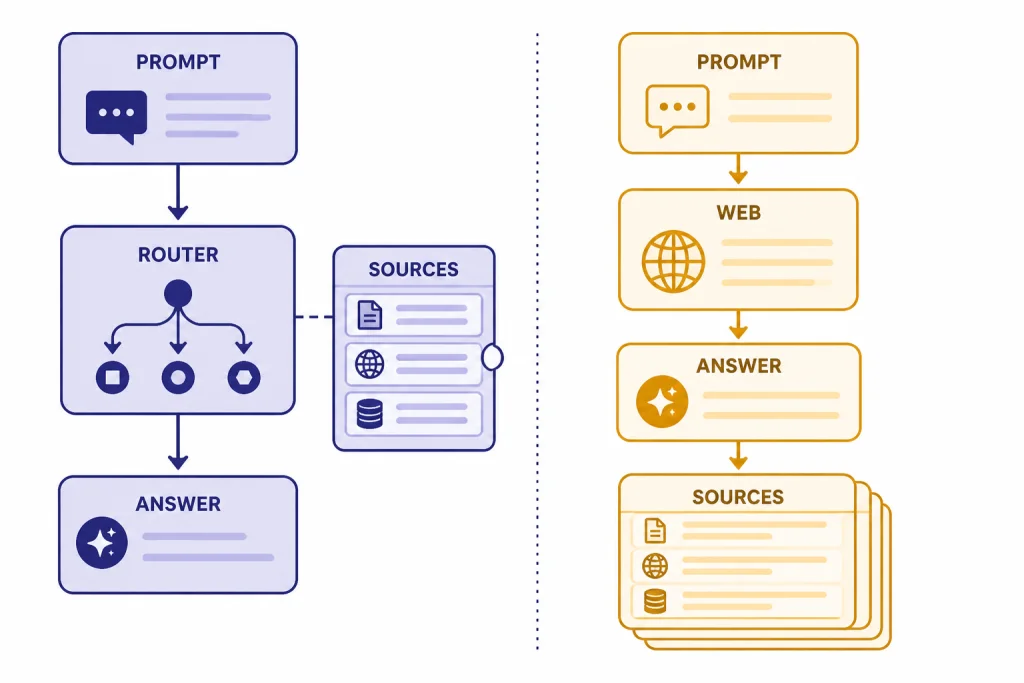
GPT and Perplexity overlap, but they were not built around the same center of gravity. GPT is a model family and, through ChatGPT, a broad assistant interface. Perplexity is an AI search and answer product. That distinction explains most of the user experience.
In ChatGPT, search is one capability inside a larger assistant. OpenAI says ChatGPT can decide to search the web based on the prompt, and users can also manually choose search. OpenAI also says ChatGPT search uses third-party search providers and content from partners, and the original ChatGPT search model was a fine-tuned version of GPT-4o.[1] If you want a broader model-level primer, start with what GPT means or our GPT models comparison.
In Perplexity, the answer page is organized around the search act itself. The product expects you to ask a question, review a synthesized answer, open cited sources, and continue the thread. Perplexity’s own help center describes the free plan as offering basic searches and limited Pro Searches, while Pro adds extended access to Pro Search, advanced AI models, file analysis, image and video generation, and higher upload limits.[5]
This makes Perplexity feel more like a research terminal. It is leaner and more direct. ChatGPT feels more like a workspace. It may take more prompting to force a strict research format, but it is much better once you need to turn findings into a memo, spreadsheet analysis, code, presentation outline, email sequence, or interactive project.
Search quality and freshness
Perplexity usually has the edge for fresh search tasks because it defaults to a research posture. It tends to expose sources earlier in the process and encourages quick source comparison. If you ask for the latest policy change, a company timeline, or a product comparison, the experience feels purpose-built.
ChatGPT search has improved enough that it should not be dismissed. It can bring current web information into a conversational thread, and OpenAI designed it for categories such as weather, stocks, sports, news, and maps.[1] The difference is that ChatGPT often tries to answer the broader user intent, while Perplexity more consistently behaves like a source-gathering tool.
That difference matters for ambiguous questions. If you ask, “What happened with this company last week?” Perplexity is more likely to foreground source discovery. If you ask, “Turn what happened into a board update, risk summary, and email to customers,” GPT becomes more useful. It can search, synthesize, rewrite, and adapt the answer to an audience.
For technical or model-specific comparisons, GPT also benefits from the wider ChatGPT ecosystem. Users who care about speed, context, and reasoning tradeoffs should pair this article with our context window comparison, fastest GPT model guide, and GPT vs o-series comparison.
Citations and source checking
Citations are where Perplexity most clearly separates itself. Perplexity Pro says it provides 10x as many citations per answer for greater reference depth and transparency.[6] That does not mean every citation proves every sentence. It means the interface gives you more visible material to inspect.
ChatGPT search can also cite sources. OpenAI’s help center says ChatGPT responses that use search may include inline citations, and users can open a Sources panel when inline citations are not shown.[2] That is useful, but it is still a feature inside a chat product rather than the main organizing principle of the product.
For serious research, neither product should be treated as a final authority. The correct workflow is to use the AI to find candidate sources, then open the most important sources yourself. Check dates, authorship, original documents, and whether the cited page actually supports the claim. AI search tools can summarize well and still overstate what a source says.
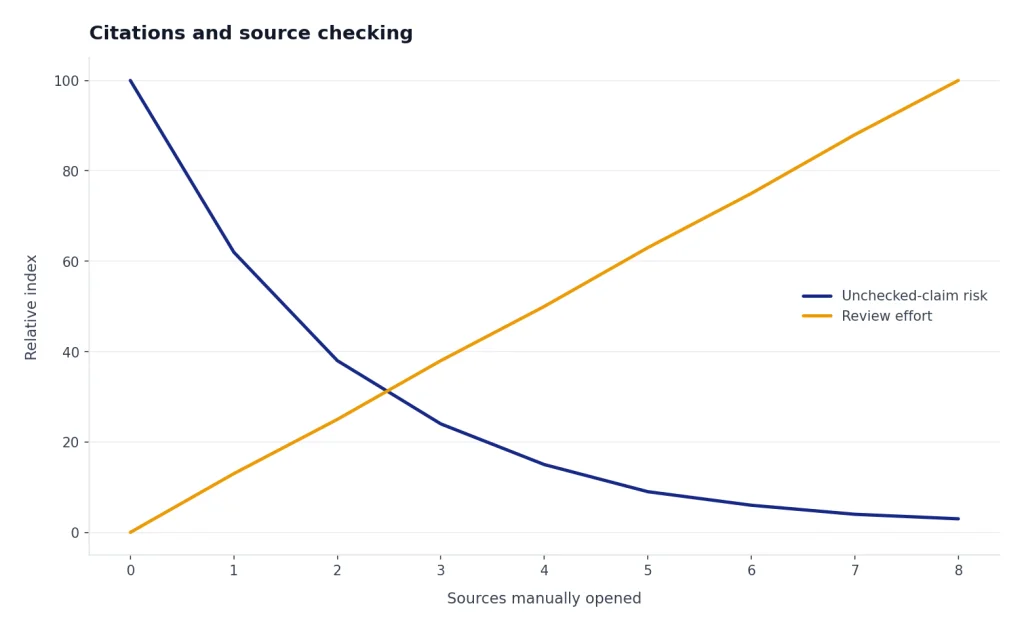
Perplexity makes that audit loop faster. GPT makes the next step faster. A lawyer, analyst, journalist, or researcher may prefer Perplexity during discovery. A founder, marketer, engineer, or student may prefer GPT once the source material needs to become a polished deliverable.
Pricing and plan value
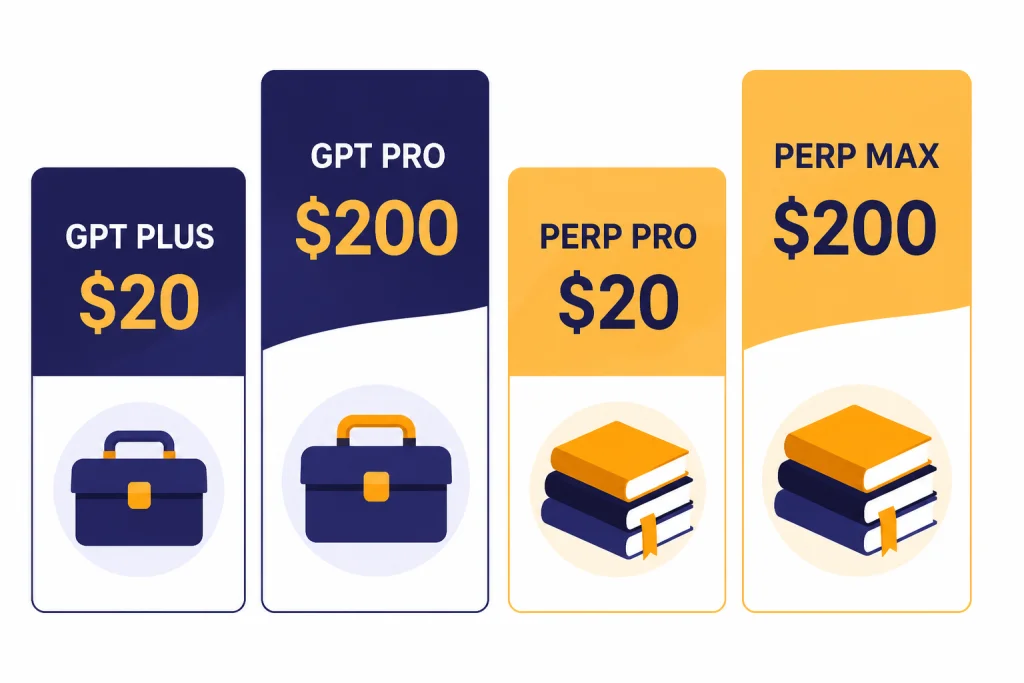
Pricing changes often, so verify the checkout page before paying. As of the sources retrieved for this article, ChatGPT Plus was listed by OpenAI at $20, and OpenAI’s Pro help article described a $200 Pro tier for heavier use.[3] Perplexity’s official Max help page lists Perplexity Max at $200 per month or $2,000 per year.[7] We could not retrieve a static official Perplexity page that plainly exposed the consumer Pro dollar price in the page text, but independent pricing trackers list Perplexity Pro at $20 per month and $200 per year.[8]
The value question is not only monthly cost. It is what job the subscription replaces. ChatGPT Plus can replace separate writing, coding, file-analysis, brainstorming, and image-help workflows for many people. Perplexity Pro can replace a lot of manual search time for people who do research every day.
| Plan | Published price signal | Best fit | Main caveat |
|---|---|---|---|
| ChatGPT Plus | $20, per OpenAI help material[3] | General users who want one AI workspace | Search is not the whole product. |
| ChatGPT Pro | $200 tier described by OpenAI[3] | Heavy users who need higher limits and advanced tools | Overkill for casual search. |
| Perplexity Pro | $20/month and $200/year listed by third-party pricing trackers[8] | Research-heavy users who want cited answers | Official static price text was not retrievable in our search results. |
| Perplexity Max | $200/month or $2,000/year per Perplexity[7] | Power users who need the highest Perplexity access | Expensive if you only run basic searches. |
If you are choosing between paid ChatGPT tiers first, read our ChatGPT Free vs Plus vs Pro guide. If you are buying for a workplace, compare ChatGPT Plus vs Team and ChatGPT Team vs Enterprise before standardizing on a plan.
Best use cases
Choose Perplexity for research briefs
Perplexity is the better first stop when you need to understand a topic quickly and see where the answer came from. It works well for competitive scans, recent news, policy summaries, academic starting points, market maps, product alternatives, and source discovery.
A good Perplexity prompt is specific about the source type. Ask it to prioritize official documentation, recent filings, peer-reviewed papers, government pages, or primary company announcements. Then open the cited sources and confirm the key claims yourself.
Choose GPT for turning research into work
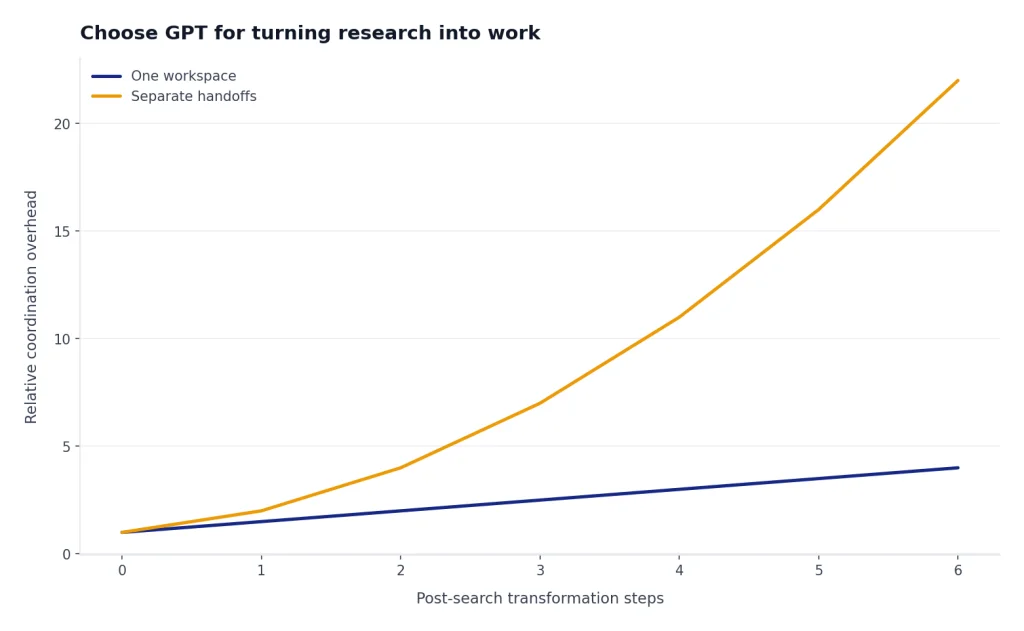
GPT is stronger when the search result is only one step in a larger workflow. It can turn source notes into a memo, build a table, create a customer-facing explanation, draft code, analyze uploaded files, generate alternate phrasings, or help plan a project. OpenAI’s pricing page lists ChatGPT features across plans including search, file uploads, data analysis, image generation, deep research, tasks, custom GPTs, and more.[4]
That breadth matters for daily work. A user who starts with a question often ends with an output. ChatGPT is better at staying with the user through that full arc. Perplexity is better at the evidence-gathering phase of the arc.
Use both when accuracy matters
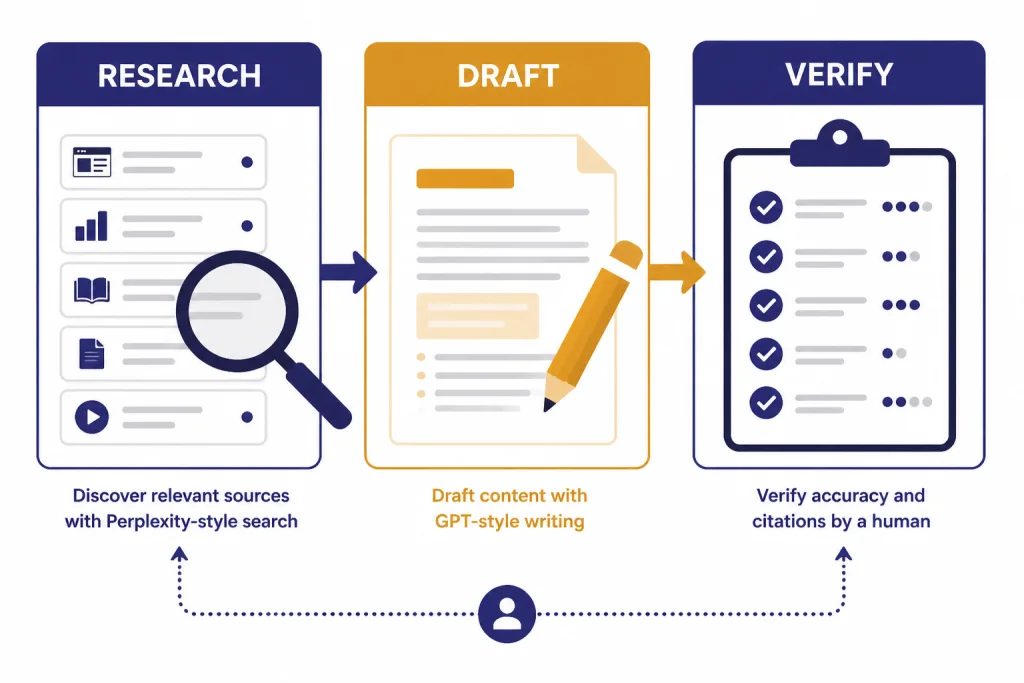
The strongest workflow is to use Perplexity for discovery and GPT for transformation. Search in Perplexity. Open the best sources. Paste verified notes into ChatGPT. Ask GPT to structure the argument, identify gaps, rewrite for the audience, and produce the final document.
This two-tool workflow is slower than trusting one answer, but it is safer. It reduces unsupported claims and improves the final output. It also keeps the human in charge of source judgment.
Privacy and business fit
For individual users, the main privacy question is whether your prompts and files may be used to improve models and whether you can opt out. Perplexity’s plan page says Pro, Education Pro, and Max users can opt out of data collection in settings, while Enterprise Pro and Enterprise Max data is never logged or used for training.[5]
OpenAI’s ChatGPT pricing page separates individual plans from Business and Enterprise features, and it lists business controls such as admin features, SAML SSO, and workspace-level capabilities on higher plans.[4] For teams that need governance, billing, access control, and security review, the business plan details matter more than the consumer search experience.
Perplexity is attractive for teams that want a research layer. ChatGPT is attractive for teams that want a general AI layer. Microsoft-heavy teams should also read our GPT vs Copilot comparison, because the right answer may depend on Office, Teams, SharePoint, and enterprise identity requirements.
Do not paste sensitive customer records, legal strategy, private credentials, health records, or unreleased financial data into either product unless your organization has approved that use. AI search tools often feel like search engines, but they are still cloud AI services with product-specific data policies and retention rules.
Final recommendation
Perplexity wins the narrow search contest. It is faster to audit, more source-forward, and more comfortable for research that depends on current information. If you spend your day comparing sources, checking claims, tracking markets, or building research briefs, Perplexity deserves a serious look.
GPT wins the broader AI assistant contest. ChatGPT can search, but it also helps with writing, analysis, code, images, files, voice, projects, and custom workflows. If you want one subscription for the widest range of tasks, GPT is the safer pick.
The best practical answer is role-based. Researchers should start with Perplexity. Builders, writers, students, managers, and general users should start with ChatGPT. Power users should use both: Perplexity for evidence, GPT for execution. If you are still surveying the market, see our best AI chatbot alternatives and ChatGPT alternatives 2026 list.
Frequently asked questions
Is Perplexity more accurate than GPT for search?
Perplexity is usually easier to verify because it puts sources closer to the answer. That can make it feel more accurate for current research. Accuracy still depends on the query, the sources retrieved, and whether you check the citations yourself.
Is GPT better than Perplexity for writing?
Yes, GPT is usually the better writing assistant. It is stronger for drafting, rewriting, changing tone, building outlines, and adapting the same material for different audiences. Perplexity can write, but its main advantage is research with sources.
Can ChatGPT search the web like Perplexity?
ChatGPT can search the web and show sources when search is used. OpenAI says users can also manually choose search from the interface.[1] Perplexity still feels more search-native because citations and source exploration are central to the product.
Which is better for students?
Perplexity is better for finding sources and getting a quick map of a topic. GPT is better for explaining concepts, building study plans, rewriting notes, and practicing questions. Students should not submit either tool’s answer without checking sources and following school policy.
Which is better for business research?
Perplexity is better for market scans, competitor checks, and source-backed briefs. GPT is better for turning those findings into strategy memos, sales enablement, code, data analysis, and customer communications. Many business users will get the best results by using both.
Should I pay for ChatGPT Plus or Perplexity Pro?
Choose ChatGPT Plus if you want one AI assistant for many kinds of work. Choose Perplexity Pro if your main reason to pay is faster research with more visible citations. If your work depends on both research and production, test each for one billing cycle before committing long term.