


ChatGPT Plus does not have one universal token limit. As of March 15, 2026, the practical ChatGPT Plus token limit depends on the mode you use: GPT-5.3 Instant gives Plus users a 32K-token context window, while manually selected GPT-5.4 Thinking gives Plus users a 256K-token window split into 128K input and 128K max output.[1] The file-upload cap is separate: text and document files can be capped at 2M tokens per file, but that does not mean every uploaded token stays active in the chat context.[7][8] Plus is a $20/month subscription, not API token billing.[5][6]
The short answer for Plus users
If you are trying to decide whether your prompt is too large, start with the mode. The context window is the active workspace for the model. It is not the same as your account quota, your upload allowance, or the number of messages you can send.
| Situation | Plus limit to watch | What it means |
|---|---|---|
| Default or Instant chat | GPT-5.3 Instant with a 32K context window.[1] | Use this for normal writing, coding, and research chats. OpenAI has not published an official separate output-token figure for Plus Instant. |
| Manual Thinking chat | GPT-5.4 Thinking with 256K total context: 128K input plus 128K max output.[1] | Use this when the job needs long documents, careful reasoning, or a large working set. |
| Uploaded text or document file | 2M tokens per file, with separate file-size rules.[7][8] | This is an upload-processing cap. It is not a promise that every token in the file remains in the active chat window. |
| Message budget | 160 GPT-5.3 messages every 3 hours and up to 3,000 GPT-5.4 Thinking messages per week.[1] | You can hit a message cap before you hit a token cap, even with short prompts. |
This article focuses on Plus. For the broader model-by-model version, see our general ChatGPT token limit guide. For the concept behind these windows, use our ChatGPT context window sizes by model explainer.
What token limit means in ChatGPT Plus
A token is a chunk of text that the model reads or writes. OpenAI says a useful English rule of thumb is that 1 token is about 4 characters, and 100 tokens is about 75 words.[3][4] This is only an estimate. Code, tables, punctuation-heavy text, and non-English text can use tokens differently.
In a chat, tokens are not just your latest prompt. The model may need room for your new message, relevant earlier turns, custom instructions, tool results, file excerpts, reasoning tokens, and the final answer. OpenAI distinguishes prompt tokens from completion tokens in API documentation, but ChatGPT Plus does not expose a per-message token counter in the consumer UI.[9]
Here is a rough English conversion for the limits that matter most. Treat these as planning estimates, not exact word limits. If you need word-specific guidance, compare this with our ChatGPT word limit and ChatGPT character limit guides.
| Token amount | Rough English word equivalent | Where it appears |
|---|---|---|
| 32K tokens | About 24,000 words | Plus Instant context window.[1][3] |
| 128K tokens | About 96,000 words | Manual Thinking input side and max output side.[1][3] |
| 256K tokens | About 192,000 words | Plus manual Thinking total context window.[1][3] |
| 2M tokens | About 1.5 million words | Text and document file-upload cap.[7][8] |
ChatGPT Plus context windows by mode
On March 5, 2026, OpenAI introduced GPT-5.4 and said GPT-5.4 Thinking became available in ChatGPT for Plus users, replacing GPT-5.2 Thinking.[10] A February 20, 2026 release note had already expanded manually selected Thinking to 256K total tokens, split into 128K input and 128K max output.[2] That is the key number for long Plus chats.
| Plus mode | Model named in OpenAI’s ChatGPT docs | Published context window | Best use |
|---|---|---|---|
| Instant | GPT-5.3 Instant | 32K for Plus and Business.[1] | Everyday questions, drafts, summaries, smaller coding tasks. |
| Auto | GPT-5.3 Instant, with possible routing to GPT-5.4 Thinking | Use the visible mode as your practical guide; manual Thinking is the documented 256K path.[1] | General work when you want ChatGPT to decide whether reasoning is needed. |
| Thinking, manually selected | GPT-5.4 Thinking | 256K total for paid tiers, shown as 128K input plus 128K max output.[1] | Large documents, multi-step analysis, planning, codebase review, and difficult synthesis. |
The important caveat is output. For Thinking, OpenAI publishes the 128K max output side.[1] For Plus Instant, OpenAI has not published an official separate output-token figure for this. Use the 32K Instant value as a combined active context window, not as a promised answer length.

Why token limit is not the same as message limit
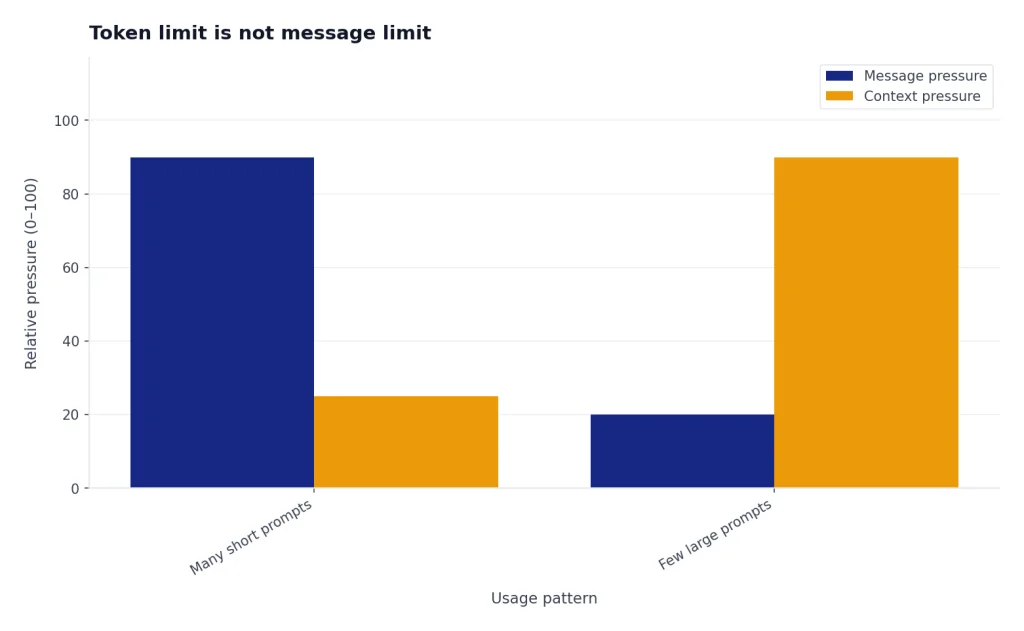
A token limit controls how much information fits into one active model workspace. A message limit controls how often you can send prompts. ChatGPT Plus users can send up to 160 GPT-5.3 messages every 3 hours, while manually selected GPT-5.4 Thinking has a separate weekly limit of up to 3,000 messages for Plus and Business users.[1]
That means two users can hit different ceilings. One user can send many short prompts and run into the message cap. Another can paste a long contract, add a few file excerpts, and hit context pressure after only a few turns. If your problem is the number of sends, use our message cap across Plus models guide. If your problem is API throttling or 429-style failures, use the ChatGPT rate limit guide.
- Model switched to a smaller fallback: usually a usage or message-limit issue.
- Model forgot early details: usually a context-window or long-chat-management issue.
- Upload failed: usually a file-size, file-count, storage, or upload-rate issue.
- API rejected a request: usually an API context, output, rate-limit, or billing issue, not a ChatGPT Plus UI issue.
File uploads, memory, and tools use separate limits
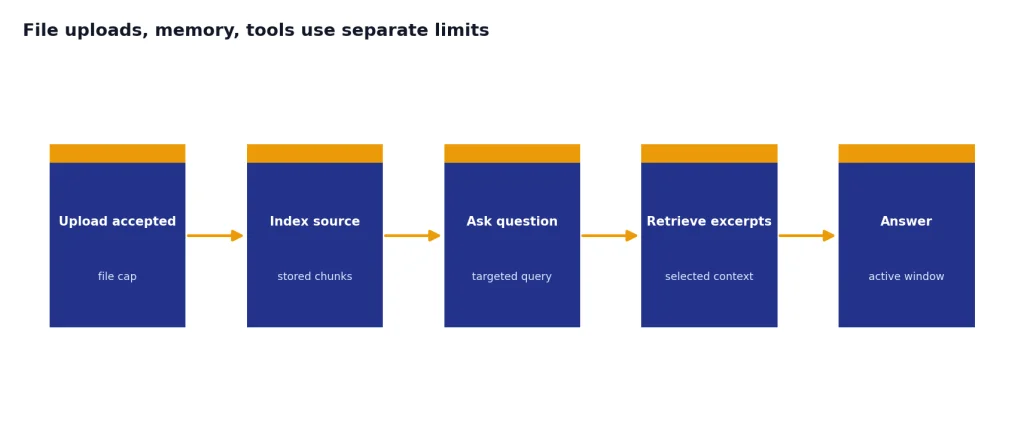
The 2M-token document limit is easy to misread. OpenAI’s file documentation says text and document files uploaded to a GPT or ChatGPT conversation are capped at 2M tokens per file, and all files have a 512MB per-file hard limit.[7] OpenAI repeats the 2M-token document cap in its connected-app file documentation.[8]
That file limit is larger than the Plus active context window. A large PDF can be accepted, indexed, and queried without every token sitting in the live prompt at once. In practice, you get better results when you ask for specific sections, definitions, contradictions, tables, or page ranges rather than asking ChatGPT to remember an entire file indefinitely.
Memory is also separate from the current chat window. Memory can help ChatGPT personalize future conversations, but it is not a replacement for placing the needed facts in the active context. For that distinction, see our ChatGPT memory limit article. For upload quotas specifically, use the ChatGPT Plus file upload limit guide.
OpenAI’s GPT-5.3 and GPT-5.4 ChatGPT documentation lists web search, data analysis, image analysis, file analysis, Canvas, image generation, Memory, and Custom Instructions as supported tools for the main ChatGPT experience.[1] Those tools can add useful context, but they also make it more important to keep the actual task narrow.
Practical ways to stay under the Plus token limit
The best way to avoid context problems is to make each chat carry less irrelevant history. Bigger windows help, but cleaner context still wins. Use these habits when a Plus chat starts to get long.
- Choose Thinking before adding large context. If the job starts with a long document or multi-part analysis, manually select Thinking so the 256K-token Plus window applies.[1]
- State the task before the evidence. Tell ChatGPT what to do, then provide the material. This helps it decide which details matter.
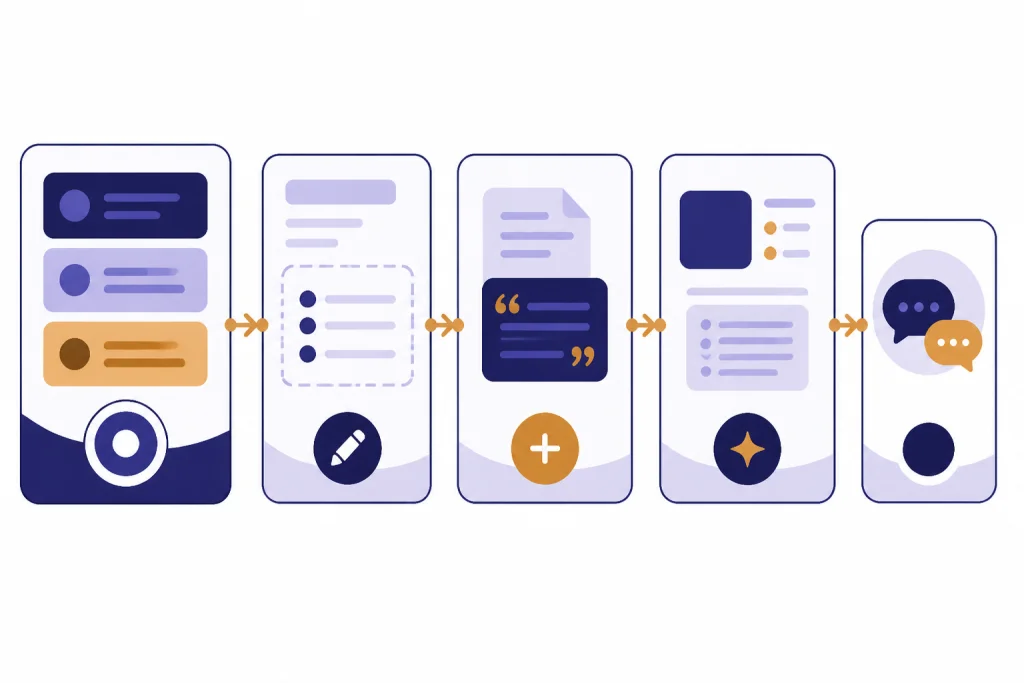
- Ask for a working brief. After a long exchange, ask ChatGPT to produce a concise brief of confirmed facts, decisions, constraints, and open questions. Start a new chat with that brief.
- Do not paste everything by default. Paste the relevant excerpt, upload the source file, or ask ChatGPT to inspect only the sections needed for the task.
- Use stable names for files and sections. Refer to the contract, appendix, dataset, or code file consistently so the model can follow your references.
- Separate drafting from analysis. Use one chat to analyze sources and another to produce the final memo, proposal, or code changes.
- Keep reusable preferences out of the prompt when possible. Put durable style or preference notes in settings or memory when appropriate, not in every long prompt.
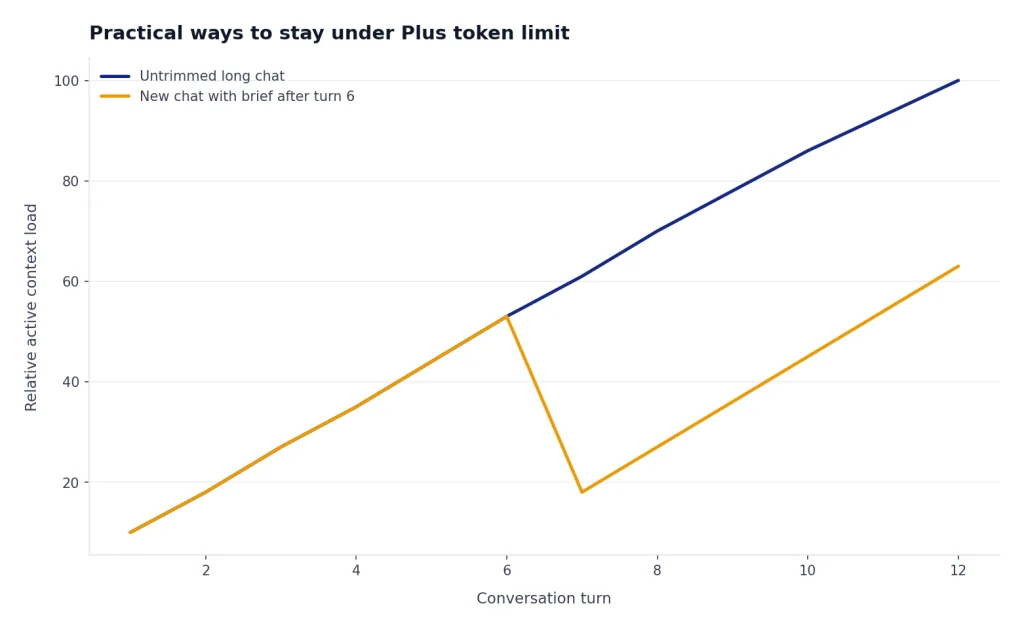
If you are estimating before you send, OpenAI’s token guidance and Tokenizer are still the simplest planning tools: about 1 token per 4 English characters is a useful rough check.[3][4]
When to use API, Pro, or shorter chats instead
Use the API when you need exact token accounting, repeatable automation, logs, and programmatic output controls. ChatGPT Plus does not include API usage; OpenAI describes API usage as separate and independently billed.[5] If you are comparing costs, start with OpenAI API pricing, not the ChatGPT Plus subscription page.
Use Pro only if the extra access solves a real bottleneck. OpenAI’s ChatGPT model page lists Pro separately at a 400K Thinking context window, split into 272K input and 128K max output.[1] That is larger than the Plus Thinking window, but it is not necessary for most everyday work. If price is the deciding factor, compare it with our ChatGPT Plus price guide before upgrading.
Use a shorter chat when the model is mixing old assumptions into new work. A fresh thread with a precise brief often beats a massive chat full of stale drafts, rejected ideas, and old file excerpts. The legitimate workaround is not to bypass the limit. It is to reduce the amount of irrelevant context the model has to carry.
Frequently asked questions
What is the ChatGPT Plus token limit?
As of March 15, 2026, Plus users get a 32K context window in GPT-5.3 Instant and a 256K total context window when manually selecting GPT-5.4 Thinking. The Thinking window is listed as 128K input plus 128K max output.[1]
Is the 2M-token file limit the same as the chat context window?
No. The 2M-token figure applies to text and document files uploaded to ChatGPT or a GPT.[7][8] The active chat context is smaller, so ask targeted questions about large files instead of assuming the whole file remains active at once.
Does ChatGPT Plus charge by the token?
No. ChatGPT Plus is a subscription plan listed at $20/month.[5][6] Token-based billing applies to API usage, which OpenAI says is separate from ChatGPT Plus.[5]
Why does ChatGPT forget earlier parts of a long Plus chat?
The active context window has to hold the useful parts of the conversation, not every word forever. Long chats can also contain outdated drafts, tool output, and repeated instructions. Start a new chat with a concise working brief when the thread becomes noisy.
Can I paste 128K tokens and still get a 128K-token answer in Thinking?
Do not plan that tightly. OpenAI lists manual Thinking as 128K input plus 128K max output, but real chats also need room for instructions, tool context, and formatting.[1] Leave margin if you need a complete answer.
Should I upload a long document or paste it into the chat?
Upload the document when you need ChatGPT to inspect a large source, then ask focused questions. Paste only the sections that must be in the immediate prompt. This keeps the active context cleaner and lowers the chance that the model misses the specific evidence you care about.