

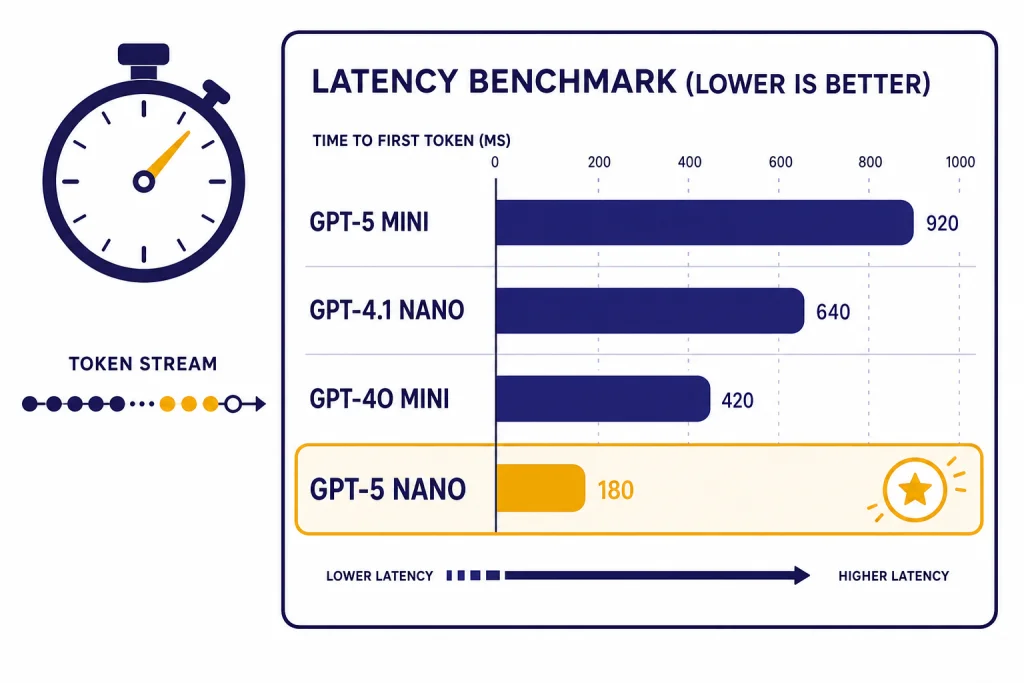
Short version: there is no public, universal OpenAI latency leaderboard that proves one GPT model has the best p50, p95, TTFT, and tokens-per-second across every workload. As of May 2026, the fastest model to start testing for simple text API work is usually a nano-class model: GPT-5 nano based on OpenAI’s published positioning, plus newer GPT-5.4 nano / GPT-5.4 mini candidates that should be included in fresh benchmarks. For higher-quality chat and reasoning, the current top tier includes GPT-5.5 and GPT-5.5-pro, but those are not automatically the lowest-latency choices.
Benchmark scope: this page does not claim a private ChatAI.Guide lab run. Instead, it gives a reproducible benchmark format, a model shortlist, the latency fields to record, and the official published speed signals that are safe to cite. If you publish your own numbers, include sample size, prompt mix, p50 and p95 TTFT, p50 and p95 total latency, output tokens per second, token counts, streaming mode, cache status, SDK/runtime, and region or network path. OpenAI describes GPT-5 nano as the fastest and cheapest GPT-5 variant, with a 400,000-token context window and a 128,000-token maximum output.[1] That is useful positioning, but it is not the same thing as a measured p95 benchmark for your app.
Fastest GPT model: short answer
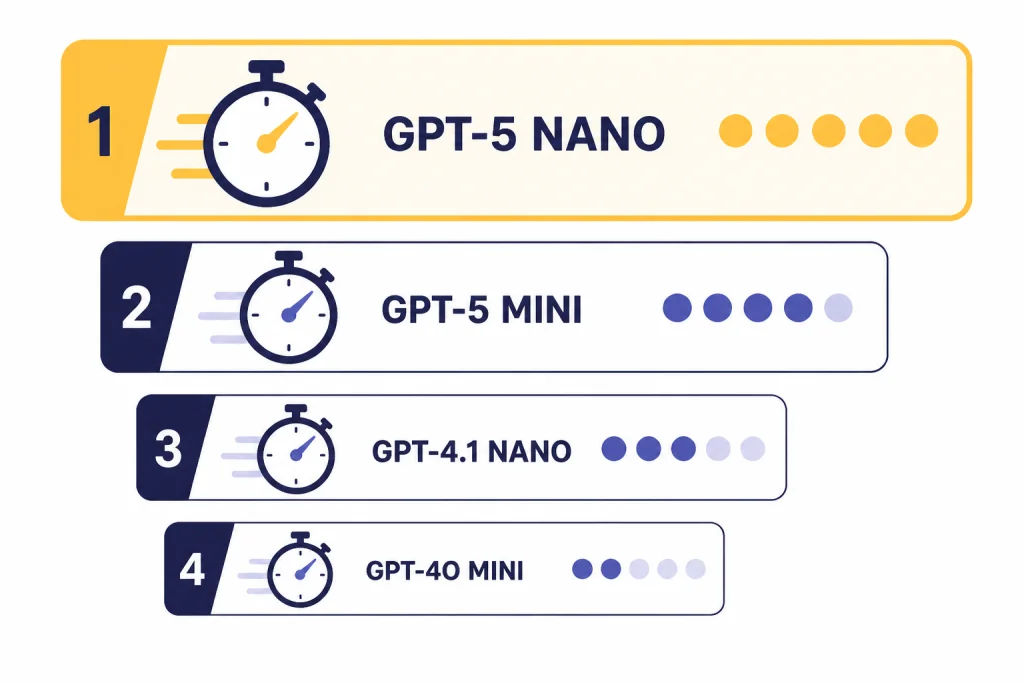
If you need the fastest GPT model for a simple, high-volume API task, start your benchmark with GPT-5 nano and the current nano / mini alternatives in the GPT-5.4 family. OpenAI’s GPT-5 nano model page calls it the fastest, most cost-efficient version of GPT-5.[1] That makes it a strong first candidate for latency-sensitive classification, routing, extraction, short summarization, lightweight rewriting, and enrichment jobs.
Do not treat that as a benchmark-backed guarantee. OpenAI has not published a complete p50 / p95 table for every GPT model across standardized prompt sets, regions, SDKs, streaming modes, and output lengths. A small model can lose a real-world latency test if your prompt is huge, your output cap is too high, the call uses tools serially, or the request path has retries. Conversely, a higher-quality model can feel responsive if it streams quickly and generates fewer tokens.
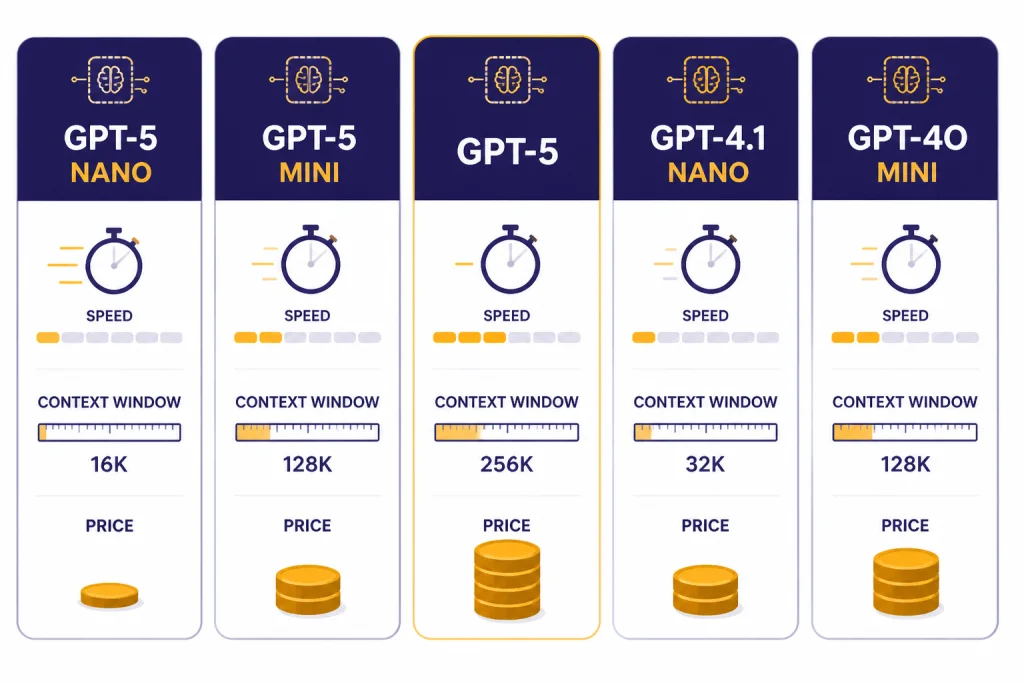
The practical May 2026 shortlist is: GPT-5 nano for official speed-and-cost positioning; GPT-5.4 nano and GPT-5.4 mini as newer small-model candidates to include in any fresh test; GPT-5 mini when you need more quality headroom; GPT-4.1 nano for fast non-reasoning work with very long context; and GPT-4o mini mainly for existing workflows already tuned around it.[1][2][4][6] If you are comparing capability rather than latency, use all GPT models compared side by side and our most powerful GPT model benchmark before choosing.
Latency benchmark terms that matter
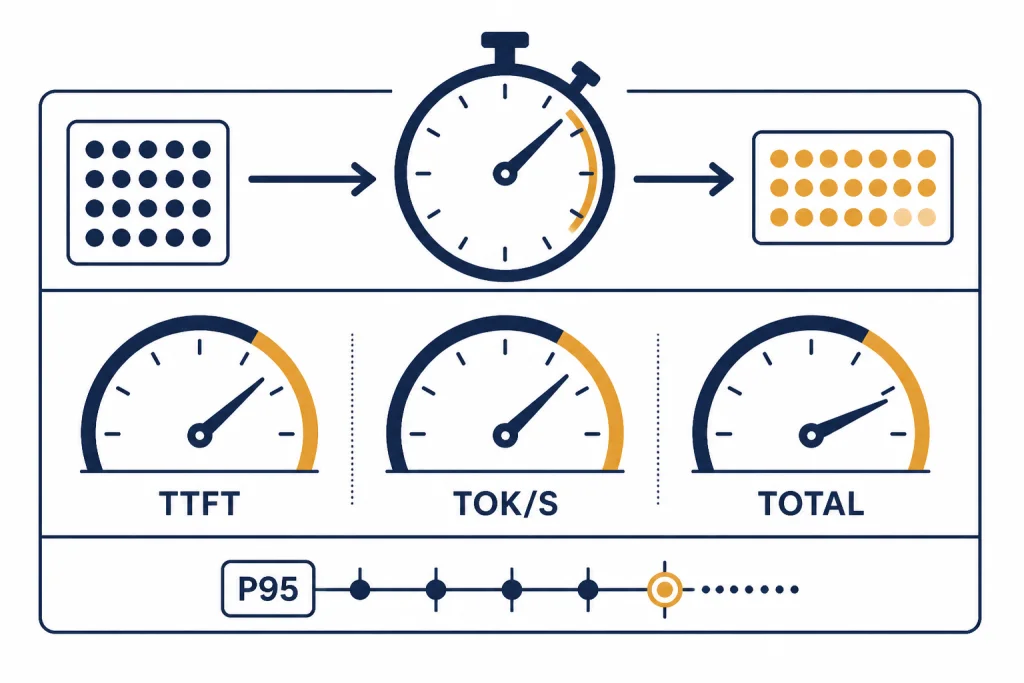
GPT latency is not one number. A model can feel fast in a chat UI because it streams the first words quickly, yet still take longer to finish the full answer. Another model can have slower first-token latency but higher generation speed once output begins. A useful benchmark records at least TTFT, output tokens per second, total wall-clock time, and tail latency.
Time to first token
Time to first token, usually shortened to TTFT, is the delay between sending the request and receiving the first streamed token. TTFT matters most for chatbots, copilots, support agents, voice-like interfaces, and any product where the user is watching the screen. It is also the metric most likely to improve perceived responsiveness even when total generation time is unchanged.
Output tokens per second
Output tokens per second measures how quickly the model generates after it starts. This matters for long answers, code generation, document drafting, and structured reports. A model with a good TTFT can still feel slow if it produces a long answer at a low token rate. Always record output token count next to tokens per second so you can tell whether a model is slow or simply writing more.
Total response time
Total response time measures the full wall-clock time from request start to final token. It is the clearest metric for batch jobs, background automations, and API workflows where the next step cannot run until the full model output is available. For non-streamed calls, this is usually the primary latency number.
Tail latency
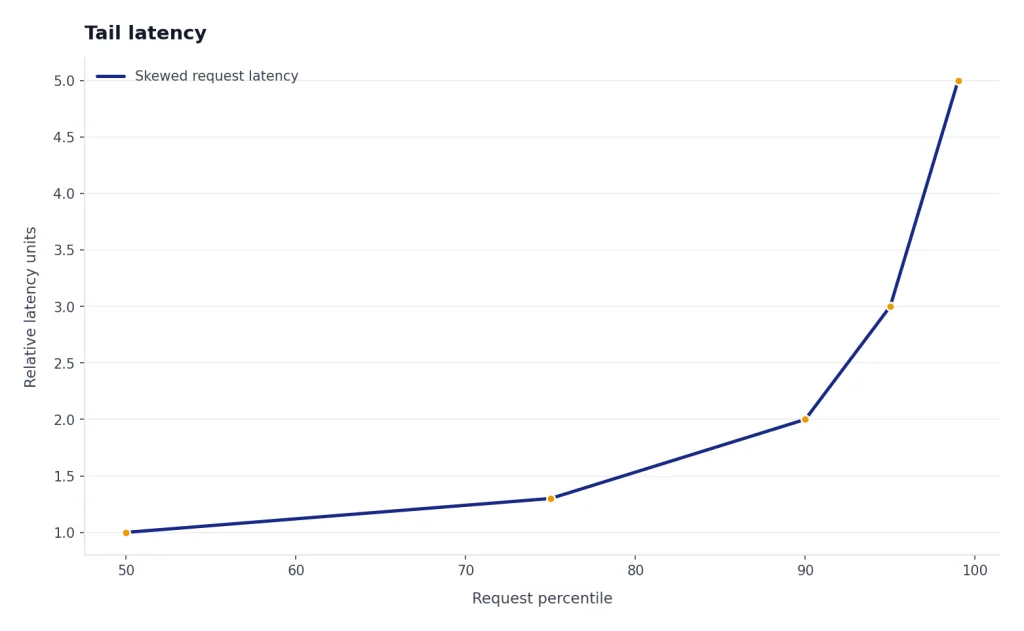
Tail latency is the slow end of your distribution, usually p95 or p99. A fast median is not enough for production. If 1 request in 20 feels stuck, users will notice. For customer-facing systems, p95 often matters more than the average, especially when the GPT call sits inside a larger request chain.
Published speed signals from OpenAI
OpenAI publishes model descriptions, context limits, token prices, and latency optimization guidance. It does not publish a single official p50 or p95 latency leaderboard for every GPT model. That matters because latency changes with prompt length, output length, region, account tier, streaming, tools, structured output, cache hit rate, and transient system load.
The strongest published signal in the older cited model pages is the model label and description. GPT-5 nano is described as the fastest and cheapest GPT-5 model.[1] GPT-5 mini is described as a faster, cost-efficient version of GPT-5 for well-defined tasks.[2] GPT-4.1 nano is described as the fastest and most cost-efficient version of GPT-4.1.[4] Those statements are useful for narrowing the test set, but they should be labeled as official positioning, not independent benchmark results.
As of May 2026, a complete latency evaluation should also include the newer GPT-5.4 nano / mini options and, where quality is a constraint, GPT-5.5 or GPT-5.5-pro. The image and video models belong in separate benchmarks: the current top image model is gpt-image-2, and the current top video option is Sora-2-pro. They are not substitutes for text GPT latency tests, but they matter if your product mixes text, image, and video calls.
OpenAI has published one useful long-context latency example for the GPT-4.1 family. In initial testing, GPT-4.1 latency to first token was approximately 15 seconds with 128,000 input tokens and about 1 minute with 1 million input tokens.[8] In the same post, OpenAI said GPT-4.1 nano most often returned the first token in less than 5 seconds for queries with 128,000 input tokens.[8] Treat those as context-specific examples, not universal guarantees.
| Published example | Model / family | Prompt size | Reported latency metric | What it proves | What it does not prove |
|---|---|---|---|---|---|
| Long-context first-token example | GPT-4.1 | 128,000 input tokens | Approximately 15 seconds to first token[8] | Very large prompts can materially increase TTFT | Not a universal p50 or p95 for short prompts |
| Long-context first-token example | GPT-4.1 | 1 million input tokens | About 1 minute to first token[8] | Extreme context size can dominate latency | Not a model-wide throughput benchmark |
| Long-context first-token example | GPT-4.1 nano | 128,000 input tokens | Most often less than 5 seconds to first token[8] | Nano-class models can be strong long-context speed candidates | Not a guarantee for your region, prompt, cache state, or output length |
The takeaway is simple: smaller variants tend to reduce waiting time, and very large prompts can dominate TTFT. For more detail on why prompt size changes both latency and feasibility, see our context window sizes for every GPT model.
Fast GPT model comparison table
The table below is intentionally labeled as official signals plus benchmark status. It does not claim that this site measured p50, p95, or tokens per second for these models. Use it to choose which models to test, then run the methodology in the next section on your own prompts. Prices and availability can change, so confirm live prices on OpenAI’s pricing page before making a cost decision.[7]
| Model | Best latency role | Official / published speed signal | Measured p50 / p95 here? | Context and output notes | When to include in your benchmark |
|---|---|---|---|---|---|
| GPT-5.4 nano | Newer nano-class speed candidate | Current small GPT-5.4-family option; no public universal p95 table | No — test on your workload | Check the current model card before launch | Include for any new May 2026 latency-sensitive text project |
| GPT-5.4 mini | Newer mini-class balance candidate | Current small GPT-5.4-family option; no public universal p95 table | No — test on your workload | Check the current model card before launch | Include when nano quality may be too low |
| GPT-5 nano | Fastest officially positioned GPT-5 starting point for simple tasks | Fastest, most cost-efficient GPT-5 variant[1] | No — official claim only | 400,000-token context and 128,000-token maximum output on the cited model page[1] | Start here for routing, classification, extraction, and short summaries |
| GPT-5 mini | Balanced fast model for well-defined tasks | Faster, cost-efficient GPT-5 variant[2] | No — official claim only | 400,000-token context and 128,000-token maximum output on the cited model page[2] | Test when GPT-5 nano is fast but not accurate enough |
| GPT-5.5 | Current high-quality chat / reasoning candidate | Current GPT-5.5-family option; not positioned here as the fastest | No — test on your workload | Check the current model card before launch | Include when answer quality matters more than raw latency |
| GPT-5.5-pro | Top-tier quality candidate, not a speed default | Current pro-tier GPT-5.5 option; no public universal p95 table | No — test on your workload | Check the current model card before launch | Use as a quality ceiling or escalation model |
| GPT-5 | Older full GPT-5 baseline | Higher-capability GPT-5 model, not the speed-first variant[3] | No — official model specs only | 400,000-token context and 128,000-token maximum output on the cited model page[3] | Use as a baseline if you already run GPT-5 workflows |
| GPT-4.1 nano | Fast non-reasoning work with very long context | Fastest, most cost-efficient GPT-4.1 variant[4] | No — limited public long-context examples only | 1,047,576-token context and 32,768-token maximum output on the cited model page[4] | Include for long-context extraction and summarization |
| GPT-4.1 mini | Fast instruction following and tool calling baseline | Smaller, faster GPT-4.1 variant[5] | No — official model specs only | 1,047,576-token context and 32,768-token maximum output on the cited model page[5] | Include if your workflow already depends on GPT-4.1 behavior |
| GPT-4o mini | Older small model for focused or legacy multimodal tasks | Fast, affordable small model[6] | No — official model specs only | 128,000-token context and 16,384-token maximum output on the cited model page[6] | Include for existing apps tuned to GPT-4o mini |
The table shows why “fastest” is not always the same as “best.” GPT-5 nano has a strong official speed-and-cost signal, while GPT-5.4 nano and GPT-5.4 mini are newer candidates that should not be omitted from a current benchmark. GPT-4.1 nano remains relevant when the prompt is extremely long and the task does not require the newest GPT-5.5-class reasoning. If spending is the main constraint, read the cheapest GPT model comparison and the OpenAI API pricing guide.
How to run your own latency test
You should benchmark the fastest GPT model on your actual workload before you ship. Public model labels narrow the field, but they do not account for your prompt structure, requested output length, retries, tools, response format, network path, or cache behavior. A useful test report should include: model, model version if pinned, region or deployment path, SDK/runtime, streaming on/off, prompt set, prompt token count, expected output length, sample size, warm-up policy, cache policy, p50 TTFT, p95 TTFT, p50 total latency, p95 total latency, output tokens per second, error rate, and retry rate.
Use this minimum table structure if you publish results. Fill it only with measurements from your own run; do not mix streamed and non-streamed calls in the same row.
| Prompt set | Model | Samples | Streaming | Cache status | Input / output tokens | p50 TTFT | p95 TTFT | p50 total | p95 total | Output tokens/sec | Error / retry rate |
|---|---|---|---|---|---|---|---|---|---|---|---|
| Short classification | gpt-5.4-nano, gpt-5-nano, gpt-5-mini | Your measured sample count | On or off | Cold or cached | Your measured median and p95 token counts | Your measured p50 | Your measured p95 | Your measured p50 | Your measured p95 | Your measured rate | Your measured rate |
| Medium support thread | gpt-5.4-nano, gpt-5.4-mini, gpt-5-mini | Your measured sample count | On or off | Cold or cached | Your measured median and p95 token counts | Your measured p50 | Your measured p95 | Your measured p50 | Your measured p95 | Your measured rate | Your measured rate |
| Long-context extraction | gpt-4.1-nano, gpt-5.4-mini, gpt-5-mini | Your measured sample count | On or off | Cold or cached | Your measured median and p95 token counts | Your measured p50 | Your measured p95 | Your measured p50 | Your measured p95 | Your measured rate | Your measured rate |
Use a fixed prompt set
Create a representative prompt set instead of one toy prompt. Include your shortest common request, your median request, and your worst normal request. For example, a support app might test: one-sentence ticket routing, a 2,000-token customer thread, and a long account-history summary. A model that wins on “classify this sentence” may not win on a 20-page transcript.
Measure streamed and non-streamed performance
For chat and copilot interfaces, measure TTFT with streaming enabled. For automations, measure total completion time instead of treating first-token time as success. OpenAI’s latency guide says streaming can cut the user’s waiting time to a second or less, but it does not change the full amount of work required to generate a long answer.[9] If your product uses both chat and batch calls, record both modes separately.
Track output length
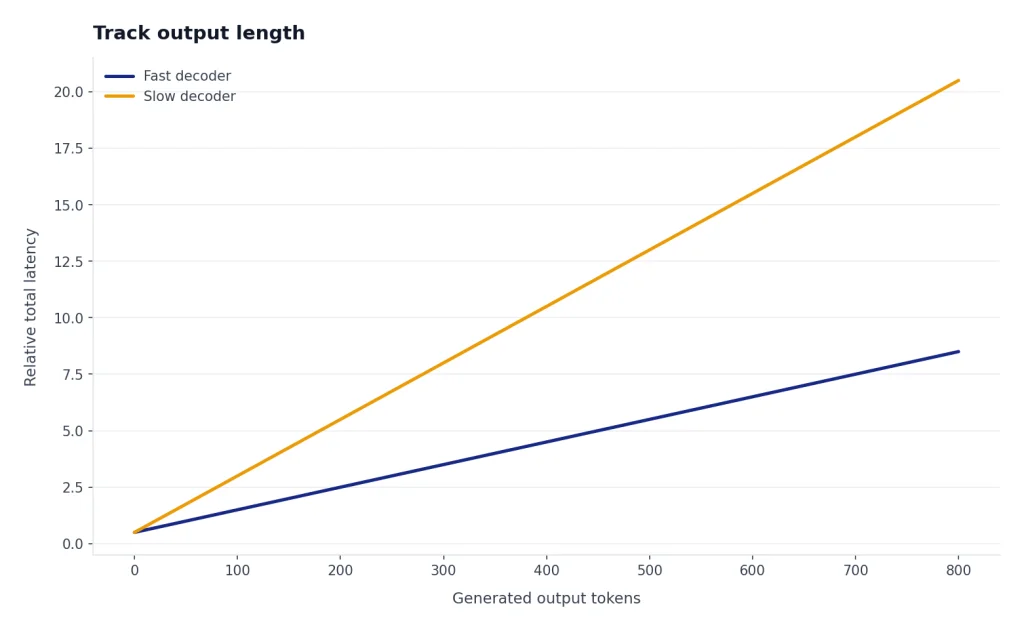
Do not compare latency without comparing output tokens. OpenAI’s production guidance says latency is mostly influenced by the model and the number of generated tokens, with token generation typically accounting for the bulk of latency.[11] If one model writes twice as much as another, it may look slower for a reason unrelated to server speed. Keep max output, stop rules, response schema, and instructions consistent.
Run enough samples
Run each model repeatedly and report median and tail latency, not one lucky request. Separate cold prompts from repeated prompts because prompt caching can change the result. Keep temperature, max output, tools, response format, SDK, region, and request path the same across models. If you publish results, include sample size and the prompt category mix so readers can judge whether the numbers apply to their workload.
Illustrative latency log shape — replace placeholders with your measured values
model: gpt-5.4-nano
prompt_id: support_ticket_route_v3
input_tokens: measured_input_tokens
output_tokens: measured_output_tokens
ttft_ms: measured_time_to_first_token
total_ms: measured_total_wall_clock_time
output_tokens_per_second: measured_generation_rate
cached_tokens: measured_cached_tokens
stream: true_or_false
region_or_path: your_region_or_network_path
sdk_runtime: your_sdk_and_runtime
sample_id: run_number
ok: true_or_false
For a small internal test, run each model enough times to see variability, then compare p50 and p95. For a public benchmark, use a larger sample, publish the prompt categories, and separate results by output length. The most common benchmark mistake is declaring a winner from a handful of requests that generated different amounts of text.
How to reduce GPT latency
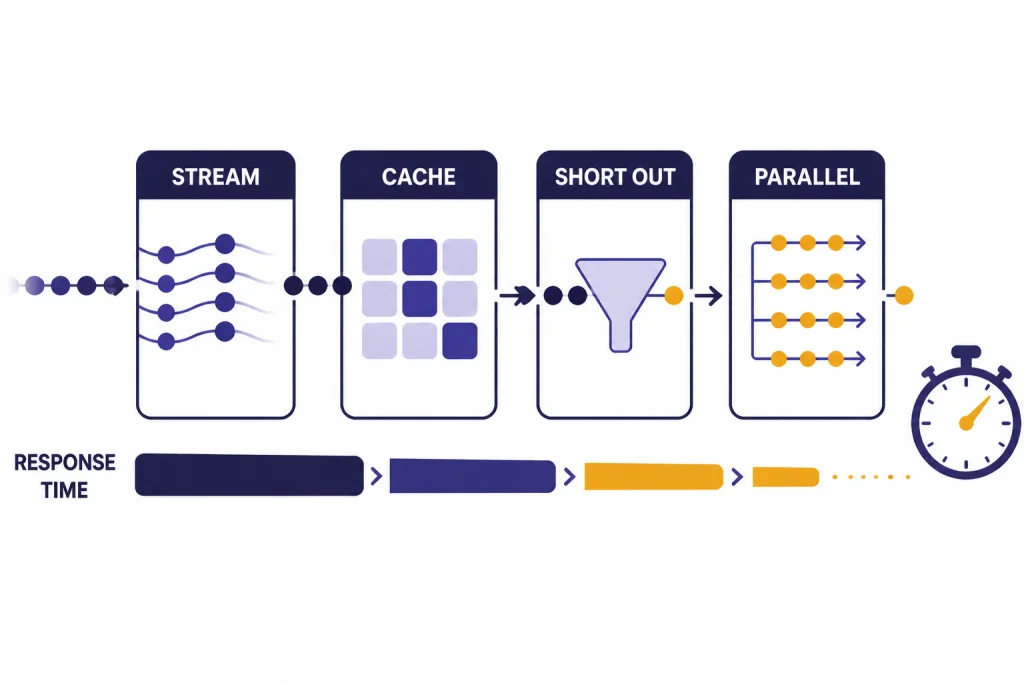
The fastest model helps, but architecture usually decides whether the product feels fast. OpenAI’s latency optimization guide groups latency work into principles such as processing tokens faster, generating fewer tokens, using fewer input tokens, making fewer requests, parallelizing, making users wait less, and avoiding an LLM when one is not needed.[9]
Stream whenever the user is waiting
Streaming is the easiest user-experience win. It lets the interface show progress before the full answer is complete. Use it for chat, writing assistants, coding assistants, and customer support responses. It is less useful for invisible background jobs where downstream code needs the complete response before continuing.
Constrain output length
Shorter answers finish faster. Set a realistic maximum output, ask for compact JSON when you need structured data, and use stop conditions where appropriate. For classification, require a fixed label instead of a paragraph. For summaries, specify a word or bullet limit. You are not only reducing cost; you are also reducing the amount of decoding work.
Put stable prompt content first
Prompt caching can reduce latency by up to 80% and input token costs by up to 90%, according to OpenAI’s prompt caching guide.[10] OpenAI says caching is available automatically for prompts of 1,024 tokens or more, and cache hits depend on matching prompt prefixes.[10] Put stable instructions, schemas, policies, and examples before user-specific content so repeated requests have the best chance of sharing a prefix.
Parallelize independent work
If a request needs classification, retrieval, and a final answer, do not run every step sequentially unless it must be sequential. Parallel calls can reduce wall-clock time. For example, a support product can classify urgency while it also retrieves account context, then combine both results in a final response. Measure the full chain, because one slow dependency can erase the benefit of a fast model.
Do not use a GPT model for deterministic work
Regex, lookup tables, database filters, embeddings, and ordinary code are faster than any GPT model when the task is deterministic. Reserve GPT calls for language understanding, generation, reasoning, and ambiguity. This is also a cost control tactic. The fastest GPT request is the one you do not need to send.
Which fast model to pick
Use GPT-5 nano when latency and cost are the main constraints and the task is narrow. Good examples include ticket routing, short summaries, entity extraction, spam classification, title generation, and formatting conversion. Start there if the task has a clear answer and you can validate output automatically. For a new May 2026 benchmark, add GPT-5.4 nano beside it rather than assuming the older nano result still wins.
Use GPT-5.4 mini or GPT-5 mini when nano-class models make too many judgment errors. GPT-5 mini is positioned as a faster, cost-efficient GPT-5 variant for well-defined tasks.[2] Mini-class models are often the better production default when you need a balance of responsiveness and quality headroom. They can also reduce end-to-end latency if they produce fewer corrections, retries, or human escalations.
Use GPT-5.5 or GPT-5.5-pro when quality is the main bottleneck and latency is secondary. These are not the right defaults for the fastest possible simple classifier, but they are appropriate quality ceilings for difficult writing, reasoning, and chat workflows. A common architecture is to use a nano or mini model for routing and a top-tier model only for the smaller subset of requests that need it.
Use GPT-4.1 nano when you need fast non-reasoning behavior and a very large context window. OpenAI lists GPT-4.1 nano with a 1,047,576-token context window and a 32,768-token maximum output.[4] That makes it a candidate for long-context extraction and summarization where GPT-5.5-class reasoning is not required. Remember that sending a huge prompt can dominate TTFT even on a fast model.
Use GPT-4o mini mainly when you have an existing workflow tuned for it or when its input profile fits your app. OpenAI describes GPT-4o mini as a fast, affordable small model for focused tasks, with a 128,000-token context window and a 16,384-token maximum output.[6] New projects should usually benchmark the current nano and mini GPT-5-family options first.
For domain-specific choices, speed is only one factor. Coding assistants need correctness and repair ability, so compare this latency shortlist with best GPT model for coding. Writing tools need tone control and consistency, so use best GPT model for writing. If you are choosing between speed, cost, and quality across a full product, build a small eval set and test all three dimensions before committing.
Frequently asked questions
What is the fastest GPT model?
There is no public universal p95 leaderboard that proves a single GPT model is fastest for every workload. For simple API tasks, GPT-5 nano is the fastest officially positioned GPT-5 starting point.[1] As of May 2026, you should also include newer GPT-5.4 nano / mini options in your own latency test, then compare quality failures and retries before choosing.
Is GPT-5 nano always faster than GPT-5 mini?
OpenAI’s model descriptions position GPT-5 nano as the fastest GPT-5 variant and GPT-5 mini as a faster, cost-efficient variant of GPT-5.[1][2] In practice, total latency still depends on prompt size, output length, streaming, caching, tools, retries, and traffic conditions. Test both on your own prompts, and include current GPT-5.4 nano / mini candidates if you are starting a new benchmark now.
Does a larger context window make a model slower?
A large context window does not make every request slow by itself. The latency issue appears when you actually send a large amount of context. OpenAI’s GPT-4.1 post reported much longer first-token latency at 128,000 and 1 million input tokens than developers should expect from short prompts.[8] Keep prompts short unless the extra context improves accuracy enough to justify the delay.
Should I optimize for time to first token or total latency?
Optimize for time to first token when a human is watching the response stream in real time. Optimize for total latency when the GPT call is part of a workflow that cannot continue until the full output is done. For most production products, measure both, then report p50 and p95 separately.
Can prompt caching make a slower model feel fast?
It can help when your prompts share a long, stable prefix. OpenAI says prompt caching can reduce latency by up to 80% and input token costs by up to 90%.[10] It will not fix long generated answers, poor prompt design, unnecessary sequential calls, or a model that is too weak for the task.
What is the best fast GPT model for coding?
Do not choose a coding model on latency alone. A faster model that produces broken code can cost more time overall through debugging, retries, and review. Start with the speed shortlist here, then compare task quality in our best GPT model for coding guide.