

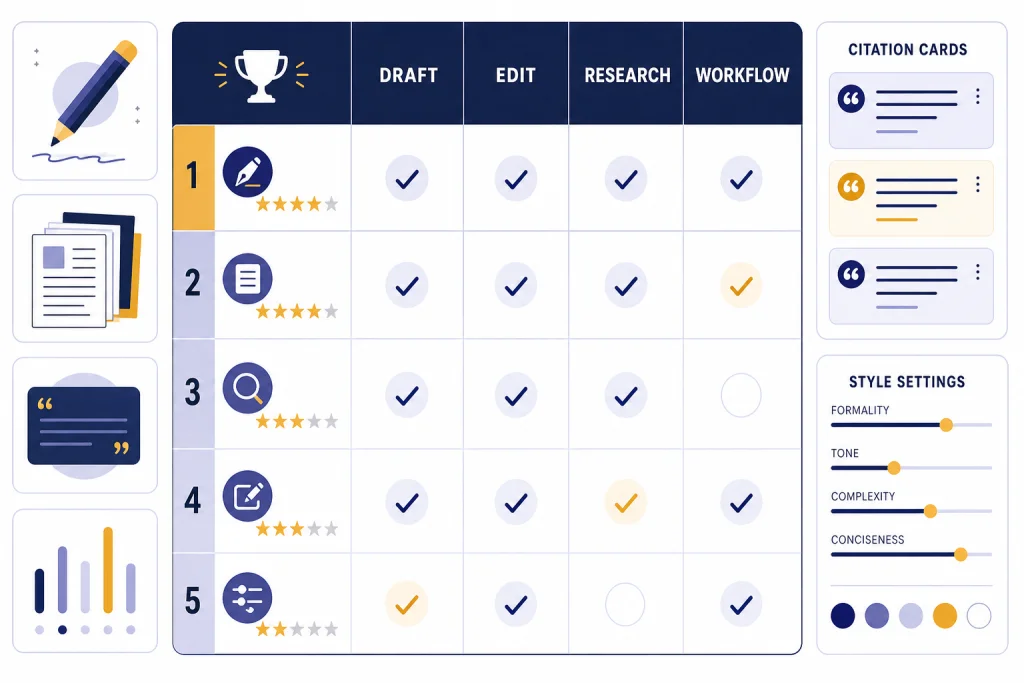
The best ChatGPT alternatives for writing are not all general chatbots. Claude is the strongest all-around writing partner for drafting and revision. Gemini is best for writers who live in Google Docs and need long-context document work. Grammarly is the safest pick for everyday editing. Jasper and Copy.ai serve marketing teams that need brand controls and repeatable workflows. Perplexity is useful when a draft needs sources before style. Notion AI works best when writing starts inside a team wiki. The right choice depends on where you write, how much source checking you need, and whether you need a personal assistant or a team system.
Quick picks
If you want one writing alternative to test first, start with Claude. Anthropic lists Claude Free, Pro, Max, Team, and Enterprise plans, and its pricing page describes writing, editing, content creation, web search, document organization, and extended thinking as available across relevant tiers.[1] Anthropic also lists Claude Pro at $20 per month in the United States, with annual billing available where supported.[2] For most writers, that makes Claude the closest direct substitute for ChatGPT Plus.
Choose Gemini if your writing happens inside Google’s ecosystem. Google AI Pro lists access to Gemini 2.5 Pro, Deep Research, Canvas, Gems, Gemini in Gmail and Docs, NotebookLM benefits, and 2 TB of storage for $19.99 per month.[3] Google’s support documentation says Gemini 2.5 Pro can use a 1 million token context window in supported Google AI subscription plans, which is useful for long manuscripts, research packets, transcripts, and policy documents.[4]
Choose Grammarly if your main need is editing rather than open-ended drafting. Grammarly’s support page lists Pro at $30 per member monthly, $60 per member quarterly, or $144 per member yearly, which averages $12 per member per month on the annual plan.[5] Grammarly is strongest when you want grammar, tone, rewrite, fluency, plagiarism, and AI-detection tools close to email, browser writing, and documents.
Choose Jasper or Copy.ai if you manage marketing content at scale. Jasper lists a Pro plan at $69 per month per seat when billed monthly and $59 per month per seat when billed yearly, plus a custom-priced Business plan.[6] Copy.ai lists a Chat plan at $29 per month billed monthly or $24 per month billed annually, with higher workflow tiers for teams that need credits and automation.[8]
For broader shopping, compare this article with our best ChatGPT alternatives in 2026, top 10 ChatGPT alternatives in 2026, and AI chatbot alternatives guides.
Writing alternatives compared
This table focuses on writing use cases, not raw model benchmarks. A strong writing tool must draft cleanly, revise without flattening voice, follow style constraints, handle source material, and fit the place where the writer already works.
| Tool | Best writing use | Published entry price | Main advantage | Main caution |
|---|---|---|---|---|
| Claude | Long-form drafting, editing, voice work | Free; Pro is $20/month in the U.S.[2] | Natural prose, careful revision, strong document handling | Heavy users may hit usage limits before a project is done |
| Gemini | Google Docs, Gmail, research packets | Google AI Pro is $19.99/month.[3] | Google Workspace fit and long-context reading | Best value appears when you already use Google apps |
| Grammarly | Line editing, tone, grammar, rewrites | Annual Pro averages $12/member/month.[5] | Works where people already type | Less flexible than a full chatbot for strategy or ideation |
| Jasper | Brand marketing, campaigns, content teams | Pro is $69/month/seat monthly or $59/month/seat yearly.[6] | Brand voice, marketing apps, governance | Expensive for solo writers who only need drafts |
| Copy.ai | Go-to-market writing workflows | Chat is $29/month monthly or $24/month billed annually.[8] | Workflow automation for sales and marketing content | Overbuilt for essays, fiction, or simple editing |
| Perplexity | Research-backed outlines and briefs | Pro is listed at $17/month when billed annually on its enterprise pricing page.[11] | Source-forward answers and research reports | Drafts often need a second pass in another editor |
| Notion AI | Workspace notes, docs, meeting summaries | Business is listed at $20 per member/month on Notion’s pricing page.[9] | Writing tied to team knowledge and project context | Less useful if your documents live outside Notion |
| Microsoft 365 Copilot | Word, Outlook, PowerPoint, enterprise docs | Microsoft 365 Copilot is listed at $30/user/month, paid yearly.[13] | Deep fit with Microsoft files and business accounts | Requires the right Microsoft 365 licensing stack |
| Rytr | Budget short-form copy | Unlimited is listed at $7.50/month on yearly billing.[14] | Low-cost idea generation and short drafts | Not the best choice for complex editorial work |
If price is the main filter, also read our free ChatGPT alternatives that actually work and ChatGPT alternative free breakdowns. If you need writing on a phone, our best mobile alternatives to ChatGPT guide narrows the list further.
How we evaluated writing tools
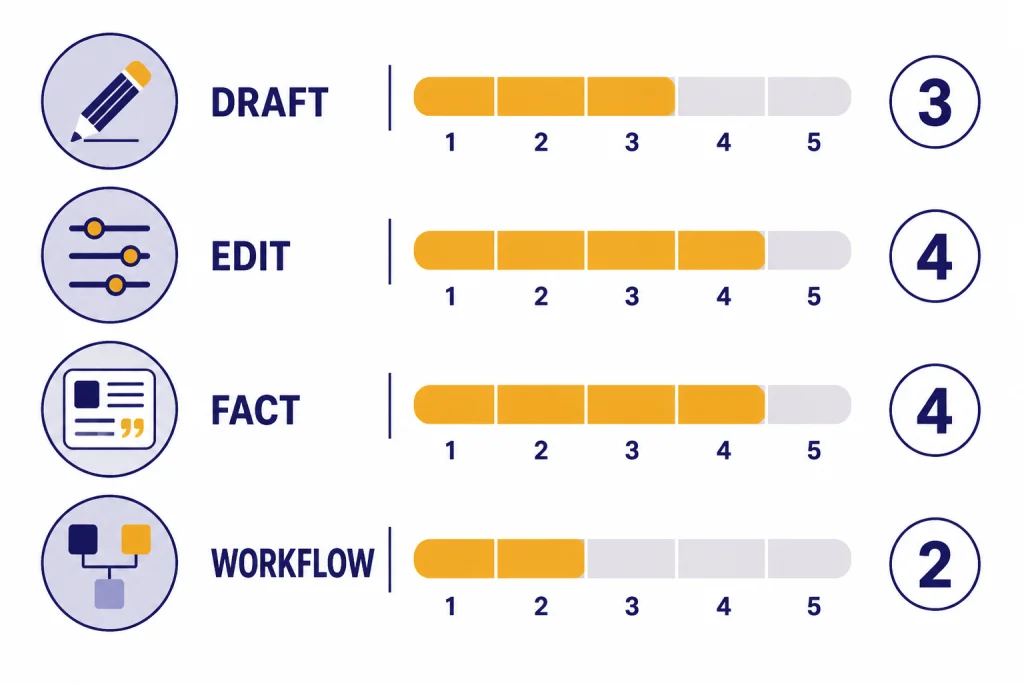
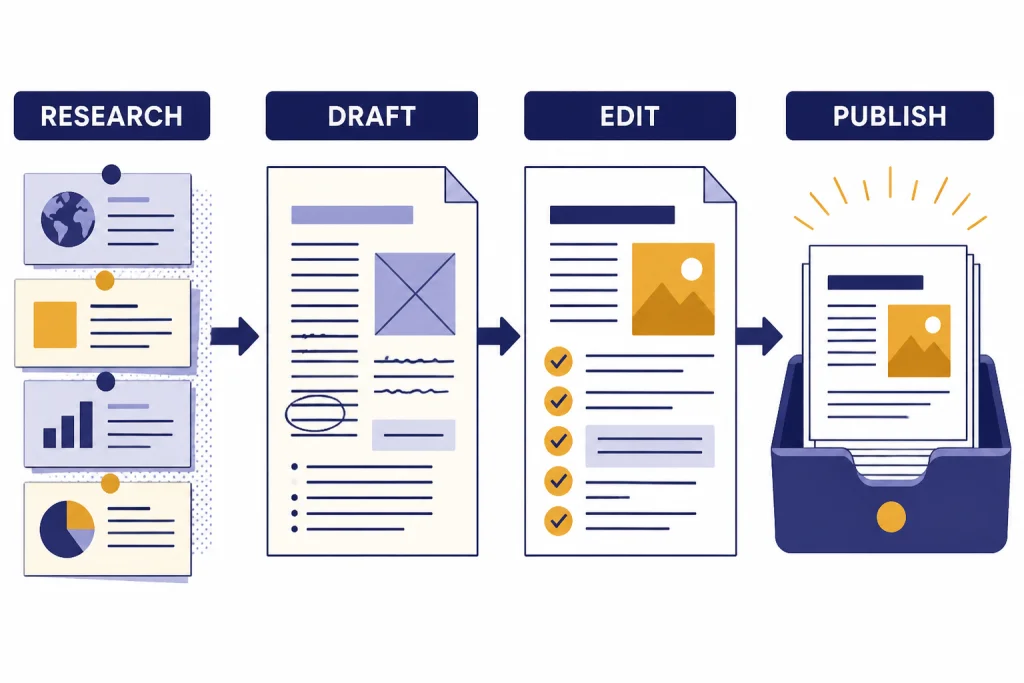
We evaluated each product against four writing jobs. First, can it produce a usable first draft from a messy prompt? Second, can it revise without making everything sound the same? Third, can it work from source material without losing context? Fourth, can it fit a real workflow instead of becoming another tab that writers forget to use?
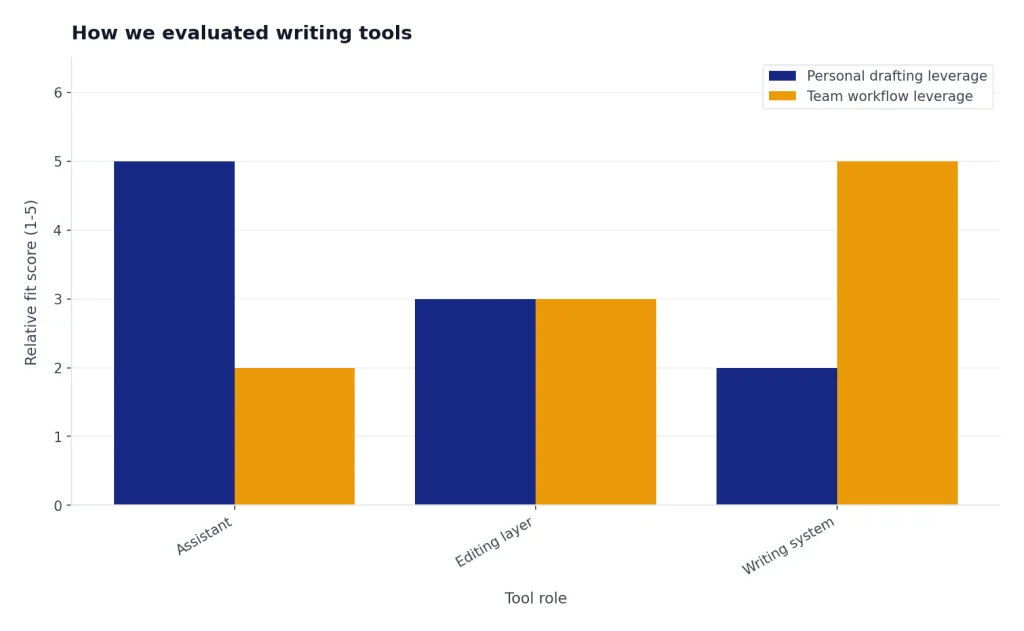
We also separated writing assistants from writing systems. Claude, Gemini, ChatGPT, and Perplexity are assistants. They help one person think, draft, and revise. Grammarly is an editing layer. Jasper, Copy.ai, Notion AI, and Microsoft 365 Copilot are systems. They become more useful when they connect to brand rules, workspace documents, templates, permissions, or team processes.
Pricing matters, but the cheapest tool is not always the best value. A $20 chatbot can be enough for a solo newsletter writer. A $30 business add-on can be rational for a team that writes in Word and Outlook all day. A custom marketing platform can be excessive for a blogger and sensible for a demand-generation team that publishes at volume. The test is not the subscription price alone. The test is whether it removes a real bottleneck.
We gave extra weight to tools that preserve voice. Many AI writing products can produce clear paragraphs. Fewer can keep a founder’s blunt tone, a legal team’s cautious phrasing, a teacher’s approachable style, or a magazine’s editorial rhythm across multiple drafts. This is where Claude, Grammarly, and Jasper stand out in different ways.
Best tools by writing job
Best overall writing alternative: Claude
Claude is the best first stop for writers who want a general-purpose alternative to ChatGPT. It is especially good at rewriting with constraints. You can ask it to make a memo shorter, preserve the author’s point of view, remove jargon, or produce three versions for different audiences. It tends to handle nuance well, which matters for essays, reports, speeches, landing pages, and sensitive email.
The main caution is usage. Anthropic’s pricing page lists Max plans that provide 5x or 20x more usage per session than Pro, starting from $100 per person billed monthly.[1] That is a sign that heavy writers may outgrow the lowest paid tier. If you write all day, test your real workload before moving a deadline-dependent process to Claude.
Best for Google Docs and long source material: Gemini
Gemini is the best writing alternative for people who already use Google Docs, Gmail, Drive, and NotebookLM. Its advantage is not only the model. It is the surrounding workspace. Drafting an email, summarizing a document, comparing notes, and turning research into an outline all feel more useful when the tool can sit near your files.
The long-context advantage is real for certain writing jobs. Google says Gemini 2.5 Pro can understand up to 1,500 pages of text or 30,000 lines of code with a 1 million token context window.[4] That does not mean every answer will be perfect. It does mean Gemini can accept far more background material than many writers could reasonably paste into a normal editor.
Best for grammar, tone, and everyday polish: Grammarly
Grammarly is not trying to be the deepest reasoning chatbot. It is trying to improve the text you are already writing. That makes it valuable for professionals who spend the day in email, documents, support replies, proposals, and browser-based tools. It is strongest when the task is, “make this clearer,” not “invent a content strategy.”
Grammarly’s plan page lists Free, Pro, and Enterprise tiers, with Pro adding full-sentence rewrites, tone adjustment, fluency help, plagiarism detection, AI-generated text detection, and 2,000 AI prompts per member per month.[6] That feature mix makes it a practical editing layer for teams that care more about consistency than experimentation.
Best for marketing teams: Jasper
Jasper is best for teams that write recurring marketing assets. Think landing pages, campaign briefs, ad variants, email sequences, social posts, and brand-controlled web copy. Jasper’s pricing page lists brand voices, knowledge assets, audiences, Canvas, marketing apps, and a Business plan with advanced apps, a no-code AI app builder, marketing agents, API access, admin controls, and priority support.[6]
Solo writers should be careful. Jasper can produce good marketing copy, but its real value appears when a team needs repeatability. If you only need help with a weekly article, Claude or Gemini may be enough. If you need ten people writing from the same brand system, Jasper becomes more relevant.
Best for sales and go-to-market workflows: Copy.ai
Copy.ai is less of a blank-page writing companion and more of a workflow tool for revenue teams. Its pricing page lists access to OpenAI, Anthropic, and Gemini models in the Chat plan, plus higher tiers with workflow credits, bulk workflow runs, tech integrations, customizable workflows, and enterprise security.[8]
Use Copy.ai when writing is part of a repeatable process. Good fits include account research, sales emails, product descriptions, content briefs, webinar promotion, and campaign operations. It is not the tool we would choose for a novel, personal essay, academic paper, or careful line edit.
Best for research-backed drafts: Perplexity
Perplexity is strongest before the draft. It helps a writer collect sources, map a topic, check claims, and build a research brief. Its subscription documentation lists Free, Perplexity Pro, Perplexity Max, Education Pro, Enterprise Pro, Enterprise Max, and Sonar API options.[12] The product is useful when you want a sourced starting point rather than a polished final article.
The downside is prose quality. Perplexity can write, but its best outputs often feel like research notes. Many writers will get the best result by using Perplexity for the outline and source trail, then moving the brief into Claude, Gemini, Grammarly, or a human editor for style.
Best for team notes and internal docs: Notion AI
Notion AI is best when the writing happens inside a workspace. It can help turn meeting notes into action items, draft internal updates, summarize project pages, and search across team knowledge. Notion says Business and Enterprise plans include full access to Notion AI, including writing support, search, transcription, database setup, and research capabilities.[10]
It is not the best standalone writing app. Its advantage comes from context. If your team already plans, documents, and tracks work in Notion, its AI layer can reduce switching. If your writing lives in Google Docs, Word, Scrivener, or Markdown, Notion AI may add friction.
Best for Microsoft documents: Microsoft 365 Copilot
Microsoft 365 Copilot is the obvious candidate for organizations that write in Word, Outlook, PowerPoint, Teams, SharePoint, and OneDrive. The product is less appealing as a casual chatbot, but more compelling when business writing is already tied to Microsoft files, meetings, calendars, and permissions.
Microsoft lists Microsoft 365 Copilot as an add-on that integrates into Microsoft 365 apps and requires a qualifying Microsoft 365 plan; the enterprise pricing page lists it at $30 per user per month, paid yearly.[13] That makes it a business decision more than a personal writing-app decision.
Best budget option for short copy: Rytr
Rytr is a budget-friendly choice for short-form writing. Its pricing page lists a Free plan, an Unlimited plan, and a Premium plan, with annual billing showing Unlimited at $7.50 per month and Premium at $24.16 per month.[14] It is useful for quick ad variants, captions, outlines, and short product copy.
Do not expect Rytr to replace a stronger model for deep editorial work. It is a lightweight writing helper, not a research assistant or brand governance system. Its value is speed and cost.
Which one should you choose?
Pick Claude if you mostly write from scratch and care about voice. It is the most natural ChatGPT alternative for essays, memos, scripts, newsletters, speeches, editorial drafts, and careful rewrites. Pair it with Grammarly if you want a second pass focused on grammar, tone, and consistency.
Pick Gemini if your source material is long or your writing lives in Google apps. It is a strong choice for students, analysts, policy writers, researchers, and professionals who need to turn notes and documents into structured drafts. Students should also compare our best free ChatGPT alternatives for students guide before paying for a subscription.
Pick Grammarly if you write in many places and need fewer mistakes. It is the least disruptive tool on this list because it works around existing writing habits. It does not require you to move every draft into a chatbot window.
Pick Jasper if brand consistency matters more than raw creativity. A marketing department that publishes across many channels needs reusable brand instructions, not just clever prompts. Jasper is built for that problem.
Pick Copy.ai if the writing is part of a sales or marketing operation. Its value comes from repeatable workflows. A single blog post does not justify the complexity. A campaign engine might.
Pick Perplexity if the hardest part is knowing what to say. It is strongest for research, source discovery, and claim-checking. For a deeper look at that use case, see our best ChatGPT alternatives for research guide.
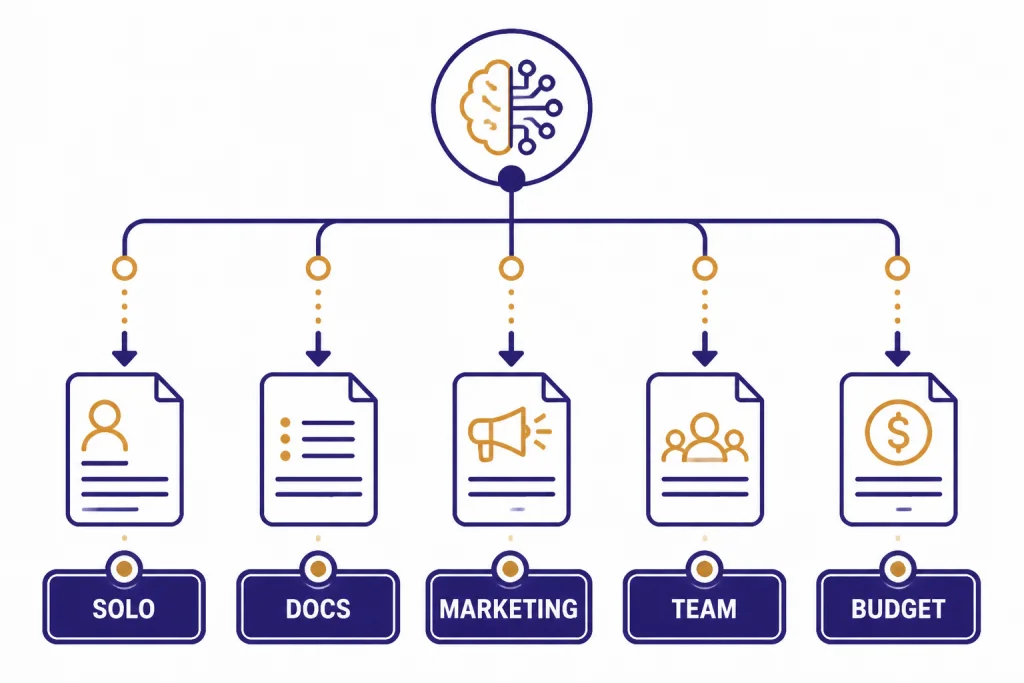
Pick Notion AI or Microsoft 365 Copilot when your company has already chosen the workspace. The best AI writing tool is often the one that can see the relevant notes, files, meetings, and permissions without copying sensitive content into a separate app.
When ChatGPT is still better
ChatGPT remains a strong default when you want one assistant for writing, brainstorming, images, files, voice, custom GPTs, and general problem solving. OpenAI lists ChatGPT Plus at $20 per month and describes benefits such as higher GPT-5.3 limits, reasoning models, faster responses, voice conversations, image generation, file uploads, Deep Research tools, and custom GPT creation.[16]
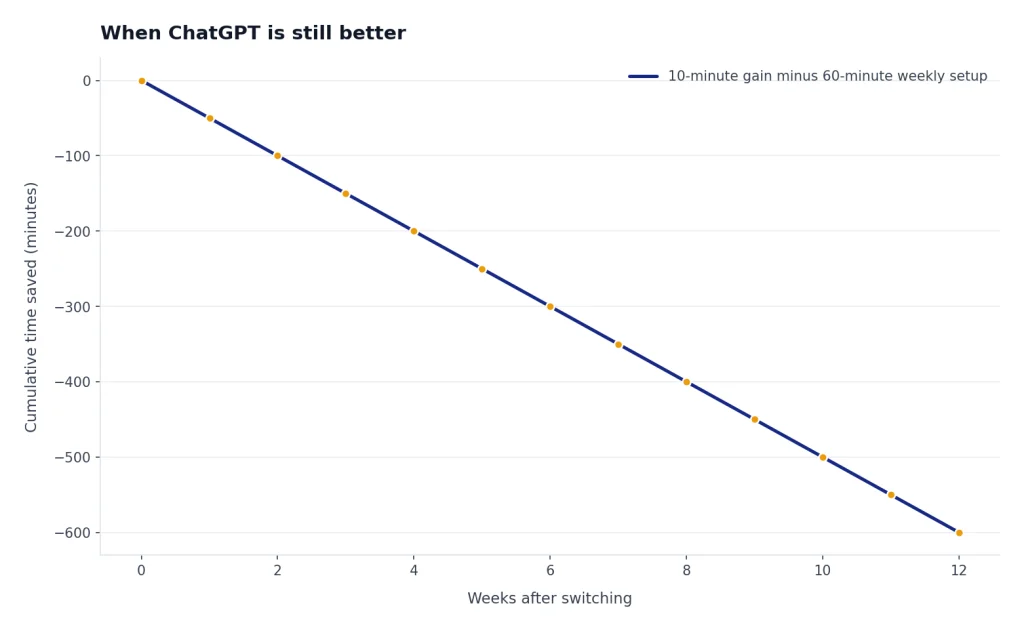
Stay with ChatGPT if you already have prompts, custom GPTs, projects, and workflows that work. Switching tools has a cost. A writing assistant that saves ten minutes in a benchmark but costs an hour of setup every week is not an upgrade.
Switch away from ChatGPT when the alternative has a clear workflow advantage. Gemini wins when the context is in Google. Microsoft 365 Copilot wins when the documents are in Microsoft 365. Grammarly wins when you want real-time editing everywhere. Perplexity wins when sources matter more than prose. Jasper and Copy.ai win when writing must follow a team process.
If you are still comparing the whole market, use our ChatGPT alternatives 2026 and apps like ChatGPT articles as companion guides.
Frequently asked questions
What is the best ChatGPT alternative for writing?
Claude is the best overall ChatGPT alternative for writing because it is strong at drafting, rewriting, preserving tone, and working through longer pieces. Gemini is a close second if your writing depends on Google Docs, Gmail, Drive, or long source documents. Grammarly is better if you mainly need editing rather than a chatbot.
What is the best free alternative for AI writing?
The best free option depends on the job. Claude Free and Gemini Free are good starting points for drafting and rewriting, while Grammarly Free is useful for basic correctness checks. Free plans usually have usage limits, so test them on real writing tasks before relying on them for deadlines.
Is Grammarly a ChatGPT alternative?
Grammarly is a ChatGPT alternative only for editing and writing improvement. It is not a full replacement for brainstorming, research, coding, image generation, or broad assistant work. It is strongest when you already have a draft and want clearer, cleaner, more consistent prose.
Is Claude better than ChatGPT for writing?
Claude is often better for long-form prose, sensitive rewrites, and voice-preserving edits. ChatGPT is often better if you want one tool that also handles custom GPTs, image workflows, voice, and a wider mix of general tasks. The best choice is to test both with the same draft and compare the revision quality.
Which AI writing tool is best for marketing teams?
Jasper is the best fit for brand-controlled marketing content, while Copy.ai is better for go-to-market workflows that combine research, sales copy, and repeatable automation. A solo marketer may not need either platform. Claude, Gemini, or ChatGPT can be enough for lower-volume content work.
Which ChatGPT alternative is best for research-based writing?
Perplexity is the best first stop for research-based writing because it is built around sourced answers and research workflows. It should not be the final editor for most polished prose. Use it to build the brief, then revise in Claude, Gemini, Grammarly, or your normal editor.