

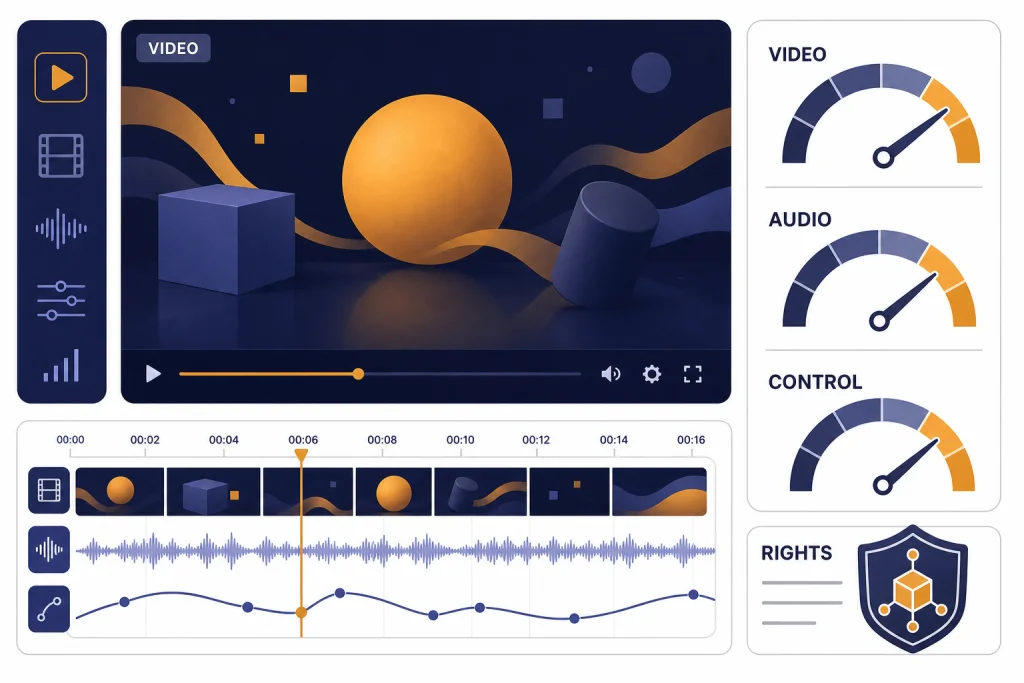
Sora is one of the strongest text-to-video products available on March 14, 2026, but it is not the automatic best choice for every creator. The best reason to use it is speed from prompt to shareable short video, especially now that Sora 2 adds synchronized audio, remixing, characters, and a social creation app.[2][12] The main reasons to hesitate are control, rights risk, visible provenance requirements, and the still-fragile physics that appear in hard prompts.[5][6] My verdict: Sora is the best OpenAI-native video tool and a top-tier casual AI video generator, but Veo and Runway remain serious alternatives for different production workflows.[7][9]
Is Sora the best text-to-video model?
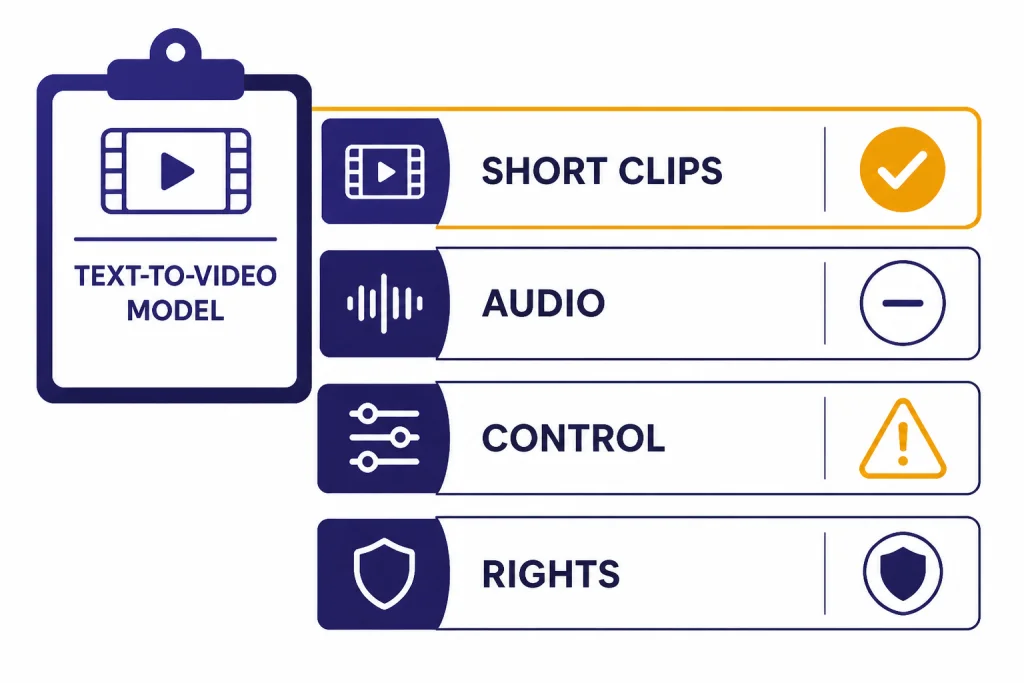
Sora is the best text-to-video model if you want a short, polished clip from a prompt with minimal setup inside OpenAI’s ecosystem. Sora 2 is also one of the most accessible ways to create AI video with synchronized audio and character-based likeness controls.[2][3] It is not the best choice if your priority is production-grade shot control, predictable brand review, or a workflow built around long-form editing.
The answer depends on the job. For a fast meme, concept, social post, explainer shot, or pitch-board clip, Sora is near the top. For an ad campaign, product demo, film previsualization, or client deliverable, I would compare it directly with Runway and Google’s Veo before committing.[7][9] If your work is mostly still images, read our DALL-E 3 review before assuming video is the better medium.
What Sora is in 2026
Sora is OpenAI’s video generation product. OpenAI first moved Sora out of research preview as a standalone product on December 9, 2024, for ChatGPT Plus and Pro users.[1][4] The original product used Sora Turbo, a faster version of the research model OpenAI had previewed earlier.[1][4]
The more important version for this Sora review is Sora 2. OpenAI announced Sora 2 on September 30, 2025, and described it as its flagship video and audio generation model.[2][12] The launch also introduced a standalone Sora iOS app built around creation, remixing, feeds, and a feature called characters, which lets consenting users place their likeness into generated scenes after a short verification capture.[2][6]
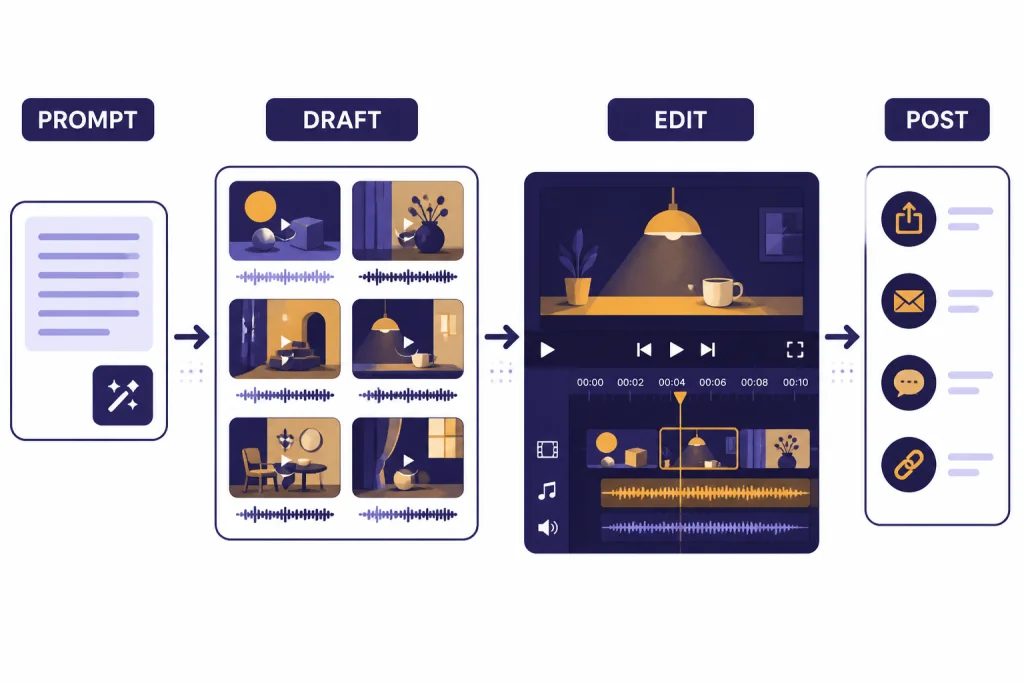
That product framing matters. Sora is not just a model picker inside ChatGPT. It is closer to a short-video creation environment. You prompt a scene, choose orientation and duration, generate a draft, edit or remix it, and decide whether to publish or download.[3][12] This makes Sora feel less like a traditional editing suite and more like a generative camera.
OpenAI’s broader pitch is that video models are a step toward systems that understand the physical world.[2][6] That may be true at the research level, but the practical product question is simpler: can Sora make useful clips with less friction than the alternatives. Most of the time, yes. The more specific your continuity requirements become, the more you will feel its limits.
Plans, limits, and access
Sora access has changed over time, so plan details matter. Sora originally launched as a standalone product for ChatGPT Plus and Pro users on December 9, 2024.[1][4] Sora 2 launched on September 30, 2025, with an initial rollout in the United States and Canada, an invite flow, free initial access subject to compute constraints, Sora access through sora.com after invite, and a higher-quality Sora 2 Pro option for ChatGPT Pro users.[2][12]
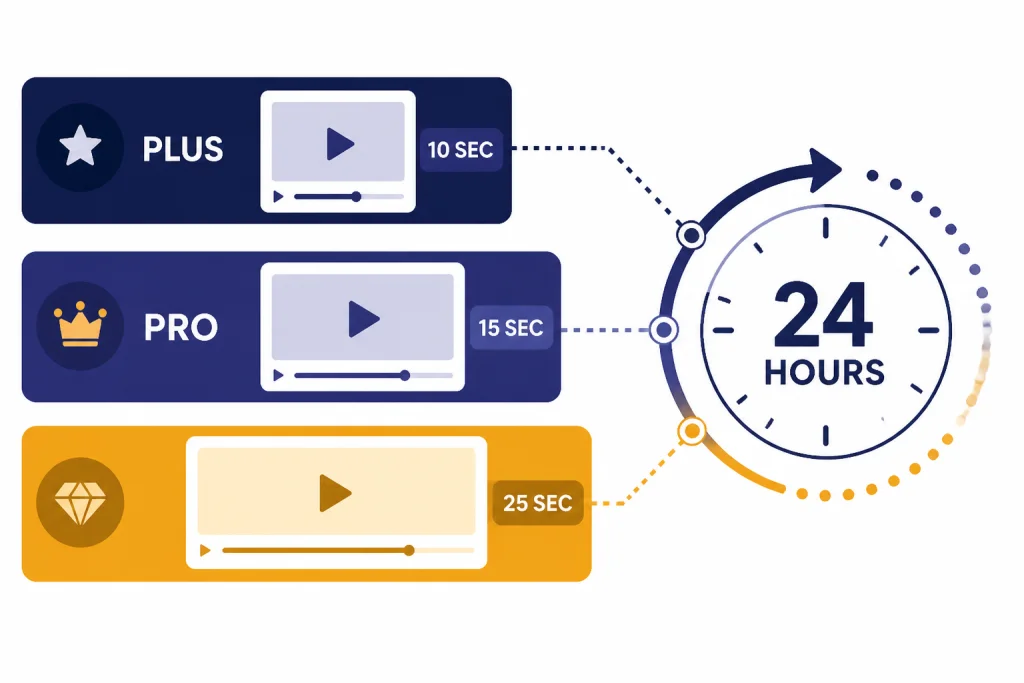
OpenAI’s help documentation describes video creation as a rolling 24-hour usage system in the Sora app. A 10-second generation counts as one video, a 15-second generation counts as two videos, and a 25-second generation counts as four videos.[3][11] This is more useful than a simple daily reset, but it can surprise people who expect the counter to refresh at midnight.
| Area | What Sora supports | Review impact |
|---|---|---|
| Original Sora launch | Standalone Sora product announced on December 9, 2024.[1][4] | Established Sora as a separate video workspace, not only a ChatGPT feature. |
| Sora 2 launch | Sora 2 announced on September 30, 2025, with video and audio generation.[2][12] | Made Sora more competitive for short social clips because audio is part of the output. |
| Duration accounting | 10-second videos count as one video, 15-second videos count as two, and 25-second videos count as four toward the rolling limit.[3][11] | Longer clips are possible, but they consume allowance faster. |
| Watermark handling | OpenAI says exports include visible moving watermark and C2PA provenance at launch, with limited no-watermark downloads for qualifying Pro generations.[3][6] | Good for transparency, but not ideal for every client-facing asset. |
If you are choosing between ChatGPT subscriptions mainly for Sora, the upgrade case depends on how often you generate and whether you need the higher-quality Sora 2 Pro path.[2][3] For a broader subscription decision, compare this review with our ChatGPT Plus review and ChatGPT Pro review. If your organization needs shared accounts, permissions, and admin controls, the ChatGPT Team review is the more relevant starting point.
How I judge Sora
A fair Sora review should not judge it only by cherry-picked launch clips. I use five practical criteria: prompt adherence, temporal consistency, motion realism, editability, and rights safety. These are the areas that decide whether an AI video tool is a toy, a draft tool, or a production aid.
Prompt adherence
Sora usually understands scene descriptions, camera language, mood, pacing, and audio intent better than older AI video tools. OpenAI’s Sora help page encourages prompt details such as subject, setting, camera motion, look, pacing, and audio intent.[3][12] The best results come from prompts that describe one strong scene rather than a full screenplay.
Temporal consistency
Temporal consistency means the subject stays the same while the clip moves. Sora is strong here for short shots, but it can still drift when the scene has several people, small hand movements, reflections, text, or precise object interactions. That weakness is not unique to Sora. Runway built Gen-4 around character, object, and world consistency, which shows how central this problem is for the whole category.[9][10]
Motion realism
Sora 2 is a visible improvement over early AI video systems in physical motion. OpenAI positioned Sora 2 around better realism, physics, and instruction following.[2][6] The model can still fail on collisions, sports, complex tools, crowded scenes, and fast object handoffs. If the scene would be hard to choreograph in real life, it is still hard for Sora.
Editability
Sora includes a built-in editor for trimming, stitching, reordering, extending, reprompting, and remixing clips.[3][11] That is enough for iteration, but not enough to replace a full nonlinear editor. Think of Sora as the generator and rough assembly surface, then export to a standard editing app when timing, color, titles, and legal review matter.
Where Sora is strongest
Sora’s strongest trait is creative compression. It collapses script, set, camera, movement, and rough sound design into one prompt-driven workflow. That does not mean it replaces human direction. It means one person can explore more ideas before choosing what deserves real production effort.
Fast concept clips
Sora works best when the output is a concept, not a final legal asset. A marketer can test several product-story angles. A teacher can create a visual metaphor. A founder can sketch a product future. A filmmaker can rough out a scene before deciding whether to shoot it. For image-first ideation, our DALL-E 3 review covers the still-image side of the same workflow.
Audio-aware generation
Sora 2’s biggest practical upgrade is that it is a video and audio model, not only a silent clip generator.[2][12] OpenAI’s help page tells users to describe ambience, sounds, and dialogue cues, and says the model can generate dialogue automatically when it fits the scene.[3][12] This helps short clips feel complete sooner.
Characters and social remixing
The characters feature is both powerful and risky. It lets verified users place themselves or consenting friends into generated scenes after identity and likeness capture.[2][6] This is why Sora feels more social than many competing video tools. It is also why OpenAI had to build visible and invisible provenance signals, in-app reporting, likeness controls, and stronger guardrails for realistic people.[5][6]
For creators already using ChatGPT as a creative partner, Sora fits naturally beside the rest of the OpenAI workspace. A prompt can become a video idea, a caption, a campaign variant, or a storyboard. If your workflow is already centered on ChatGPT, our ChatGPT review 2026 explains the broader platform tradeoff.
Where Sora still falls short
Sora’s biggest weakness is not that it produces bad video. It is that it can produce very convincing video with subtle wrongness. That is harder to manage than obvious failure. A distorted hand is easy to reject. A plausible scene with a small factual, legal, or physical error is more dangerous.
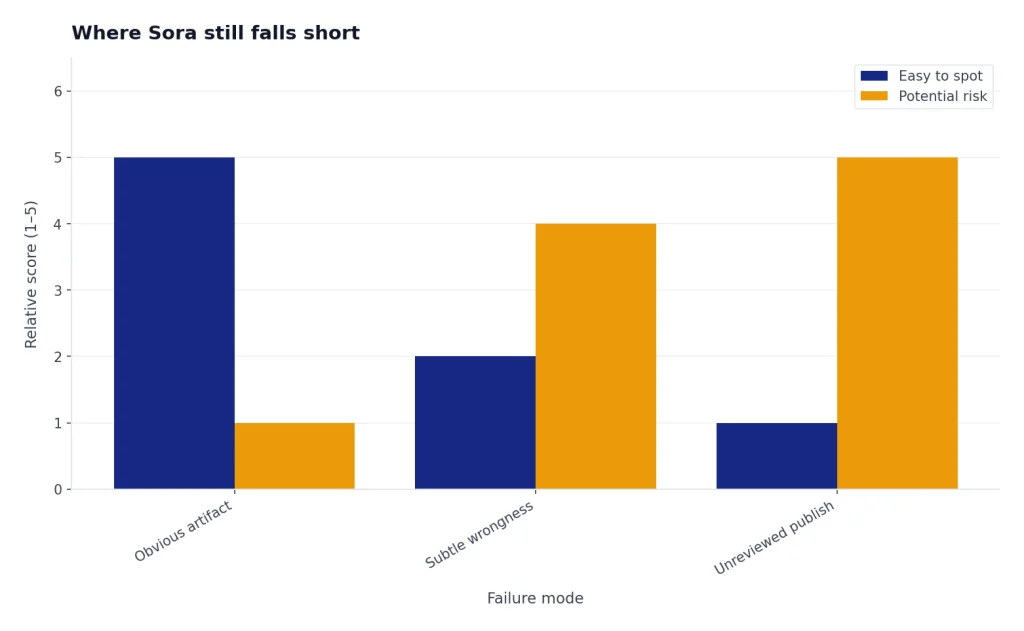
Control is still limited
You can steer Sora with prompts, styles, duration, orientation, editing, and remixing.[3][11] You cannot reliably direct every frame the way you would in a 3D package, a motion graphics project, or a live shoot. This matters for brand work. If a logo must stay perfect, a product must retain exact geometry, or an actor must perform a precise gesture, Sora may need many attempts.
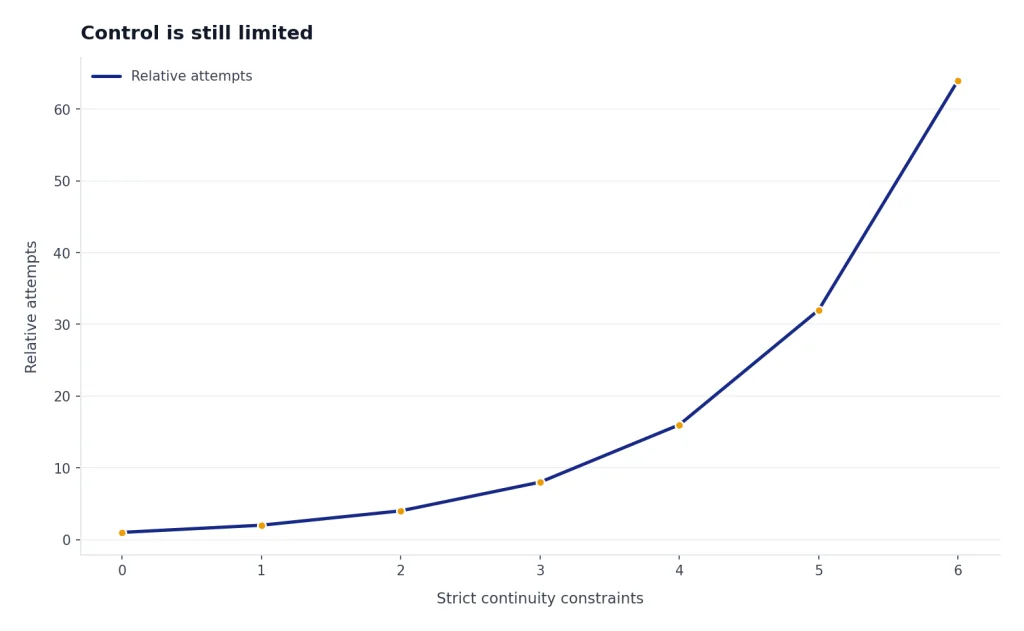
Rights review is not optional
OpenAI’s safety material for Sora 2 focuses heavily on likeness, deceptive content, child safety, provenance, and moderation.[5][6] That focus is justified. Sora’s ability to create realistic people, voices, and recognizable styles makes rights review part of the workflow, not an afterthought. Teams should treat Sora drafts like externally sourced media: check likeness permissions, copyrighted characters, music-like audio, brand marks, and claims before publishing.
Watermarks and provenance can affect deliverables
OpenAI says Sora outputs include visible and invisible provenance signals, including C2PA metadata and visible moving watermarks in first-party products.[5][6] OpenAI’s help page also says ChatGPT Pro users can download without a watermark only when specific conditions are met, such as text-prompt generation without public figures or characters.[3][6] That policy is reasonable for safety, but it limits some professional use cases.
The social feed is not the same as a studio workflow
Sora’s app design encourages remixing, discovery, and posting.[2][12] That is excellent for rapid sharing. It is less ideal for teams that need approvals, version history, asset libraries, rights notes, and client review. If you need browser-based production utilities more than a social creation feed, compare Sora with OpenAI Playground review for API-style experimentation and ChatGPT Canvas review for structured editing.
Sora vs Veo vs Runway
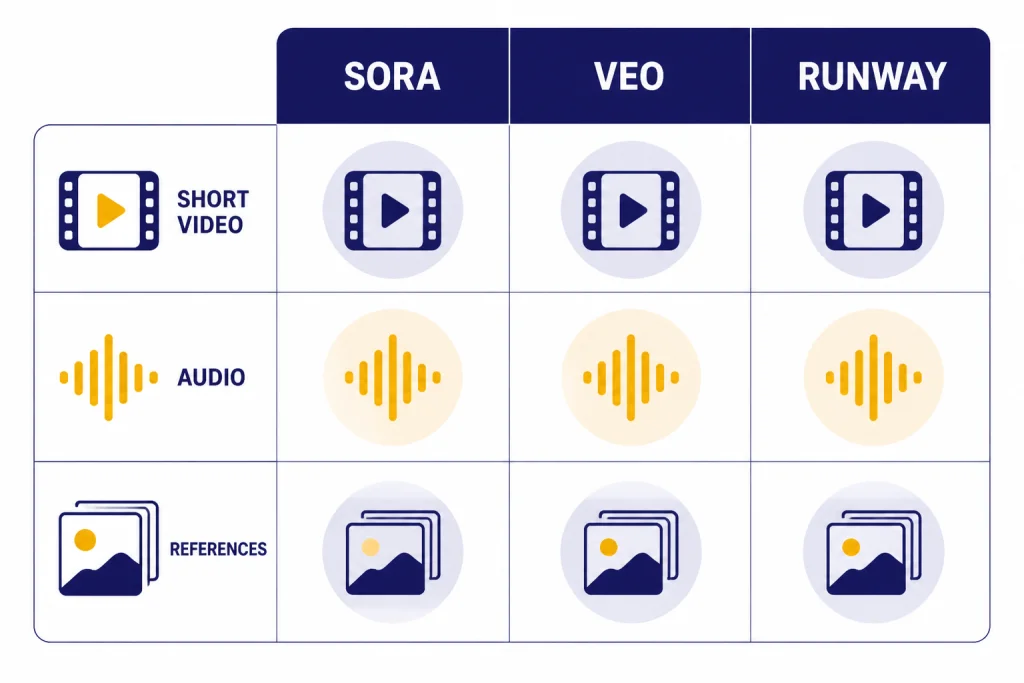
The best Sora comparison is not a generic “AI video” matchup. Sora, Google Veo, and Runway each optimize for a different user. Sora is strongest as a prompt-to-social-video experience. Veo is a major competitor for cinematic realism and native audio. Runway is built around creator tooling, references, and consistency workflows.[7][9]
| Product | Confirmed milestone | Best fit | Main caution |
|---|---|---|---|
| Sora 2 | OpenAI announced Sora 2 on September 30, 2025, as a video and audio generation model with a Sora app.[2][12] | Fast short clips, social remixing, character-based likeness workflows. | Rights, watermark rules, and limited frame-level control. |
| Google Veo 3 | Google announced Veo 3 and Flow on May 20, 2025, with native audio generation in video workflows.[7][8] | Cinematic AI filmmaking experiments, sound-aware clips, Google ecosystem users. | Availability, subscription packaging, and workflow fit vary by Google product. |
| Runway Gen-4 | Runway introduced Gen-4 on March 31, 2025, emphasizing world consistency, dynamic motion, references, and prompt adherence.[9][10] | Creators who need reference-driven control and a dedicated AI video production suite. | Training-data opacity and paid-tool complexity remain concerns. |
If you want a deeper head-to-head on OpenAI’s closest video rivals, read Sora vs Runway and Sora vs Google Veo. The short version is simple: choose Sora for frictionless short creation, Veo for Google’s audio-forward filmmaking path, and Runway for production tooling built around visual references.
Who should use Sora
Sora is worth using if you create short-form visual ideas often and can accept iteration. It is especially useful for social creators, educators, product marketers, founders, writers, and creative directors who want to see a concept before spending money on production. It is less attractive if your videos must be exact, legally conservative, or long-form.
- Use Sora for idea exploration. It is excellent for visual brainstorming, mood clips, campaign directions, fictional examples, and quick explainers.
- Use Sora for social-native drafts. The app structure favors creation, remixing, posting, and short clips.[2][12]
- Use Sora with review for business content. Any realistic person, voice, brand reference, public figure, or copyrighted-looking output needs human review before publication.[5][6]
- Do not use Sora as your only editor. Use it to generate material, then finish in a dedicated video editor when the asset matters.
ChatGPT power users will get the most value because Sora sits naturally beside prompt writing, story development, and campaign planning. If you want to compare Sora with OpenAI’s other high-effort tools, see our ChatGPT Deep Research review, ChatGPT Agent review, and GPT-5 review.
Original analysis: the three-layer video decision framework
The most useful way to decide on Sora is to separate video work into three layers: imagination, production, and publication. Sora is strongest at the imagination layer. It lets you test whether a scene, mood, joke, visual metaphor, or camera idea works. That is a major creative advantage because many weak ideas die before they become expensive.
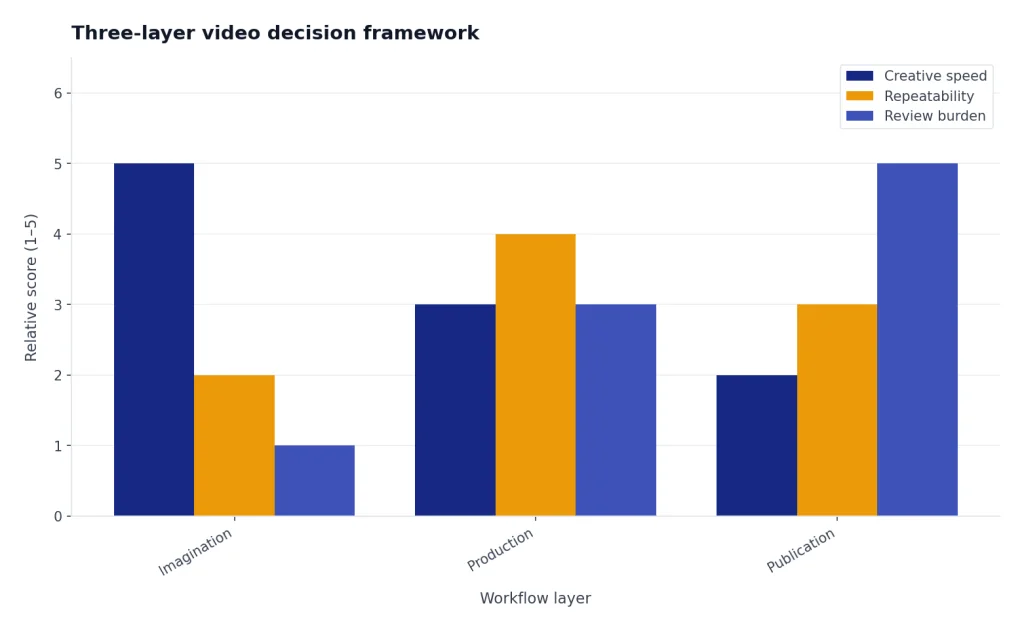
The production layer is harder. This is where continuity, blocking, performance, design, timing, and repeatability matter. Sora can help, but it is not yet as dependable as a controlled shoot, animation pipeline, or mature post-production workflow. Runway’s Gen-4 positioning around references and world consistency is a sign that the whole market is still trying to solve this middle layer.[9][10]
The publication layer is where Sora becomes risky. A generated clip may look ready before it is cleared. OpenAI’s provenance stack, watermarking, C2PA metadata, likeness controls, and reporting systems are useful guardrails, but they do not replace editorial judgment.[5][6] My rule is simple: use Sora freely for private ideation, cautiously for public social posts, and conservatively for commercial deliverables.
This framework also explains why “best model” is the wrong single question. The best imagination tool is the one that helps you think fastest. The best production tool is the one that gives repeatable control. The best publication tool is the one that helps you prove rights, provenance, and approvals. Sora is excellent in the first layer, improving in the second, and still needs careful human process in the third.
Frequently asked questions
Is Sora 2 better than the original Sora?
Yes, Sora 2 is the more important product for most users in 2026. OpenAI announced the original Sora product on December 9, 2024, and then announced Sora 2 on September 30, 2025, as a video and audio generation model.[1][2] The practical difference is that Sora 2 is built around short video with synchronized audio, app-based remixing, and character workflows.[2][12]
How long can Sora videos be?
OpenAI’s Sora help documentation describes 10-second, 15-second, and 25-second generation accounting in the Sora app.[3][11] A 10-second video counts as one video toward the rolling 24-hour limit, a 15-second video counts as two, and a 25-second video counts as four.[3][11] Longer clips are therefore possible in some workflows, but they consume allowance faster.
Does Sora add a watermark?
Yes, OpenAI says Sora exports include visible moving watermark and C2PA provenance at launch.[3][6] OpenAI also describes limited no-watermark downloads for ChatGPT Pro users when the clip meets specific conditions, including being generated from a text prompt and not depicting a public figure or using characters.[3][6] If you need clean client deliverables, check the exact export conditions before relying on Sora.
Is Sora safe for commercial use?
Sora can be useful in commercial workflows, but it should not bypass legal and brand review. OpenAI’s Sora 2 safety material names risks around likeness misuse, deceptive content, child safety, and provenance.[5][6] For commercial use, review generated people, voices, brands, copyrighted-looking characters, claims, and music-like audio before publishing.
Is Sora better than Google Veo 3?
Not universally. Sora 2 launched on September 30, 2025, with OpenAI’s social creation app and video-plus-audio model.[2][12] Google announced Veo 3 and Flow on May 20, 2025, emphasizing AI filmmaking and native audio generation.[7][8] Choose Sora if you want OpenAI’s short-video creation experience; choose Veo if Google’s filmmaking workflow and ecosystem fit your work better.
Is Sora better than Runway Gen-4?
Sora is easier to treat as a fast prompt-to-video product. Runway Gen-4, introduced on March 31, 2025, is positioned around visual references, world consistency, realistic motion, and prompt adherence.[9][10] If you need a dedicated production suite with reference-driven control, Runway deserves a serious test. If you want quick shareable clips inside the OpenAI ecosystem, Sora is simpler.
Should ChatGPT Plus users try Sora?
Yes, if Sora is available on your account and your goal is experimentation. The original Sora product launched for ChatGPT Plus and Pro users on December 9, 2024.[1][4] Sora 2 later added a separate app experience and an invite-based rollout beginning in the United States and Canada on September 30, 2025.[2][12] Try it for concept clips first before making it part of a paid production process.
Bottom line
Sora is a top-tier AI video generator and the most natural choice for people already working inside OpenAI’s ecosystem. It is strongest when you need a fast short clip with visual polish, audio, and remixable creative energy. It is weaker when you need exact continuity, clean commercial export, legal certainty, or long-form production control.
Use Sora as a generative camera, not as a full studio. The best workflow is to prompt broadly, generate several directions, keep only the strongest clips, and run every public asset through rights and editorial review. That makes Sora useful today without pretending it has solved the hard parts of video production.