

ChatGPT Studio Ghibli prompts are popular, but they work best when you describe the visual ingredients you want instead of relying only on a studio name. Use plain details: hand-drawn animation, soft watercolor backgrounds, warm light, expressive but simple faces, quiet rural settings, cozy kitchens, wind-swept grass, and a childlike sense of wonder. This guide gives you copy-paste prompts for portraits, pets, travel photos, fantasy scenes, thumbnails, and social posts, with descriptive alternatives that are safer for public or commercial-facing work. ChatGPT’s image tools changed quickly after OpenAI released native image generation in GPT-4o on March 25, 2025, and later released a new ChatGPT Images experience on December 16, 2025.[3][1] As of May 2026, OpenAI’s current image lineup also includes gpt-image-2, so the workflow advice below focuses on prompt structure rather than one temporary model label.
Quick safety note before using these prompts
The phrase “ChatGPT Studio Ghibli prompts” is popular because many users want a warm, hand-drawn animation look. That does not mean every use is low risk. The trend became widely visible after ChatGPT users began transforming personal photos and internet memes into images resembling Studio Ghibli’s visual language, which also raised copyright and artist-rights concerns.[4]
For private, personal experiments, a direct style reference may produce the look you expect. For public posts, client work, merchandise, ads, thumbnails, and brand campaigns, make the descriptive version your default. Describe traits such as watercolor backgrounds, rounded character design, quiet fantasy realism, gentle lighting, hand-painted texture, and pastoral settings. This approach gives ChatGPT a clear visual target without making the output depend on a named studio, copied film scene, or recognizable character.
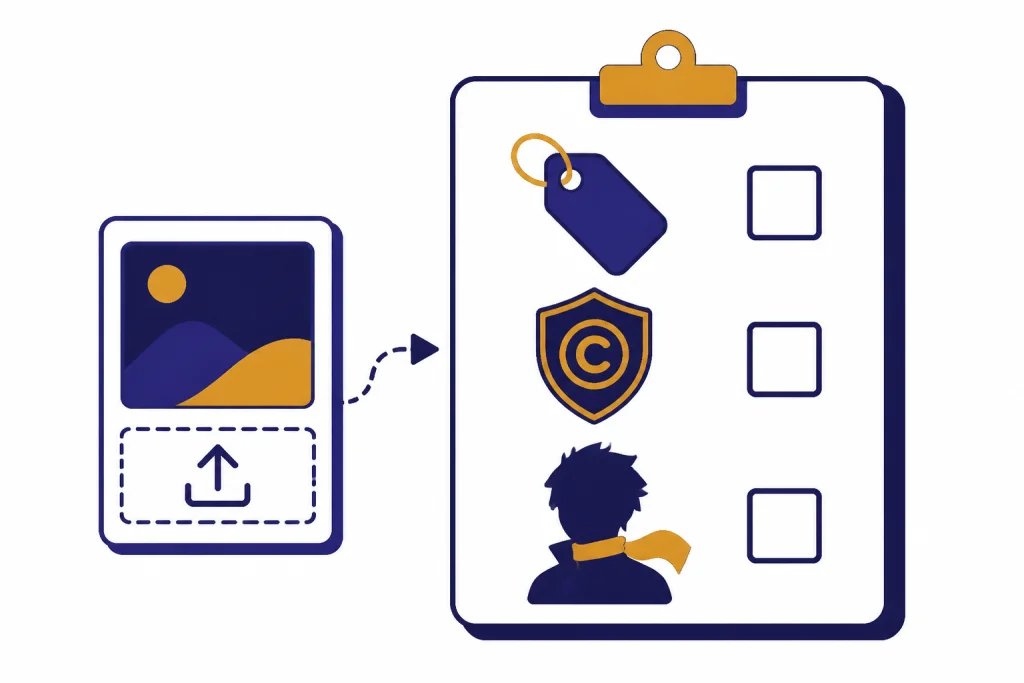
OpenAI’s public guidance also matters. Its sharing policy says users should manually review outputs before sharing them, attribute content to themselves or their company, and disclose AI-generated content in a way viewers will not miss or misunderstand.[6] If you plan to publish an AI image, add a simple disclosure such as “Created with AI image generation and edited by me.”
The best prompt formula for a Ghibli-like result
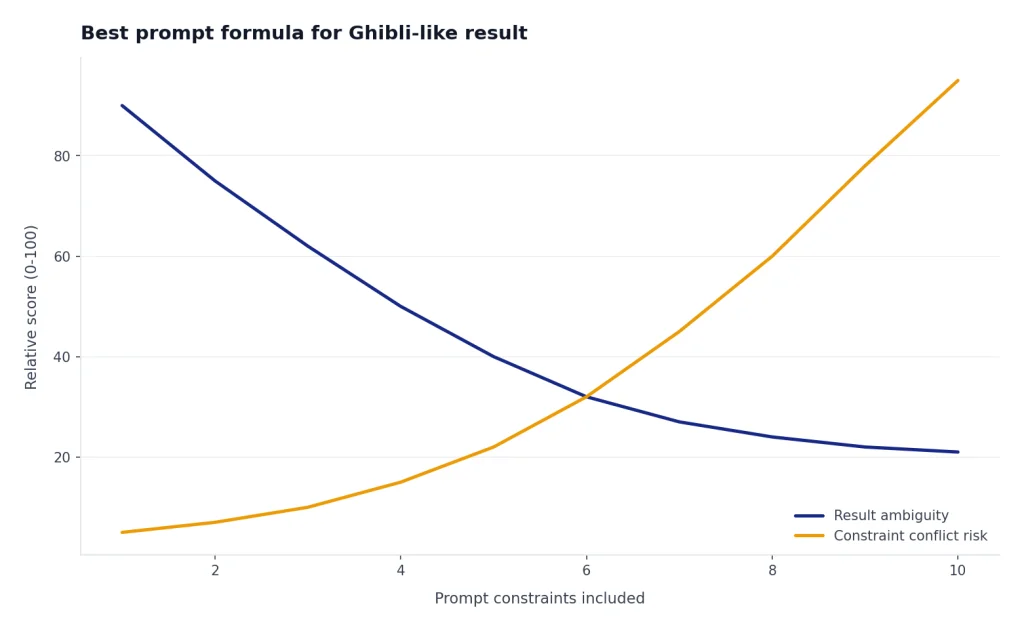
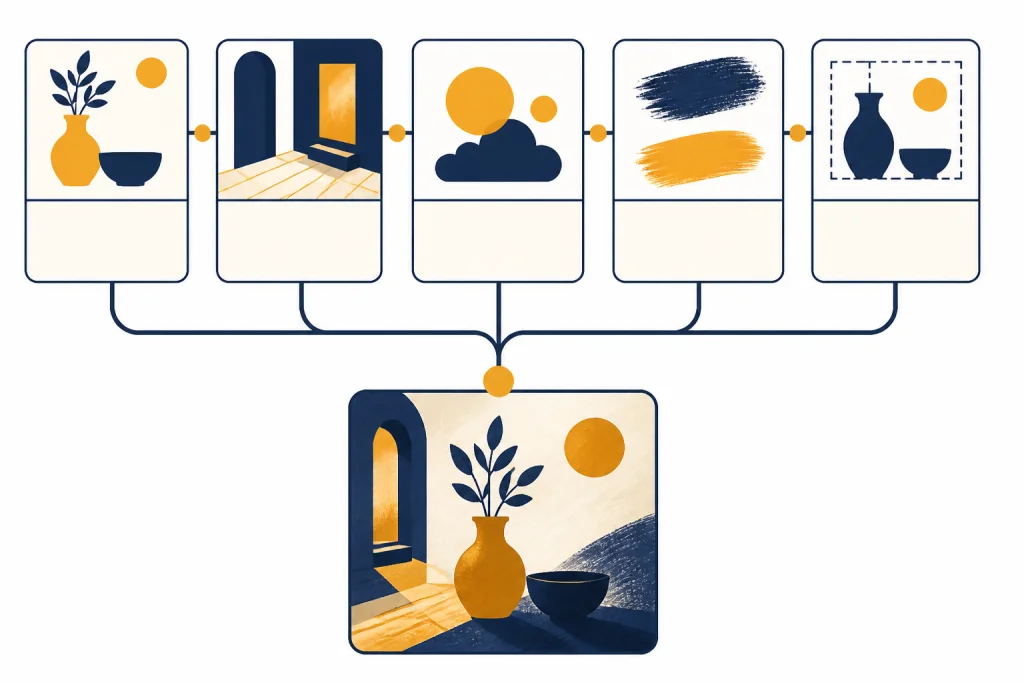
The strongest prompts do not say only “make this Studio Ghibli style.” They specify subject, setting, emotional tone, animation texture, camera framing, color palette, and what to avoid. ChatGPT Images can create and edit images from prompts, and OpenAI says the tool can follow precise instructions, add details, and handle transparent backgrounds.[2] OpenAI also said GPT-4o image generation improved instruction following and could handle roughly 10 to 20 distinct objects in a scene, which is useful for complex illustrated prompts.[3]
Use this formula:
- Subject: who or what the image shows.
- Setting: forest lane, seaside town, cluttered kitchen, hilltop shrine, train carriage, greenhouse.
- Mood: wistful, cozy, adventurous, quiet, rainy, sunlit.
- Animation traits: hand-drawn linework, painterly background, soft shading, rounded shapes, expressive eyes.
- Composition: wide shot, close portrait, three-quarter view, low angle, centered poster layout.
- Format settings: square 1:1 for profile images, vertical 4:5 or 9:16 for social posts, horizontal 16:9 for thumbnails and banners, and portrait 2:3 for book-cover concepts.
- Constraints: no logos, no copied characters, no readable text, no photorealism, no horror tone.
For example: “Create a 4:5 vertical hand-drawn animated portrait of a person standing beside a garden gate at golden hour. Use soft watercolor background texture, rounded character design, gentle linework, warm greens and peach light, and a quiet magical-realism mood. Preserve the person’s pose and expression. No logos, no text, no copied characters.”
If you want broader image prompt help, start with Best ChatGPT Image Prompts. If you want to build your own reusable library, use ChatGPT Prompt Generator next.
Copy-paste prompts for a warm hand-drawn animation look
The descriptive versions below are the recommended defaults. Where a named-style prompt appears, treat it as a private, personal-only experiment, not wording for client work, public campaigns, merchandise, or brand assets.
Portrait prompt
Recommended descriptive version: Create a hand-drawn Japanese animation-inspired portrait from this photo. Preserve the person’s pose and key facial proportions. Use soft watercolor backgrounds, warm afternoon light, rounded character design, subtle linework, expressive eyes, and a calm pastoral atmosphere. Do not copy any existing character, logo, film frame, or studio branding.
Private personal-only version: Create a Studio Ghibli style portrait from this photo. Keep the person’s pose and facial structure recognizable, but transform the scene into a warm hand-drawn animated portrait with soft watercolor shading, gentle sunlight, rounded features, and a peaceful countryside background. Do not add text or logos. Do not use this wording for commercial, client, or public brand work.
Pet portrait prompt
Turn this pet photo into a cozy hand-painted animated scene. Keep the pet’s fur pattern, eye color, and body shape. Place the pet beside a sunlit window with potted herbs, a small wooden table, drifting dust motes, and a soft watercolor background. Use rounded shapes, gentle shading, and a storybook mood. Square 1:1 format. No text, logos, or known mascots.
Travel photo prompt
Reimagine this travel photo as a quiet hand-drawn animated scene. Keep the real landmarks recognizable but simplify the details into painterly shapes. Add warm evening light, soft clouds, subtle wind movement, tiny everyday details, and a sense of wonder. Use a 16:9 landscape frame for a banner or a 4:5 vertical frame for social posting. Avoid copying characters, logos, or scenes from any existing animated film.
Fantasy landscape prompt
Create a wide 16:9 animated fantasy landscape with a small village tucked into a green valley, a winding dirt path, a floating lantern festival, mossy stone walls, and distant blue hills. Use soft hand-painted textures, gentle linework, warm window light, and a peaceful magical-realism mood. No text, no logos, no existing characters.
Food scene prompt
Create a cozy animated kitchen scene centered on a steaming bowl of noodle soup, a wooden counter, hanging copper pots, a small open window, herbs in jars, and warm morning light. Make the food look inviting but not photorealistic. Use painterly backgrounds, rounded shapes, soft steam, and a quiet domestic mood. Use 4:5 vertical if the image is for Instagram or Pinterest.
Book cover prompt
Create a vertical 2:3 illustrated book cover concept with a young explorer standing at the edge of a moonlit forest path, carrying a small satchel and lantern. Use hand-drawn animation texture, soft watercolor trees, warm lantern glow, gentle mystery, and open space for a title. Do not render any actual text; leave a clean area where a designer can add typography later.
For fiction scenes and character work, pair these with ChatGPT Creative Prompts for Storytellers. For playful social experiments, see Fun ChatGPT Prompts to Try Today and ChatGPT Caricature Prompts.
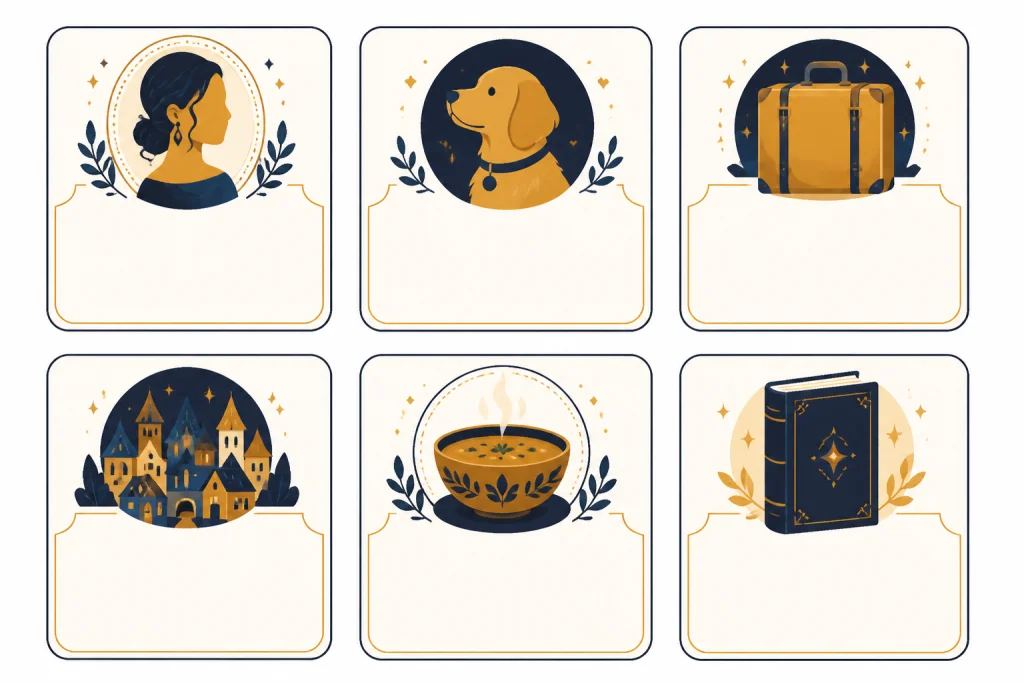
Prompt table by use case
Use this table to choose the right wording before you generate. The safest prompt is usually the one that describes visual traits instead of asking ChatGPT to replicate a studio, character, or specific film scene.
| Use case | Best prompt approach | Avoid | Good output target |
|---|---|---|---|
| Personal profile portrait | Preserve likeness, soften lighting, use hand-drawn animation traits, choose 1:1 or 4:5 | Exact character costumes or a copied movie frame | Recognizable person in a cozy illustrated world |
| Pet image | Keep fur markings and pose, add a warm domestic setting | Turning the pet into a known mascot | Storybook pet portrait with soft background detail |
| YouTube thumbnail | Use 16:9, bold silhouette, clear subject, simple background, no fake studio branding | Studio logos, copied title cards, copyrighted characters | Readable composition that still feels hand-painted |
| Children’s story concept | Describe original characters, location, palette, and emotion | “Make it look exactly like” a named film | Original scene with gentle fantasy tone |
| Sticker, icon, or overlay | Request a simple subject on a transparent background with clean edges | Busy scenery, text, logos, or copied mascots | Original cutout suitable for layout work |
| Client or brand asset | Use descriptive style words, document human revisions, and disclose AI use where appropriate | Named studio reference, trademarked elements, implied endorsement | Original illustration direction suitable for human refinement |
If you are making platform content, adapt the prompt to the format. For captions and campaign copy, use ChatGPT Social Media Prompts for Every Platform. For video packaging, use ChatGPT for YouTubers. For seasonal image concepts, compare the structure in ChatGPT Christmas Photo Prompts and ChatGPT Action Figure Prompts.
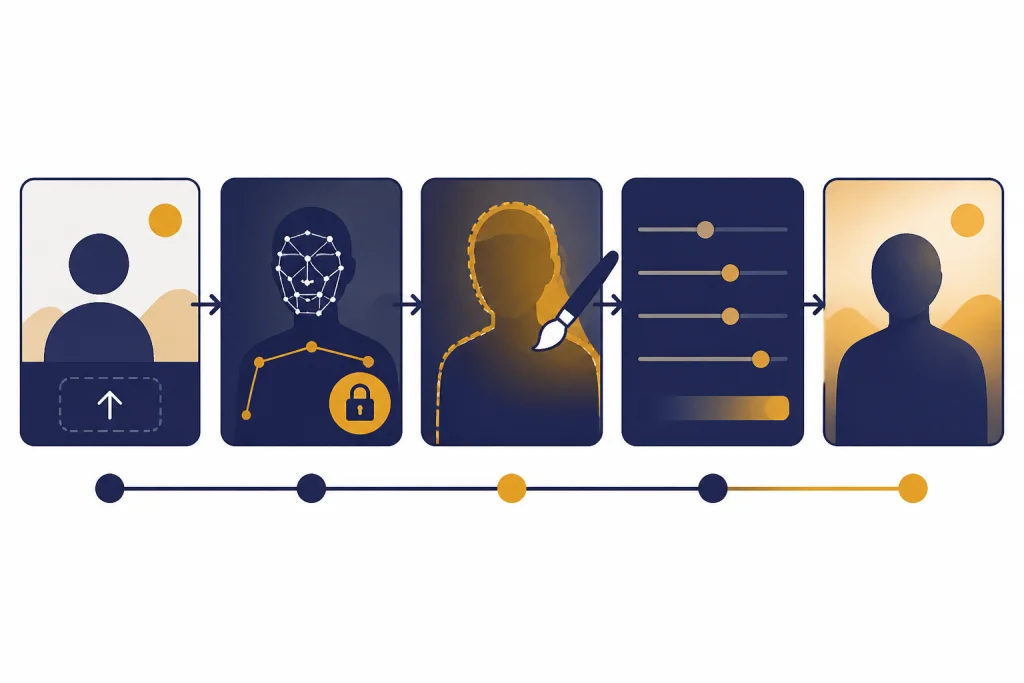
How to edit an uploaded photo
ChatGPT image editing works better when you make one controlled change at a time. OpenAI’s help article says users can edit images they create, upload an existing image, select part of the image with the editor, or describe an edit directly in the conversation.[2] Use uploaded-image editing when likeness, pose, clothing, product shape, or room layout matters. Use text-to-image when you are inventing a scene from scratch and do not need to preserve a real person, pet, object, or location.
- Upload the image. Ask ChatGPT to describe the visible subject, pose, lighting, and background before generating anything.
- Choose the output format. Ask for 1:1 for avatars, 4:5 for feed posts, 9:16 for stories or shorts, 16:9 for thumbnails, or 2:3 for cover concepts.
- Lock what must stay. Say: “Keep the same pose, face angle, clothing colors, and background layout.”
- Change the style. Ask for hand-drawn animation, painterly textures, warm light, and soft linework.
- Fix one issue. If the face changes too much, ask only to restore facial proportions. If the background is too busy, ask only to simplify the background.
- Request a transparent background when needed. For stickers, icons, product cutouts, or overlays, say: “Place the subject on a transparent background with clean edges and no shadow unless needed.”
- Export with context. Save the version you like and note that it was AI-generated if you publish it.
A useful follow-up prompt is: “Keep the current composition, but make the background less detailed, preserve the subject’s face more closely, reduce the saturation, and make the lighting feel like late afternoon.”
For iteration, change one variable per message. Example sequence: first ask for “more watercolor texture,” then “slightly warmer light,” then “simpler background,” then “restore the original eye shape.” This makes it easier to identify which instruction improved or damaged the image.
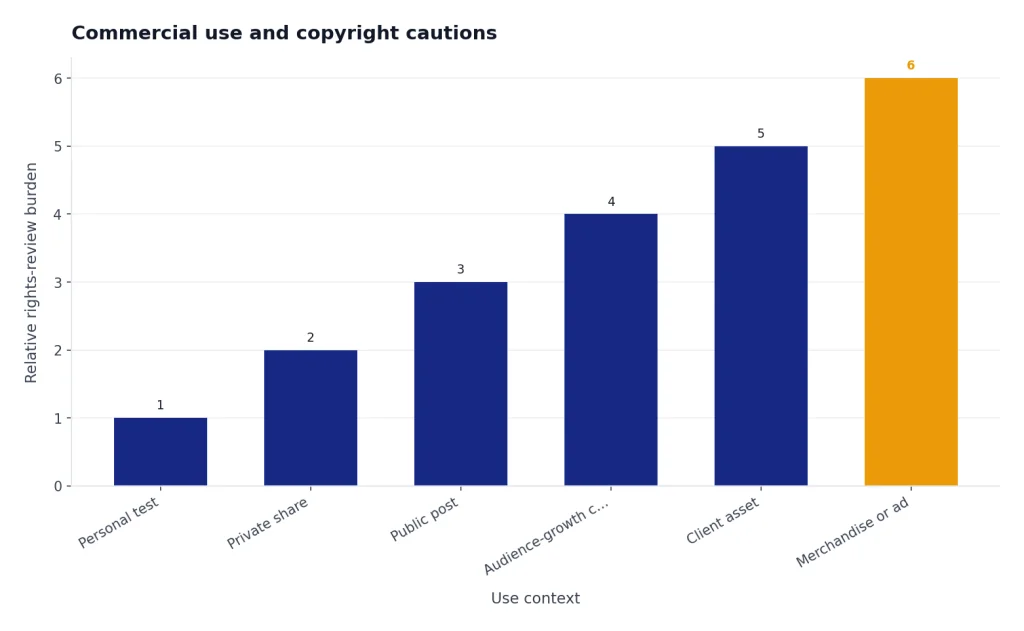
Commercial use and copyright cautions
This section is general editorial guidance, not legal advice. If an image will be used in advertising, packaging, merchandise, a paid client deliverable, a game, a book, or another rights-sensitive context, have qualified counsel review the planned use.
Do not treat a viral prompt as a rights clearance strategy. OpenAI’s terms say that, as between the user and OpenAI and to the extent permitted by law, users retain ownership rights in input and own output.[7] That is not the same thing as a guarantee that an output is copyrightable, non-infringing, or safe for every commercial context.
The U.S. Copyright Office released Part 2 of its copyright and artificial intelligence report on January 29, 2025. Its summary says AI can assist creation and AI-generated material can be included in a larger human-generated work, but copyright protection still depends on human authorship.[8] In practice, your editing, arrangement, drawing, compositing, and art direction matter more than a single prompt.
There is also a reputational issue. The Studio Ghibli trend was covered as both a technical showcase and a copyright controversy.[4] TechCrunch reported that OpenAI’s policy posture allowed prompts mimicking creative studios while continuing to restrict imitation of individual living artists’ styles.[5] That distinction may affect tool behavior, but it does not settle whether a brand should use a Ghibli-style image in an ad, product package, game asset, or paid campaign.
Use this rule: if the image is for personal amusement, a named-style experiment is a private creative test. If the image is for money, audience growth, client delivery, merchandise, or a public brand, rewrite the prompt into descriptive visual language, avoid trademarked or copyrighted elements, add human creative work after generation, and keep records of your revisions.
Troubleshooting weak image results
If the result looks generic, the prompt is probably too short. Add concrete nouns: bicycle basket, kettle, mossy stones, laundry line, train window, paper lantern, seed packets, worn leather satchel. AI image models respond well to visible objects because objects give the scene structure.
If the face changes too much, ask ChatGPT to preserve identity before you ask for style. Try: “Keep the same person, face angle, hair shape, skin tone, and expression. Only change the rendering style, lighting, and background texture.” If that still fails, reduce the transformation: “Make it somewhat more hand-drawn, but keep the photo composition and facial proportions close to the original.”
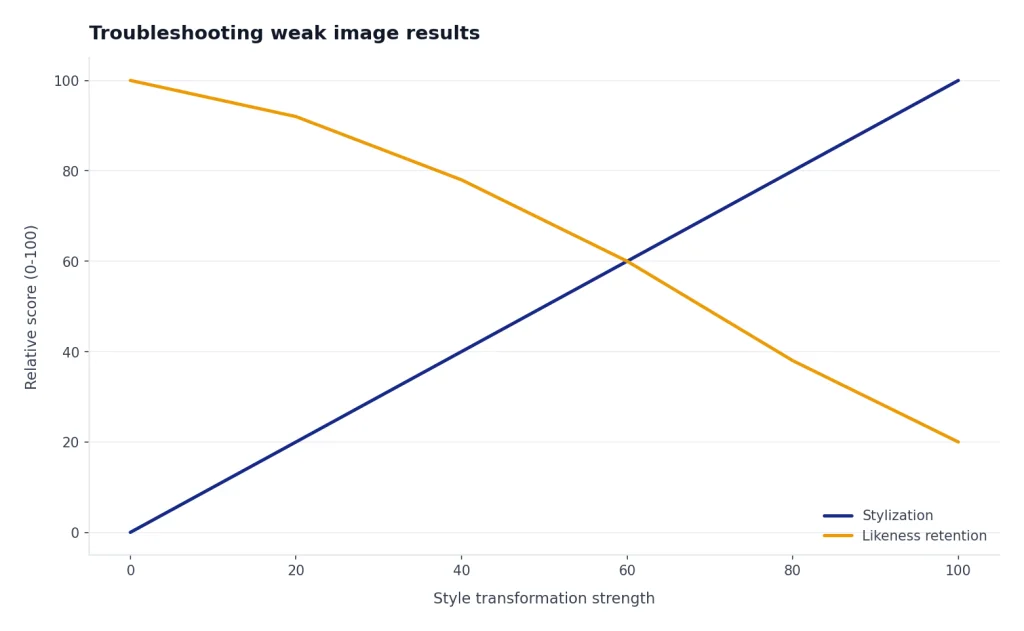
If the image looks too much like a specific film, remove named references and replace them with art direction. Use “soft watercolor countryside,” “rounded hand-drawn characters,” “quiet magical realism,” and “warm cel-animation lighting.” If the output includes fake logos or unreadable text, add “no text, no logos, no signs, no title cards” to the prompt.
If the result is too polished, ask for visible hand-made texture. Try: “Add subtle paper grain, uneven ink lines, simplified background shapes, and painterly color variation.” If it is too childish, ask for “restrained character design, natural proportions, and a calm cinematic composition.” For broader prompt repair patterns, use Best ChatGPT Prompt Generator Tools.
Frequently asked questions
Can ChatGPT make Studio Ghibli style images?
ChatGPT image tools can often produce images that resemble warm hand-drawn Japanese animation when prompted with that direction. Results depend on the current image model, account access, policy enforcement, and the exact wording. For public use, descriptive prompts are safer than direct studio imitation.
What is the safest Ghibli-style prompt wording?
Use visual traits instead of the studio name. A safer wording is: “hand-drawn animated film look, soft watercolor background, rounded character design, warm natural light, quiet magical-realism mood, original characters only.” This keeps the aesthetic direction clear without asking for a copy of a studio’s identity.
Can I use these prompts for business images?
You can use ChatGPT to explore concepts, but do not rely on a named Studio Ghibli style for client or commercial work. Use descriptive art direction, avoid copied characters and logos, disclose AI involvement where appropriate, and have a human designer revise the final asset. For legal-sensitive uses, ask an IP lawyer or other qualified counsel.
Why does ChatGPT refuse some Ghibli prompts?
Refusals can happen because model behavior and policy enforcement change over time. The tool may also reject prompts involving protected characters, public figures, minors, unsafe edits, or direct imitation of a living artist. Reword the request around original subjects and general animation traits.
How do I keep my face recognizable in an AI animation portrait?
Tell ChatGPT what must stay fixed before describing the style. Mention face angle, hairstyle, expression, glasses, clothing color, and pose. Then ask for a soft hand-drawn treatment instead of a full character redesign. If the first result drifts too far, ask for a smaller style shift rather than regenerating everything from scratch.
What should I write if I post the image online?
Use a clear disclosure such as “Created with AI image generation and edited by me.” Do not imply that Studio Ghibli, Hayao Miyazaki, OpenAI, or any third party endorsed the image. Keep the caption honest about what the image is and how it was made.