


ChatGPT Christmas photo prompts work best when they describe the subject, setting, lighting, camera style, mood, clothing, colors, and final use of the image. A vague prompt like “make this Christmas” often produces generic ornaments and red-and-green clutter. A stronger prompt tells ChatGPT whether you want a cozy family card, a polished product photo, a funny pet portrait, a cinematic snowy scene, or a clean social media post. This guide gives you copy-paste prompts for common holiday photo needs, plus a reusable formula you can adapt for your own images. Use these prompts in ChatGPT image generation or as editing instructions after uploading a photo you have the right to use.
Before you start
ChatGPT can generate images from a written request, and OpenAI says users can start by asking for an image or by choosing the image tool inside ChatGPT.[2] OpenAI introduced 4o image generation on March 25, 2025, describing it as a GPT-4o capability for precise, photorealistic outputs and prompt-following.[1] For a Christmas photo prompt, that matters because you can write in normal language instead of using a dense Midjourney-style syntax.
The practical workflow is simple. Write the photo you want. Add the intended use. Add the visual constraints. Then ask ChatGPT to revise the prompt if the first result is too busy, too glossy, or too artificial. OpenAI says detailed 4o image requests can take up to one minute to render, so it is better to make a deliberate prompt than to regenerate the same vague idea repeatedly.[1]
If you plan to upload a real family photo, make sure you have permission from the people in it. OpenAI’s usage policies restrict using someone’s likeness, including a photorealistic image or voice, without consent in ways that could confuse authenticity.[3] That rule is especially important for holiday cards, school photos, workplace greetings, and social posts that show identifiable people.
If you want broader image-generation help beyond Christmas, start with our Best ChatGPT Image Prompts. If you want a reusable workflow for building your own prompt sets, see the chatgpt prompt generator.

The Christmas photo prompt formula
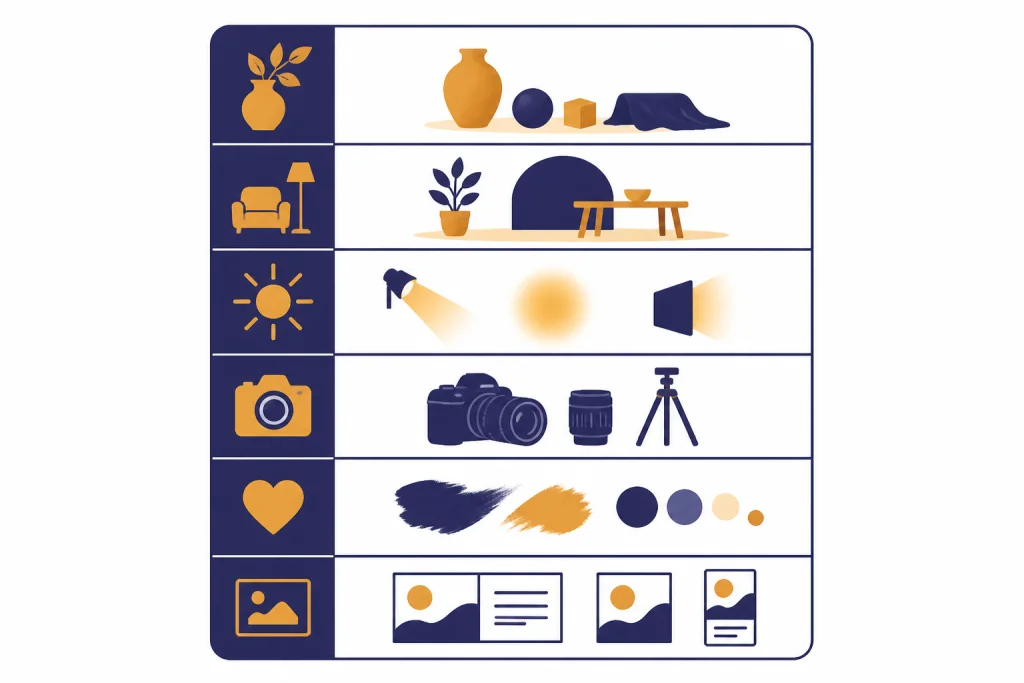
A good Christmas photo prompt has six parts. It names the subject, holiday setting, light, camera look, mood, and output use. You do not need fancy photography terms, but you do need specific choices. ChatGPT can follow exact colors, aspect ratio requests, and transparent-background instructions when creating or customizing images with GPT-4o.[1]
Use this formula:
Create a Christmas photo of [subject] in [setting]. Use [lighting] and [camera style]. The mood should feel [mood words]. Include [specific holiday details] but keep the image [clean / realistic / cozy / minimal]. Format it for [holiday card / phone wallpaper / social post / framed print / product listing]. Avoid [things you do not want].Here is the same structure filled in:
Create a Christmas photo of a golden retriever sitting beside a wrapped present in a warm living room. Use soft window light, a shallow depth of field, and a realistic DSLR portrait look. The mood should feel cozy, calm, and slightly playful. Include a decorated tree in the background, cream knit textures, and warm amber lights, but keep the image uncluttered. Format it for a family holiday card. Avoid cartoon styling, exaggerated facial expressions, and messy decorations.The final sentence is more useful than it looks. Negative instructions help prevent the most common holiday image problems: too much sparkle, distorted hands, strange ornament shapes, unreadable greeting-card text, and plastic-looking faces. For more playful prompt styles, compare these with Fun ChatGPT Prompts to Try Today and ChatGPT Creative Prompts for Storytellers.
Copy-paste ChatGPT Christmas photo prompts
These prompts are written for direct use. Replace bracketed details with your own subject, location, clothing, or mood. If you upload a starting image, add “Use the uploaded photo as the identity and composition reference” only when you have permission from the people shown.
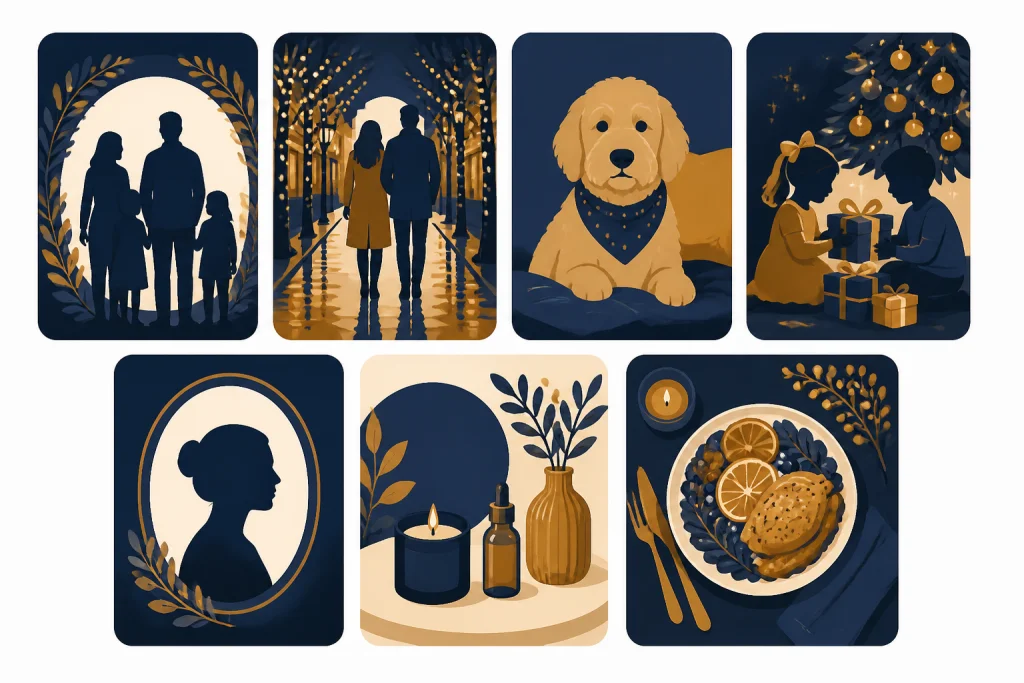
Family Christmas card
Create a realistic Christmas family card photo of [family description] standing close together in a warm living room. Use soft natural window light, a decorated tree in the background, subtle golden lights, and neutral winter clothing. Keep the faces natural, the pose relaxed, and the background softly blurred. Leave clean empty space near the top for a holiday greeting. Avoid exaggerated smiles, fake-looking skin, crowded ornaments, and unreadable text.Couple holiday portrait
Create a realistic Christmas portrait of a couple walking through a quiet neighborhood at dusk. Add soft falling snow, warm house lights, evergreen wreaths, and a candid documentary photography style. The couple should look relaxed and connected, not posed like a magazine ad. Use muted red, forest green, cream, and warm gold. Keep the scene believable and romantic without looking staged.Pet Christmas photo
Create a charming Christmas photo of [pet type and color] sitting on a cream rug beside wrapped gifts. Add a softly lit tree in the background, a small festive bow or bandana, and warm indoor lighting. Use a realistic pet photography look with sharp eyes and natural fur texture. Keep the pose calm and dignified. Avoid cartoon features, human-like expressions, messy gift wrap, and oversized decorations.Kids’ Christmas morning scene
Create a wholesome Christmas morning photo of children opening gifts in pajamas in a bright living room. Show candid excitement, soft morning light, a tree in the background, and a clean family-photo composition. Keep clothing age-appropriate, expressions natural, and the scene warm but not chaotic. Avoid glamorous styling, adult poses, brand logos, and cluttered floors.Solo portrait for a holiday profile photo
Create a realistic holiday portrait of [person description] standing near a softly lit Christmas tree. Use a clean background, warm bokeh lights, a flattering but natural camera angle, and winter clothing in cream, navy, or deep green. The expression should feel approachable and calm. Format it as a professional seasonal profile photo. Avoid heavy filters, plastic skin, extreme retouching, and obvious AI artifacts.Christmas product photo
Create a polished Christmas product photo of [product] on a clean tabletop. Add evergreen sprigs, simple ribbon, warm fairy lights, and soft shadows. Use commercial product photography with realistic reflections and crisp edges. Keep the product as the clear focal point and leave negative space for a caption. Avoid fake brand marks, distorted packaging, excessive glitter, and crowded props.Holiday recipe photo
Create a realistic overhead Christmas food photo of [dish or drink] on a simple holiday table. Add linen napkins, cinnamon sticks, cranberries, evergreen sprigs, and warm side lighting. Use natural food photography, true-to-life textures, and an inviting home-cooking mood. Keep the food appetizing and not overly perfect. Avoid plastic shine, impossible garnishes, and crowded table decor.If your Christmas image supports a recipe, party menu, or edible gift, pair this with chatgpt for cooking. If you are making holiday content for Instagram, Pinterest, TikTok, or a brand account, adapt the prompts with ideas from chatgpt social media prompts for every platform.
Prompts for editing existing photos
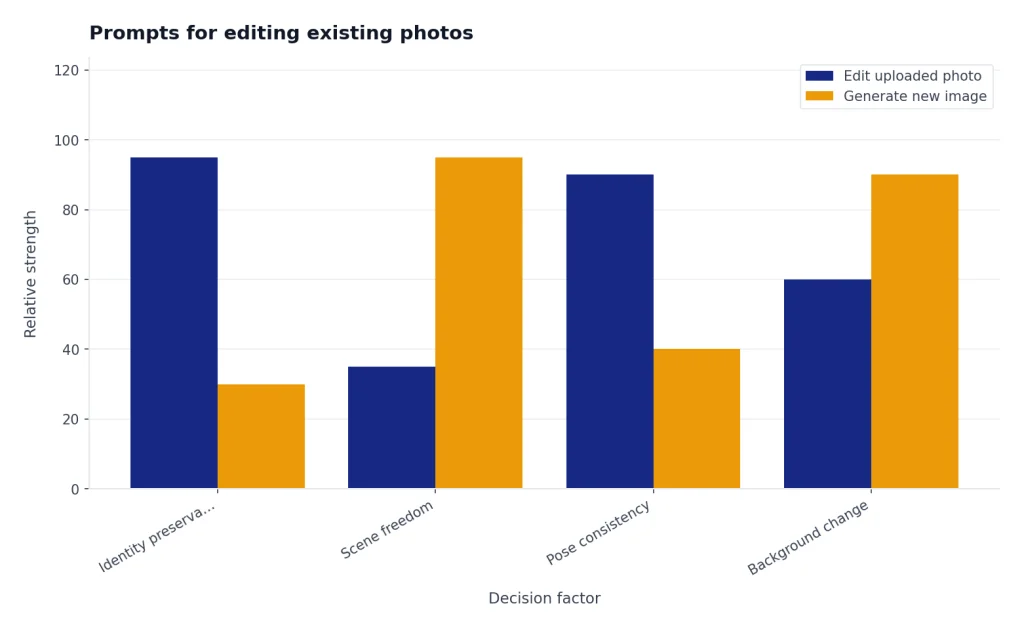
Editing an existing image is often better than generating a new one from scratch. OpenAI says ChatGPT Images can update existing images after you upload one and describe the changes you want.[2] That makes it useful for turning a normal portrait, pet photo, product shot, or living room image into a Christmas version while preserving the main composition.
Use editing prompts when you like the original face, pose, product angle, or room layout. Use full generation prompts when you want a completely new scene. For uploaded people photos, use your own images or images you have consent to edit.
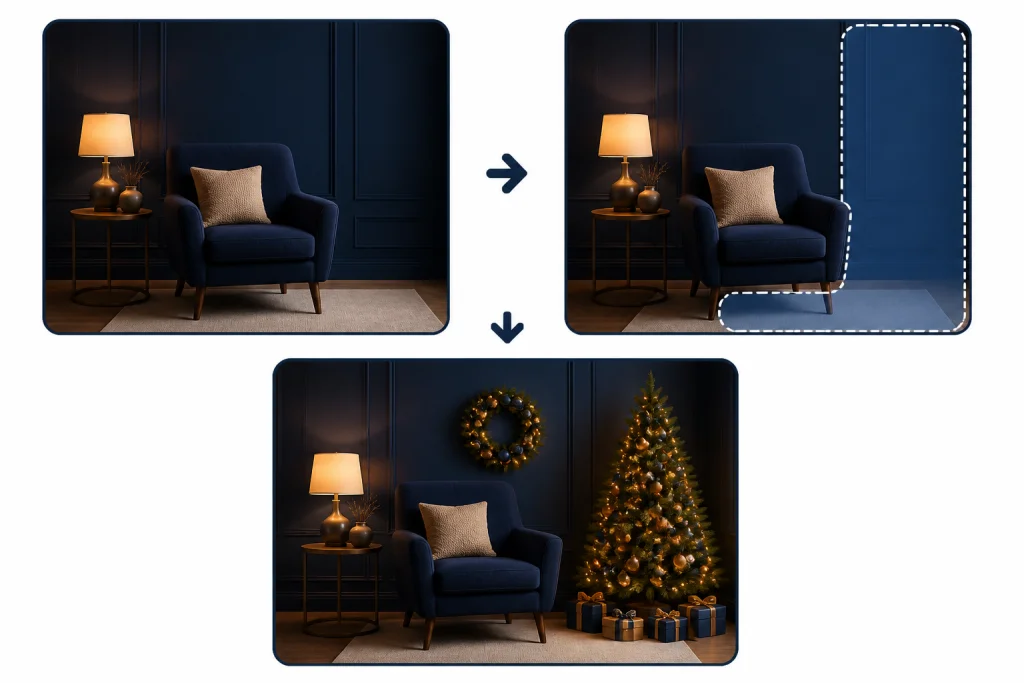
Add subtle Christmas decor
Edit the uploaded photo to add tasteful Christmas decor while preserving the person, pose, room layout, lighting direction, and camera angle. Add a softly lit tree in the background, a simple wreath, and warm holiday lights. Keep the edit realistic and understated. Do not change the face, body shape, clothing fit, or identity of the person.Turn a pet photo into a holiday card
Use the uploaded pet photo as the main reference. Keep the pet’s markings, fur texture, pose, and expression. Add a cozy Christmas setting with a cream blanket, soft tree lights, and one wrapped gift nearby. Make the image look like a realistic holiday card photo, not a cartoon. Do not add human-like facial features or change the pet’s anatomy.Make a product image seasonal
Edit the uploaded product photo into a clean Christmas product image. Preserve the exact product shape, color, label placement, and perspective. Add minimal holiday props around the product, such as evergreen, ribbon, warm lights, and neutral wrapping paper. Keep the background simple and commercial. Do not invent logos, claims, ingredients, or text.For more visual transformations, compare this workflow with ChatGPT Caricature Prompts, ChatGPT Action Figure Prompts, and ChatGPT Studio Ghibli Style Prompts. Those articles are more stylized. Christmas photo prompts usually work best when the holiday elements support the subject instead of taking over the whole frame.
Which Christmas photo style to use
Different Christmas photo styles need different prompt language. The same subject can look like a family snapshot, a luxury brand campaign, a phone wallpaper, or a greeting card depending on the camera terms and constraints you include.
| Goal | Best style words | What to emphasize | What to avoid |
|---|---|---|---|
| Family card | realistic, warm, candid, softly lit | natural faces, simple clothing, clean space for greeting | crowded decor, fake smiles, unreadable text |
| Pet portrait | cozy, sharp eyes, natural fur, shallow depth of field | fur texture, calm pose, one or two holiday props | cartoon eyes, human expressions, oversized costumes |
| Product photo | commercial, crisp edges, soft shadows, minimal styling | product accuracy, clean props, believable reflections | invented labels, distorted packaging, excessive glitter |
| Social post | bright, festive, clean composition, modern holiday palette | strong focal point, room for caption, platform crop | tiny text, clutter, too many competing objects |
| Wall art | cinematic, peaceful, snowy, atmospheric | composition, color harmony, depth, print-friendly detail | busy foregrounds, harsh contrast, novelty props |
The safest default is “realistic, warm, softly lit, uncluttered.” Add more stylization only after the base image works. If you are using the image as part of a campaign, combine the visual prompt with chatgpt seo prompts that help you rank for page copy or ChatGPT Business Prompts for Owners for offer ideas.
How to fix bad Christmas photo results
Christmas images fail in predictable ways. They become too busy, too shiny, too artificial, or too literal. The fix is to give ChatGPT a precise revision prompt instead of starting over.
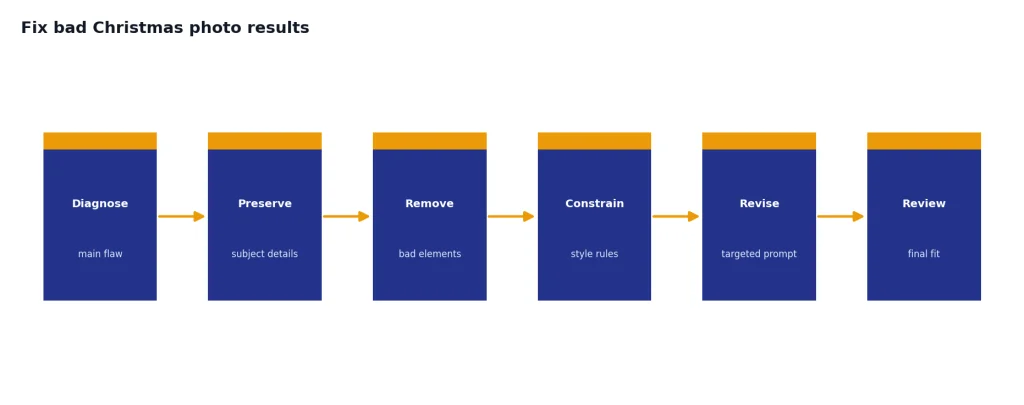
If the image looks cluttered
Revise the image to reduce visual clutter. Keep only the main subject, one Christmas tree, and a few warm lights. Remove extra ornaments, extra gifts, busy wall decor, and distracting props. Preserve the original subject and camera angle.If faces look artificial
Make the portrait more natural and less retouched. Preserve the same person, pose, and lighting, but reduce glossy skin, exaggerated symmetry, over-sharpened eyes, and plastic texture. Use a candid family photography look.If the holiday theme is too strong
Make the Christmas styling more subtle. Keep the warm seasonal mood, but remove excessive red and green, large ornaments, glitter, and novelty props. Use neutral winter colors with small evergreen accents and soft background lights.If the text is wrong
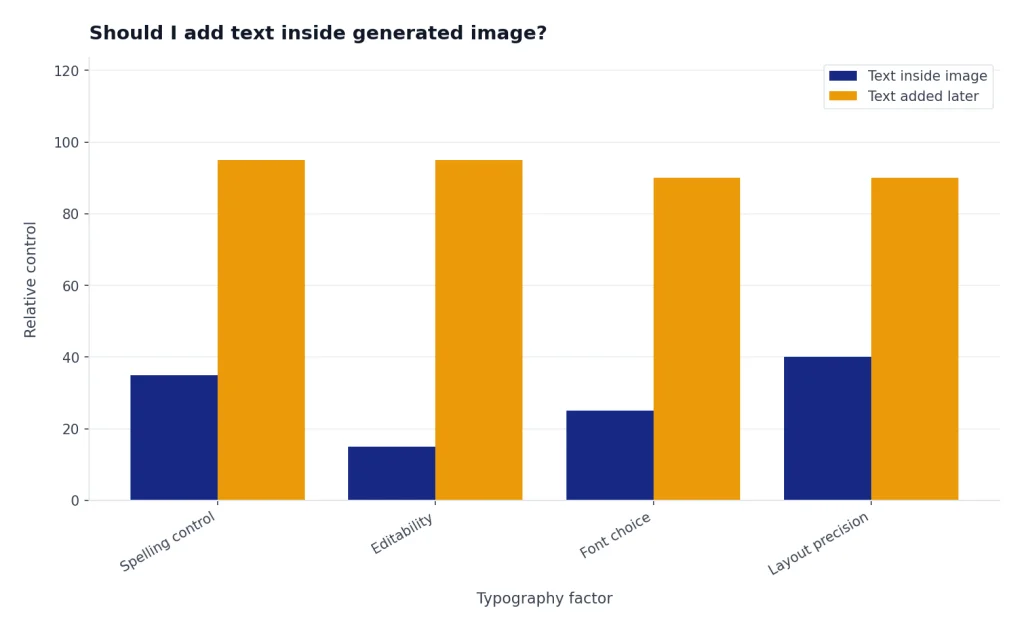
Remove all visible text from the image and leave a clean blank area for adding a greeting later in a design app. Keep the photo realistic and preserve the subject, lighting, and Christmas setting.That last fix is often the best option. Even when an image model can render text, greeting-card copy is easier to control in a design tool. Ask ChatGPT for a clean photo first. Add typography later.
How to keep holiday photos realistic and safe
Holiday images can look personal, so treat them like real photos. Do not create photorealistic images of people in situations that could mislead viewers. Do not use a person’s likeness without permission. OpenAI’s policies specifically include restrictions on using someone’s likeness in ways that could confuse authenticity.[3]
Generated images may also carry provenance information. OpenAI says images generated with GPT-4o include C2PA metadata to identify them as coming from GPT-4o and provide transparency.[1] That metadata is useful, but you should still label AI-generated holiday images when the context could mislead someone, such as workplace announcements, school communications, public promotions, or product advertising.
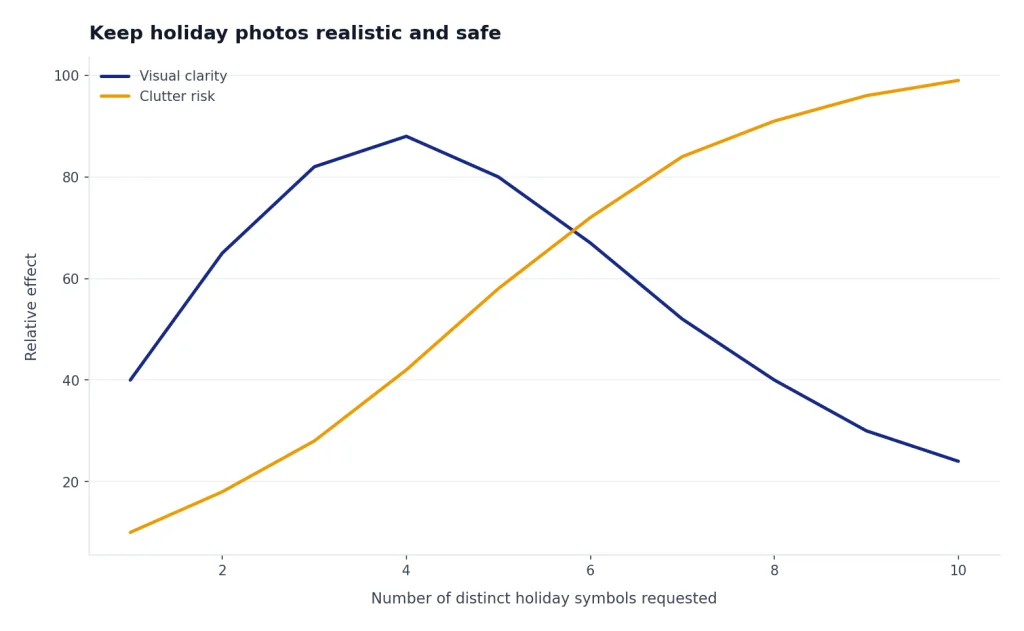
For realism, keep the scene physically plausible. Ask for consistent light direction, natural facial expressions, believable body posture, and fewer decorations. Avoid asking for every Christmas symbol at once. A tree, warm lights, and winter clothing usually do more than snow, reindeer, Santa hats, candles, ornaments, bows, cookies, sleighs, and fireworks in the same frame.
For style, avoid asking ChatGPT to copy a living artist or a specific studio’s current house style. Describe visual traits instead: watercolor holiday card, vintage film photo, cozy editorial portrait, Scandinavian minimal decor, or classic department-store window display. This gives you control without leaning on another creator’s identity.
Frequently asked questions
What is the best ChatGPT Christmas photo prompt?
The best prompt names the subject, setting, lighting, style, mood, holiday details, and final use. A strong version might say: “Create a realistic family Christmas card photo in a warm living room with soft window light, neutral winter clothing, a blurred tree in the background, and clean space for a greeting.” Add what to avoid, such as clutter, distorted hands, or fake-looking skin.
Can ChatGPT edit my existing Christmas photo?
Yes, ChatGPT Images can edit existing images after you upload a photo and describe the changes you want.[2] For best results, tell it exactly what to preserve, such as faces, pose, lighting, product shape, room layout, or pet markings.
How do I make a Christmas photo look realistic?
Ask for realistic lighting, natural expressions, believable materials, and an uncluttered composition. Use phrases like “candid family photography,” “soft window light,” “natural skin texture,” and “subtle holiday decor.” Avoid overloading the prompt with too many props.
Should I add text inside the generated image?
Only add text if it is simple and you are willing to revise the output. For holiday cards, it is usually better to ask ChatGPT for blank space and add the greeting later in a design app. That gives you cleaner typography and fewer spelling problems.
Can I use these prompts for business holiday photos?
Yes, but keep product accuracy and disclosure in mind. Tell ChatGPT not to invent labels, claims, certifications, ingredients, or packaging details. If the image is used in an ad, avoid making it look like a real event or endorsement unless it is accurate.
What should I avoid in ChatGPT Christmas photo prompts?
Avoid requests that use someone’s likeness without consent, misleading photorealistic scenes, crowded holiday props, brand logos you do not own, and exact copies of a living artist’s style. Also avoid vague prompts like “make it Christmas,” because they tend to produce generic results.