

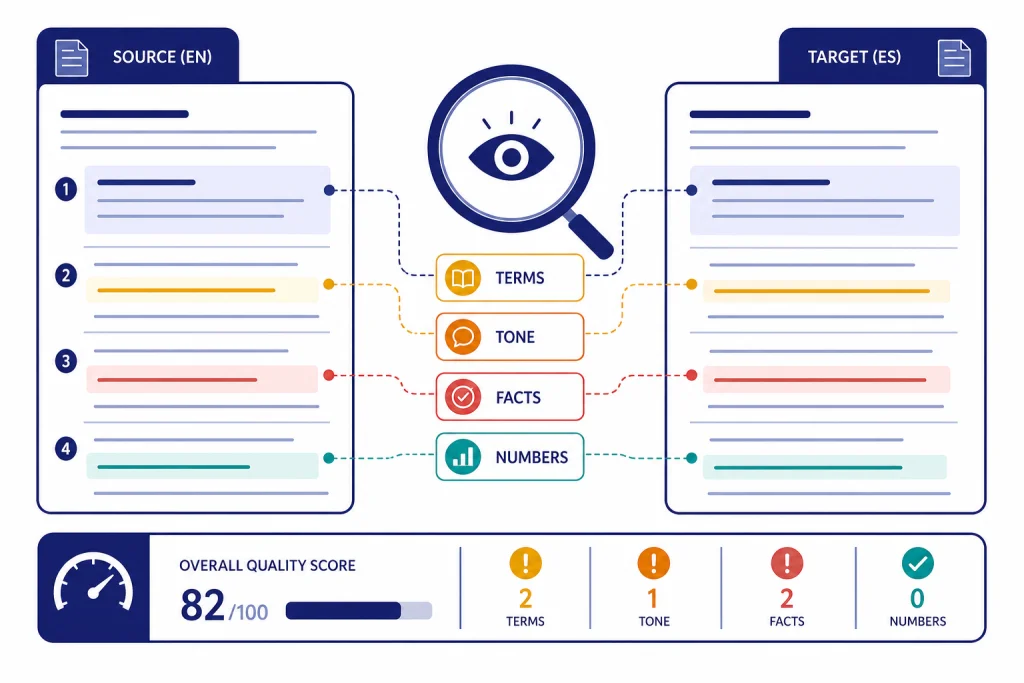
ChatGPT for translators works best as a drafting, terminology, editing, and quality-control assistant, not as an unchecked replacement for professional judgment. It can speed up routine work by producing first drafts, comparing source and target passages, suggesting alternatives, and adapting tone for a target audience. The risk is that fluent output can hide omissions, terminology drift, cultural mistakes, and confidentiality problems. A translator should use ChatGPT inside a controlled workflow: define the brief, protect client data, constrain terminology, edit against the source, run targeted checks, and document what was reviewed. Used that way, it can reduce friction without lowering the standard clients pay for.
Where ChatGPT fits in a translator workflow
ChatGPT is useful for translators because it can work with context, style instructions, terminology notes, and follow-up questions in one conversation. OpenAI says its models are trained on multilingual data and can understand and generate text across a range of languages, while noting that they are optimized for English.[1] That matters. You can ask for a translation, then ask why a term was chosen, compare two renderings, or request a more formal, plain-language, legal, medical, or marketing-oriented version.
The best use cases are assistive. Use it to produce a rough translation, rewrite a stiff sentence, detect inconsistencies, summarize source context, generate glossary candidates, or prepare client questions. Do not treat a fluent draft as proof of accuracy. The American Translators Association warns that machine translation and AI output still require vigilant human correction when used in post-editing workflows.[5]
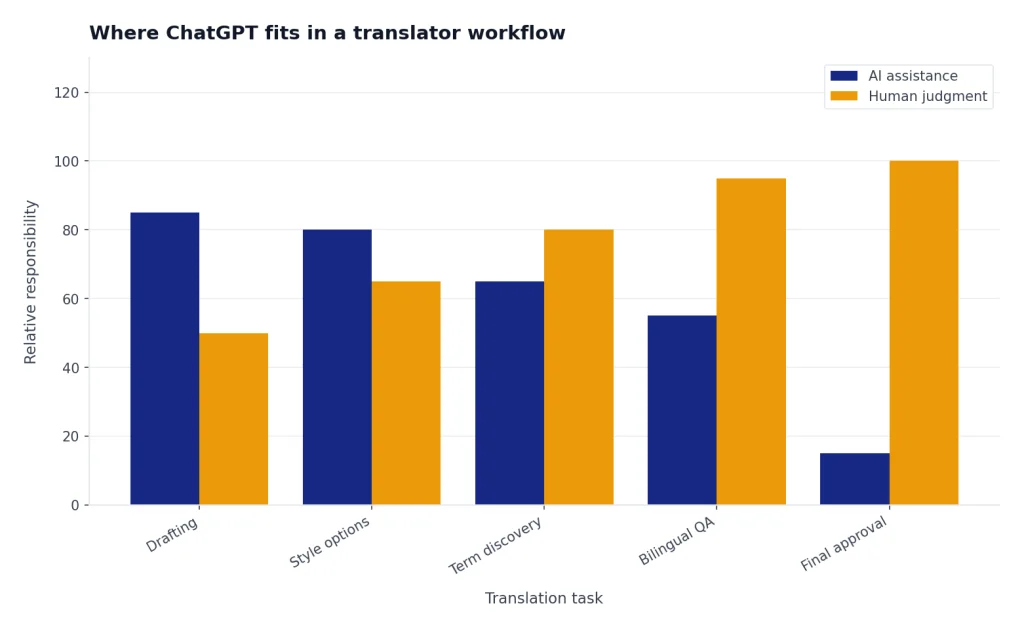
Think of ChatGPT as a second screen, not a second brain. It can keep momentum when a sentence is awkward. It can suggest register options for a government notice, a product page, or a training manual. It can also over-normalize voice, flatten literary style, miss a negation, invent a plausible term, or smooth over ambiguity that should be preserved.
If your work overlaps with other content roles, the same discipline applies. Translators who localize scripts may benefit from our ChatGPT for YouTubers workflow. Translators handling website copy can pair this article with chatgpt for marketing and chatgpt for SEO. For reusable prompt design, see our ChatGPT prompt generator and dedicated ChatGPT translation prompts for quality output.
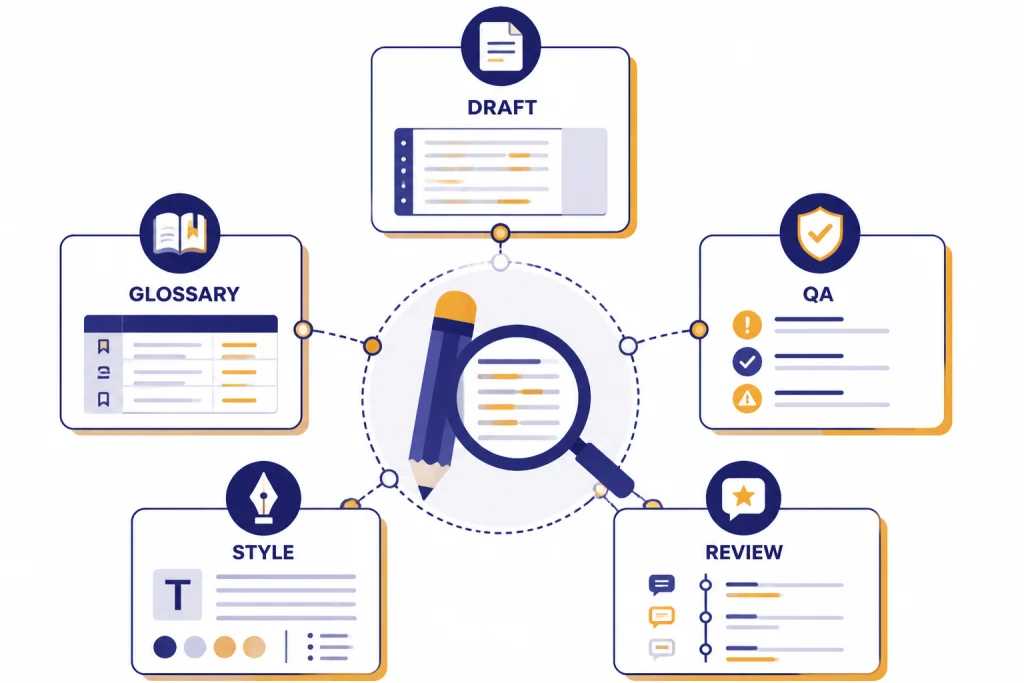
A safe workflow for using ChatGPT on translation jobs
A safe workflow starts before you paste any source text. First, decide whether the project permits AI assistance. Check the contract, client instructions, nondisclosure agreement, and subject matter. A public blog post is different from a patent filing, employee complaint, medical record, immigration document, unreleased product page, or litigation memo.
Second, prepare the source. Remove client names, hidden comments, tracked changes, and identifiers unless they are needed for translation. Break long documents into logical segments. Keep paragraph numbers or segment IDs so you can reconcile the draft later. If you use file uploads, OpenAI’s help center says files uploaded to a ChatGPT conversation have a hard limit of 512MB per file, and text and document files are capped at 2M tokens per file.[2] Those limits are generous, but they do not remove the need to segment carefully.
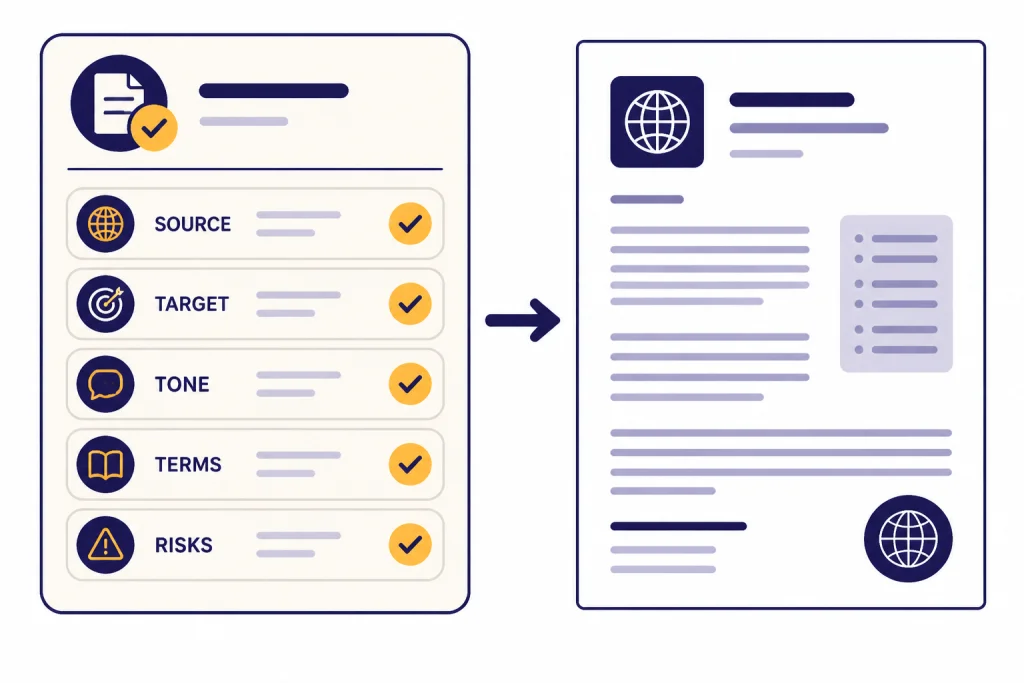
Third, give ChatGPT a translation brief. State the source language, target language, audience, locale, domain, tone, terminology rules, and non-negotiables. If the client supplied a glossary, ask ChatGPT to obey it and flag conflicts instead of silently choosing alternatives.
Fourth, edit against the source, not just the target. Read the source and target side by side. Confirm every date, number, product name, legal obligation, warning, dosage, unit, and negation. This is where professional translation skill still carries the project.
Fifth, run targeted checks. Ask ChatGPT to list possible omissions, inconsistent terms, register shifts, untranslated fragments, false friends, and sentence-level ambiguity. Treat those findings as leads. Verify them yourself. For larger projects, keep your translation memory, termbase, and CAT tool as the source of record, not the chat thread.
For translators who also edit long-form content, our chatgpt for writing guide covers revision patterns that apply after the translation is already accurate. If your assignments include research-heavy source texts, chatgpt for research explains how to separate background exploration from verifiable facts.
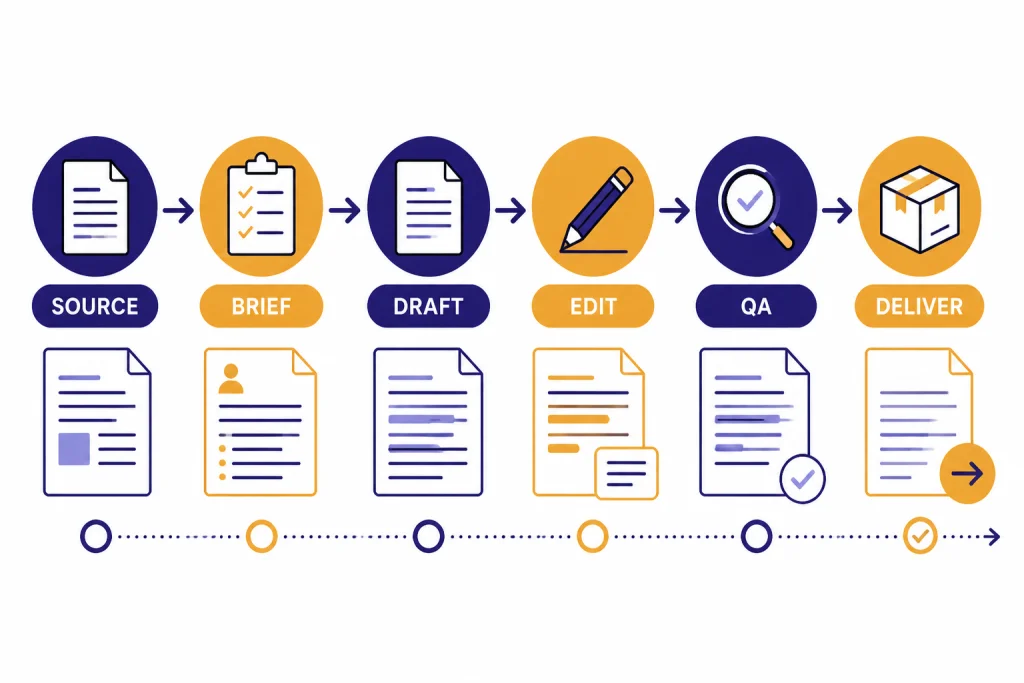
Prompt ChatGPT like a translation brief, not a magic box
A weak prompt says, “Translate this into French.” A professional prompt defines the job. The difference is not cosmetic. Translation research has found that designed prompts can improve ChatGPT’s translation performance for high-resource language pairs, compared with generic prompting.[8] That does not mean prompt engineering replaces expertise. It means clear instructions reduce avoidable errors.
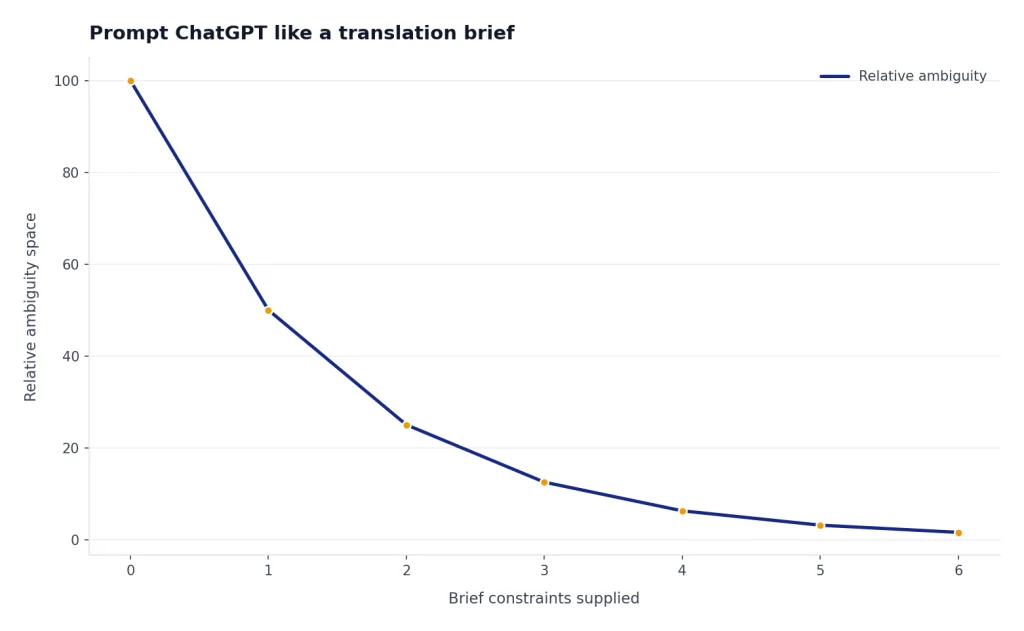
Use a repeatable prompt frame. The goal is to make ChatGPT handle the draft while you control the brief.
| Prompt element | What to include | Why it matters |
|---|---|---|
| Language pair | Source language, target language, locale, script, and spelling preference | Prevents broad or regionally wrong output |
| Audience | End user, reading level, professional background, and cultural context | Guides register and explanation density |
| Domain | Legal, medical, software, finance, education, tourism, literary, or marketing context | Improves term choice and risk awareness |
| Terminology | Required glossary, forbidden terms, product names, and terms to leave untranslated | Protects consistency across files |
| Output rules | Preserve formatting, headings, placeholders, tags, tables, numbers, and units | Reduces cleanup time and layout errors |
| Uncertainty rule | Flag ambiguity instead of guessing | Keeps the translator in control of meaning |
A practical prompt looks like this:
Translate the following Spanish source text into U.S. English for a patient education handout. Use plain language. Preserve all headings, numbers, units, and warning statements. Use the glossary below. If a source phrase is ambiguous, do not guess; insert [QUERY: explanation]. After the translation, list any terminology concerns or possible omissions.
You can also use ChatGPT before translation. Ask it to identify domain terms, extract repeated phrases, create a client query sheet, or compare a supplied glossary with the source. This is often safer than asking for a full draft first, because it forces you to inspect risk before the target text starts sounding finished.
For multilingual brand work, pair this translation brief with audience notes from chatgpt for social media content creation or campaign logic from this guide to chatgpt for marketing. For structured prompt libraries, use our chatgpt translation prompts for quality output as a starting point, then adapt every prompt to the client brief.
Quality checks that protect meaning and style
Quality control should be bilingual. A smooth target paragraph can still be wrong. Ask ChatGPT to help you check the translation, but do not ask it to “approve” the work. Ask for specific, bounded tasks.
- Omission check: “Compare the source and target. List any source ideas missing from the target.”
- Terminology check: “Find all translations of these terms and flag inconsistent renderings.”
- Number check: “Compare all dates, figures, percentages, units, and product codes.”
- Register check: “Identify places where the target sounds more casual or more formal than the source brief allows.”
- Placeholder check: “Confirm that tags, variables, URLs, and bracketed placeholders are unchanged.”
- Back-translation spot check: “Back-translate only the highlighted target sentences into the source language and note meaning shifts.”
These checks work best when you isolate one problem at a time. If you ask for omissions, terminology, tone, grammar, and cultural adaptation in one pass, the model may give a confident but shallow answer. Use multiple short passes and compare the output with your own review.
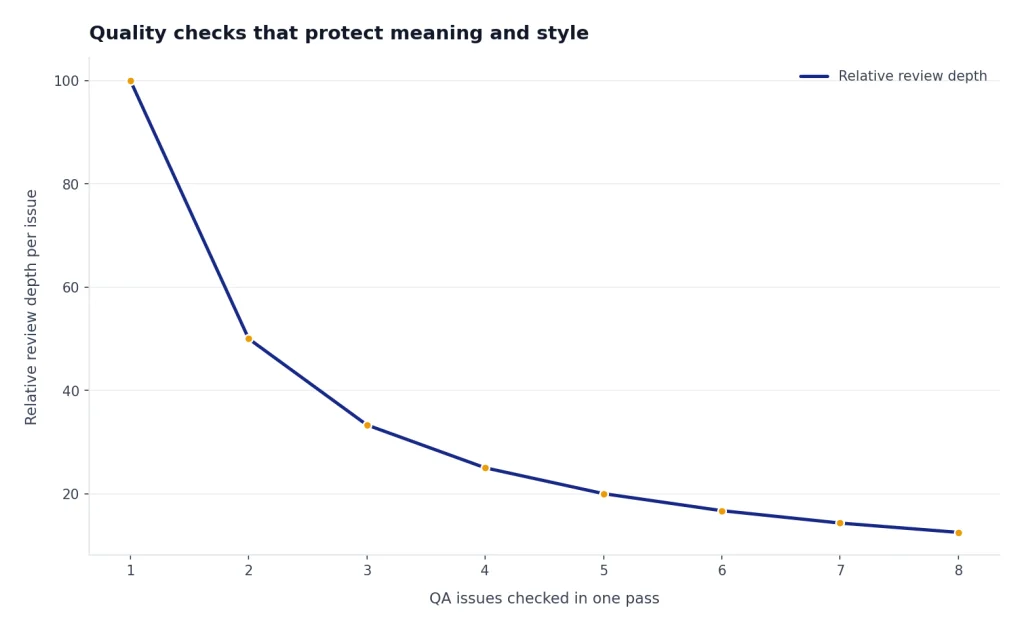
For regulated or high-value work, add human revision. The ISO 17100 translation services standard is commonly associated with a workflow that includes validation or revision by a second party, not only self-review by the original translator.[7] Even when a project does not formally require that standard, the principle is sound. A second qualified reviewer catches problems the drafter no longer sees.
Do not let ChatGPT rewrite away the client’s intent. In legal, medical, technical, and financial translation, accurate awkwardness may be better than elegant distortion. If you translate for lawyers, compare this workflow with ChatGPT for Lawyers. If you handle clinical or patient-facing material, read ChatGPT for Doctors and Healthcare Professionals for additional caution around sensitive content.
Privacy, client data, and when to avoid ChatGPT
Client confidentiality is not a minor workflow detail. It is part of the service. Before using ChatGPT, confirm whether the project permits cloud AI tools. If the answer is unclear, ask the client. Do not paste confidential material into any tool merely because the translation deadline is tight.
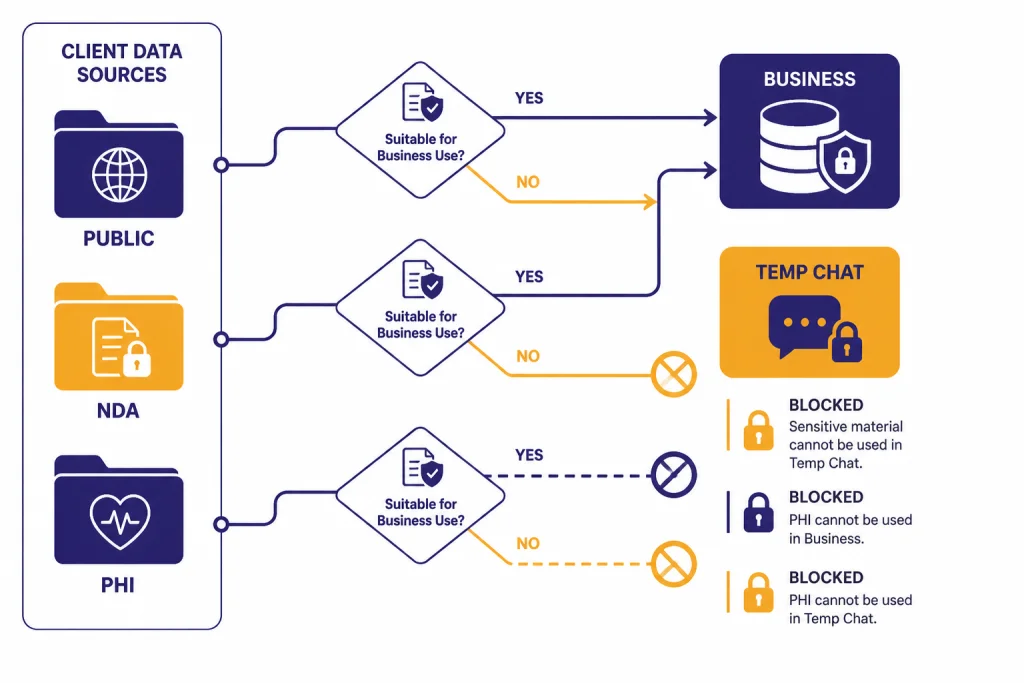
OpenAI’s Data Controls let signed-in users turn off “Improve the model for everyone,” which means conversations remain in chat history but are not used to train ChatGPT.[3] OpenAI also says Temporary Chats do not appear in history, do not create memory, and are not used to improve models, while a copy may still be kept for up to 30 days for safety purposes.[4] These controls help, but they do not automatically satisfy a client contract, a professional code, or a regulatory obligation.
Business and enterprise settings may be more appropriate for agencies or in-house language teams. OpenAI states that business data from ChatGPT Business, ChatGPT Enterprise, ChatGPT Edu, ChatGPT for Healthcare, and the API Platform is covered by enterprise privacy commitments around ownership and control.[6] If your work involves protected health information, attorney-client material, unreleased financial data, or employment records, get written approval and use the client’s approved environment.
Use a simple decision rule. Public source text may be suitable for ordinary ChatGPT use. Confidential but low-risk material may require redaction, Temporary Chat, or a business workspace. Highly sensitive material should stay in approved systems only. If the client says no AI, the answer is no AI.
When ChatGPT is the wrong tool
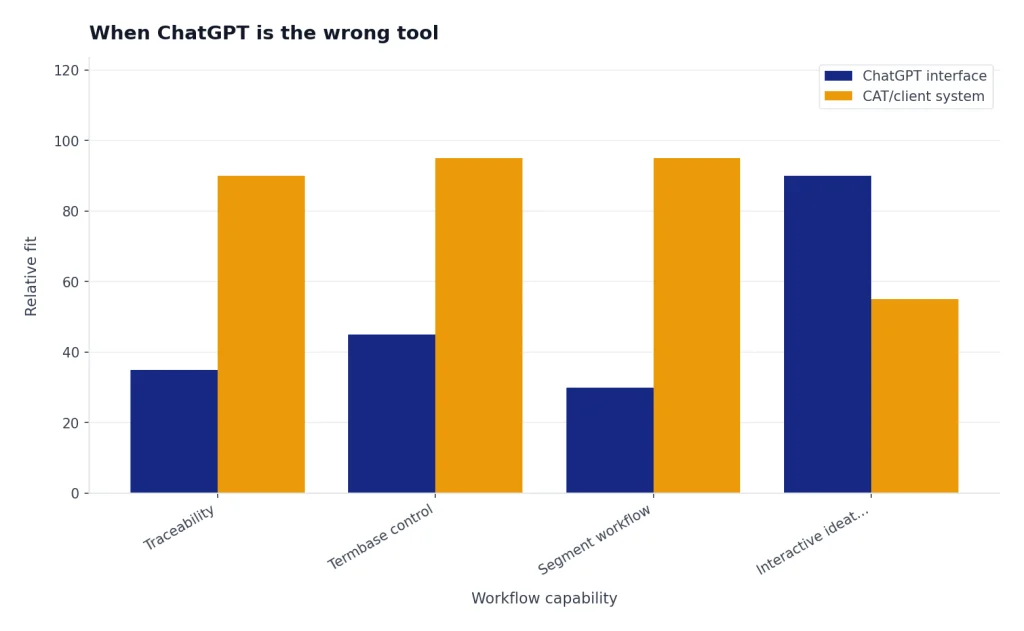
ChatGPT is not always the right tool for translators. It is weak when the job depends on enforceable confidentiality, strict traceability, certified wording, or a controlled translation memory. It can also be a poor fit for language pairs where you cannot personally verify the output. If you cannot read the source or target well enough to catch errors, you are not post-editing. You are outsourcing judgment to a probabilistic system.
Avoid using it as the sole translator for sworn translations, legal filings, clinical instructions, safety warnings, regulatory submissions, financial disclosures, literary voice, poetry, humor, culturally sensitive messaging, and anything where a small ambiguity can cause real harm. In those cases, it may still help with background notes or terminology questions, but the translation itself needs a qualified human process.
ChatGPT also should not replace your CAT tool. Translation memories, termbases, QA modules, segment status, version control, and client packages solve problems a chat interface does not. Use ChatGPT around that stack: brainstorm alternatives, explain source ambiguity, summarize reviewer comments, or generate client queries. Keep the authoritative bilingual asset in your professional system.
If you work with data files, spreadsheets, or structured exports, chatgpt for Excel may help you clean terminology lists or QA logs before they enter your translation environment. If you are building a custom workflow through an application rather than the ChatGPT interface, compare costs and constraints in our OpenAI API pricing guide.
The practical standard is simple. Use ChatGPT where it helps you think faster. Do not use it where it prevents you from seeing the source clearly.
Frequently asked questions
Can professional translators use ChatGPT without lowering quality?
Yes, if they use it as an assistant and keep human review at the center. The safest workflow is brief, draft, bilingual edit, targeted QA, and final human sign-off. Quality drops when a translator accepts fluent output without checking it against the source.
Is ChatGPT better than a standard machine translation tool?
It depends on the job. ChatGPT is often stronger for style adaptation, explanations, alternatives, and interactive revision. Dedicated machine translation tools may be faster for bulk text, CAT tool integration, and predictable segment-level workflows.
Should I tell clients I used ChatGPT?
Follow the contract and the client’s policy. If the policy requires disclosure or prohibits AI tools, honor that. When in doubt, ask before using ChatGPT on client content, especially if the material is confidential or regulated.
What is the best prompt for translation?
The best prompt is a translation brief. Include the language pair, locale, audience, domain, tone, glossary, formatting rules, and an instruction to flag ambiguity instead of guessing. A short prompt can work for casual text, but professional work needs constraints.
Can ChatGPT check a translation for errors?
Yes, but ask for one check at a time. Use separate passes for omissions, terminology, numbers, placeholders, tone, and formatting. Treat the results as suggestions to verify, not as a final audit.
Is Temporary Chat enough for confidential translation work?
Not by itself. Temporary Chat can reduce history and training exposure, but it does not override client agreements or legal duties. For confidential work, use the client-approved platform, a business workspace, redaction, or no AI at all.