

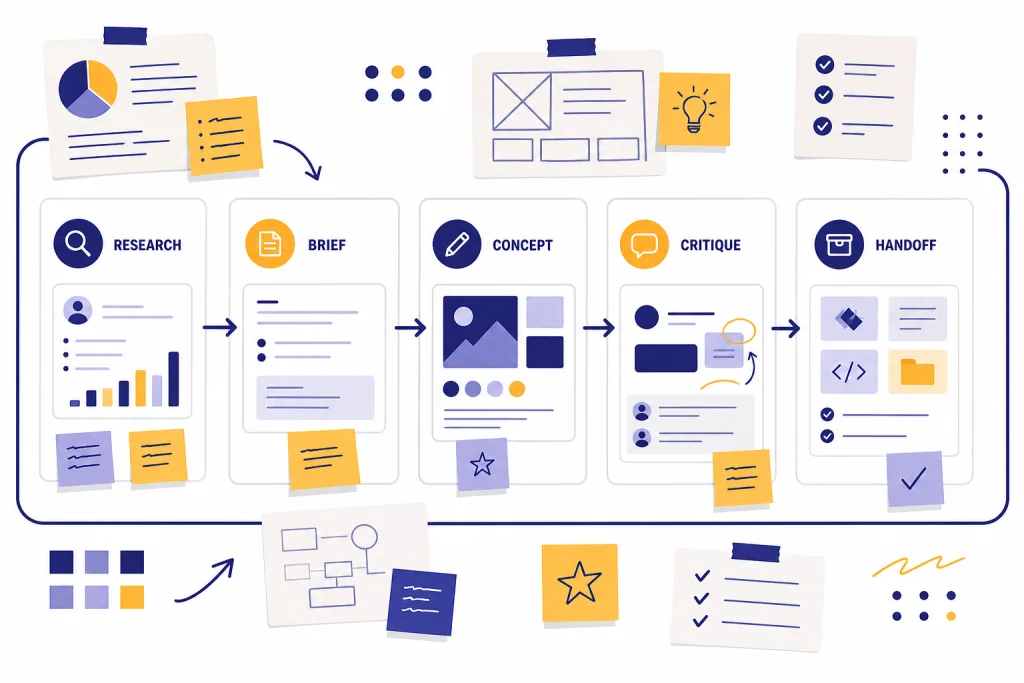
ChatGPT for designers works best as a workflow assistant, not as a replacement for taste, judgment, or production craft. Use it to turn research into briefs, explore concepts, critique layouts, draft UX copy, prepare handoff notes, and create first-pass image directions. It can analyze uploaded screenshots and diagrams, generate mockups or creative visuals from text prompts, and help turn messy stakeholder notes into usable design inputs.[1] The strongest results come when designers give ChatGPT context: the audience, brand constraints, platform, accessibility requirements, and the decision they need to make next. This guide shows practical ways to fold ChatGPT into a professional design process without weakening originality or control.
Where ChatGPT fits in a designer’s workflow
Design work has several layers. Some require human judgment. Some require fast synthesis. ChatGPT is strongest in the synthesis layer. It helps you move from scattered inputs to a clearer design direction.
Use it before you open Figma, Photoshop, Illustrator, Framer, Webflow, or your preferred prototyping tool. Ask it to summarize research, extract themes from interviews, turn stakeholder notes into a creative brief, or generate a checklist for a design review. Then use your design software for composition, type, spacing, interaction details, components, and final assets.
ChatGPT can also help after the first draft. Upload a screenshot and ask for a critique against a specific goal. The goal matters. “Make this better” produces vague advice. “Evaluate this onboarding screen for first-time users who must connect a bank account” gives the model a clear lens.
OpenAI introduced canvas on October 3, 2024 as an interface for working with ChatGPT on writing and coding projects that go beyond simple chat.[2] Designers can use that style of workspace for longer design documents, UX copy systems, content guidelines, launch notes, or product requirement drafts. It is not a visual design canvas in the Figma sense. It is more useful as a shared writing and revision surface.
Think of ChatGPT as a design operations layer. It helps you clarify the job, create options, spot omissions, and prepare communication. It should not own the final aesthetic decision.
High-value design workflows to try first
The best use cases are the ones that remove friction from work designers already do. Start with tasks that have clear inputs and a concrete output. Avoid vague requests for “a great design.” Ask for a brief, matrix, checklist, critique, rewrite, naming list, or test plan.
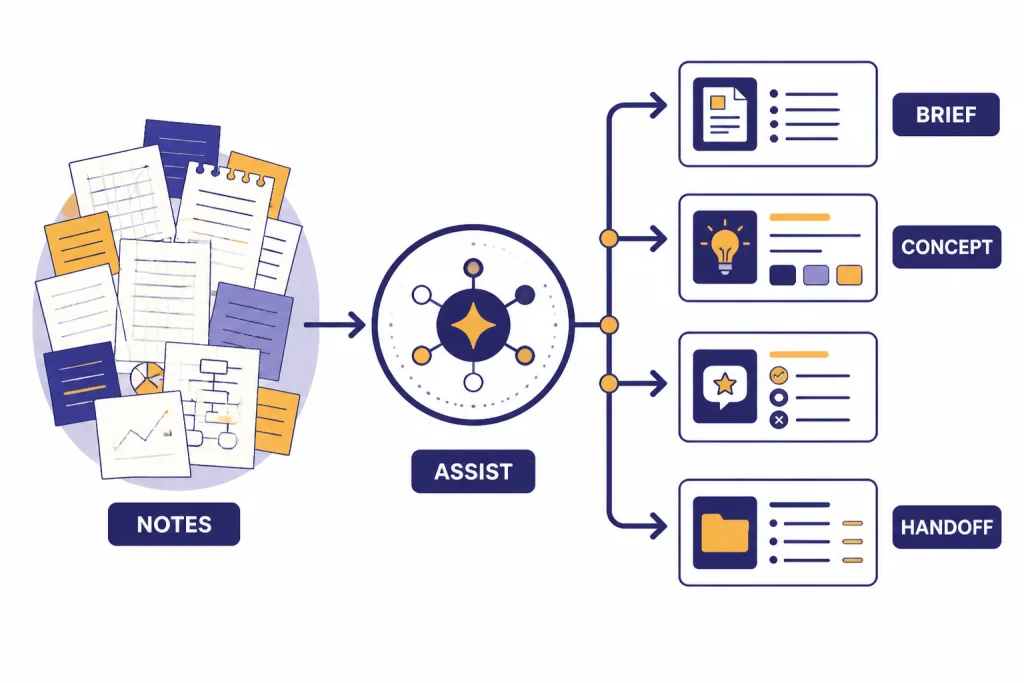
Turn research into a design brief
Paste interview notes, survey themes, support tickets, sales objections, or analytics observations. Ask ChatGPT to create a concise design brief with the audience, problem, constraints, success criteria, and open questions. This is especially useful when a designer inherits a messy project with several stakeholders.
For research-heavy work, pair this with chatgpt for market research or ChatGPT for Research. Those workflows help you separate evidence from interpretation before you translate findings into interface decisions.
Generate concept territories
Ask for concept territories, not finished art. A useful output might include a design principle, emotional tone, type direction, color behavior, image style, and layout approach. Then choose which territory deserves actual visual exploration.
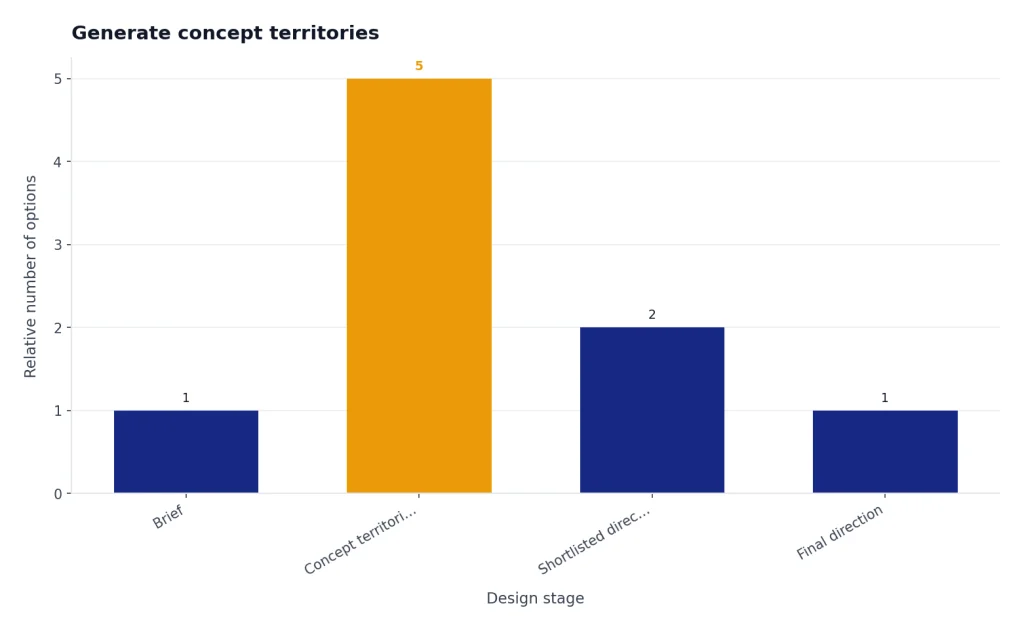
Example prompt: “Create five distinct concept territories for a cybersecurity dashboard used by nontechnical finance leaders. Avoid fear-based language. Each territory should include a visual metaphor, tone, interface texture, and risk.”
Critique screenshots with a defined lens
ChatGPT can analyze uploaded images, diagrams, screenshots, and charts, and it can help interpret what is shown.[1] That makes it useful for first-pass critique. The key is to tell it what to evaluate. Good lenses include hierarchy, accessibility, conversion clarity, perceived trust, mobile scannability, localization risk, or empty-state usefulness.
Draft UX copy and microcopy
Designers often need placeholder text that is better than lorem ipsum but not final brand copy. ChatGPT can draft button labels, tooltip copy, error messages, confirmation states, onboarding steps, and preference descriptions. Ask for variants by tone and character length. Then edit the results to match the product voice.
If copy is central to the project, the broader chatgpt for writing workflow can help you build a stronger review process. For campaigns and landing pages, connect design work with chatgpt for marketing, ChatGPT for Email Writing That Converts, and chatgpt for social media content creation.
Prepare handoff documentation
After the design is approved, ask ChatGPT to create handoff notes for developers, marketers, or clients. Provide the screen list, component states, responsive rules, motion notes, and unresolved decisions. The output should be a structured draft that you verify before delivery.
Prompt patterns that produce better design help
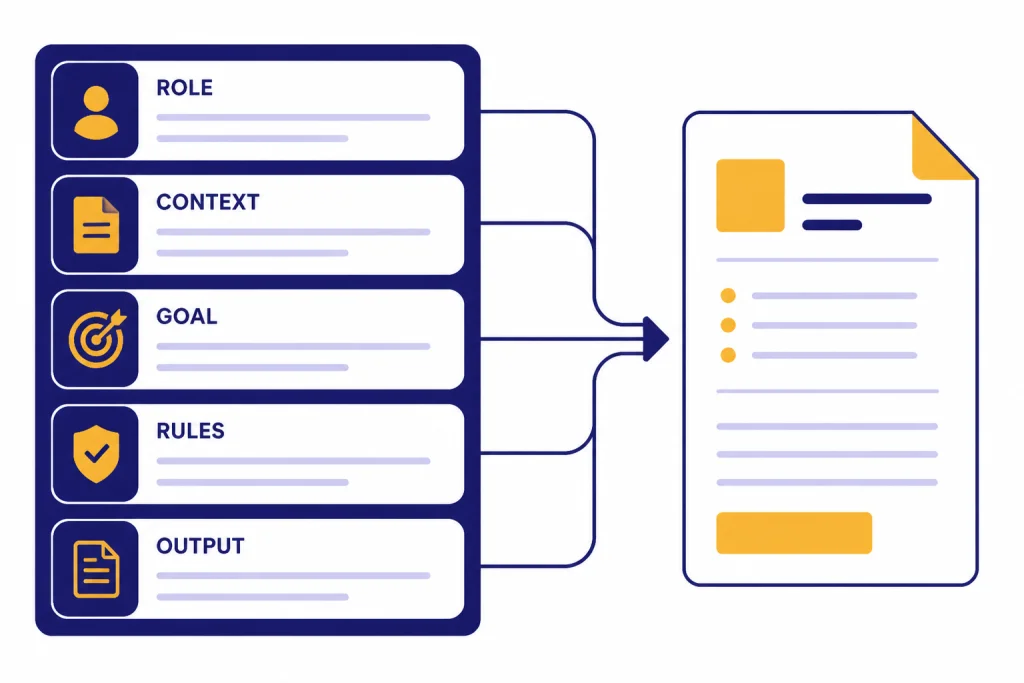
Design prompts work better when they describe the design problem, not just the desired output. A strong prompt gives ChatGPT a role, context, goal, constraints, and output format. That structure reduces generic answers and makes the response easier to use.
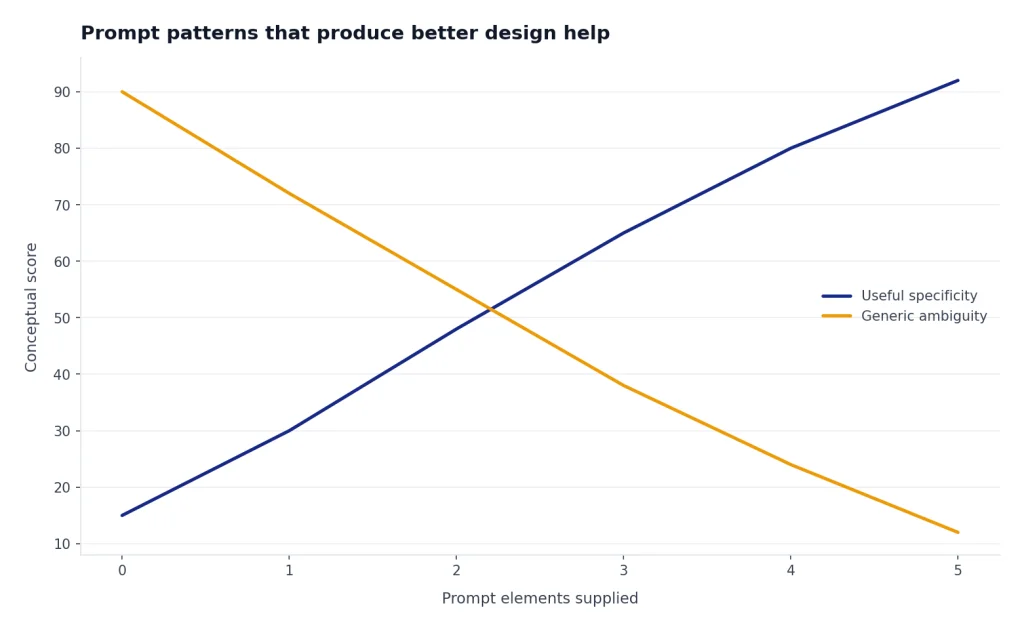
| Prompt element | What to include | Designer example |
|---|---|---|
| Role | The perspective ChatGPT should use | “Act as a senior product designer reviewing a checkout flow.” |
| Context | Audience, product, platform, and project stage | “This is a mobile subscription app for busy parents.” |
| Goal | The decision you need to make | “Identify which screen creates the most friction before payment.” |
| Constraints | Brand, accessibility, technical, legal, or timing limits | “Keep copy plain, avoid urgency pressure, and respect WCAG-friendly contrast.” |
| Output | The format you want back | “Return a ranked critique table with issue, severity, evidence, and fix.” |
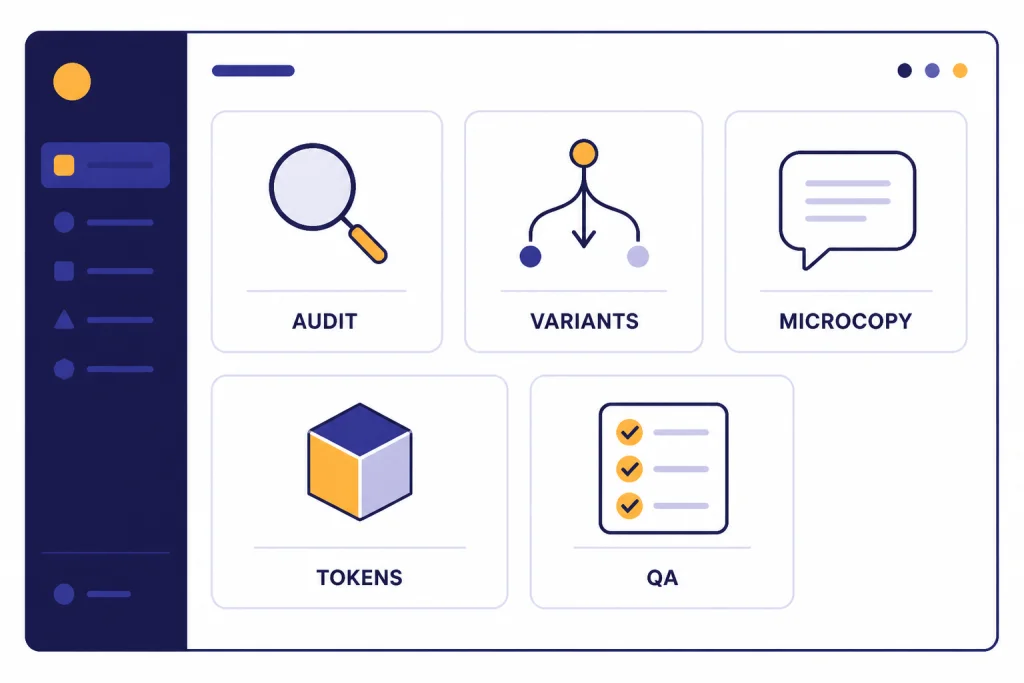
Prompt for a UX critique
Act as a senior UX designer. Review this screenshot for first-time users who are trying to complete account setup. Focus on hierarchy, clarity, trust, and missing states. Return a table with issue, why it matters, suggested fix, and priority. Do not redesign the whole screen. Point out the highest-leverage improvements first.Prompt for visual direction
Create three visual direction options for a B2B analytics landing page. The audience is operations leaders at mid-market logistics companies. The brand should feel precise, calm, and credible. For each direction, include layout behavior, typography mood, color behavior, imagery style, icon style, and one risk.Prompt for a design system audit
Review these component notes as a design system lead. Find naming conflicts, missing states, inconsistent interaction patterns, and documentation gaps. Group the findings into tokens, components, accessibility, and developer handoff. End with a prioritized cleanup plan.Save your best prompts in a small internal library. Our chatgpt prompt generator guide is useful if you want a repeatable way to build that library across research, critique, copy, and handoff tasks.
ChatGPT vs. design tools
ChatGPT does not replace specialist design tools. It sits beside them. Use it for language, reasoning, critique, synthesis, and first-pass visual exploration. Use design tools for precision, collaboration, asset management, prototyping, and production.
OpenAI announced GPT-4o image generation on March 25, 2025, describing image generation as a native multimodal capability built into GPT-4o.[3] For designers, that made ChatGPT more useful for ideation and art-direction conversations. Still, generated images should be treated as drafts, references, or moodboard material unless your client, licensing, and brand standards allow broader use.
Other design platforms have added their own AI features. Figma’s AI materials describe tools for creating and editing visuals and note integrations with OpenAI’s gpt-image-1 and Gemini.[6] Adobe announced the Firefly app on February 12, 2025 as a destination for generating images, vectors, and video, with the Firefly Video Model in public beta.[7] These tools are closer to the production surface. ChatGPT is usually better for defining what to make and why.
| Tool type | Best role in design work | Use ChatGPT for | Use the design tool for |
|---|---|---|---|
| ChatGPT | Briefing, critique, copy, synthesis, ideation | Turning messy inputs into decisions, options, and review notes | Not the main production surface |
| Figma | Interface design and collaborative prototyping | Writing component documentation, critique prompts, UX copy variants | Layouts, components, prototypes, comments, design system work |
| Adobe Creative Cloud and Firefly | Image, video, vector, and brand asset production | Prompt planning, art direction, campaign concepts, asset checklists | Final visual craft, compositing, retouching, vector editing, export |
| Web and no-code builders | Page assembly and publishing | Information architecture, page sections, copy drafts, QA checklists | Responsive layout, CMS setup, form behavior, publishing |
This division of labor also helps teams avoid overusing AI-generated visuals. A designer can ask ChatGPT for ten landing page section concepts, choose the strongest structure, then build the actual page with human typography, spacing, and brand judgment. If the same project needs search visibility, connect the page structure to chatgpt for SEO. If it needs video or launch content, coordinate with ChatGPT for YouTubers and social content workflows.
Quality, privacy, and client guardrails
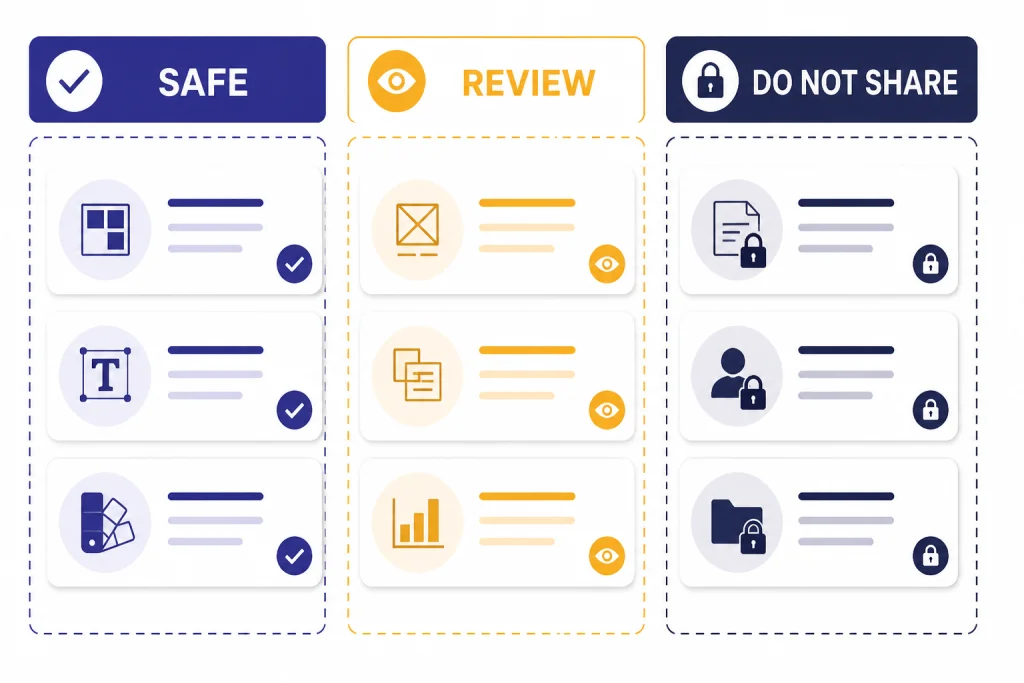
Designers handle sensitive material. Brand systems, unreleased campaigns, product roadmaps, customer interviews, analytics exports, and legal disclaimers can all create risk. Do not paste confidential material into a personal AI account unless your organization allows it and the data controls match the sensitivity of the work.
OpenAI’s Data Controls FAQ says signed-in users can turn off “Improve the model for everyone,” and it says Temporary Chats are deleted from OpenAI systems after 30 days, are not used to train models, do not appear in history, and do not create memories.[4] OpenAI also says it does not train models on organization data by default for ChatGPT Enterprise, ChatGPT Business, ChatGPT Edu, ChatGPT for Healthcare, ChatGPT for Teachers, or the API platform.[5] Those controls matter when design work includes private client information.
A simple rule works well: separate safe inputs, review inputs, and restricted inputs. Safe inputs include public product pages, generic audience descriptions, anonymized research themes, and your own draft copy. Review inputs include internal strategy, nonpublic screenshots, and aggregated analytics. Restricted inputs include personal data, unreleased financial information, legal negotiations, credentials, private source files, and anything under a strict client NDA.
Quality control is just as important. ChatGPT can sound confident when it is wrong. It can invent design rationales, overstate accessibility conclusions, or miss product constraints. Treat every answer as a draft. Verify accessibility with proper tools. Test flows with users when possible. Ask developers to confirm feasibility. Ask legal or compliance teams to review regulated claims.
Do not ask ChatGPT to imitate a living artist, copy a competitor’s distinctive brand system, or generate client-ready assets from material you do not have rights to use. Ask for broader direction instead: “editorial, restrained, high-contrast, grid-led” is safer than asking for a named creator’s style. That habit protects originality and gives the designer more room to develop a real point of view.
A simple team setup for repeatable results
A design team should not rely on one-off clever prompts. Build a small operating system. It can be lightweight, but it should make outputs consistent and reviewable.
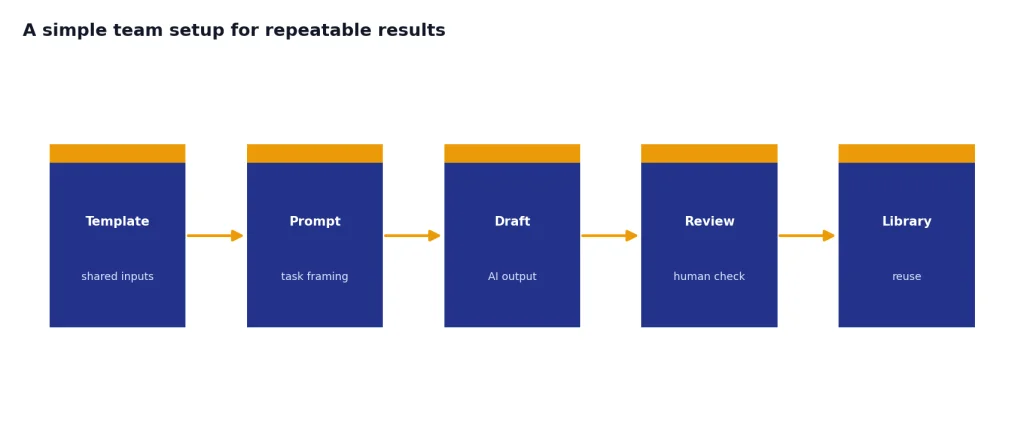
- Create a project brief template. Include audience, problem, constraints, source material, success criteria, and unanswered questions.
- Create a critique template. Ask for findings by hierarchy, clarity, accessibility, trust, interaction, and copy.
- Create a copy template. Define tone, reading level, banned phrases, preferred vocabulary, and product terminology.
- Create a handoff template. Include components, states, responsive behavior, asset needs, dependencies, and open issues.
- Create a privacy checklist. Decide what can be pasted, what must be anonymized, and what must stay out of ChatGPT.
For solo designers, the same system can live in a notes app. For agencies, it should become part of the project kickoff. For in-house teams, it belongs near the design system documentation.
The best team habit is to ask ChatGPT for options before the design is fixed and for critique before the design is presented. That keeps the tool in the messy middle of the process, where it is most useful. It also prevents teams from using AI as a last-minute polish layer.
Designers who work across disciplines can borrow workflows from adjacent roles. A portfolio redesign may need chatgpt for blog writing. A product launch may need ChatGPT for Sales Professionals. A multilingual interface may benefit from ChatGPT for Translators. The point is not to turn designers into every other role. It is to help them communicate with those roles more clearly.
Frequently asked questions
Can ChatGPT create finished designs?
It can help create visual concepts, mockup directions, UX copy, critique notes, and image drafts. It should not be treated as the final authority on layout, accessibility, brand fit, or usability. A designer still needs to make the final decisions and produce the final files in the right tool.
Is ChatGPT useful for UX designers?
Yes. It is especially useful for research synthesis, journey mapping, screen critique, microcopy, usability test planning, and stakeholder communication. The best prompts include the user type, task, screen context, and decision you need to make.
Can I upload screenshots for feedback?
ChatGPT can analyze uploaded screenshots, images, diagrams, and charts.[1] Before uploading, remove confidential client data, personal information, unreleased financial details, and anything your organization does not permit in AI tools.
What should designers avoid using ChatGPT for?
Avoid using it to copy a competitor’s design, imitate a living artist’s style, make unsupported accessibility claims, or process sensitive client material without approval. Avoid accepting its critique without checking the actual product constraints. Use it as a thinking partner, not as a compliance, legal, or brand authority.
Does ChatGPT replace Figma or Adobe tools?
No. ChatGPT is better for language, planning, synthesis, critique, and ideation. Figma, Adobe tools, and production platforms remain better for detailed visual execution, component systems, prototyping, asset editing, and export.
What is the best first workflow to try?
Start with a screenshot critique or a messy-notes-to-brief workflow. Both have clear inputs and useful outputs. They also let you evaluate ChatGPT without handing over creative control.