

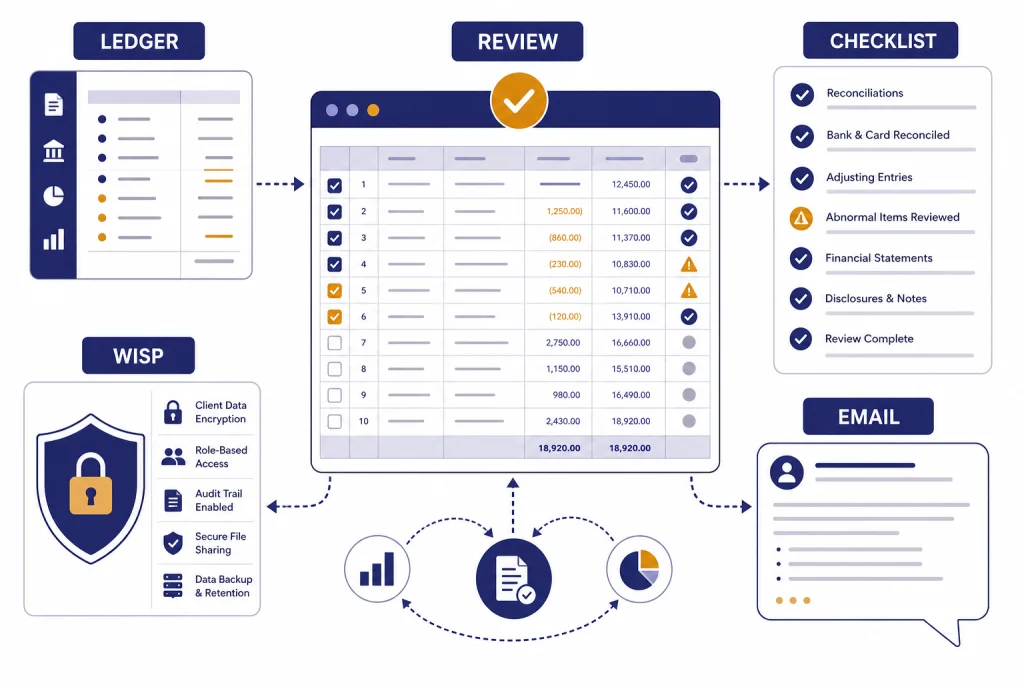
ChatGPT can help accountants and bookkeepers draft client emails, summarize accounting guidance, analyze cleaned spreadsheets, prepare checklists, explain variances, and turn messy notes into usable workpapers. It should not replace professional judgment, tax research, audit evidence, client consent, or your firm’s data-security program. The safest way to use it is as a drafting and analysis assistant that works on sanitized information, not as an autonomous accountant. This guide explains where ChatGPT fits in accounting work, which tasks to keep off limits, how to protect client data, and how to build prompts your team can reuse during month-end close, tax season, advisory work, and bookkeeping cleanup.
Where ChatGPT fits in an accounting workflow
ChatGPT is most useful when the accountant already knows the objective and needs help moving faster. Treat it like a staff assistant that can draft, classify, compare, summarize, and explain. Do not treat it like a signer, reviewer, tax authority, or audit partner. OpenAI’s terms say users should not rely on output as a sole source of truth or as a substitute for professional advice.[9]
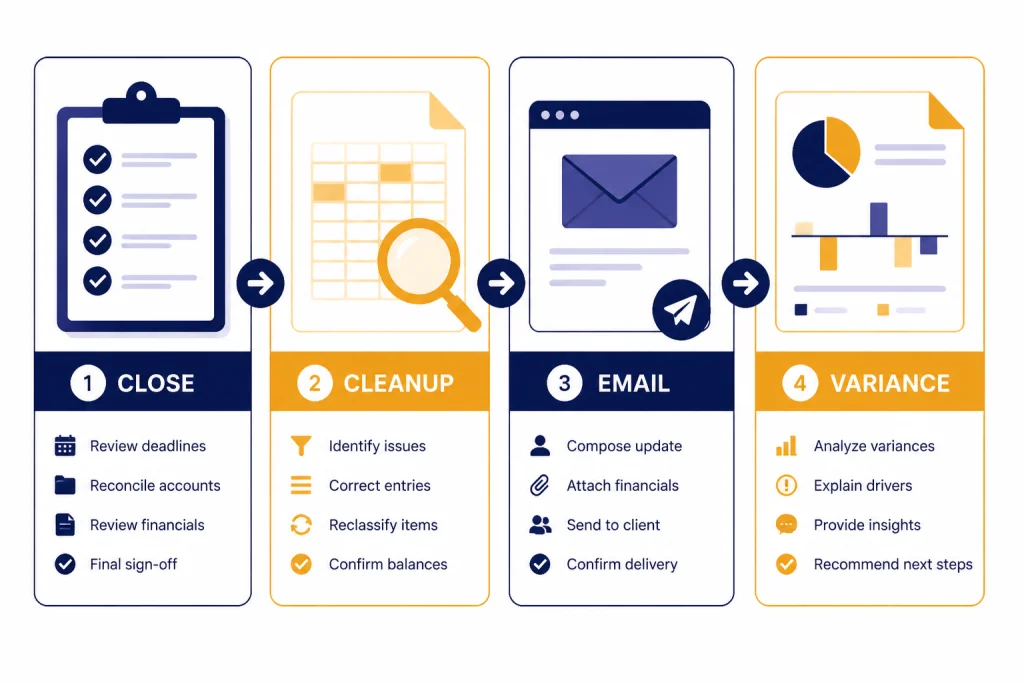
The strongest accounting uses fall into four groups: communication, cleanup, analysis, and training. Communication includes emails, engagement-letter explanations, collection reminders, and plain-English client notes. Cleanup includes turning transaction descriptions into categories for review, standardizing memos, or building workpaper labels. Analysis includes variance explanations, cash-flow narratives, and spreadsheet questions. Training includes explaining depreciation methods, revenue-recognition concepts, or close procedures to junior staff.
If your team already uses AI in Excel-heavy work, pair this article with chatgpt for excel and ChatGPT Excel prompts for power users. If your workflow involves databases or exports from accounting systems, chatgpt for SQL queries and database work is a useful companion.
| Accounting task | Good ChatGPT use | Human review needed |
|---|---|---|
| Client emails | Draft a clear request for missing bank statements or payroll details. | Confirm tone, deadlines, and privacy language. |
| Month-end close | Create a checklist from your firm’s close policy. | Confirm completeness against the actual client file. |
| Bookkeeping cleanup | Suggest likely categories from sanitized transaction descriptions. | Approve coding in the ledger. |
| Tax research notes | Summarize your pasted, approved source excerpts. | Verify every conclusion against authoritative guidance. |
| Advisory reporting | Turn a variance table into a management narrative. | Check numbers, context, and client-specific assumptions. |
Safe data rules before you paste anything
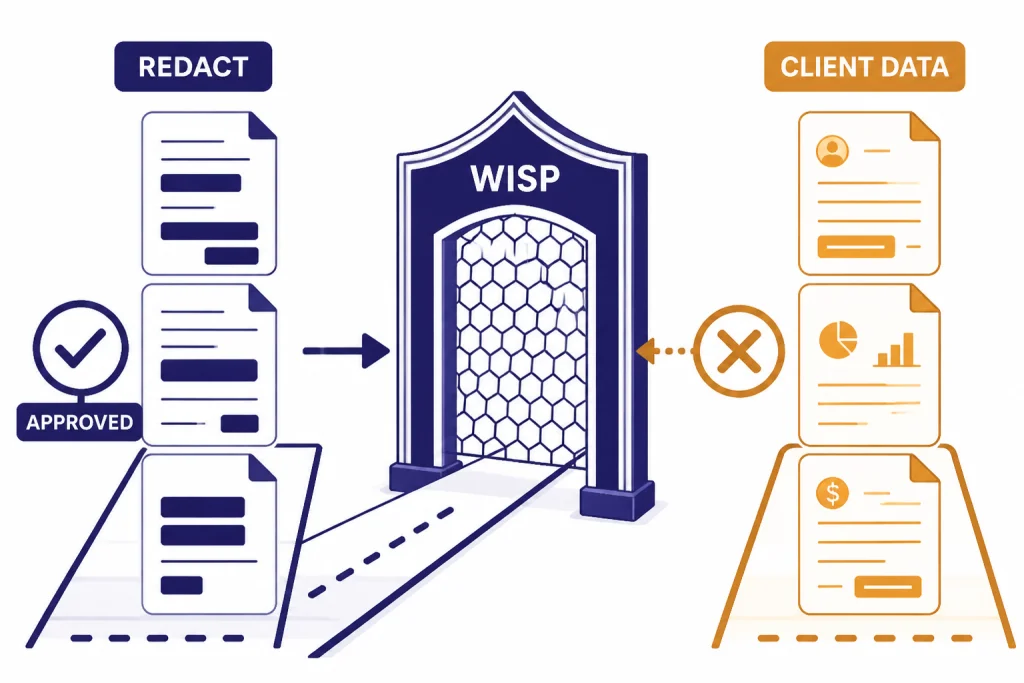
Accounting firms handle taxpayer information, payroll data, bank details, customer lists, owner compensation, and personally identifiable information. That makes data handling the first ChatGPT decision, not an afterthought. The IRS says tax professionals are required by law to create a Written Information Security Plan, or WISP, to protect client data.[5] IRS Publication 4557 is the agency’s guide for safeguarding taxpayer data and complying with the FTC Safeguards Rule.[6]
A simple rule works well: never paste raw client data into a consumer AI tool unless your firm has approved the tool, reviewed the contract, configured data controls, and documented the use in your security policy. AICPA risk guidance warns firms to set input rules and prohibit sharing confidential and proprietary client or firm information with generative AI tools unless the firm has approved the arrangement.[7]
OpenAI says business offerings such as ChatGPT Business, ChatGPT Enterprise, and the API do not use business inputs or outputs for training by default, and that business data is encrypted in transit and at rest.[3] That is useful, but it does not eliminate your professional obligations. You still need vendor due diligence, staff training, access controls, retention rules, and a written policy.
Before your team uses ChatGPT for client work, decide what information may be entered. Allow sanitized examples, anonymized ledgers, redacted trial balances, generic industry facts, and your own internal templates. Restrict Social Security numbers, EINs, bank account numbers, payroll records, tax returns, client names tied to financial data, and unresolved audit evidence. When in doubt, redact more than you think you need.
Disclosure also matters. AICPA risk guidance notes that the Gramm-Leach-Bliley Act, through the FTC Privacy Rule and Safeguards Rule, requires financial institutions including CPA firms to safeguard nonpublic personal information and take steps to ensure affiliates and service providers safeguard customer information.[8] If your engagement letter is silent on AI, ask counsel whether your firm should add disclosure language.
Practical workflows for accountants and bookkeepers
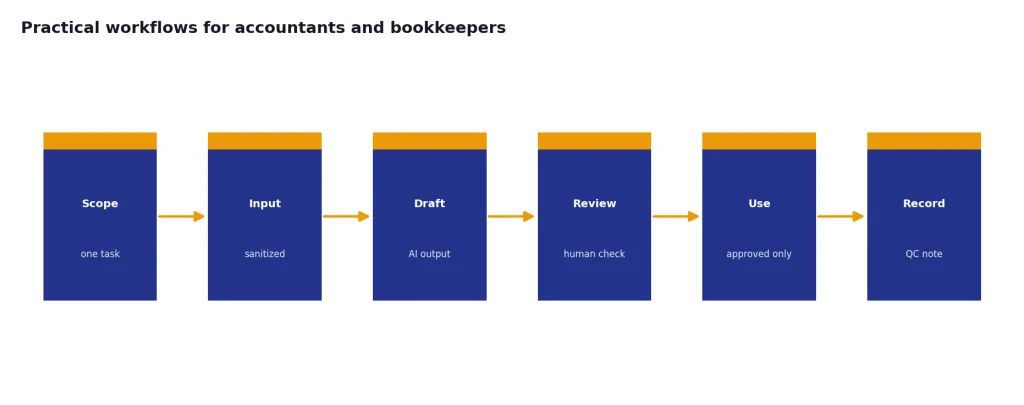
The best ChatGPT workflows have a narrow scope, a clear input, and a defined review step. Do not ask it to “do the books.” Ask it to produce a draft checklist, summarize a variance, reformat a memo, or generate questions for the client. The difference is control.
Month-end close support
Use ChatGPT to convert your close process into a task list by client type. For example, paste a sanitized firm procedure and ask for a recurring checklist for a cash-basis service business, an accrual-basis retailer, or a nonprofit with restricted funds. Then have the reviewer compare the checklist to your accounting system and workpaper standards.
Bookkeeping cleanup
For uncoded transactions, remove client identifiers and keep only the merchant description, amount range, date, and any non-sensitive memo. Ask ChatGPT to suggest likely categories and the questions a bookkeeper should ask before posting. It should not post transactions directly. The value is in triage.
Client communication
ChatGPT can rewrite blunt accounting requests into client-friendly language. A bookkeeper can paste a rough note such as “missing bank statement, need payroll report, sales tax issue unclear” and ask for a professional email. This is similar to the writing workflow in ChatGPT for email writing, but the accounting version should include deadlines, document names, and confidentiality reminders.
Advisory narratives
For advisory clients, ChatGPT can turn a reviewed variance table into a plain-English explanation. Give it only the finalized numbers you are comfortable sharing under your firm policy. Ask for a short executive summary, likely business drivers, and follow-up questions. Then confirm the story against the ledger, bank activity, owner notes, and your knowledge of the client.
Using ChatGPT with spreadsheets and documents
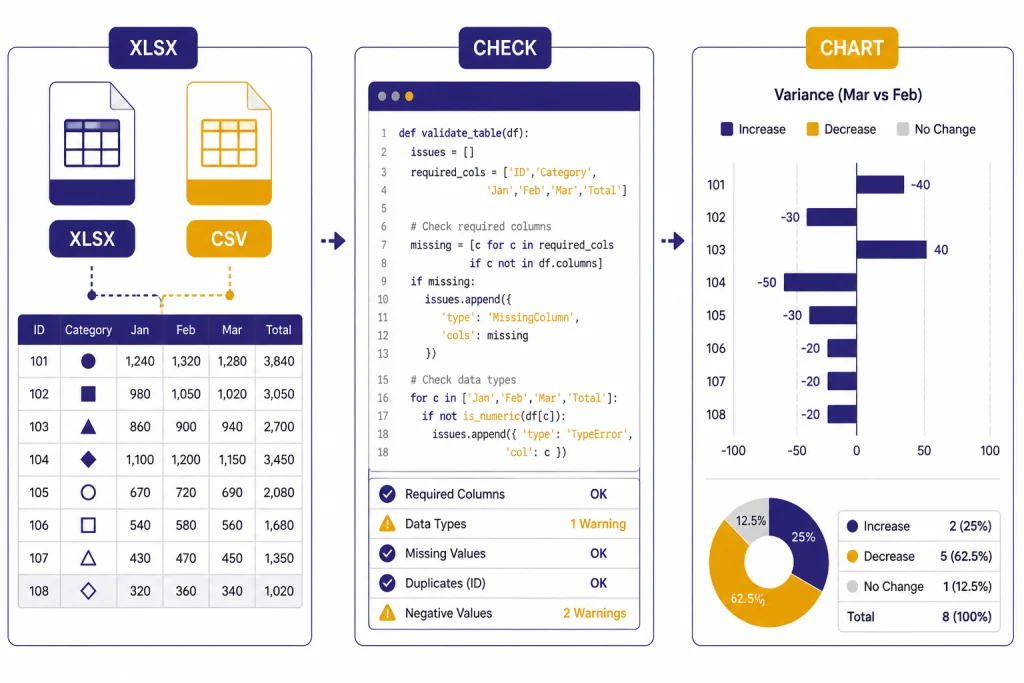
ChatGPT’s data analysis feature can work with uploaded Excel, CSV, PDF, and JSON files, and it can create tables, charts, and summaries from uploaded data.[1] OpenAI says a conversation can accept up to 10 uploaded files, and a custom GPT can have up to 20 files attached as knowledge when the relevant capability is enabled.[1] OpenAI also lists a 512 MB per-file limit and an approximately 50 MB limit for CSV files or spreadsheets, depending on row size.[1] Text and document files uploaded to a GPT or conversation are capped at 2M tokens per file.[2]
Those limits are generous enough for many accounting exports, but the question is not only file size. The question is data fitness. Clean files produce better output. Use one table per sheet, plain column headers, one row per transaction, consistent date formats, and no hidden subtotals. Remove client identifiers if your policy requires it. Save a working copy so you do not upload the original system export by mistake.
For spreadsheet work, ask ChatGPT to show its approach. OpenAI says users can view analysis after ChatGPT analyzes or visualizes data, including how it used tools such as pandas and Matplotlib.[1] That matters for accountants because reviewability is part of quality control. If the tool created a variance chart, you should be able to inspect the grouping logic and confirm that it did not exclude rows, double-count columns, or infer a category incorrectly.
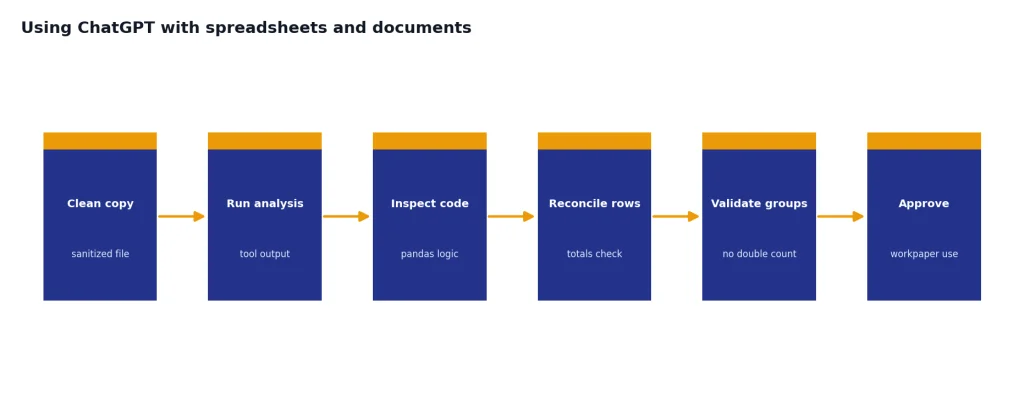
A strong spreadsheet prompt has four parts: the role, the file description, the required output, and the review constraint. Example: “You are assisting a controller. This file is a sanitized general ledger export. Identify unusual month-over-month changes by account. Return a table with account, change, likely explanation, and review question. Do not make journal entries. Flag any column you do not understand.”
If you want deeper data workflows, see the Code Interpreter tutorial. For teams that build reusable prompt systems, the ChatGPT prompt generator can help organize firm-approved prompts.
What not to delegate to ChatGPT
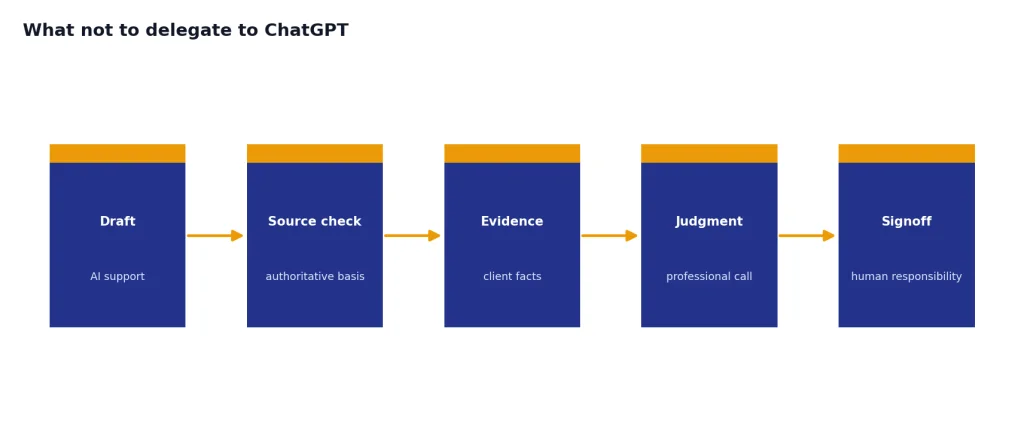
Do not delegate final accounting conclusions to ChatGPT. It can write a memo, but it cannot accept responsibility for the memo. It can explain a tax concept, but it cannot replace authoritative research. It can suggest a variance reason, but it cannot know whether the client changed vendors, delayed deposits, or reclassified expenses unless the evidence supports that conclusion.
AICPA risk guidance specifically warns that generative AI may answer straightforward questions reliably but may be inaccurate when applying a standard to a specific transaction.[7] That distinction is critical. Asking for a general explanation of lease accounting is different from asking whether a particular lease should be classified a certain way. One is education. The other is professional judgment.
Keep these tasks under human control: signing returns, making tax elections, approving journal entries, determining materiality, documenting audit evidence, concluding on revenue recognition, approving payroll filings, interpreting a client’s legal obligations, and advising on transactions with penalty exposure. Use ChatGPT to prepare drafts around those tasks, not to decide them.
The same rule applies in other professional fields. Our guide to ChatGPT for lawyers makes a similar point about verification and responsibility. The healthcare version, ChatGPT for doctors and healthcare professionals, follows the same principle: AI can support trained professionals, but it should not replace licensed judgment.
Plan choice and firm rollout
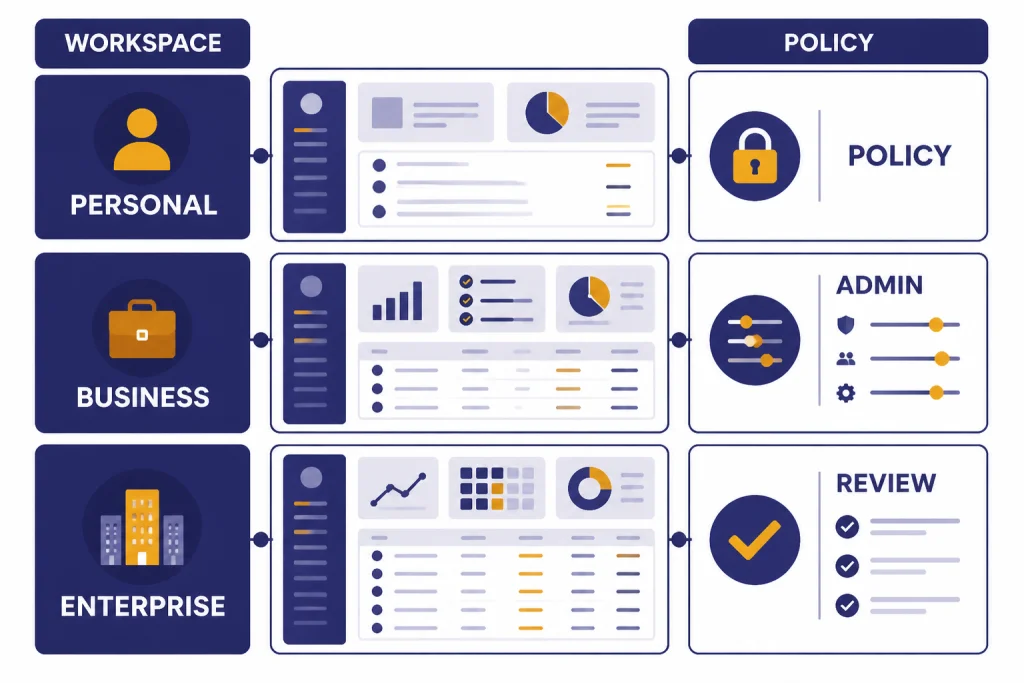
Plan choice should follow risk, not curiosity. A solo bookkeeper drafting generic client emails may start with a personal plan and a strict no-client-data rule. A CPA firm using AI on internal templates, spreadsheet exports, and client-facing drafts should evaluate a business workspace with centralized controls. OpenAI’s pricing page listed Free at $0 per month, Plus at $20 per month, and Pro at $200 per month for individual users.[4] Always confirm current pricing before purchase because AI plan names, features, and billing terms change.
For firms, the key buying questions are not only price. Ask whether your workspace excludes business data from training by default, supports admin controls, aligns with your WISP, and gives you a process for offboarding staff. OpenAI states that business data is excluded from training by default and that its data protection practices align with SOC 2 Type 2 and ISO/IEC 27001, 27017, 27018, and 27701 certifications.[3]
| Use pattern | Better fit | Policy requirement |
|---|---|---|
| Learning and generic drafting | Personal workspace | No client-identifiable data. |
| Firm templates and reviewed drafts | Business workspace | Written AI policy and staff training. |
| Client-data workflows | Approved business or enterprise setup | Vendor review, contract review, and WISP update. |
| Automated integrations | API or approved connected system | Security review, logging, and access controls. |
Rollout should be boring by design. Start with internal-only use cases. Create approved prompts. Train staff on prohibited inputs. Require reviewers to mark AI-assisted drafts before client delivery. Add a short note to your quality-control checklist: “AI output reviewed against source records and professional standards.” That small step helps prevent invisible reliance.
Firms with marketing, sales, or recruiting teams can use similar rollout ideas in other departments. See ChatGPT for marketing, ChatGPT for sales professionals, and ChatGPT for recruiters and HR teams for related workflows that do not require accounting judgment.
Prompt library for accounting teams
Use these as starting points. Replace bracketed text with sanitized details. Do not include protected client data unless your firm has approved the tool and workflow.
Client request email
“Draft a concise client email requesting the following missing items: [list]. Use a professional tone. Explain why each item is needed. Include a deadline of [date]. Do not mention penalties or blame the client.”
Variance explanation
“Using this reviewed variance table, write a management summary for a small business owner. Separate confirmed facts from possible explanations. Add questions the accountant should ask before finalizing the report.”
Transaction cleanup
“Review these sanitized transaction descriptions. Suggest a likely category, confidence level, and follow-up question. Do not invent facts. If the description is ambiguous, mark it for bookkeeper review.”
Workpaper review checklist
“Create a review checklist for this workpaper type: [bank reconciliation, fixed assets, prepaid expenses, payroll accrual]. Include evidence expected, common errors, and reviewer signoff items.”
Junior staff explanation
“Explain [accounting concept] to a first-year staff accountant. Use a simple example. Add common mistakes and a short quiz. Do not give client-specific advice.”
Prompt libraries work best when they are version controlled. Keep approved prompts in a shared document, name the owner, and record when each prompt was last reviewed. If you maintain client-facing reports or newsletters, the same discipline applies to ChatGPT for blog writing and ChatGPT for writing.
Frequently asked questions
Can accountants use ChatGPT with client data?
Only if the firm has approved the tool, reviewed the data terms, configured privacy controls, and documented the workflow in its security program. For many firms, the safer default is to use sanitized or anonymized data. Tax professionals also need a WISP for protecting client data.[5]
Can ChatGPT prepare tax returns?
It should not prepare or file tax returns on its own. It can help draft client questions, summarize source excerpts, explain concepts, and organize checklists. A qualified preparer must verify the law, facts, forms, elections, and final filing position.
Is ChatGPT accurate enough for accounting research?
Use it as a research assistant, not as an authority. Ask it to summarize approved source text you provide, then check every conclusion against authoritative guidance. AICPA risk guidance warns that applying standards to specific transactions may produce inaccurate answers.[7]
What is the best first use case for a bookkeeping firm?
Start with client communication and internal checklists. These tasks save time and carry lower risk when you keep client identifiers out of the prompt. Transaction coding suggestions can come later, after you define review rules.
Should firms disclose AI use to clients?
Many firms should consider disclosure language, especially if AI supports client-service workflows. AICPA risk guidance recommends assessing legal and ethical requirements and notes that transparency can help client trust.[8] Ask counsel before changing engagement letters.
Can ChatGPT analyze Excel files for accountants?
Yes, ChatGPT can analyze Excel and CSV files, create tables and charts, and summarize uploaded data.[1] The file still needs to be clean, complete, and safe to upload under your firm policy. Review the analysis before using it in a workpaper or client report.