

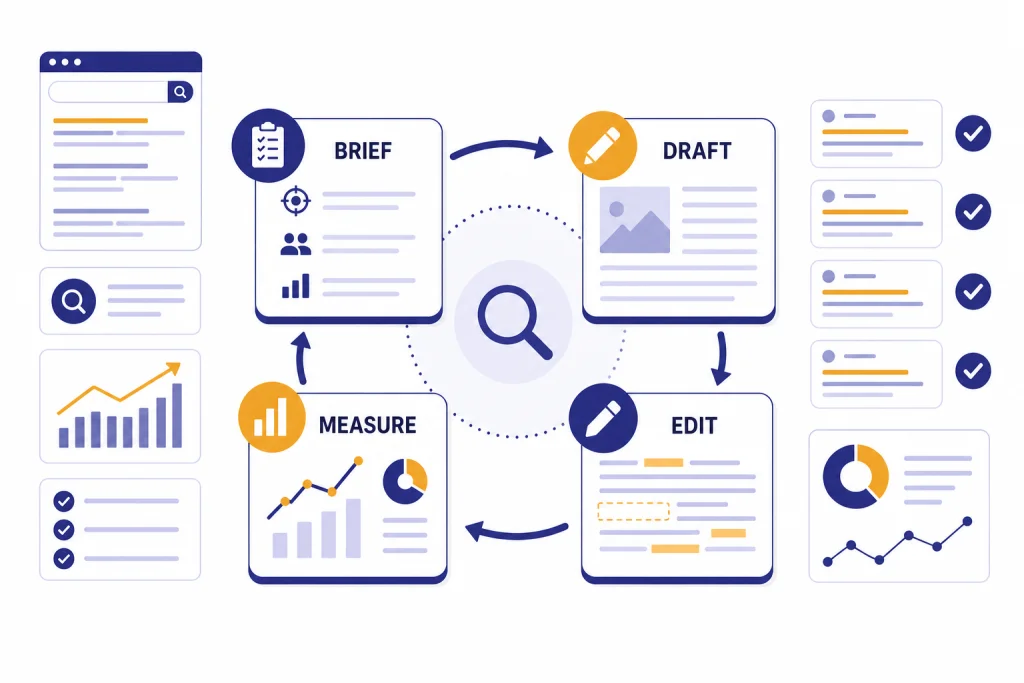
ChatGPT can help SEO teams rank faster by shortening the work between keyword discovery and publish-ready content. It is best used for clustering queries, building briefs, drafting outlines, improving title tags, writing meta descriptions, checking internal links, and turning Search Console data into refresh plans. It should not replace strategy, firsthand expertise, technical audits, or human editing. Google does not ban AI-assisted content, but it does reward helpful, reliable, people-first pages and warns against automation used mainly to manipulate rankings.[1] Use ChatGPT as a production assistant, not as an autopilot publisher.
Use ChatGPT without handing over the strategy
The safest way to use ChatGPT for SEO is to give it a narrow job, good inputs, and a human reviewer. Ask it to organize your research, expose gaps, draft alternatives, and explain tradeoffs. Do not ask it to invent expertise or publish content directly from a single prompt.
Google’s guidance is clear on the principle that matters most: quality and usefulness matter more than the production method. Its AI content guidance says success in Search comes from original, high-quality, people-first content that demonstrates E-E-A-T, while automation used mainly to manipulate rankings violates spam policies.[2] That means the problem is not “AI touched this page.” The problem is “this page exists only to capture traffic and adds little value.”
Think of ChatGPT as an SEO operations layer. It can help a strategist move faster through repetitive decisions, but the strategist still owns the page purpose, search intent, evidence, examples, claims, and final edit. If your site covers marketing more broadly, pair this workflow with chatgpt for marketing. If your main challenge is long-form publishing, use it alongside chatgpt for blog writing.
The strongest SEO workflow starts with data outside ChatGPT. Bring in your keyword exports, customer questions, product notes, existing URLs, competitor observations, and Search Console queries. Then ask ChatGPT to sort, compare, and turn those inputs into a plan. The weaker workflow starts with “write an SEO article about this keyword” and ends with a generic page that sounds plausible but says nothing new.
SEO jobs ChatGPT can speed up
ChatGPT is useful when the task has patterns, constraints, and reviewable output. It is less useful when the task requires live crawl data, proprietary keyword volume, server access, or expert judgment that it cannot verify on its own. ChatGPT search can retrieve timely web information and show source links, but you still need to confirm that the sources are relevant and accurate.[7]
| SEO task | Good ChatGPT use | Human check | Risk if skipped |
|---|---|---|---|
| Keyword clustering | Group exported queries by intent and page type. | Confirm with SERP review and business priority. | One page targets mixed intent. |
| Content briefs | Convert research into headings, questions, proof needs, and internal links. | Add firsthand experience and source requirements. | The draft repeats common SERP points. |
| On-page metadata | Draft title tags, meta descriptions, and image alt text options. | Check accuracy, uniqueness, and click promise. | Metadata overpromises or duplicates other pages. |
| Structured data planning | Suggest schema types that may match visible page content. | Validate against Google documentation and test tools. | Markup describes content users cannot see. |
| Content refreshes | Turn performance data into update hypotheses. | Review Search Console, analytics, and ranking context. | Teams rewrite pages that only needed small fixes. |
Google’s SEO Starter Guide says good titles should be unique, clear, concise, and accurate. It also notes that snippets may come from page content or sometimes from the meta description, and that good alt text helps search engines understand image context.[4] Those are exactly the kinds of structured writing tasks where ChatGPT can produce options quickly.
A practical workflow for ranking faster
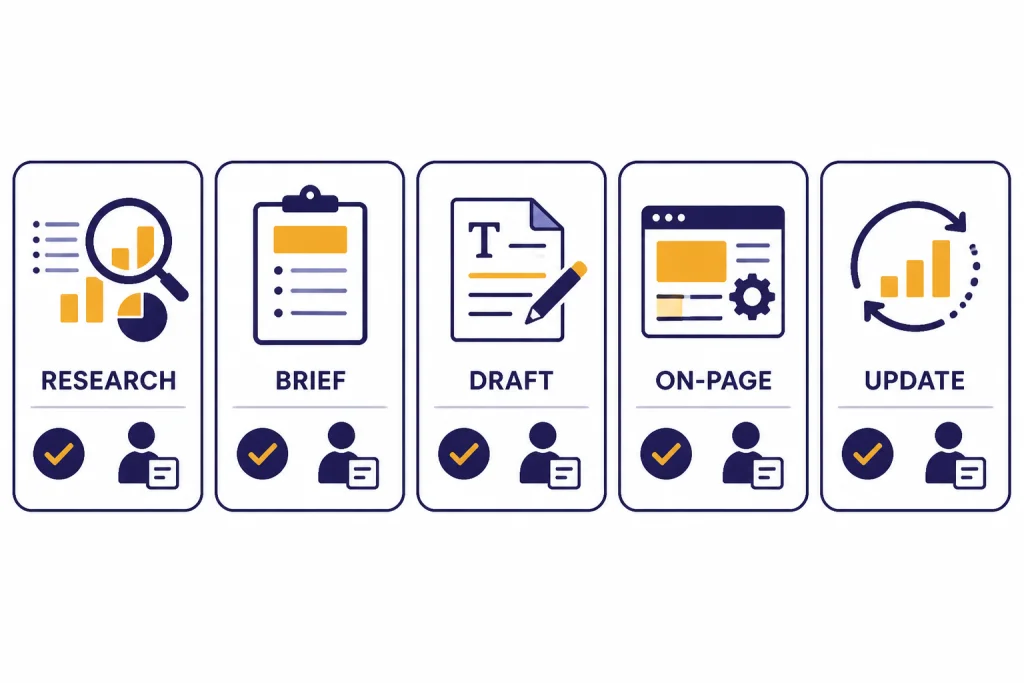
Ranking faster does not mean forcing a new page to the top immediately. It means reducing wasted cycles. A tighter workflow helps you choose the right page type, answer the right intent, publish with fewer gaps, and update based on real data sooner.
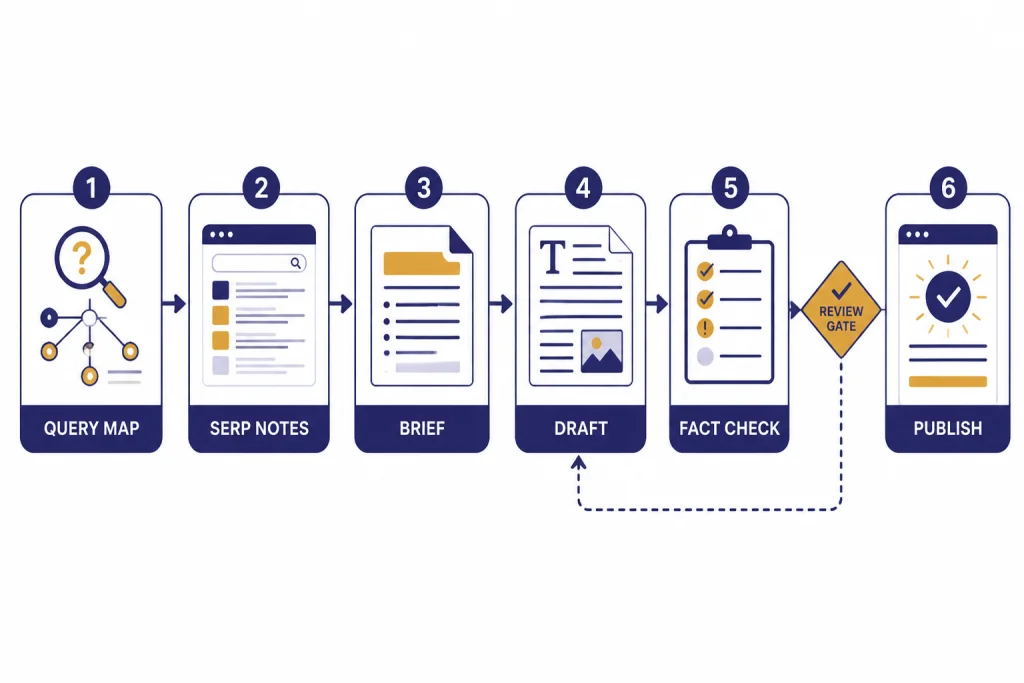
Start with a query map
Export candidate keywords from your SEO tool, Search Console, sales calls, support tickets, or site search. Paste a sample into ChatGPT and ask it to group the queries by intent. Use labels such as informational, comparison, transactional, local, troubleshooting, or branded. Then ask for the likely best page type for each group.
Do not accept the cluster blindly. Search the main query yourself. Check whether Google shows product pages, list posts, tutorials, videos, local packs, forums, or documentation. ChatGPT can propose a map, but the SERP decides the format.
Build the brief before the draft
A strong brief is the main difference between AI-assisted content and low-value AI output. Give ChatGPT your target keyword, audience, page goal, must-cover questions, internal links, expert notes, and forbidden claims. Ask it for a brief, not prose. This keeps the model in planning mode.
For example, a SaaS page brief should include the buying stage, feature proof, objections, integration details, and comparison criteria. A medical, legal, or finance page needs a stricter review path because Google’s quality guidance places special weight on trust for topics that can affect health, safety, or financial stability.[1] For higher-risk professional content, see how we handle boundaries in ChatGPT for Doctors and Healthcare Professionals and ChatGPT for Lawyers.
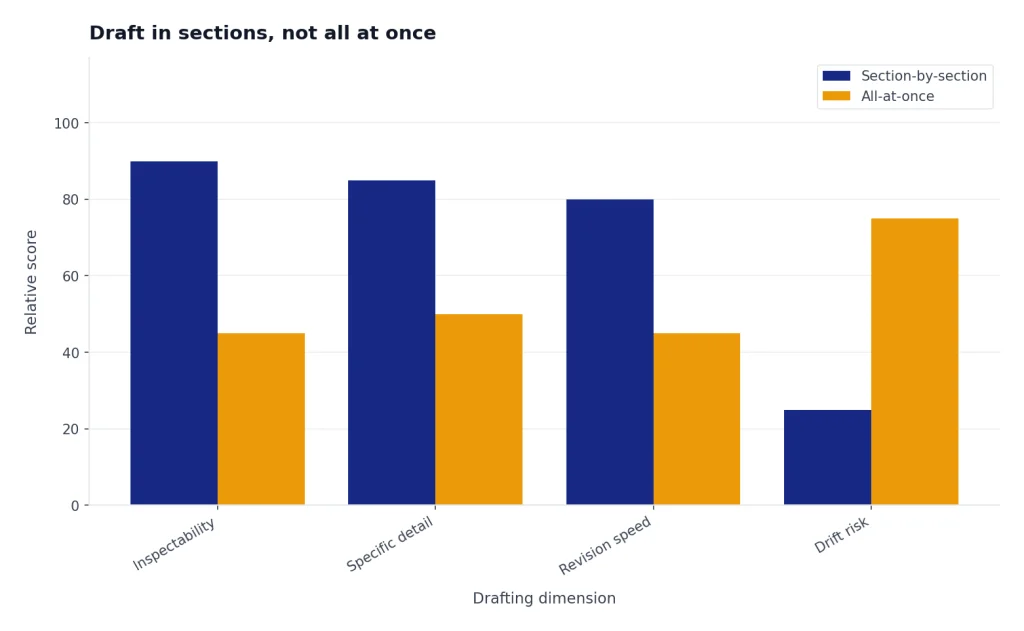
Draft in sections, not all at once
Ask ChatGPT to draft one section at a time from the approved brief. This makes the output easier to inspect. It also lets you add examples, screenshots, quotes from experts, data from your business, or product-specific details before the draft becomes too generic.
If your team uses ChatGPT for other writing tasks, keep an editorial checklist that carries across channels. The same habits that improve chatgpt for writing also improve SEO: precise audience, clear angle, strong examples, and a real editor.
Optimize after the substance is correct
After the page answers the search intent, use ChatGPT for on-page refinement. Ask for title options, meta descriptions, heading cleanup, internal link suggestions, FAQ candidates, image alt text, and concise summaries. Google’s documentation says structured data gives explicit clues about page meaning and can make pages eligible for richer search result features when guidelines are met.[5] Use ChatGPT to draft a schema plan, then validate it against Google’s requirements.
Copy-paste prompts for SEO work
Prompts work best when they include context, constraints, and a clear output format. Replace the bracketed fields before use. If you are building a reusable prompt library, our chatgpt prompt generator guide explains how to turn one-off prompts into repeatable systems.
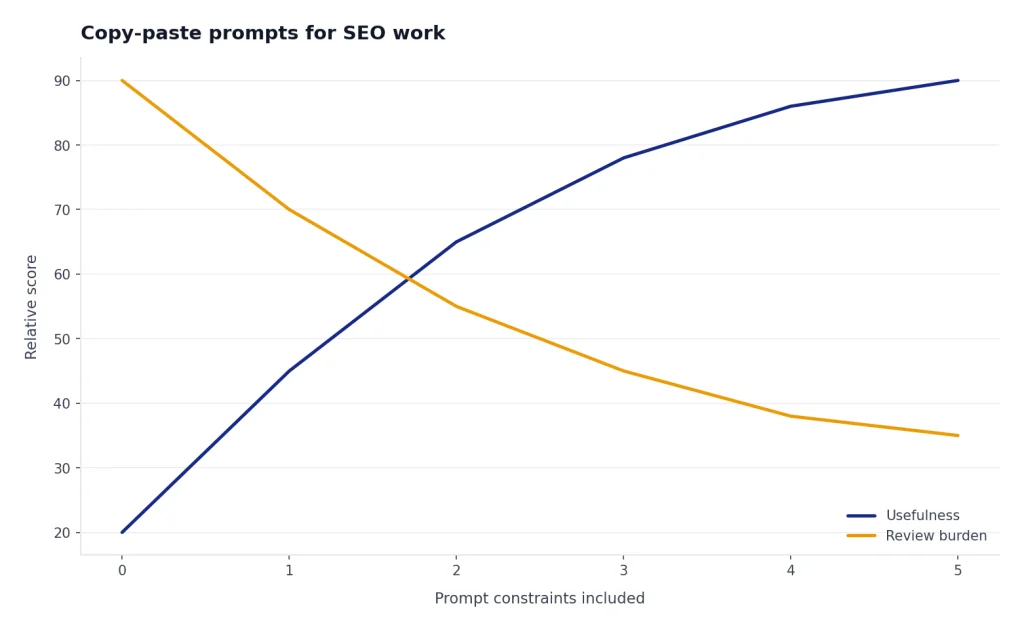
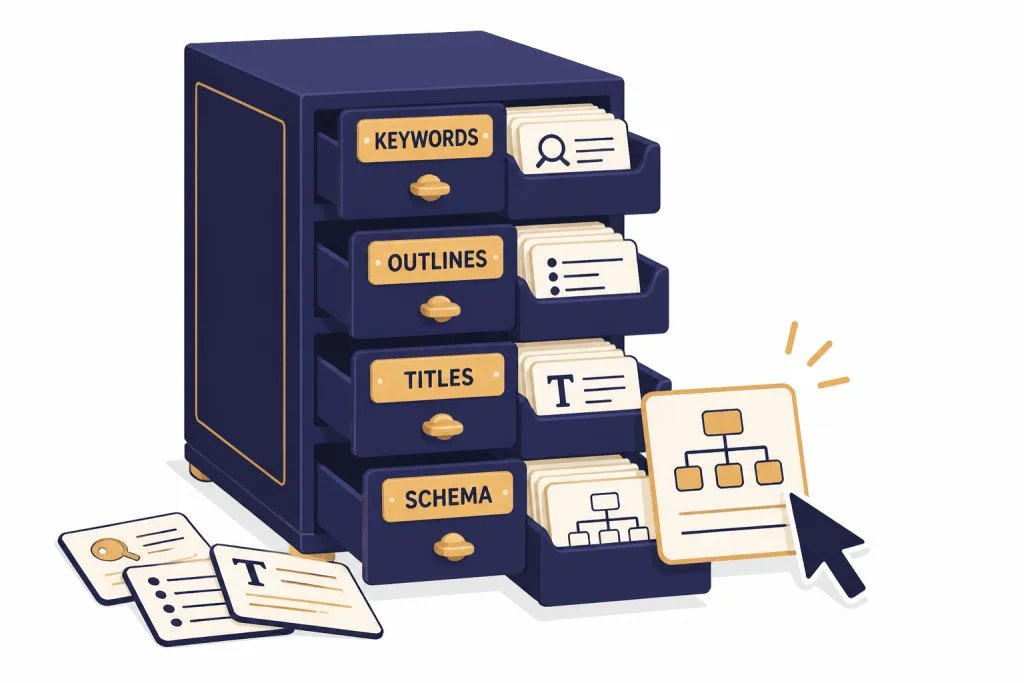
Act as an SEO strategist. I will paste a list of search queries. Group them by search intent and likely page type. Return a table with: cluster name, queries, intent, recommended page type, priority, and notes. Do not invent search volume.Create an SEO content brief for the keyword [KEYWORD]. Audience: [AUDIENCE]. Page goal: [GOAL]. Include search intent, recommended angle, H2 outline, questions to answer, evidence needed, internal link targets, and claims that require verification. Do not write the article.Review this draft section for SEO usefulness. Identify vague claims, missing examples, unsupported statements, intent gaps, repeated ideas, and places where firsthand experience would improve trust. Return edits as a checklist.Write 8 title tag options for this page. Constraints: unique, accurate, no clickbait, primary keyword included naturally, value clear to the searcher. Then explain which 3 are strongest and why.I will paste Search Console query data for one URL. Find update opportunities. Group recommendations into: title and snippet improvements, missing subtopics, internal links to add, intent mismatch, and queries that may deserve a separate page.These prompts are intentionally conservative. They ask ChatGPT to organize and critique before it writes. That keeps humans in control of the most important SEO decisions.
Quality control before publishing
Every AI-assisted SEO page needs a quality pass before publication. The goal is not to make the text “sound human.” The goal is to make it useful, accurate, original, and aligned with the query.
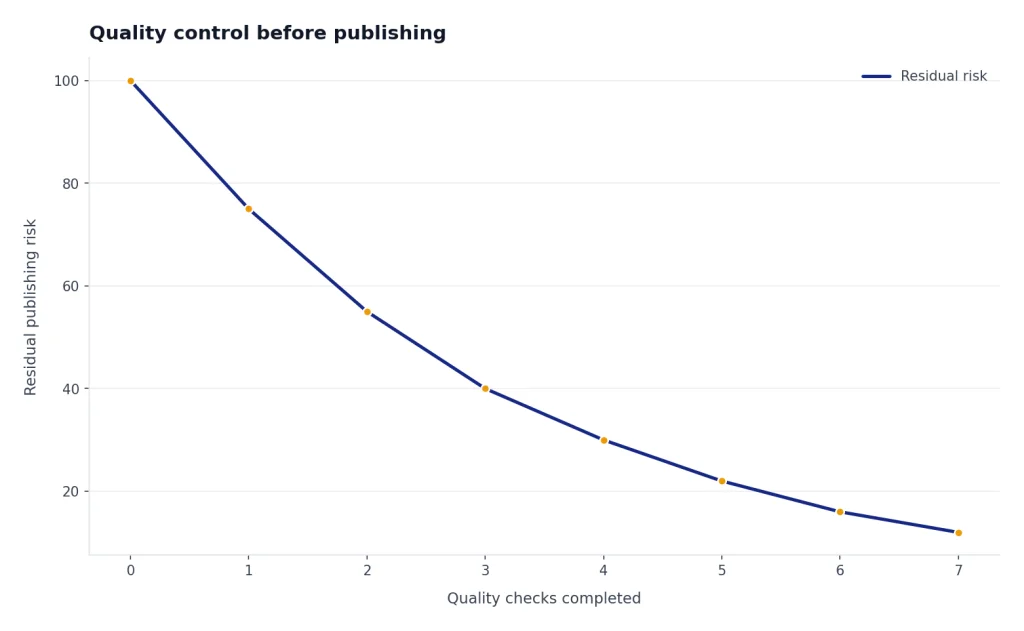
- Intent check: The page matches what searchers actually want, not just the keyword phrase.
- Original value check: The page adds examples, data, experience, product knowledge, or synthesis that is not copied from the current SERP.
- Accuracy check: Claims, dates, prices, product details, laws, and statistics are verified from reliable sources.
- Internal link check: The page links to relevant supporting pages with descriptive anchor text.
- Metadata check: The title and description are accurate and not duplicated across the site.
- Technical check: The page is indexable, canonicalized correctly, fast enough for users, and not blocked accidentally.
- Disclosure check: If automation played a substantial role and readers would reasonably want to know how the content was created, consider explaining that process. Google’s helpful content guidance specifically frames “Who, How, and Why” as useful questions for content evaluation.[1]
Use ChatGPT as part of the review. Paste your draft and ask it to identify thin sections, unsupported claims, repeated phrasing, and missing user questions. Then make the editorial decisions yourself. If your workflow includes landing pages, email sequences, and campaign copy, connect the SEO page to ChatGPT for Email Writing That Converts and ChatGPT for Sales Professionals so the message stays consistent after the click.
What ChatGPT should not do for SEO
ChatGPT should not be your only source of truth for keyword volume, rankings, backlinks, crawl errors, legal claims, medical guidance, financial facts, or competitor data. It can reason over data you provide. It cannot replace the systems that collect that data.
Do not use ChatGPT to mass-produce pages that exist only to target keyword variations. Google’s spam policies define scaled content abuse as generating many pages primarily to manipulate rankings rather than help users, and the examples include using generative AI tools to create many pages without adding value.[3] That risk applies whether the pages are written by AI, humans, or a mix of both.
Do not ask ChatGPT to “rewrite competitors” as a content strategy. That produces derivative pages. Instead, ask it to identify what competitors leave unanswered, then fill those gaps with your own experience, testing, screenshots, interviews, product knowledge, or customer data.
Do not paste private client data, unreleased product details, or confidential analytics into a consumer chat without checking your account settings and contracts. OpenAI says business products and the API are not used to train models by default, but teams should still review the plan, workspace settings, and data-handling rules that apply to their organization.[9]
Finally, do not optimize only for Google. Search behavior now includes classic search engines, AI answers, social platforms, video, and newsletters. If your topic has a visual or video angle, coordinate SEO with ChatGPT for YouTubers and chatgpt for social media content creation.
Measure results and refresh the page
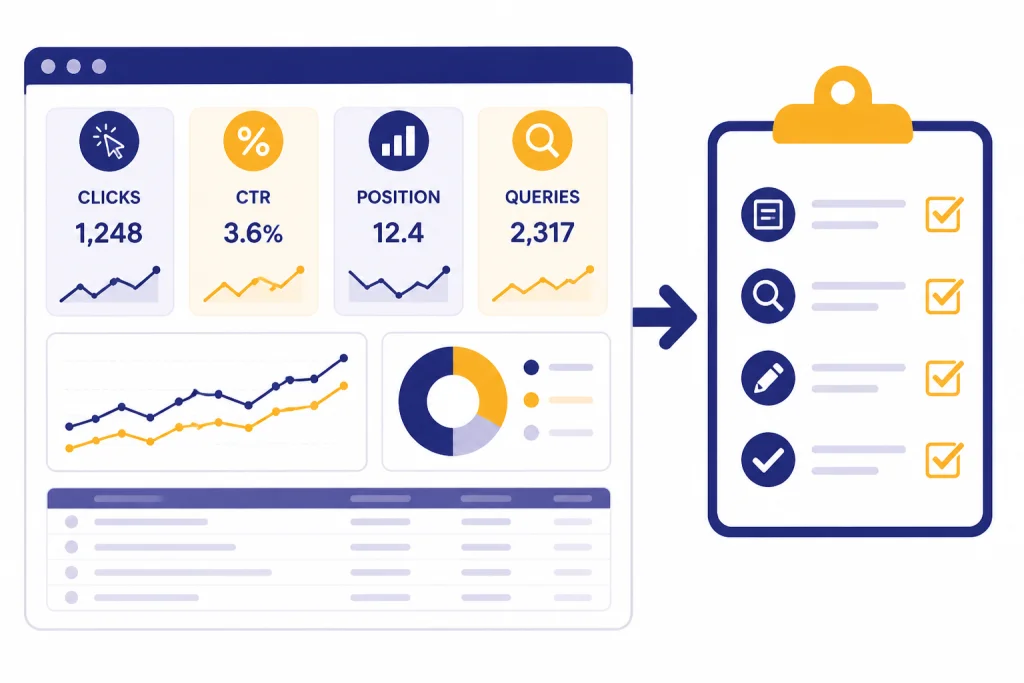
The fastest SEO teams treat publication as the start of the learning cycle. Google Search Console performance reports show metrics such as clicks, impressions, click-through rate, and average position, and they can show which queries and pages drive visibility in Google Search.[6] Export that data, then use ChatGPT to find patterns.
Give ChatGPT one URL at a time. Include the page title, target keyword, top queries, impressions, clicks, average position, current headings, and any conversion notes. Ask it to separate likely fixes into snippet improvement, content expansion, internal linking, intent mismatch, and new-page opportunities. This turns reporting into an action list.
A simple refresh pattern works well. If a page gets impressions but few clicks, test stronger titles and descriptions. If it ranks for unexpected queries, add a section that answers the real intent or create a better-matched page. If it ranks near the first page but feels thin, add original examples, comparison detail, screenshots, or expert review. If it ranks for queries that do not belong, adjust headings and internal links so Google receives clearer signals.
For research-heavy pages, combine this process with ChatGPT for Market Research and Surveys so the refresh adds evidence, not just more words. Better SEO is rarely about making a page longer. It is about making the next version more useful than the version already indexed.
Frequently asked questions
Is ChatGPT good for SEO?
Yes, ChatGPT is good for SEO when you use it for research organization, briefs, outlines, metadata, internal linking ideas, and content refresh planning. It is not a replacement for keyword tools, Search Console, technical audits, or expert editing.
Can AI-written content rank on Google?
AI-assisted content can rank if it is helpful, original, accurate, and written for people. Google’s stated concern is not AI use by itself. The risk is low-value automation created mainly to manipulate rankings.[2]
What is the best ChatGPT prompt for SEO?
The best prompt is usually a brief-building prompt, not a full article prompt. Give ChatGPT the keyword, audience, page goal, source notes, internal links, and required proof, then ask for a structured content brief.
Should I use ChatGPT for keyword research?
Use ChatGPT to cluster and interpret keyword lists, not to invent keyword volume. Export real query data from SEO tools or Search Console first, then ask ChatGPT to group terms by intent and page type.
Can ChatGPT write title tags and meta descriptions?
Yes. ChatGPT is useful for drafting multiple title tag and meta description options. A human should still confirm that each option is accurate, unique, and aligned with what the page actually delivers.
Is it safe to publish ChatGPT drafts without editing?
No. Unedited drafts often contain vague claims, repeated ideas, missing context, or unsupported facts. Use ChatGPT to speed up production, then review the page for accuracy, originality, search intent, and trust.