

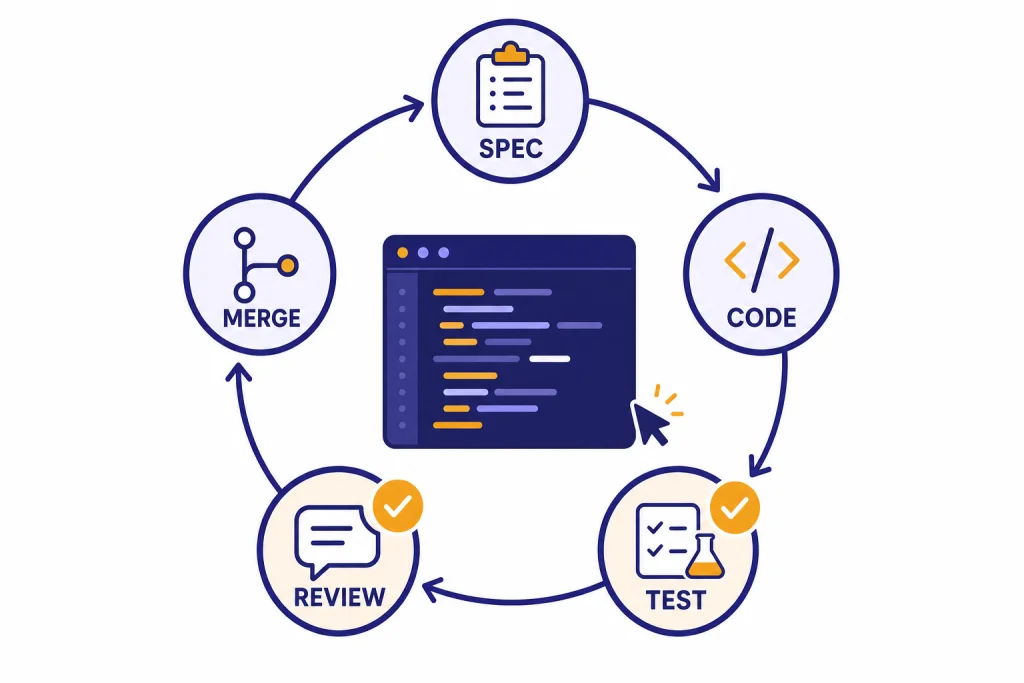
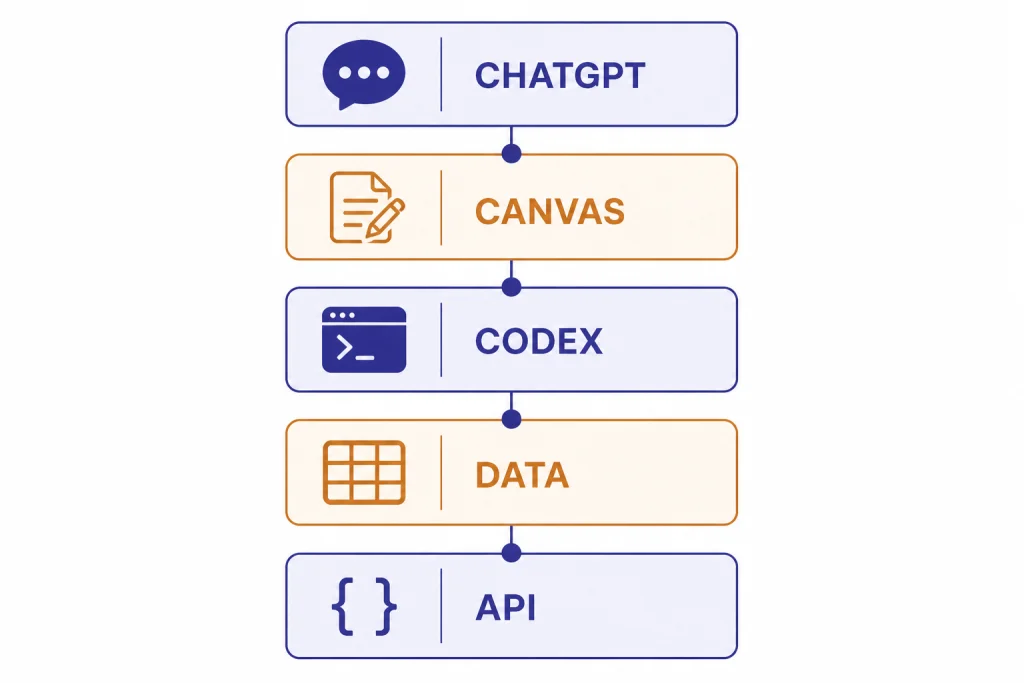
ChatGPT for coding works best when you treat it as a development partner, not an autopilot. Use plain ChatGPT for explanations, small snippets, and planning. Use Canvas when you need to edit code side by side. Use Data Analysis when you want ChatGPT to run Python against files. Use Codex when you want an agent to inspect a repository, edit files, run commands, and work through scoped engineering tasks.[1][3][4] The practical skill is matching the tool to the risk level. Beginners should ask for explanations and small examples. Advanced developers should feed ChatGPT tests, constraints, architecture notes, and review checklists before accepting code.
What ChatGPT can do for coding
ChatGPT can help with most parts of software work: explaining concepts, writing starter code, translating code between languages, debugging errors, drafting tests, reviewing pull requests, documenting functions, and planning architecture. OpenAI also describes Codex as a coding agent that can help write, review, and ship code, including local pairing and delegated cloud work.[1]
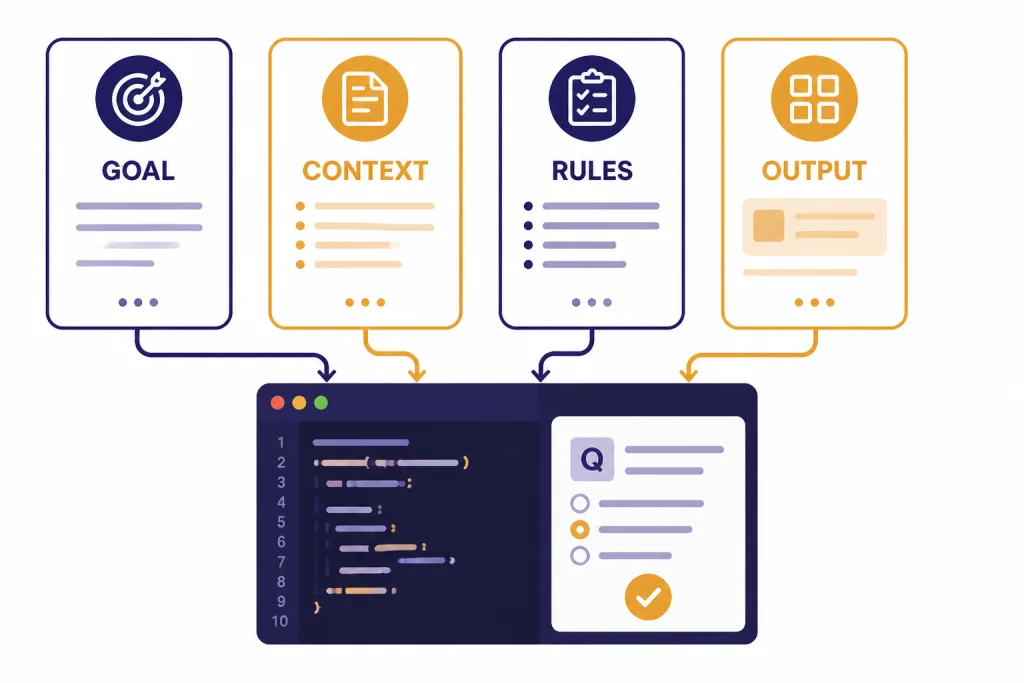
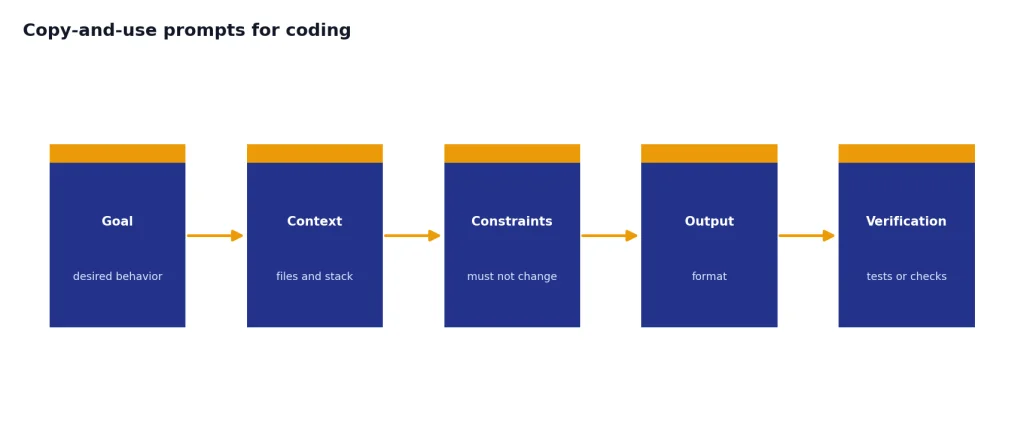
The best results come when you give ChatGPT the same materials you would give a human teammate. That means the goal, stack, relevant files, error messages, constraints, expected behavior, and how the result will be tested. A weak prompt says, “fix this.” A strong prompt says, “this Next.js route returns a 500 when the user has no profile row; preserve the current API response shape; add a regression test; explain the changed files before showing the patch.”
ChatGPT is also useful before you write code. Ask it to compare approaches, identify edge cases, sketch a data model, or turn a vague feature request into acceptance criteria. If you are still learning core concepts, start with what is GPT? and then return to this workflow guide. If your main work is database-heavy, keep chatgpt for SQL queries and database work nearby because SQL prompts need tighter schema context than general coding prompts.
The main limitation is that generated code is not automatically correct, secure, licensed cleanly, or consistent with your codebase. Treat every answer as a draft. Your compiler, tests, linter, type checker, security scanner, and human review still matter.
Choose the right coding surface
ChatGPT is no longer a single text box for every coding task. The right surface depends on whether you need explanation, editing, execution, or repository-level changes. Canvas is designed for writing and coding projects that require editing and revisions, with inline feedback, direct editing, debugging shortcuts, and version restore support.[3] Data Analysis gives ChatGPT a secure code execution environment and supports work with uploaded files such as Excel and CSV files.[4] Codex can work in the terminal, IDE, Codex app, and cloud workflows, and OpenAI says it can navigate a repo, edit files, run commands, and execute tests.[1]
| Surface | Best for | Use it when | Do not use it when |
|---|---|---|---|
| ChatGPT chat | Learning, planning, snippets, explanations | You need a fast second brain or a plain-English explanation. | You need direct repo edits or verified execution. |
| Canvas | Editable code drafts and iterative revision | You want ChatGPT beside a code document and need targeted changes.[3] | You need an autonomous agent to run a full task across many files. |
| Data Analysis | Python execution against uploaded data | You need scripts, charts, file inspection, or reproducible analysis.[4] | You need to modify an application repository. |
| Codex | Repo-aware coding tasks, tests, refactors, pull-request prep | You have a scoped issue and want an agent to inspect files, edit, and run checks.[1] | The task is ambiguous, high-risk, or missing tests. |
| OpenAI API | Building AI features into your own app | You are writing production software that calls models programmatically. | You only need personal coding help. See OpenAI API pricing before building cost-sensitive features. |
A good rule is to start in the least powerful surface that can solve the job. Ask ChatGPT for an explanation before asking Codex to change a repository. Use Canvas before you ask an agent to edit many files. Use Data Analysis when execution matters more than prose.
Beginner workflow: learn by building small programs
Beginners should use ChatGPT as a tutor and pair programmer. The goal is not to collect finished code. The goal is to understand why the code works, where it can fail, and how to change it safely.
Start with a tiny project
Pick a project that has clear input and output. Examples: a tip calculator, a command-line to-do list, a JSON formatter, a unit conversion page, or a script that renames files. Tell ChatGPT your language, your skill level, and what you want to learn.
I am learning JavaScript. Help me build a small browser-based tip calculator.
Do not give me the final answer all at once.
First explain the file structure, then give me the HTML only.
After that, quiz me before writing the JavaScript.
This kind of prompt slows the model down. It turns ChatGPT into a coach instead of a copy machine. You can then ask follow-ups such as “explain this line,” “show the same idea in Python,” or “give me a bug to fix.”
Ask for tests before improvements
New programmers often ask for improvements before they know whether the current version works. Reverse the order. Ask ChatGPT to write test cases, edge cases, or manual checks first. For a tip calculator, that might include zero-dollar totals, decimal rounding, empty input, and negative input.
When you can explain the tests, ask for the code. When the code fails, paste the exact error message and ask ChatGPT to explain the failure in beginner language. This builds debugging skill instead of dependency.
Keep a personal prompt library
Save the prompts that produce useful explanations. A prompt library is more valuable than a folder of copied snippets because it captures how you think through problems. If you want a structured way to build that library, use our ChatGPT prompt generator as a companion.
Debugging and refactoring workflow
Debugging is one of the strongest everyday uses of ChatGPT for coding, but only if you provide evidence. Do not paste a whole project and ask for guesses. Paste the failing command, the stack trace, the relevant function, the expected behavior, and what changed recently.
You are helping me debug a failing Jest test.
Expected behavior: unauthenticated users should be redirected to /login.
Actual behavior: the route returns 200.
Recent change: middleware was moved from middleware.ts to src/middleware.ts.
Here is the failing test, the route file, and the middleware file.
Please identify the most likely cause, ask for any missing file before guessing, and propose the smallest patch.
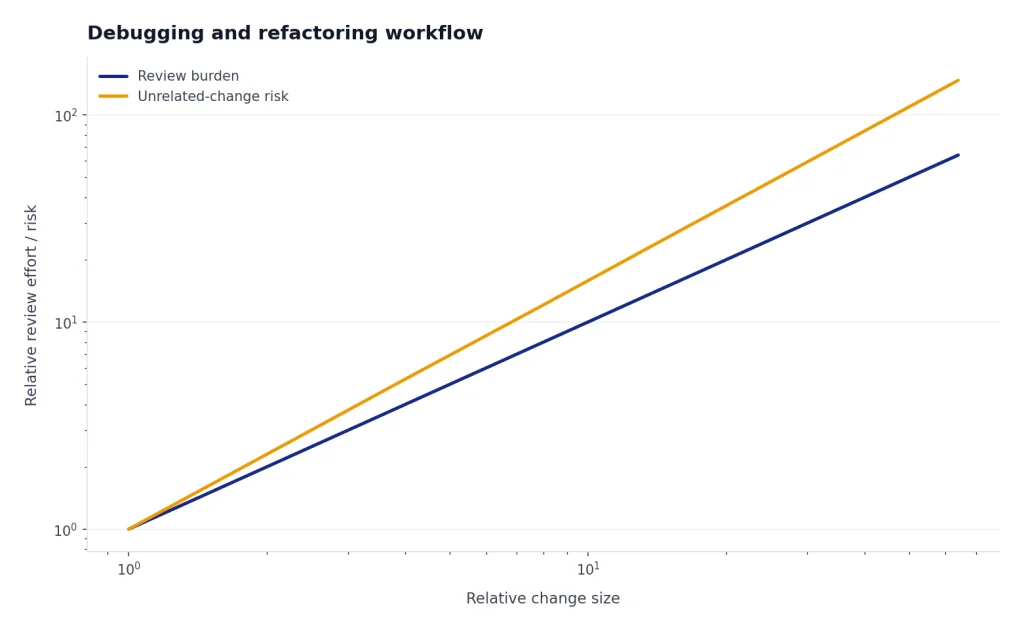
Ask for the smallest patch first. Large generated rewrites often introduce unrelated changes. Once the bug is fixed, ask ChatGPT to create a regression test. Then ask for a short explanation you can paste into a pull request.
Refactor with a contract
Refactoring prompts need a contract. State what must not change. Include public function signatures, API response shapes, database migrations, browser support requirements, and performance constraints. If you use TypeScript, ask ChatGPT to preserve exported types unless a type change is necessary and explained.
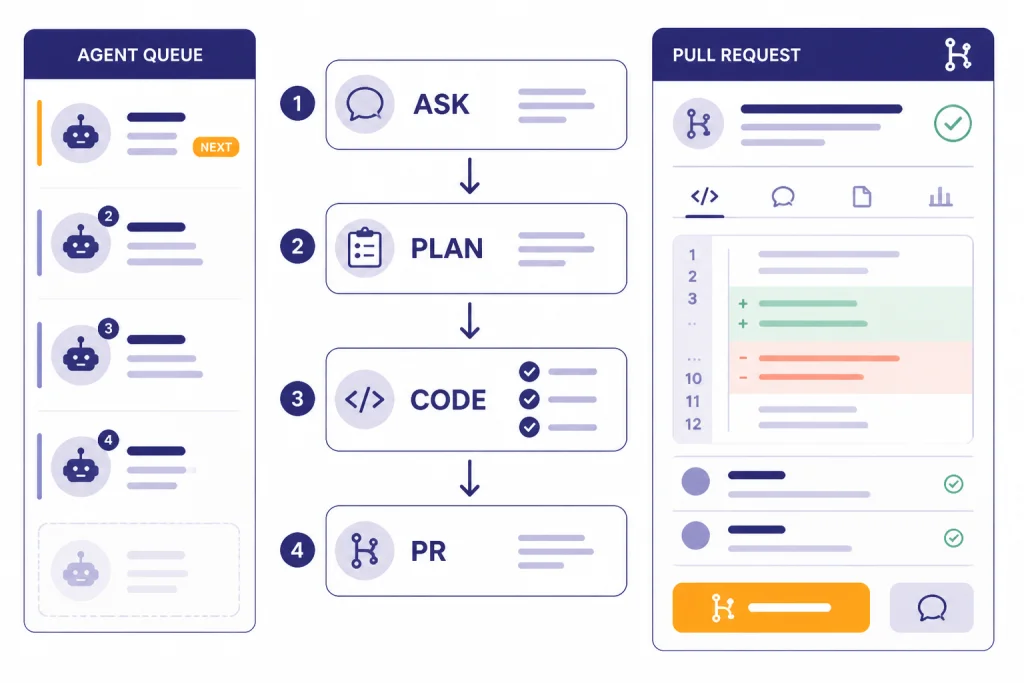
A useful refactor prompt has this structure: purpose, files, constraints, test command, allowed changes, forbidden changes, and output format. Ask for a plan before code. For large changes, OpenAI’s own Codex guidance says teams use Ask mode for an implementation plan before switching to Code Mode, which keeps the work grounded.[5]
Use ChatGPT as a reviewer
After you make a change, paste a diff and ask for review. GitHub’s guidance for reviewing AI-generated code recommends checklists that cover functionality, security, and maintainability.[9] That same checklist works when ChatGPT reviews human-written code.
Review this diff as a senior engineer.
Focus on correctness, security, maintainability, missing tests, and unexpected behavior.
Do not rewrite the code yet.
Return: blocking issues, non-blocking suggestions, and questions for the author.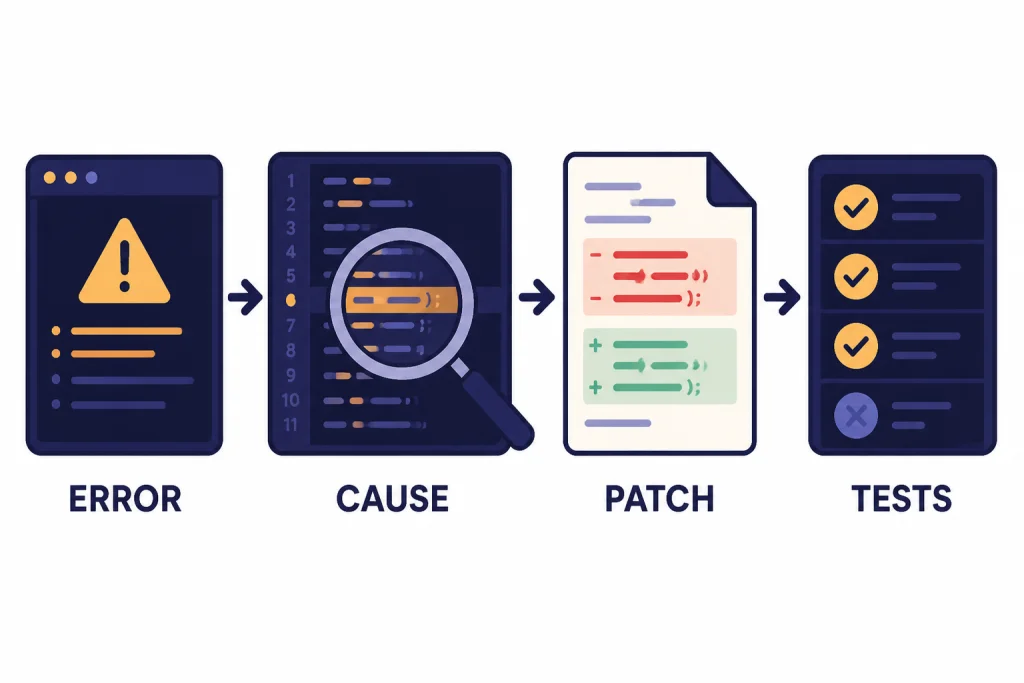
Advanced agent workflow with Codex
Advanced users can move from prompt-and-copy workflows to agent workflows. Codex is the OpenAI coding agent for that job. OpenAI describes it as able to pair in a terminal or IDE, work in the Codex app, and handle delegated coding work in the cloud.[1] The Codex product page also describes work across features, refactors, migrations, documentation, and multi-agent workflows.[2]
The key is scoping. Do not ask an agent to “improve the app.” Give it an issue. Good agent tasks sound like GitHub issues because they include the problem, context, acceptance criteria, and checks. OpenAI’s Codex guidance for its own teams recommends structuring prompts like GitHub issues, and says AGENTS.md files can include naming conventions, business logic, known quirks, or dependencies that the agent cannot infer from code alone.[5]
Write an agent-ready issue
Title: Add empty-state copy to the invoices dashboard

Problem:
When a customer has no invoices, the dashboard shows a blank table.

Expected behavior:
Show an empty state with a short message and a button to create the first invoice.

Constraints:
Use the existing Button component.
Do not change the invoices API.
Preserve current loading and error states.

Acceptance checks:
Run the unit tests for the dashboard.
Add or update a test for the empty state.
Summarize changed files and any follow-up risks.
This prompt gives the agent a finish line. It also gives you a review checklist. If Codex changes the API, ignores the existing component, or skips the test, you can reject the output quickly.
Use repository instructions sparingly
Repository instructions help agents follow local conventions, but they should be short and specific. Include the package manager, test commands, lint commands, naming rules, and any unusual architecture. Avoid long essays. OpenAI’s engineering guide warns that oversized instruction files can crowd out the task and relevant docs, which can push the agent toward the wrong constraints.[5]
For example, a small instruction file might say: use pnpm, run the dashboard test with the named command, never edit generated files, keep API response shapes stable, and ask before changing migrations. That is enough to reduce drift without drowning the task.
Parallelize only after you can review
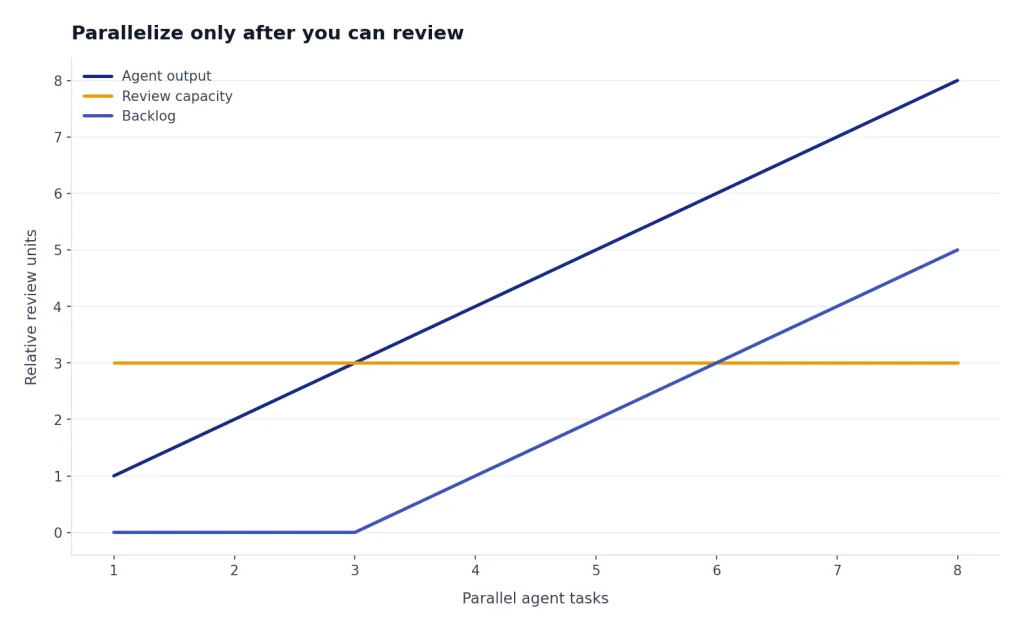
Agent workflows can produce many changes quickly. That speed is useful only if your review process can keep up. Start with one agent task at a time. Add parallel tasks only after your tests, branch naming, CI, and review habits are reliable.
If your team also creates technical docs, tutorials, or release notes, the same planning discipline applies. Our ChatGPT tutorial for Canvas is useful when a code task has a documentation component, and ChatGPT for research can help when you need to summarize API docs before implementation.
Security, privacy, and code review rules
AI-generated code must go through the same checks as human-written code. OWASP lists insecure output handling among the major risks for applications that use large language models, which is a reminder not to blindly pass model output into browsers, shells, databases, or backend systems.[8] The same principle applies to code suggestions: validate, sanitize, test, and review before use.
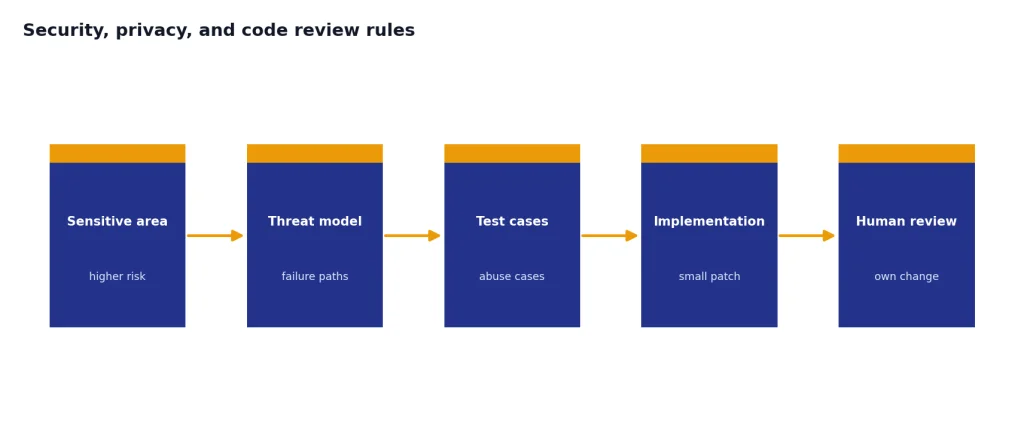
Use a stricter process for authentication, authorization, cryptography, payments, healthcare data, legal workflows, and anything that can delete or expose customer data. For high-risk modules, ask ChatGPT for a threat model and test cases before asking for implementation. If you work in regulated or confidential environments, check your organization’s AI policy before pasting code, logs, credentials, customer records, or proprietary designs.
OpenAI says that, by default, it does not train on inputs or outputs from business products such as ChatGPT Business, ChatGPT Enterprise, and the API.[7] That is not a substitute for internal policy. Your company may still restrict what can be entered into external services, even when a vendor provides business privacy commitments.
A practical review checklist should include these items:
- The code compiles or passes type checks.
- Tests cover the changed behavior and important edge cases.
- The patch is smaller than the problem requires, not larger.
- No secrets, tokens, or credentials appear in prompts, output, commits, logs, or tests.
- Dependencies are real, maintained, and approved for your project.
- Generated code follows your license and attribution rules.
- A human understands the change well enough to own it after merge.
If ChatGPT suggests a library you have not used before, verify the package name, maintainer, version, license, and security history outside the chat. Do not install packages from an AI answer without checking the registry and your dependency policy.
Copy-and-use prompts for coding
OpenAI’s prompt engineering guidance emphasizes clear instructions, useful context, examples when available, and explicit output formats.[6] Coding prompts benefit from the same structure, with one extra rule: always say how the answer will be verified.
Explain unfamiliar code
Explain this function for a developer who knows basic JavaScript but not this codebase.
Cover: purpose, inputs, outputs, side effects, edge cases, and one possible bug.
Do not rewrite it unless I ask.
Generate a small feature
Help me implement this feature in small steps.
Stack: [language/framework].
Feature: [describe behavior].
Files likely involved: [list files].
Constraints: [what must not change].
First return a plan and questions. Do not write code until I approve the plan.
Write tests
Write tests for this function.
Use the existing test style shown below.
Cover normal input, empty input, invalid input, and one regression case.
If behavior is unclear, ask questions instead of inventing requirements.
Review a diff
Review this diff before I open a pull request.
Prioritize correctness, security, maintainability, and missing tests.
Return blocking issues first.
Then return optional improvements.
Do not praise the code unless the praise identifies a concrete decision.
Document code
Create developer documentation for this module.
Include purpose, public functions, setup requirements, examples, failure modes, and test commands.
Keep it concise and suitable for a README section.
These templates also work outside programming. If you use ChatGPT for technical writing, chatgpt for blog writing and chatgpt for writing cover adjacent workflows for turning technical notes into publishable explanations. If you build marketing pages or growth tools, chatgpt for SEO can help connect code work to content and search tasks.
Frequently asked questions
Is ChatGPT good for learning to code?
Yes, if you use it as a tutor instead of a shortcut. Ask for explanations, exercises, quizzes, and debugging hints before asking for final code. You will learn more by making ChatGPT slow down and explain each decision.
Can ChatGPT write production code?
ChatGPT can draft production-quality code, but it cannot certify that the result is correct for your application. You still need tests, review, security checks, dependency verification, and ownership by a developer. Use it to accelerate the work, not to remove engineering judgment.
When should I use Codex instead of normal ChatGPT?
Use Codex when the task needs repository context, file edits, command execution, or test runs. Normal ChatGPT is better for explanations, planning, small snippets, and review prompts. Start with chat when the task is unclear, then move to Codex after you can describe the issue precisely.
Should I paste my whole codebase into ChatGPT?
No. Paste the smallest useful context: the failing function, relevant types, test output, and nearby code. For repo-scale tasks, use a tool designed for repository context and follow your organization’s privacy rules.
What is the best prompt for debugging code?
The best debugging prompt includes expected behavior, actual behavior, the exact error, the command that failed, relevant code, and recent changes. Ask ChatGPT to identify likely causes before proposing a patch. Then ask for a regression test.
Can ChatGPT replace a junior developer?
No. It can speed up learning, boilerplate, debugging, and review, but a developer still needs to understand requirements, evaluate tradeoffs, test behavior, and maintain the code after it ships. The strongest workflow is a human developer using ChatGPT with clear constraints and review habits.