

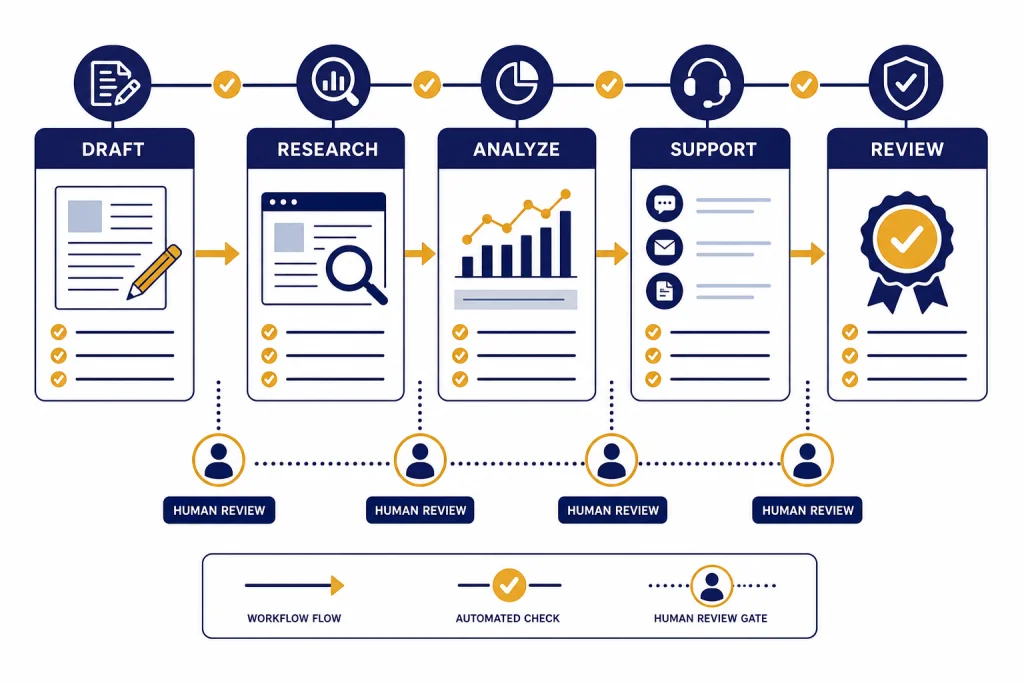
ChatGPT for business is most useful when teams treat it as a work accelerator, not an autopilot. It can draft sales emails, summarize research, turn meeting notes into action plans, analyze spreadsheets, build first-pass policies, and help teams brainstorm faster. The value comes from matching the task to the right level of review. Low-risk drafting can move quickly. Customer-facing, legal, medical, financial, and HR decisions need human approval. This guide explains where ChatGPT fits, which business functions benefit first, how to govern use safely, and how to roll it out without creating a pile of unreviewed AI experiments.
Where ChatGPT fits in business workflows
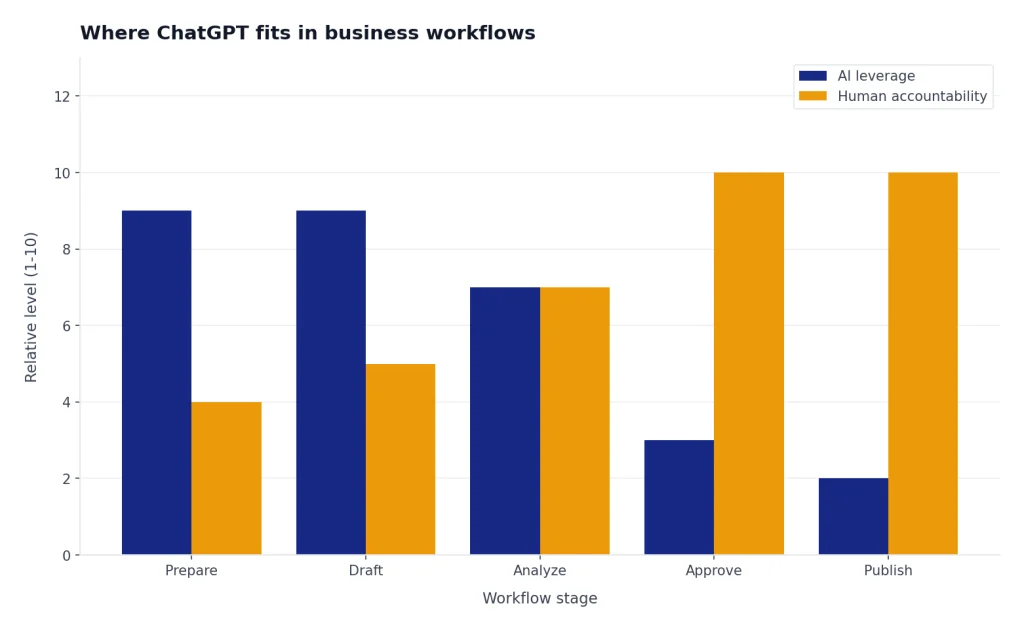
ChatGPT fits best between a blank page and a final decision. It helps people frame problems, draft options, compare alternatives, summarize messy information, and create first-pass materials. It should not silently replace ownership, judgment, or accountability.
For most companies, the safest starting point is a simple rule: use ChatGPT for preparation, drafting, analysis, and explanation; keep humans responsible for approval, commitments, and final publication. That means a sales rep can use it to outline a follow-up email, but the rep still checks the facts. A finance analyst can use it to explain a variance table, but the analyst still verifies the numbers. A manager can use it to draft a performance conversation agenda, but the manager still owns the conversation.
OpenAI describes ChatGPT Business as a self-serve workspace plan for teams, with ChatGPT Enterprise positioned for larger deployments or organizations that need more advanced controls.[1] On the pricing side, OpenAI’s plan page listed Business features such as data analysis, record mode, canvas, shared projects, custom workspace GPTs, member and billing management, SAML SSO, MFA, and no training on business data.[2]
The practical question is not whether ChatGPT can help a business. It is where the tool can reduce cycle time without increasing risk. That usually means starting with recurring knowledge work: writing, summarizing, classifying, comparing, planning, and translating complex material into plain language. For function-specific examples, see our guides to ChatGPT for Sales Professionals, chatgpt for marketing, and ChatGPT for HR Departments.
High-value use cases by department
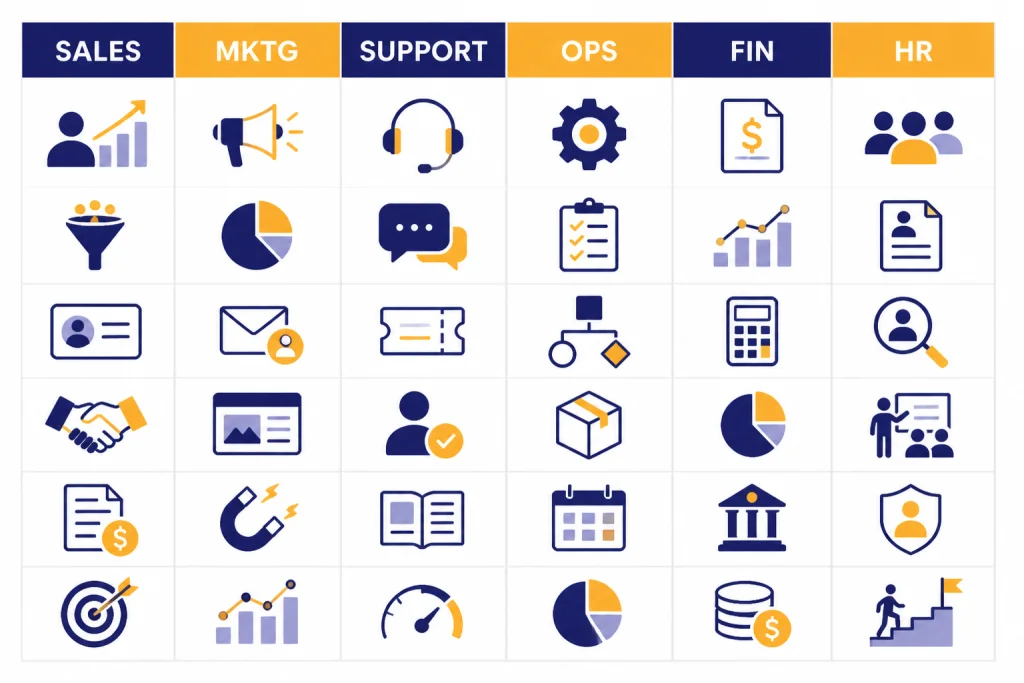
The best use cases are repetitive enough to matter, text-heavy enough for ChatGPT to help, and bounded enough for a person to review. McKinsey’s analysis of generative AI use cases found that customer operations, marketing and sales, software engineering, and research and development could account for approximately 75 percent of the total annual value from generative AI use cases across 16 business functions.[8]
That does not mean every company should start in those same functions. A small accounting firm may get more immediate value from month-end explanations and client emails. A real estate brokerage may benefit first from listing copy and buyer follow-up. A software company may see fast wins in support summaries, product research, SQL help, and internal documentation.
| Department | Strong ChatGPT use cases | Human review required |
|---|---|---|
| Sales | Discovery questions, objection handling, account research summaries, follow-up emails | Pricing, promises, contract terms, customer-specific claims |
| Marketing | Campaign briefs, landing page variants, ad copy drafts, audience research | Brand voice, legal claims, competitive comparisons, final creative |
| Customer support | Ticket summaries, macro drafts, escalation notes, knowledge base outlines | Refund decisions, safety issues, regulated advice, angry-customer replies |
| Operations | SOP drafts, process checklists, meeting recaps, vendor comparison matrices | Policy approval, vendor selection, compliance obligations |
| Finance and accounting | Variance explanations, spreadsheet formulas, client memo drafts, classification questions | Financial statements, tax positions, audit conclusions |
| HR and recruiting | Job descriptions, interview scorecards, onboarding checklists, internal FAQs | Employment decisions, compensation, performance discipline |
| Product and engineering | User story drafts, bug report cleanup, documentation, SQL query assistance | Security-sensitive code, production changes, architecture decisions |
Sales and marketing teams often get quick visible wins because their work already moves through drafts, edits, and approvals. If that is your focus, pair this article with our guides to ChatGPT for Email Writing That Converts, chatgpt for social media content creation, and chatgpt for seo.
Practical workflows to start this week
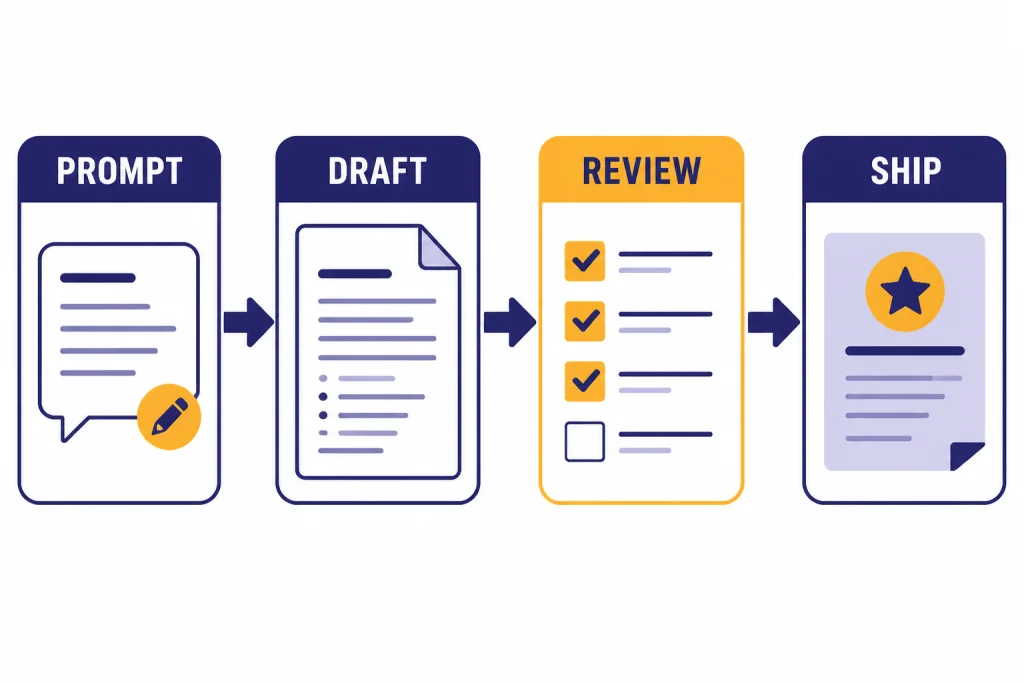
Start with workflows that have a clear input, a clear output, and a reviewer. The goal is not to ask ChatGPT to “do marketing” or “fix operations.” The goal is to turn specific work into a repeatable prompt pattern.
Customer email drafts
Give ChatGPT the customer’s message, the desired outcome, your tone rules, and the facts it may use. Ask for a concise draft plus a list of assumptions. The assumptions list is important because it shows what ChatGPT inferred rather than what it knows.
Draft a reply to this customer. Goal: acknowledge the issue, explain the next step, and avoid promising a refund. Tone: calm, direct, helpful. Use only these facts: [facts]. Customer message: [message]. After the draft, list any assumptions you made.Meeting notes to action plan
Paste a transcript or rough notes. Ask ChatGPT to separate decisions, open questions, owners, deadlines, and risks. This works well because the reviewer usually attended the meeting and can catch errors quickly.
Spreadsheet explanation
Use ChatGPT to explain a table, identify patterns, or draft commentary for a business review. Do not ask it to invent missing numbers. If the table is sensitive, follow your company’s data rules before uploading anything. For deeper spreadsheet work, see ChatGPT Excel Prompts for Power Users and our chatgpt tutorial code interpreter.
Internal policy first drafts
Ask for a first draft of a travel policy, support escalation guide, AI usage policy, or onboarding checklist. Then route the draft to the process owner. ChatGPT is useful for structure and completeness, but policy language still needs operational and legal review.
Market and competitor research synthesis
ChatGPT can turn notes, call transcripts, survey comments, and web research into themes. It should separate evidence from interpretation. Use it to make research easier to read, not to replace the research process. For a dedicated workflow, use our guide to ChatGPT for Market Research and Surveys.
Choosing a plan and governance model
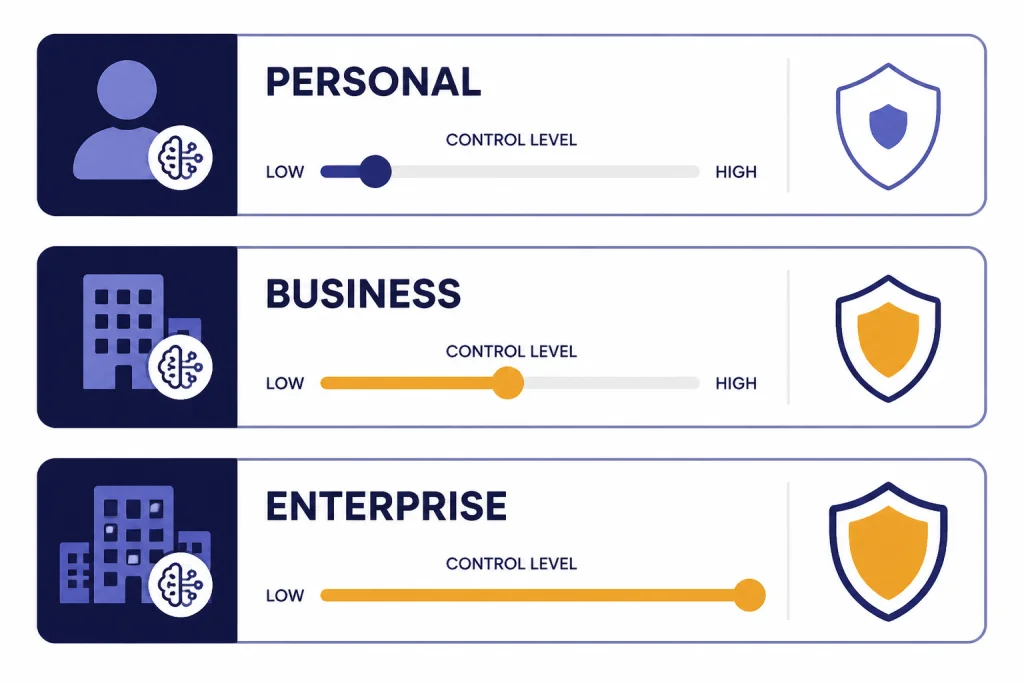
A business should avoid running core work through scattered personal accounts. Shared governance matters. It gives the company a place to set access, manage billing, and create workspace norms.
At publication, OpenAI described ChatGPT Business as available for 2 or more users and priced at $25 per seat per month on an annual plan or $30 per seat per month on a monthly plan.[1] OpenAI’s billing help also showed seat-based billing examples for Business workspaces.[3] Prices and packaging can change, so confirm current terms before purchase.
| Option | Best fit | Strengths | Limits to consider |
|---|---|---|---|
| Personal paid account | Individual experimentation | Fast to start, low friction, useful for learning prompts | Harder to govern, not ideal for company data or shared workflows |
| ChatGPT Business | Small and midsize teams that need a shared workspace | Dedicated workspace, billing management, SAML SSO, MFA, shared projects, custom workspace GPTs | May not include every enterprise control a large regulated organization needs |
| ChatGPT Enterprise | Larger deployments and stricter governance needs | Enterprise privacy, security, admin controls, and broader deployment support | Requires sales engagement and a more formal rollout |
| OpenAI API | Teams building AI into products, automations, or internal apps | Programmatic control, app integration, usage-based architecture | Separate from a ChatGPT Business subscription and billed separately |
OpenAI states that a ChatGPT Business subscription is separate from the API platform, and that API usage is billed separately.[1] If your team wants employees to use ChatGPT as a workplace assistant, a ChatGPT workspace is usually the starting point. If your team wants to build AI into a customer portal, CRM workflow, or internal application, review openai api pricing and plan for engineering, monitoring, and security review.
Plan selection should follow risk, not enthusiasm. A team using ChatGPT to draft blog outlines needs less governance than a healthcare group handling patient information or a law firm working with privileged material. For regulated or licensed work, review function-specific guidance such as ChatGPT for Lawyers, ChatGPT for Doctors and Healthcare Professionals, and ChatGPT for Accountants and Bookkeepers.
Data, privacy, and approval rules
Every business rollout needs a data rule before it needs a prompt library. Employees should know what they can paste, what they must anonymize, and what they must keep out of ChatGPT entirely.
OpenAI says it does not use data from ChatGPT Enterprise, ChatGPT Business, ChatGPT Edu, ChatGPT for Healthcare, ChatGPT for Teachers, or the API platform, including inputs and outputs, to train or improve its models by default.[4] OpenAI also lists Business features such as MFA, roles for Member, Admin, and Owner, GPT controls, SAML SSO, and basic analytics.[4]
Those protections do not eliminate your own obligations. A business still needs internal rules for confidential documents, customer records, employee information, trade secrets, legal material, and regulated data. OpenAI’s enterprise privacy page states that business data is encrypted at rest with AES-256 and in transit with TLS 1.2 or later, and that OpenAI has completed a SOC 2 audit for controls aligned with security and confidentiality standards.[5]
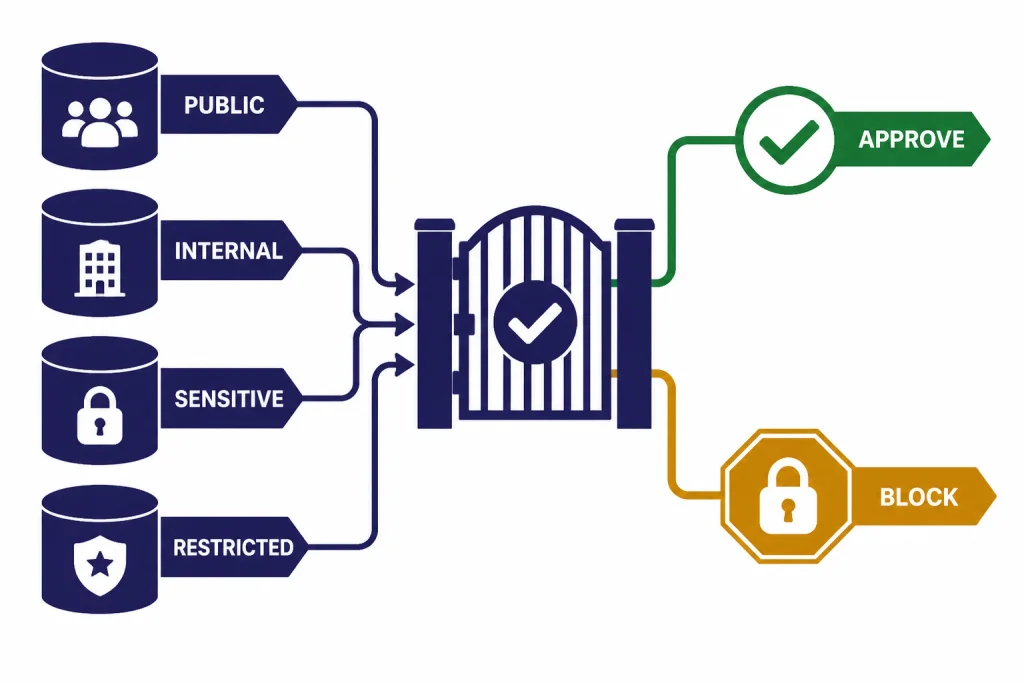
A practical policy can divide information into four categories:
- Public: website copy, public product pages, published help articles, press releases, and public job posts.
- Internal: process notes, templates, generic operating procedures, and non-sensitive planning documents.
- Sensitive: customer records, employee records, financial files, contracts, security details, source code, and proprietary strategy.
- Restricted: regulated data, privileged legal material, credentials, secrets, payment data, and anything your policy bars from external systems.
For public and internal material, ChatGPT can often be used with normal review. For sensitive material, require anonymization, approval, or a workspace with the right controls. For restricted material, block use unless legal, security, and compliance leaders approve a specific workflow.
SSO is also part of governance. OpenAI’s SSO documentation explains that domain verification is a prerequisite for enabling SSO and automatic account creation, and that SSO authentication is separate from authorization to specific workspaces.[6] That distinction matters because sign-in control does not automatically decide what a person may access or publish.
Rollout plan for a business team
A good rollout is small, measurable, and boring. Avoid announcing a companywide transformation before you know which workflows work. Pick a few real tasks, define review rules, and measure whether the work improves.
Phase one: choose narrow use cases
Select use cases with obvious review paths. Good examples include support ticket summaries, sales follow-up drafts, meeting recaps, job description rewrites, and spreadsheet explanations. Avoid starting with autonomous customer communication, legal drafting without attorney review, or confidential executive strategy documents.
Phase two: write the rules in plain language
Create a one-page policy that answers five questions: what employees may use ChatGPT for, what data they may enter, what outputs require review, who owns final decisions, and where people report mistakes. Keep it short enough that employees will read it.
Phase three: build a prompt library
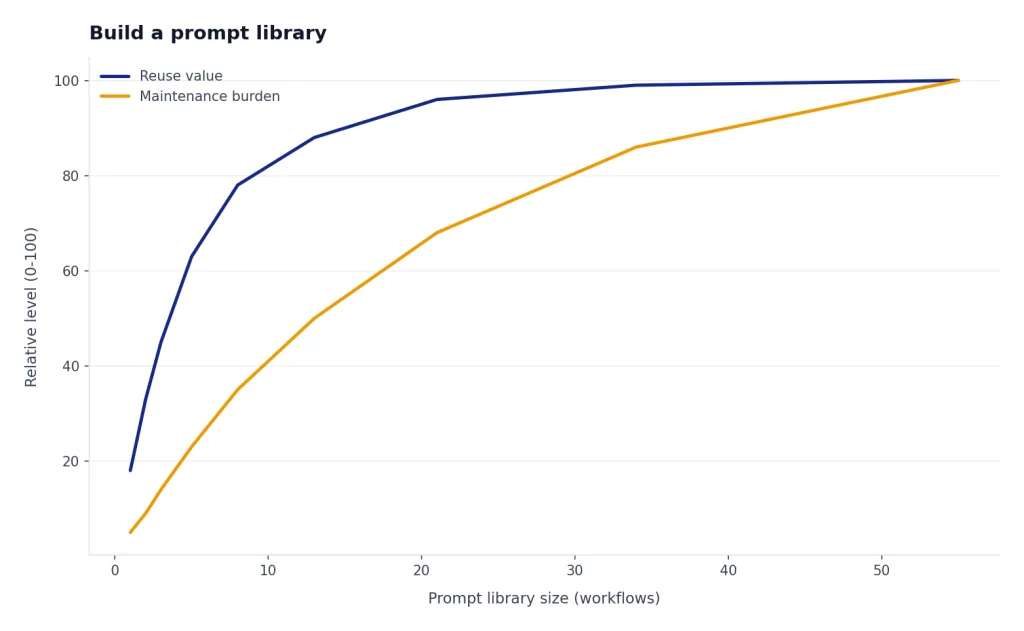
Collect prompts that work for your company. Include the purpose, input format, output format, and reviewer. Do not build a giant library of clever prompts. Build a small library of reliable workflows. If you want a reusable structure, start with our chatgpt prompt generator.
Phase four: measure outcomes
Track time saved, quality issues, rework, employee satisfaction, and risk events. Use a simple before-and-after comparison. If a workflow saves time but increases review burden or factual errors, improve the prompt or retire the use case.
Phase five: expand with owners
Each approved workflow should have an owner. The owner updates the prompt, reviews failures, trains new users, and decides when the workflow is no longer useful. Without ownership, AI workflows become stale templates that employees stop trusting.
Common mistakes to avoid
The most common mistake is asking ChatGPT to replace a whole job instead of improving a specific task. “Handle customer support” is too broad. “Summarize this ticket and draft three reply options using our refund policy” is workable.
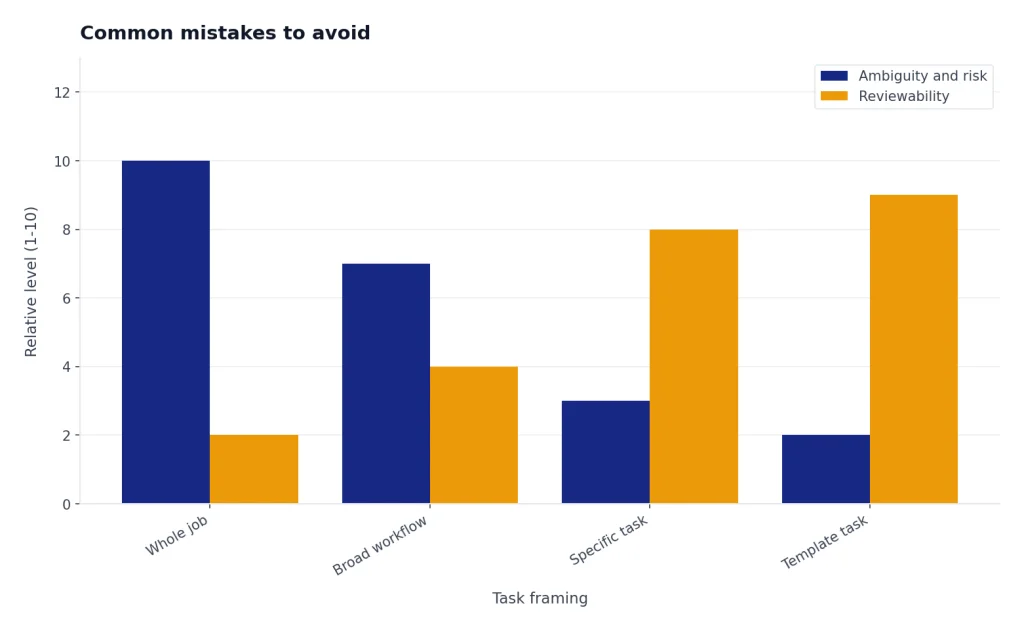
The second mistake is skipping review. ChatGPT can sound confident when it is wrong, incomplete, or too generic. Require review for facts, calculations, customer commitments, legal meaning, medical content, financial advice, employment decisions, and anything that affects a person’s rights or money.
The third mistake is using one generic prompt for every department. Sales needs account context. HR needs fairness and compliance guardrails. Finance needs source tables and reconciliation. Engineering needs codebase constraints. If your business includes technical work, pair a business rollout with function-specific resources such as chatgpt for sql queries and database work.
The fourth mistake is ignoring tone. ChatGPT drafts can become polished but bland. Give it examples of your actual voice, forbidden phrases, formatting rules, and the level of directness you want. The best output usually comes from a short context packet, not a long inspirational prompt.
The final mistake is measuring only enthusiasm. Employees may enjoy the tool while business quality stays flat. Measure cycle time, error rate, customer response quality, and manager review burden. Keep the workflows that improve those measures.
Frequently asked questions
What is the best first use case for ChatGPT in a business?
The best first use case is a recurring writing or summarization task with a clear reviewer. Examples include sales follow-up drafts, support ticket summaries, meeting recaps, and internal FAQ drafts. Avoid starting with high-risk decisions or fully automated customer communication.
Can ChatGPT replace business consultants or analysts?
ChatGPT can help prepare analysis, organize research, draft slides, and explain tradeoffs. It does not replace accountability for strategy, data quality, or final recommendations. Treat it as a junior research and drafting assistant that needs direction and review.
Is ChatGPT Business different from using a personal ChatGPT account?
Yes. ChatGPT Business is designed as a workspace for teams rather than a personal account. OpenAI describes it as a self-serve team plan with business-oriented privacy, collaboration, billing, and admin features.[1] A company should use a governed workspace for company work whenever possible.
Should employees paste customer data into ChatGPT?
Only if company policy allows it and the workspace has the right controls for that data. Many teams should anonymize customer details or use synthetic examples for drafting. Regulated, privileged, or highly sensitive data needs legal, security, and compliance approval before use.
How should a business check ChatGPT output?
Use a review checklist. Check facts, numbers, tone, policy fit, legal or regulatory risk, and whether the answer relies on assumptions. For important work, ask ChatGPT to list uncertainties and source needs, then have a qualified person verify them.
Does ChatGPT work for small businesses?
Yes, small businesses can benefit because they often have many repeated tasks and limited staff time. The strongest uses are drafting emails, creating checklists, repurposing content, summarizing calls, and planning campaigns. The same review and data rules still apply.