

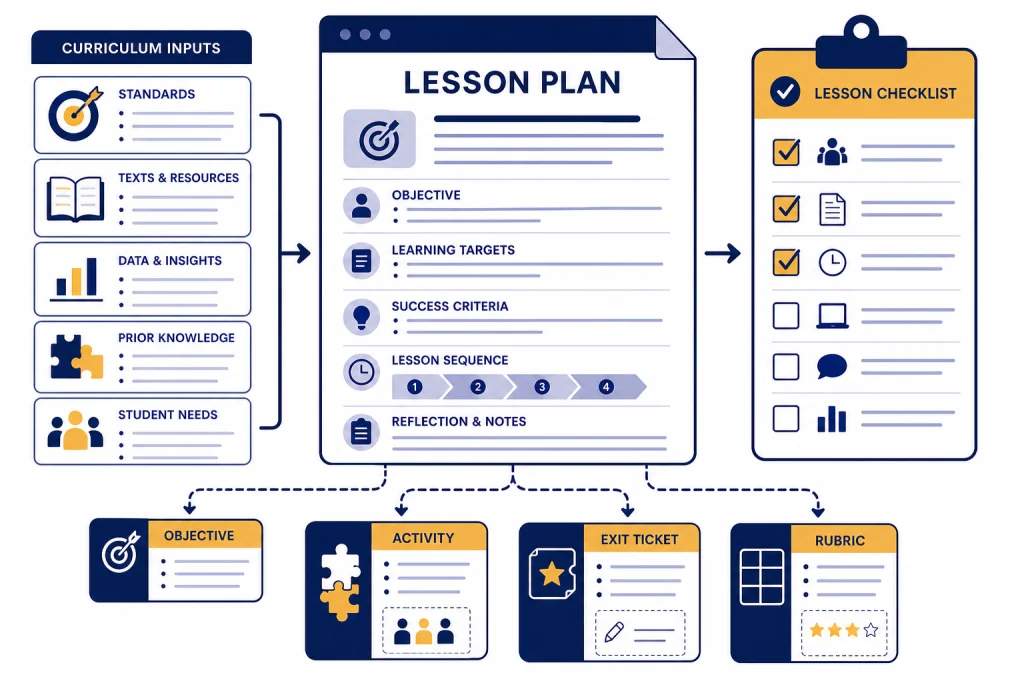
ChatGPT can help teachers turn a curriculum objective, grade level, standard, text, or rough idea into a usable lesson plan draft in minutes. The useful word is draft. Teachers still need to check facts, adjust for their students, align with school policy, protect student data, and make the final instructional decisions. Used well, ChatGPT works like a planning assistant: it can propose activities, simplify explanations, write exit tickets, adapt materials for different reading levels, create parent emails, and brainstorm ways to check understanding. This guide explains a safe workflow for using ChatGPT for teachers, with ready-to-copy prompts and clear limits for K–12 classrooms.
Why ChatGPT helps teachers plan faster
Teachers rarely start with a blank page. They start with standards, prior student work, a pacing guide, a required text, a school calendar, limited prep time, and a classroom full of different learners. ChatGPT helps most when it converts that messy context into a structured first draft.
OpenAI’s own education guidance describes teachers using ChatGPT to create quizzes, exams, lesson plans, explanations, analogies, and tutoring-style conversations, while reminding educators that model output may be wrong and should be treated as a starting point.[1] That framing matters. ChatGPT is not a curriculum authority, a substitute teacher, or an evaluator of student worth. It is a drafting tool.
For a teacher, the practical value comes from compression. A prompt can turn a short objective into a lesson sequence. Another prompt can turn that sequence into a slide outline, a worksheet, a warm-up, an exit ticket, and a reteaching plan. The time saved should go into the work only a teacher can do: choosing the right example, predicting misconceptions, reading the room, and adjusting instruction in real time.
If you are new to the tool, start with our beginner explanation of what ChatGPT is. If you already understand the basics, build a small reusable prompt library using the method in our ChatGPT prompt generator guide.
What ChatGPT can prepare before class
ChatGPT is strongest on classroom preparation tasks that need language, structure, variation, or examples. It is weaker when the task requires local policy knowledge, exact textbook alignment, current facts without source checking, or sensitive judgment about an individual student.
OpenAI introduced ChatGPT for Teachers on November 19, 2025, as a secure workspace for verified U.S. K–12 educators, with features including GPT-5.1 Auto, search, file uploads, connectors, image generation, collaboration, and teacher-specific onboarding.[2] OpenAI’s Help Center says the plan is free through June 2027 for verified U.S. K–12 educators and is not for students.[3]
That product context is useful, but the core workflow also applies to a standard ChatGPT account if your school allows it. The difference is data handling and administration, not the basic planning pattern.
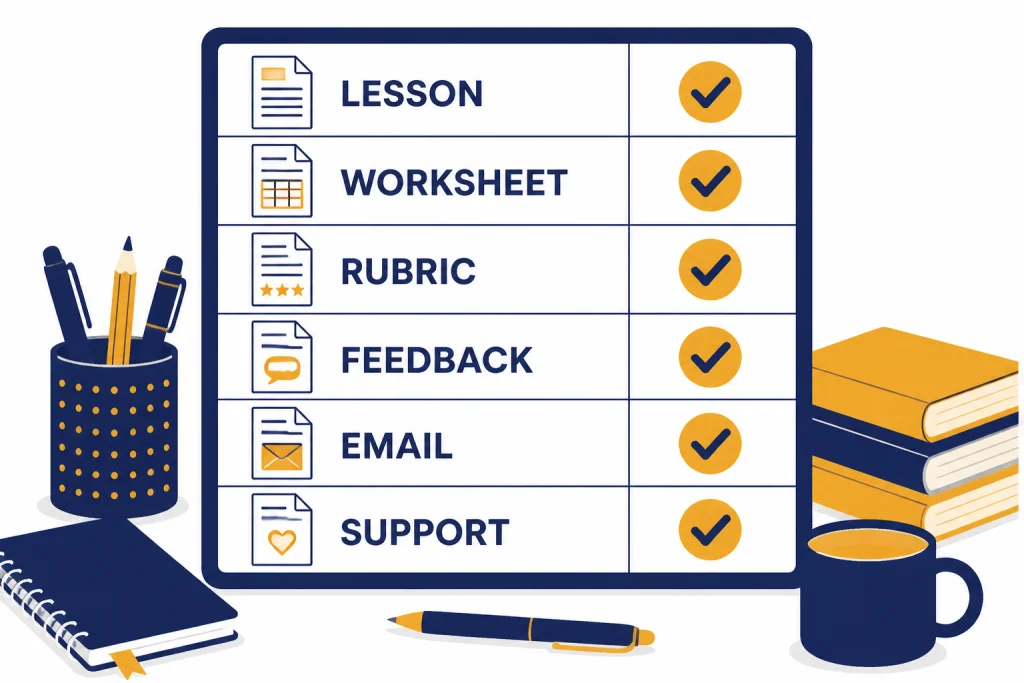
| Teacher task | Good ChatGPT use | Teacher must still check |
|---|---|---|
| Lesson plan | Draft sequence, timing, materials, checks for understanding | Standards alignment, pacing, accuracy, classroom fit |
| Worksheet | Create practice problems, reading questions, sentence frames | Answer key, level, bias, copyright, accommodations |
| Rubric | Propose criteria and performance bands | Fairness, age fit, grading policy, assignment goals |
| Feedback | Rewrite comments to be clearer, kinder, or more specific | Student privacy, tone, evidence from the actual work |
| Parent communication | Draft neutral, concise updates or meeting summaries | Confidentiality, district language, legal sensitivity |
| Differentiation | Offer alternate explanations, supports, extensions, and practice levels | IEP or 504 requirements, student history, specialist guidance |
The safest rule is simple. Use ChatGPT to generate options. Do not use it to make final educational decisions about students.
A fast lesson-plan workflow
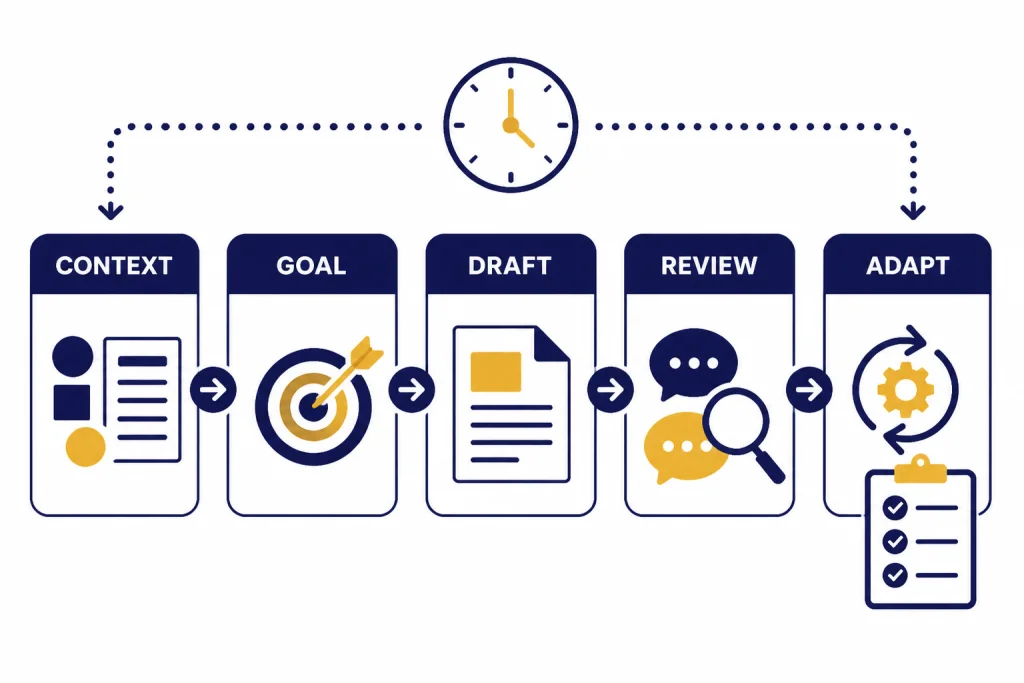
The fastest lesson-planning workflow is not “write me a lesson.” That prompt is too thin. A better workflow gives ChatGPT your teaching context first, then asks it to produce a draft in a format you can review quickly.
Step 1: Give the classroom context
Start with grade level, subject, unit, time available, prior knowledge, class constraints, and any required materials. Include only information you are allowed to share. Do not paste student names, education records, private notes, disciplinary details, or sensitive identifiers unless your school has approved the tool and data practice.
I teach 7th grade science. We are starting a 50-minute lesson on photosynthesis. Students know that plants need sunlight and water, but many think plants get most of their mass from soil. Create a lesson plan with a warm-up, direct instruction, one hands-on activity using simple classroom materials, checks for understanding, and an exit ticket.Step 2: Ask for a format you can scan
Tell ChatGPT the exact format you want. A table with timing, teacher moves, student tasks, materials, and assessment evidence is easier to judge than a long narrative. If your school uses a required lesson template, paste the headings without confidential details.
Format the plan as a table with these columns: time, teacher action, student action, materials, check for understanding, possible misconception.Step 3: Force revision around student misconceptions
After the first draft, do not accept it. Ask for a revision that targets likely confusion. This is where your expertise matters. ChatGPT can list generic misconceptions, but you know the ones your students actually bring into the room.
Revise the lesson so it directly addresses this misconception: students think plants eat soil. Add one question I can ask during the activity to reveal that misconception without embarrassing students.Step 4: Generate companion materials
Once the plan is solid, ask for the materials that surround it: a handout, slide outline, vocabulary list, parent-friendly summary, or absent-student catch-up sheet. If you use document drafting heavily, the workflow in our ChatGPT Canvas tutorial can help you refine longer classroom documents without losing track of versions.
Step 5: Run the teacher review
Read every output before it reaches students. Check the accuracy, tone, reading level, cultural assumptions, required accommodations, and whether the lesson can actually run in your room with your materials and time.
Prompt templates teachers can copy
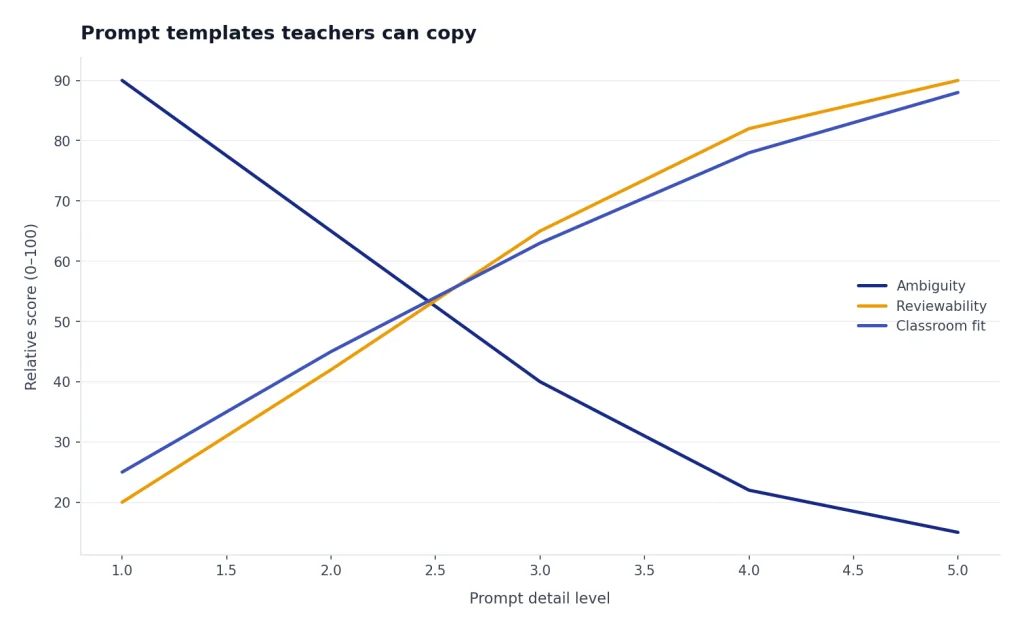
The best teacher prompts are specific, bounded, and reviewable. They tell ChatGPT the role, task, constraints, student level, and output format. They also ask for choices, not just one polished answer.
Lesson plan prompt
You are an instructional planning assistant. Create a lesson plan for [grade] [subject] on [topic]. Students already know [prior knowledge]. Common misconception: [misconception]. The lesson lasts [minutes]. Use [materials]. Include: learning objective, vocabulary, warm-up, direct instruction, guided practice, independent practice, checks for understanding, extension, support for struggling students, and exit ticket. Keep the plan practical for one teacher in a real classroom.Explanation prompt
Explain [concept] for [grade level] students. Use plain language, one everyday analogy, one visual description, and one non-example. Then list three questions I can ask to check whether students understand the idea.Worksheet prompt
Create a short practice worksheet on [skill]. Include three easy items, four medium items, and two challenge items. Provide an answer key and a brief note explaining which misconception each item is designed to reveal.Rubric prompt
Create a student-friendly rubric for [assignment]. Use four criteria: accuracy, evidence, organization, and clarity. Use four performance levels. Keep the language appropriate for [grade level]. Add one sentence students can use for self-reflection before submitting.Feedback prompt
Rewrite this teacher feedback so it is specific, encouraging, and action-oriented. Do not add claims that are not supported by the work. Keep the tone warm but direct: [paste your draft feedback, without student names or private details].Prompts like these work because they leave the teacher in control. They also make the output easier to inspect. For more subject-specific research support, see our guide to ChatGPT for research. For multilingual classroom communication, our ChatGPT for translators breakdown explains how to preserve meaning and tone across languages.
Differentiation, accessibility, and multilingual support
ChatGPT can quickly create alternate paths through the same objective. That does not replace special education expertise, English learner supports, or school-required accommodations. It gives teachers a first pass at options they can review.
OpenAI’s education materials include examples of teachers using ChatGPT to reduce friction for non-English speakers and to produce explanations, examples, and analogies tailored to a learner’s level.[1] That is a strong classroom use case because it turns one idea into several forms without changing the learning goal.
Try asking for multiple versions of the same material. For example, a history teacher could request one grade-level reading, one simplified reading with the same core vocabulary, one vocabulary preview, and one extension question for advanced students. A math teacher could ask for a concrete model, a visual model, a symbolic model, and a common-error problem set.
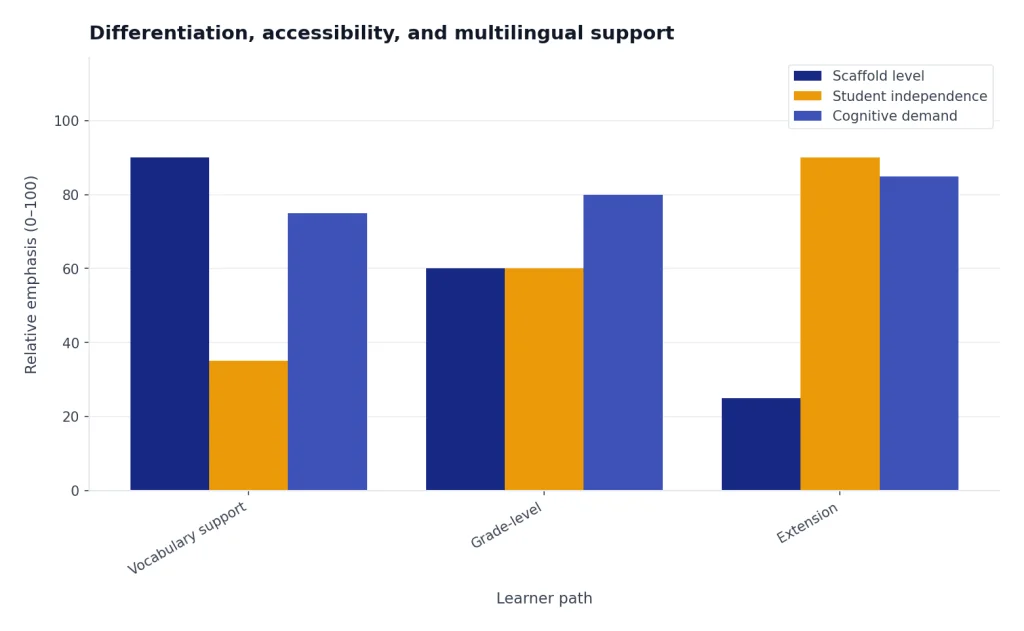
Use this pattern:
Adapt this activity for three learner profiles: students who need vocabulary support, students who understand the basics and need practice, and students ready for an extension. Keep the same learning objective. Do not lower the intellectual goal. Change the scaffolds, examples, and supports.For students with formal plans, use ChatGPT as a brainstorming assistant only. The official IEP, 504 plan, specialist guidance, and district procedures control the final design. Do not paste confidential plan language into a general account unless your school has explicitly approved that use.
Teachers who use ChatGPT heavily may also benefit from memory and saved instructions, especially for recurring preferences such as “write in student-friendly language” or “format lesson plans as a timing table.” Our ChatGPT memory tutorial explains how to use those settings deliberately.
Privacy, student data, and school rules
Privacy is the line teachers should not improvise. Before using ChatGPT with classroom materials, check your district’s AI policy, approved-tool list, student data rules, and parent communication guidance. If your school says not to use a tool with student information, do not use it that way.
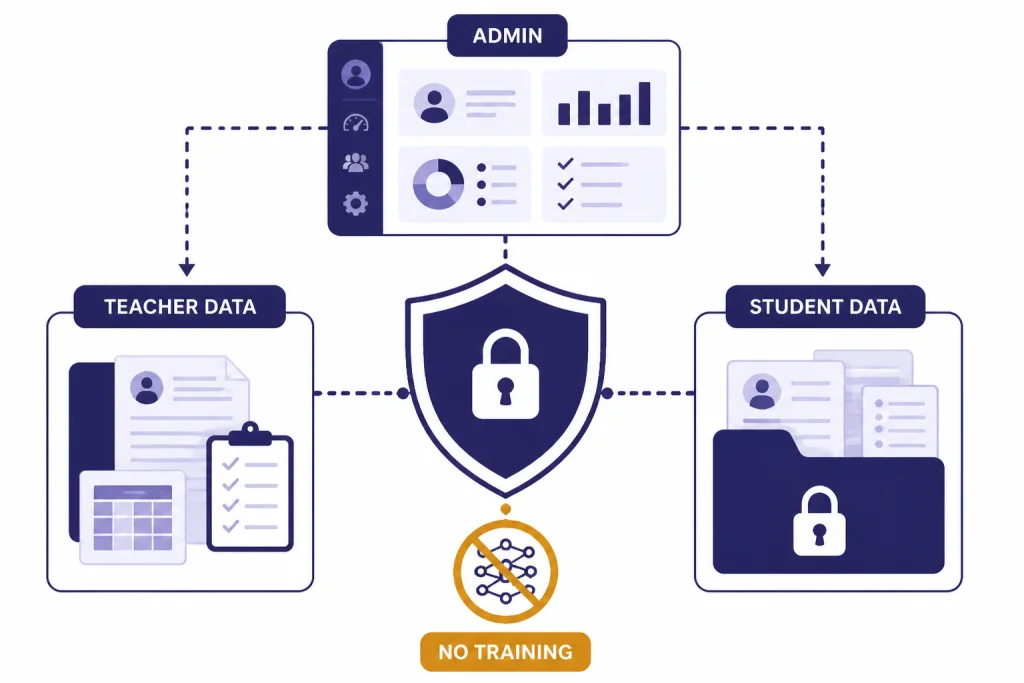
OpenAI says it does not train models on organization data by default for ChatGPT Enterprise, ChatGPT Business, ChatGPT Edu, ChatGPT for Teachers, or the API platform, including inputs and outputs.[4] That statement does not mean every personal ChatGPT account is automatically appropriate for student records. Account type, settings, school approval, and the nature of the data all matter.
OpenAI’s Help Center says ChatGPT for Teachers is designed for verified U.S. K–12 educators and school staff, with education-grade protections and admin controls, and that student-facing features may come later.[3] OpenAI separately says ChatGPT is not meant for children under 13, and that children ages 13 to 18 need parental consent; for children under 13 in an education context, the actual interaction must be conducted by an adult.[6] OpenAI’s Terms of Use also state that users must be at least 13 or the minimum age required in their country, and that users under 18 need parent or guardian permission.[5]
Use a conservative privacy habit even when your workspace has stronger protections. Replace names with neutral labels. Summarize patterns instead of pasting records. Ask for feedback on your own draft rather than uploading raw student work. When in doubt, ask your administrator or data privacy officer.
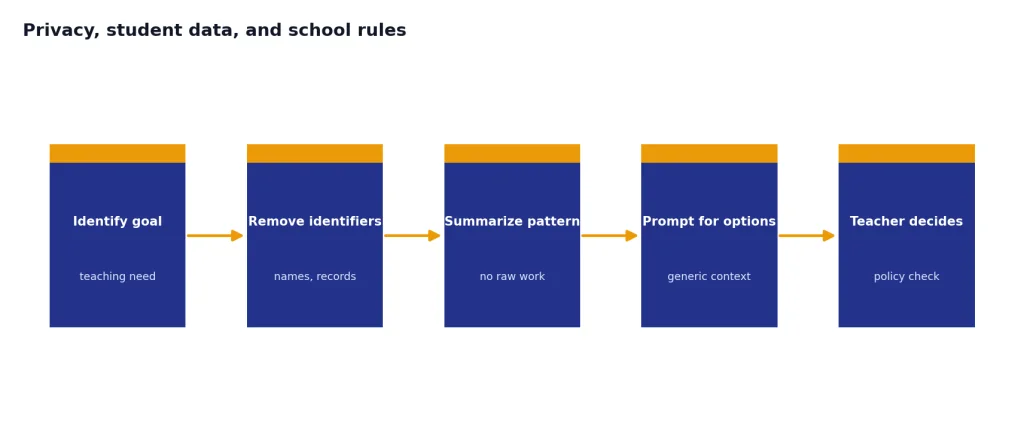
The U.S. Department of Education’s 2023 report on AI in teaching and learning identifies privacy, equity, safety, transparency, and the continuing role of teachers as central policy issues for education leaders.[7] UNESCO’s generative AI guidance also calls for data privacy protection and a human-centered approach to AI in education and research.[8]
Assessment, feedback, and academic integrity
ChatGPT changes assessment because it makes polished text easy to produce. The answer is not only detection. It is better assignment design.
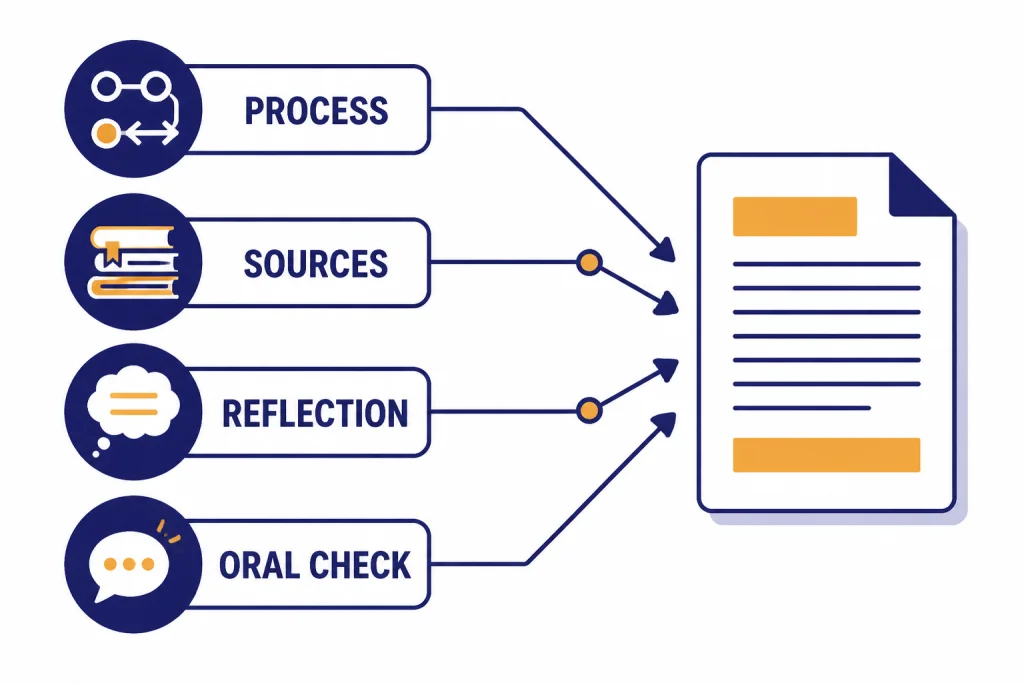
OpenAI’s teaching guidance tells educators that model answers may not always be correct and that teachers are in charge of the material.[1] That same principle applies to assessment. A teacher should decide what evidence of learning matters and design the task so students show their thinking, process, sources, drafts, revisions, and oral understanding.
Use ChatGPT to redesign assignments around learning evidence. Ask it to add checkpoints, draft conferences, source annotations, reflection questions, in-class writing, oral explanations, or problem-solving logs. These moves make cheating harder, but more importantly, they make learning more visible.
Redesign this essay assignment so students must show process, evidence, and reflection. Add checkpoints before the final submission. Include one in-class component and one short oral explanation. Keep the assignment fair for students with limited technology access.For feedback, ChatGPT can help teachers turn terse notes into clearer coaching. Use it to improve the wording, not to invent evidence. Paste your draft comment without student identifiers, ask for a warmer or more specific version, and compare the result to the student’s actual work.
Do not rely on an AI detector as the sole basis for discipline. OpenAI’s educator-facing materials discuss limitations around AI detectors, and independent education guidance has continued to warn that detector outputs need careful human review.[1] A fairer approach is to document expectations, require process evidence, talk with the student, and apply your school’s academic integrity policy.
The teacher review checklist
ChatGPT can make a lesson look finished before it is instructionally sound. Use a review checklist before any AI-generated material reaches students, families, or colleagues.
- Accuracy: Are the facts, examples, calculations, answer keys, and definitions correct?
- Alignment: Does the material match the standard, objective, curriculum, and pacing guide?
- Age fit: Is the reading level, context, humor, and vocabulary appropriate for the class?
- Bias and inclusion: Does the output rely on stereotypes, narrow cultural assumptions, or inaccessible examples?
- Privacy: Did you remove student names, records, and sensitive details unless your school has approved that use?
- Feasibility: Can the activity run with your room, time, materials, class size, and school rules?
- Assessment value: Does the task reveal student thinking, or does it only produce a polished artifact?
- Teacher voice: Does the final version sound like you and fit your classroom routines?
A useful habit is to ask ChatGPT to critique its own draft before you review it:
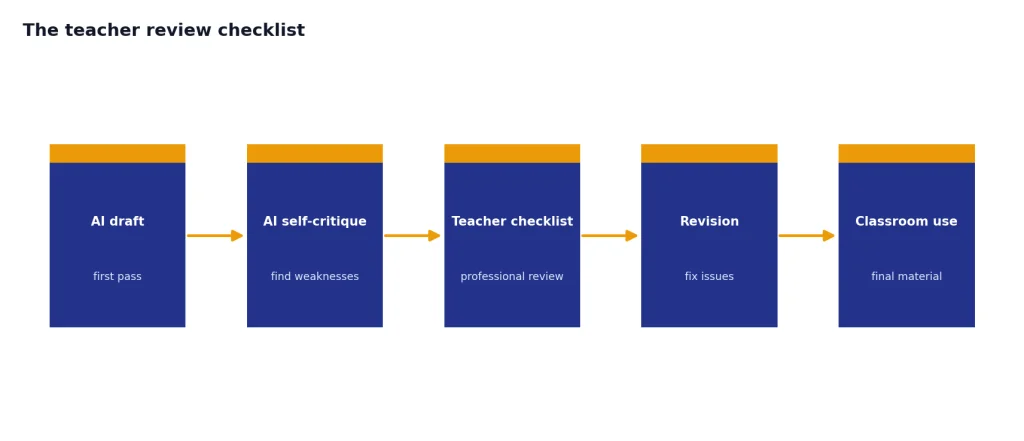
Review the lesson plan you just wrote. Identify possible factual errors, weak checks for understanding, accessibility concerns, and places where the activity may fail in a real classroom. Then suggest revisions.This does not replace your review, but it can surface weaknesses you might otherwise miss during a short planning block. For communication-heavy tasks, such as parent updates or student-facing reminders, the tone patterns in our ChatGPT email writing guide can help you keep messages concise and professional.
Teachers are not the only school professionals using AI for drafting and operations. If you work with administrators, counselors, or hiring teams, compare this workflow with our guides to ChatGPT for HR departments and ChatGPT for recruiters and HR teams. If your school is evaluating paid AI access beyond ChatGPT, our OpenAI API pricing overview explains the difference between ChatGPT subscriptions and API usage.
Frequently asked questions
Can ChatGPT write a full lesson plan for teachers?
Yes. ChatGPT can draft a full lesson plan with objectives, timing, activities, checks for understanding, and an exit ticket. The teacher still needs to verify accuracy, align the plan to standards, adapt it for students, and remove anything that does not fit the classroom.
Is ChatGPT for Teachers free?
OpenAI says ChatGPT for Teachers is free through June 2027 for verified U.S. K–12 educators.[3] OpenAI has not published an official long-term price for after that date. Check your school or district policy before using it with classroom materials.
Can students use ChatGPT in class?
That depends on age, consent, school policy, assignment rules, and the account being used. OpenAI says ChatGPT is not meant for children under 13, and that ages 13 to 18 need parental consent.[6] For students under 13 in an education context, OpenAI says the interaction must be conducted by an adult.[6]
Should teachers paste student work into ChatGPT?
Only do that if your school has approved the tool and the data practice. A safer default is to remove names and identifying details, summarize the pattern you want help with, or ask ChatGPT to improve your own feedback draft. Student privacy rules come before convenience.
Can ChatGPT grade student work?
ChatGPT can help draft rubrics, suggest feedback language, and flag possible strengths or weaknesses. It should not be the final grader. A teacher should make the judgment, especially when grades affect records, placement, discipline, or student opportunity.
Are AI detectors reliable enough for school discipline?
No detector should be the sole basis for an academic integrity decision. Use assignment design, process evidence, conversations with students, and your school’s policy. Treat detector results, if your school allows them at all, as one weak signal that requires human review.