

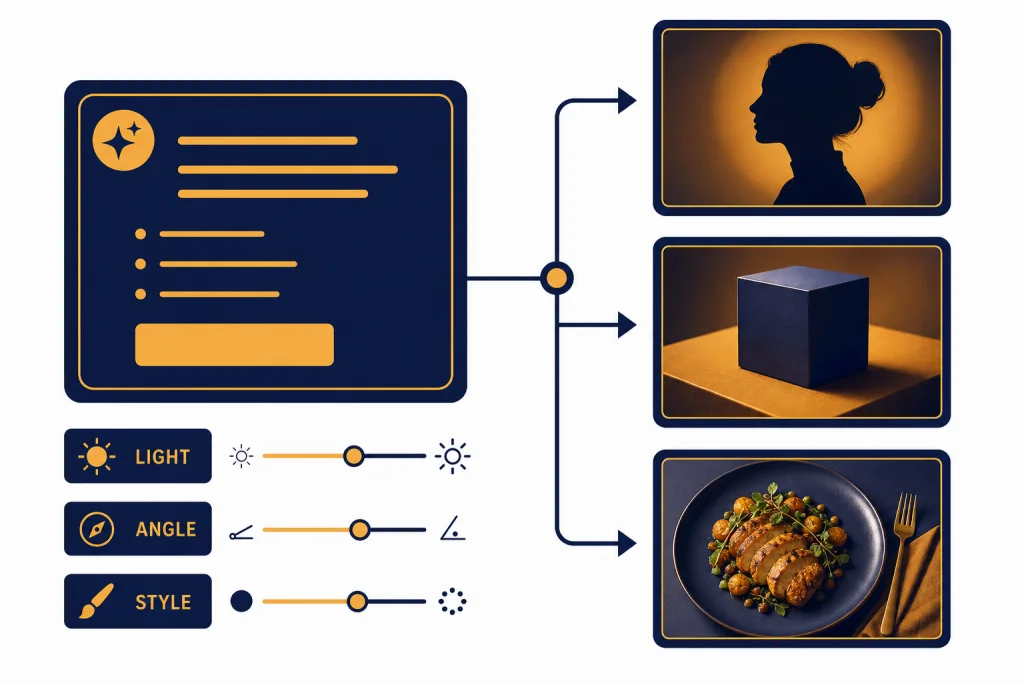
The best ChatGPT photo prompts are specific about the subject, setting, lighting, composition, style, and final use. A weak prompt asks for “a nice portrait.” A strong prompt says who is in the frame, where they are, what the light looks like, how the camera should feel, and what the image must avoid. ChatGPT Images can create new images and edit uploaded ones, so photo prompting works best as a short creative brief, not a keyword pile.[2] Use the templates below to get cleaner portraits, product shots, lifestyle scenes, social visuals, and targeted photo edits with fewer retries.
What makes ChatGPT photo prompts work
ChatGPT photo prompts work when they remove ambiguity. The model needs enough direction to build a coherent image, but not so many conflicting details that the result becomes crowded. Think like an art director. Define the subject first. Then define the visual situation around that subject.
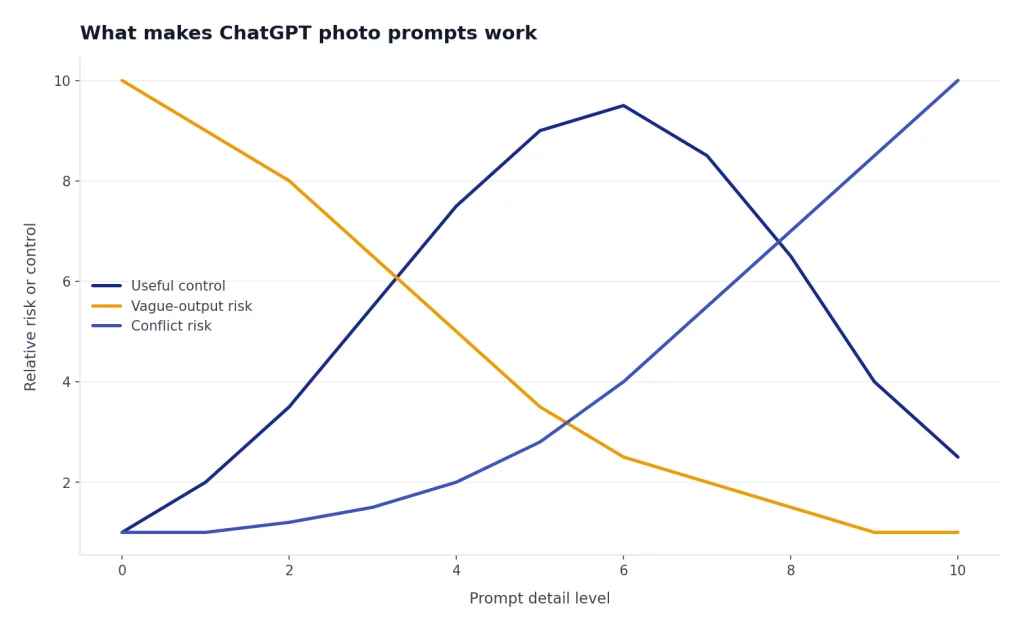
OpenAI describes ChatGPT Images as a tool for creating images from a prompt and editing existing images with written instructions. It also says image generation may take up to two minutes depending on complexity.[2] That means the most useful prompt is not always the longest one. It is the clearest one.
For photo-style images, the model responds well to concrete photographic language. Use words such as close-up, wide shot, shallow depth of field, soft window light, overhead view, candid, studio backdrop, motion blur, natural skin texture, matte finish, and high contrast. Avoid vague praise words like stunning, beautiful, perfect, and cinematic unless you also explain what those words mean visually.
If you are uploading a real photo for editing, describe what should change and what must stay the same. OpenAI’s December 16, 2025 ChatGPT Images announcement emphasized precise edits that preserve important details such as lighting, composition, and appearance across edits.[1] That is useful, but it is not magic. A prompt like “make it better” gives the model too much control. A prompt like “brighten the face, keep the background and clothing unchanged, remove the yellow cast, and preserve the original expression” is much stronger.
For more on analyzing an uploaded picture before generating a new version, see our guide to ChatGPT Vision. If your workflow starts with documents, mood boards, or brand references, the ChatGPT file upload guide explains how to bring supporting material into a conversation.
The ChatGPT photo prompt formula
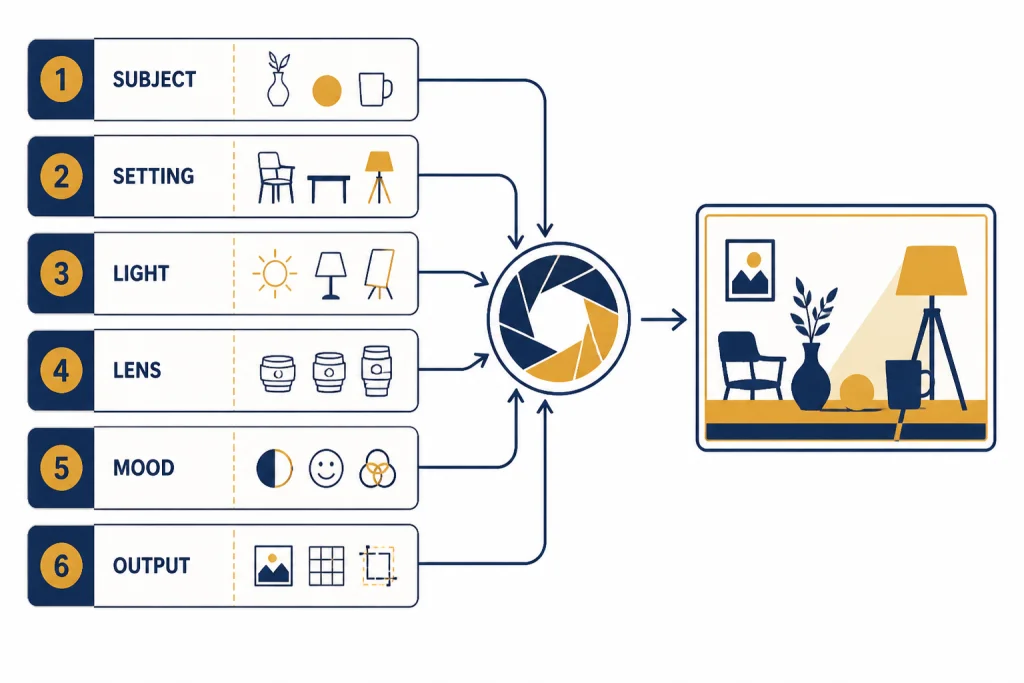
Use this formula for most ChatGPT photo prompts: subject + setting + action + lighting + composition + style + constraints + output goal. You do not need every element every time, but you should include the parts that matter most to the result.
Here is the reusable structure:
Create a realistic photo of [SUBJECT] in [SETTING], [ACTION OR POSE]. Use [LIGHTING], [CAMERA ANGLE OR COMPOSITION], and [PHOTO STYLE]. Keep [MUST-PRESERVE DETAILS]. Avoid [UNWANTED DETAILS]. The image should be suitable for [FINAL USE].That structure works because each clause has a job. The subject tells the model what the image is about. The setting and action make the scene legible. Lighting and composition create the photographic feel. Constraints reduce unwanted artifacts. The output goal helps ChatGPT choose framing, simplicity, and visual hierarchy.
| Prompt part | What to write | Example phrase |
|---|---|---|
| Subject | Name the main person, object, animal, or scene. | “a ceramic coffee mug with a matte black finish” |
| Setting | Place the subject somewhere specific. | “on a walnut desk beside a closed notebook” |
| Lighting | Describe the source, softness, and direction of light. | “soft morning window light from the left” |
| Composition | Choose angle, distance, and framing. | “three-quarter view with shallow depth of field” |
| Style | Define the photographic look. | “clean editorial product photography” |
| Constraints | Tell ChatGPT what to avoid or preserve. | “no text, no extra props, keep the handle visible” |
| Use | Explain where the image will appear. | “for a square social media post” |
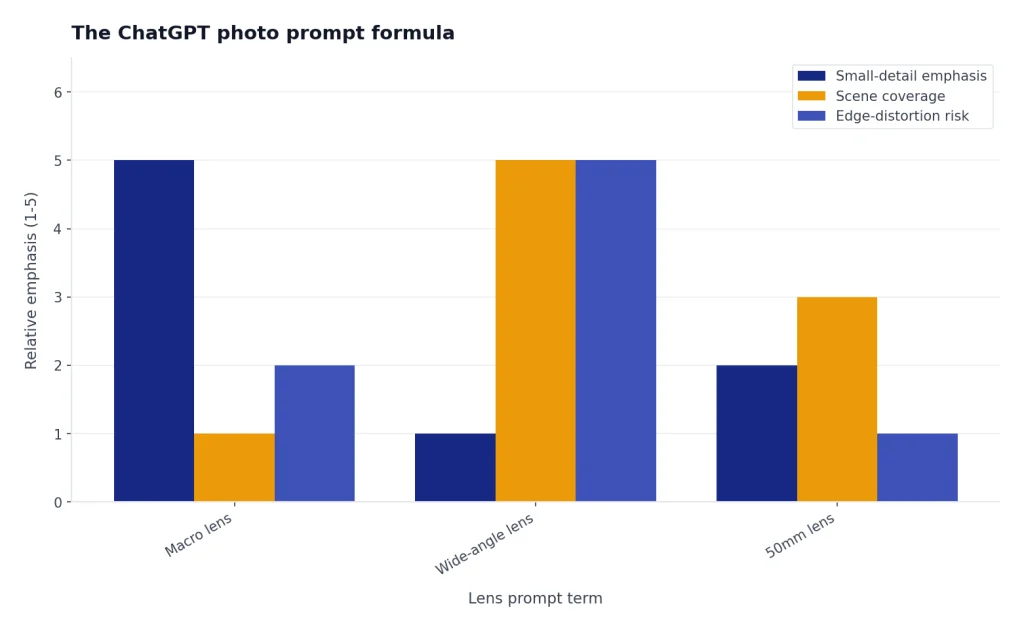
Do not overload the prompt with camera jargon unless you know why you need it. “Shot on a 50mm lens” can help if you want a natural perspective. “Macro lens” helps for jewelry, food texture, or small objects. “Wide-angle lens” helps for interiors and travel scenes, but it can distort people near the edge of the frame. Plain language is usually safer than pretending to be a camera spec sheet.
Best ChatGPT photo prompts by use case
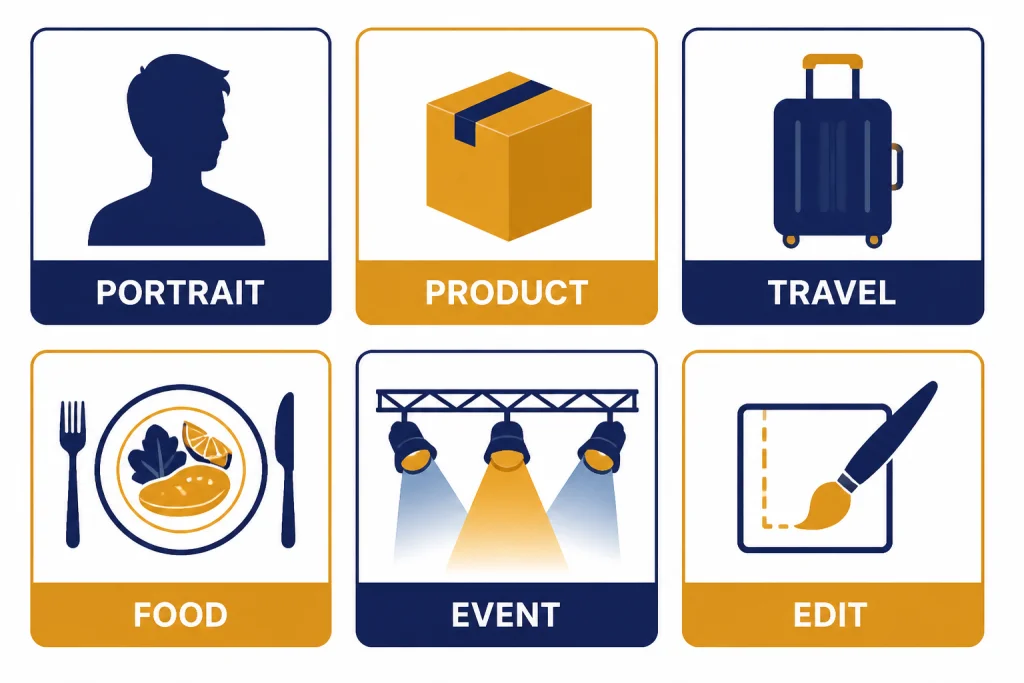
Start with one of these prompts, then replace the bracketed details with your own subject, setting, and goal. These are written for photo-like outputs, not paintings or cartoons.
Portrait prompt
Create a realistic editorial portrait of [PERSON DESCRIPTION] standing in [SETTING]. Use soft natural light, a calm expression, realistic skin texture, and a shallow depth of field. Frame the subject from the chest up. Keep the background softly blurred and uncluttered. Avoid plastic-looking skin, exaggerated facial features, and extra fingers.Use this when you need a profile-style image, author-style portrait, or character concept. If you are using an uploaded image of yourself, add “preserve the person’s identity, expression, and face shape” only if you have the right to use that likeness.
Product photo prompt
Create a realistic product photo of [PRODUCT] on [SURFACE]. Use soft studio lighting, a clean background, crisp edges, and subtle shadows. Show the product at a three-quarter angle with the most important feature visible. Keep the scene minimal. Avoid fake logos, unreadable labels, extra objects, and distorted proportions.This prompt works best when the product is simple and the visual hierarchy is obvious. If the product has text, provide the exact words and keep them short. OpenAI has highlighted improved text rendering as a strength of newer image generation in ChatGPT, but text inside images can still fail if the prompt asks for too many words at once.[4]
Lifestyle brand photo prompt
Create a realistic lifestyle photo of [PRODUCT OR SUBJECT] being used in [REALISTIC SITUATION]. The mood is [MOOD], with [LIGHTING] and a believable everyday environment. Make the image feel candid but composed. Keep the subject clearly visible and avoid a cluttered background.Use this for web headers, social posts, newsletters, and campaign concepts. If you need a matching sequence, keep a small style guide in the conversation. ChatGPT Projects can help keep those prompt rules, reference notes, and drafts in one place.
Travel photo prompt
Create a realistic travel photo of [PLACE OR TYPE OF PLACE] during [TIME OF DAY]. Use natural light, believable weather, and a documentary photography style. Include [SPECIFIC VISUAL DETAILS] but keep the scene uncluttered. Avoid postcard exaggeration, oversaturated colors, fake landmarks, and impossible architecture.Travel prompts improve when you supply real details. If you need current visual context, use ChatGPT Search before prompting. That helps you avoid outdated signs, seasonal mismatches, or invented details when accuracy matters.
Food photo prompt
Create a realistic food photo of [DISH] served on [PLATE OR SURFACE]. Use soft side lighting, natural shadows, visible texture, and a shallow depth of field. Frame the dish from [ANGLE]. Make the food look fresh and edible. Avoid waxy surfaces, impossible garnishes, messy spills, and overdone steam.For food, texture matters more than spectacle. Ask for crisp edges, glossy sauce, flaky crust, condensation, crumbs, or char marks only when those details fit the dish.
Event photo prompt
Create a realistic event photo of [EVENT TYPE] in [VENUE]. Capture a candid moment with natural expressions, warm ambient lighting, and a documentary photography feel. Show the energy of the room without making it chaotic. Avoid duplicated faces, warped hands, fake signage, and unrealistic crowd density.Event prompts often fail when they ask for too many people. Keep the main moment simple. A small group with believable gestures usually looks better than a large crowd with many faces.
Professional headshot refresh prompt
Edit this uploaded headshot to look more polished while preserving my face, expression, hairstyle, and clothing. Improve lighting, reduce harsh shadows, clean up the background, and make the image suitable for a professional profile. Do not change my identity, age, body shape, or facial features.This is a safer approach than asking ChatGPT to invent a new headshot from scratch. It gives the model a real visual reference and clear boundaries.
How to prompt photo edits in ChatGPT
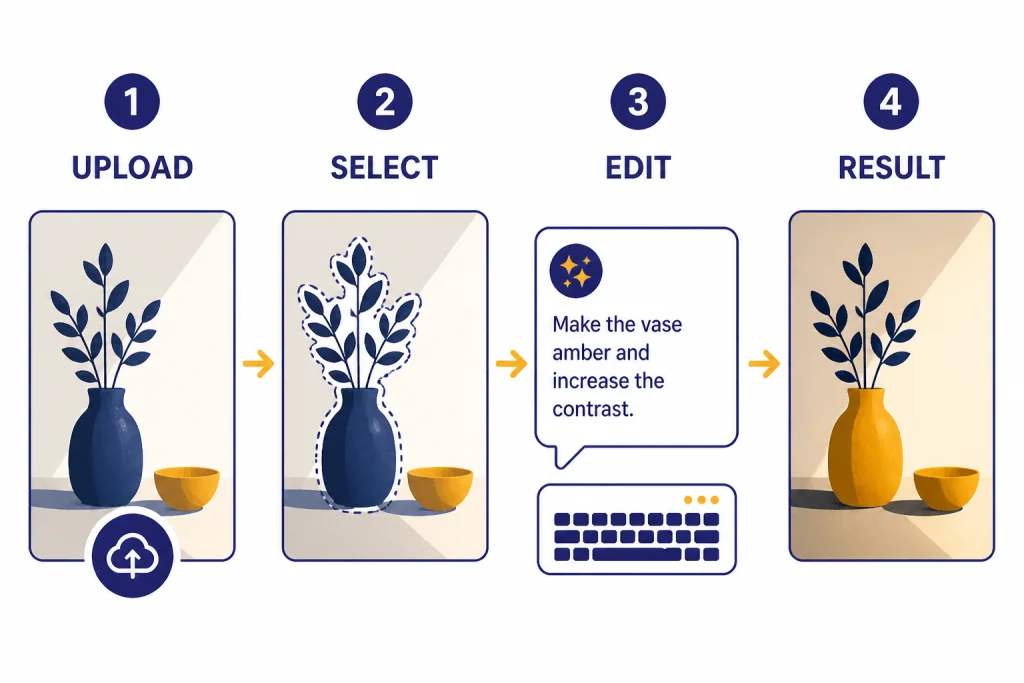
Photo editing prompts should separate changes from protected details. ChatGPT can edit uploaded images, and OpenAI’s help documentation says you can select part of an image and describe changes to that selected area.[3] Use that selection tool for local edits such as removing an object, changing a background detail, or adjusting one part of the image.
A good edit prompt has three parts: the action, the boundary, and the preservation rule.
Change [SPECIFIC AREA] by [SPECIFIC EDIT]. Keep [DETAILS TO PRESERVE] unchanged. Do not alter [IDENTITY, COMPOSITION, COLORS, TEXT, OR BACKGROUND DETAILS].Here are practical edit prompts you can adapt:
- Background cleanup: “Remove the trash can and loose cables from the background. Keep the person, lighting, wall color, and camera angle unchanged.”
- Lighting fix: “Brighten the subject’s face and reduce the green color cast. Preserve the original skin texture, clothing color, and background.”
- Object removal: “Remove the cup from the table and naturally fill in the tabletop. Do not change the laptop, notebook, hands, or shadows.”
- Product retouch: “Clean dust and fingerprints from the bottle. Keep the label text, bottle shape, reflections, and shadow placement unchanged.”
- Social crop: “Reframe this as a square image with the subject centered and more breathing room above the head. Do not change the face, clothing, or background objects.”
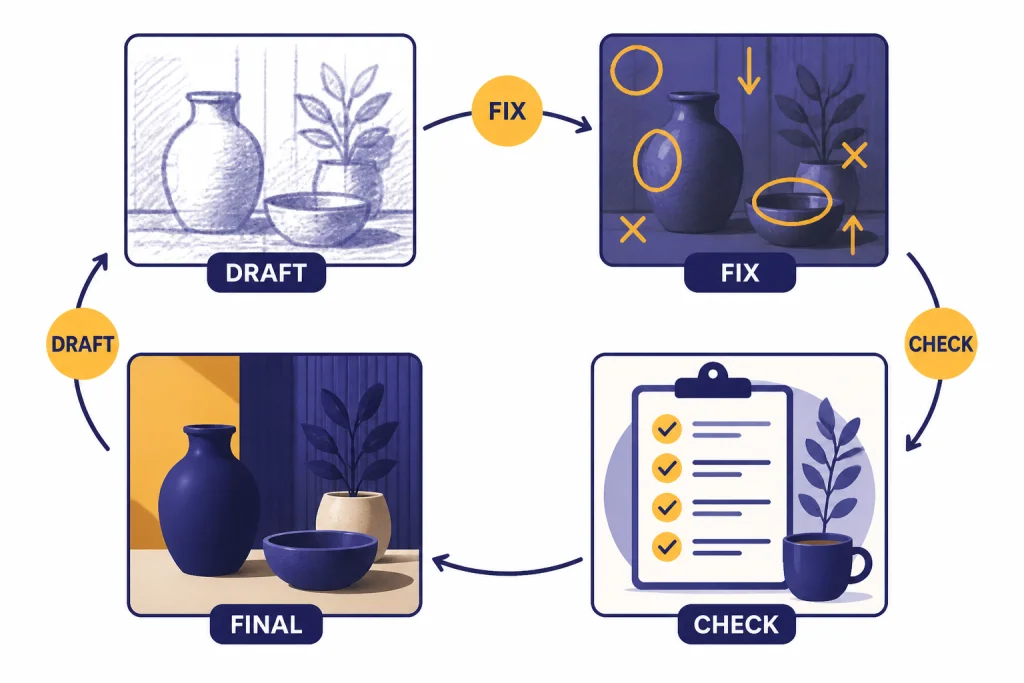
When an edit comes back wrong, do not restart immediately. Reply with a narrow correction: “The background is good, but restore the original jacket color,” or “Keep this version, but remove only the reflection on the left lens.” Multi-turn prompting is often faster than writing a completely new prompt.
If you need to inspect the image first, ask ChatGPT to describe what it sees before editing. The ChatGPT image search guide covers related workflows for identifying visual context and checking where an image may appear online.
Style words that improve photo results
Style words are useful when they change visible choices. They should tell ChatGPT how the image should look, not just how you want the viewer to feel.
| Goal | Use these words | Avoid these words by themselves |
|---|---|---|
| Natural portrait | soft window light, realistic skin texture, candid expression | beautiful, flawless, perfect |
| Premium product | studio lighting, subtle shadow, clean background, crisp edges | luxury, high-end, amazing |
| Editorial scene | documentary style, environmental portrait, balanced composition | magazine quality |
| Moody image | low-key lighting, deep shadows, warm highlights | dramatic |
| Bright social post | soft pastel background, even light, simple composition | viral, eye-catching |
| Authentic snapshot | phone photo feel, imperfect framing, natural motion blur | realistic |
“Realistic” is not enough. A realistic passport photo, a realistic concert photo, and a realistic product photo require different lighting, lens feel, and composition. Use the word realistic, then define the kind of realism you want.
If you generate images often on mobile, use a short reusable note with your preferred style words. Our best ChatGPT app guide explains where the official app experience fits across devices, and ChatGPT Custom Instructions can help you keep recurring preferences available in new chats.
Common photo prompt mistakes
Most bad photo outputs come from unclear direction, conflicting style requests, or unrealistic expectations. The fix is usually a better constraint, not a longer prompt.
Mistake: asking for too many styles at once
“Cinematic editorial documentary fashion product photo” is not a clear style. Choose the dominant look. If you need a hybrid, explain the relationship: “documentary-style restaurant photo with the clean lighting of editorial food photography.”
Mistake: giving no negative constraints
Photo prompts often need a short “avoid” clause. Use it for common failure points: extra limbs, fake text, distorted labels, duplicated objects, plastic skin, warped reflections, and cluttered backgrounds.
Mistake: using long text inside the image
Short labels are much safer than full sentences. If you need a poster, ask for a clean blank area where you can add text later in a design tool. If you ask ChatGPT to render exact copy, keep it short and proofread the result.
Mistake: trying to fix everything in one edit
Batching too many edits can cause drift. Make the most important edit first, then refine. For example, remove the background object, then adjust lighting, then crop. This reduces the chance that a later edit changes the face, product, or composition.
Mistake: not naming the final format
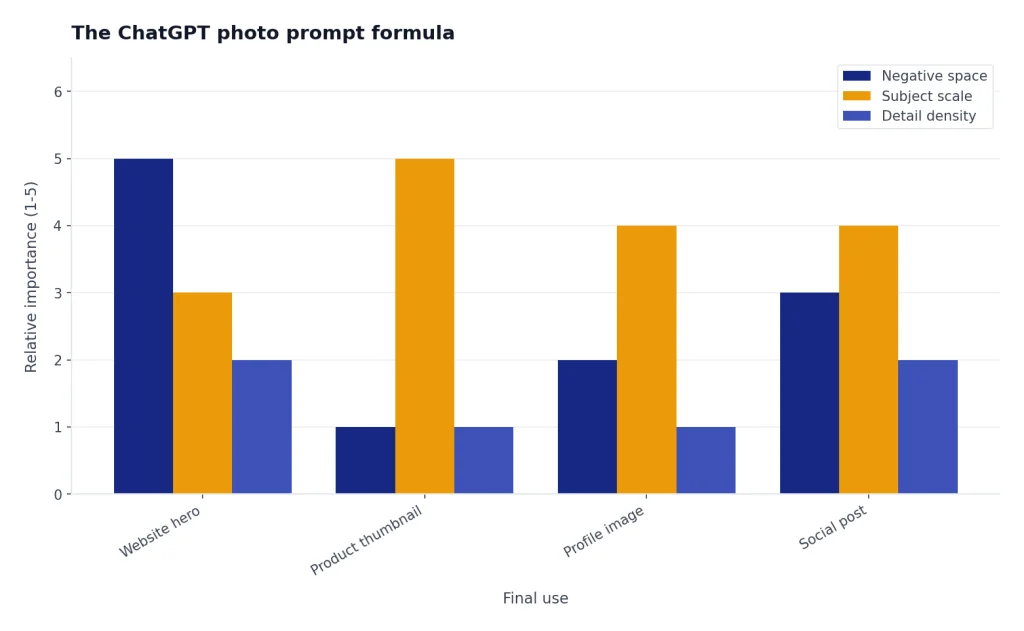
A website hero image needs space for a headline. A product thumbnail needs the object large and centered. A profile image needs a clear face at small size. Tell ChatGPT the destination before it composes the image.
If you want to turn still images into motion concepts, see our guide to the ChatGPT video generator. If you are comparing image work with other media workflows, our guide on whether ChatGPT can analyze video explains the difference between generating visuals and interpreting existing footage.
Responsible use and likeness rules
Photo prompts can create believable images, so use them carefully. OpenAI’s usage policies prohibit using someone’s likeness, including a photorealistic image or voice, without consent in ways that could confuse authenticity.[5] Do not make fake private images, misleading news photos, deceptive endorsements, or impersonations.
For work involving real people, get permission and preserve context. A headshot cleanup is different from inventing a person’s attendance at an event. A style transformation of your own photo is different from putting another person in a false situation. If the image could make a viewer believe something happened when it did not, label it clearly or do not create it.
OpenAI has also discussed provenance metadata for generated images, including C2PA metadata in image-generation contexts.[6] Metadata helps, but it is not a substitute for honest captions, consent, and editorial judgment. Treat AI-generated photos as synthetic visuals unless you can verify the source and rights.
When sharing AI images from a conversation, use care with context. If you need to show your workflow to a client or teammate, ChatGPT Shareable Links can help you share the relevant conversation instead of copying isolated outputs without the prompt history.
Frequently asked questions
What is the best ChatGPT photo prompt?
The best prompt is specific about the subject, setting, light, framing, style, and constraints. A strong general template is: “Create a realistic photo of [subject] in [setting], using [lighting], [composition], and [style]. Keep [details] unchanged and avoid [problems].”
Can ChatGPT edit my existing photos?
Yes. OpenAI says ChatGPT Images can edit existing images after you upload them and describe the changes you want.[2] For best results, specify exactly what should change and what should remain unchanged.
How do I make ChatGPT photos look more realistic?
Ask for believable lighting, natural textures, a clear camera angle, and ordinary imperfections. Avoid overstuffed style phrases. Add constraints such as “no plastic skin,” “no fake text,” “no extra fingers,” and “keep the background uncluttered.”
Why does text in ChatGPT images come out wrong?
Text rendering has improved, but long or complex text can still fail. Keep image text short, use simple labels, and ask for blank space if you plan to add final copy in a design editor. Always proofread before publishing.
Should I mention camera lenses in photo prompts?
Use lens language only when it helps the composition. “Macro” helps for tiny details. “Wide-angle” helps for interiors. “Shallow depth of field” helps portraits and products. If you are unsure, describe the visible effect instead of naming gear.
Can I use ChatGPT photo prompts for commercial work?
You can use ChatGPT photo prompts for many commercial drafts, mockups, and creative concepts, but you still need to respect rights, likeness consent, brand rules, and platform policies. Do not create misleading endorsements or photorealistic depictions of real people without appropriate permission.