

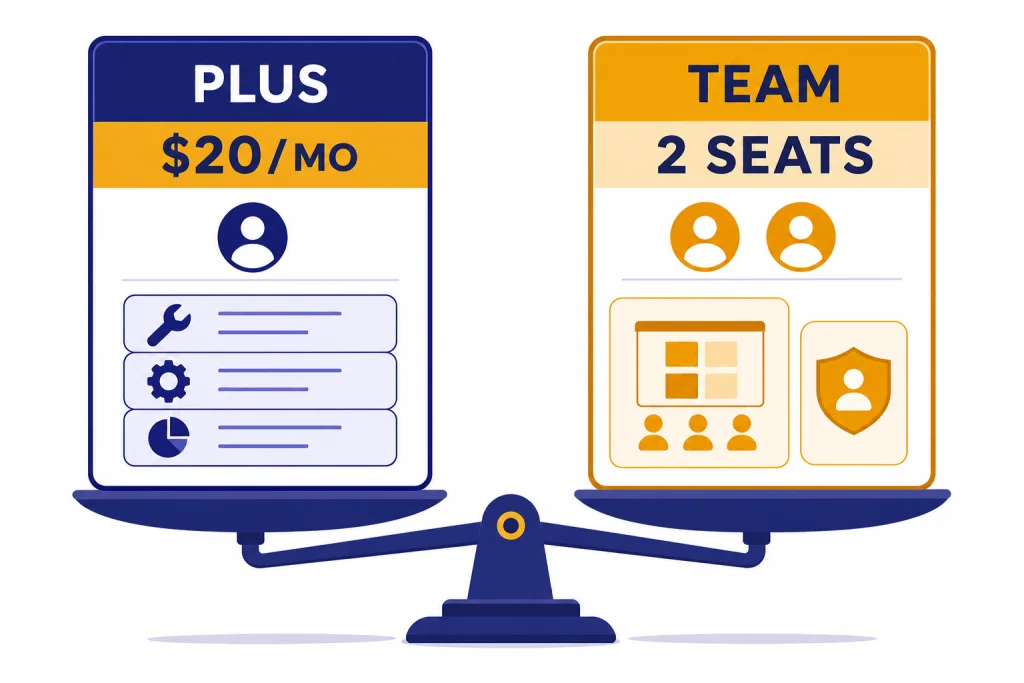
ChatGPT Plus is the better plan for one person who wants higher limits and richer ChatGPT tools without seat management. ChatGPT Team is the better fit for a small group that needs a shared workspace, centralized billing, admin roles, and business-data defaults. OpenAI now calls Team ChatGPT Business, but its own launch update says the rename did not change features or pricing.[2] At this article’s publication, Plus was $20/month for one person,[1][3] while Team was $30/user/month month-to-month or $25/user/month billed annually and required at least two users.[2][3][6][8]
Quick verdict
Choose Plus if ChatGPT is mainly your personal workbench. Choose Team if ChatGPT is becoming part of how a group handles client work, internal documents, recurring workflows, or company prompts. The extra Team cost is not mainly about a smarter model. It is about organization: who can join, who pays, how workspace data is handled, and how shared GPTs are managed.
| Need | Better plan | Why |
|---|---|---|
| One person using ChatGPT for writing, research, coding help, voice, files, or images | Plus | Plus includes expanded features such as voice conversations, image generation, file uploads and analysis, Deep Research tools where available, and custom GPT creation and use.[1] |
| Two or more coworkers who need a shared workspace | Team | Team adds a dedicated collaborative workspace, admin tools, and the ability to create and share custom GPTs with the workspace.[2] |
| Business-data defaults without asking every user to configure opt-outs | Team | OpenAI says individual services may use content for training unless the user opts out, while business products such as ChatGPT Team are opted out by default.[4] |
| A published fixed message cap to compare line by line | Neither | OpenAI has not published an official figure for this. Its Plus help page says usage limits can vary based on system conditions.[1] |
If you are still deciding among individual subscriptions, start with individual plan comparison. If model behavior matters more than workspace controls, compare all GPT models compared side by side and context window sizes separately.
Pricing and minimum seats
The pricing difference is simple, but the minimum seat rule changes the answer. Plus is a monthly individual subscription. OpenAI’s Plus help page lists the price as $20/month and says annual billing is not supported for Plus.[1] OpenAI’s Team launch post listed Team at $30/month per user or $25/month per user when billed annually, and TechCrunch reported the same Team price while also noting that Plus cost $20/month.[2][3]
Team is not a one-seat version of Plus with a different privacy toggle. OpenAI’s workspace documentation says standard ChatGPT seats require a two-seat minimum, and PC Guide’s launch coverage also described Team as requiring a minimum of two users.[6][8] That means a solo buyer comparing list prices should treat Team as a group plan, not a $5 or $10 personal upgrade.
| Scenario | Plus cost | Team cost at publication | Practical takeaway |
|---|---|---|---|
| Solo user | $20/month.[1][3] | Not a true solo plan because Team requires at least two standard seats.[6][8] | Plus is the default choice unless business policy requires a workspace plan. |
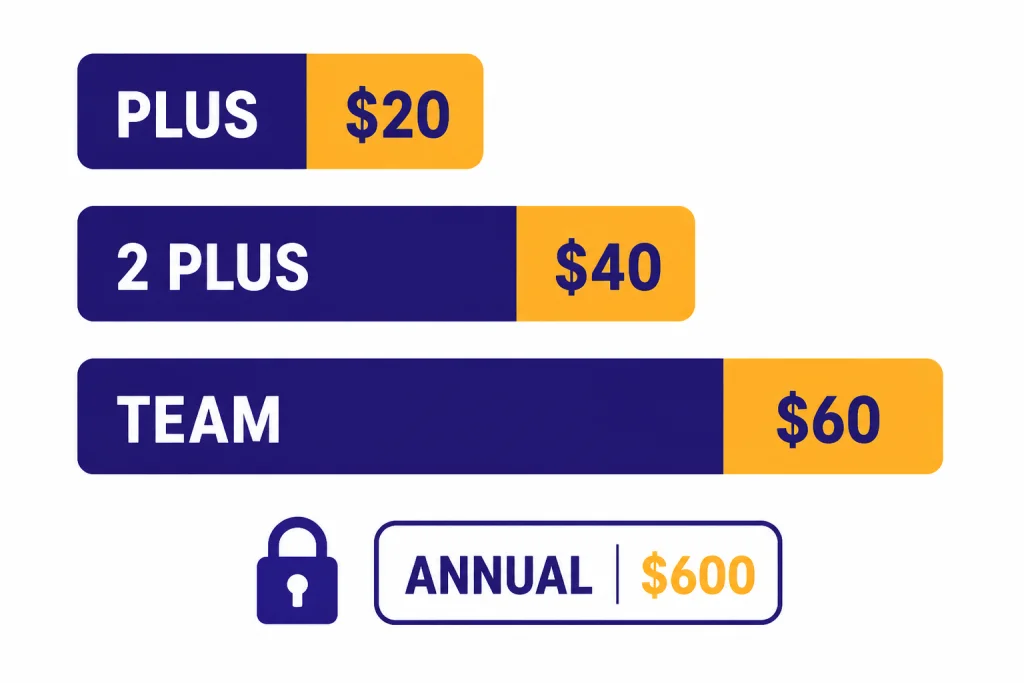
| Two people, month-to-month | Two Plus accounts equal $40/month, based on the $20/month Plus price.[1][3] | Two Team seats equal $60/month, based on the $30/user/month Team price.[2][3] | Team costs more, but adds workspace controls and business-data defaults. |
| Two people, annual Team billing | Plus has no annual billing option.[1] | Two Team seats at $25/user/month billed annually equal $600/year.[2][3] | Annual Team billing lowers the monthly equivalent but adds commitment. |
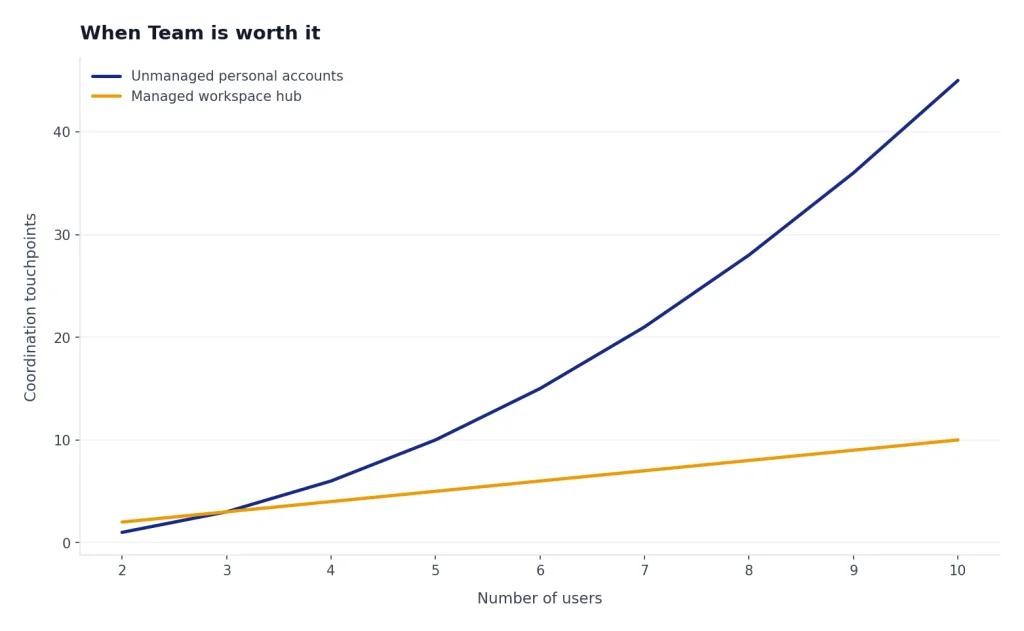
Do not compare only the subscription number. Compare the cost of unmanaged personal accounts against the cost of a workspace. For a real small business, the price gap may be smaller than the cost of losing access when an employee leaves, recreating shared prompts, or asking every user to set privacy controls correctly.
Feature differences that matter
Plus and Team overlap on the core ChatGPT experience. Both are paid ways to get more capable ChatGPT access than the free tier. The difference is that Plus improves one person’s account, while Team creates a managed workspace around multiple people.
| Feature area | Plus | Team |
|---|---|---|
| Core ChatGPT tools | Expanded features include voice conversations, image generation, file uploads and analysis, Deep Research tools where available, and custom GPT creation and use.[1] | Team launched with advanced models and tools, a dedicated workspace, admin tools, shared GPTs, and early access to new features.[2] |
| Workspace | Personal account workspace. | A distinct workspace with its own settings, members, and resources.[6] |
| Admin roles | No organization roles. | Owners, admins, and members have different workspace permissions.[6] |
| Shared GPTs | Custom GPT creation and use are included for the individual account.[1] | Custom GPTs can be created and shared with the workspace.[2] |
| API access | API usage is separate and billed independently.[1] | Business subscriptions are separate from the API platform, and API usage is billed separately.[7] |
| Message limits | OpenAI has not published an official figure for this. Plus limits may vary based on demand and system conditions.[1] | OpenAI’s Team launch described higher message caps but did not publish one permanent public cap to use as a universal comparison.[2] |
That feature split leads to a practical rule. Buy Plus when the account belongs to one person. Buy Team when the workspace itself has value. If you mainly want to browse or build custom GPTs, read our custom GPT browsing guide before paying for extra seats. If voice is the main reason you are upgrading, check the voice mode details first.
Data privacy and admin controls
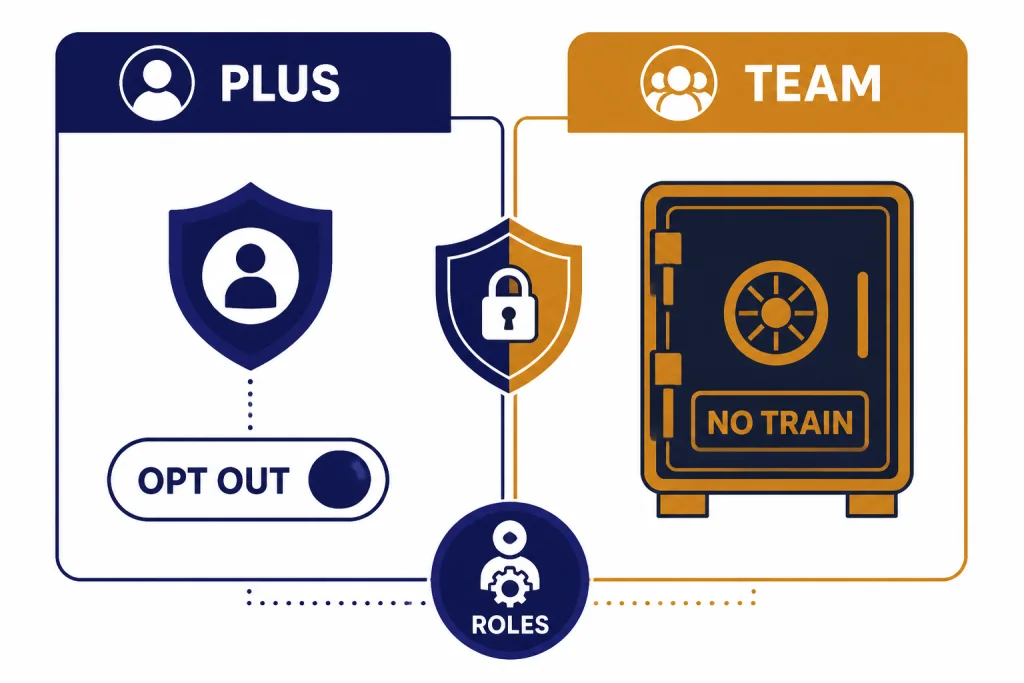
Privacy is the strongest reason to consider Team for a work group. OpenAI says that when people use individual services such as ChatGPT, it may use their content to train models, and users can opt out through privacy controls. The same OpenAI policy says that business products, including ChatGPT Team, are not used for training by default unless an organization explicitly opts in.[4]
OpenAI’s Business privacy documentation also says workspace data is excluded from training by default and encrypted in transit and at rest.[5] This matters when employees may paste client notes, internal drafts, spreadsheet excerpts, or operational context into ChatGPT. Plus can still be appropriate for confidential work if the user follows the right controls and policy. Team makes the default posture easier to standardize across a group.
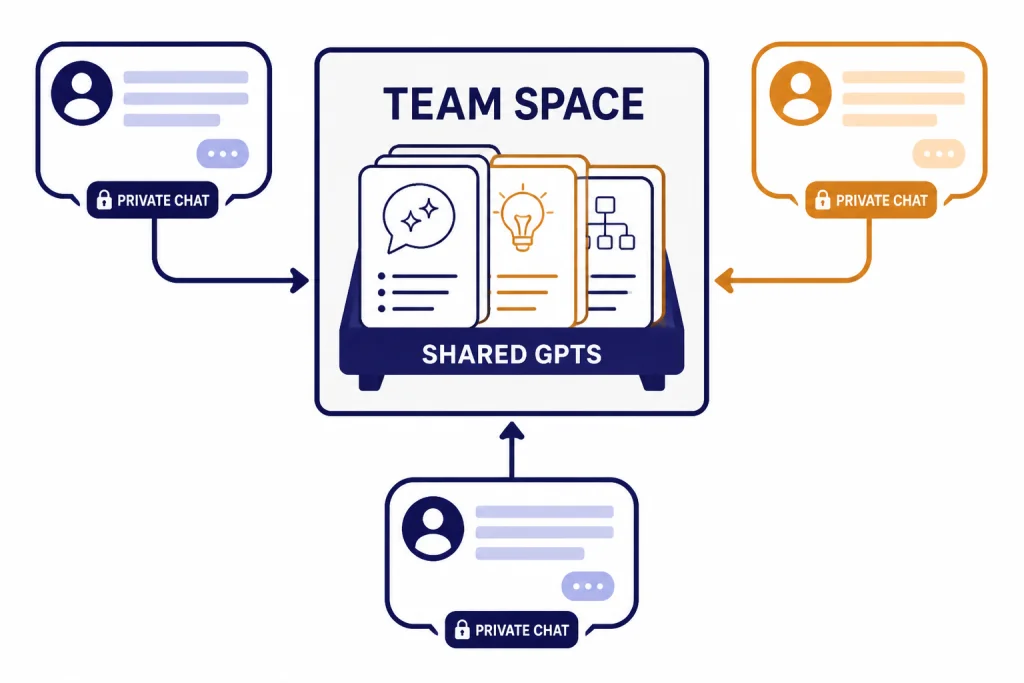
Team does not turn every chat into a shared company feed. OpenAI says each user in a Business workspace has their own chat history, other members do not automatically see those chats, and analytics or spend controls do not automatically give admins full transcript access.[5] That is a useful distinction. Team gives administrators control over membership and workspace settings, but collaboration still depends on intentional sharing.
The admin model also matters for offboarding. OpenAI describes owner, admin, and member roles; owners have broad access including billing and workspace configuration, admins help manage users, and members can use ChatGPT and create GPTs without admin privileges.[6] If someone leaves the company, a workspace plan gives the organization a cleaner place to remove access than a collection of unrelated Plus accounts.
Collaboration and shared GPTs
The collaboration case for Team is strongest when the group repeats work. Examples include a support team that drafts responses from the same policy language, a sales team that uses a shared qualification rubric, or a research team that needs consistent summarization formats. In those cases, the value is not just access to ChatGPT. The value is a shared operating layer.
OpenAI’s Team launch post emphasized a dedicated collaborative workspace, an admin console, and custom GPTs that can be published securely to the team workspace.[2] Plus users can create and use custom GPTs, but that does not provide the same workspace-level governance or shared member management.[1]
Shared links are useful, but they need rules. OpenAI says Business shared links let users share specific conversations with other members of the same workspace. If a shared link is opened by someone outside the workspace, that person cannot see the chat.[5] This supports team collaboration without making every private chat automatically visible.
Do not use Team as an informal account-sharing workaround. OpenAI’s membership guidance says invited users should be intended, ongoing members of the team, and misuse of seat assignments may lead to workspace deactivation or account suspension.[6] If your group is a real business unit, Team fits. If it is a group of strangers splitting access, it creates policy and security problems.
When Plus is enough
Plus is enough when the work belongs to one person and the organization does not need to manage the account. A solo consultant, founder, analyst, writer, student, or engineer can get the paid ChatGPT toolset without setting up seats, roles, workspace naming, member approvals, or shared-link rules.
- You pay for ChatGPT yourself and do not need centralized billing.
- You do not need to onboard or remove teammates.
- You can follow your own privacy workflow, including opt-out settings or Temporary Chat when appropriate.[4]
- You create GPTs for your own use rather than for a department.
- You do not need a shared workspace, shared GPT library, or role-based administration.
Plus also makes sense when a company is only experimenting with a small number of trusted users. In that case, start with clear internal rules for what can and cannot be pasted into ChatGPT. Upgrade later if the use becomes operational, repeatable, or hard to govern through policy alone.
When Team is worth it
Team is worth it when the group needs a workspace more than it needs a cheaper per-person subscription. The clearest trigger is a company workflow that involves multiple employees using ChatGPT for similar tasks with similar data rules. At that point, unmanaged Plus accounts become harder to audit, support, and replace.
| Signal | Choose | Reason |
|---|---|---|
| Two coworkers only want individual AI help and have no shared prompts or client-data workflow | Plus | Two Plus accounts are cheaper at list price than two monthly Team seats.[1][2][3] |
| A team wants shared GPTs, a managed workspace, and admin ownership | Team | Team was built around a collaborative workspace, team management, and shared GPTs.[2] |
| The business needs no-training-by-default handling for workspace data | Team | OpenAI says business products such as ChatGPT Team are opted out of training by default.[4] |
| The team needs custom legal terms, invoice billing, or enterprise controls | Probably Enterprise | OpenAI says contracted options are needed for sales-led requirements such as invoicing, purchase orders, and some advanced controls.[7] |
If the choice is Team versus the higher individual tier, compare Pro versus Team. If you are planning a larger rollout, compare Team versus Enterprise. If your real need is to build an app or automate backend workflows, ChatGPT subscriptions are not a substitute for API billing; use our API pricing comparison instead.
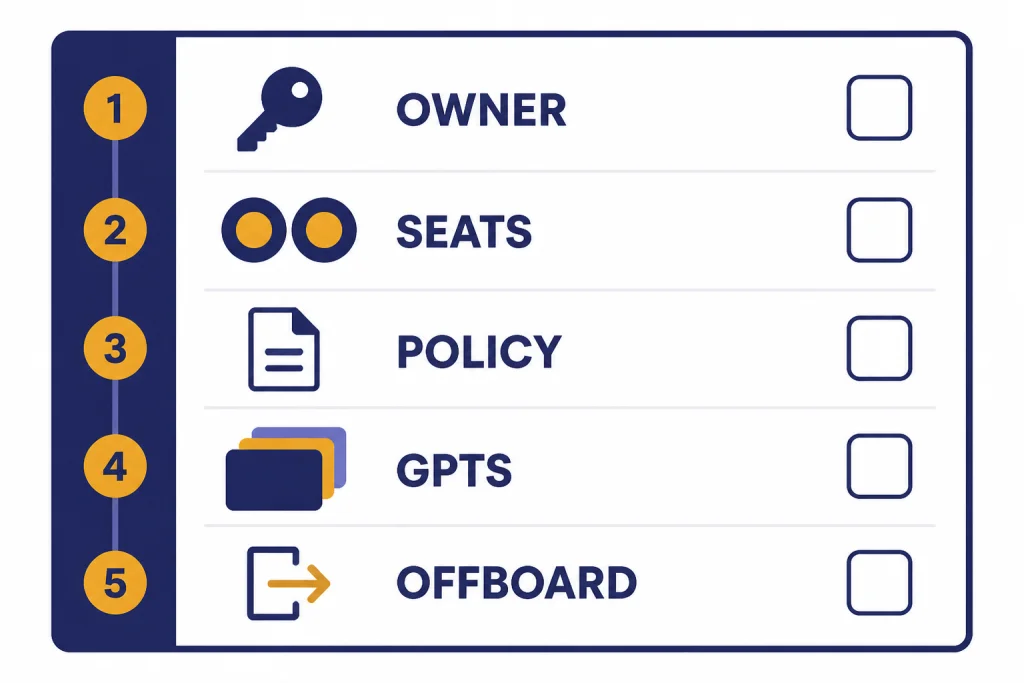
Setup checklist for a small group
If Team is the right plan, set it up as a workspace, not as a pile of paid seats. The first week determines whether people use it safely or treat it as another unmanaged chat app.
- Pick a workspace owner. Owners control billing, identity management, and workspace configuration.[6]
- Set the starting seat count. Standard ChatGPT seats have a two-seat minimum, so do not buy Team unless the extra seat has a real user or administrative purpose.[6][8]
- Decide whether personal and workspaces stay separate. OpenAI says users can keep personal and Business workspaces separate or merge them when joining.[6]
- Write a short sharing rule. Make clear which conversations can be shared, which client data is off limits, and who reviews workspace GPTs.
- Build a small shared GPT library. Start with repeatable workflows, such as proposal drafts, policy lookup, research summaries, or support macros.
- Check API needs early. Plus API usage is billed separately, and Business subscriptions do not include API usage.[1][7]
Also decide what you will do when someone leaves. OpenAI’s privacy documentation says Business workspace data export is not available, so teams should plan knowledge capture through approved shared projects, shared GPTs, and internal documentation rather than assuming a full workspace export is available.[5]
Frequently asked questions
Is ChatGPT Team the same as ChatGPT Business?
Yes. OpenAI says ChatGPT Team is now called ChatGPT Business, and its launch update says the rename did not change features or pricing.[2] This article uses Team because many people still search for the older plan name.
Is ChatGPT Team cheaper than Plus?
Not for a solo user. Plus was $20/month, while Team was $30/user/month monthly or $25/user/month when billed annually and required at least two users.[1][2][3][6] Team can still be worth it if the workspace, data defaults, and admin controls matter.
Can an admin read every Team chat?
Not by default. OpenAI says each Business workspace user has their own chat history, and usage analytics or spend controls do not automatically give other members full access to private chat history.[5] Users can still choose to share specific chats or GPTs.
Does ChatGPT Plus use my data for training?
OpenAI says it may use content from individual services such as ChatGPT to train models, unless the user opts out.[4] Plus users should review their data controls before using ChatGPT for sensitive work.
Does either plan include API usage?
No. OpenAI says API usage is separate and billed independently for Plus, and Business subscriptions are separate from API platform billing.[1][7] Use API pricing if you are building software instead of using the ChatGPT app.
Should a freelancer buy Team for privacy?
Usually no. A freelancer should usually start with Plus, configure privacy controls, and avoid entering restricted client data unless the client allows it. Team becomes more compelling when there is a real group, a business workspace requirement, or a client policy that requires business-data defaults.