

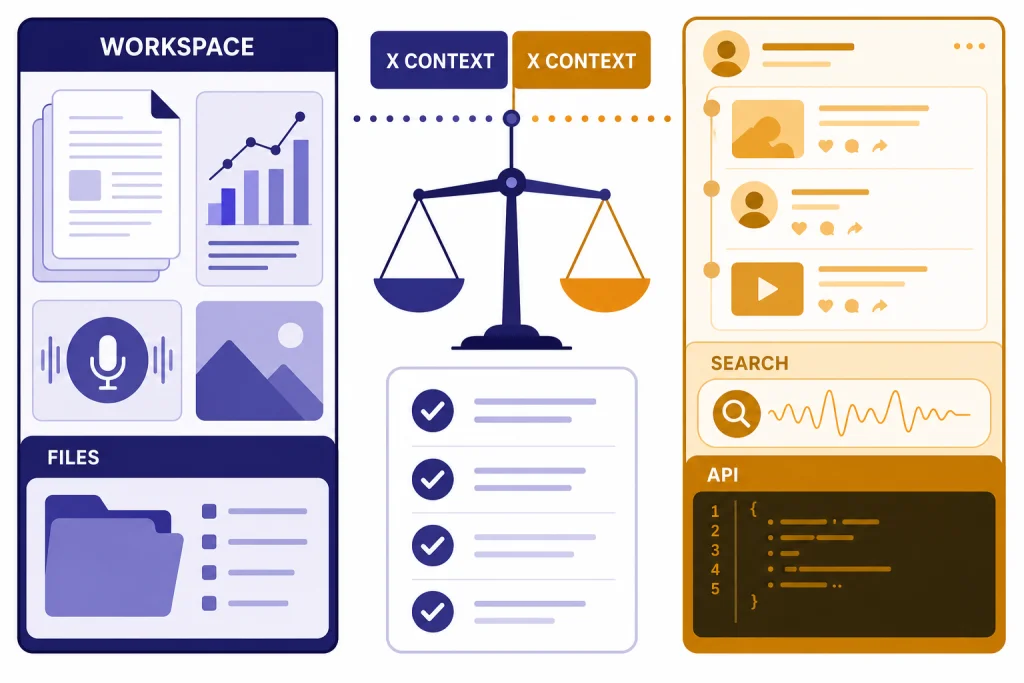
Grok vs ChatGPT comes down to where you work and what you expect the assistant to do. ChatGPT is the safer default for most people because it has broader productivity tools, stronger document workflows, mature business plans, and a larger ecosystem around projects, files, data analysis, voice, images, and custom workflows. Grok is more compelling if you live on X, want an assistant shaped around real-time social discussion, or need xAI’s developer models with very large context windows. As of March 11, 2026, the best choice is not simply “which model is smarter.” It is whether you need a general work platform or an X-connected AI companion.
Quick verdict
Choose ChatGPT if you want one AI workspace for writing, analysis, coding help, file review, image work, voice, research, and repeatable projects. OpenAI describes ChatGPT as supporting search, deep research, image input and generation, file uploads, data analysis, voice mode, Canvas, memory, and projects, depending on plan and settings.[3] It also has clearly published consumer tiers, including Free, Plus, Pro, Business, and Enterprise options on OpenAI’s pricing page.[1]
Choose Grok if X is central to your information diet. xAI says Grok powers grok.com, Grok mobile apps, and Grok in X, while its API is a separate developer offering.[5] X’s own help page describes Grok as integrated into X and gives users controls over whether Grok-related data is used to personalize Grok and other xAI models.[8] That makes Grok unusually tied to the social web compared with most general AI assistants.
The short version: ChatGPT is the better all-purpose assistant. Grok is the better fit when X context matters, when you prefer Grok’s style, or when you want xAI’s API characteristics. If you are comparing paid ChatGPT tiers before deciding, start with our ChatGPT Free vs Plus vs Pro breakdown. If you are looking more broadly, see our best AI chatbot alternatives to ChatGPT.
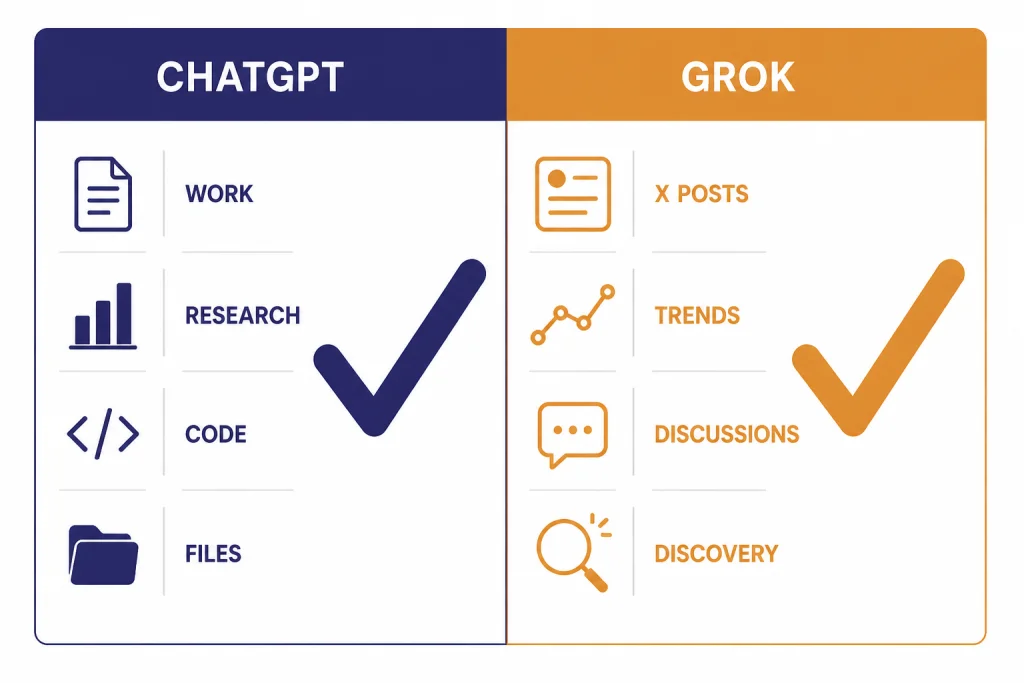
Side-by-side comparison
The most useful grok vs chatgpt comparison is not a single benchmark score. It is a product comparison. Both tools can draft text, answer questions, explain code, summarize information, and reason through tasks. The difference is the surrounding system.
| Category | ChatGPT | Grok | Practical takeaway |
|---|---|---|---|
| Best default use | General work, school, coding help, documents, research, and multimodal tasks | X-connected answers, social context, fast commentary, and xAI model access | ChatGPT fits more workflows out of the box. |
| Current model family in product | OpenAI’s ChatGPT help page says GPT-5.3 is the default for logged-in users, with GPT-5.4 Thinking and GPT-5.4 Pro available by tier.[2] | xAI announced Grok 4.1 on November 17, 2025, with emphasis on conversation, emotional understanding, creative writing, and reduced factual errors.[7] | Both are frontier assistants, but they are optimized differently. |
| Live information | Search and deep research are built into ChatGPT depending on plan and availability.[3] | Grok is available in X and is closely tied to X usage and data controls.[8] | Use ChatGPT for sourced reports; use Grok when X conversation is the source. |
| Files and workspace | Strong support for file analysis, data analysis, Canvas, projects, memory, and custom workflows.[3] | More centered on chat, X, and xAI services than a broad office workspace. | ChatGPT is stronger for repeatable work. |
| Consumer pricing transparency | OpenAI publishes Free, Plus, Pro, Business, and Enterprise plan details.[1] | xAI’s public developer docs are clear for API pricing, but consumer Grok pricing is less consistently exposed in retrievable official documentation. | ChatGPT is easier to budget for from official pages. |
| Developer angle | OpenAI has the broader developer ecosystem and ChatGPT-adjacent product stack. | xAI documents Grok API access separately from Grok consumer services and publishes model pricing and rate-limit information for developers.[5] | Developers should compare API requirements, not only chatbot subscriptions. |
This table explains why two people can reach opposite conclusions and both be right. A journalist tracking X reactions may prefer Grok. A consultant turning PDFs, spreadsheets, and meeting notes into deliverables will usually prefer ChatGPT. A developer building a product should compare APIs separately from the consumer chat apps.
Models and answer quality
ChatGPT’s advantage is not only the model. It is the routing layer around the model. OpenAI’s ChatGPT help documentation says GPT-5.3 is the default for logged-in users and that Auto can route harder tasks to GPT-5.4 Thinking.[2] That matters because users often do not want to pick a model for every prompt. They want the app to decide when to answer quickly and when to think longer.
Grok’s advantage is personality and X-native context. xAI’s Grok 4.1 announcement says Grok 4.1 Thinking held the number-one overall position in LMArena’s Text Arena with a 1483 Elo score at publication, according to xAI’s own post.[7] Treat that as a useful signal, not a final verdict. Leaderboards change, benchmarks vary by prompt style, and vendor-reported evaluations do not replace testing with your own work.
For everyday writing, ChatGPT tends to feel more controlled. It is often better when you need a clean memo, a structured lesson plan, a compliant customer email, or a document that follows detailed instructions. Grok often feels more direct and conversational. Some users like that tone. Others find it less predictable for formal work.
For reasoning, both tools can solve difficult problems, but they expose the experience differently. ChatGPT’s current product language centers on Instant, Thinking, and Pro modes by tier.[2] xAI’s developer docs describe Grok 4 as a reasoning model and note that it does not use a separate non-reasoning mode in the same way as prior Grok models.[6] If you already understand OpenAI’s model families, our GPT vs the o-Series guide gives helpful background on speed-versus-reasoning tradeoffs.
Search and live information
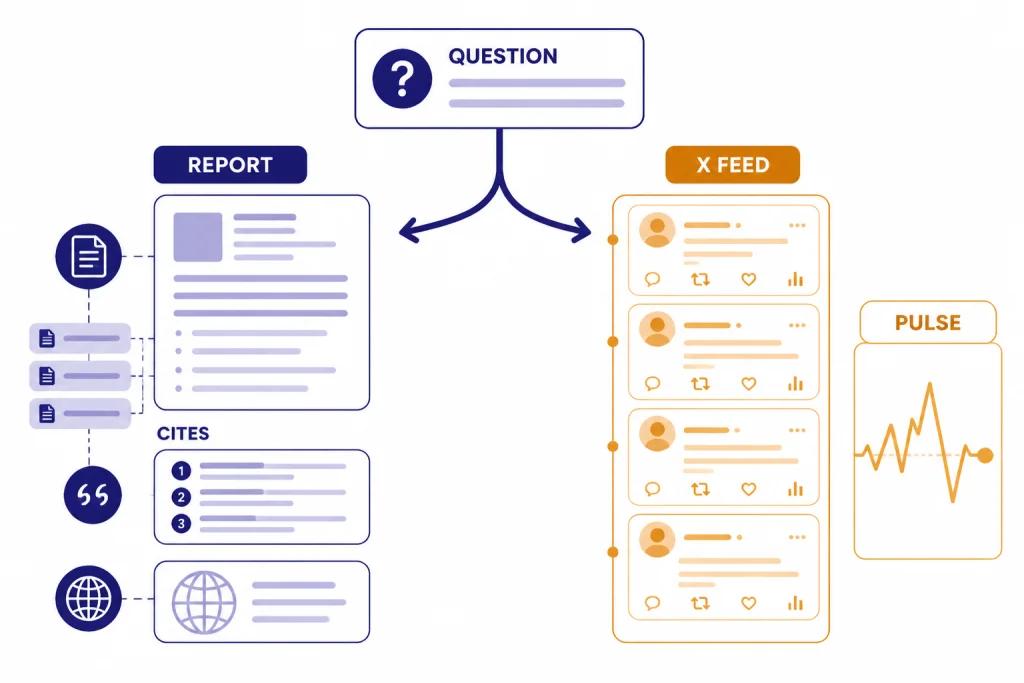
Search is one of the clearest differences. ChatGPT is strongest when you want a researched answer that combines web pages, uploaded files, and structured synthesis. OpenAI says deep research can work with public web sources, uploaded files, and connected apps, then produce a structured report with citations or source links.[3] That is valuable for market scans, vendor comparisons, policy summaries, and literature-style overviews.
Grok is strongest when the conversation itself is part of the answer. X’s help documentation says Grok is available on the X platform and gives users controls for Grok-related data use in privacy settings.[8] If you want to understand how a topic is being discussed on X, Grok has a natural home. If you want a carefully sourced answer that does not depend on social media tone, ChatGPT is usually the better starting point.
Use this rule: ChatGPT for evidence, Grok for pulse. ChatGPT is better when you need citations, document grounding, and reusable research output. Grok is better when the X feed is the thing you are trying to interpret. For a broader search comparison, see our ChatGPT vs Google Search guide.
Pricing and access
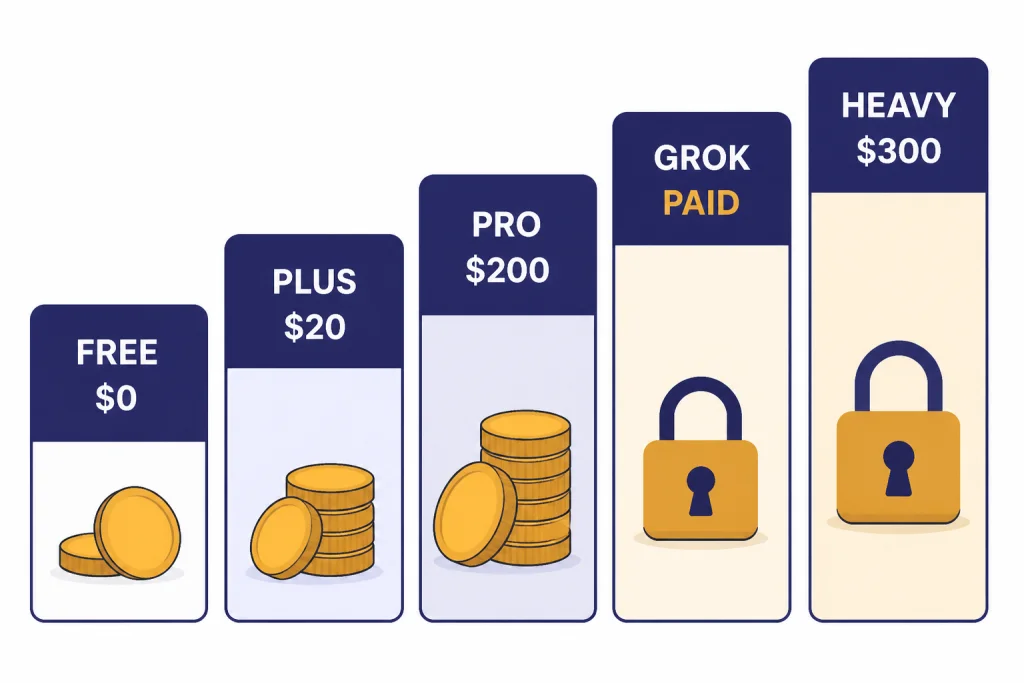
ChatGPT has the clearer official pricing structure. OpenAI lists ChatGPT Free at $0 per month and ChatGPT Plus at $20 per month on its pricing page.[1] OpenAI’s help center lists ChatGPT Pro at $200 per month, billed monthly.[12] Business and Enterprise plans add workspace controls, collaboration features, and business data protections, but the right choice depends on team size and governance needs.
Grok pricing is less clean from official public pages. xAI’s developer documentation publishes API models, context windows, rate limits, and token pricing, but it separates the API from Grok.com, mobile apps, and Grok in X.[5] In the retrievable sources for this article, xAI did not publish a single official consumer pricing table comparable to OpenAI’s ChatGPT pricing page. Third-party trackers commonly listed SuperGrok at $30 per month in early 2026, but that figure should be checked in-product because it was not confirmed in an official xAI pricing page retrieved for this article.[11]
For the high end, TechCrunch reported that xAI launched Grok 4 alongside a $300-per-month SuperGrok Heavy subscription in July 2025.[10] That price is useful for comparison with ChatGPT Pro, but the products are not identical. ChatGPT Pro is mainly a higher-access ChatGPT plan. SuperGrok Heavy is tied to xAI’s own Grok product strategy and Grok 4 Heavy access as reported at launch.[10]
| Plan or access path | Published price signal | What it means for buyers |
|---|---|---|
| ChatGPT Free | $0 per month on OpenAI’s pricing page.[1] | Good for casual use and testing ChatGPT before paying. |
| ChatGPT Plus | $20 per month on OpenAI’s pricing page.[1] | The most obvious paid starting point for individuals. |
| ChatGPT Pro | $200 per month in OpenAI’s help center.[12] | For heavy users who need the highest individual access. |
| Grok through X | Regional subscription pricing is shown in X purchase flows, according to X Premium help.[13] | Best if you already pay for X features. |
| SuperGrok | Third-party trackers listed $30 per month, but xAI has not published an official figure in the retrievable docs used here.[11] | Check the Grok app or grok.com before buying. |
| SuperGrok Heavy | Reported at $300 per month by TechCrunch at Grok 4 launch.[10] | Only makes sense for users who need top-tier Grok access. |
If you are buying for a team, do not compare only individual subscriptions. ChatGPT Team, Business, and Enterprise choices involve admin controls, data policies, and collaboration. Our ChatGPT Pro vs Team comparison, ChatGPT Plus vs Team guide, and ChatGPT Team vs Enterprise breakdown cover those tradeoffs in more detail.
Tools, files, and workflows
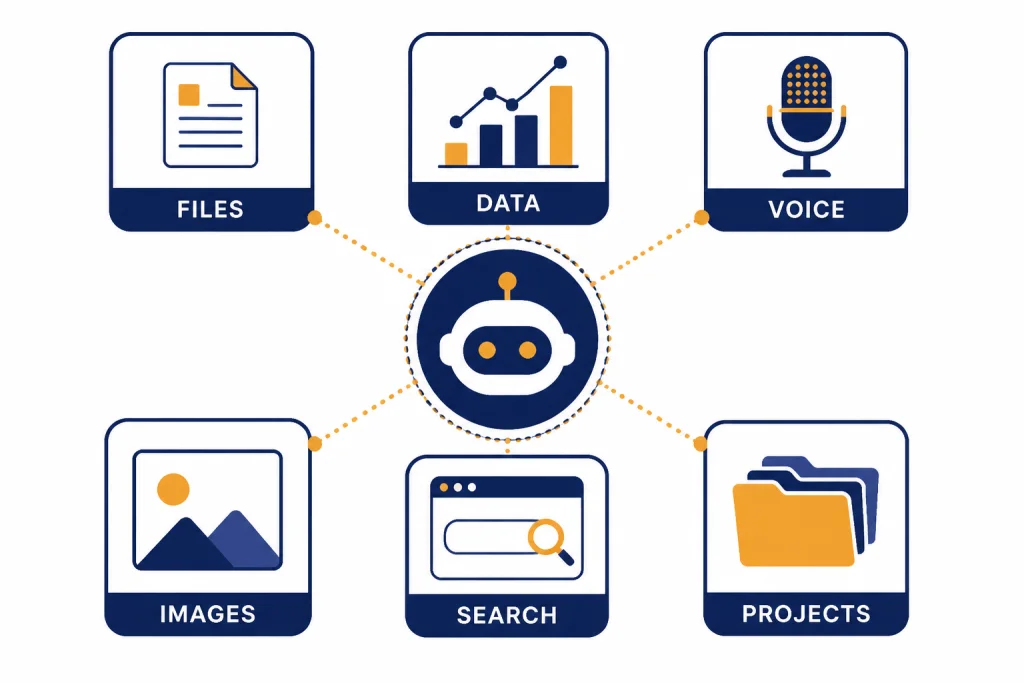
ChatGPT is stronger as a workspace. OpenAI’s capabilities overview lists search, deep research, image input and generation, file uploads, data analysis, voice mode, Canvas, and memory among ChatGPT capabilities that may be available depending on plan and settings.[3] That means you can move from a spreadsheet to a chart, from a PDF to a summary, from a rough paragraph to a polished memo, and from a prompt to an image concept inside one product.
Projects also matter. ChatGPT projects let users group chats, reference files, and instructions so work stays organized over time, according to OpenAI’s help documentation.[3] That is useful for client work, research folders, writing systems, coding tasks, and recurring operations. Grok can still help with many of those tasks, but ChatGPT feels more designed for persistent work rather than one-off conversation.
Grok’s tool story is more tied to xAI and X. xAI says its API is different from Grok in consumer services, and its comparison table separates API access, grok.com, mobile apps, and Grok in X.[5] That separation is important. A Grok feature in X does not automatically mean the same capability exists in the API, and an API capability does not automatically mean it appears in the consumer app.
For creators, neither comparison ends with text. If your real question is image generation, see our DALL-E vs Midjourney comparison and DALL-E vs Stable Diffusion cost guide. If your work is video, our Sora vs Google Veo breakdown is the better next read.
Privacy and business use
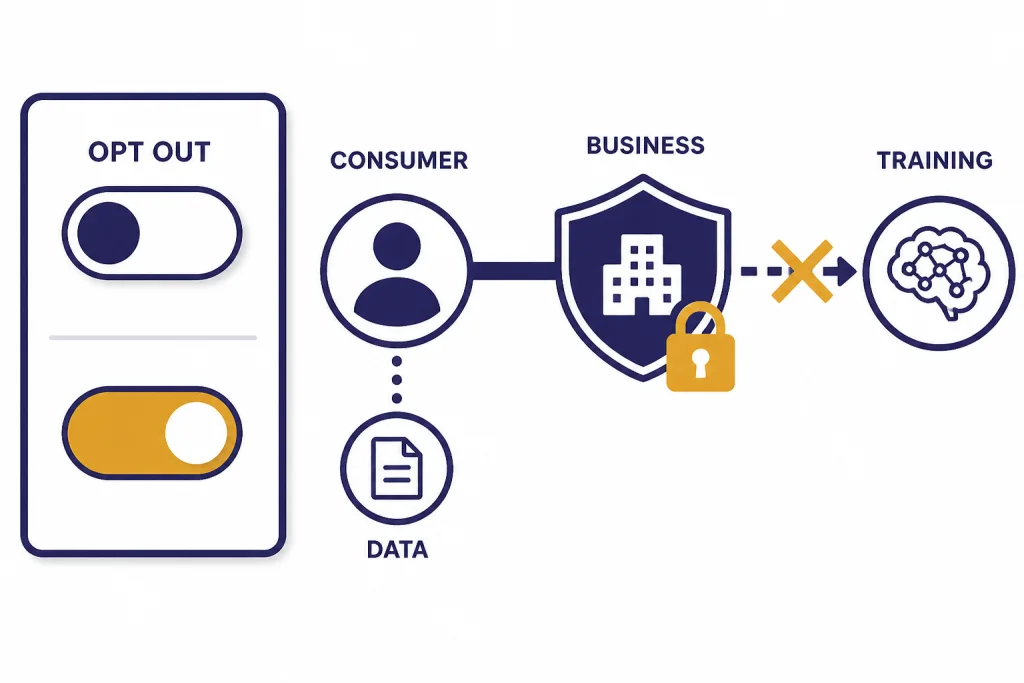
Privacy is not a minor detail in this comparison. OpenAI says that when people use individual services such as ChatGPT, Codex, and Sora, it may use their content to train models, and users can opt out through the privacy portal.[4] OpenAI’s pricing page also says its business plans include encryption at rest and in transit and no training on business data by default.[1] That makes plan choice important if you handle client, employee, legal, medical, or proprietary information.
xAI’s consumer FAQ says it may use user content and interactions with Grok, including prompts, searches, submitted materials, and Grok responses, to train its models.[9] X’s Grok help page says users can control whether data is used to personalize Grok and other xAI models through privacy settings, and that opting out means Grok interactions, inputs, and results will not be used to train or fine-tune Grok.[8]
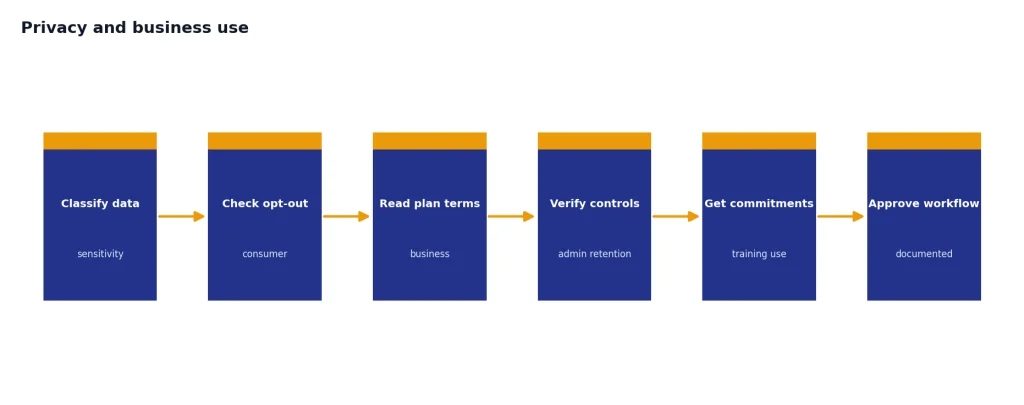
For personal use, both products offer opt-out controls. For business use, read the plan terms, not only the model announcement. ChatGPT has more mature published business-plan positioning. Grok may still be useful for teams, especially those working around X, but procurement teams should ask for written terms, admin controls, retention details, and training-use commitments before sending sensitive data.
Developer and API fit
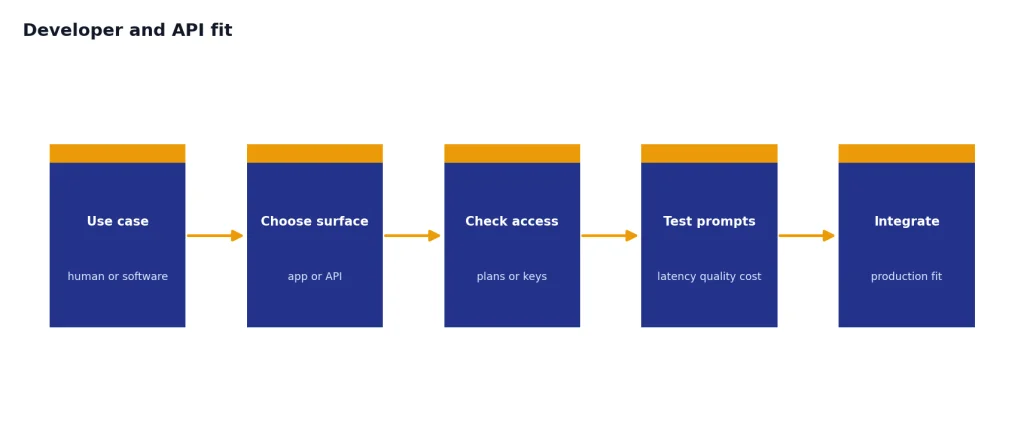
Developers should compare Grok and ChatGPT at two levels: the assistant app and the API. The assistant app is what a person uses in a browser or mobile app. The API is what a developer builds into software. xAI explicitly says the xAI API is separate from Grok.com, mobile apps, and Grok in X.[5] That means a subscription to one surface may not give you what you need in another.
xAI’s developer docs are notable for large context options. In the retrieved model-pricing documentation, Grok 4 Fast is listed with a 2,000,000-token context window and pricing of $0.20 per million input tokens and $0.50 per million output tokens.[6] The same documentation lists grok-4-0709 with a 256,000-token context window and $3.00 per million input tokens and $15.00 per million output tokens.[6] Those are API figures, not consumer chatbot subscription limits.
OpenAI’s broader advantage is ecosystem depth. If your team already uses ChatGPT, custom GPTs, OpenAI developer tools, or OpenAI-compatible workflows, staying with OpenAI can reduce operational friction. For a model-level view of OpenAI choices, see all GPT models compared side by side, our context window comparison, and our OpenAI API pricing guide.
How to choose
Use ChatGPT if you want the most complete everyday AI workspace. It is the better fit for documents, structured research, business writing, spreadsheets, coding help, voice, images, and project-based work. It is also easier to recommend inside organizations because OpenAI publishes more complete plan information and business-plan positioning.
Use Grok if your work depends on X or if you prefer Grok’s conversational style. It can be especially useful for tracking public reactions, summarizing fast-moving social discussion, or using xAI’s model stack through the API. It is less ideal if your main need is polished office workflow, repeatable file-based projects, or formal business controls.
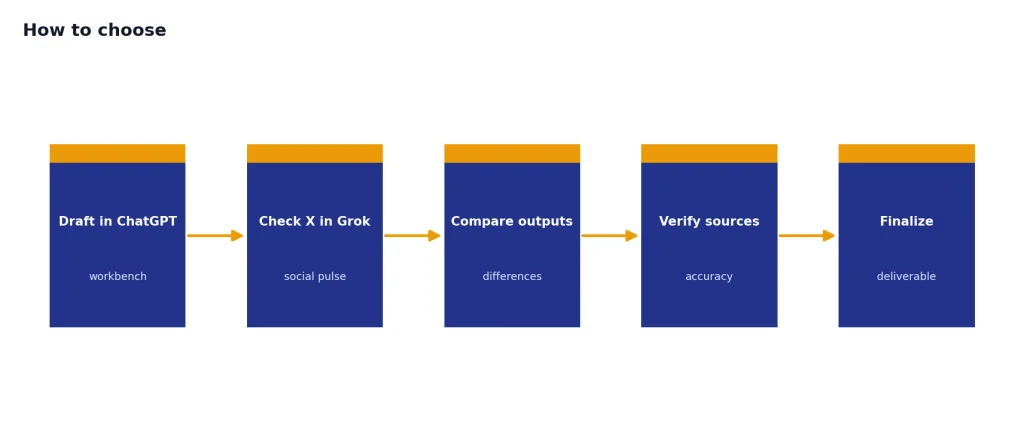
Use both if you are a heavy AI user. Many professionals keep ChatGPT as the main workbench and Grok as a second opinion for X-native questions. That pairing is more useful than arguing over one universal winner. If you want more competitor comparisons, read our ChatGPT alternatives 2026 list, GPT vs Microsoft Copilot comparison, and GPT vs Mistral guide.
Frequently asked questions
Is Grok better than ChatGPT?
Grok is better if you want an assistant closely tied to X and real-time social discussion. ChatGPT is better for most general productivity work, including documents, research, data analysis, coding help, images, and organized projects. The better choice depends on your workflow, not only model rankings.
Is ChatGPT better for work than Grok?
Yes, for most office and professional workflows. ChatGPT has stronger support for file work, data analysis, deep research, Canvas, projects, memory, and business plans.[3] Grok can still be useful at work, especially for X-related research or as a second assistant.
Does Grok have access to X?
Grok is available inside X, and X’s help documentation describes Grok-related controls in X privacy settings.[8] That does not mean every Grok answer should be treated as verified. Use citations, original posts, and independent sources when accuracy matters.
Which is cheaper, Grok or ChatGPT?
ChatGPT is easier to price from official pages. OpenAI lists ChatGPT Plus at $20 per month and Free at $0 per month.[1] Third-party trackers commonly listed SuperGrok at $30 per month in early 2026, but xAI has not published an official consumer pricing figure in the retrievable docs used for this article.[11]
Which is better for developers?
It depends on the application. xAI’s API docs publish Grok model pricing, rate-limit concepts, and large context windows, including a 2,000,000-token context listing for Grok 4 Fast in the retrieved docs.[6] OpenAI has the broader developer ecosystem, so teams should compare latency, cost, model quality, tooling, and vendor risk with their own test prompts.
Should I pay for both ChatGPT and Grok?
Most people should start with one paid assistant. Pay for both only if you have distinct use cases: ChatGPT for work production and Grok for X-centered research or comparison. If you are unsure, use the free or lowest practical tier first and measure which tool you open daily.