

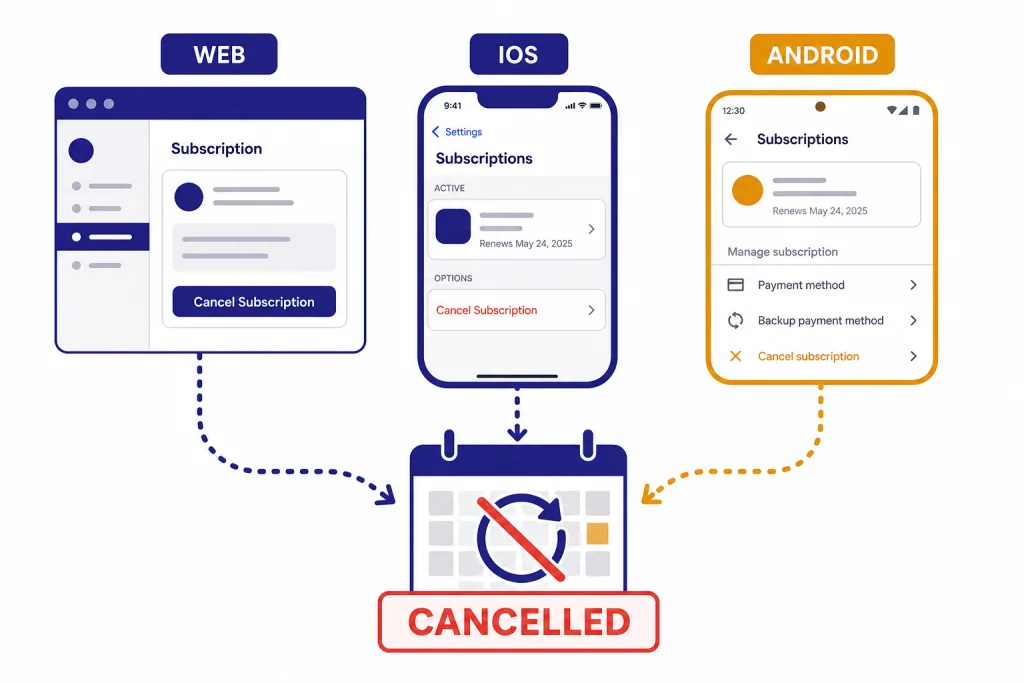
To cancel a ChatGPT Plus subscription, cancel it in the same place where you started it: chatgpt.com, Apple App Store subscriptions, or Google Play subscriptions. If you subscribed on the web, go to ChatGPT, open your profile menu, choose Settings, go to Account, select Manage, and choose Cancel Subscription.[1] If you subscribed through the iPhone app, cancel from iOS Settings under Subscriptions.[2] If you subscribed through Android, cancel from Google Play.[3] Cancel at least 24 hours before your next billing date to avoid the next charge.[1]
Quick answer
The fastest way to cancel depends on where your Plus subscription was purchased. OpenAI says web subscriptions are managed at chatgpt.com, Apple subscriptions are managed by Apple, and Google Play subscriptions are managed by Google.[6]
| Where you subscribed | Where to cancel | Main path | Important note |
|---|---|---|---|
| chatgpt.com | ChatGPT account settings | Profile icon → Settings → Account → Manage → Cancel Subscription | OpenAI says cancellation takes effect the day after your next billing date.[1] |
| iPhone or iPad app | Apple Subscriptions | Settings → your name → Subscriptions → ChatGPT → Cancel Subscription | Deleting your ChatGPT account on the web does not cancel an Apple-managed subscription.[2] |
| Android app | Google Play subscriptions | Google Play Store → Menu → Subscriptions → ChatGPT → Cancel subscription | Uninstalling the Android app does not cancel the subscription.[3] |
ChatGPT Plus is a monthly subscription. OpenAI lists ChatGPT Plus at $20 per month, billed monthly.[5] If you are canceling because of cost, compare the current plan value against your actual usage before you decide. Our ChatGPT Free vs Plus comparison and is ChatGPT Plus worth it verdict can help with that decision.
Before you cancel
Do not start by deleting the app. Uninstalling the mobile app does not cancel Apple App Store or Google Play subscriptions.[6] It only removes the app from your device. The subscription can keep renewing if the app store subscription remains active.
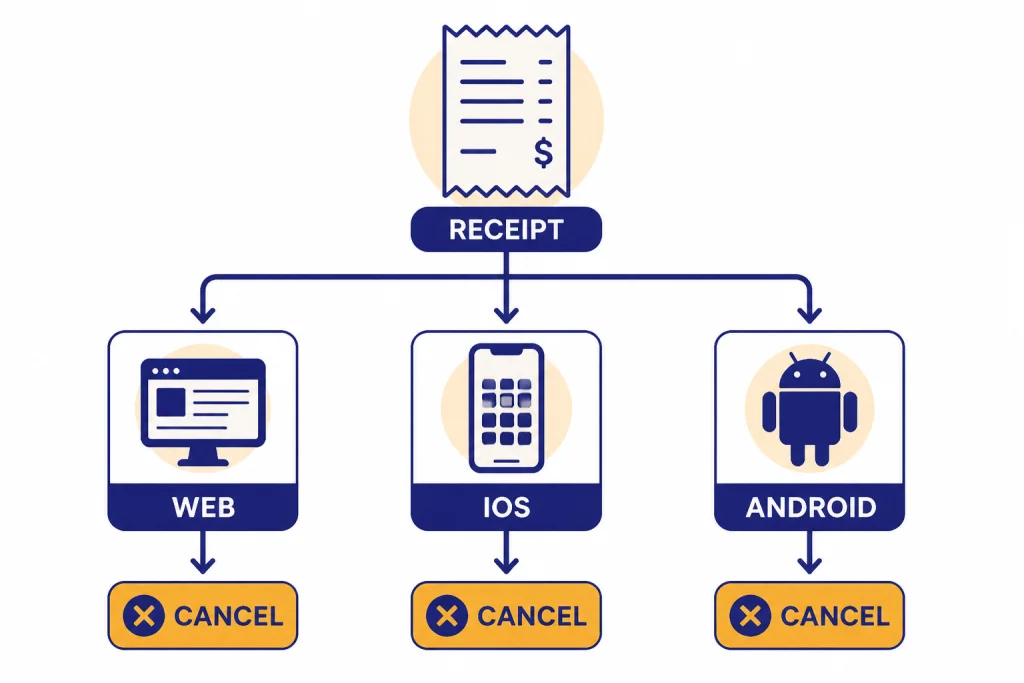
Start by identifying the billing source. Look at your receipt, bank statement, or subscription screen. If the charge came through OpenAI or chatgpt.com, use the web cancellation flow. If the charge came through Apple, use iPhone, iPad, Mac, or Apple’s subscription tools. If the charge came through Google Play, use the Google account that originally subscribed.
Also check whether you have more than one active subscription. OpenAI warns that users can end up with duplicate subscriptions if they subscribe on more than one platform, such as Apple App Store, Google Play Store, and chatgpt.com.[6] If you moved from mobile billing to web billing, cancel the old subscription first.
- Web receipt: cancel at chatgpt.com.
- Apple receipt: cancel through Apple Subscriptions.
- Google receipt: cancel through Google Play.
- No visible receipt: search email for OpenAI, Apple, Google Play, ChatGPT, invoice, or receipt.
If you need a broader device-by-device walkthrough, use our guide to cancel a ChatGPT subscription on any device. This article focuses specifically on Plus.
How to cancel ChatGPT Plus on chatgpt.com
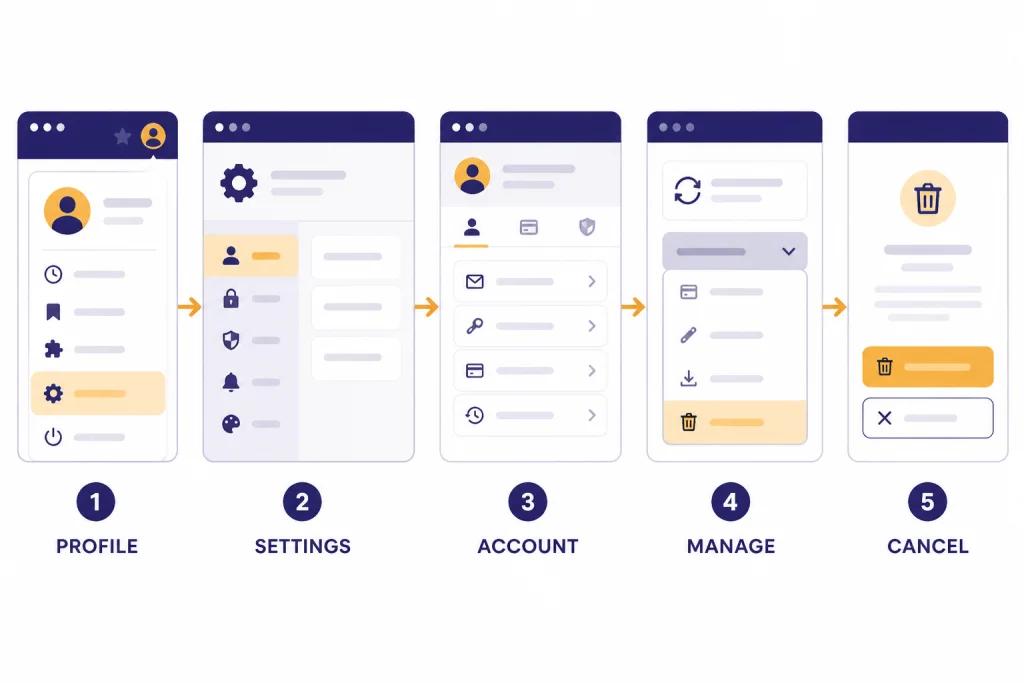
Use this method if you subscribed directly on the ChatGPT website. OpenAI’s cancellation instructions for personal web subscriptions are: log into ChatGPT, click your profile icon, select Settings, open the Account tab, choose Manage, and select Cancel Subscription.[1]
- Go to ChatGPT in a web browser.
- Sign in with the same OpenAI account that has Plus.
- Click your profile icon.
- Select Settings.
- Open the Account tab.
- Select the Manage dropdown.
- Choose Cancel Subscription.
- Follow the confirmation prompts until the subscription shows as canceled.
After canceling, save a screenshot of the confirmation screen or the subscription status page. It gives you a timestamped record if another charge appears later. Also check your email for a cancellation confirmation.
If you cannot find a Manage or Cancel Subscription button, you may be signed into the wrong account, your subscription may have been started through Apple or Google Play, or the interface may not show subscription controls because the account does not currently have an active web-billed subscription.
How to cancel ChatGPT Plus on iPhone
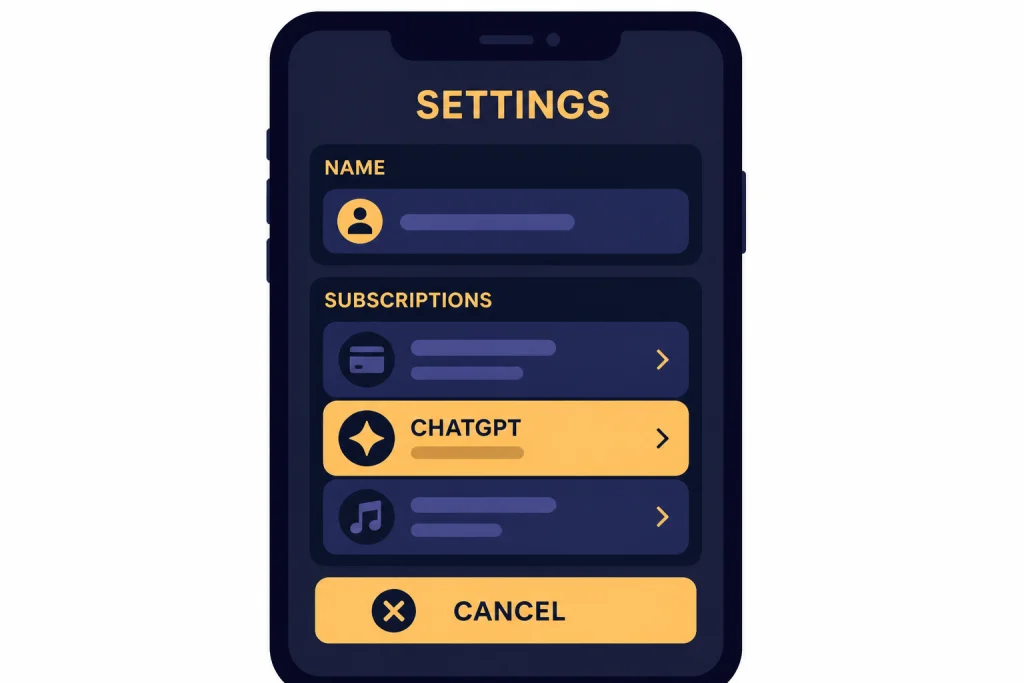
Use this method if you subscribed to ChatGPT Plus through the iOS app. OpenAI says Apple manages subscriptions purchased through the Apple App Store, so they must be canceled through the subscription plan on the iOS device.[2]
- Open Settings on your iPhone.
- Tap your name at the top.
- Tap Subscriptions.
- Select ChatGPT.
- Tap Cancel Subscription.
- Confirm the cancellation in the pop-up window.
OpenAI notes that deleting your ChatGPT account on the web interface will not cancel a ChatGPT subscription purchased through Apple.[2] That distinction matters. If your receipt came from Apple, the cancellation must happen in Apple’s subscription system.
Apple may continue showing your canceled subscription until the paid period ends. That does not always mean renewal is still active. Look for the renewal status. If the screen shows an expiration date instead of a renewal date, the subscription is usually already canceled.
If you are also considering whether to return later, read our ChatGPT Plus benefits list before your access ends. It helps you decide whether you should cancel fully or pause spending temporarily and resubscribe later.
How to cancel ChatGPT Plus on Android
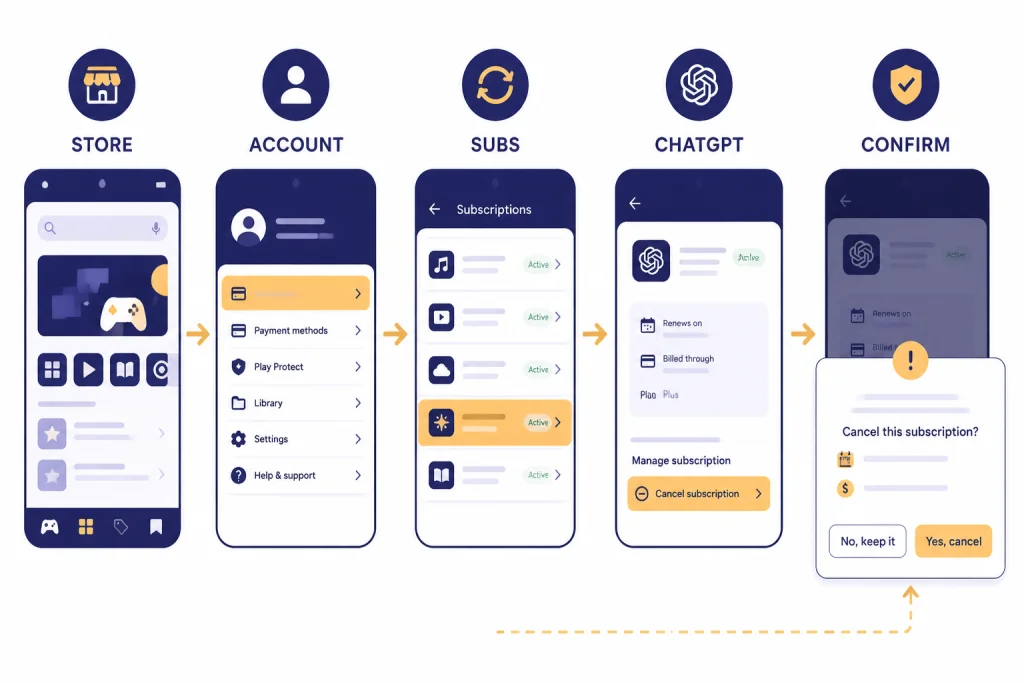
Use this method if you subscribed through the ChatGPT Android app and the charge is managed by Google Play. OpenAI says Google Subscriptions can be canceled from the Google Play Store app or the Google Play website while signed in with the same Google account used to subscribe.[3]
- Open the Google Play Store on your Android device.
- Confirm that you are signed into the Google account used for the ChatGPT subscription.
- Open Menu.
- Tap Subscriptions.
- Select the ChatGPT subscription.
- Tap Cancel subscription.
- Follow Google’s prompts until the cancellation is confirmed.
You can also cancel from a computer through Google Play subscriptions. OpenAI’s Android help page says to go to Google Play subscriptions, click Manage on the ChatGPT subscription, click Cancel subscription, select a reason in the confirmation pop-up, and click Continue.[3]
Google’s own help page also states that uninstalling an app will not cancel its subscription and that you should sign into the Google Account that has the subscription.[7] If ChatGPT is not listed, switch Google accounts and check again.
What happens after you cancel
Canceling Plus stops renewal. It does not usually remove access immediately. OpenAI says cancellation becomes effective the day after your next billing date, which allows you to use the services until then.[1]
OpenAI also says users should cancel at least 24 hours before the next billing date to avoid being charged for the next billing period.[1] Apple and Google Play subscriptions also note billing timing around the end of the current subscription period; OpenAI’s iOS and Android help pages say those app store accounts may be charged 24 hours before the end of the current period.[2][3]
Your chat history and account do not disappear just because you cancel Plus. You move back to the available free experience after paid access ends. Features that require Plus may become limited or unavailable. If you want to understand what you lose, compare ChatGPT subscription plans and check how much ChatGPT costs across tiers.
| Item | After cancellation | What to check |
|---|---|---|
| Renewal | Stops after the current paid period if cancellation is completed | Subscription status or expiration date |
| Plus features | Usually remain available until the paid period ends | Next billing date or expiration date |
| Chat history | Typically remains tied to your account | Sign in on the same account |
| Mobile app | Can remain installed | Do not rely on uninstalling as cancellation |
| Refund | Handled separately from cancellation | Billing platform and refund eligibility |
Refunds and recent charges
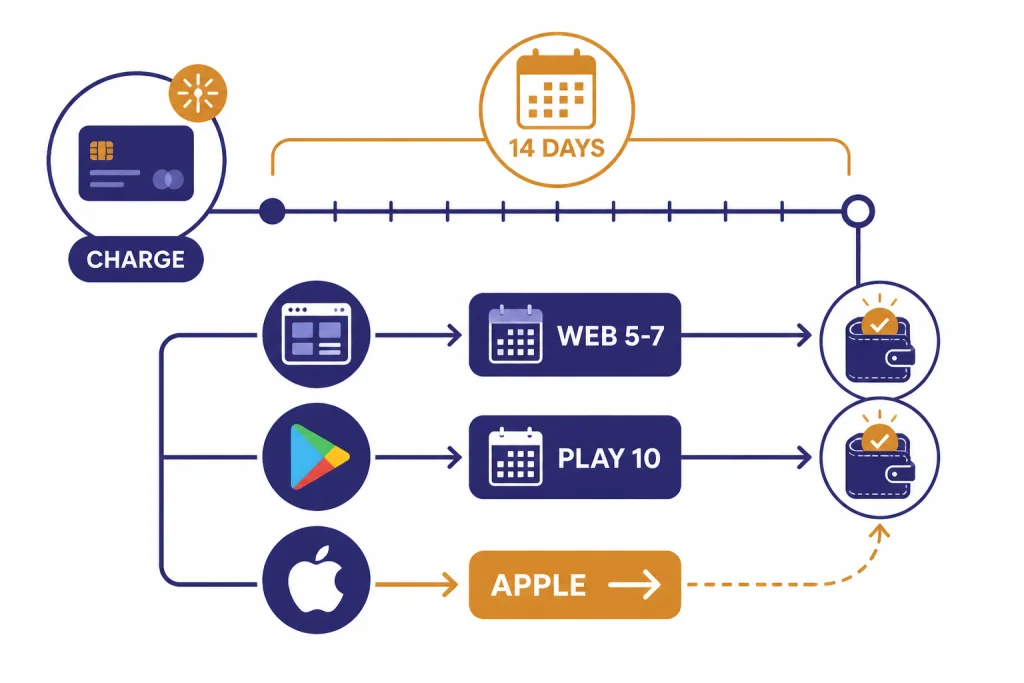
Canceling and refunding are separate actions. OpenAI’s cancellation page says subscription fees are non-refundable.[1] OpenAI’s refund page gives more detail: web refunds are requested through the Help Center chat while signed into the charged account, eligible web refunds are processed within 5-7 business days, and accidental purchases are generally eligible if you contact OpenAI within 14 days of the charge.[4]
For Google Play subscriptions, OpenAI says to log into ChatGPT with the account tied to the refund request, open the Help Center chat, and request a refund; if eligible, OpenAI says Google Play refund processing can take within 10 business days.[4]
For Apple subscriptions, OpenAI says cancellations and refunds must be requested directly from Apple.[4] Apple’s refund page says some App Store purchases may be eligible for a refund and instructs users to sign in to reportaproblem.apple.com, choose “Request a refund,” select a reason, choose the item, and submit.[8]
OpenAI also states that users in the EU, UK, or Turkey are eligible for a prorated refund if they cancel within 14 days of purchase.[4] If you are trying to recover a recent charge, read our full ChatGPT Refund Policy guide before contacting support.
Troubleshooting common cancellation problems
ChatGPT does not show a cancel button
You may not have a web-billed subscription. Check your receipt. If Apple or Google processed the charge, the web account page may not show the cancellation controls you expect.
Apple Subscriptions does not show ChatGPT
Confirm that you are signed into the same Apple Account used for the purchase. Apple says if you cannot find a charge, you should check receipts and determine which Apple Account was used.[8] Family Sharing can also complicate who sees the purchase.
Google Play does not show ChatGPT
Switch between Google accounts. Google says subscriptions may be on a different account if you cannot find them.[7] Also check whether the charge was made on the web instead of through Android.
You cannot access the old email address
OpenAI says support can help cancel if you can no longer access the email address tied to your account. The cancellation help page asks for the email address associated with the inaccessible account, the last four digits of the payment card, and the date of the most recent subscription payment.[1]
You were charged after canceling
First, check the cancellation date against the next billing date. OpenAI says to cancel at least 24 hours before the next billing date to avoid the next charge.[1] Then check whether you had a duplicate subscription on another platform. OpenAI warns that subscribing on more than one platform can create multiple active subscriptions and multiple charges.[6]
Alternatives to canceling
Cancel if you do not use Plus enough to justify the monthly cost. But if the issue is timing, project workload, or budget, you may have better options.
- Use the free plan for a month. This is the cleanest way to test whether you actually miss Plus.
- Resubscribe only during heavy work periods. Plus is billed monthly, so many users treat it as an on-demand productivity expense.[5]
- Check regional pricing and taxes. If your total charge differs from the headline amount, see our ChatGPT pricing by country explainer.
- Look for legitimate savings only. Avoid questionable coupon sites. Start with our ChatGPT Plus discount code and ChatGPT promo code pages instead.
- Upgrade or downgrade intentionally. If Plus is too much or not enough, compare ChatGPT Plus vs Pro before changing tiers.
If you cancel and later decide you need Plus again, you can resubscribe from your account. Our how to upgrade to ChatGPT Plus walkthrough covers the return path.
Frequently asked questions
How do I cancel ChatGPT Plus subscription the fastest way?
Cancel it where you bought it. Web purchases are canceled in ChatGPT settings under Account and Manage.[1] iPhone purchases are canceled in Apple Subscriptions, and Android purchases are canceled in Google Play.[2][3]
Does deleting the ChatGPT app cancel Plus?
No. OpenAI says uninstalling the ChatGPT Android app will not cancel the subscription, and its duplicate-subscription guidance says uninstalling the app does not cancel Google Play or Apple App Store subscriptions.[3][6] You must cancel the active subscription itself.
Will I lose Plus immediately after canceling?
Usually no. OpenAI says cancellation becomes effective the day after your next billing date, allowing you to use the services until then.[1] Apple and Google Play billing screens may show the exact end date for mobile subscriptions.
How late can I cancel before the next charge?
OpenAI says to cancel at least 24 hours before your next billing date to avoid being charged for the next billing period.[1] For app store billing, OpenAI’s iOS and Android pages also mention charges 24 hours before the end of the current subscription period.[2][3]
Can I get a refund after canceling ChatGPT Plus?
Maybe, but cancellation alone is not a refund request. OpenAI says accidental purchases are generally eligible if you contact OpenAI within 14 days of the charge, and EU, UK, and Turkey residents are eligible for a prorated refund if they cancel within 14 days of purchase.[4] Apple-billed subscriptions must be handled through Apple.[4]
Why am I being charged twice for ChatGPT Plus?
You may have more than one active subscription. OpenAI says duplicate subscriptions can happen when users subscribe on more than one platform, such as Apple App Store, Google Play Store, and chatgpt.com.[6] Check each platform and cancel any duplicate plan.