

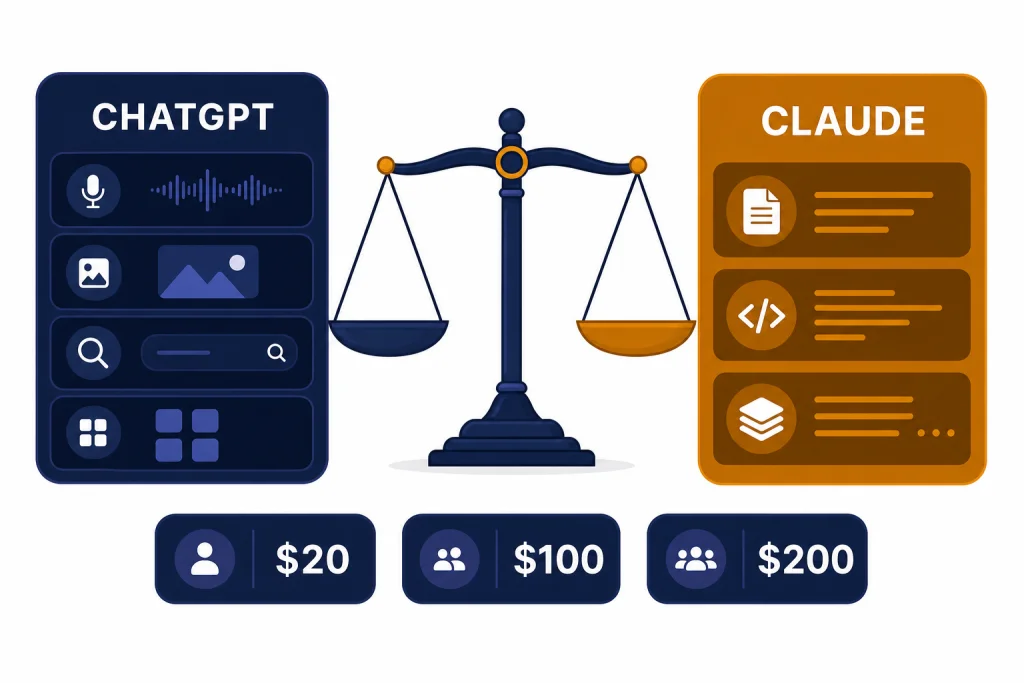
Claude vs ChatGPT is not a single winner-take-all choice. ChatGPT is the better paid subscription if you want one assistant for search, voice, image generation, files, data analysis, custom GPTs, and broad app connections. Claude is the better paid subscription if your work is mostly writing, document review, careful reasoning over long material, or code-focused collaboration inside Claude’s product line. At the $20 tier, both are strong, but they feel different: ChatGPT is the broader workspace, while Claude is often the calmer writing and long-context partner. Heavy users should compare the higher tiers closely before paying, because both companies now separate casual use from serious daily workloads.
Quick verdict
Pay for ChatGPT if you want the most complete consumer AI workspace. Its paid plans emphasize GPT-5.5 Thinking, GPT-5.5 Pro on Pro, voice with video, image generation, deep research, projects, tasks, Codex, apps, memory, file uploads, and custom GPTs across the same interface.[1] If you are comparing OpenAI plan levels before choosing, start with our ChatGPT Free vs Plus vs Pro breakdown.
Pay for Claude if your main use is drafting, editing, summarizing, coding with Claude Code, or working through long documents with fewer distractions. Claude Pro is priced at $20 per month in the U.S., and Anthropic also sells Max 5x and Max 20x individual plans for heavier usage.[4] Claude feels less like a feature bundle and more like a focused thinking partner.
The simplest rule is this: choose ChatGPT for breadth, choose Claude for depth. Breadth means voice, images, search, GPTs, apps, and general-purpose daily use. Depth means long files, careful revisions, codebase work, and sustained writing projects. Many professionals can justify paying for only one. A smaller group should pay for both: writers or developers who prefer Claude’s output, but still need ChatGPT’s multimodal tools.
Pricing and plan comparison
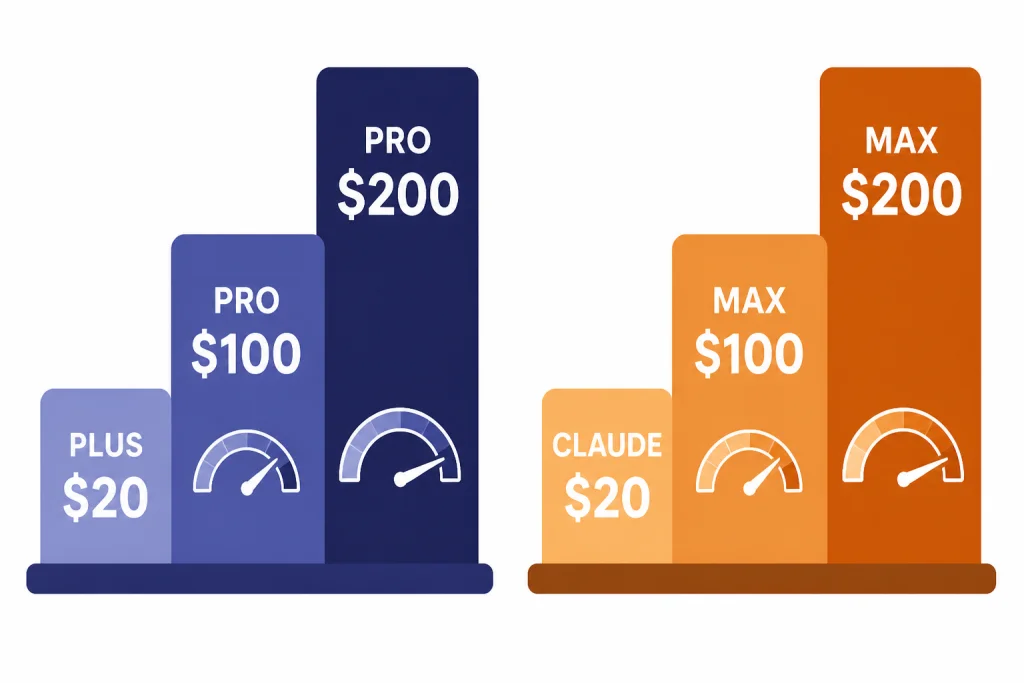
The first surprise in the Claude vs ChatGPT decision is that the entry paid tier is not the real dividing line. ChatGPT Plus and Claude Pro both sit at $20 per month in the U.S.[3][5] The larger difference appears when you hit limits or need premium reasoning and coding capacity.
OpenAI now describes ChatGPT Pro in two paid levels: Pro $100 for users who need 5x higher limits than Plus, and Pro $200 for users who need 20x higher limits than Plus.[2] Anthropic’s comparable individual ladder is Claude Pro at $20 per month, Max 5x at $100 per month, and Max 20x at $200 per month.[4] That symmetry makes the buying question easier: the $20 decision is about product fit, while the $100 and $200 decision is about whether you consistently hit limits.
| Buyer profile | ChatGPT option | Claude option | Better default |
|---|---|---|---|
| Occasional personal use | Free or Plus | Free or Pro | Try both free first |
| Daily general work | Plus at $20/month[3] | Pro at $20/month[5] | ChatGPT if you need tools; Claude if you need writing quality |
| Heavy individual work | Pro $100 or Pro $200[2] | Max 5x at $100 or Max 20x at $200[4] | Depends on which assistant you already max out |
| Small team | Business or Team-style workspace | Team with Standard or Premium seats | Compare admin, data, and collaboration needs |
| Developer using terminal tools | Codex-focused plans and usage | Claude Code through eligible plans | Test on your actual repository |
Claude Pro has visible session-style limits. Anthropic says Pro offers at least five times the usage of the free service during peak hours, and that short conversations using a less compute-intensive model can reach around 45 messages every five hours, often more depending on capacity and conversation length.[6] That is useful guidance, but it also means a single long uploaded document can consume more capacity than a quick back-and-forth.
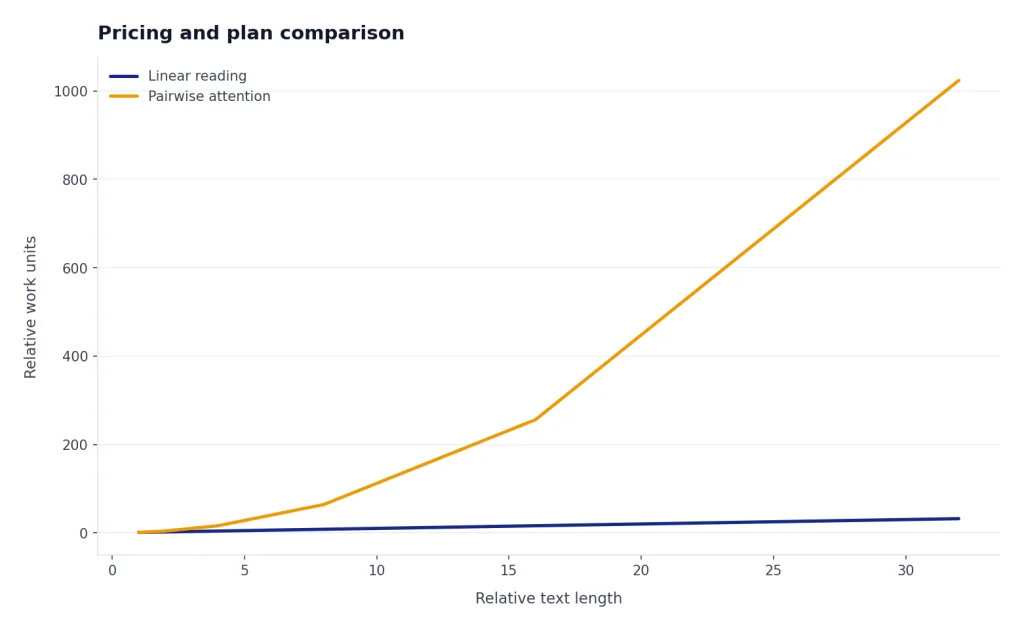
ChatGPT’s pricing page frames Plus and Pro more around expanded or unlimited access to models, messages, files, tools, and context, with usage still subject to guardrails.[1] If you want a narrower plan-by-plan OpenAI view, read our take on ChatGPT Pro vs Team or the ChatGPT Plus vs Team breakdown.
Writing, research, and long-context work
Claude’s strongest case is sustained language work. It is especially useful when you want a draft rewritten in a consistent voice, a long memo condensed without losing nuance, or a dense document explained in plain English. Claude’s Artifacts feature also gives longer outputs a separate workspace for documents, code snippets, diagrams, websites, and interactive components.[10]
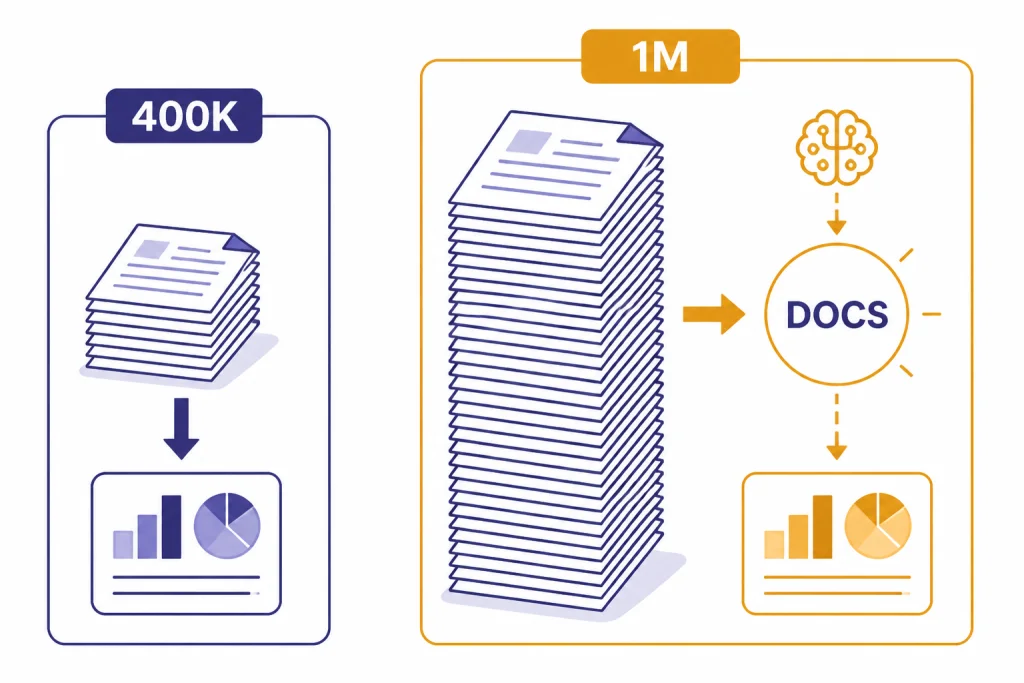
Claude’s long-context story is also strong. Anthropic’s model documentation lists Claude Opus 4.7 and Claude Sonnet 4.6 with 1M-token context windows, while Claude Haiku 4.5 is listed at 200k tokens.[8] Anthropic’s context-window documentation also says Claude Mythos Preview, Claude Opus 4.7, Claude Opus 4.6, and Claude Sonnet 4.6 have a 1M-token context window, and that a single request can include up to 600 images or PDF pages on 1M-context models.[9] Those are model and API capabilities, not a promise that every consumer chat session will behave like an unlimited filing cabinet.
ChatGPT is still very strong for writing, but its advantage is breadth around the writing process. You can ask it to search, analyze a spreadsheet, generate a chart, create an image, build a custom GPT, or continue a project from memory in the same environment.[1] That makes ChatGPT easier to recommend for students, analysts, marketers, and solo operators who move between formats all day.
For serious research, the difference is workflow. ChatGPT’s deep research, apps for deep research, search, file uploads, data analysis, and interactive tables make it a more complete research workstation.[1] Claude is often better when you already have the materials and want careful synthesis. Anthropic also says RAG for Projects is available for paid Claude.ai plans and can expand project knowledge capacity by up to 10x when project knowledge approaches context limits.[11]
If context window sizes are your main buying factor, also read our context window sizes for every GPT model. If model family differences matter more than the app wrapper, compare GPT vs the o-Series before you commit.
Coding and agent workflows
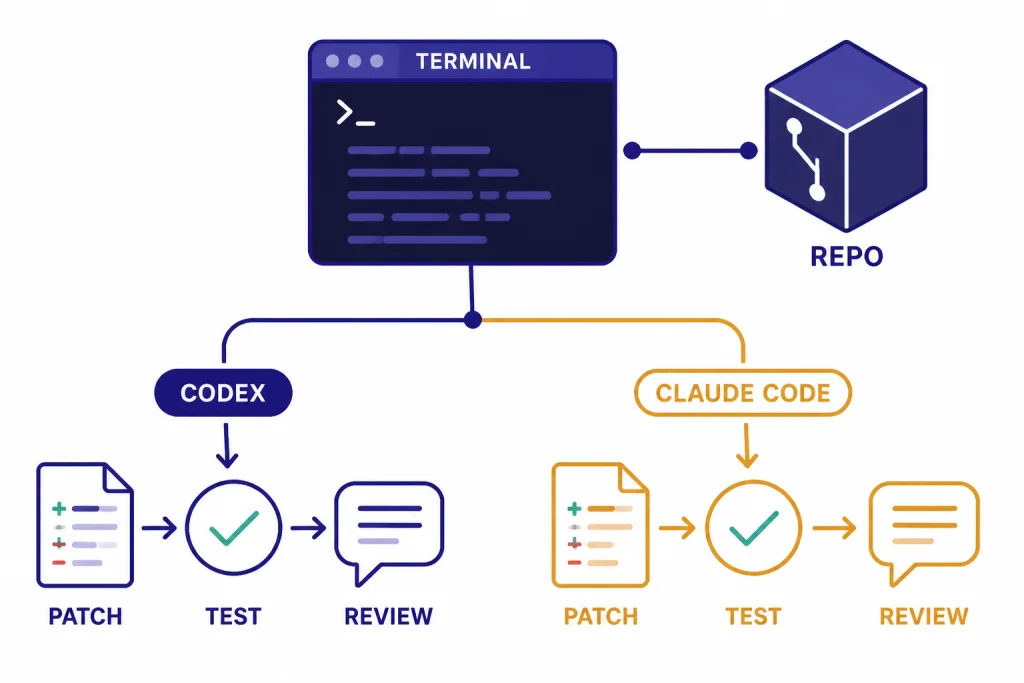
Developers should not choose by brand. They should choose by repository test. Give each assistant the same task: understand a real codebase, propose a small change, write the patch, explain risk, and update tests. The best assistant for your stack is the one that produces fewer wrong assumptions and fewer review comments.
ChatGPT’s coding case centers on Codex, code edits, agent mode, app connections, and OpenAI’s broader developer ecosystem. ChatGPT’s pricing page lists Codex across Free, Go, Plus, Pro, Business, and Enterprise, with expanded Codex on Pro.[1] OpenAI’s Pro help page also positions Pro $100 and Pro $200 around higher usage for advanced tools and models, including Codex and deep research.[2]
Claude’s coding case centers on Claude Code and its newer high-capability Claude models. Anthropic’s model documentation describes Claude Opus 4.7 as its most capable generally available model for complex reasoning and agentic coding, and Claude Sonnet 4.6 as the best combination of speed and intelligence.[8] Claude Max combines Claude desktop and mobile apps with Claude Code in one subscription, with up to 20x more usage per session than Pro.[7]
The tradeoff is predictable. ChatGPT may fit better if your coding workflow also needs app integrations, image understanding, broad file analysis, and OpenAI API continuity. Claude may fit better if you like its planning style, code review tone, and long-context repo understanding. If you use OpenAI models through the API, keep OpenAI API pricing separate from ChatGPT subscription pricing. They are different products with different billing.
For most developers, the practical answer is to run a one-week bakeoff. Use ChatGPT for one real ticket and Claude for another real ticket of similar complexity. Track time saved, bad edits, test failures, and how often you hit limits. Do not rely on generic benchmark screenshots. Your own repo is the benchmark that matters.
Multimodal features and ecosystem
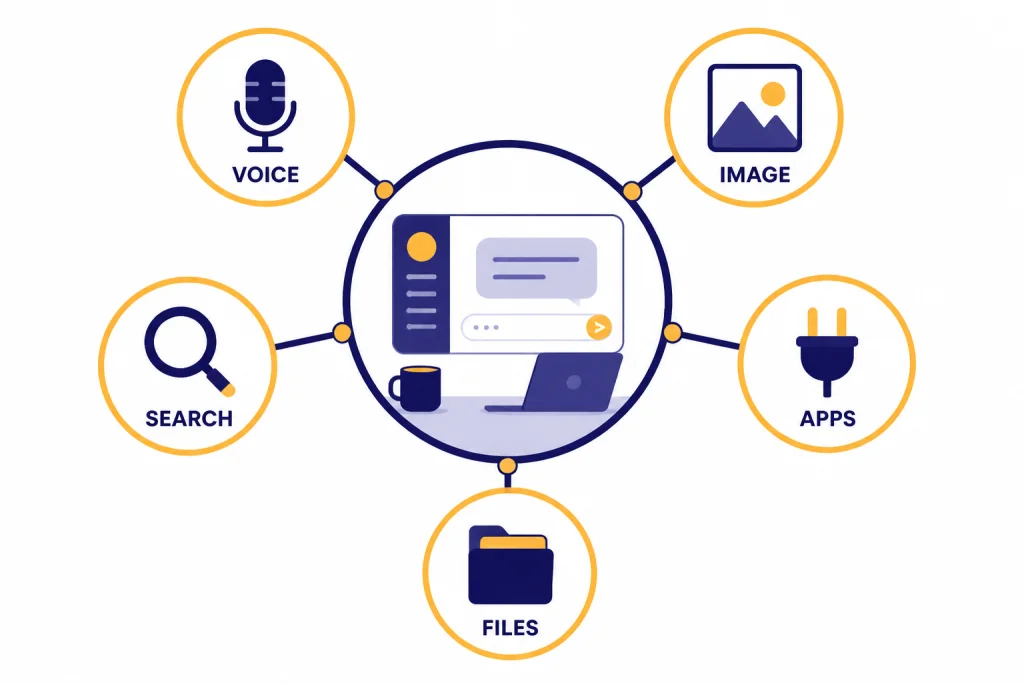
This is where ChatGPT is easier to recommend. OpenAI’s pricing page lists voice, voice with video, apps, Codex, skills beta, memory, search, canvas, file uploads, custom GPTs, image generation, interactive tables and charts, deep research, and tasks across its plan comparison.[1] If you want one paid assistant that can move between text, voice, images, files, charts, and app-connected workflows, ChatGPT has the broader surface area.
Claude is not barebones. It has Artifacts, Projects, Claude Code, file workflows, Research, web search, memory-related features, and strong document handling. But its product identity is different. Claude feels like a focused workspace for thinking and composing. ChatGPT feels like an operating layer for many kinds of digital work.
That distinction matters for creative work. If your subscription needs to generate images, prototype a visual, speak through a problem, analyze a CSV, and draft a blog post, ChatGPT is the better first purchase. If your visual work is mostly diagrams, structured text, small prototypes, or document-like artifacts, Claude can be enough. For image-specific comparisons, see DALL-E vs Midjourney and DALL-E vs Stable Diffusion.
Search is another ecosystem difference. ChatGPT is often the better default when the answer depends on current information, citations, or source checking. Claude can also support research-style workflows, but ChatGPT’s integration of search, deep research, files, charts, and custom GPTs makes it easier for general web-assisted work. For a broader decision rule, use our ChatGPT vs Google Search guide.
Teams, privacy, and administration
For teams, the Claude vs ChatGPT decision changes. You are no longer buying only intelligence. You are buying billing controls, admin controls, workspace separation, compliance posture, data handling, and support. A team plan that is slightly worse for one prompt may still be better if it gives your organization cleaner permissions and procurement.
Anthropic says Claude Team plans require a minimum of five members. Standard seats are $25 per member per month when billed monthly or $20 per member per month when billed annually, while Premium seats are $125 per member per month when billed monthly or $100 per member per month when billed annually.[7] That makes Claude Team attractive for groups that want shared Claude use without immediately moving to enterprise contracting.
OpenAI’s ChatGPT Business and Enterprise positioning emphasizes a secure collaborative workspace, apps that connect business tools and data, admin controls, SAML SSO, MFA, no training on business data, and support for privacy laws and SOC 2 Type 2 alignment.[1] Enterprise adds custom pricing, expanded context, SCIM, enterprise key management, user analytics, domain verification, role-based access controls, data residency in ten regions, priority support, SLAs, and custom legal terms.[1] If you are choosing between OpenAI workspace tiers, read ChatGPT Team vs Enterprise.
Small teams should pilot both tools with the same governance checklist. Ask whether admins can add and remove users easily, whether data is excluded from training by default, whether connectors meet security expectations, whether logs and retention meet policy, and whether employees can share outputs safely. The best model is not enough if the workspace creates compliance risk.
Which one should you pay for?
Choose ChatGPT Plus if you want the safest single paid subscription for general use. It is the better default for people who need voice, image generation, search, custom GPTs, charts, files, projects, and broad tool access in one place.[1] It is also the better fit if you already use OpenAI models, compare GPT releases, or follow changes like GPT-5 vs GPT-4o.
Choose Claude Pro if your work lives in words and code. It is a strong pick for editors, lawyers, researchers, founders, developers, and students who need careful summarization and steady drafting more than voice or image tools. Claude’s $20 U.S. price is easy to justify if you use it daily for serious written work.[5]
Choose ChatGPT Pro only if you know Plus is not enough. The Pro $100 tier is described for users who need 5x higher limits than Plus, while Pro $200 is described for users who need 20x higher limits than Plus.[2] If you rarely hit limits, Pro is usually overkill.
Choose Claude Max if you prefer Claude and consistently hit Pro limits. Max 5x at $100 and Max 20x at $200 are for frequent or daily users who need much more usage per session than Pro.[4] If you do not hit Claude Pro limits, stay on Pro.
Pay for both only if each has a clear job. A common split is Claude for drafting, editing, and code reasoning, with ChatGPT for search, images, data analysis, voice, and GPT-based workflows. If you are still shopping the wider market, compare this result with our best AI chatbot alternatives to ChatGPT.
- Best one-tool subscription: ChatGPT Plus.
- Best writing subscription: Claude Pro.
- Best multimodal subscription: ChatGPT Plus or Pro.
- Best long-document partner: Claude, especially on plans and models that support larger context.
- Best developer answer: test both on your own codebase.
- Best team answer: compare admin, data, billing, and support before model preference.
Frequently asked questions
Is Claude better than ChatGPT?
Claude is often better for long-form writing, careful revision, and working through dense documents. ChatGPT is usually better as an all-purpose assistant because it combines chat, search, voice, image generation, files, charts, apps, and custom GPTs in one product.[1] The better choice depends on the work you repeat every week.
Is ChatGPT Plus or Claude Pro a better $20 subscription?
ChatGPT Plus is the better $20 subscription for most general users because it includes a broader feature set. Claude Pro is the better $20 subscription if your main work is writing, editing, summarizing, and code review. Both are easy to justify only if you use them several times per week.[3][5]
Should developers pay for Claude or ChatGPT?
Developers should test both on a real repository before paying for a higher tier. ChatGPT has Codex and a broad OpenAI ecosystem, while Claude has Claude Code and strong long-context coding models.[1][8] The winner depends on your language, framework, repo size, and review standards.
Do Claude and ChatGPT have the same limits?
No. Anthropic describes Claude Pro around session usage that resets every five hours, with practical message counts depending on length, attachments, model choice, and capacity.[6] OpenAI describes ChatGPT tiers with expanded, unlimited, or flexible access depending on plan and feature, still subject to usage guardrails.[1]
Which is better for long documents?
Claude has a strong advantage when the task is reading, condensing, and reasoning over long materials. Anthropic lists 1M-token context windows for Claude Opus 4.7 and Claude Sonnet 4.6 in its model documentation.[8] ChatGPT can still be better if the long-document task also needs search, charts, image generation, or app integrations.
Should a small business choose Claude Team or ChatGPT Business?
Claude Team is attractive if your team mainly wants shared Claude access with seat-based pricing. ChatGPT Business is attractive if your team wants a broader workspace with apps, data analysis, shared projects, admin controls, and OpenAI’s tool ecosystem.[1][7] Pilot both with your data policy before rolling either out widely.