

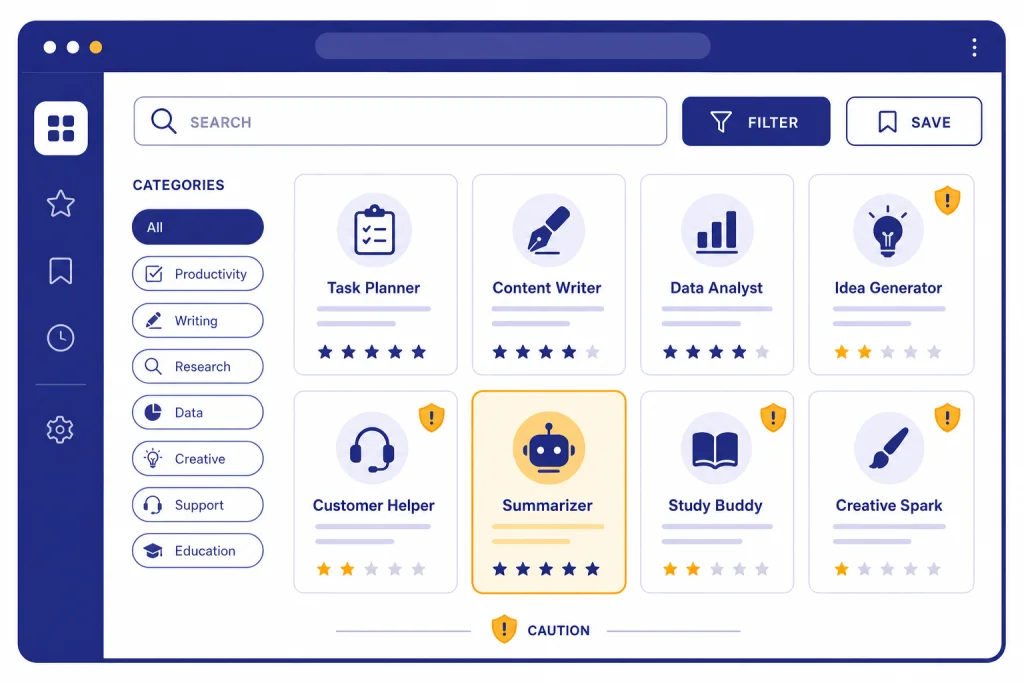
The GPT Store is worth browsing if you already use ChatGPT and want shortcuts for repeated tasks, but it is not yet a polished app marketplace. The best Custom GPTs save setup time by bundling instructions, files, tools, and conversation starters around a narrow job. The weak ones are prompt wrappers with vague names, thin descriptions, and little reason to use them over a normal ChatGPT chat. OpenAI launched the GPT Store on January 10, 2024, after users had created more than 3 million custom versions of ChatGPT.[1] In this GPT Store review, the right way to use it is selective: search for a specific workflow, test quickly, and avoid sending sensitive data to unknown builders.
Verdict: useful directory, uneven store
The GPT Store is best understood as a searchable directory for Custom GPTs, not a full app store with clear pricing, deep reviews, rich version histories, or strong quality signals. That distinction matters. A good GPT can be genuinely useful. A mediocre one can waste time because it behaves like ordinary ChatGPT with a different opening prompt.
Our verdict is positive but narrow. Browse the GPT Store when you need a fast starting point for a familiar workflow: tutoring, résumé review, coding help, image prompt drafting, document analysis, or a domain-specific checklist. Skip casual browsing when you do not have a job in mind. The store rewards targeted search more than exploration.
The biggest strength is convenience. GPTs are available inside ChatGPT, and OpenAI says a GPT can combine instructions, knowledge, and selected capabilities into a tailored ChatGPT experience.[2] The biggest weakness is trust. You often have to infer whether a GPT is carefully maintained, whether its source material is current, and whether the builder deserves access to whatever you type.
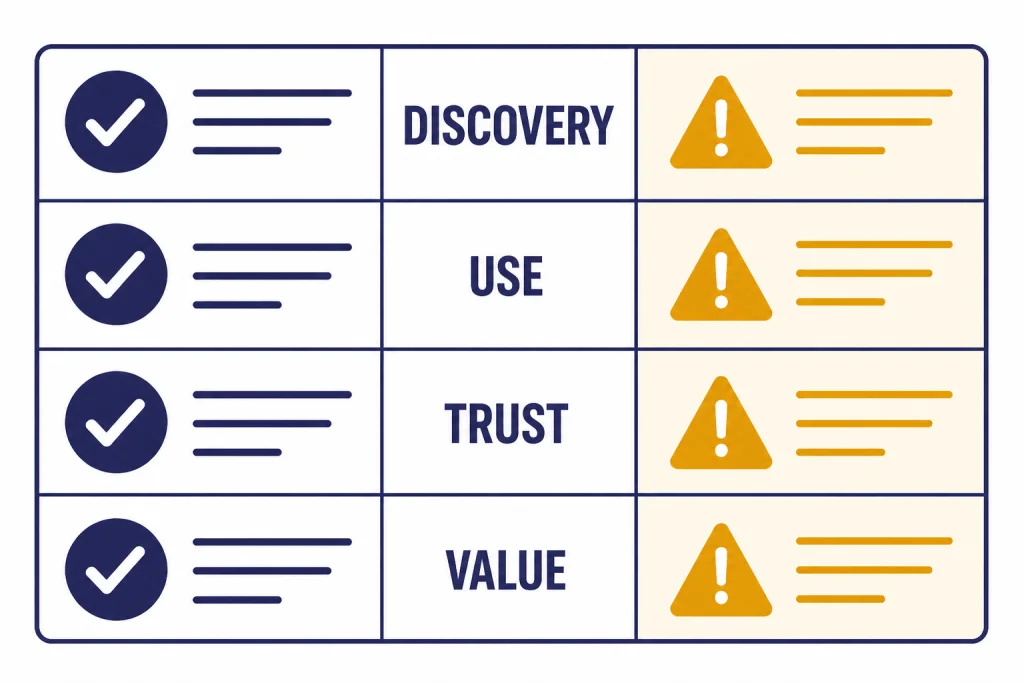
| Review area | What works | What still disappoints | Practical score |
|---|---|---|---|
| Discovery | Search and categories make public GPTs easier to find. | Quality signals remain thinner than mature software marketplaces. | Mixed |
| Usefulness | Strong for repeatable, narrow workflows. | Weak GPTs feel like saved prompts. | Good if selective |
| Trust | OpenAI requires policy and publishing checks for public GPTs. | Unknown builders and external actions still require caution. | Needs care |
| Value | Free users can use GPTs with limits, and paid plans add creation access. | The store itself does not replace a complete workflow system. | Worth trying |
What the GPT Store is
The GPT Store is the place in ChatGPT where users can search for and use public GPTs. OpenAI describes GPTs as custom versions of ChatGPT configured for a specific purpose, and says they can include instructions, knowledge, and selected capabilities.[2] In plain English, a GPT is a reusable ChatGPT setup for a task.
The store launched as a way to make those setups discoverable. OpenAI’s launch post said the GPT Store featured community and partner GPTs, with categories such as DALL·E, writing, research, programming, education, and lifestyle.[1] That category structure is still the right mental model: the store is organized around use cases, not around traditional downloadable software.
A public GPT may show a name, icon, description, category, capabilities, conversation starters, ratings if available, and builder profile details.[3] Those details help, but they do not tell the whole story. You still need to test the GPT with your own task before relying on it.
The distinction between browsing GPTs and building GPTs is important. If you only want to use GPTs, you can start with the GPT Store. If you want a deeper assessment of the builder experience, see our ChatGPT Custom GPTs review. This review focuses on whether the store itself is worth your time.
Discovery quality and search
The GPT Store solves one real problem: before a central directory, public GPTs were hard to find unless someone sent you a link. Ars Technica described the launch as adding a central repository for browsing and discovering user-designed GPTs on OpenAI’s site.[9] That is the store’s core value.
Search works best when you describe the task, not the tool. A query like “legal contract” is too broad. A query like “summarize a lease agreement” gives you better candidates. A query like “turn meeting transcript into action items” is better still. The store is most useful when your intent is concrete.
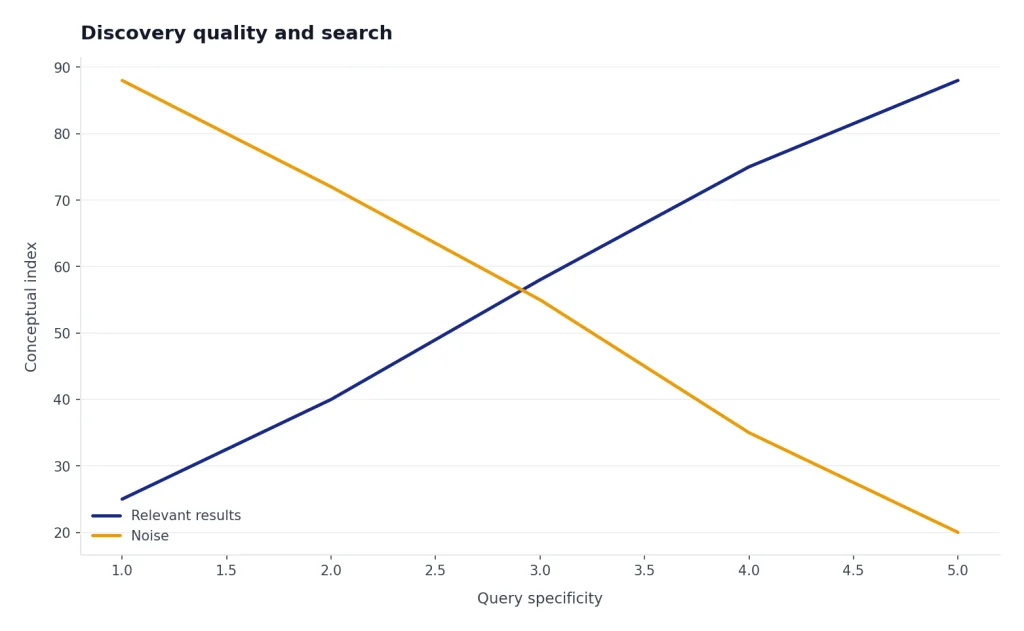
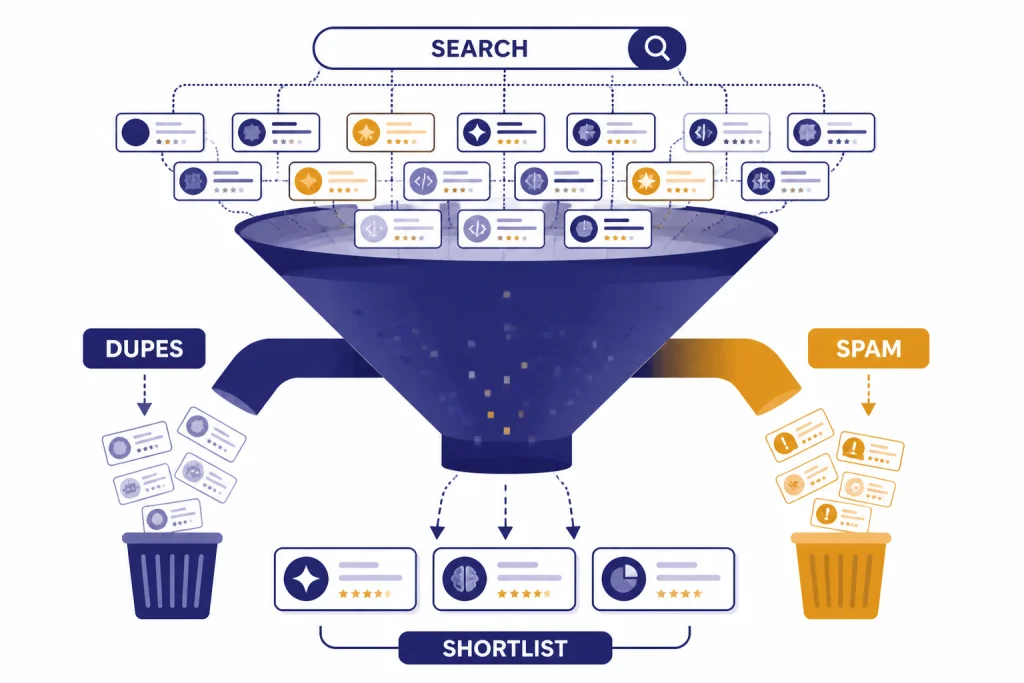
The quality problem is not that Custom GPTs are useless. It is that the store mixes polished assistants, hobby projects, duplicates, promotional GPTs, and thin prompt wrappers. TechCrunch reported in March 2024 that the GPT Store was filling with spammy and policy-questionable entries, even though builders had to verify profiles and submit GPTs to OpenAI’s review system.[8] That history still explains why careful browsing matters.
Good GPT Store listings tend to share a few traits. They state a narrow job. They show practical conversation starters. They explain what files, tools, or knowledge they use. They avoid exaggerated claims. They do not ask for unnecessary personal, financial, health, or company data.
Bad listings look generic. They promise to “do everything.” They use vague superlatives. They do not explain their sources or method. They ask you to paste sensitive material before proving they can handle a harmless sample. When in doubt, test with dummy text first.
What Custom GPTs can actually do
A Custom GPT is not a separate model by default. It is a configured ChatGPT experience. OpenAI says GPTs can include configuration elements that shape behavior, and builders can use instructions, knowledge, capabilities, apps, and actions depending on plan and settings.[2] That makes GPTs useful for repeatable workflows, but it also sets limits.
The most basic GPT adds persistent instructions. For example, a “grant reviewer” GPT may always ask for eligibility criteria, score an application against a rubric, and produce a revision checklist. You could prompt ChatGPT to do that manually, but the GPT saves setup time.
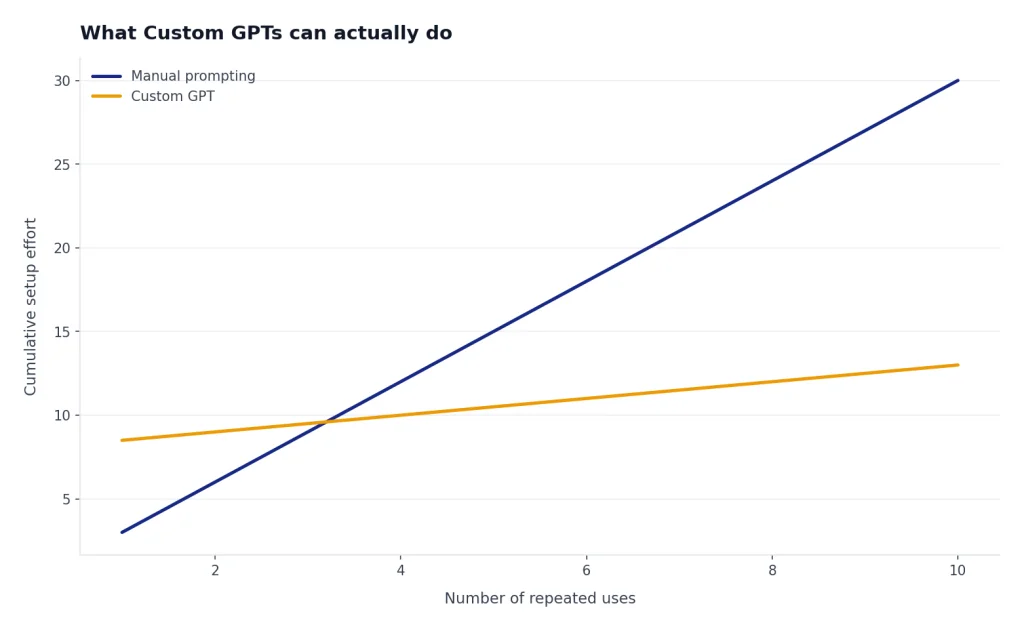
A stronger GPT adds knowledge files. For example, an internal policy GPT can refer to uploaded policy documents. A study GPT can use course notes. A client onboarding GPT can follow a house style guide. This is where Custom GPTs become more than themed prompts.
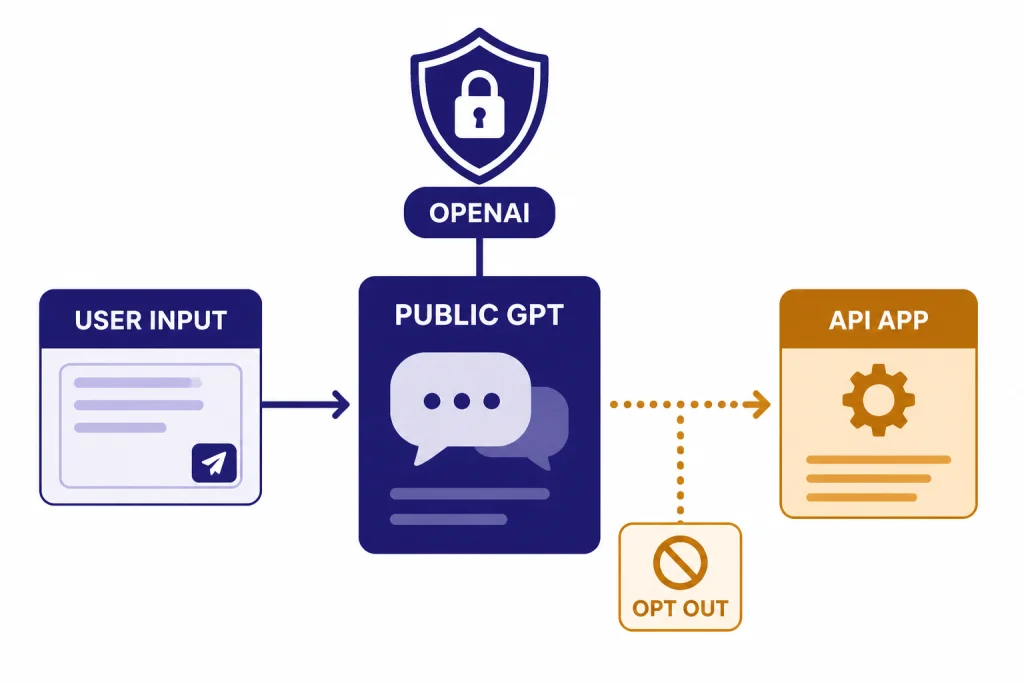
Some GPTs can also connect to external services through actions or apps. That is powerful, but it is also where trust becomes more important. OpenAI says that when a GPT uses external APIs or apps, relevant parts of your input may be sent to a third-party service, and OpenAI does not audit or control how those services use or store your data.[4]
If you need maximum control over models, prompts, retrieval, logging, and deployment, the GPT Store is not the right layer. Developers should compare it with the API and the interface covered in our OpenAI Playground review. Teams should also compare GPTs with managed workspace features in our ChatGPT Enterprise review and ChatGPT Team review.
Pricing and access
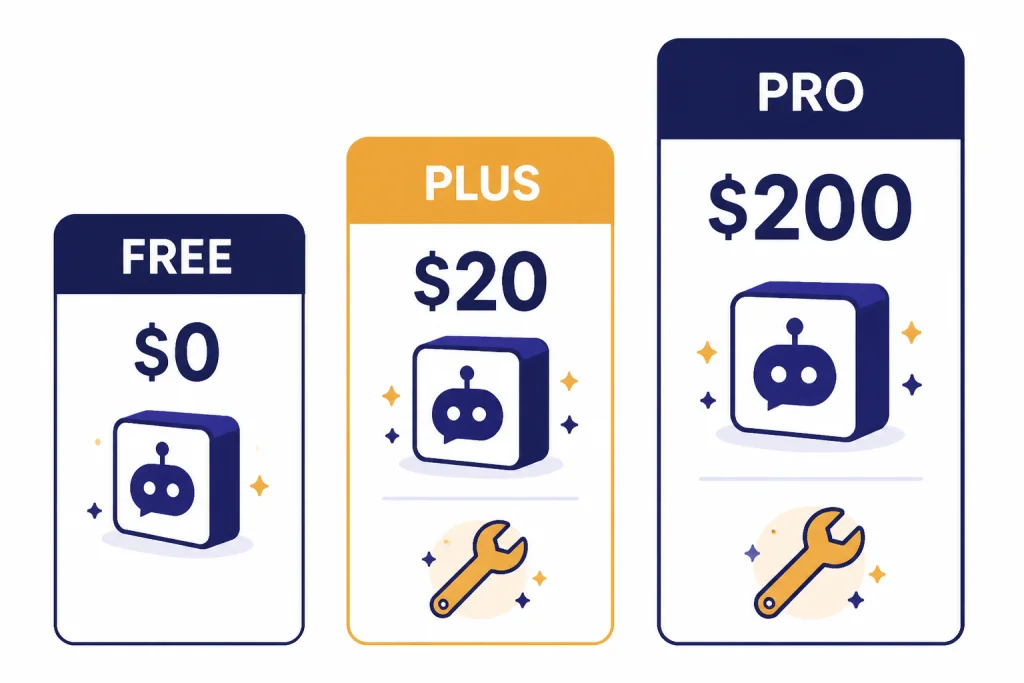
The GPT Store does not work like a traditional paid app store. You generally access GPTs through your ChatGPT plan rather than buying each GPT individually. OpenAI’s ChatGPT pricing page lists Free at $0 per month with use of custom GPTs, Plus at $20 per month with the ability to create and use tasks and custom GPTs, and Pro at $200 per month with custom GPT access included.[5]
OpenAI’s help center says GPTs are available to all ChatGPT users, but users must be signed in to start a conversation; it also says creating or editing GPTs requires a paid subscription.[2] That makes the store easy to sample. You can browse and try GPTs before deciding whether building your own is worth paying for.
For individual users, the value question is simple. If you already pay for ChatGPT Plus, the GPT Store is included enough to be worth testing. If you are deciding whether to pay mainly for GPTs, read our ChatGPT Plus review and ChatGPT Plus price guide first. Plus is easier to justify when you also use file analysis, image generation, voice, and higher limits, not when you only want to browse public GPTs.
For organizations, the equation is different. Workspace controls matter more than public discovery. OpenAI says Enterprise workspace owners can control whether GPTs can be shared, who they can be shared with, and whether users can access third-party GPTs.[6] That makes internal GPT governance more important than the public store itself.
| User type | Best way to use the GPT Store | When to upgrade or avoid |
|---|---|---|
| Free user | Try public GPTs for low-risk tasks with message limits. | Upgrade only if you also need broader ChatGPT features. |
| Plus user | Use store GPTs as workflow shortcuts and build private GPTs for repeated tasks. | Avoid relying on public GPTs for sensitive work. |
| Pro user | Use GPTs as reusable task surfaces alongside higher-end ChatGPT use. | Do not expect every public GPT to exploit your plan’s full value. |
| Business or Enterprise team | Prefer internal GPTs with workspace controls and approved data practices. | Block or limit third-party GPTs if data governance is strict. |
Privacy and safety concerns
The GPT Store’s main risk is not that every GPT is unsafe. The risk is that users may treat unknown GPTs as vetted professional software. They are not the same thing. Public GPTs can be useful, but you should still assume you are interacting with an assistant created by someone you may not know.
OpenAI says GPT builders cannot view individual conversations users have with their GPTs.[4] That is reassuring, but it is not a blanket privacy guarantee. If a GPT uses an external API or app, relevant parts of your input may be sent outside OpenAI, and OpenAI says it does not audit or control how those third-party services use or store your data.[4]
Consumer data settings also matter. OpenAI says conversations with GPTs in consumer products such as ChatGPT Free or Plus may be used to improve OpenAI’s models, unless the user opts out through data controls.[4] Business products such as the API, ChatGPT Business, and ChatGPT Enterprise are not used for training by default, according to OpenAI.[4]
OpenAI applies policy requirements to GPTs. Its usage policies say GPTs in the GPT Store should be appropriate for all users, and the GPT Store launch post described a review process using human and automated review, plus user reporting.[7][1] Those protections are helpful. They do not remove the need for common sense.
Use this privacy rule: if you would not paste the information into a random web form, do not paste it into a public GPT. That includes tax records, medical records, unreleased business plans, client files, credentials, legal strategy, private school records, and confidential code.
Where the GPT Store is worth your time
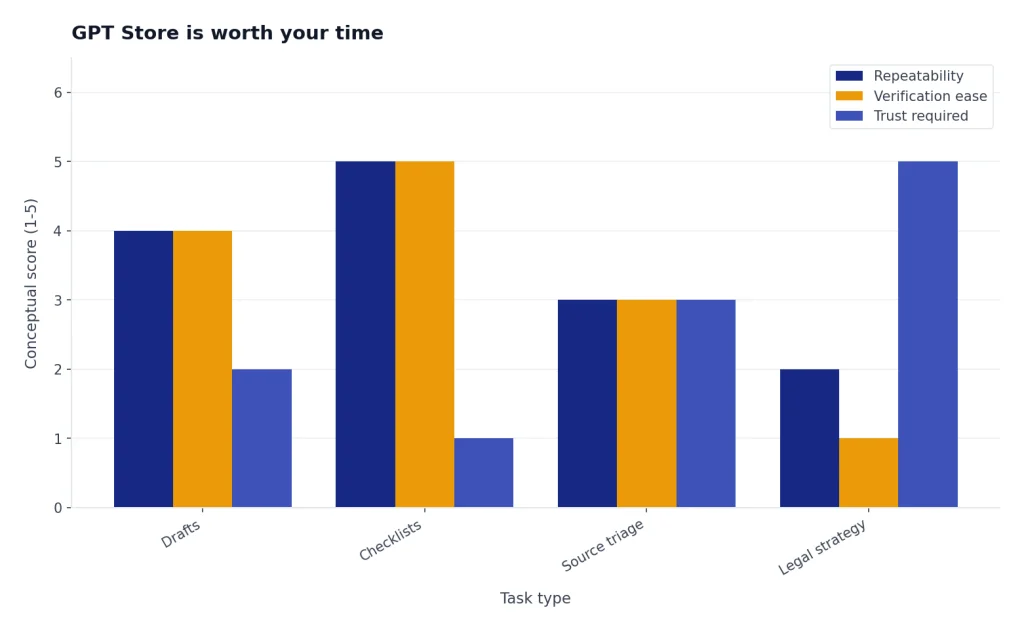
The best GPT Store use cases are narrow, repeatable, and easy to verify. They should produce drafts, checklists, summaries, practice questions, transformations, or structured feedback. They should not require blind trust.
Writing GPTs can help when they enforce a format. A strong one might turn notes into a press release, rewrite a support response in a house tone, or generate a newsletter outline from a transcript. A weak one simply says it is a “writing expert” and produces generic prose. For long-form editing, compare the experience with our ChatGPT Canvas review, because Canvas is often better for iterative document work.
Research GPTs can be useful for scoping, question generation, and source triage, but they should not replace careful verification. If the task requires citations, current sources, and methodical synthesis, compare with our ChatGPT Deep Research review. Public GPTs vary too much to trust them as research systems by default.
Coding GPTs can be helpful when they specialize in a framework, error pattern, or code review checklist. They are less useful when they only repackage generic programming advice. For serious development, use your own project context and test outputs before merging anything.
Image and video prompt GPTs can speed up ideation. They help turn vague visual ideas into structured prompts. If your main interest is media generation, pair the store with our DALL-E 3 review and Sora review rather than treating a prompt GPT as the whole toolchain.
- Use public GPTs for low-risk drafts and brainstorming.
- Use private GPTs for workflows you repeat every week.
- Use workspace GPTs for team knowledge and shared procedures.
- Use the API when the assistant must live outside ChatGPT.
- Use normal ChatGPT when a one-off prompt is enough.
GPT Store alternatives inside and outside ChatGPT
The strongest alternative to browsing the GPT Store is building your own private GPT. If you have a repeatable workflow, a known style guide, or trusted reference files, a private GPT can be better than a public one. It removes the discovery problem and gives you control over the instructions.
The second alternative is a normal ChatGPT conversation. Many public GPTs are not meaningfully better than a well-written prompt. If you only need help once, write a clear prompt, include your constraints, and ask ChatGPT to ask clarifying questions before answering.
The third alternative is a specialized ChatGPT feature. Voice Mode is better for spoken practice and hands-free brainstorming; see our ChatGPT Voice Mode review. ChatGPT Agent is better for multi-step task execution; see our ChatGPT Agent review. ChatGPT Atlas may be better when the task is browser-centered; see our ChatGPT Atlas review.
The fourth alternative is the OpenAI API. The API is the right path when you need your own interface, your own authentication, your own data pipeline, or programmatic control. The GPT Store is a ChatGPT feature. It is not a substitute for deploying an assistant inside your product.
Final recommendation
The GPT Store is worth browsing, but only with a filter. Treat it like a library of reusable ChatGPT configurations, not like a curated software marketplace where every listing deserves trust. It is most valuable when it helps you discover a better pattern for a task you already know you need to do.
Most users should spend a short session testing public GPTs in their top work category, save the few that produce better results than ordinary ChatGPT, and ignore the rest. If you find yourself repeatedly editing the same prompt or uploading the same reference material, build a private GPT instead of hunting for a public one.
For casual users, the GPT Store is a bonus feature. For power users, it is a discovery layer. For teams, it is less important than internal GPT governance. The Custom GPT idea remains strong. The public store is useful, but uneven.
Frequently asked questions
Is the GPT Store free to use?
OpenAI’s pricing page lists the Free plan at $0 per month and includes use of custom GPTs, while Plus is listed at $20 per month and includes creating and using custom GPTs.[5] Free users should expect limits. If GPTs become central to your workflow, a paid plan may be easier to justify.
Can I create my own GPT for the GPT Store?
OpenAI says creating or editing GPTs requires a paid subscription.[2] Publishing publicly can also require a builder profile, a category choice, and compliance with OpenAI’s policy and product requirements.[3] For many users, a private GPT is a better first project than a public listing.
Can GPT builders see my chats?
OpenAI says GPT builders cannot view individual conversations users have with their GPTs.[4] Still, if the GPT uses an external API or app, relevant parts of your input may be sent to that third-party service.[4] Avoid sending sensitive data to public GPTs unless you understand the data flow.
Are GPT Store results better than regular ChatGPT?
Sometimes. A good GPT can save setup time, enforce a format, and use specialized instructions or knowledge. A weak GPT may perform no better than a normal prompt, so test with a small sample before relying on it.
Is the GPT Store good for businesses?
Businesses should be cautious with public GPTs and more deliberate with internal GPTs. OpenAI says Enterprise workspace owners can control sharing and third-party GPT access.[6] That admin layer is more important than public browsing when company data is involved.
Should I browse the GPT Store or build my own GPT?
Browse first when you are exploring a common task. Build your own when the workflow is personal, repeated, confidential, or tied to your own files. A private GPT usually beats a public GPT when you already know the exact behavior you want.